| Scenario | Description |
|---|---|
| **Data labeling** | Label large volumes of text and images |
| **Model evaluation** | Benchmark testing, regression validation |
| **Content moderation** | Offline batch classification and filtering |
| **Batch generation** | Summarization, translation, structured extraction |
| **Academic research** | Large-scale data experiments, research data processing |
Billing notes
- Batch Inference (Batch API) price = real-time API price × 50%
- Billing unit: CNY per million tokens (Mainland China); USD per million tokens (Overseas)
- Cache hits: When the request's prefix content hits the Prompt Cache, billing uses the cache-hit price
- Batch inference currently supports the `mimo-v2.6-pro` and `mimo-v2.6-flash` models. Pricing for both models in Mainland China and overseas is listed below
- API Key format for batch inference: sk-xxxxx. Go to [API Keys](https://platform.xiaomimimo.com/console/api-keys) to create an API Key.
{/* feishu-style:text-align:left */}
**Mainland China pricing**
| Inference type | Real-time Inference API | Batch Inference API | ||||
|---|---|---|---|---|---|---|
| MiMo-V2.6 Series | Input (cache hit) | Input (cache miss) | Output | Input (cache hit) | Input (cache miss) | Output |
| `mimo-v2.6-pro` | ¥0.025 | ¥3.00 | ¥6.00 | ¥0.0125 | ¥1.50 | ¥3.00 |
| `mimo-v2.6-flash` | ¥0.02 | ¥1.00 | ¥2.00 | ¥0.01 | ¥0.50 | ¥1.00 |
| Inference type | Real-time Inference API | Batch Inference API | ||||
|---|---|---|---|---|---|---|
| MiMo-V2.6 Series | Input (cache hit) | Input (cache miss) | Output | Input (cache hit) | Input (cache miss) | Output |
| `mimo-v2.6-pro` | $0.0036 | $0.435 | $0.87 | $0.0018 | $0.2175 | $0.435 |
| `mimo-v2.6-flash` | $0.0028 | $0.14 | $0.28 | $0.0014 | $0.07 | $0.14 |
| Step | Description |
|---|---|
| 1. Register an account | Register a Xiaomi MiMo Open Platform account |
| 2. Real-name verification | Complete real-name verification |
| 3. Top up balance | Top up your account balance (Batch API deducts from your balance) |
| 4. Get an API Key | Create a usable API Key- Batch task Created via API: use the API Key you created |
| 5. Get the Base URL | Get the Base URL,Go to the [Batch Inference](https://platform.xiaomimimo.com/console/batch) page to get it |
Base URL: Go to the [Batch Inference](https://platform.xiaomimimo.com/console/batch) page to get it
{/* feishu-style:text-align:left */}
**OpenAI | completions,** [**download sample file**](https://aistudio-cdn.xiaomimimo.com/xiaomimimo-static/mimo-docs-figures/others/input-completions.jsonl)
```json
{"custom_id": "request-1", "method": "POST", "url": "/v1/chat/completions", "body": {"model": "mimo-v2.6-flash", "messages": [{"role": "user", "content": "Hello"}]}}
{"custom_id": "request-2", "method": "POST", "url": "/v1/chat/completions", "body": {"model": "mimo-v2.6-pro", "messages": [{"role": "user", "content": "World"}]}}
```
{/* feishu-style:text-align:left */}
**OpenAI | responses,** [**download sample file**](https://aistudio-cdn.xiaomimimo.com/xiaomimimo-static/mimo-docs-figures/others/input-responses-update.jsonl)
```json
{"custom_id": "request-1", "method": "POST", "url": "/v1/responses", "body": {"model": "mimo-v2.6-pro", "input": "Hello"}}
{"custom_id": "request-2", "method": "POST", "url": "/v1/responses", "body": {"model": "mimo-v2.6-flash", "input": "please introduce yourself"}}
```
{/* feishu-style:text-align:left */}
**Anthropic | messages,** [**download sample file**](https://aistudio-cdn.xiaomimimo.com/xiaomimimo-static/mimo-docs-figures/others/input-claude-update.jsonl)
```json
{"custom_id": "request-1", "method": "POST", "url": "/anthropic/v1/messages", "body": {"model": "mimo-v2.6-pro", "messages": [{"role": "user", "content": [{"type": "text", "text": "Hello"}]}]}}
{"custom_id": "request-2", "method": "POST", "url": "/anthropic/v1/messages", "body": {"model": "mimo-v2.6-flash", "messages": [{"role": "user", "content": [{"type": "text", "text": "please introduce yourself"}]}]}}
```
#### File Specification Requirements
- **Basic file requirements**
{/* feishu-style:text-align:left */}
Default maximum file size is 128 MB. A single file may only contain requests for one batch inference endpoint.
- **Field rules**
- Every request must include a `custom_id` field, **a string that is unique within the file**, used to map each request to its corresponding result.
- Each request is sent and returns its result independently. If multiple requests share the same prompt, include the same prompt in each request.
- The `body` field of each request must be consistent with the request body of the underlying model invocation API and must be a valid JSON Object.
### Step 2: Create a Batch Inference Job
1. On the [Batch Inference](https://platform.xiaomimimo.com/console/batch) page , click **Create Batch Inference Job**.
1. On the create job page, upload your JSONL file, fill in a **job description**, and set the **maximum wait time** (1–14 days).
> **When using batch inference via the console, only the OpenAI | completions file format is currently supported for upload. Using the API is more flexible and supports all 3 file formats.**
>
> - OpenAI | completions
>
> - OpenAI | responses
>
> - Anthropic | messages
1. When finished, click **Create**.
### Step 3: Manage Jobs
1. **View**:
- On the job list page, view the **progress** (processed requests / total requests) and **status** of each job. Or enter the job detail page for more information.
- Search by job description or ID to quickly locate a target job.
1. **Manage**:
- Cancel: Jobs in the "In Progress" state can be cancelled from the **Actions** column.
- Troubleshoot errors: "Failed" jobs allow you to download the error file for details. File downloads are available from both the job list Actions column and the job detail page.
### Step 4: Download Results
The system retains your data for only 30 days. Please download and back up your data promptly. After expiry, files are automatically deleted and cannot be recovered.
{/* feishu-style:text-align:left */}
After a job completes, files can be downloaded from the job list Actions column and the job detail page:
- **Success file**: records all successful requests and their `response` results.
- **Error file (if any)** : records all failed requests and their `error` details.
{/* feishu-style:text-align:left */}
Both files include the `custom_id` field, used to match against your original input data, associate results, or locate errors.
### Step 5: View Usage Statistics (Optional)
{/* feishu-style:text-align:left */}
On the [Billing Details](https://platform.xiaomimimo.com/console/usage) page, filter and view usage statistics for batch inference.
{/* feishu-style:text-align:left */}
**View data overview**: **Select a time range**, set **Inference Type** to **Batch Inference**, select an **API Key**, and view the batch inference model invocation overview.
> - Jobs created via the API: use the API Key you created; select that Key to view usage
>
> - Jobs created via the console: attached to the platform's default API Key by default; no need to use your own API Key; select **Other** to view usage
## API Reference
### Step 1: Upload the Job File to the File Service
{/* feishu-style:text-align:left */}
You can use Curl to upload the job file to the file service's bucket. The gateway platform will subsequently read the request information from the file for batch inference.
{/* feishu-style:text-align:left */}
**Request example**
{/* feishu-style:text-align:left */}
API Key format for batch inference: sk-xxxxx. Go to [API Keys](https://platform.xiaomimimo.com/console/api-keys) to create an API Key.
```json
curl https://batch-api-${region}.xiaomimimo.com/v1/files \
-H "Authorization: Bearer $ARK_API_KEY" \
-F 'purpose=batch' \
-F 'file=@/Users/doc/demo.jsonl' \ # file path
```
{/* feishu-style:text-align:left */}
**Request parameters**
- purpose — Upload file category
- batch (batch inference file)
- file=@ — Local path of the file to upload
The default file expiration time is currently 30 days
{/* feishu-style:text-align:left */}
**Sample request response**
```json
{
"id": "file-8a761b15a195",
"object": "file",
"purpose": "batch",
"filename": "input.jsonl",
"bytes": 327,
"status": "active",
"error": null,
"metadata": null,
"mime_type": "application/jsonl",
"created_at": 1780034477,
"expire_at": 1780038877,
"preprocess_configs": null
}
```
| Field | Description |
|---|---|
| id | Unique file identifier, formatted as `file-` + UUID prefix |
| object | Object type; fixed value `"file"`, indicating this is a file resource |
| purpose | File category. `"batch"` indicates use for batch processing |
| filename | Original file name |
| bytes | File size in **bytes** |
| status | File status. `"active"` means the file is available; other possible values include `"pending"` (processing) and `"error"` (failed) |
| error | Error message; null when there is no error; contains the specific error description on failure |
| metadata | Custom metadata — user-supplied key-value pairs; not currently used |
| mime_type | MIME type |
| created_at | Creation time, Unix timestamp (seconds) |
| expire_at | Expiration time, Unix timestamp. The file may be automatically cleaned up after expiry |
Custom job timeout is supported, ranging from 1 to 14 days
{/* feishu-style:text-align:left */}
**Request example**
```bash
curl -X POST https://batch-api-${region}.xiaomimimo.com/v1/batches \
-H "Authorization: Bearer $ARK_API_KEY" \
-H "Content-Type: application/json" \
-d '{
"input_file_id": "$FILE_ID",
"endpoint": "/v1/chat/completions",
"completion_window": "24h",
"name": "test"
}'
```
{/* feishu-style:text-align:left */}
**Response example**
```json
{
"id": "batch_c089f12dde664f07aeadd8c7",
"object": "batch",
"endpoint": "/v1/chat/completions",
"errors": null,
"input_file_id": "file-0f4add6a5001",
"completion_window": "24h",
"status": "validating",
"output_file_id": null,
"error_file_id": null,
"created_at": 1711402400,
"in_progress_at": null,
"expires_at": 1711488800,
"finalizing_at": null,
"completed_at": null,
"failed_at": null,
"expired_at": null,
"cancelling_at": null,
"cancelled_at": null,
"request_counts": { "total": 0, "completed": 0, "failed": 0 }
}
```
| **Field** | **Type** | **Description** |
|---|---|---|
| id | string | Unique Batch Job identifier, formatted as `batch_` + random ID |
| object | string | Object type, fixed as `"batch"` |
| endpoint | string | API endpoint for this batch call, e.g. `/v1/chat/completions` |
| errors | object/null | Error message; null when there is no error |
| input_file_id | string | Input file ID, pointing to the uploaded `.jsonl` file |
| completion_window | string | Completion window; currently fixed at `"24h"`. Becomes `expired` on timeout |
| status | string | Current status (9 possible values — see the previous message) |
| output_file_id | string/null | Output file ID; populated only after completion; can be used to download results |
| error_file_id | string/null | Error file ID; populated only when there are failed requests; records the reason for each failure |
| created_at | int | Creation time (Unix timestamp, seconds) |
| in_progress_at | int/null | Time the job entered processing; null when processing has not started |
| expires_at | int | Expiration time, i.e. `created_at + completion_window` |
| finalizing_at | int/null | Time the job entered the finalizing stage |
| completed_at | int/null | Completion time; populated only in the `completed` state |
| failed_at | int/null | Failure time; populated only in the `failed` state |
| expired_at | int/null | Expiration time; populated only in the `expired` state |
| cancelling_at | int/null | Time the cancellation was initiated |
| cancelled_at | int/null | Time the cancellation completed; populated only in the `cancelled` state |
| request_counts | object | Request counter |
| request_counts.total | int | Total number of requests |
| request_counts.completed | int | Number of completed requests |
| request_counts.failed | int | Number of failed requests |
| Status | Status code | Description |
|---|---|---|
| Initializing | validating | The job is initializing. |
| Running | in_progress | The job is running. |
| Completed | completed | The job has fully completed. |
| Failed | failed | Job execution failed, possibly due to timeout or other reasons. |
| Cancelling | cancelling | The user is actively cancelling the job |
| Cancelled | cancelled | The user's cancellation succeeded; the job has been terminated |
Cancellation is an asynchronous operation; the returned status is `cancelling`. On subsequent queries the status becomes `cancelled`, at which point `output_file_id` and `error_file_id` are not null (the portion already completed generates an output file).
#### OpenAI SDK Compatibility
{/* feishu-style:text-align:left */}
Batch Inference (Batch API) is OpenAI-protocol compatible and can be used directly with the OpenAI Python SDK:
```python
from openai import OpenAI
client = OpenAI(
api_key="your-mimo-api-key",
base_url="https://batch-api-${region}.xiaomimimo.com/v1"
)
# Upload the file
file = client.files.create(
file=open("input.jsonl", "rb"),
purpose="batch"
)
# Create the batch
batch = client.batches.create(
input_file_id=file.id,
endpoint="/v1/chat/completions",
completion_window="24h"
)
# Query status
batch = client.batches.retrieve(batch.id)
print(f"Status: {batch.status}")
print(f"Completed: {batch.request_counts.completed}/{batch.request_counts.total}")
# Download results
if batch.output_file_id:
result = client.files.content(batch.output_file_id)
with open("output.jsonl", "wb") as f:
f.write(result.content)
```
## FAQ
### Why doesn't the job start immediately after submission?
{/* feishu-style:text-align:left */}
Batch Inference (Batch API) uses an **off-peak scheduling** strategy: the system schedules jobs automatically based on online resource availability, with no manual intervention required. When resources are tight, job startup and execution may be delayed.
### How do I retry a failed job?
{/* feishu-style:text-align:left */}
Batch Inference (Batch API) currently does **not support in-job retry or resume**. If a job fails, you need to:
1. Download the error file;
1. Review the failure reasons in the error file;
1. Create a new job and resubmit.
### What should I do if the job is partially successful?
1. If some requests in your job succeeded and others failed, the **success file** contains all successful request results, and the **error file** contains the failed requests and their error reasons. Successfully completed requests are billed normally.
1. You can download the error file, review the failure reasons, and create a new job to resubmit.
### What happens if my balance is insufficient?
1. Balance is 0 at job creation: you can still browse and go through the job creation flow; the job creation will fail
1. Balance becomes insufficient while the job is running: the job fails. The portion already completed generates a success file and is billed normally; the portion not executed generates a failure file and is not charged
### Can I use it without real-name verification?
{/* feishu-style:text-align:left */}
**No.** Real-name verification must be completed before using Batch Inference (Batch API). Unverified users who visit the batch inference page will see a guide page and be redirected to the real-name verification page.
### Is streaming output supported?
{/* feishu-style:text-align:left */}
**No.** Batch scenarios are asynchronous processing and do not apply to the streaming protocol.
### Is Token Plan deduction supported?
{/* feishu-style:text-align:left */}
**No.** Batch Inference (Batch API) only deducts from your account's cash balance based on actual token usage and is not interchangeable with Token Plan package quotas.
### How long are result files retained?
{/* feishu-style:text-align:left */}
Input files and result files are retained for **30 days by default** and are automatically cleaned up after expiry. Please download them promptly.
### How are completed, failed, and cancelled jobs billed?
- Only successful requests are billed. Requests that fail during file parsing or job execution **incur no charges**
- **Requests successfully completed before cancellation are billed normally**
--- DOCUMENT: Image Understanding ---
URL: https://mimo.mi.com/static/docs/quick-start/usage-guide/multimodal-understanding/image-understanding.md
# Image Understanding
{/* feishu-style:text-align:left */}
The image understanding model can answer based on the images you provide, supporting both image URL and Base64 encoding as input methods, and is suitable for scenarios such as image description and classification.
## Quick Start
For preparations such as obtaining an API Key, please refer to [First API Call](https://platform.xiaomimimo.com/#/docs/quick-start/first-api-call).
{/* feishu-style:text-align:left */}
Quickly experience the effect of image understanding by passing the model through the image URL method. The sample code is as follows.
Please include the prefix before Base64 encoding: `data:{MIME_TYPE};base64,$BASE64_IMAGE`
- `{MIME_TYPE}`: The MIME type (media type) of the image, used to identify the image format, needs to be replaced with the MIME value corresponding to the actual image.
- `$BASE64_IMAGE`: A pure Base64-encoded string of the image file (without any prefix).
For preparations such as obtaining an API Key, please refer to [First API Call](https://platform.xiaomimimo.com/#/docs/quick-start/first-api-call).
{/* feishu-style:text-align:left */}
Quickly experience the audio understanding effect by passing the audio URL into the model. The sample code is as follows.
Please include the prefix before Base64 encoding: `data:{MIME_TYPE};base64,$BASE64_AUDIO`
- `{MIME_TYPE}`: The MIME type (media type) of the audio, used to identify the audio format, which needs to be replaced with the MIME value corresponding to the actual audio.
- `$BASE64_AUDIO`: A pure Base64-encoded string of the audio file (without any prefix).
> In the following example, both `{MIME_TYPE}` and `$BASE64_AUDIO` are placeholders, please replace them with actual valid data before running.
For preparations such as obtaining an API Key, please refer to [First API Call](https://platform.xiaomimimo.com/#/docs/quick-start/first-api-call).
{/* feishu-style:text-align:left */}
Quickly experience the video understanding effect by passing the model through the video URL method. The sample code is as follows.
Please include the prefix before Base64 encoding: `data:{MIME_TYPE};base64,$BASE64_VIDEO`
- `{MIME_TYPE}`: The MIME type (media type) of the video, used to identify the video format, and needs to be replaced with the MIME value corresponding to the actual video.
- `$BASE64_VIDEO`: Pure Base64-encoded string of the video file (without any prefix).
> In the following example, both `{MIME_TYPE}` and `$BASE64_VIDEO` are placeholders, please replace them with actual valid data before running.
| Format | MIME Type |
|---|---|
| wav | `audio/wav` |
| mp3 | `audio/mpeg` or `audio/mp3` |
Set `asr_options.language` to specify the language. Auto detection will be used if this parameter is not configured. Manual specification is recommended when the language is confirmed to improve recognition performance. Supported values: `auto`, `zh`, `en`.
### Non-streaming Call
Low-latency streaming output for `mimo-v2.5-tts` is now available. The streaming interface has been restored and returns responses in real time.
## List of Supported Models
{/* feishu-style:text-align:left */}
Currently, three models of the MiMo-V2.5-TTS series are supported, and the model list is as follows:
| Model ID | Function | Voice | Precautions |
|---|---|---|---|
| `mimo-v2.5-tts` | Use built-in high-quality voices for speech synthesis | Use the high-quality voices from the built-in voices list | Supports singing mode, does not support voice design and voice cloning |
| `mimo-v2.5-tts-voicedesign` | Customize voice through text description | Automatically generate voices from text descriptions, without requiring presets or audio samples | Does not support singing mode, built-in voices, or voice cloning |
| `mimo-v2.5-tts-voiceclone` | Replicate any voice from audio samples | Precisely replicate voices from audio samples to enable speech synthesis of any voice | Does not support singing mode, built-in voices, or voice design |
**Call Rules**
- The target text for speech synthesis must be filled in the `role` of `assistant` message and cannot be placed in the `user` role message.
- `user` role messages are optional parameters, and instructions can be passed in to adjust the tone and style of speech synthesis, or they can be conversation history (message content will not appear in synthesized speech). When using the `mimo-v2.5-tts-voicedesign` model, they are required parameters.
- When using streaming calls, please specify the format of the output audio as `pcm16`, so that it can be spliced into a complete audio. For splicing examples, please refer to the Python calling methods in each chapter.
## Style Control
{/* feishu-style:text-align:left */}
The instruction-following ability of the model is sufficient to cover the following complex controls (a single natural language instruction is sufficient to take effect):
- **Multi-style Switching**: A single character completes the style transition from *announcement → whisper → roar* within the same voice segment, with a natural and unobtrusive transition.
- **Multi-emotion Mixing**: Supports complex emotions such as "repressed anger", "smile with a sob", "gentle but tired", "gentleness in mania", etc., rather than only allowing the selection of a single emotion.
- **Multi-granularity control**: From *paragraph level* (overall tone) → *sentence level* (rhythm) → *word level* (stress) → *character granularity* (choking, dragging, or breathy sound of a specific character), all can be specified in the instruction.
{/* feishu-style:text-align:left */}
We currently offer two control methods: **natural language control** and **tag control** . The placement of the content for both methods in ` messages ` is different:
- **Natural Language Control** → Placed in `role: user`'s `content`
- **Audio Tag Control** → Placed in ` role: assistant ` 's ` content `
### Natural Language Control
{/* feishu-style:text-align:left */}
Through natural language description, enable the model to understand and generate speech in the corresponding style. **The content is placed in the** `messages` **field of** `role: user` **in the** `content` **field.** You can directly describe the desired speech style in a single sentence.
{/* feishu-style:text-align:left */}
**Example:**
> Report good news to the leader in a brisk and upbeat tone, speaking at a slightly faster pace, with the uncontrollable excitement and a touch of pride after learning the results, and a bright and energetic voice.
> Looking at the results of the just-solved difficult problem, couldn't help exclaiming in a self-satisfied and overjoyed manner, with a high-pitched and bright voice, a relatively fast speaking speed, and a tone full of confidence and disbelief.
> With a bright and lively teenage voice, carrying the pride and playfulness after a successful prank, speaking at a relatively fast pace with light enunciation, and the tone slightly rising when emphasizing the bet.
{/* feishu-style:text-align:left */}
On this basis, we also support a more complex and refined **director mode** — just like writing a script for actors, comprehensively depicting characters and voices from the three dimensions of **character, scene, and guidance**, based on which the model can generate more layered and performative voices.
- **[Character]** Clearly describe the character's identity, personality traits, physical appearance and speaking habits.
- **[Scene]** Describe what is happening at this moment, who you are talking to, and what emotional state you are in. The more specific the better — time, location, event, and the other person's reaction can all be included.
- **[Guidance]** Similar to a director giving acting instructions to an actor: speaking speed, breath control, pauses, accents, resonance position, timbre texture, and emotional fluctuations. It can be written in detail, and the model will act according to these "stage directions".
{/* feishu-style:text-align:left */}
**Example:**
```python
Role: The current head of the century-old noble Cen family. Since birth, she was adopted and raised by the gatekeeper of the ancestral temple, molded into a flawless, emotionless family totem. She has long lived in seclusion and has a strong sense of class alienation towards others.
Scene: In the shadows of the ancestral hall, she watches the man who has broken through the security cordon at all costs to find her and attempts to elope with her. She will use the coldest and most rigid class barriers to strangle both the other person and the feelings that have just sprouted but are enough to start a prairie fire within herself.
Guidance:
A cold, languid yet extremely imposing deep-voiced mature woman. Her vocal tract is very relaxed, without any sign of tension, yet exuding a bone-chilling sense of oppression.
- Speed and Pauses: Extremely slow, with each word rolling on the tip of her tongue before being uttered, carrying the casual arrogance of a superior. There are extremely long, unsettling pauses between sentences.
- Breathiness and Full Voice: Most of the time, her voice has no obvious pitch fluctuations, with a heavy and hard full voice, like a calm yet cold undercurrent. However, a very slight breathy sound must be added at certain final sounds (such as "sincerity") to reveal a hint of weariness and longing that even she herself is unaware of.
- Articulation Texture: The mixed use of literary and colloquial words bears the traces of the old era, with labiodental sounds pronounced extremely lightly but extremely clearly (such as "collision" and "cheap"), making her speech both elegant and sharp, hitting home with every word.
```
{/* feishu-style:text-align:left */}
Director Mode is suitable for scenarios with high requirements for voice performance, such as character voiceovers, film-level content generation, etc.
### Audio Tag Control
{/* feishu-style:text-align:left */}
By embedding style tags and audio tags in the text, fine-grained control over speech can be directly achieved. The overall style tag comes at the beginning, and fine-grained control tags can be inserted in the middle. **All tag control content is placed in the** ` messages ` **of the** ` role: assistant ` ` content ` **field.**
{/* feishu-style:text-align:left */}
Add a **start** `(style)` tag to the target text to specify the pronunciation style of the voice. Multiple styles can be set simultaneously by placing multiple style names within the same pair of parentheses, with no restrictions on the delimiter.
{/* feishu-style:text-align:left */}
**Supported bracket formats:** Half-width `()`, full-width `()`, or `[]` can be used.
{/* feishu-style:text-align:left */}
**Format Example:** `(Style 1 Style 2)Content to be Synthesized`
{/* feishu-style:text-align:left */}
The following are some recommended styles, and custom styles not listed are also supported.
To experience a better singing style, you must add the `(唱歌)` tag at the very beginning of the target text, with the format: `(唱歌)lyrics`. `Lyrics` are recommended to be in Chinese for better synthesis results. The tag supports equivalent values: `唱歌`, `sing`, `singing`. Entering any of them will yield the same result.
| **Style Type** | **Style Example** |
|---|---|
| Basic Emotions | *Happy / Sad / Angry / Fearful / Amazed / Excited / Wronged / Calm / Indifferent* |
| Complex Emotions | *Melancholy / Relieved / Helpless / Guilty / Relieved / Jealous / Tired / Apprehensive / Emotional* |
| Overall tone | *Gentle / Cold / Lively / Serious / Lazy / Playful / Deep / Capable / Sharp* |
| Timbre Positioning | *Magnetic / Mellow / Clear / Ethereal / Innocent / Old / Sweet / Hoarse / Elegant* |
| Character Tone | *Clamp voice / Big Sister voice / Shota voice / Uncle voice / Taiwanese accent* |
| Dialect | *Northeast dialect / Sichuan dialect / Henan dialect / Cantonese* |
| Role-playing | *Sun Wukong / Lin Daiyu* |
| Singing | *singing* |
| **Style Type** | **Style Example** |
|---|---|
| Speech Rate and Rhythm | *Inhale / Take a deep breath / Sigh / Let out a long sigh / Pant / Hold one's breath* |
| Emotional State | *nervous / scared / excited / tired / wronged / coquettish / guilty / shocked / impatient* |
| Speech Features | *Trembling / Voice trembling / Pitch change / Cracked voice / Nasal voice / Breathiness / Hoarseness* |
| Laughing and crying tone | *Smile / Chuckle / Laugh out loud / Sneer / Sob / Whimper / Choke / Wail* |
| **Voice Name** | **Voice ID** | Language | Gender |
|---|---|---|---|
| MiMo-默认 | mimo_default | It varies depending on the deployed cluster. The default for the China cluster is `冰糖`, and the default for other clusters is `Mia` | |
| 冰糖 | 冰糖 | Chinese | Female |
| 茉莉 | 茉莉 | Chinese | Female |
| 苏打 | 苏打 | Chinese | Male |
| 白桦 | 白桦 | Chinese | Male |
| Mia | Mia | English | Female |
| Chloe | Chloe | English | Female |
| Milo | Milo | English | Male |
| Dean | Dean | English | Male |
Low-latency streaming output for `mimo-v2.5-tts` is now available. The streaming interface has been restored and returns responses in real time.
| Dimension | Example |
|---|---|
| Gender and Age | "young woman in her mid-20s", "middle-aged man in his 50s" |
| Voice / Texture | "deep and gravelly", "silky, mellow, and magnetic" |
| Mood / Tone | "warm and confident", "gentle but with a hint of weariness" |
| Speech speed / Rhythm | "slow and deliberate", "speaking at an extremely fast pace, like a machine gun." |
`mimo-v2.5-tts-voicedesign` supports the optional parameter `optimize_text_preview` to control whether the target broadcast text is intelligently polished. When set to `true`, the `assistant` role message can be omitted.
#### Non-streaming Call
**Note**
- The low-latency streaming output feature of `mimo-v2.5-tts-voicedesign` is not yet available. If you have relevant requirements, please follow the upcoming feature updates.
- The streaming call interface is currently downgraded to compatibility mode, and only **returns the results once in streaming format after all inferences are completed.**
Please include the prefix before Base64 encoding: `data:{MIME_TYPE};base64,$BASE64_AUDIO`
- `{MIME_TYPE}`: The MIME type (media type) of the audio, used to identify the audio format, needs to be replaced with the MIME value corresponding to the actual audio. The values here can be: ` audio/mpeg ` (or ` audio/mp3 `), ` audio/wav `.
- `$BASE64_AUDIO`: A pure Base64-encoded string of the audio file (without any prefix).
> In the following example, both `{MIME_TYPE}` and `$BASE64_AUDIO` are placeholders, please replace them with actual valid data before running.
#### Non-streaming Call
**Note**
- The low-latency streaming output feature of `mimo-v2.5-tts-voiceclone` is not yet available. If you have relevant requirements, please follow the upcoming feature updates.
- The streaming call interface is currently downgraded to compatibility mode, and only **returns the results oncein streaming formatafter all inferences are completed.**
### What login methods are supported? {/* feishu-style:text-align:left */} The platform uses a Xiaomi account to log in. If you have already registered a Xiaomi account, you can log in directly; if you do not have a Xiaomi account, you can visit the Console to register, or register in advance at [id.mi.com](https://id.mi.com/): - Registration Methods for Mainland Chinese Users - Mobile Number Registration - Third-party account authorized registration (supports registration via WeChat, Weibo, QQ, Alipay, and Apple ID; to ensure account security, a third-party account may be used to bind a commonly used mobile phone number) - Registration Methods for Overseas Users - Email Registration - Third-party account authorized registration (supports Google/Facebook registration; to ensure account security, the email bound to the third-party account may be used as the security email for the Xiaomi account) {/* feishu-style:text-align:left */}
### Unable to log in to the account? {/* feishu-style:text-align:left */} If you have trouble logging in, please visit [ Xiaomi Account Help Center ](https://account.xiaomi.com/helpcenter?_locale=zh_CN) to view more account issues and solutions. {/* feishu-style:text-align:left */}
### Does recharge/purchase of a package require real-name authentication? {/* feishu-style:text-align:left */} Domestic users need to complete personal or corporate real-name authentication before they can recharge or purchase a package. Both types of authentication can be used for purchase. {/* feishu-style:text-align:left */}
### What are the differences between personal certification and enterprise certification? {/* feishu-style:text-align:left */} Real-name authentication is divided into personal authentication and enterprise authentication, and the same account only supports authentication as one type. After completing real-name authentication, a personal account can be changed to an enterprise account through enterprise authentication, while an enterprise account cannot be changed to a personal account. {/* feishu-style:text-align:left */} **The payment process for enterprise accounts is exactly the same as that for personal accounts,** and enterprise accounts also support WeChat/Alipay/Xiaomi Pay. {/* feishu-style:text-align:left */}
### Why does it prompt that "the account has abnormal usage behavior" and cannot continue to be used? {/* feishu-style:text-align:left */} It may be because the system captured certain keywords during detection, triggering the automatic protection mechanism. We highly value the experience of each user and will conduct regular manual reviews to minimize the occurrence of misjudgments. If you encounter this issue, you can provide your user ID, and we will verify it for you and assist with the unblocking as soon as possible. {/* feishu-style:text-align:left */}
### Can I still continue to use the model service after canceling my Xiaomi account? {/* feishu-style:text-align:left */} After the Xiaomi account is cancelled, the platform data will be cleared, and the API Key will expire synchronously. Please carefully evaluate and operate with caution. If you have any questions, please contact us support-mimo@xiaomi.com . --- DOCUMENT: Payment --- URL: https://mimo.mi.com/static/docs/quick-start/faq/payment.md # Payment ### How to recharge on the Open Platform? - **Pay-as-you-go API:** Go to the [ Account Balance ](https://platform.xiaomimimo.com/#/console/balance) page to top up. The platform provides three top-up methods for domestic users: Xiaomi Pay, Alipay, and WeChat Pay; for overseas users, it provides **commonly used top-up methods such as Apple Pay, Google Pay, credit/debit cards, etc.** Top-ups generally arrive in real-time, and you can check the balance in the [ Account Balance ](https://platform.xiaomimimo.com/#/console/balance), and view the cumulative top-up amount and top-up records on the [ Top-up Details ](https://platform.xiaomimimo.com/#/console/recharge) page. - **Token Plan:** The plan does not currently support deduction using account balance or bonus, and you need to go to [Subscribe to Token Plan](https://platform.xiaomimimo.com/token-plan) to purchase separately. {/* feishu-style:text-align:left */}
### Does purchasing a Token Plan package count towards cumulative recharge? {/* feishu-style:text-align:left */} Subscriptions are not counted, and orders for subscription packages are not included in cumulative recharge. {/* feishu-style:text-align:left */}
### What payment methods are supported? {/* feishu-style:text-align:left */} Domestically in China, it supports WeChat Pay, Alipay, and Xiaomi Pay, while overseas, it uses the Waffo payment gateway for payment (settled in US dollars $). {/* feishu-style:text-align:left */}
### Is there a time limit for payment? {/* feishu-style:text-align:left */} The effective payment duration is subject to the display on the page. After the timeout, the order will automatically close, and you need to place a new order. {/* feishu-style:text-align:left */}
### How to set up balance alerts? {/* feishu-style:text-align:left */} On the [Account Balance](https://platform.xiaomimimo.com/#/console/balance) page, you can enable the balance alert setting. Once enabled, when the account balance falls below the alert threshold, we will send a notification to your registered mobile number/email. Please check it carefully. {/* feishu-style:text-align:left */}
### Does it support refund applications? - **Pay-as-you-go API:** Account balance supports full refund. If you have a refund request, you can open the contact pop-up window via the "Apply for Refund" button in the upper right corner of [Recharge Details](https://platform.xiaomimimo.com/#/console/recharge) , select the "Refund" option, and state the reason to initiate a refund request. The account balance will be refunded back to the original payment method after the review is approved (the consumed amount, the invoiced amount, and the platform-gifted amount cannot be refunded). After the refund request is accepted, you will no longer be able to continue calling the model service and will not be able to continue recharging. Billing may be delayed, and the refund amount shall be subject to the actual amount received. Refunds are generally processed and returned to the original payment method within 3-5 working days. - **Token Plan:** Once a package is paid, it cannot be refunded. {/* feishu-style:text-align:left */}
### How to issue an invoice? - **Chinese User:** {/* feishu-style:text-align:left */} Visit the [Invoice](https://platform.xiaomimimo.com/#/console/invoice) page, select the successfully recharged order, and issue an electronic invoice. Both individual and corporate invoices can be issued. Fill in your email or mobile phone number, and the invoice will be sent via email/sms upon completion of issuance. {/* feishu-style:text-align:left */} Note: - The amount eligible for invoicing is the actual payment amount. Platform coupons, discounts, or amounts gifted by the platform cannot be invoiced. Refunded amounts cannot be invoiced. - According to regulations, invoices issued in the name of individuals can only be issued as digital electronic ordinary invoices, while invoices issued in the name of enterprises can be issued as digital electronic ordinary invoices or digital electronic special invoices. - We generally issue invoices within 48 hours after receiving the application, and delays may occur in case of special circumstances. - Invoices support red stamping. If the invoice has been deducted or recorded, you need to log in to the Electronic Tax Bureau and confirm the information (red stamping confirmation form) within 72 hours to successfully complete the red stamping. After red stamping, the original order can be reissued with an invoice. - The invoicing entity is: Beijing Xiaomi Mobile Software Co., Ltd. - **Overseas Users:** {/* feishu-style:text-align:left */} Each recharge order will automatically generate an invoice. When you complete a recharge, you can view the invoice on the order page. You can also enter the [Recharge Details](https://platform.xiaomimimo.com/#/console/recharge) page to download historical invoices. {/* feishu-style:text-align:left */}
### Can I still call the API if my balance is insufficient? {/* feishu-style:text-align:left */} Before the billing system goes live, models can be called for inference services normally when the balance is 0. {/* feishu-style:text-align:left */} After the billing system goes live, due to a certain time delay, the balance may be ≤ 0. Once the balance becomes negative, the model inference service can no longer be used, and the next recharge order will first deduct the overdue amount. {/* feishu-style:text-align:left */}
### Will there still be charges after the API Key is deleted? - **Real-time inference API**: If the API Key is deleted, it will no longer be able to call the interface, and no charges will be incurred. The historical consumption records of this API Key can still be queried in [Billing](https://platform.xiaomimimo.com/#/console/usage). - **Batch inference API**: If the API Key is deleted, batch tasks already in execution will not be interrupted, and the billing will still be attributed to this API Key. The historical billing records of this API Key can still be viewed in [Billing](https://platform.xiaomimimo.com/#/console/usage). --- DOCUMENT: API Integration --- URL: https://mimo.mi.com/static/docs/quick-start/faq/api-integration.md # API Integration ### How to obtain API Key? - **API Key for Pay-as-you-go API Calls:** After logging in to the Xiaomi MiMo API Open Platform, apply for an API Key on the [Console - API Keys](https://platform.xiaomimimo.com/#/console/api-keys) page. When using the model via API, please include your API Key in the request header:` api-key: $MIMO_API_KEY ` or ` Authorization: Bearer $MIMO_API_KEY `. - **API Key of Token Plan:** After successful purchase, you can see the exclusive API Key on the [Token Plan ](https://platform.xiaomimimo.com/#/console/plan-manage)page. **Note: API Key is only visible and can be copied when created, please save it properly.** - **The API Key format for Token Plan is** `tp-xxxxx`**, which is only used for Token Plan subscription services; the API Key format for pay-as-you-go API calls is** `sk-xxxxx`**, used for pay-as-you-go billing. The two are independent of each other and cannot be mixed. The API Key for Token Plan is only available within the validity period of the Token Plan package you have subscribed to.** {/* feishu-style:text-align:left */}
### What if the API Key is lost or leaked? {/* feishu-style:text-align:left */} can be reset on the [Token Plan](https://platform.xiaomimimo.com/#/console/plan-manage) page. {/* feishu-style:text-align:left */}
### How can I obtain the Base URL of the Token Plan? {/* feishu-style:text-align:left */} The Base URL provided on the Token Plan page shall prevail: Two types of Base URLs are provided, one compatible with the OpenAI interface protocol and the other compatible with the Anthropic interface protocol, which can be copied and used as needed. {/* feishu-style:text-align:left */}
### Which programming tools does Token Plan support? {/* feishu-style:text-align:left */} Supports mainstream programming tools and model frameworks, such as Claude Code, OpenClaw, OpenCode, Kilo Code, Cline, Hermes Agent, CodeBuddy Code, etc. For specific access methods, please refer to [Overview of AI Tools](https://platform.xiaomimimo.com/#/docs/integration/tools-overview). {/* feishu-style:text-align:left */}
### Can Token Plan be used in multiple programming tools at the same time? {/* feishu-style:text-align:left */} The same package can be used across all supported tools, but the quota is shared, and usage of all tools will consume the same package quota. {/* feishu-style:text-align:left */}
### What's the difference between OpenAI and Anthropic interfaces? - OpenAI interface `/v1/chat/completions` follows OpenAI format, including developer/system/user/assistant roles - Anthropic interface `/anthropic/v1/messages` follows Claude format, with a separate system parameter {/* feishu-style:text-align:left */}
### How to make multi-turn tool calls in thinking mode? {/* feishu-style:text-align:left */} During the multi-turn tool calls process in thinking mode, the model returns a `reasoning_content` field alongside `tool_calls`. To continue the conversation, it is recommended to keep all previous `reasoning_content` in the `messages` array for each subsequent request to achieve the best performance. {/* feishu-style:text-align:left */} The requested example is as follows: ```bash curl --location --request POST 'https://api.xiaomimimo.com/v1/chat/completions' \ --header "api-key: $MIMO_API_KEY" \ --header "Content-Type: application/json" \ --data-raw '{ "messages": [ { "role": "assistant", "content": "Hello! I am MiMo.", "reasoning_content": "Okay, the user just asked me to introduce myself. That is a pretty straightforward request, but I should think about why they are asking this." }, { "role": "user", "content": "What is the weather like in Hebei?" } ], "model": "mimo-v2.6-pro", "max_completion_tokens": 1024, "temperature": 1.0, "stream": false, "tools": [ { "type": "function", "function": { "name": "get_current_weather", "description": "Get the current weather in a given location", "parameters": { "type": "object", "properties": { "location": { "type": "string", "description": "The city and state, e.g. San Francisco, CA" }, "unit": { "type": "string", "enum": [ "celsius", "fahrenheit" ] } }, "required": [ "location" ] } } } ], "tool_choice": "auto" }' ``` {/* feishu-style:text-align:left */}
### Why aretool_calls sometimes included in the reasoning_content field and sometimes in a separate tool_calls field? {/* feishu-style:text-align:left */} The appearance of `tool_calls` in the reasoning content indicates instability and incomplete output caused by the model having `thinking` enabled when calling `tool`. It is recommended to disable `thinking` when calling `tool` calls and to adjust the settings according to [Model Hyperparameters](https://platform.xiaomimimo.com/#/docs/quick-start/model-hyperparameters) to achieve a more stable and better user experience. {/* feishu-style:text-align:left */}
### What's the response speed? {/* feishu-style:text-align:left */} Response speed depends on: - Request length and complexity - Server load and geographic location - Whether streaming response is used {/* feishu-style:text-align:left */}
### How to handle timeouts? {/* feishu-style:text-align:left */} Please implement reasonable timeout handling on the client side: - Set reasonable connection and read timeout times - Use exponential backoff for retries - For long responses, it's recommended to use streaming mode {/* feishu-style:text-align:left */}
### What if the API returns inappropriate content? {/* feishu-style:text-align:left */} The platform has added content review for both user input and model output. If violations occur, the returned content will be automatically intercepted to ensure the content you receive is safe. {/* feishu-style:text-align:left */}
### Why doesn’t the model perform a web search after enabling online search? {/* feishu-style:text-align:left */} There may be three reasons: - **Cache**: There is a 5-minute cache period after enabling / disabling online search. The online search switch will not take effect immediately within 5 minutes. - **Model determines no need for search**: The model judges that the current query does not involve real-time information and can be answered directly with its own knowledge. To force a search, set `forced_search: true`. - **Only some models are supported**: Currently only `mimo-v2.6-flash`, `mimo-v2.6-pro`, `mimo-v2.6-pro-ultraspeed`, `mimo-v2.5-pro` and `mimo-v2.5` supports web search. {/* feishu-style:text-align:left */}
### Does it support local file upload? - Real-time Inference, local file upload is not supported at this time. - Batch Inference, supporting the upload of local files (in JSONL format). --- DOCUMENT: Plans and Pricing --- URL: https://mimo.mi.com/static/docs/quick-start/faq/token-plan/Plans&Pricing.md # Plans and Pricing - **What packages are available for the Token Plan?** {/* feishu-style:text-align:left */} We currently offer four subscription plans: Lite (available for individual users only), Standard, Pro, and Max. Both monthly and annual auto-renewal subscriptions are supported, while team plans additionally support one-time purchases for custom durations (1/3/6/12 months). Each plan comes with distinct usage quotas and benefits. - **Which models does Token Plan support?** {/* feishu-style:text-align:left */} Both the individual and team versions support a total of **6** **models, including the MiMo-V2.6 series**, which are accessible across all subscription tiers. > mimo-v2.6-pro: Flagship Full-Modal Inference Model > > mimo-v2.6-flash: An Ultra-Full-Modal Inference Model with Extreme Speed > > mimo-v2.5-asr: Speech Recognition Model > > mimo-v2.5-tts/ v2.5-tts-voiceclone / v2.5-tts-voicedesign: Speech synthesis model (limited-time free)
**The Individual edition additionally supports mimo-v2.5-pro and mimo-v2.5.Both of these two models will be officially taken offline at 10:00 on October 21, 2026 Beijing Time, and it is recommended to switch to the new version of the models as soon as possible.**
- **How much is the package deal? Are there any discounts available?**
{/* feishu-style:text-align:left */}
The specific prices of the four packages are subject to those displayed on the landing page. The platform currently offers the following time-limited promotional activities:
- First-purchase Discount: Users purchasing the Individual Edition for the first time can enjoy a 12% discount, with only one discount eligible per account; the Team Edition is not eligible for this discount.
- Annual auto-renewal plan: Enjoy a 12% discount compared to the monthly auto-renewal plan; first-purchase offers are not applicable to the annual plan.
- Night discount rate: During off-peak hours (Beijing time 00:00–08:00, i. e. UTC 16:00–24:00), the Credits consumption coefficient is 0.8x.
- **Is continuous subscription supported?**
{/* feishu-style:text-align:left */}
Supported. Two subscription cycles are available: monthly auto-renewal and annual auto-renewal, with automatic renewal upon expiration. You may cancel the auto-renewal at any time on the Token Plan page. The annual auto-renewal plan offers a 12% discount, which is a more favorable deal compared to the monthly auto-renewal plan.
- **Can I purchase multiple packages or upgrade my package?**
{/* feishu-style:text-align:left */}
**You can purchase both the Individual Plan and the Team Plan at the same time, but only one subscription per plan type can be active simultaneously.**
- **Individual plan: If you wish to get more credits before your current plan expires**, you can convert the Credit quota you have already used into the equivalent amount, then pay the price difference on that basis to upgrade to a higher plan and get more Credits. Cross-tier plan upgrade by paying the price difference is supported, while plan downgrade is not allowed. If you have already upgraded to the top-tier Max plan, further upgrade is unavailable. **After your current plan expires, you can repurchase a plan of any tier.**
> Price difference = New package price -(Remaining balance of original package / Total amount of original package) * Original package price
- **Team Plan:** When the monthly quota for a seat is exhausted, that seat will be suspended from service, without affecting other seats that still have remaining quota. If you need to continue using the service, you can contact the team owner to purchase additional seats as needed, or switch to the pay-as-you-go standard API service. Plan upgrades and downgrades are temporarily not supported. A team-shared usage package is coming soon, stay tuned.
--- DOCUMENT: Validity and Expiry ---
URL: https://mimo.mi.com/static/docs/quick-start/faq/token-plan/Validity&Expiry.md
# Validity and Expiry
- **How long is the package valid after purchase?**
{/* feishu-style:text-align:left */}
It takes effect immediately upon purchase, and is valid for one calendar month/year from the date of purchase based on UTC time.
{/* feishu-style:text-align:left */}
For example, if you subscribe to a certain monthly plan on March 28, the plan will expire at 23:59:59 UTC on April 28.
- **Will the subscription be automatically renewed after it expires?**
{/* feishu-style:text-align:left */}
It depends on whether you have enabled auto-renewal. If auto-renewal is enabled, upon the expiration of your plan, the system will initiate automatic deduction via Alipay/WeChat/Mi Pay (for domestic users) or via waffo/Stripe (for overseas users). After successful deduction, your subscription will automatically enter the next billing cycle without any manual operation required; if auto-renewal is not enabled, the service will be suspended once your plan expires, and you will need to manually resubscribe.
- **My credit limit has been used up but it hasn't expired yet. Can I still use it?**
{/* feishu-style:text-align:left */}
No.
{/* feishu-style:text-align:left */}
**Individual Edition**: When either "expiration" or "all Credits limit is used up" is met, the service will be stopped. The system will not continue to consume your bonus or account balance. We support package upgrade function. Regardless of your package consumption, we support automatically converting your remaining Credit into an equivalent amount. You can upgrade the package by making up the difference to obtain more Credits. If you need to continue using it, please upgrade the package or switch to the pay-as-you-go API.
{/* feishu-style:text-align:left */}
**Team Edition:** After a single seat quota is exhausted, the seat will not be available for the month. But it does not affect the use of other seats that have not been exhausted. You can wait for quota reset, add purchase and reassign seats, or switch to normal API.
- **My subscription plan has expired before I've used up its benefits. Can the remaining balance be rolled over?**
{/* feishu-style:text-align:left */}
No. The service will be terminated immediately upon the expiration of your current plan. You will need to subscribe to a new plan separately, and any unused quota from your old plan will not be carried over to the new one.
- **Will I receive a reminder when my data plan expires or is about to run out?**
{/* feishu-style:text-align:left */}
Yes. If auto-renewal is enabled for your plan, you will receive renewal reminders via SMS, email, and in-app messages on payment apps (WeChat/Alipay) five days before the expiration date; if auto-renewal is not enabled for your plan, you will receive reminders via SMS and email two days before the expiration date and on the expiration date itself.
- **Will I get a reminder when my package quota is almost used up?**
{/* feishu-style:text-align:left */}
Yes. You will receive SMS and email alerts when your current plan usage reaches 50%, 90% and 100% respectively.
--- DOCUMENT: Usage and Quota ---
URL: https://mimo.mi.com/static/docs/quick-start/faq/token-plan/Usage&Quota.md
# Usage and Quota
- **Are the quotas of different models consumed independently?**
{/* feishu-style:text-align:left */}
The available models in the package are consumed in parallel at different ratios, rather than independently. All TTS models are free for a limited time and do not consume package credits. ASR models deduct credits based on the duration of the input audio (the duration is counted to the nearest second and finally converted to hours for statistics). The table below lists the credit deduction per token for **Cache, input and output** of each model.
{/* feishu-style:text-align:left */}
Language Model Language Model
| model | Input (Cache Hit) Token | Input (cache miss) Token | Output Token |
|---|---|---|---|
| mimo-v2.6-pro | 2.5 Credits | 300 Credits | 600 Credits |
| mimo-v2.6-flash | 2 Credits | 100 Credits | 200 Credits |
| mimo-v2.5-pro | 2.5 Credits | 300 Credits | 600 Credits |
| mimo-v2.5 | 2 Credits | 100 Credits | 200 Credits |
| model | Input audio duration (h) |
|---|---|
| mimo-v2.5-asr | 30M Credits |
**The benefits, pricing, and quotas of the two subscriptions are independent of each other.** Purchasing a Token Plan does not automatically activate a Desktop membership, nor does purchasing a Desktop membership entitle you to a Token Plan package.
**Users who have subscribed to the Token Plan can use the Desktop function normally after completing the access configuration, and there is no need to subscribe to an additional Desktop membership.** Token Plan package quota will be consumed during use, and the mimo-v2.6-pro-ultraspeed model is not supported for the time being.
## Rights and Scope of Application
| Comparison Item | Token Plan | Xiaomi MiMo Desktop Membership |
|---|---|---|
| Subscription Content | Call the specified MiMo model services, package quotas and benefits in supported tools | Member services, package quotas and benefits within Desktop |
| Purchase Discounts |
|
Subject to the actual display on the page. |
| Scope of Application | Compatible with supported AI tools including Desktop, OpenClaw, Claude Code, Codex, etc. | Member benefits and quotas are only available for use within the Desktop app |
| Usage in Desktop | Configure a dedicated API Key for the Token Plan and the corresponding service address via custom model settings | Log in to the subscribed membership Xiaomi account and use the corresponding membership services |
| Desktop Features | All functions can be used normally after access | All function properly |
| Model Equity | Subject to the supported model list announced in the Token Plan | Subject to the model benefits announced for each membership tier on Desktop |
| UltraSpeed Model | Not supported yet | Currently included in the "Premium" and "Elite" membership tiers, but not included in the "Basic" and "Intermediate" membership tiers |
| Credit Utilization | Consumes Token Plan Credits, and multiple integrated tools share the package quota | Consume the usage quota corresponding to the Desktop membership |
| Whether it includes another subscription | Excludes Desktop membership | Excluding the Token Plan package |
### How do I join "Refer & Earn"? {/* feishu-style:text-align:left */} Any registered user can invite; new users (signed up within 3 days) can be invited. After your friend enters via your invite link and the code is bound, only the referral relationship is created. When your friend completes their first paid order, you earn an additional 10% of their paid amount in credits and they get 10% off. {/* feishu-style:text-align:left */}
### Where is my invite code? How do I share it? {/* feishu-style:text-align:left */} After signing in, use the "Invite friends" feature to view your 6-character invite code. You can copy the invite link or save the invite poster to share with friends. {/* feishu-style:text-align:left */}
### How does my friend redeem the code? {/* feishu-style:text-align:left */} After your friend clicks your invite link and signs in to the console, the system will automatically bind the invite code (no manual entry required). Once the binding succeeds, only the referral relationship is created. If the invite code is not filled in automatically after opening the link, your friend can manually enter the 6-character code in the console to bind. Each invitee can redeem only 1 invite code. The binding cannot be changed afterward. {/* feishu-style:text-align:left */}
### When will I earn credits back? {/* feishu-style:text-align:left */} Binding an invite code only creates the referral relationship. If your friend later completes a first paid order, Tier 2 (Credits back) kicks in — you earn 10% of their paid amount. The invitee receives an additional 10% off on top of the existing first-order offer. Eligible credits are issued 3 days after the order is completed. {/* feishu-style:text-align:left */}
### What counts as a "first paid order"? {/* feishu-style:text-align:left */} A "first paid order" is your friend's first paid Token Plan subscription within the lifetime of their account. Includes: Token Plan subscription first payment Does not include: API top-ups; unpaid orders 30-day first-order window: Your friend must complete their first paid order within 30 days of binding the invite code; after 30 days, credits back will no longer be issued. The 10% first-order discount follows the same 30-day window: first orders completed after 30 days no longer get the discount. Free Token Plan exclusion: If your friend has already received 1 month or more of free Token Plan, their first order no longer gets 10% off, and the purchase does not count toward referral rewards (no credits back will be issued). A refund does not reset first-order eligibility. {/* feishu-style:text-align:left */}
### Is there a cap on credits back? {/* feishu-style:text-align:left */} Credits-back quota: 30 paid orders — first 30 paid orders earn 10% credits back. Beyond 30 orders, the inviter no longer earns credits back, while invitees can still receive 10% off. Special bonus: Standard annual, Pro annual, and Max (any duration) members earn 20% credits back on paid orders, with no 30-order cap. {/* feishu-style:text-align:left */}
### What can credits be used for? {/* feishu-style:text-align:left */} Credits can only offset Xiaomi MiMo model API call charges. Redeemable for: API call charges Not redeemable for: Token Plan subscription Non-cashable, non-transferable, no change given Valid for 40 days: counted from the credited date, earliest-expiring first (FIFO); unused balance after 40 days expires automatically. {/* feishu-style:text-align:left */}
### Does my friend's refund affect my rewards? {/* feishu-style:text-align:left */} Credits back (refund within 3-day pending window): the credits will not be issued Credits back (refund after credited): the unused portion of the inviter's credits is immediately voided Refunds do not affect counts: the 30-paid-order cap is counted by "paid order completed", and counts are not reversed by refunds {/* feishu-style:text-align:left */}
### My friend redeemed my code, but I don't see the reward. {/* feishu-style:text-align:left */} Check in order: 1. Confirm the binding succeeded: a successful binding only creates the referral relationship. 1. Credits back arrive 3 days after the friend's first paid order: please wait 3 days 1. Check the 30-day first-order window: your friend must complete the first paid order within 30 days of binding; after 30 days, no credits back are issued 1. Check the cap: After 30 paid referrals, the 10% bonus stops — unless you are on Standard annual, Pro annual, or Max monthly/annual plan. 1. If the invitee has already received at least 1 month of free Token Plan, the first paid order does not receive 10% off or qualify for credits back. {/* feishu-style:text-align:left */}
### What should I do if the invite code cannot be bound? {/* feishu-style:text-align:left */} Check whether the invite code is correct, the invitee is using their own code, the two accounts already have a reverse referral relationship, or the invitee registered within the last 3 days. If the page says the account is restricted, email support-mimo@xiaomi.com. If there is a network error or the page is unresponsive, try again later. --- DOCUMENT: Others --- URL: https://mimo.mi.com/static/docs/quick-start/faq/others.md # Others ## Model Deprecation {/* feishu-style:text-align:left */} With the continuous iteration of the MiMo model, the new version has comprehensively outperformed the old version in terms of effectiveness and performance. We will gradually deprecate the legacy models, and the specific plan will be announced in advance via SMS, email, website announcements, etc. Please pay attention to the relevant messages and complete the switch in a timely manner.For information on models that have been or will be deprecated, please refer to [Model Deprecation](https://platform.xiaomimimo.com/docs/zh-CN/updates/deprecate). ## Model Capabilities and More Usage Methods ### How is the experience of the Xiaomi MiMo model? 1. Ordinary users can directly experience online through the official website **Xiaomi MiMO Studio (** [**https://aistudio.xiaomimimo.com**](https://aistudio.xiaomimimo.com/) **)** 1. Developers can obtain resources through Xiaomi's official channels: 1. GitHub repository ( [https://github.com/xiaomimimo/MiMo-V2-Flash](https://github.com/xiaomimimo/MiMo-V2-Flash) ) to obtain open-source model weights and code 2. Xiaomi MiMo Open Platform ( [https://platform.xiaomimimo.com/](https://platform.xiaomimimo.com/) ) Apply for API Service 1. It should be noted that Xiaomi has not yet launched an official MiMo standalone app. Downloading related software from unofficial channels poses security risks, so please do not download it. {/* feishu-style:text-align:left */}
### Does the model support local deployment? How can I perform local deployment? {/* feishu-style:text-align:left */} The large model released this time has been open-sourced, please see: https://github.com/XiaomiMiMo/MiMo-V2-Flash. Local deployment primarily supports sglang, for related issues please refer to: https://github.com/sgl-project/sglang/pull/15207. {/* feishu-style:text-align:left */}
### Why does the message "Server is busy, please try again later" always appear during the conversation? {/* feishu-style:text-align:left */} Currently, MiMo's output is affected by various factors such as server load, question content, and model output. You can start a new conversation or try regenerating to get a better communication experience. {/* feishu-style:text-align:left */}
### When will the model support the function of uploading files? {/* feishu-style:text-align:left */} Support will be provided as soon as possible, please wait patiently. ## Contact Us {/* feishu-style:text-align:left */} If you need any assistance or business consultation, please feel free to contact us at any time. - Email sent to [support-mimo@xiaomi.com](mailto:support-mimo@xiaomi.com) - Scan the QR code in the lower left corner to join the developer communication group - Fill out [ Contact Us ](https://platform.xiaomimimo.com/#/contact) Questionnaire Feedback --- DOCUMENT: Rate Limit --- URL: https://mimo.mi.com/static/docs/api/guidance/rate-limit.md # Rate Limit {/* feishu-style:text-align:left */} This page lists all the models currently supported by the Xiaomi MiMo API Open Platform and their rate-limiting quotas, helping you plan your request frequency before integration. ### Rate Limiting Instructions {/* feishu-style:text-align:left */} The platform sets a model concurrency limit for each account. When the server load is high, response delays or ` 429 ` error may occur. We recommend that you plan your request frequency reasonably and implement request retry and backoff strategies in high-concurrency scenarios to avoid triggering rate limits.
- **RPM (Requests Per Minute)** : The maximum number of requests initiated per minute. The calculation scope is the sum of the total number of requests from all API Keys under a single account when calling the same model.
- **TPM (Tokens Per Minute)** : The maximum number of Tokens that can be interacted with per minute. The calculation scope is the sum of the total number of requested Tokens for all API Keys under a single account when calling the same model.
### Text Generation Model
| Model ID | RPM | TPM |
|---|---|---|
| `mimo-v2.6-pro` | 100 | 10M |
| `mimo-v2.6-flash` | 100 | 10M |
| `mimo-v2.6-pro-ultraspeed` | Customized services available, please [contact us](https://platform.xiaomimimo.com/contact?userId=2451887661) | |
| `mimo-v2.5-pro`(to be deprecated) | 100 | 10M |
| `mimo-v2.5`(to be deprecated) | 100 | 10M |
| Model ID | RPM | TPM |
|---|---|---|
| `mimo-v2.5-asr` | 100 | 10K |
| Model ID | RPM | TPM |
|---|---|---|
| `mimo-v2.5-tts` | 100 | 10M |
| `mimo-v2.5-tts-voiceclone` | 100 | 10M |
| `mimo-v2.5-tts-voicedesign` | 100 | 10M |
In thinking mode, the `mimo-v2.6-flash`, `mimo-v2.6-pro`, `mimo-v2.6-pro-ultraspeed`, `mimo-v2.5-pro` and `mimo-v2.5` models do not support customizing the `temperature` and `top_p` parameters. Even if these parameters are passed in, the actual effective values will be forcibly set by the model to its recommended default values of `1.0` and `0.95`.
{/* feishu-style:text-align:left */}
The default values and parameter ranges of `temperature` and `top_p` for different models are as follows:
| **Model Name** | **temperature** | **top_p** |
|---|---|---|
| `mimo-v2.6-flash` |
|
|
| `mimo-v2.6-pro` |
|
|
| `mimo-v2.6-pro-ultraspeed` |
|
|
| `mimo-v2.5-pro`(to be deprecated) |
|
|
| `mimo-v2.5`(to be deprecated) |
|
|
| **Error Code** | **Causes** | **Solutions** |
|---|---|---|
| 400 - Invalid Format | Invalid request format |
|
| 401 - Authentication Fails |
|
|
| 402 - Insufficient Balance | Insufficient account balance | Check your account balance and recharge in a timely manner |
| 403 - Forbidden Access | The service is currently not available in the current region, or the API Key has been restricted by risk control | Create a new API Key and pay attention to the security of input content |
| 404 - Not Found | The requested endpoint or model does not support image input capability | Verify that the model / endpoint being used supports image input capability |
| 421 - Content Filter | Content moderation and blocking | Avoid entering unsafe or sensitive content |
| 429 - Too Many Requests | Requests are too frequent, or the quota of Token Plan has been exhausted |
|
| 500 - Server Error | Our server encounters an issue | Please try again later, or contact us for resolution |
| 503 - Server Overloaded | The server is overloaded due to high traffic | Please try again later |
Please refer to [Speech Synthesis (MiMo-TTS Series) - OpenAI API Compatibility](https://mimo.mi.com/docs/en-US/api/audio/tts) for the protocol documentation of the MiMo-TTS series models.
## Request Address
```bash
https://api.xiaomimimo.com/v1/chat/completions
```
## Request Headers
{/* feishu-style:text-align:left */}
The API supports the following two authentication methods. Please choose one and add it to the request headers:
Available options:
developer"
},
{
"name": "name",
"type": "string",
"isBold": true,
"required": false,
"description": "An optional name for the participant. Provides the model information to differentiate between participants of the same role."
}
]
},
{
"name": "System message",
"type": "object",
"isBold": false,
"description": "Developer-provided instructions that the model should follow, regardless of messages sent by the user.",
"children": [
{
"name": "content",
"type": [
"string",
"array"
],
"isBold": true,
"required": true,
"description": "The contents of the system message.",
"children": [
{
"name": "Text content",
"type": "string",
"isBold": false,
"description": "The contents of the system message."
},
{
"name": "Array of content parts",
"type": "array",
"isBold": false,
"description": "An array of content parts with a defined type. For system messages, only type text is supported.",
"children": [
{
"name": "Text content part",
"type": "object",
"isBold": false,
"children": [
{
"name": "text",
"type": "string",
"isBold": true,
"required": true,
"description": "The text content."
},
{
"name": "type",
"type": "string",
"isBold": true,
"required": true,
"description": "The type of the content part."
}
]
}
]
}
]
},
{
"name": "role",
"type": "string",
"isBold": true,
"required": true,
"description": "Role of the message author.Available options:
system"
},
{
"name": "name",
"type": "string",
"isBold": true,
"required": false,
"description": "An optional name for the participant. Provides the model information to differentiate between participants of the same role."
}
]
},
{
"name": "User message",
"type": "object",
"isBold": false,
"description": "Messages sent by an end user, containing prompts or additional context information.",
"children": [
{
"name": "content",
"type": [
"string",
"array"
],
"isBold": true,
"required": true,
"description": "The contents of the user message.",
"children": [
{
"name": "Text content",
"type": "string",
"isBold": false,
"description": "The text contents of the message."
},
{
"name": "Array of content parts",
"type": "array",
"isBold": false,
"description": "An array of content parts with a defined type. Supported options differ based on the model being used to generate the response. Can contain text, image, audio or video inputs.Currently, the", "children": [ { "name": "Text content part", "type": "object", "isBold": false, "children": [ { "name": "text", "type": "string", "isBold": true, "required": true, "description": "The text content." }, { "name": "type", "type": "string", "isBold": true, "required": true, "description": "The type of the content part." } ] }, { "name": "Image content part", "type": "object", "isBold": false, "children": [ { "name": "image_url", "type": "object", "isBold": true, "required": true, "children": [ { "name": "url", "type": "string", "isBold": true, "required": true, "description": "Either a URL of the image or the base64 encoded image data." } ] }, { "name": "type", "type": "string", "isBold": true, "required": true, "description": "The type of the content part.mimo-v2.6-flash,mimo-v2.6-pro,mimo-v2.6-pro-ultraspeedandmimo-v2.5models support image, audio or video input.
Available options:
image_url"
}
]
},
{
"name": "Audio content part",
"type": "object",
"isBold": false,
"children": [
{
"name": "input_audio",
"type": "object",
"isBold": true,
"required": true,
"children": [
{
"name": "data",
"type": "string",
"isBold": true,
"required": true,
"description": "Either a URL of the audio or the base64 encoded audio data."
}
]
},
{
"name": "type",
"type": "string",
"isBold": true,
"required": true,
"description": "The type of the content part.Available options:
input_audio"
}
]
},
{
"name": "Video content part",
"type": "object",
"isBold": false,
"children": [
{
"name": "video_url",
"type": "object",
"isBold": true,
"required": true,
"children": [
{
"name": "url",
"type": "string",
"isBold": true,
"required": true,
"description": "Either a URL of the video or the base64 encoded video data."
}
]
},
{
"name": "fps",
"type": "number",
"isBold": true,
"required": false,
"defaultValue": "2",
"description": "Number of frames sampled per second.Required range:
[0.1, 10.0]"
},
{
"name": "media_resolution",
"type": "string",
"isBold": true,
"required": false,
"defaultValue": "default",
"description": "Resolution level.Available options:
default, max"
},
{
"name": "type",
"type": "string",
"isBold": true,
"required": true,
"description": "The type of the content part.Available options:
video_url"
}
]
}
]
}
]
},
{
"name": "role",
"type": "string",
"isBold": true,
"required": true,
"description": "Role of the message author.Available options:
user"
},
{
"name": "name",
"type": "string",
"isBold": true,
"required": false,
"description": "An optional name for the participant. Provides model information to differentiate between participants of the same role."
}
]
},
{
"name": "Assistant message",
"type": "object",
"isBold": false,
"description": "Messages sent by the model in response to user messages.",
"children": [
{
"name": "role",
"type": "string",
"isBold": true,
"required": true,
"description": "Role of the message author.Available options:
assistant"
},
{
"name": "content",
"type": [
"string",
"array"
],
"isBold": true,
"required": false,
"description": "The contents of the assistant message. Required unless tool_calls is specified.",
"children": [
{
"name": "Text content",
"type": "string",
"isBold": false,
"description": "The contents of the assistant message."
},
{
"name": "Array of content parts",
"type": "array",
"isBold": false,
"description": "An array of content parts with a defined type. Can be one or more of type text.",
"children": [
{
"name": "Text content part",
"type": "object",
"isBold": false,
"children": [
{
"name": "text",
"type": "string",
"isBold": true,
"required": true,
"description": "The text content."
},
{
"name": "type",
"type": "string",
"isBold": true,
"required": true,
"description": "The type of the content part."
}
]
}
]
}
]
},
{
"name": "name",
"type": "string",
"isBold": true,
"required": false,
"description": "An optional name for the participant. Provides model information to differentiate between participants of the same role."
},
{
"name": "tool_calls",
"type": "array",
"isBold": true,
"required": false,
"description": "The tool calls generated by the model, such as function calls.",
"children": [
{
"name": "Function tool call",
"type": "object",
"isBold": false,
"description": "A call to a function tool created by the model.",
"children": [
{
"name": "function",
"type": "object",
"isBold": true,
"required": true,
"description": "The function that the model called.",
"children": [
{
"name": "arguments",
"type": "string",
"isBold": true,
"required": true,
"description": "The arguments to call the function with, as generated by the model in JSON format. Note that the model does not always generate valid JSON, and may hallucinate parameters not defined by your function schema. Validate the arguments in your code before calling your function."
},
{
"name": "name",
"type": "string",
"isBold": true,
"required": true,
"description": "The name of the function to call."
}
]
},
{
"name": "id",
"type": "string",
"isBold": true,
"required": true,
"description": "The ID of the tool call."
},
{
"name": "type",
"type": "string",
"isBold": true,
"required": true,
"description": "Tool type. Currently, only function is supported."
}
]
}
]
}
]
},
{
"name": "Tool message",
"type": "object",
"isBold": false,
"children": [
{
"name": "content",
"type": [
"string",
"array"
],
"isBold": true,
"required": true,
"description": "The contents of the tool message.",
"children": [
{
"name": "Text content",
"type": "string",
"isBold": false,
"description": "The contents of the tool message."
},
{
"name": "Array of content parts",
"type": "array",
"isBold": false,
"description": "An array of content parts with a defined type. For tool messages, text, image, audio and video are supported.Currently, the", "children": [ { "name": "Text content part", "type": "object", "isBold": false, "children": [ { "name": "text", "type": "string", "isBold": true, "required": true, "description": "The text content." }, { "name": "type", "type": "string", "isBold": true, "required": true, "description": "The type of the content part." } ] }, { "name": "Image content part", "type": "object", "isBold": false, "children": [ { "name": "image_url", "type": "object", "isBold": true, "required": true, "children": [ { "name": "url", "type": "string", "isBold": true, "required": true, "description": "Either a URL of the image or the base64 encoded image data." } ] }, { "name": "type", "type": "string", "isBold": true, "required": true, "description": "The type of the content part.mimo-v2.6-flash,mimo-v2.6-pro,mimo-v2.6-pro-ultraspeedandmimo-v2.5models support image, audio or video input.
Available options:
image_url"
}
]
},
{
"name": "Audio content part",
"type": "object",
"isBold": false,
"children": [
{
"name": "input_audio",
"type": "object",
"isBold": true,
"required": true,
"children": [
{
"name": "data",
"type": "string",
"isBold": true,
"required": true,
"description": "Either a URL of the audio or the base64 encoded audio data."
}
]
},
{
"name": "type",
"type": "string",
"isBold": true,
"required": true,
"description": "The type of the content part.Available options:
input_audio"
}
]
},
{
"name": "Video content part",
"type": "object",
"isBold": false,
"children": [
{
"name": "video_url",
"type": "object",
"isBold": true,
"required": true,
"children": [
{
"name": "url",
"type": "string",
"isBold": true,
"required": true,
"description": "Either a URL of the video or the base64 encoded video data."
}
]
},
{
"name": "fps",
"type": "number",
"isBold": true,
"required": false,
"defaultValue": "2",
"description": "Number of frames sampled per second.Required range:
[0.1, 10.0]"
},
{
"name": "media_resolution",
"type": "string",
"isBold": true,
"required": false,
"defaultValue": "default",
"description": "Resolution level.Available options:
default, max"
},
{
"name": "type",
"type": "string",
"isBold": true,
"required": true,
"description": "The type of the content part.Available options:
video_url"
}
]
}
]
}
]
},
{
"name": "role",
"type": "string",
"isBold": true,
"required": true,
"description": "Role of the message author.Available options:
tool"
},
{
"name": "tool_call_id",
"type": "string",
"isBold": true,
"required": true,
"description": "Tool call that this message is responding to."
}
]
}
]
},
{
"name": "model",
"type": "string",
"isBold": true,
"required": true,
"description": "Model ID is used to generate the response.Available options:
mimo-v2.6-flash, mimo-v2.6-pro, mimo-v2.6-pro-ultraspeed, mimo-v2.5-pro, mimo-v2.5"
},
{
"name": "frequency_penalty",
"type": [
"number",
"null"
],
"isBold": true,
"required": false,
"defaultValue": "0",
"description": "Number between -2.0 and 2.0. Positive values penalize new tokens based on their existing frequency in the text so far, decreasing the model's likelihood to repeat the same line verbatim.Required range:
[-2.0, 2.0]"
},
{
"name": "max_completion_tokens",
"type": [
"integer",
"null"
],
"isBold": true,
"required": false,
"description": "An upper bound for the number of tokens that can be generated for a completion, including visible output tokens and reasoning tokens.mimo-v2.6-flash: default131072mimo-v2.6-pro: default131072mimo-v2.6-pro-ultraspeed: default131072mimo-v2.5-pro: default131072mimo-v2.5: default32768
[1, 131072]"
},
{
"name": "presence_penalty",
"type": [
"number",
"null"
],
"isBold": true,
"required": false,
"defaultValue": "0",
"description": "Number between -2.0 and 2.0. Positive values penalize new tokens based on whether they appear in the text so far, increasing the model's likelihood to talk about new topics.Required range:
[-2.0, 2.0]"
},
{
"name": "response_format",
"type": "object",
"isBold": true,
"required": false,
"description": "An object specifying the format that the model must output.",
"children": [
{
"name": "Text",
"type": "object",
"isBold": false,
"description": "Default response format. Used to generate text responses.",
"children": [
{
"name": "type",
"type": "string",
"isBold": true,
"required": true,
"description": "The type of response format being defined. Always text."
}
]
},
{
"name": "JSON object",
"type": "object",
"isBold": false,
"description": "JSON object response format. Note that the model will not generate JSON without a system or user message instructing it to do so.",
"children": [
{
"name": "type",
"type": "string",
"isBold": true,
"required": true,
"description": "The type of response format being defined. Always json_object."
}
]
}
]
},
{
"name": "stop",
"type": [
"string",
"array",
"null"
],
"isBold": true,
"required": false,
"defaultValue": "null",
"description": "Up to 4 sequences where the API will stop generating further tokens. The returned text will not contain the stop sequence."
},
{
"name": "stream",
"type": [
"boolean",
"null"
],
"isBold": true,
"required": false,
"defaultValue": "false",
"description": "If set to true, the model response data will be streamed to the client as it is generated using server-sent events."
},
{
"name": "thinking",
"type": "object",
"isBold": true,
"required": false,
"description": "This parameter is used to control whether the model enables the chain of thought.Note: During the multi-turn tool calls process in thinking mode, the model returns areasoning_contentfield alongsidetool_calls. To continue the conversation, it is recommended to keep all previousreasoning_contentin themessagesarray for each subsequent request to achieve the best performance.
In thinking mode, the", "children": [ { "name": "type", "type": "string", "isBold": true, "required": true, "description": "Whether to enable the chain of thought.mimo-v2.6-flash,mimo-v2.6-pro,mimo-v2.6-pro-ultraspeed,mimo-v2.5-proandmimo-v2.5models do not support customizing thetemperatureandtop_pparameters. Even if these parameters are passed in, the actual effective values will be forcibly set by the model to its recommended default values of1.0and0.95.
mimo-v2.6-flash,mimo-v2.6-pro,mimo-v2.6-pro-ultraspeed,mimo-v2.5-pro,mimo-v2.5: defaultenabled
enabled, disabled"
}
]
},
{
"name": "temperature",
"type": "number",
"isBold": true,
"required": false,
"description": "What sampling temperature to use, between 0 and 1.5. Higher values like 0.8 will make the output more random, while lower values like 0.2 will make it more focused and deterministic. We generally recommend altering this or top_p but not both.In thinking mode, themimo-v2.6-flash,mimo-v2.6-pro,mimo-v2.6-pro-ultraspeed,mimo-v2.5-proandmimo-v2.5models do not support customizing thetemperatureparameter. Even if this parameter is passed in, it will be forcibly overridden and take effect with the model's recommended default value of1.0.
mimo-v2.6-flash,mimo-v2.6-pro,mimo-v2.6-pro-ultraspeed,mimo-v2.5-pro,mimo-v2.5: default1.0
[0, 1.5]"
},
{
"name": "tool_choice",
"type": "string",
"isBold": true,
"required": false,
"description": "Controls how the model selects a tool.Note: When a value other thanAvailable options:autois passed totool_choice, the backend will remove this field by default, and the model response behavior will still be equivalent to theautomode (this logic is subject to future adjustments).
auto"
},
{
"name": "tools",
"type": "array",
"isBold": true,
"required": false,
"description": "A list of tools the model may call. You can provide function tools.Note: During the multi-turn tool calls process in thinking mode, the model returns a", "children": [ { "name": "Function tool", "type": "object", "isBold": false, "description": "A function tool that can be used to generate a response.", "children": [ { "name": "function", "type": "object", "isBold": true, "required": true, "children": [ { "name": "name", "type": "string", "isBold": true, "required": true, "description": "The name of the tool function. Must bereasoning_contentfield alongsidetool_calls. To continue the conversation, it is recommended to keep all previousreasoning_contentin themessagesarray for each subsequent request to achieve the best performance.
a-z, A-Z, 0-9, or contain underscores (_) and dashes (-), with a maximum length of 64.Required string length:
1 - 64"
},
{
"name": "description",
"type": "string",
"isBold": true,
"required": false,
"description": "A description of what the function does, used by the model to choose when and how to call the function."
},
{
"name": "parameters",
"type": "object",
"isBold": true,
"required": false,
"description": "The parameters the functions accept, described as a JSON Schema object.Omitting
parameters defines a function with an empty parameter list."
},
{
"name": "strict",
"type": "boolean",
"isBold": true,
"required": false,
"defaultValue": "false",
"description": "Whether to enable strict schema adherence when generating the function call. If set to true, the model will follow the exact schema defined in the parameters field. Only a subset of JSON Schema is supported when strict is true."
}
]
},
{
"name": "type",
"type": "string",
"isBold": true,
"required": true,
"description": "Tool type. Currently, only function is supported."
}
]
},
{
"name": "Web search tool",
"type": "object",
"isBold": false,
"description": "A web search tool that can be used to generate a response.For details, please refer to Web Search.Note:Web Search plugin must be activated before use.", "children": [ { "name": "user_location", "type": "object", "isBold": true, "required": false, "children": [ { "name": "type", "type": "string", "isBold": true, "required": true, "description": "approximate" }, { "name": "country", "type": "string", "isBold": true, "required": false, "description": "country" }, { "name": "region", "type": "string", "isBold": true, "required": false, "description": "region" }, { "name": "city", "type": "string", "isBold": true, "required": false, "description": "city" }, { "name": "district", "type": "string", "isBold": true, "required": false, "description": "district" }, { "name": "longitude", "type": "long", "isBold": true, "required": false, "description": "longitude " }, { "name": "latitude", "type": "long", "isBold": true, "required": false, "description": "latitude" } ] }, { "name": "type", "type": "string", "isBold": true, "required": true, "description": "Tool type. Currently, only
web_search is supported."
},
{
"name": "force_search",
"type": "boolean",
"isBold": true,
"required": false,
"defaultValue": "false",
"description": "Whether to enable forced search. true for forced search, false for the model to decide whether search is needed."
},
{
"name": "max_keyword",
"type": "integer",
"isBold": true,
"required": false,
"defaultValue": "5",
"description": "Limit the maximum number of keywords that can be used in a single search.Required range:
[1, 50]"
},
{
"name": "limit",
"type": "integer",
"isBold": true,
"required": false,
"defaultValue": "5",
"description": "Limit the maximum number of results returned by a single search operation.Required range:
[1, 50]"
}
]
}
]
},
{
"name": "top_p",
"type": "number",
"isBold": true,
"required": false,
"defaultValue": "0.95",
"description": "The probability threshold for nucleus sampling, which controls the diversity of the text that the model generates. A higher top_p value results in more diverse text. A lower top_p value results in more deterministic text.Because both
temperature and top_p control the diversity of the generated text, we recommend that you set only one of them.In thinking mode, theRequired range:mimo-v2.6-flash,mimo-v2.6-pro,mimo-v2.6-pro-ultraspeed,mimo-v2.5-pro,mimo-v2.5models do not support customizing thetop_pparameter. Even if this parameter is passed in, it will be forcibly overridden and take effect with the model's recommended default value of0.95.
[0.01, 1.0]"
}
]`} />
## Chat response object (non-streaming output)
length if the maximum number of tokens specified in the request was reached, tool_calls if the model called a tool, content_filter if content was omitted due to a flag from our content filters, repetition_truncation if the model detects repetition."
},
{
"name": "index",
"type": "integer",
"isBold": true,
"description": "The index of the choice in the list of choices."
},
{
"name": "message",
"type": "object",
"isBold": true,
"description": "A chat completion message generated by the model.",
"children": [
{
"name": "content",
"type": "string",
"isBold": true,
"description": "The contents of the message."
},
{
"name": "reasoning_content",
"type": "string",
"isBold": true,
"description": "The reasoning contents of the assistant message, before the final answer."
},
{
"name": "role",
"type": "string",
"isBold": true,
"description": "The role of the author of this message."
},
{
"name": "tool_calls",
"type": "array",
"isBold": true,
"description": "After a function call is initiated, the model returns the tool to be called and the parameters that are Required for the call. This parameter can contain one or more tool response objects.",
"children": [
{
"name": "Function tool call",
"type": "object",
"isBold": false,
"description": "A call to a function tool created by the model.",
"children": [
{
"name": "function",
"type": "object",
"isBold": true,
"description": "The function that the model called.",
"children": [
{
"name": "arguments",
"type": "string",
"isBold": true,
"description": "The arguments to call the function with, as generated by the model in JSON format. Note that the model does not always generate valid JSON, and may hallucinate parameters not defined by your function schema. Validate the arguments in your code before calling your function."
},
{
"name": "name",
"type": "string",
"isBold": true,
"description": "The name of the function to call."
}
]
},
{
"name": "id",
"type": "string",
"isBold": true,
"description": "The ID of the tool call."
},
{
"name": "type",
"type": "string",
"isBold": true,
"description": "The type of the tool. Currently, only function is supported."
}
]
}
]
},
{
"name": "annotations",
"type": "array",
"isBold": true,
"description": "After web search, the model returns annotations for all referenced URLs.",
"children": [
{
"name": "web_search tool call",
"type": "object",
"isBold": false,
"description": "A call to a web search tool created by the model.",
"children": [
{
"name": "logo_url",
"type": "string",
"isBold": true,
"description": "Logo url."
},
{
"name": "publish_time",
"type": "string",
"isBold": true,
"description": "Publish time."
},
{
"name": "site_name",
"type": "string",
"isBold": true,
"description": "Site name."
},
{
"name": "summary",
"type": "string",
"isBold": true,
"description": "Summary."
},
{
"name": "title",
"type": "string",
"isBold": true,
"description": "Title."
},
{
"name": "type",
"type": "string",
"isBold": true,
"description": "Type."
},
{
"name": "url",
"type": "string",
"isBold": true,
"description": "Url."
}
]
}
]
},
{
"name": "error_message",
"type": "string",
"isBold": true,
"description": "Error message of web search."
}
]
}
]
},
{
"name": "created",
"type": "integer",
"isBold": true,
"description": "The Unix timestamp (in seconds) of when the chat completion was created."
},
{
"name": "id",
"type": "string",
"isBold": true,
"description": "A unique identifier for the chat completion."
},
{
"name": "model",
"type": "string",
"isBold": true,
"description": "The model to generate the completion."
},
{
"name": "object",
"type": "string",
"isBold": true,
"description": "The object type, which is always chat.completion."
},
{
"name": "usage",
"type": [
"object",
"null"
],
"isBold": true,
"description": "Usage statistics for the completion request.",
"children": [
{
"name": "completion_tokens",
"type": "integer",
"isBold": true,
"description": "Number of tokens in the generated completion."
},
{
"name": "prompt_tokens",
"type": "integer",
"isBold": true,
"description": "Number of tokens in the prompt."
},
{
"name": "total_tokens",
"type": "integer",
"isBold": true,
"description": "Total number of tokens used in the request (prompt + completion)."
},
{
"name": "completion_tokens_details",
"type": "object",
"isBold": true,
"description": "Breakdown of tokens used in a completion.",
"children": [
{
"name": "reasoning_tokens",
"type": "integer",
"isBold": true,
"description": "Tokens generated by the model for reasoning."
}
]
},
{
"name": "prompt_tokens_details",
"type": "object",
"isBold": true,
"description": "Breakdown of tokens used in the prompt.",
"children": [
{
"name": "cached_tokens",
"type": "integer",
"isBold": true,
"description": "Number of tokens served from cache."
},
{
"name": "audio_tokens",
"type": "integer",
"isBold": true,
"description": "Audio input tokens present in the prompt."
},
{
"name": "image_tokens",
"type": "integer",
"isBold": true,
"description": "Image input tokens present in the prompt."
},
{
"name": "video_tokens",
"type": "integer",
"isBold": true,
"description": "Video input tokens present in the prompt."
}
]
},
{
"name": "web_search_usage",
"type": "object",
"isBold": true,
"description": "Detailed usage of the web search API.",
"children": [
{
"name": "tool_usage",
"type": "integer",
"isBold": true,
"description": "Number of API calls in web search."
},
{
"name": "page_usage",
"type": "integer",
"isBold": true,
"description": "Number of web pages returned by the web search API."
}
]
}
]
}
]`} />
## Chat response chunk object (streaming output)
function is supported."
}
]
},
{
"name": "annotations",
"type": "array",
"isBold": true,
"description": "After web search, the model returns annotations for all referenced URLs.",
"children": [
{
"name": "web_search tool call",
"type": "object",
"isBold": false,
"description": "A call to a web search tool created by the model.",
"children": [
{
"name": "logo_url",
"type": "string",
"isBold": true,
"description": "Logo url."
},
{
"name": "publish_time",
"type": "string",
"isBold": true,
"description": "Publish time."
},
{
"name": "site_name",
"type": "string",
"isBold": true,
"description": "Site name."
},
{
"name": "summary",
"type": "string",
"isBold": true,
"description": "Summary."
},
{
"name": "title",
"type": "string",
"isBold": true,
"description": "Title."
},
{
"name": "type",
"type": "string",
"isBold": true,
"description": "Type."
},
{
"name": "url",
"type": "string",
"isBold": true,
"description": "Url."
}
]
}
]
},
{
"name": "error_message",
"type": "string",
"isBold": true,
"description": "Error message of web search."
}
]
},
{
"name": "finish_reason",
"type": [
"string",
"null"
],
"isBold": true,
"description": "The reason the model stopped generating tokens. This will be stop if the model hit a natural stop point or a provided stop sequence, length if the maximum number of tokens specified in the request was reached, tool_calls if the model called a tool, content_filter if content was omitted due to a flag from our content filters, repetition_truncation if the model detects repetition."
},
{
"name": "index",
"type": "integer",
"isBold": true,
"description": "The index of the choice in the list of choices."
}
]
},
{
"name": "created",
"type": "integer",
"isBold": true,
"description": "The Unix timestamp (in seconds) of when the chat completion was created. Each chunk has the same timestamp."
},
{
"name": "id",
"type": "string",
"isBold": true,
"description": "A unique identifier for the chat completion. Each chunk has the same ID."
},
{
"name": "model",
"type": "string",
"isBold": true,
"description": "The model to generate the completion."
},
{
"name": "object",
"type": "string",
"isBold": true,
"description": "The object type, which is always chat.completion.chunk."
},
{
"name": "usage",
"type": [
"object",
"null"
],
"isBold": true,
"description": "Usage statistics for the completion request.",
"children": [
{
"name": "completion_tokens",
"type": "integer",
"isBold": true,
"description": "Number of tokens in the generated completion."
},
{
"name": "prompt_tokens",
"type": "integer",
"isBold": true,
"description": "Number of tokens in the prompt."
},
{
"name": "total_tokens",
"type": "integer",
"isBold": true,
"description": "Total number of tokens used in the request (prompt + completion)."
},
{
"name": "completion_tokens_details",
"type": "object",
"isBold": true,
"description": "Breakdown of tokens used in a completion.",
"children": [
{
"name": "reasoning_tokens",
"type": "integer",
"isBold": true,
"description": "Tokens generated by the model for reasoning."
}
]
},
{
"name": "prompt_tokens_details",
"type": "object",
"isBold": true,
"description": "Breakdown of tokens used in the prompt.",
"children": [
{
"name": "cached_tokens",
"type": "integer",
"isBold": true,
"description": "Number of tokens served from cache."
},
{
"name": "audio_tokens",
"type": "integer",
"isBold": true,
"description": "Audio input tokens present in the prompt."
},
{
"name": "image_tokens",
"type": "integer",
"isBold": true,
"description": "Image input tokens present in the prompt."
},
{
"name": "video_tokens",
"type": "integer",
"isBold": true,
"description": "Video input tokens present in the prompt."
}
]
},
{
"name": "web_search_usage",
"type": "object",
"isBold": true,
"description": "Detailed usage of the web search API.",
"children": [
{
"name": "tool_usage",
"type": "integer",
"isBold": true,
"description": "Number of API calls in web search."
},
{
"name": "page_usage",
"type": "integer",
"isBold": true,
"description": "Number of web pages returned by the web search API."
}
]
}
]
}
]`} />
--- DOCUMENT: OpenAI Responses API ---
URL: https://mimo.mi.com/static/docs/api/chat/responses.md
# OpenAI Responses API Compatibility
{/* feishu-style:text-align:left */}
MiMo provides a calling interface compatible with the OpenAI Responses API format. This document covers request parameters, response schemas and code examples.
{/* feishu-style:text-align:left */}
**Compatibility Notes & Limitations:**
{/* feishu-style:text-align:left */}
This interface aligns with the OpenAI Responses API specification to facilitate quick integration for developers. Only the parameters documented here will be processed normally; undefined parameters will be filtered out and may cause request errors. See below for specific behavioral differences.
- **Incompatible parameters**: Fields such as `background`, `previous_response_id`, and `context_management` are not currently supported. Carrying these parameters in a request will be ignored or trigger an error.
- **Reasoning level control**: `reasoning.effort` controls model reasoning. `none` disables thinking; Every other level enables thinking with identical behavior — The reasoning intensity is not differentiated at this stage.
## Request Address
```bash
https://api.xiaomimimo.com/v1/responses
```
## Request Headers
{/* feishu-style:text-align:left */}
The API supports the following two authentication methods. Please choose one and add it to the request headers:
developer or system role take precedence over instructions given with the user role.",
"children": [
{
"name": "content",
"type": [
"string",
"array"
],
"isBold": true,
"required": true,
"description": "Text, image, audio and video inputs to the model, used to generate a response.",
"children": [
{
"name": "TextInput",
"type": "string",
"isBold": false,
"description": "A text input to the model."
},
{
"name": "ResponseInputMessageContentList",
"type": "array",
"isBold": false,
"description": "A list of one or many input items to the model, containing different content types.Currently, the", "children": [ { "name": "ResponseInputText", "type": "object", "isBold": false, "description": "A text input to the model.", "children": [ { "name": "text", "type": "string", "isBold": true, "required": true, "description": "The text input to the model." }, { "name": "type", "type": "string", "isBold": true, "required": true, "description": "The type of the input item.mimo-v2.6-flash,mimo-v2.6-pro,mimo-v2.6-pro-ultraspeedandmimo-v2.5models support image, audio or video input.
Available options:
input_text"
}
]
},
{
"name": "ResponseInputImage",
"type": "object",
"isBold": false,
"description": "An image input to the model.",
"children": [
{
"name": "image_url",
"type": "string",
"isBold": true,
"required": true,
"description": "The URL of the image to be sent to the model. A fully qualified URL or base64 encoded image in a data URL."
},
{
"name": "type",
"type": "string",
"isBold": true,
"required": true,
"description": "The type of the input item.Available options:
input_image"
}
]
},
{
"name": "ResponseInputAudio",
"type": "object",
"isBold": false,
"description": "An audio input to the model.",
"children": [
{
"name": "audio_url",
"type": "string",
"isBold": true,
"required": true,
"description": "The URL of the audio to be sent to the model. A fully qualified URL or base64 encoded audio in a data URL."
},
{
"name": "type",
"type": "string",
"isBold": true,
"required": true,
"description": "The type of the input item.Available options:
input_audio"
}
]
},
{
"name": "ResponseInputVideo",
"type": "object",
"isBold": false,
"description": "A video input to the model.",
"children": [
{
"name": "video_url",
"type": "string",
"isBold": true,
"required": true,
"description": "The URL of the video to be sent to the model. A fully qualified URL or base64 encoded video in a data URL."
},
{
"name": "fps",
"type": "number",
"isBold": true,
"required": false,
"defaultValue": "2",
"description": "Number of frames sampled per second.Required range:
[0.1, 10.0]"
},
{
"name": "media_resolution",
"type": "string",
"isBold": true,
"required": false,
"defaultValue": "default",
"description": "Resolution level.Available options:
default, max"
},
{
"name": "type",
"type": "string",
"isBold": true,
"required": true,
"description": "The type of the input item.Available options:
input_video"
}
]
}
]
}
]
},
{
"name": "role",
"type": "string",
"isBold": true,
"required": true,
"description": "The role of the message input.Available options:
user, assistant, system, developer"
},
{
"name": "type",
"type": "string",
"isBold": true,
"required": false,
"description": "The type of the message input.Available options:
message"
}
]
},
{
"name": "Message",
"type": "object",
"isBold": false,
"description": "A message input to the model with a role indicating instruction following hierarchy.",
"children": [
{
"name": "content",
"type": "array",
"isBold": true,
"required": true,
"description": "A list of one or many input items to the model, containing different content types.Currently, the", "children": [ { "name": "ResponseInputText", "type": "object", "isBold": false, "description": "A text input to the model.", "children": [ { "name": "text", "type": "string", "isBold": true, "required": true, "description": "The text input to the model." }, { "name": "type", "type": "string", "isBold": true, "required": true, "description": "The type of the input item.mimo-v2.6-flash,mimo-v2.6-pro,mimo-v2.6-pro-ultraspeedandmimo-v2.5models support image, audio or video input.
Available options:
input_text"
}
]
},
{
"name": "ResponseInputImage",
"type": "object",
"isBold": false,
"description": "An image input to the model.",
"children": [
{
"name": "image_url",
"type": "string",
"isBold": true,
"required": true,
"description": "The URL of the image to be sent to the model. A fully qualified URL or base64 encoded image in a data URL."
},
{
"name": "type",
"type": "string",
"isBold": true,
"required": true,
"description": "The type of the input item.Available options:
input_image"
}
]
},
{
"name": "ResponseInputAudio",
"type": "object",
"isBold": false,
"description": "An audio input to the model.",
"children": [
{
"name": "audio_url",
"type": "string",
"isBold": true,
"required": true,
"description": "The URL of the audio to be sent to the model. A fully qualified URL or base64 encoded audio in a data URL."
},
{
"name": "type",
"type": "string",
"isBold": true,
"required": true,
"description": "The type of the input item.Available options:
input_audio"
}
]
},
{
"name": "ResponseInputVideo",
"type": "object",
"isBold": false,
"description": "A video input to the model.",
"children": [
{
"name": "video_url",
"type": "string",
"isBold": true,
"required": true,
"description": "The URL of the video to be sent to the model. A fully qualified URL or base64 encoded video in a data URL."
},
{
"name": "fps",
"type": "number",
"isBold": true,
"required": false,
"defaultValue": "2",
"description": "Number of frames sampled per second.Required range:
[0.1, 10.0]"
},
{
"name": "media_resolution",
"type": "string",
"isBold": true,
"required": false,
"defaultValue": "default",
"description": "Resolution level.Available options:
default, max"
},
{
"name": "type",
"type": "string",
"isBold": true,
"required": true,
"description": "The type of the input item.Available options:
input_video"
}
]
}
]
},
{
"name": "role",
"type": "string",
"isBold": true,
"required": true,
"description": "The role of the message input.Available options:
user, system, developer"
},
{
"name": "status",
"type": "string",
"isBold": true,
"required": false,
"description": "The status of item. Populated when items are returned via API.Available options:
in_progress, completed"
},
{
"name": "type",
"type": "string",
"isBold": true,
"required": false,
"description": "The type of the message input.Available options:
message"
}
]
},
{
"name": "ResponseOutputMessage",
"type": "object",
"isBold": false,
"description": "An output message from the model.",
"children": [
{
"name": "id",
"type": "string",
"isBold": true,
"required": true,
"description": "The unique ID of the output message."
},
{
"name": "content",
"type": "array",
"isBold": true,
"required": true,
"description": "The content of the output message.",
"children": [
{
"name": "ResponseOutputText",
"type": "object",
"isBold": false,
"description": "A text output from the model.",
"children": [
{
"name": "text",
"type": "string",
"isBold": true,
"required": true,
"description": "The text output from the model."
},
{
"name": "type",
"type": "string",
"isBold": true,
"required": true,
"description": "The type of the output text.Available options:
output_text"
}
]
}
]
},
{
"name": "role",
"type": "string",
"isBold": true,
"required": true,
"description": "The role of the output message.Available options:
assistant"
},
{
"name": "status",
"type": "string",
"isBold": true,
"required": true,
"description": "The status of the message input. Populated when input items are returned via API.Available options:
in_progress, completed"
},
{
"name": "type",
"type": "string",
"isBold": true,
"required": true,
"description": "The type of the output message.Available options:
message"
}
]
},
{
"name": "FunctionCall",
"type": "object",
"isBold": false,
"description": "A tool call to run a function.",
"children": [
{
"name": "arguments",
"type": "string",
"isBold": true,
"required": true,
"description": "A JSON string of the arguments to pass to the function."
},
{
"name": "call_id",
"type": "string",
"isBold": true,
"required": true,
"description": "The unique ID of the function tool call generated by the model."
},
{
"name": "name",
"type": "string",
"isBold": true,
"required": true,
"description": "The name of the function to run."
},
{
"name": "type",
"type": "string",
"isBold": true,
"required": true,
"description": "The type of the function tool call.Available options:
function_call"
},
{
"name": "id",
"type": "string",
"isBold": true,
"required": false,
"description": "The unique ID of the function tool call."
},
{
"name": "namespace",
"type": "string",
"isBold": true,
"required": false,
"description": "The namespace of the function to run."
},
{
"name": "status",
"type": "string",
"isBold": true,
"required": false,
"description": "The status of the item. Populated when items are returned via API.Available options:
in_progress, completed"
}
]
},
{
"name": "FunctionCallOutput",
"type": "object",
"isBold": false,
"description": "The output of a function tool call.",
"children": [
{
"name": "call_id",
"type": "string",
"isBold": true,
"required": true,
"description": "The unique ID of the function tool call generated by the model."
},
{
"name": "output",
"type": [
"string",
"array"
],
"isBold": true,
"required": true,
"description": "Text, image, audio or video output of the function tool call.",
"children": [
{
"name": "StringOutput",
"type": "string",
"isBold": false,
"description": "A JSON string of the output of the function tool call."
},
{
"name": "OutputContentList",
"type": "array",
"isBold": false,
"description": "An array of content outputs for the function tool call.Currently, the", "children": [ { "name": "ResponseInputTextContent", "type": "object", "isBold": false, "description": "A text input to the model.", "children": [ { "name": "text", "type": "string", "isBold": true, "required": true, "description": "The text input to the model." }, { "name": "type", "type": "string", "isBold": true, "required": true, "description": "The type of the input item.mimo-v2.6-flash,mimo-v2.6-pro,mimo-v2.6-pro-ultraspeedandmimo-v2.5models support image, audio or video input.
Available options:
input_text"
}
]
},
{
"name": "ResponseInputImageContent",
"type": "object",
"isBold": false,
"description": "An image input to the model.",
"children": [
{
"name": "image_url",
"type": "string",
"isBold": true,
"required": true,
"description": "The URL of the image to be sent to the model. A fully qualified URL or base64 encoded image in a data URL."
},
{
"name": "type",
"type": "string",
"isBold": true,
"required": true,
"description": "The type of the input item.Available options:
input_image"
}
]
},
{
"name": "ResponseInputAudioContent",
"type": "object",
"isBold": false,
"description": "An audio input to the model.",
"children": [
{
"name": "audio_url",
"type": "string",
"isBold": true,
"required": true,
"description": "The URL of the audio to be sent to the model. A fully qualified URL or base64 encoded audio in a data URL."
},
{
"name": "type",
"type": "string",
"isBold": true,
"required": true,
"description": "The type of the input item.Available options:
input_audio"
}
]
},
{
"name": "ResponseInputVideoContent",
"type": "object",
"isBold": false,
"description": "A video input to the model.",
"children": [
{
"name": "video_url",
"type": "string",
"isBold": true,
"required": true,
"description": "The URL of the video to be sent to the model. A fully qualified URL or base64 encoded video in a data URL."
},
{
"name": "fps",
"type": "number",
"isBold": true,
"required": false,
"defaultValue": "2",
"description": "Number of frames sampled per second.Required range:
[0.1, 10.0]"
},
{
"name": "media_resolution",
"type": "string",
"isBold": true,
"required": false,
"defaultValue": "default",
"description": "Resolution level.Available options:
default, max"
},
{
"name": "type",
"type": "string",
"isBold": true,
"required": true,
"description": "The type of the input item.Available options:
input_video"
}
]
}
]
}
]
},
{
"name": "id",
"type": "string",
"isBold": true,
"required": false,
"description": "The unique ID of the function tool call output. Populated when this item is returned via API."
},
{
"name": "status",
"type": "string",
"isBold": true,
"required": false,
"description": "The status of the item. Populated when items are returned via API.Available options:
in_progress, completed"
},
{
"name": "type",
"type": "string",
"isBold": true,
"required": true,
"description": "The type of the function tool call output.Available options:
function_call_output"
}
]
},
{
"name": "AgentMessage[Multi-Agent]",
"type": "object",
"isBold": false,
"description": "A message routed between agents.",
"children": [
{
"name": "author",
"type": "string",
"isBold": true,
"required": true,
"description": "The sending agent identity."
},
{
"name": "content",
"type": "array",
"isBold": true,
"required": true,
"description": "Plaintext, image, audio, video or encrypted content sent between agents.Currently, the", "children": [ { "name": "ResponseInputTextContent", "type": "object", "isBold": false, "description": "A text input to the model.", "children": [ { "name": "text", "type": "string", "isBold": true, "required": true, "description": "The text input to the model." }, { "name": "type", "type": "string", "isBold": true, "required": true, "description": "The type of the input item.mimo-v2.6-flash,mimo-v2.6-pro,mimo-v2.6-pro-ultraspeedandmimo-v2.5models support image, audio or video input.
Available options:
input_text"
}
]
},
{
"name": "ResponseInputImageContent",
"type": "object",
"isBold": false,
"description": "An image input to the model.",
"children": [
{
"name": "image_url",
"type": "string",
"isBold": true,
"required": true,
"description": "The URL of the image to be sent to the model. A fully qualified URL or base64 encoded image in a data URL."
},
{
"name": "type",
"type": "string",
"isBold": true,
"required": true,
"description": "The type of the input item.Available options:
input_image"
}
]
},
{
"name": "ResponseInputAudioContent",
"type": "object",
"isBold": false,
"description": "An audio input to the model.",
"children": [
{
"name": "audio_url",
"type": "string",
"isBold": true,
"required": true,
"description": "The URL of the audio to be sent to the model. A fully qualified URL or base64 encoded audio in a data URL."
},
{
"name": "type",
"type": "string",
"isBold": true,
"required": true,
"description": "The type of the input item.Available options:
input_audio"
}
]
},
{
"name": "ResponseInputVideoContent",
"type": "object",
"isBold": false,
"description": "A video input to the model.",
"children": [
{
"name": "video_url",
"type": "string",
"isBold": true,
"required": true,
"description": "The URL of the video to be sent to the model. A fully qualified URL or base64 encoded video in a data URL."
},
{
"name": "fps",
"type": "number",
"isBold": true,
"required": false,
"defaultValue": "2",
"description": "Number of frames sampled per second.Required range:
[0.1, 10.0]"
},
{
"name": "media_resolution",
"type": "string",
"isBold": true,
"required": false,
"defaultValue": "default",
"description": "Resolution level.Available options:
default, max"
},
{
"name": "type",
"type": "string",
"isBold": true,
"required": true,
"description": "The type of the input item.Available options:
input_video"
}
]
},
{
"name": "EncryptedContent",
"type": "object",
"isBold": false,
"description": "Opaque encrypted content that Responses API decrypts inside trusted model execution. For MiMo, the content is plaintext and no decryption is performed.",
"children": [
{
"name": "encrypted_content",
"type": "string",
"isBold": true,
"required": true,
"description": "Opaque encrypted content."
},
{
"name": "type",
"type": "string",
"isBold": true,
"required": true,
"description": "The type of the input item.Available options:
encrypted_content"
}
]
}
]
},
{
"name": "recipient",
"type": "string",
"isBold": true,
"required": true,
"description": "The destination agent identity."
},
{
"name": "type",
"type": "string",
"isBold": true,
"required": true,
"description": "The item type.Available options:
agent_message"
},
{
"name": "id",
"type": [
"string",
"null"
],
"isBold": true,
"required": false,
"description": "The unique ID of this agent message item."
},
{
"name": "agent",
"type": [
"object",
"null"
],
"isBold": true,
"required": false,
"description": "The agent that produced this item.",
"children": [
{
"name": "agent_name",
"type": "string",
"isBold": true,
"required": true,
"description": "The canonical name of the agent that produced this item."
}
]
}
]
},
{
"name": "AdditionalTools",
"type": "object",
"isBold": false,
"children": [
{
"name": "role",
"type": "string",
"isBold": true,
"required": true,
"description": "The role that provided the additional tools.Available options:
developer"
},
{
"name": "tools",
"type": "array",
"isBold": true,
"required": true,
"description": "A list of additional tools made available at this item.",
"children": [
{
"name": "Function",
"type": "object",
"isBold": false,
"description": "Defines a function in your own code the model can choose to call.",
"children": [
{
"name": "name",
"type": "string",
"isBold": true,
"required": true,
"description": "The name of the tool function. Must be a-z, A-Z, 0-9, or contain underscores (_) and dashes (-), with a maximum length of 64.Required string length:
1 - 64"
},
{
"name": "parameters",
"type": "object",
"isBold": true,
"required": true,
"description": "A JSON schema object describing the parameters of the function."
},
{
"name": "strict",
"type": "boolean",
"isBold": true,
"required": true,
"defaultValue": "false",
"description": "Whether to enable strict schema adherence when generating the function call."
},
{
"name": "description",
"type": [
"string",
"null"
],
"isBold": true,
"required": false,
"description": "A description of the function. Used by the model to determine whether or not to call the function."
},
{
"name": "type",
"type": "string",
"isBold": true,
"required": true,
"description": "The type of the tool.Available options:
function"
}
]
},
{
"name": "Custom",
"type": "object",
"isBold": false,
"description": "A custom tool that processes input using a specified format.",
"children": [
{
"name": "name",
"type": "string",
"isBold": true,
"required": true,
"description": "The name of the custom tool, used to identify it in tool calls."
},
{
"name": "type",
"type": "string",
"isBold": true,
"required": true,
"description": "The type of the custom tool.Available options:
custom"
},
{
"name": "description",
"type": "string",
"isBold": true,
"required": false,
"description": "Optional description of the custom tool, used to provide more context."
},
{
"name": "format",
"type": "object",
"isBold": true,
"required": false,
"description": "The input format for the custom tool. Default is unconstrained text.",
"children": [
{
"name": "CustomToolInputFormat",
"type": "object",
"isBold": false,
"children": [
{
"name": "Text",
"type": "object",
"isBold": false,
"description": "Unconstrained free-form text.",
"children": [
{
"name": "type",
"type": "string",
"isBold": true,
"required": true,
"description": "Unconstrained text format.Available options:
text"
}
]
},
{
"name": "Grammar",
"type": "object",
"isBold": false,
"description": "A grammar defined by the user.",
"children": [
{
"name": "definition",
"type": "string",
"isBold": true,
"required": true,
"description": "The grammar definition."
},
{
"name": "syntax",
"type": "string",
"isBold": true,
"required": true,
"description": "The syntax of the grammar definition.Available options:
lark, regex"
},
{
"name": "type",
"type": "string",
"isBold": true,
"required": true,
"description": "Grammar format.Available options:
grammar"
}
]
}
]
}
]
}
]
},
{
"name": "Namespace",
"type": "object",
"isBold": false,
"description": "Groups function tools under a shared namespace.",
"children": [
{
"name": "description",
"type": "string",
"isBold": true,
"required": true,
"description": "A description of the namespace shown to the model."
},
{
"name": "name",
"type": "string",
"isBold": true,
"required": true,
"description": "The namespace name used in tool calls.MinLength:
1"
},
{
"name": "tools",
"type": "array",
"isBold": true,
"required": true,
"description": "The function tools available inside this namespace.",
"children": [
{
"name": "Function",
"type": "object",
"isBold": false,
"children": [
{
"name": "name",
"type": "string",
"isBold": true,
"required": true,
"description": "Required string length: 1 - 64"
},
{
"name": "type",
"type": "string",
"isBold": true,
"required": true,
"description": "Available options: function"
},
{
"name": "description",
"type": [
"string",
"null"
],
"isBold": true,
"required": false
},
{
"name": "parameters",
"type": "object",
"isBold": true,
"required": false
},
{
"name": "strict",
"type": "boolean",
"isBold": true,
"required": false
}
]
},
{
"name": "Custom",
"type": "object",
"isBold": false,
"description": "A custom tool that processes input using a specified format.",
"children": [
{
"name": "name",
"type": "string",
"isBold": true,
"required": true,
"description": "The name of the custom tool, used to identify it in tool calls."
},
{
"name": "type",
"type": "string",
"isBold": true,
"required": true,
"description": "The type of the custom tool.Available options:
custom"
},
{
"name": "description",
"type": "string",
"isBold": true,
"required": false,
"description": "Optional description of the custom tool, used to provide more context."
},
{
"name": "format",
"type": "object",
"isBold": true,
"required": false,
"description": "The input format for the custom tool. Default is unconstrained text.",
"children": [
{
"name": "CustomToolInputFormat",
"type": "object",
"isBold": false,
"children": [
{
"name": "Text",
"type": "object",
"isBold": false,
"description": "Unconstrained free-form text.",
"children": [
{
"name": "type",
"type": "string",
"isBold": true,
"required": true,
"description": "Unconstrained text format.Available options:
text"
}
]
},
{
"name": "Grammar",
"type": "object",
"isBold": false,
"description": "A grammar defined by the user.",
"children": [
{
"name": "definition",
"type": "string",
"isBold": true,
"required": true,
"description": "The grammar definition."
},
{
"name": "syntax",
"type": "string",
"isBold": true,
"required": true,
"description": "The syntax of the grammar definition.Available options:
lark, regex"
},
{
"name": "type",
"type": "string",
"isBold": true,
"required": true,
"description": "Grammar format.Available options:
grammar"
}
]
}
]
}
]
}
]
}
]
},
{
"name": "type",
"type": "string",
"isBold": true,
"required": true,
"description": "The type of the tool.Available options:
namespace"
}
]
}
]
},
{
"name": "type",
"type": "string",
"isBold": true,
"required": true,
"description": "The item type.Available options:
additional_tools"
},
{
"name": "id",
"type": [
"string",
"null"
],
"isBold": true,
"required": false,
"description": "The unique ID of this additional tools item."
}
]
},
{
"name": "Reasoning",
"type": "object",
"isBold": false,
"description": "A description of the chain of thought used by a reasoning model while generating a response.",
"children": [
{
"name": "id",
"type": "string",
"isBold": true,
"required": true,
"description": "The unique identifier of the reasoning content."
},
{
"name": "content",
"type": "array",
"isBold": true,
"required": false,
"description": "Reasoning text content.",
"children": [
{
"name": "text",
"type": "string",
"isBold": true,
"required": true,
"description": "The reasoning text from the model."
},
{
"name": "type",
"type": "string",
"isBold": true,
"required": true,
"description": "The type of the object.Available options:
reasoning_text"
}
]
},
{
"name": "type",
"type": "string",
"isBold": true,
"required": true,
"description": "The type of the object.Available options:
reasoning"
},
{
"name": "status",
"type": "string",
"isBold": true,
"required": false,
"description": "The status of the item. Populated when items are returned via API.Available options:
in_progress, completed"
}
]
},
{
"name": "CustomToolCallOutput",
"type": "object",
"isBold": false,
"description": "The output of a custom tool call from your code, being sent back to the model.",
"children": [
{
"name": "call_id",
"type": "string",
"isBold": true,
"required": true,
"description": "The call ID, used to map this custom tool call output to a custom tool call."
},
{
"name": "output",
"type": [
"string",
"array"
],
"isBold": true,
"required": true,
"description": "The output from the custom tool call generated by your code. Can be a string or a list of output content.",
"children": [
{
"name": "StringOutput",
"type": "string",
"isBold": false,
"description": "A string of the output of the custom tool call."
},
{
"name": "OutputContentList",
"type": "array",
"isBold": false,
"description": "An array of content outputs for the function tool call.Currently, the", "children": [ { "name": "ResponseInputText", "type": "object", "isBold": false, "description": "A text input to the model.", "children": [ { "name": "text", "type": "string", "isBold": true, "required": true, "description": "The text input to the model." }, { "name": "type", "type": "string", "isBold": true, "required": true, "description": "The type of the input item.mimo-v2.6-flash,mimo-v2.6-pro,mimo-v2.6-pro-ultraspeedandmimo-v2.5models support image, audio or video input.
Available options:
input_text"
}
]
},
{
"name": "ResponseInputImage",
"type": "object",
"isBold": false,
"description": "An image input to the model.",
"children": [
{
"name": "image_url",
"type": "string",
"isBold": true,
"required": true,
"description": "The URL of the image to be sent to the model. A fully qualified URL or base64 encoded image in a data URL."
},
{
"name": "type",
"type": "string",
"isBold": true,
"required": true,
"description": "The type of the input item.Available options:
input_image"
}
]
},
{
"name": "ResponseInputAudio",
"type": "object",
"isBold": false,
"description": "An audio input to the model.",
"children": [
{
"name": "audio_url",
"type": "string",
"isBold": true,
"required": true,
"description": "The URL of the audio to be sent to the model. A fully qualified URL or base64 encoded audio in a data URL."
},
{
"name": "type",
"type": "string",
"isBold": true,
"required": true,
"description": "The type of the input item.Available options:
input_audio"
}
]
},
{
"name": "ResponseInputVideo",
"type": "object",
"isBold": false,
"description": "A video input to the model.",
"children": [
{
"name": "video_url",
"type": "string",
"isBold": true,
"required": true,
"description": "The URL of the video to be sent to the model. A fully qualified URL or base64 encoded video in a data URL."
},
{
"name": "fps",
"type": "number",
"isBold": true,
"required": false,
"defaultValue": "2",
"description": "Number of frames sampled per second.Required range:
[0.1, 10.0]"
},
{
"name": "media_resolution",
"type": "string",
"isBold": true,
"required": false,
"defaultValue": "default",
"description": "Resolution level.Available options:
default, max"
},
{
"name": "type",
"type": "string",
"isBold": true,
"required": true,
"description": "The type of the input item.Available options:
input_video"
}
]
}
]
}
]
},
{
"name": "type",
"type": "string",
"isBold": true,
"description": "The type of the custom tool call output.Available options:
custom_tool_call_output"
},
{
"name": "id",
"type": "string",
"isBold": true,
"required": false,
"description": "The unique ID of the custom tool call output."
}
]
},
{
"name": "CustomToolCall",
"type": "object",
"isBold": false,
"description": "A call to a custom tool created by the model.",
"children": [
{
"name": "call_id",
"type": "string",
"isBold": true,
"required": true,
"description": "An identifier used to map this custom tool call to a tool call output."
},
{
"name": "input",
"type": "string",
"isBold": true,
"required": true,
"description": "The input for the custom tool call generated by the model."
},
{
"name": "name",
"type": "string",
"isBold": true,
"required": true,
"description": "The name of the custom tool being called."
},
{
"name": "type",
"type": "string",
"isBold": true,
"required": true,
"description": "The type of the custom tool call.Available options:
custom_tool_call"
},
{
"name": "id",
"type": "string",
"isBold": true,
"required": false,
"description": "The unique ID of the custom tool call."
},
{
"name": "namespace",
"type": "string",
"isBold": true,
"required": false,
"description": "The namespace of the custom tool being called."
}
]
}
]
}
]
},
{
"name": "instructions",
"type": "string",
"isBold": true,
"required": false,
"description": "A system (or developer) message inserted into the model's context."
},
{
"name": "max_output_tokens",
"type": "integer",
"isBold": true,
"required": false,
"description": "An upper bound for the number of tokens that can be generated for a response, including visible output tokens and reasoning tokens.mimo-v2.6-flash: default131072mimo-v2.6-pro: default131072mimo-v2.6-pro-ultraspeed: default131072mimo-v2.5-pro: default131072mimo-v2.5: default32768
[1, 131072]"
},
{
"name": "model",
"type": "string",
"isBold": true,
"required": true,
"description": "Model ID used to generate the response.Available options:
mimo-v2.6-flash, mimo-v2.6-pro, mimo-v2.6-pro-ultraspeed, mimo-v2.5-pro, mimo-v2.5"
},
{
"name": "stream",
"type": "boolean",
"isBold": true,
"required": false,
"defaultValue": "false",
"description": "If set to true, the model response data will be streamed to the client as it is generated using server-sent events."
},
{
"name": "reasoning",
"type": "object",
"isBold": true,
"required": false,
"description": "Configuration options for reasoning models.Note: During the multi-turn tool calls process in thinking mode, the model returns the reasoning content alongside the tool calls field. To continue the conversation, it is recommended to keep all previous reasoning content in the input array for each subsequent request to achieve the best performance.In thinking mode, the", "children": [ { "name": "effort", "type": "string", "isBold": true, "required": true, "description": "Constrains effort on reasoning for reasoning models. Reducing reasoning effort can result in faster responses and fewer tokens used on reasoning in a response.mimo-v2.6-flash,mimo-v2.6-pro,mimo-v2.6-pro-ultraspeed,mimo-v2.5-proandmimo-v2.5models do not support customizing thetemperatureandtop_pparameters. Even if these parameters are passed in, the actual effective values will be forcibly set by the model to its recommended default values of1.0and0.95.
Custom tuning of reasoning effort is currently unsupported. When set tonone, reasoning is disabled; all other valid values map to enabled reasoning. The valueminimalis mapped tolow. Valuesxhigh,maxandultraare mapped tohigh.
mimo-v2.6-flash,mimo-v2.6-pro,mimo-v2.6-pro-ultraspeed,mimo-v2.5-pro,mimo-v2.5: defaultenabled
none, minimal, low, medium, high, xhigh, max, ultra"
}
]
},
{
"name": "temperature",
"type": "number",
"isBold": true,
"required": false,
"description": "What sampling temperature to use, between 0 and 1.5. Higher values like 0.8 will make the output more random, while lower values like 0.2 will make it more focused and deterministic. We generally recommend altering this or top_p but not both.In thinking mode, themimo-v2.6-flash,mimo-v2.6-pro,mimo-v2.6-pro-ultraspeed,mimo-v2.5-proandmimo-v2.5models do not support customizing thetemperatureparameter. Even if this parameter is passed in, it will be forcibly overridden and take effect with the model's recommended default value of1.0.
mimo-v2.6-flash,mimo-v2.6-pro,mimo-v2.6-pro-ultraspeed,mimo-v2.5-pro,mimo-v2.5: default1.0
[0, 1.5]"
},
{
"name": "text",
"type": "object",
"isBold": true,
"required": false,
"description": "Configuration options for a text response from the model. Can be plain text or structured JSON data.",
"children": [
{
"name": "format",
"type": "object",
"isBold": true,
"required": false,
"description": "An object specifying the format that the model must output. The default format is { "type": "text" } with no additional options.",
"children": [
{
"name": "ResponseFormatText",
"type": "object",
"isBold": false,
"description": "Default response format. Used to generate text responses.",
"children": [
{
"name": "type",
"type": "string",
"isBold": true,
"required": true,
"description": "The type of response format being defined.Available options:
text"
}
]
},
{
"name": "ResponseFormatJSONObject",
"type": "object",
"isBold": false,
"description": "JSON object response format.Note: If the output of JSON is not required by system instructions or user instructions, the model will not actively generate JSON.", "children": [ { "name": "type", "type": "string", "isBold": true, "required": true, "description": "The type of response format being defined.
Available options:
json_object"
}
]
}
]
}
]
},
{
"name": "tool_choice",
"type": "string",
"isBold": true,
"required": false,
"description": "Controls how the model calls tools.Note: When a value other thanAvailable options:autois passed totool_choice, the backend will remove this field by default, and the model response behavior will still be equivalent to theautomode (this logic is subject to future adjustments).
auto"
},
{
"name": "tools",
"type": "array",
"isBold": true,
"required": false,
"description": "An array of tools the model may call while generating a response. You can specify which tool to use by setting the tool_choice parameter.Note: During the multi-turn tool calls process in thinking mode, the model returns the reasoning content alongside the tool calls field. To continue the conversation, it is recommended to keep all previous reasoning content in the input array for each subsequent request to achieve the best performance.",
"children": [
{
"name": "Function",
"type": "object",
"isBold": false,
"description": "Defines a function in your own code the model can choose to call.",
"children": [
{
"name": "name",
"type": "string",
"isBold": true,
"required": true,
"description": "The name of the tool function. Must be a-z, A-Z, 0-9, or contain underscores (_) and dashes (-), with a maximum length of 64.Required string length:
1 - 64"
},
{
"name": "parameters",
"type": "object",
"isBold": true,
"required": true,
"description": "A JSON schema object describing the parameters of the function."
},
{
"name": "strict",
"type": "boolean",
"isBold": true,
"required": true,
"defaultValue": "false",
"description": "Whether to enable strict schema adherence when generating the function call."
},
{
"name": "description",
"type": "string",
"isBold": true,
"required": false,
"description": "A description of the function. Used by the model to determine whether or not to call the function."
},
{
"name": "type",
"type": "string",
"isBold": true,
"required": true,
"description": "The type of the tool.Available options:
function"
}
]
},
{
"name": "Custom",
"type": "object",
"isBold": false,
"description": "A custom tool that processes input using a specified format.",
"children": [
{
"name": "name",
"type": "string",
"isBold": true,
"required": true,
"description": "The name of the custom tool, used to identify it in tool calls."
},
{
"name": "type",
"type": "string",
"isBold": true,
"required": true,
"description": "The type of the custom tool.Available options:
custom"
},
{
"name": "description",
"type": "string",
"isBold": true,
"required": false,
"description": "Optional description of the custom tool, used to provide more context."
},
{
"name": "format",
"type": "object",
"isBold": true,
"required": false,
"description": "The input format for the custom tool. Default is unconstrained text.",
"children": [
{
"name": "CustomToolInputFormat",
"type": "object",
"isBold": false,
"children": [
{
"name": "Text",
"type": "object",
"isBold": false,
"description": "Unconstrained free-form text.",
"children": [
{
"name": "type",
"type": "string",
"isBold": true,
"required": true,
"description": "Unconstrained text format.Available options:
text"
}
]
},
{
"name": "Grammar",
"type": "object",
"isBold": false,
"description": "A grammar defined by the user.",
"children": [
{
"name": "definition",
"type": "string",
"isBold": true,
"required": true,
"description": "The grammar definition."
},
{
"name": "syntax",
"type": "string",
"isBold": true,
"required": true,
"description": "The syntax of the grammar definition.Available options:
lark, regex"
},
{
"name": "type",
"type": "string",
"isBold": true,
"required": true,
"description": "Grammar format.Available options:
grammar"
}
]
}
]
}
]
}
]
},
{
"name": "Namespace",
"type": "object",
"isBold": false,
"description": "Groups function tools under a shared namespace.",
"children": [
{
"name": "description",
"type": "string",
"isBold": true,
"required": true,
"description": "A description of the namespace shown to the model."
},
{
"name": "name",
"type": "string",
"isBold": true,
"required": true,
"description": "The namespace name used in tool calls.MinLength:
1"
},
{
"name": "tools",
"type": "array",
"isBold": true,
"required": true,
"description": "The function tools available inside this namespace.",
"children": [
{
"name": "Function",
"type": "object",
"isBold": false,
"children": [
{
"name": "name",
"type": "string",
"isBold": true,
"required": true,
"description": "Required string length: 1 - 64"
},
{
"name": "type",
"type": "string",
"isBold": true,
"required": true,
"description": "Available options: function"
},
{
"name": "description",
"type": [
"string",
"null"
],
"isBold": true,
"required": false
},
{
"name": "parameters",
"type": "object",
"isBold": true,
"required": false
},
{
"name": "strict",
"type": "boolean",
"isBold": true,
"required": false
}
]
},
{
"name": "Custom",
"type": "object",
"isBold": false,
"description": "A custom tool that processes input using a specified format.",
"children": [
{
"name": "name",
"type": "string",
"isBold": true,
"required": true,
"description": "The name of the custom tool, used to identify it in tool calls."
},
{
"name": "type",
"type": "string",
"isBold": true,
"required": true,
"description": "The type of the custom tool.Available options:
custom"
},
{
"name": "description",
"type": "string",
"isBold": true,
"required": false,
"description": "Optional description of the custom tool, used to provide more context."
},
{
"name": "format",
"type": "object",
"isBold": true,
"required": false,
"description": "The input format for the custom tool. Default is unconstrained text.",
"children": [
{
"name": "CustomToolInputFormat",
"type": "object",
"isBold": false,
"children": [
{
"name": "Text",
"type": "object",
"isBold": false,
"description": "Unconstrained free-form text.",
"children": [
{
"name": "type",
"type": "string",
"isBold": true,
"required": true,
"description": "Unconstrained text format.Available options:
text"
}
]
},
{
"name": "Grammar",
"type": "object",
"isBold": false,
"description": "A grammar defined by the user.",
"children": [
{
"name": "definition",
"type": "string",
"isBold": true,
"required": true,
"description": "The grammar definition."
},
{
"name": "syntax",
"type": "string",
"isBold": true,
"required": true,
"description": "The syntax of the grammar definition.Available options:
lark, regex"
},
{
"name": "type",
"type": "string",
"isBold": true,
"required": true,
"description": "Grammar format.Available options:
grammar"
}
]
}
]
}
]
}
]
}
]
},
{
"name": "type",
"type": "string",
"isBold": true,
"required": true,
"description": "The type of the tool.Available options:
namespace"
}
]
}
]
},
{
"name": "top_p",
"type": "number",
"isBold": true,
"required": false,
"defaultValue": "0.95",
"description": "An alternative to sampling with temperature, called nucleus sampling. We generally recommend altering this or temperature but not both.In thinking mode, theRequired range:mimo-v2.6-flash,mimo-v2.6-pro,mimo-v2.6-pro-ultraspeed,mimo-v2.5-proandmimo-v2.5models do not support customizing thetop_pparameter. Even if this parameter is passed in, it will be forcibly overridden and take effect with the model's recommended default value of0.95.
[0.01, 1.0]"
}
]`} />
## Response Object (non-streaming output)
max_output_tokens, content_filter"
}
]
},
{
"name": "model",
"type": "string",
"isBold": true,
"description": "Model ID used to generate the response."
},
{
"name": "object",
"type": "string",
"isBold": true,
"description": "Available options: response"
},
{
"name": "output",
"type": "array",
"isBold": true,
"description": "An array of content items generated by the model.- The length and order of items in the
outputarray is dependent on the model’s response. - Rather than accessing the first item in the
outputarray and assuming it’s anassistantmessage with the content generated by the model, you might consider using theoutput_textproperty where supported in SDKs.
output_text"
}
]
}
]
},
{
"name": "role",
"type": "string",
"isBold": true,
"description": "The role of the output message.Available options:
assistant"
},
{
"name": "status",
"type": "string",
"isBold": true,
"description": "The status of the message.Available options:
in_progress, completed"
},
{
"name": "type",
"type": "string",
"isBold": true,
"description": "Available options: message"
}
]
},
{
"name": "FunctionCall",
"type": "object",
"isBold": false,
"description": "A tool call to a function tool.",
"children": [
{
"name": "arguments",
"type": "string",
"isBold": true,
"description": "The arguments that the model generated for the tool call, as a JSON string."
},
{
"name": "call_id",
"type": "string",
"isBold": true,
"description": "An identifier used when responding to the tool call with output."
},
{
"name": "name",
"type": "string",
"isBold": true,
"description": "The name of the tool to call."
},
{
"name": "id",
"type": "string",
"isBold": true,
"description": "The unique ID of the tool call."
},
{
"name": "namespace",
"type": "string",
"isBold": true,
"description": "The namespace of the function to run."
},
{
"name": "status",
"type": "string",
"isBold": true,
"description": "The status of the item.Available options:
in_progress, completed"
},
{
"name": "type",
"type": "string",
"isBold": true,
"description": "Available options: function_call"
}
]
},
{
"name": "FunctionCallOutput",
"type": "object",
"isBold": false,
"description": "The output of a function tool call.",
"children": [
{
"name": "call_id",
"type": "string",
"isBold": true,
"description": "The unique ID of the function tool call generated by the model."
},
{
"name": "output",
"type": [
"string",
"array"
],
"isBold": true,
"description": "The output from the function call generated by your code. Can be a string or a list of output content.",
"children": [
{
"name": "StringOutput",
"type": "string",
"isBold": false,
"description": "A string of the output of the function tool call."
},
{
"name": "OutputContentList",
"type": "array",
"isBold": false,
"description": "Text, image, audio or video output of the function call.",
"children": [
{
"name": "ResponseInputText",
"type": "object",
"isBold": false,
"description": "A text input to the model.",
"children": [
{
"name": "text",
"type": "string",
"isBold": true,
"required": true,
"description": "The text input to the model."
},
{
"name": "type",
"type": "string",
"isBold": true,
"required": true,
"description": "The type of the input item.Available options:
input_text"
}
]
},
{
"name": "ResponseInputImage",
"type": "object",
"isBold": false,
"description": "An image input to the model.",
"children": [
{
"name": "image_url",
"type": "string",
"isBold": true,
"required": true,
"description": "The URL of the image to be sent to the model. A fully qualified URL or base64 encoded image in a data URL."
},
{
"name": "type",
"type": "string",
"isBold": true,
"required": true,
"description": "The type of the input item.Available options:
input_image."
}
]
},
{
"name": "ResponseInputAudioContent",
"type": "object",
"isBold": false,
"description": "An audio input to the model.",
"children": [
{
"name": "audio_url",
"type": "string",
"isBold": true,
"required": true,
"description": "The URL of the audio to be sent to the model. A fully qualified URL or base64 encoded audio in a data URL."
},
{
"name": "type",
"type": "string",
"isBold": true,
"required": true,
"description": "The type of the input item.Available options:
input_audio"
}
]
},
{
"name": "ResponseInputVideoContent",
"type": "object",
"isBold": false,
"description": "A video input to the model.",
"children": [
{
"name": "video_url",
"type": "string",
"isBold": true,
"required": true,
"description": "The URL of the video to be sent to the model. A fully qualified URL or base64 encoded video in a data URL."
},
{
"name": "fps",
"type": "number",
"isBold": true,
"required": false,
"defaultValue": "2",
"description": "Number of frames sampled per second.Required range:
[0.1, 10.0]"
},
{
"name": "media_resolution",
"type": "string",
"isBold": true,
"required": false,
"defaultValue": "default",
"description": "Resolution level.Available options:
default, max"
},
{
"name": "type",
"type": "string",
"isBold": true,
"required": true,
"description": "The type of the input item.Available options:
input_video"
}
]
}
]
}
]
},
{
"name": "id",
"type": "string",
"isBold": true,
"description": "The unique ID of the function tool call output. Populated when this item is returned via API."
},
{
"name": "status",
"type": "string",
"isBold": true,
"description": "The status of the item.Available options:
in_progress, completed"
},
{
"name": "type",
"type": "string",
"isBold": true,
"description": "The type of the function tool call output.Always
function_call_output."
}
]
},
{
"name": "Reasoning",
"type": "object",
"isBold": false,
"description": "A description of the chain of thought used by a reasoning model while generating a response. Be sure to include these items in your input to the Responses API for subsequent turns of a conversation if you are manually managing context.",
"children": [
{
"name": "id",
"type": "string",
"isBold": true,
"description": "The unique identifier of the reasoning content."
},
{
"name": "content",
"type": "array",
"isBold": true,
"description": "Reasoning text content.",
"children": [
{
"name": "text",
"type": "string",
"isBold": true,
"description": "The reasoning text from the model."
},
{
"name": "type",
"type": "string",
"isBold": true,
"description": "The type of the reasoning text.Available options:
reasoning_text"
}
]
},
{
"name": "type",
"type": "string",
"isBold": true,
"description": "The type of the object.Available options:
reasoning"
},
{
"name": "status",
"type": "string",
"isBold": true,
"description": "The status of the item.Available options:
in_progress, completed"
}
]
},
{
"name": "CustomToolCall",
"type": "object",
"isBold": false,
"description": "A call to a custom tool created by the model.",
"children": [
{
"name": "call_id",
"type": "string",
"isBold": true,
"description": "An identifier used to map this custom tool call to a tool call output."
},
{
"name": "input",
"type": "string",
"isBold": true,
"description": "The input for the custom tool call generated by the model."
},
{
"name": "name",
"type": "string",
"isBold": true,
"description": "The name of the custom tool being called."
},
{
"name": "type",
"type": "string",
"isBold": true,
"description": "The type of the custom tool call.Available options:
custom_tool_call"
},
{
"name": "id",
"type": "string",
"isBold": true,
"description": "The unique ID of the custom tool call."
},
{
"name": "namespace",
"type": "string",
"isBold": true,
"description": "The namespace of the custom tool being called."
}
]
},
{
"name": "CustomToolCallOutput",
"type": "object",
"isBold": false,
"description": "The output of a custom tool call from your code, being sent back to the model.",
"children": [
{
"name": "id",
"type": "string",
"isBold": true,
"description": "The unique ID of the custom tool call output."
},
{
"name": "call_id",
"type": "string",
"isBold": true,
"description": "The call ID, used to map this custom tool call output to a custom tool call."
},
{
"name": "output",
"type": [
"string",
"array"
],
"isBold": true,
"description": "The output from the custom tool call generated by your code. Can be a string or a list of output content.",
"children": [
{
"name": "StringOutput",
"type": "string",
"isBold": false,
"description": "A string of the output of the custom tool call."
},
{
"name": "OutputContentList",
"type": "array",
"isBold": false,
"description": "An array of content outputs for the function tool call.",
"children": [
{
"name": "ResponseInputText",
"type": "object",
"isBold": false,
"description": "A text input to the model.",
"children": [
{
"name": "text",
"type": "string",
"isBold": true,
"description": "The text input to the model."
},
{
"name": "type",
"type": "string",
"isBold": true,
"description": "The type of the input item.Available options:
input_text"
}
]
},
{
"name": "ResponseInputImage",
"type": "object",
"isBold": false,
"description": "An image input to the model.",
"children": [
{
"name": "image_url",
"type": "string",
"isBold": true,
"description": "The URL of the image to be sent to the model. A fully qualified URL or base64 encoded image in a data URL."
},
{
"name": "type",
"type": "string",
"isBold": true,
"description": "The type of the input item.Available options:
input_image"
}
]
},
{
"name": "ResponseInputAudio",
"type": "object",
"isBold": false,
"description": "An audio input to the model.",
"children": [
{
"name": "audio_url",
"type": "string",
"isBold": true,
"description": "The URL of the audio to be sent to the model. A fully qualified URL or base64 encoded audio in a data URL."
},
{
"name": "type",
"type": "string",
"isBold": true,
"description": "The type of the input item.Available options:
input_audio"
}
]
},
{
"name": "ResponseInputVideo",
"type": "object",
"isBold": false,
"description": "A video input to the model.",
"children": [
{
"name": "video_url",
"type": "string",
"isBold": true,
"description": "The URL of the video to be sent to the model. A fully qualified URL or base64 encoded video in a data URL."
},
{
"name": "fps",
"type": "number",
"isBold": true,
"defaultValue": "2",
"description": "Number of frames sampled per second.Required range:
[0.1, 10.0]"
},
{
"name": "media_resolution",
"type": "string",
"isBold": true,
"defaultValue": "default",
"description": "Resolution level.Available options:
default, max"
},
{
"name": "type",
"type": "string",
"isBold": true,
"description": "The type of the input item.Available options:
input_video"
}
]
}
]
}
]
},
{
"name": "type",
"type": "string",
"isBold": true,
"description": "The type of the custom tool call output.Available options:
custom_tool_call_output"
}
]
}
]
},
{
"name": "output_text",
"type": "string",
"isBold": true,
"description": "SDK-only convenience property that contains the aggregated text output from all output_text items in the output array, if any are present."
},
{
"name": "status",
"type": "string",
"isBold": true,
"description": "The status of the response.Available options:
completed, in_progress, incomplete"
},
{
"name": "usage",
"type": "object",
"isBold": true,
"description": "Usage statistics for the response.",
"children": [
{
"name": "ResponseUsage",
"type": "object",
"isBold": false,
"children": [
{
"name": "input_tokens",
"type": "integer",
"isBold": true,
"description": "The number of input tokens."
},
{
"name": "input_tokens_details",
"type": "object",
"isBold": true,
"description": "Details about input tokens.",
"children": [
{
"name": "cached_tokens",
"type": "integer",
"isBold": true,
"description": "The number of cached input tokens."
}
]
},
{
"name": "output_tokens",
"type": "integer",
"isBold": true,
"description": "The number of output tokens."
},
{
"name": "output_tokens_details",
"type": "object",
"isBold": true,
"description": "Details about output tokens.",
"children": [
{
"name": "reasoning_tokens",
"type": "integer",
"isBold": true,
"description": "The number of reasoning tokens."
}
]
},
{
"name": "total_tokens",
"type": "integer",
"isBold": true,
"description": "The total number of tokens."
}
]
}
]
}
]`} />
## Response chunk object (streaming output)
{/* feishu-style:text-align:left */}
When you create a Response with `stream` set to `true`, the server will emit server-sent events to the client as the Response is generated.
### response.created
> An event that is emitted when a response is created.
response.output_item.added."
}
]`} />
### response.output_item.done
> Emitted when an output item is marked done.
response.output_item.done."
}
]`} />
### response.content_part.added
> Emitted when a new content part is added.
reasoning_text."
}
]
}
]
},
{
"name": "sequence_number",
"type": "number",
"isBold": true,
"description": "The sequence number of this event."
},
{
"name": "type",
"type": "string",
"isBold": true,
"description": "The type of the event. Always response.content_part.added."
}
]`} />
### response.content_part.done
> Emitted when a content part is done.
response.content_part.done."
}
]`} />
### response.output_text.delta
> Emitted when there is an additional text delta.
content.Each input message
content may be either a single string or an array of content blocks, where each block has a specific type. Using a string for content is shorthand for an array of one content block of type text.",
"children": [
{
"name": "role",
"type": "string",
"isBold": true,
"required": true,
"description": "Role of the message.Available options:
user, assistant, system"
},
{
"name": "content",
"type": [
"string",
"array"
],
"isBold": true,
"required": true,
"children": [
{
"name": "Text content",
"type": "string",
"isBold": false,
"description": "The text contents of the message."
},
{
"name": "Array of content parts",
"type": "array",
"isBold": false,
"description": "An array of content parts with a defined type. Such text, image, audio, video, tool use, tool result, and thinking.Currently, the", "children": [ { "name": "Text", "type": "object", "isBold": false, "children": [ { "name": "text", "type": "string", "isBold": true, "required": true, "description": "The content of the text block.mimo-v2.6-flash,mimo-v2.6-pro,mimo-v2.6-pro-ultraspeedandmimo-v2.5models support image, audio or video input.
Minimum length:
1"
},
{
"name": "type",
"type": "string",
"isBold": true,
"required": true,
"description": "The type of the content.Available options:
text"
}
]
},
{
"name": "Image",
"type": "object",
"isBold": false,
"children": [
{
"name": "source",
"type": "object",
"isBold": true,
"required": true,
"description": "Image data is provided via URL or Base64.",
"children": [
{
"name": "Base64ImageSource",
"type": "object",
"isBold": false,
"children": [
{
"name": "data",
"type": "string",
"isBold": true,
"required": true,
"description": "Base64 encoded image data."
},
{
"name": "media_type",
"type": "string",
"isBold": true,
"required": true,
"description": "Media type.Available options:
image/jpeg, image/png, image/gif, image/webp, image/bmp"
},
{
"name": "type",
"type": "string",
"isBold": true,
"required": true,
"description": "Image source type.Available options:
base64"
}
]
},
{
"name": "URLImageSource",
"type": "object",
"isBold": false,
"children": [
{
"name": "url",
"type": "string",
"isBold": true,
"required": true,
"description": "A URL of the image."
},
{
"name": "type",
"type": "string",
"isBold": true,
"required": true,
"description": "Image source type.Available options:
url"
}
]
}
]
},
{
"name": "type",
"type": "string",
"isBold": true,
"required": true,
"description": "The type of the content.Available options:
image"
}
]
},
{
"name": "Audio",
"type": "object",
"isBold": false,
"children": [
{
"name": "source",
"type": "object",
"isBold": true,
"required": true,
"description": "Audio data is provided via URL or Base64.",
"children": [
{
"name": "Base64AudioSource",
"type": "object",
"isBold": false,
"children": [
{
"name": "data",
"type": "string",
"isBold": true,
"required": true,
"description": "Base64 encoded audio data."
},
{
"name": "media_type",
"type": "string",
"isBold": true,
"required": true,
"description": "Media type.Available options:
audio/mpeg, audio/wav, audio/flac, audio/mp4, audio/ogg"
},
{
"name": "type",
"type": "string",
"isBold": true,
"required": true,
"description": "Audio source type.Available options:
base64"
}
]
},
{
"name": "URLAudioSource",
"type": "object",
"isBold": false,
"children": [
{
"name": "url",
"type": "string",
"isBold": true,
"required": true,
"description": "A URL of the audio."
},
{
"name": "type",
"type": "string",
"isBold": true,
"required": true,
"description": "Audio source type.Available options:
url"
}
]
}
]
},
{
"name": "type",
"type": "string",
"isBold": true,
"required": true,
"description": "The type of the content.Available options:
audio"
}
]
},
{
"name": "Video",
"type": "object",
"isBold": false,
"children": [
{
"name": "source",
"type": "object",
"isBold": true,
"required": true,
"description": "Video data is provided via URL or Base64.",
"children": [
{
"name": "Base64VideoSource",
"type": "object",
"isBold": false,
"children": [
{
"name": "data",
"type": "string",
"isBold": true,
"required": true,
"description": "Base64 encoded video data."
},
{
"name": "media_type",
"type": "string",
"isBold": true,
"required": true,
"description": "Media type.Available options:
video/mp4, video/quicktime, video/x-msvideo, video/x-ms-wmv"
},
{
"name": "type",
"type": "string",
"isBold": true,
"required": true,
"description": "Video source type.Available options:
base64"
}
]
},
{
"name": "URLVideoSource",
"type": "object",
"isBold": false,
"children": [
{
"name": "url",
"type": "string",
"isBold": true,
"required": true,
"description": "A URL of the video."
},
{
"name": "type",
"type": "string",
"isBold": true,
"required": true,
"description": "Video source type.Available options:
url"
}
]
},
{
"name": "fps",
"type": "number",
"isBold": true,
"required": false,
"defaultValue": "2",
"description": "Number of frames sampled per second.Required range:
[0.1, 10.0]"
},
{
"name": "media_resolution",
"type": "string",
"isBold": true,
"required": false,
"defaultValue": "default",
"description": "Resolution level.Available options:
default, max"
}
]
},
{
"name": "type",
"type": "string",
"isBold": true,
"required": true,
"description": "The type of the content.Available options:
video"
}
]
},
{
"name": "Tool use",
"type": "object",
"isBold": false,
"children": [
{
"name": "id",
"type": "string",
"isBold": true,
"required": true,
"description": "The unique identifier for tool use."
},
{
"name": "input",
"type": "object",
"isBold": true,
"required": true,
"description": "The parameter object passed when using the tool."
},
{
"name": "name",
"type": "string",
"isBold": true,
"required": true,
"description": "Tool name."
},
{
"name": "type",
"type": "string",
"isBold": true,
"required": true,
"description": "The type of the content.Available options:
tool_use"
}
]
},
{
"name": "Tool result",
"type": "object",
"isBold": false,
"children": [
{
"name": "tool_use_id",
"type": "string",
"isBold": true,
"required": true,
"description": "The tool_use ID corresponding to this result."
},
{
"name": "content",
"type": [
"string",
"array"
],
"isBold": true,
"description": "The result returned after the tool is executed.",
"children": [
{
"name": "Text content",
"type": "string",
"isBold": false,
"description": "The text contents of the message."
},
{
"name": "Array of content parts",
"type": "array",
"isBold": false,
"description": "An array of content parts with a defined type. Such text, image, audio and video.",
"children": [
{
"name": "Text",
"type": "object",
"isBold": false,
"children": [
{
"name": "text",
"type": "string",
"isBold": true,
"required": true,
"description": "The content of the text block."
},
{
"name": "type",
"type": "string",
"isBold": true,
"required": true,
"description": "The type of the content.Available options:
text"
}
]
},
{
"name": "Image",
"type": "object",
"isBold": false,
"children": [
{
"name": "source",
"type": "object",
"isBold": true,
"required": true,
"description": "Image data is provided via URL or Base64.",
"children": [
{
"name": "Base64ImageSource",
"type": "object",
"isBold": false,
"children": [
{
"name": "data",
"type": "string",
"isBold": true,
"required": true,
"description": "Base64 encoded image data."
},
{
"name": "media_type",
"type": "string",
"isBold": true,
"required": true,
"description": "Media type.Available options:
image/jpeg, image/png, image/gif, image/webp, image/bmp"
},
{
"name": "type",
"type": "string",
"isBold": true,
"required": true,
"description": "Image source type.Available options:
base64"
}
]
},
{
"name": "URLImageSource",
"type": "object",
"isBold": false,
"children": [
{
"name": "url",
"type": "string",
"isBold": true,
"required": true,
"description": "A URL of the image."
},
{
"name": "type",
"type": "string",
"isBold": true,
"required": true,
"description": "Image source type.Available options:
url"
}
]
}
]
},
{
"name": "type",
"type": "string",
"isBold": true,
"required": true,
"description": "The type of the content.Available options:
image"
}
]
},
{
"name": "Audio",
"type": "object",
"isBold": false,
"children": [
{
"name": "source",
"type": "object",
"isBold": true,
"required": true,
"description": "Audio data is provided via URL or Base64.",
"children": [
{
"name": "Base64AudioSource",
"type": "object",
"isBold": false,
"children": [
{
"name": "data",
"type": "string",
"isBold": true,
"required": true,
"description": "Base64 encoded audio data."
},
{
"name": "media_type",
"type": "string",
"isBold": true,
"required": true,
"description": "Media type.Available options:
audio/mpeg, audio/wav, audio/flac, audio/mp4, audio/ogg"
},
{
"name": "type",
"type": "string",
"isBold": true,
"required": true,
"description": "Audio source type.Available options:
base64"
}
]
},
{
"name": "URLAudioSource",
"type": "object",
"isBold": false,
"children": [
{
"name": "url",
"type": "string",
"isBold": true,
"required": true,
"description": "A URL of the audio."
},
{
"name": "type",
"type": "string",
"isBold": true,
"required": true,
"description": "Audio source type.Available options:
url"
}
]
}
]
},
{
"name": "type",
"type": "string",
"isBold": true,
"required": true,
"description": "The type of the content.Available options:
audio"
}
]
},
{
"name": "Video",
"type": "object",
"isBold": false,
"children": [
{
"name": "source",
"type": "object",
"isBold": true,
"required": true,
"description": "Video data is provided via URL or Base64.",
"children": [
{
"name": "Base64VideoSource",
"type": "object",
"isBold": false,
"children": [
{
"name": "data",
"type": "string",
"isBold": true,
"required": true,
"description": "Base64 encoded video data."
},
{
"name": "media_type",
"type": "string",
"isBold": true,
"required": true,
"description": "Media type.Available options:
video/mp4, video/quicktime, video/x-msvideo, video/x-ms-wmv"
},
{
"name": "type",
"type": "string",
"isBold": true,
"required": true,
"description": "Video source type.Available options:
base64"
}
]
},
{
"name": "URLVideoSource",
"type": "object",
"isBold": false,
"children": [
{
"name": "url",
"type": "string",
"isBold": true,
"required": true,
"description": "A URL of the video."
},
{
"name": "type",
"type": "string",
"isBold": true,
"required": true,
"description": "Video source type.Available options:
url"
}
]
},
{
"name": "fps",
"type": "number",
"isBold": true,
"required": false,
"defaultValue": "2",
"description": "Number of frames sampled per second.Required range:
[0.1, 10.0]"
},
{
"name": "media_resolution",
"type": "string",
"isBold": true,
"required": false,
"defaultValue": "default",
"description": "Resolution level.Available options:
default, max"
}
]
},
{
"name": "type",
"type": "string",
"isBold": true,
"required": true,
"description": "The type of the content.Available options:
video"
}
]
}
]
}
]
},
{
"name": "is_error",
"type": "boolean",
"isBold": true
},
{
"name": "type",
"type": "string",
"isBold": true,
"required": true,
"description": "The type of the content.Available options:
tool_result"
}
]
},
{
"name": "Thinking",
"type": "object",
"isBold": false,
"children": [
{
"name": "signature",
"type": "string",
"isBold": true,
"description": "The signature of the thinking block."
},
{
"name": "thinking",
"type": "string",
"isBold": true,
"required": true,
"description": "Thinking content."
},
{
"name": "type",
"type": "string",
"isBold": true,
"required": true,
"description": "The type of the content.Available options:
thinking"
}
]
}
]
}
]
}
]
},
{
"name": "model",
"type": "string",
"isBold": true,
"required": true,
"description": "The model that will complete your prompt.Available options:
mimo-v2.6-flash, mimo-v2.6-pro, mimo-v2.6-pro-ultraspeed, mimo-v2.5-pro, mimo-v2.5"
},
{
"name": "max_tokens",
"type": "integer",
"isBold": true,
"required": false,
"description": "The maximum number of tokens to generate before stopping.Note that our models may stop before reaching this maximum. This parameter only specifies the absolute maximum number of tokens to generate.
mimo-v2.6-flash: default131072mimo-v2.6-pro: default131072mimo-v2.6-pro-ultraspeed: default131072mimo-v2.5-pro: default131072mimo-v2.5: default32768
[1, 131072]"
},
{
"name": "stop_sequences",
"type": "array",
"isBold": true,
"required": false,
"description": "Custom text sequences that will cause the model to stop generating.Our models will normally stop when they have naturally completed their turn, which will result in a response
stop_reason of end_turn.If you want the model to stop generating when it encounters custom strings of text, you can use the
stop_sequences parameter."
},
{
"name": "stream",
"type": "boolean",
"isBold": true,
"required": false,
"defaultValue": "false",
"description": "Whether to incrementally stream the response using server-sent events."
},
{
"name": "system",
"type": [
"string",
"array"
],
"isBold": true,
"required": false,
"description": "A system prompt is a way of providing context and instructions to model, such as specifying a particular goal or role.",
"children": [
{
"name": "Text content",
"type": "string",
"isBold": false,
"description": "The content of the system prompt."
},
{
"name": "Array of content parts",
"type": "array",
"isBold": false,
"children": [
{
"name": "text",
"type": "string",
"isBold": true,
"required": true,
"description": "The text content.Minimum length:
1"
},
{
"name": "type",
"type": "string",
"isBold": true,
"required": true,
"description": "The type of the content.Available options:
text"
}
]
}
]
},
{
"name": "temperature",
"type": "number",
"isBold": true,
"required": false,
"description": "Sampling temperature controls the diversity of the text generated by the model.The higher the temperature, the more diverse the generated text will be; conversely, the lower the temperature, the more deterministic the generated text will be.
In thinking mode, themimo-v2.6-flash,mimo-v2.6-pro,mimo-v2.6-pro-ultraspeed,mimo-v2.5-proandmimo-v2.5models do not support customizing thetemperatureparameter. Even if this parameter is passed in, it will be forcibly overridden and take effect with the model's recommended default value of1.0.
mimo-v2.6-flash,mimo-v2.6-pro,mimo-v2.6-pro-ultraspeed,mimo-v2.5-pro,mimo-v2.5: default1.0
[0, 1.5]"
},
{
"name": "thinking",
"type": "object",
"isBold": true,
"required": false,
"description": "Configuration for enabling model's extended thinking.Note: During the multi-turn tool calls process in thinking mode, the model returns athinkingcontent block alongsidetool_usecontent block. To continue the conversation, it is recommended to keep all previousthinkingcontent block in themessagesarray for each subsequent request to achieve the best performance.
In thinking mode, the", "children": [ { "name": "type", "type": "string", "isBold": true, "required": true, "description": "mimo-v2.6-flash,mimo-v2.6-pro,mimo-v2.6-pro-ultraspeed,mimo-v2.5-proandmimo-v2.5models do not support customizing thetemperatureandtop_pparameters. Even if these parameters are passed in, the actual effective values will be forcibly set by the model to its recommended default values of1.0and0.95.
mimo-v2.6-flash,mimo-v2.6-pro,mimo-v2.6-pro-ultraspeed,mimo-v2.5-pro,mimo-v2.5: defaultenabled
enabled, disabled"
}
]
},
{
"name": "tool_choice",
"type": "object",
"isBold": true,
"required": false,
"description": "How the model should use the provided tools.",
"children": [
{
"name": "type",
"type": "string",
"isBold": true,
"required": true,
"description": "automeans the model will automatically decide whether to use tools.
Note: When a value other thanAvailable options:autois passed totype, the backend will remove this field by default, and the model response behavior will still be equivalent to theautomode (this logic is subject to future adjustments).
auto"
},
{
"name": "disable_parallel_tool_use",
"type": "boolean",
"isBold": true,
"defaultValue": "false",
"description": "Whether to disable parallel tool use.If set to
true:- When type is
auto, the model will output at most one tool use.
If you include
tools in your API request, the model may return tool_use content blocks that represent the model's use of those tools. You can then run those tools using the tool input generated by the model and then optionally return results back to the model using tool_result content blocks.Note: During the multi-turn tool calls process in thinking mode, the model returns aEach tool definition includes:thinkingcontent block alongsidetool_usecontent block. To continue the conversation, it is recommended to keep all previousthinkingcontent block in themessagesarray for each subsequent request to achieve the best performance.
name: Name of the tool.description: Optional, but strongly-recommended description of the tool.input_schema: JSON schema for the toolinputshape that the model will produce intool_useoutput content blocks.
This is how the tool will be called by the model and in
tool_use blocks."
},
{
"name": "description",
"type": "string",
"isBold": true,
"description": "Description of what this tool does.Tool descriptions should be as detailed as possible. The more information that the model has about what the tool is and how to use it, the better it will perform. You can use natural language descriptions to reinforce important aspects of the tool input JSON schema." }, { "name": "type", "type": "string", "isBold": true, "description": "Available options:
custom"
},
{
"name": "input_schema",
"type": "object",
"isBold": true,
"required": true,
"description": "JSON schema for the tool input shape that the model will produce in tool_use output content blocks.",
"children": [
{
"name": "type",
"type": "string",
"isBold": true,
"required": true,
"description": "The type of input_schema, only object is supported.Available options:
object"
},
{
"name": "properties",
"type": [
"object",
"null"
],
"isBold": true,
"description": "The properties of the tool input."
},
{
"name": "required",
"type": [
"array",
"null"
],
"isBold": true,
"description": "The list of properties that must be included in the tool input."
}
]
}
]
},
{
"name": "top_p",
"type": "number",
"isBold": true,
"required": false,
"defaultValue": "0.95",
"description": "Use nucleus sampling.In nucleus sampling, we compute the cumulative distribution over all the options for each subsequent token in decreasing probability order and cut it off once it reaches a particular probability specified by
top_p. You should either alter temperature or top_p, but not both.Recommended for advanced use cases only. You usually only need to use
temperature.In thinking mode, theRequired range:mimo-v2.6-flash,mimo-v2.6-pro,mimo-v2.6-pro-ultraspeed,mimo-v2.5-proandmimo-v2.5models do not support customizing thetop_pparameter. Even if this parameter is passed in, it will be forcibly overridden and take effect with the model's recommended default value of0.95.
[0.01, 1.0]"
}
]`} />
## Non-streaming Response
assistant."
},
{
"name": "content",
"type": "array",
"isBold": true,
"description": "Content generated by the model.",
"children": [
{
"name": "Text",
"type": "object",
"isBold": false,
"children": [
{
"name": "text",
"type": "string",
"isBold": true,
"description": "The content of the text."
},
{
"name": "type",
"type": "string",
"isBold": true,
"description": "The type of the content.Available options:
text"
}
]
},
{
"name": "Thinking",
"type": "object",
"isBold": false,
"children": [
{
"name": "signature",
"type": "string",
"isBold": true,
"description": "The signature of the thinking block."
},
{
"name": "thinking",
"type": "string",
"isBold": true,
"description": "Thinking content."
},
{
"name": "type",
"type": "string",
"isBold": true,
"description": "The type of the content.Available options:
thinking"
}
]
},
{
"name": "Tool use",
"type": "object",
"isBold": false,
"children": [
{
"name": "id",
"type": "string",
"isBold": true,
"description": "The unique identifier for tool use."
},
{
"name": "input",
"type": "object",
"isBold": true,
"description": "The parameter object passed when using the tool."
},
{
"name": "name",
"type": "string",
"isBold": true,
"description": "Tool name."
},
{
"name": "type",
"type": "string",
"isBold": true,
"description": "The type of the content.Available options:
tool_use"
}
]
}
]
},
{
"name": "model",
"type": "string",
"isBold": true,
"description": "The model that handled the request."
},
{
"name": "stop_reason",
"type": "string",
"isBold": true,
"description": "The reason the message finished.This may be one the following values:
end_turn: the model reached a natural stopping point.max_tokens: we exceeded the requestedmax_tokensor the model's maximum.tool_use: the model invoked one or more tools.content_filter: the content was omitted due to a flag from our content filters.repetition_truncation: the model detects repetition.
end_turn, max_tokens, tool_use, content_filter, repetition_truncation"
},
{
"name": "usage",
"type": "object",
"isBold": true,
"description": "Billing and rate-limit usage.",
"children": [
{
"name": "input_tokens",
"type": "integer",
"isBold": true,
"description": "The number of input tokens which were used."
},
{
"name": "output_tokens",
"type": "integer",
"isBold": true,
"description": "The number of output tokens which were used."
},
{
"name": "cache_read_input_tokens",
"type": [
"integer",
"null"
],
"isBold": true,
"description": "The number of input tokens read from the cache."
}
]
}
]`} />
## Streaming Response
message_start, content_block_start, content_block_delta, content_block_stop, message_delta, message_stop"
},
{
"name": "type",
"type": "string",
"isBold": true,
"description": "Each server-sent event includes a named event type and associated JSON data.Available options:
message_start, content_block_start, content_block_delta, content_block_stop, message_delta, message_stop"
},
{
"name": "message",
"type": "object",
"isBold": true,
"description": "Response message.",
"children": [
{
"name": "id",
"type": "string",
"isBold": true,
"description": "The message ID."
},
{
"name": "type",
"type": "string",
"isBold": true,
"description": "Available options: message"
},
{
"name": "role",
"type": "string",
"isBold": true,
"description": "Available options: assistant"
},
{
"name": "model",
"type": "string",
"isBold": true,
"description": "The model name."
},
{
"name": "content",
"type": "array",
"isBold": true,
"description": "The array of content blocks in the message."
},
{
"name": "stop_reason",
"type": [
"string",
"null"
],
"isBold": true,
"description": "The reason the message finished."
}
]
},
{
"name": "index",
"type": "integer",
"isBold": true,
"description": "The position of the content block within the message.。"
},
{
"name": "content_block",
"type": "object",
"isBold": true,
"description": "The content block that is starting.",
"children": [
{
"name": "Text",
"type": "object",
"isBold": false,
"children": [
{
"name": "type",
"type": "string",
"isBold": true,
"description": "The header for a text content block; actual text arrives via subsequent delta events.Available options:
text"
},
{
"name": "text",
"type": "string",
"isBold": true,
"description": "Often an empty string at start; text is appended via content_block_delta events of type text_delta."
}
]
},
{
"name": "Thinking",
"type": "object",
"isBold": false,
"children": [
{
"name": "type",
"type": "string",
"isBold": true,
"description": "The header for a thinking content block; actual thinking content arrives via subsequent delta events.Available options:
thinking"
},
{
"name": "thinking",
"type": "string",
"isBold": true,
"description": "Often an empty string at start; thinking content is appended via content_block_delta events of type thinking_delta."
}
]
},
{
"name": "Tool use",
"type": "object",
"isBold": false,
"children": [
{
"name": "type",
"type": "string",
"isBold": true,
"description": "Available options: tool_use"
},
{
"name": "id",
"type": "string",
"isBold": true,
"description": "The unique identifier for tool use."
},
{
"name": "name",
"type": "string",
"isBold": true,
"description": "Tool name."
},
{
"name": "input",
"type": "object",
"isBold": true,
"description": "The parameter object passed when using the tool."
}
]
}
]
},
{
"name": "delta",
"type": "object",
"isBold": true,
"description": "Actual response content.",
"children": [
{
"name": "Content block delta",
"type": "object",
"isBold": false,
"description": "Incremental data for a content block.",
"children": [
{
"name": "type",
"type": "string",
"isBold": true,
"description": "Available options: text_delta, thinking_delta, input_json_delta"
},
{
"name": "text",
"type": "string",
"isBold": true,
"description": "The text part of the incremental data."
},
{
"name": "thinking",
"type": "string",
"isBold": true,
"description": "The thinking part of the incremental data."
},
{
"name": "partial_json",
"type": "string",
"isBold": true,
"description": "A JSON fragment string. Clients should concatenate fragments in arrival order to form the complete input JSON, then parse."
}
]
},
{
"name": "Message delta",
"type": "object",
"isBold": false,
"description": "Message-level stop metadata updates.",
"children": [
{
"name": "stop_reason",
"type": [
"string",
"null"
],
"isBold": true,
"description": "The reason the message finished.Available options:
end_turn, max_tokens, tool_use, content_filter, repetition_truncation"
}
]
}
]
},
{
"name": "usage",
"type": [
"object",
"null"
],
"isBold": true,
"description": "Billing and rate-limit usage.",
"children": [
{
"name": "input_tokens",
"type": "integer",
"isBold": true,
"description": "The number of input tokens which were used."
},
{
"name": "output_tokens",
"type": "integer",
"isBold": true,
"description": "The number of output tokens which were used."
},
{
"name": "cache_read_input_tokens",
"type": [
"integer",
"null"
],
"isBold": true,
"description": "The number of input tokens read from the cache."
}
]
}
]`} />
--- DOCUMENT: Speech Recognition (MiMo‑V2.5-ASR) - OpenAI API Compatibility ---
URL: https://mimo.mi.com/static/docs/api/audio/Speech-Recognition.md
# Speech Recognition (MiMo‑V2.5-ASR) - OpenAI API Compatibility
## Request Address
```bash
https://api.xiaomimimo.com/v1/chat/completions
```
## Request Headers
{/* feishu-style:text-align:left */}
The API supports the following two authentication methods. Please choose one and add it to the request headers:
For detailed usage, please refer to Speech Recognition.", "children": [ { "name": "Array of content parts", "type": "array", "isBold": false, "description": "An array of content parts with a defined type. For speech recognition, only single audio input is supported.", "children": [ { "name": "Audio content part", "type": "object", "isBold": false, "children": [ { "name": "input_audio", "type": "object", "isBold": true, "required": true, "description": "
When audio is passed via data URL, the", "children": [ { "name": "data", "type": "string", "isBold": true, "required": true, "description": "Base64 encoded audio in a data URL. Input audio only supportsformatfield is optional. If only Base64-encoded audio data is provided, theformatfield is required. If bothMIME_TYPEandformatare included, their values must match.
mp3 and wav formats:mp3: validMIME_TYPEvalues:audio/mpeg,audio/mp3wav: validMIME_TYPEvalue:audio/wav
Available options:
mp3, wav"
}
]
},
{
"name": "type",
"type": "string",
"isBold": true,
"required": true,
"description": "The type of the content part.Available options:
input_audio"
}
]
}
]
}
]
},
{
"name": "role",
"type": "string",
"isBold": true,
"required": true,
"description": "Role of the message author.Available options:
user"
}
]
}
]
},
{
"name": "model",
"type": "string",
"isBold": true,
"required": true,
"description": "Model ID is used to generate the response.Available options:
mimo-v2.5-asr"
},
{
"name": "asr_options",
"type": "object",
"isBold": true,
"required": false,
"description": "Custom configuration parameters for automatic speech recognition (ASR).",
"children": [
{
"name": "language",
"type": "string",
"isBold": true,
"required": false,
"defaultValue": "auto",
"description": "Specify a single language for audio recognition.auto: Auto‑detect audio languagezh: Chineseen: English
auto, zh, en"
}
]
},
{
"name": "stream",
"type": "boolean",
"isBold": true,
"required": false,
"defaultValue": "false",
"description": "If set to true, the model response data will be streamed to the client as it is generated using server-sent events."
}
]`} />
## Chat response object (non-streaming output)
stop: The model reached a natural stop point or a user‑provided stop sequencelength: Terminated due to exceeding the model's maximum generation lengthcontent_filter: Content was omitted due to a content filter flag
chat.completion."
},
{
"name": "usage",
"type": [
"object",
"null"
],
"isBold": true,
"description": "Usage statistics for the completion request.",
"children": [
{
"name": "completion_tokens",
"type": "integer",
"isBold": true,
"description": "Number of tokens in the generated completion."
},
{
"name": "prompt_tokens",
"type": "integer",
"isBold": true,
"description": "Number of tokens in the prompt."
},
{
"name": "total_tokens",
"type": "integer",
"isBold": true,
"description": "Total number of tokens used in the request (prompt + completion)."
},
{
"name": "completion_tokens_details",
"type": "object",
"isBold": true,
"description": "Breakdown of tokens used in a completion.",
"children": [
{
"name": "reasoning_tokens",
"type": "integer",
"isBold": true,
"description": "Tokens generated by the model for reasoning. Always 0."
}
]
},
{
"name": "prompt_tokens_details",
"type": "object",
"isBold": true,
"description": "Breakdown of tokens used in the prompt.",
"children": [
{
"name": "cached_tokens",
"type": "integer",
"isBold": true,
"description": "Number of tokens served from cache."
},
{
"name": "audio_tokens",
"type": "integer",
"isBold": true,
"description": "Audio input tokens present in the prompt."
}
]
},
{
"name": "seconds",
"type": "integer",
"isBold": true,
"description": "Audio duration (seconds)."
}
]
}
]`} />
## Chat response chunk object (streaming output)
stop: The model reached a natural stop point or a user‑provided stop sequencelength: Terminated due to exceeding the model's maximum generation lengthcontent_filter: Content was omitted due to a content filter flag
chat.completion.chunk."
},
{
"name": "usage",
"type": [
"object",
"null"
],
"isBold": true,
"description": "Usage statistics for the completion request.",
"children": [
{
"name": "completion_tokens",
"type": "integer",
"isBold": true,
"description": "Number of tokens in the generated completion."
},
{
"name": "prompt_tokens",
"type": "integer",
"isBold": true,
"description": "Number of tokens in the prompt."
},
{
"name": "total_tokens",
"type": "integer",
"isBold": true,
"description": "Total number of tokens used in the request (prompt + completion)."
},
{
"name": "completion_tokens_details",
"type": "object",
"isBold": true,
"description": "Breakdown of tokens used in a completion.",
"children": [
{
"name": "reasoning_tokens",
"type": "integer",
"isBold": true,
"description": "Tokens generated by the model for reasoning. Always 0."
}
]
},
{
"name": "prompt_tokens_details",
"type": "object",
"isBold": true,
"description": "Breakdown of tokens used in the prompt.",
"children": [
{
"name": "cached_tokens",
"type": "integer",
"isBold": true,
"description": "Number of tokens served from cache."
},
{
"name": "audio_tokens",
"type": "integer",
"isBold": true,
"description": "Audio input tokens present in the prompt."
}
]
},
{
"name": "seconds",
"type": "integer",
"isBold": true,
"description": "Audio duration (seconds)."
}
]
}
]`} />
--- DOCUMENT: Speech Synthesis (MiMo-TTS Series) - OpenAI API Compatibility ---
URL: https://mimo.mi.com/static/docs/api/audio/tts.md
# Speech Synthesis (MiMo-TTS Series) - OpenAI API Compatibility
## Request Address
```bash
https://api.xiaomimimo.com/v1/chat/completions
```
## Request Headers
{/* feishu-style:text-align:left */}
The API supports the following two authentication methods. Please choose one and add it to the request headers:
Note: When generating audio using the mimo-v2.5-tts-voicedesign model, this message is required and is used to specify the text describing the voice design.",
"children": [
{
"name": "content",
"type": "string",
"isBold": true,
"required": true,
"description": "The contents of the user message."
},
{
"name": "role",
"type": "string",
"isBold": true,
"required": true,
"description": "Role of the message author.Available options:
user"
}
]
},
{
"name": "Assistant message",
"type": "object",
"isBold": false,
"description": "Messages sent by the model in response to user messages.Note: When using the", "children": [ { "name": "content", "type": "string", "isBold": true, "required": true, "description": "The contents of the assistant message, which is used to specify the target text for audio synthesis." }, { "name": "role", "type": "string", "isBold": true, "required": true, "description": "Role of the message author.mimo-v2.5-tts-voicedesignmodel andoptimize_text_previewistrue, the assistant message is optional; in other cases, it is required.
Available options:
assistant"
}
]
}
]
},
{
"name": "model",
"type": "string",
"isBold": true,
"required": true,
"description": "Model ID is used to generate the response.Available options:
mimo-v2.5-tts, mimo-v2.5-tts-voicedesign, mimo-v2.5-tts-voiceclone"
},
{
"name": "audio",
"type": "object",
"isBold": true,
"required": false,
"description": "Parameters for audio output. For details, please refer to Speech Synthesis.Note: To generate audio, you must add a message with role set to", "children": [ { "name": "format", "type": "string", "isBold": true, "required": false, "defaultValue": "wav", "description": "Specifies the output audio format. Default:assistant, which needs to specify the text for speech synthesis. Additionally, when using themimo-v2.5-tts-voicedesignmodel, a message with the role ofuseris required. Ifoptimize_text_previewis set totrue, theassistantmessage can be omitted.
wav, or pcm when you set stream: true.Passing inAvailable options:pcmorpcm16both indicate specifying the use of thepcm16format.
wav, mp3, pcm, pcm16"
},
{
"name": "optimize_text_preview",
"type": "boolean",
"isBold": true,
"required": false,
"defaultValue": "false",
"description": "Enables intelligent optimization of the target audio broadcast text.When set to
true, the input target text is intelligently polished; if no target text is provided, a broadcast-adapted target text is automatically generated. The finalized processed text is then fed into the model for speech synthesis.Note: When this parameter is set totrue, theassistantrole message for specifying speech synthesis content can be omitted.
Currently, only the mimo-v2.5-tts-voicedesign model is supported."
},
{
"name": "voice",
"type": "string",
"isBold": true,
"description": "The voice ID of the built-in voice or the base64 encoding of the audio sample.mimo-v2.5-tts: This field is optional and only supports using built-in voices, with the default value beingmimo_defaultmimo-v2.5-tts-voiceclone: This field is required and only supports passing in the base64 encoding of audio samples, and only supports passing in audio sample files inmp3andwavformatsmimo-v2.5-tts-voicedesigndoes not support this field
mimo-v2.5-tts:mimo_default,冰糖,茉莉,苏打,白桦,Mia,Chloe,Milo,Dean
stop: The model reached a natural stop point or a user‑provided stop sequencelength: Terminated due to exceeding the model's maximum generation lengthcontent_filter: Content was omitted due to a content filter flag
null."
},
{
"name": "transcript",
"type": [
"string",
"null"
],
"isBold": true,
"description": "Transcript of the audio generated by the model. Currently always null."
}
]
},
{
"name": "final_text_preview",
"type": "string",
"isBold": true,
"description": "The final audio broadcast text after intelligent optimization and polishing. This field is only returned when the request parameter optimize_text_preview is set to true."
}
]
}
]
},
{
"name": "created",
"type": "integer",
"isBold": true,
"description": "The Unix timestamp (in seconds) of when the chat completion was created."
},
{
"name": "id",
"type": "string",
"isBold": true,
"description": "A unique identifier for the chat completion."
},
{
"name": "model",
"type": "string",
"isBold": true,
"description": "The model to generate the completion."
},
{
"name": "object",
"type": "string",
"isBold": true,
"description": "The object type, which is always chat.completion."
},
{
"name": "usage",
"type": [
"object",
"null"
],
"isBold": true,
"description": "Usage statistics for the completion request.",
"children": [
{
"name": "completion_tokens",
"type": "integer",
"isBold": true,
"description": "Number of tokens in the generated completion."
},
{
"name": "prompt_tokens",
"type": "integer",
"isBold": true,
"description": "Number of tokens in the prompt."
},
{
"name": "total_tokens",
"type": "integer",
"isBold": true,
"description": "Total number of tokens used in the request (prompt + completion)."
},
{
"name": "completion_tokens_details",
"type": "object",
"isBold": true,
"description": "Breakdown of tokens used in a completion.",
"children": [
{
"name": "reasoning_tokens",
"type": "integer",
"isBold": true,
"description": "Tokens generated by the model for reasoning. Always 0."
}
]
},
{
"name": "prompt_tokens_details",
"type": "object",
"isBold": true,
"description": "Breakdown of tokens used in the prompt.",
"children": [
{
"name": "cached_tokens",
"type": "integer",
"isBold": true,
"description": "Number of tokens served from cache."
}
]
}
]
}
]`} />
## Chat response chunk object (streaming output)
null."
}
]
},
{
"name": "final_text_preview",
"type": "string",
"isBold": true,
"description": "The final audio broadcast text after intelligent optimization and polishing. This field is only returned when the request parameter optimize_text_preview is set to true."
}
]
},
{
"name": "finish_reason",
"type": [
"string",
"null"
],
"isBold": true,
"description": "The reason the model stopped generating tokens:stop: The model reached a natural stop point or a user‑provided stop sequencelength: Terminated due to exceeding the model's maximum generation lengthcontent_filter: Content was omitted due to a content filter flag
chat.completion.chunk."
},
{
"name": "usage",
"type": [
"object",
"null"
],
"isBold": true,
"description": "Usage statistics for the completion request.",
"children": [
{
"name": "completion_tokens",
"type": "integer",
"isBold": true,
"description": "Number of tokens in the generated completion."
},
{
"name": "prompt_tokens",
"type": "integer",
"isBold": true,
"description": "Number of tokens in the prompt."
},
{
"name": "total_tokens",
"type": "integer",
"isBold": true,
"description": "Total number of tokens used in the request (prompt + completion)."
},
{
"name": "completion_tokens_details",
"type": "object",
"isBold": true,
"description": "Breakdown of tokens used in a completion.",
"children": [
{
"name": "reasoning_tokens",
"type": "integer",
"isBold": true,
"description": "Tokens generated by the model for reasoning. Always 0."
}
]
},
{
"name": "prompt_tokens_details",
"type": "object",
"isBold": true,
"description": "Breakdown of tokens used in the prompt.",
"children": [
{
"name": "cached_tokens",
"type": "integer",
"isBold": true,
"description": "Number of tokens served from cache."
}
]
}
]
}
]`} />
--- DOCUMENT: List Models ---
URL: https://mimo.mi.com/static/docs/api/model/list-models.md
# List Models
## Request Address
```bash
https://api.xiaomimimo.com/v1/models
```
## Request Headers
{/* feishu-style:text-align:left */}
The API supports the following two authentication methods. Please choose one and add it to the request headers:
list"
},
{
"name": "data",
"type": "array",
"isBold": true,
"description": "An array of model objects.",
"children": [
{
"name": "id",
"type": "string",
"isBold": true,
"description": "The model identifier, which can be referenced in the API endpoints."
},
{
"name": "object",
"type": "string",
"isBold": true,
"description": "The object type.Available options:
model"
},
{
"name": "owned_by",
"type": "string",
"isBold": true,
"description": "The organization that owns the model."
}
]
}
]`} />
--- DOCUMENT: Pay‑As‑You‑Go API ---
URL: https://mimo.mi.com/static/docs/price/pay-as-you-go.md
# API Pricing
{/* feishu-style:text-align:left */}
**Pay-as-you-go for the Xiaomi MiMo API uses the ordinary API Key of the Open Platform and consumes the account balance based on the actual Token usage, which is not interoperable with the Token Plan package quota.**
**Billing Instructions**
- Billing Unit: China:RMB / M tokens; Overseas: dollar / M tokens
- Cache Hit: When the requested prefix content hits the Prompt Cache, it will be billed according to the cached hit price.
- Cache Write: Limited-time Free
- ASR series models are billed based on the duration of the input audio: duration statistics are accurate to the second, and ultimately converted to hourly billing
- Internet search is billed independently based on the number of calls and is not included in the Token price
### Domestic Pricing of the Model
- `mimo-v2.5-pro` and `mimo-v2.5` **will be officially deprecated at 10:00 (Beijing time) on October 21,2026. It is recommended to switch to the new version of the models as soon as possible. For details, please refer to** [Model Deprecation](https://mimo.mi.com/docs/zh-CN/updates/deprecate).
{/* feishu-style:text-align:left */}
**Language Models**
| **Inference Type** | **Model Name** | **Input (Cache Hit)** | **Input (Cache Miss)** | **Output** |
|---|---|---|---|---|
| **Real-time API** | `mimo-v2.6-pro`、`mimo-v2.5-pro`(to be deprecated) | ¥0.025 | ¥3.00 | ¥6.00 |
| `mimo-v2.6-flash`、`mimo-v2.5`(to be deprecated) | ¥0.02 | ¥1.00 | ¥2.00 | |
| `mimo-v2.6-pro-ultraspeed` | ¥0.25 | ¥30.00 | ¥60.00 | |
| **Batch API** | `mimo-v2.6-pro` | ¥0.0125 | ¥1.50 | ¥3.00 |
| `mimo-v2.6-flash` | ¥0.01 | ¥0.50 | ¥1.00 |
| **Model Name** | **Input audio duration** |
|---|---|
| `mimo-v2.5-asr` | ¥0.5 /h |
### Overseas Pricing of the Model
- `mimo-v2.5-pro` and `mimo-v2.5` **will be officially deprecated at 10:00 (Beijing time) on October 21,2026. It is recommended to switch to the new version of the models as soon as possible. For details, please refer to** [Model Deprecation](https://mimo.mi.com/docs/zh-CN/updates/deprecate).
{/* feishu-style:text-align:left */}
**Language Models**
| **Inference Type** | **Model Name** | **Input (Cache Hit)** | **Input (Cache Miss)** | **Output** |
|---|---|---|---|---|
| **Real-time API** | `mimo-v2.6-pro`、`mimo-v2.5-pro`(to be deprecated) | $0.0036 | $0.435 | $0.87 |
| `mimo-v2.6-flash`、`mimo-v2.5`(to be deprecated) | $0.0028 | $0.14 | $0.28 | |
| `mimo-v2.6-pro-ultraspeed` | $0.036 | $4.35 | $8.7 | |
| **Batch API** | `mimo-v2.6-pro` | $0.0018 | $0.2175 | $0.435 |
| `mimo-v2.6-flash` | $0.0014 | $0.07 | $0.14 |
| **Model Name** | **Input audio duration** |
|---|---|
| `mimo-v2.5-asr` | $0.074 /h |
### Pricing for Web Search Plugins
| **Service Item** | **Price** | **Description** |
|---|---|---|
| Domestic Internet Connectivity Service | ¥16 /1000 times | Includes web search and web parsing, used for searching relevant content in domestic regional network connections |
| Overseas Internet Connectivity Service | $5 /1000 times | Includes web search and web parsing, used for networked search of relevant content in overseas regions |
| **Lite** | **Standard** | **Pro** | **Max** | |
|---|---|---|---|---|
| **Pricing** | $6/month, ¥39/month | $16/month, ¥99/month | $50/month, ¥329/month | $100/month, ¥659/month |
| **Fixed Monthly Quota** | 4.1 billion Credits | 11 billion Credits | 38 billion Credits | 82 billion Credits |
| **Lite** | **Standard** | **Pro** | **Max** | |
|---|---|---|---|---|
| **Pricing** | $63.36/year, ¥411.84/year | USD 168.96/year, CNY 1045.44/year | $528.00/year, ¥3474.24/year | USD 1,056.00/year, CNY 6,959.04/year |
| **Annual Fixed Quota** | 49.2 billion Credits | 132 billion Credits | 456 billion Credits | 984 billion Credits |
| **Standard** | **Pro** | **Max** | |
|---|---|---|---|
| **Pricing** | $16/seat/month, ¥99/seat/month | $50/seat/month, ¥329/seat/month | $100/seat/month, ¥659/seat/month |
| **Fixed Monthly Quota** | 11 billion Credits | 38 billion Credits | 82 billion Credits |
| **Standard** | **Pro** | **Max** | |
|---|---|---|---|
| **Pricing** | USD 168.96/seat/year, CNY 1,044/seat/year | USD 528/seat/year, CNY 3,468/seat/year | USD 1,056/seat/year, CNY 6,948/seat/year |
| **Fixed monthly quota per seat** | 11 billion Credits | 38 billion Credits | 82 billion Credits |
| **Lite (Individual Only)** | **Standard** | **Pro** | **Max** | |
|---|---|---|---|---|
| **Applicable Scenarios** | Ideal for first-time users who want to try lobster Using mimo-v2.6-flash as the baseline, it can execute approximately **200 rounds of medium-to-complex tasks** |
Suitable for office workers who frequently use AI to boost their work efficiency Using mimo-v2.6-flash as the baseline, it can execute approximately **1600 rounds of medium-to-complex tasks** |
Ideal for developers and professional productivity enthusiasts who use AI frequently on a daily basis Using mimo-v2.6-flash as the baseline, it can execute approximately **5600 rounds of medium-to-complex tasks** |
Ideal for high-intensity, hardcore users who treat AI as a core productivity tool Using mimo-v2.6-flash as the baseline, it can execute approximately **12800 rounds of medium-to-complex tasks** |
| model | Input (Cache Hit) Token | Input (cache miss) Token | Output Token |
|---|---|---|---|
| mimo-v2.6-pro | 2.5 Credits | 300 Credits | 600 Credits |
| mimo-v2.6-flash | 2 Credits | 100 Credits | 200 Credits |
| mimo-v2.5-pro | 2.5 Credits | 300 Credits | 600 Credits |
| mimo-v2.5 | 2 Credits | 100 Credits | 200 Credits |
| model | Input audio duration (h) |
|---|---|
| mimo-v2.5-asr | 30M Credits |
**The Individual edition additionally supports mimo-v2.5-pro and mimo-v2.5.Both of these two models will be officially taken offline at 10:00 on October 21, 2026 Beijing Time, and it is recommended to switch to the new version of the models as soon as possible.**
{/* feishu-style:text-align:left */}
For example, if you subscribe to the Lite plan (4.1B Credits), you can call the MiMo- V2.6 series models either individually or in combination. After you use 10M mimo-v2.6-pro input tokens (cache miss), this is equivalent to consuming 3000 M Credit s, and you will still have 1100M mimo-v2.5-flash Credits remaining.In addition, if you dedicate the entire quota of the Lite plan exclusively to the ASR model, you will get 4100M per month ÷ 30M/hour = 136.6 hours (equivalent to processing 4.5 hours of audio per day for 1 consecutive month). You can check the quota and usage of your current plan at [Token Plan](https://platform.xiaomimimo.com/#/console/plan-manage).
- **Quota Exhaustion:** When the monthly total quota of the package is used up, the system will suspend the service and will not continue to deduct from your bonus or account balance.
- **To continue using the service:** **For the Individual Plan,** please purchase an upgrade package to unlock new package resources, or switch to the standard API which charges based on per-token unit price, so that you can continue using the service without usage restrictions. **For the Team Plan**, please purchase additional seats and reallocate them, or switch to the standard API.
## Discount Offers
- First Purchase Discount: Users purchasing the Individual Edition for the first time can enjoy a 12% discount, and each account is only eligible for this discount once; the Team Edition is not eligible for this discount.
- Annual Subscription (Auto-renewal): Compared with the monthly auto-renewal plan, both the Individual Plan and Team Plan enjoy a 12% discount for annual auto-renewal, and first-purchase offers are not applicable to annual auto-renewal plans;
- Night Discount Rate: During off-peak hours (Beijing Time 00:00–08:00, i. e. UTC 16:00–24:00), the consumption coefficient is 0.8x.
## For more details
{/* feishu-style:text-align:left */}
For more information about TokenPlan, please refer to [TokenPlan](https://platform.xiaomimimo.com/#/docs/faq).
--- DOCUMENT: Individual Subscription ---
URL: https://mimo.mi.com/static/docs/tokenplan/Token Plan/subscription.md
# Individual Subscription
{/* feishu-style:text-align:left */}
Token Plan Individual Edition is an exclusive subscription solution launched for individual developers in AI programming scenarios, allowing you to use the cost-effective subscription resource package to call MiMo's flagship large language model in various mainstream AI development tools.
## Core Strengths
- **Covers flagship models** — all plans support mimo-v2.6-pro, mimo-v2.6-flash, mimo-v2.5-pro, mimo-v2.5, mimo-v2.5-asr, mimo-v2.5-tts-voiceclone, mimo-v2.5-tts-voicedesign, mimo-v2.5-tts, a total of 8 models. It adopts a token conversion mechanism with transparent and controllable quotas.
- **Flexible Subscription Plan** — Four-tier packages to meet various development needs of individual developers
- **Multi-ecosystem Out Of The Box** — Compatible with mainstream development toolchains including OpenCode, OpenClaw, Claude Code, etc.
**The two models mimo-v2.5-pro and mimo-v2.5 will be officially taken offline at 10:00 (Beijing time) on October 21, 2026. It is recommended to switch to the new version of the models as soon as possible.**
## Quota Limit
#### Monthly Plan
| **Lite** | **Standard** | **Pro** | **Max** | |
|---|---|---|---|---|
| **Pricing** | $6/month, ¥39/month | $16/month, ¥99/month | $50/month, ¥329/month | $100/month, ¥659/month |
| **Fixed Monthly Quota** | 4.1 billion Credits | 11 billion Credits | 38 billion Credits | 82 billion Credits |
| **Lite** | **Standard** | **Pro** | **Max** | |
|---|---|---|---|---|
| **Pricing** | $63.36/year, ¥411.84/year | $168.96/year, ¥1045.44/year | USD 528.00/year, CNY 3474.24/year | USD 1,056.00/year, CNY 6,959.04/year |
| **Annual Fixed Quota** | 49.2 billion Credits | 132 billion Credits | 456 billion Credits | 984 billion Credits |
| **Lite** | **Standard** | **Pro** | **Max** | |
|---|---|---|---|---|
| **Applicable Scenarios** | Ideal for first-time users who want to try lobster Using mimo-v2.6-flash as the baseline, it can execute approximately **200 rounds of medium-to-complex tasks** |
Ideal for office professionals who regularly use AI to boost their work efficiency Using mimo-v2.6-flash as the baseline, it can execute approximately **1600 rounds of medium-to-complex tasks** |
Ideal for developers and professional productivity enthusiasts who use AI frequently on a daily basis Using mimo-v2.6-flash as the baseline, it can execute approximately **5600 rounds of medium-to-complex tasks** |
Ideal for high-intensity, hardcore users who treat AI as a core productivity tool Using mimo-v2.6-flash as the baseline, it can execute approximately **12800 rounds of medium-to-complex tasks** |
| model | Input (Cache Hit) Token | Input (cache miss) Token | Output Token |
|---|---|---|---|
| mimo-v2.6-pro | 2.5 Credits | 300 Credits | 600 Credits |
| mimo-v2.6-flash | 2 Credits | 100 Credits | 200 Credits |
| mimo-v2.5-pro | 2.5 Credits | 300 Credits | 600 Credits |
| mimo-v2.5 | 2 Credits | 100 Credits | 200 Credits |
| model | Input audio duration (h) |
|---|---|
| mimo-v2.5-asr | 30M Credits |
**Precautions**
- Please keep your API Key properly and do not disclose it to others.
- The API Key is only valid during the validity period of the Token Plan package you have subscribed to.
## Application in AI Agents and Programming Tools
{/* feishu-style:text-align:left */}
The Token Plan is supported for use in multiple mainstream AI programming tools, and all tools share the usage quota of the subscribed package.
{/* feishu-style:text-align:left */}
Go to [AI Tools Overview ](https://platform.xiaomimimo.com/#/docs/integration/tools-overview)to view the configuration guide corresponding to the tools you are using (such as OpenCode, OpenClaw, etc.).
## Frequently Asked Questions
{/* feishu-style:text-align:left */}
For more frequently asked questions, please refer to [FAQ](https://mimo.mi.com/docs/zh-CN/quick-start/faq/token-plan/Plans&Pricing).
## Individual Subscription
{/* feishu-style:text-align:left */}
Token Plan 个人版是面向个人开发者的 AI 编程场景推出的专属订阅方案,您可使用高性价比的订阅资源包,在各类主流 AI 开发工具中调用 MiMo 旗舰大模型。
--- DOCUMENT: Team Subscription ---
URL: https://mimo.mi.com/static/docs/tokenplan/Token Plan/team.md
# Team Subscription
{/* feishu-style:text-align:left */}
**Token Plan Team Edition** is an AI programming subscription solution tailored for development teams and enterprises. Building on all the benefits of the individual edition, it provides capabilities including member management, seat allocation, team usage statistics, and centralized billing management. The team owner purchases packages and allocates seats in a unified manner, and members can call the MiMo model in mainstream AI programming and agent tools via their exclusive API Keys.
## Core Strengths
- **First to integrate the latest flagship models and features:** All tiered plans support a total of 6 models, namely mimo-v2.6-pro, mimo-v2.6-flash, mimo-v2.5-asr, mimo-v2.5-tts-voiceclone, mimo-v2.5-tts-voicedesign and mimo-v2.5-tts.
- **Unified Space Seat Management:** Centralize the management of team members, and allocate, reclaim and purchase additional seats as needed to flexibly adapt to team changes.
- **Team usage is transparent and controllable:** Independent metering based on seats, with support for viewing usage by model and member, so as to clearly grasp the consumption of team quota.
- **Centralized Billing and Invoice Management:** View records of plan purchase, renewal and seat add-on in a unified manner, apply for invoices centrally to streamline financial management.
- **Flexible Subscription Plans:** Three tiered packages including Standard, Pro and Max, with support for monthly auto-renewal, annual auto-renewal and one-time purchase, to meet the needs of teams of different sizes and usage intensities.
- **All benefits of the Personal Edition are inherited:** Multi-ecosystem Out Of The Box, enjoy off-peak discounts during nighttime, with no 5-hour cap or weekly usage limit.
## Quota Limit
#### Monthly Plan
| **Standard** | **Pro** | **Max** | |
|---|---|---|---|
| **Pricing** | $16/seat/month, ¥99/seat/month | USD 50/seat/month, CNY 329/seat/month | USD 100/seat/month, CNY 659/seat/month |
| **Fixed monthly quota per seat** | 11 billion Credits | 38 billion Credits | 82 billion Credits |
| **Standard** | **Pro** | **Max** | |
|---|---|---|---|
| **Pricing** | USD 168.96/seat/year, CNY 1,044/seat/year | USD 528/seat/year, CNY 3,468/seat/year | USD 1,056/seat/year, CNY 6,948/seat/year |
| **Fixed monthly quota per seat** | 11 billion Credits | 38 billion Credits | 82 billion Credits |
| **Standard** | **Pro** | **Max** | |
|---|---|---|---|
| **Applicable Scenarios** | Team members suitable for using AI to improve efficiency in daily work Using mimo-v2.6-flash as the baseline, each seat can execute approximately **1600 rounds of medium-to-complex tasks** |
Suitable for developers and professionals who use AI frequently on a daily basis Using mimo-v2.6-flash as the baseline, each seat can execute approximately **5600 rounds of medium-to-complex tasks** |
Hardcore users who are suitable to use AI as a core productivity tool Using mimo-v2.6-flash as the baseline, each seat can execute approximately **12,800 rounds of medium-to-complex tasks** |
| model | Input (Cache Hit) Token | Input (cache miss) Token | Output Token |
|---|---|---|---|
| mimo-v2.6-pro | 2.5 Credits | 300 Credits | 600 Credits |
| mimo-v2.6-flash | 2 Credits | 100 Credits | 200 Credits |
| model | Input audio duration (h) |
|---|---|
| mimo-v2.5-asr | 30M Credits |
**Precautions**
- Multiple members are not supported to share the same seat
- Upgrades and mixed purchase of package tiers are temporarily not supported during the validity period. If you need additional usage resources, you can purchase extra seats for the current tier as needed.
- Unsubscription and refund for individual or partial seats are not supported. No refund will be provided for unused quotas within the package. Please carefully select an appropriate subscription plan and number of seats based on your own usage needs.
## Package Usage
{/* feishu-style:text-align:left */}
The quota of the Token Plan package is only available for use in programming tools (such as OpenClaw, OpenCode, etc.), and it is prohibited to use it in the form of API calls for request behaviors in obvious non-coding scenarios such as automated scripts and custom application backends.
{/* feishu-style:text-align:left */}
If calls beyond the permitted scope are made using the API Key corresponding to the package, such act will be deemed as a violation or abuse, and the platform reserves the right to take measures including but not limited to suspending services for the relevant subscription and blocking the API Key.
## Quick Guide
{/* feishu-style:text-align:left */}
Get started quickly with Token Plan, from subscribing to a package to using the MiMo model in coding tools.
### Subscribe to the Token Plan
{/* feishu-style:text-align:left */}
Visit [Token Plan](https://platform.xiaomimimo.com/#/token-plan), and select and purchase the appropriate team edition subscription package as needed.
### Invite members and assign seats
{/* feishu-style:text-align:left */}
After successful subscription, you can invite members in the Team Edition TokenPlan Console, and assign available seats before you can use the package. Of course, you can also assign a seat to yourself.
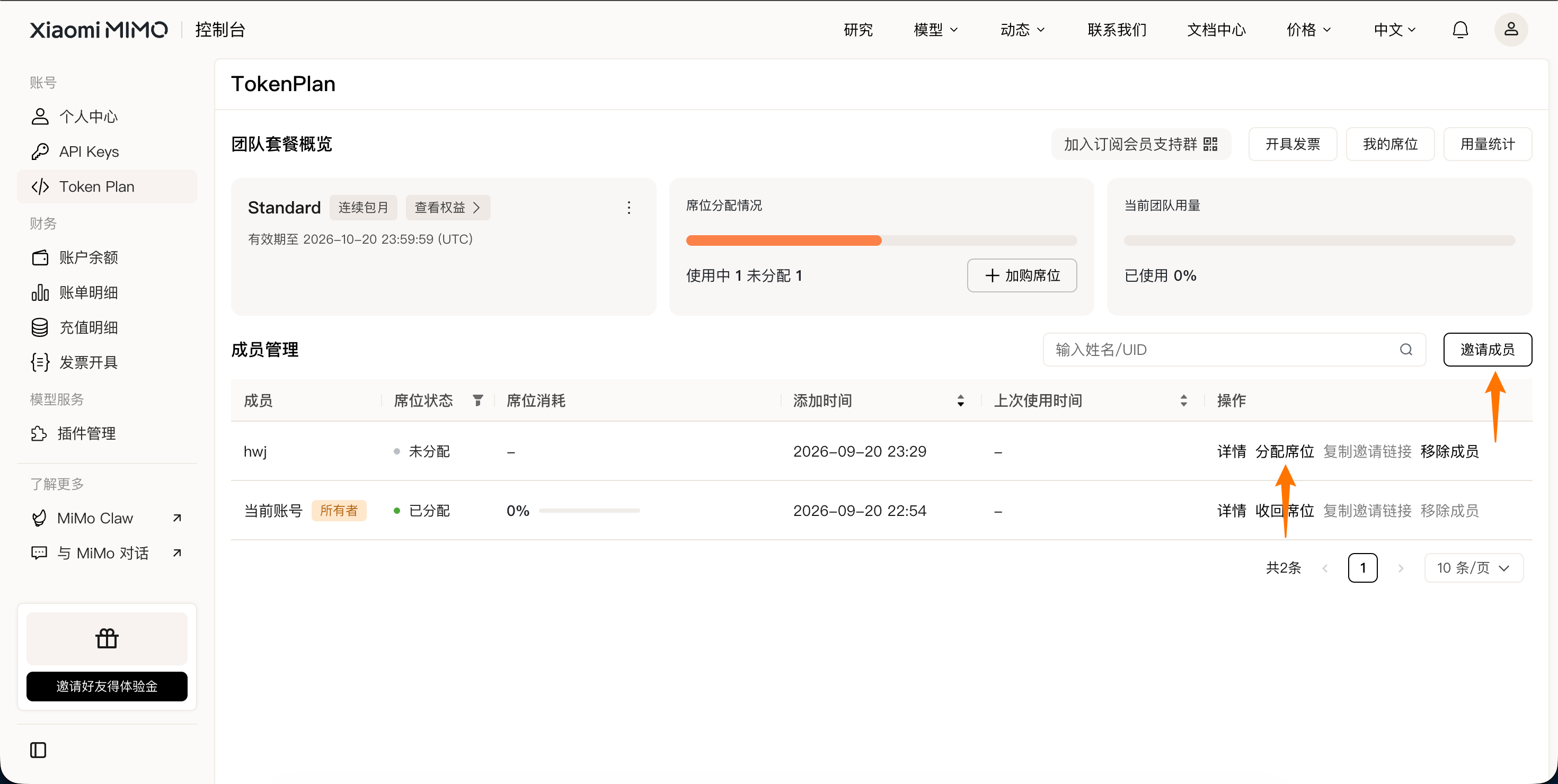 ### Obtain the package-specific Base URL and API Key
{/* feishu-style:text-align:left */}
After members successfully access the team workspace and obtain the seats assigned by the owner, they can acquire the package-specific Base URL and API Key within the team workspace (the owner should enter "My Seats").
### Obtain the package-specific Base URL and API Key
{/* feishu-style:text-align:left */}
After members successfully access the team workspace and obtain the seats assigned by the owner, they can acquire the package-specific Base URL and API Key within the team workspace (the owner should enter "My Seats").
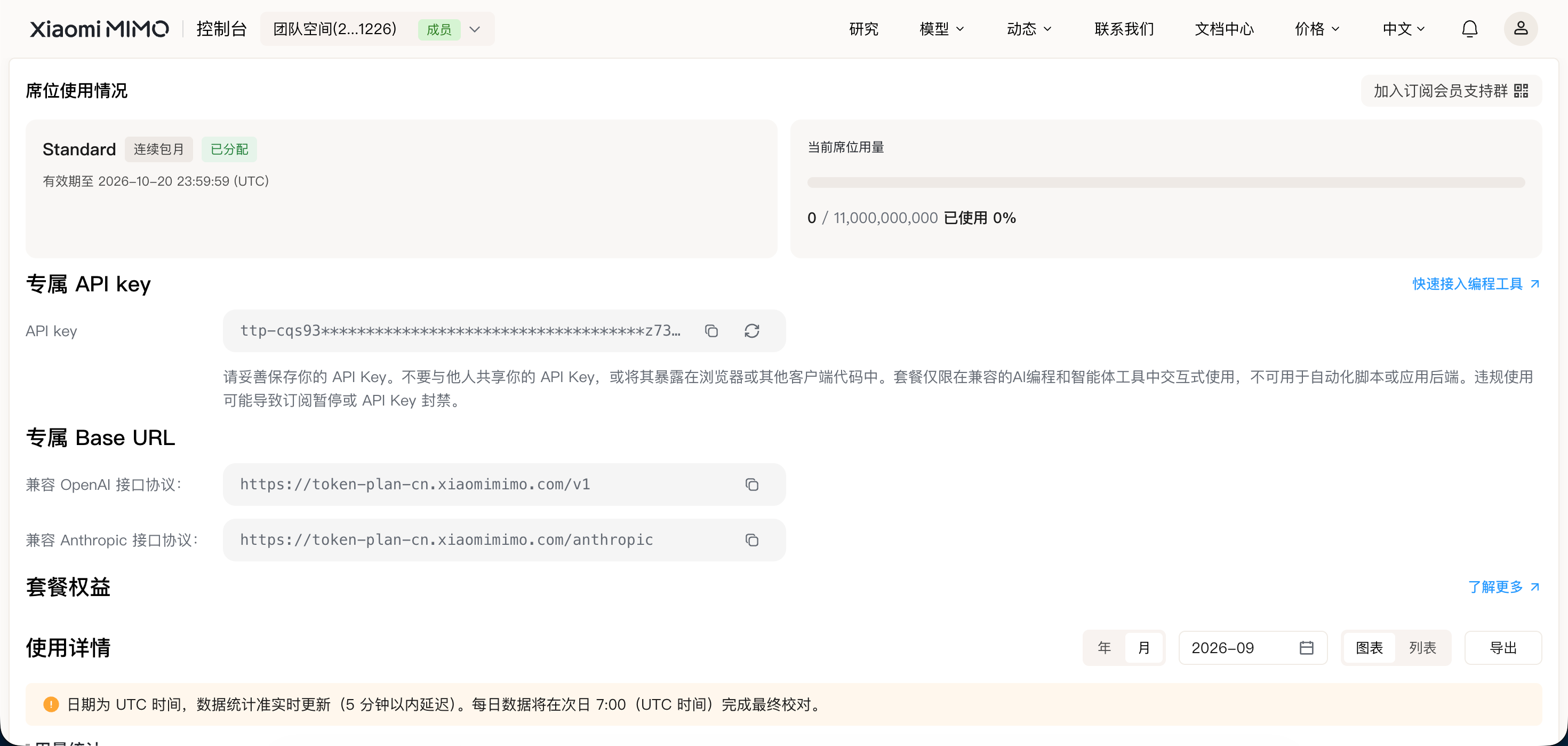 - **API Key**: Obtain a dedicated API Key (in the format of `ttp-xxxxx`) within the team workspace.
- **Base URL**: You will need to configure one of the following Base URLs in the AI programming tool later (**The protocol varies by tool, and the Base URL shall be subject to what is displayed on the Team Edition TokenPlan page**). For specific operations, please refer to the corresponding user guide document for the AI programming tool.
- **OpenAI Compatible Protocol**
- China Cluster: `https://token-plan-cn.xiaomimimo.com/v1`
- Singapore Cluster: `https://token-plan-sgp.xiaomimimo.com/v1`
- European Cluster: `https://token-plan-ams.xiaomimimo.com/v1`
- **Anthropic Compatibility Protocol**
- China Cluster: `https://token-plan-cn.xiaomimimo.com/anthropic`
- Singapore Cluster: `https://token-plan-sgp.xiaomimimo.com/anthropic`
- European Cluster: `https://token-plan-ams.xiaomimimo.com/anthropic`
- **API Key**: Obtain a dedicated API Key (in the format of `ttp-xxxxx`) within the team workspace.
- **Base URL**: You will need to configure one of the following Base URLs in the AI programming tool later (**The protocol varies by tool, and the Base URL shall be subject to what is displayed on the Team Edition TokenPlan page**). For specific operations, please refer to the corresponding user guide document for the AI programming tool.
- **OpenAI Compatible Protocol**
- China Cluster: `https://token-plan-cn.xiaomimimo.com/v1`
- Singapore Cluster: `https://token-plan-sgp.xiaomimimo.com/v1`
- European Cluster: `https://token-plan-ams.xiaomimimo.com/v1`
- **Anthropic Compatibility Protocol**
- China Cluster: `https://token-plan-cn.xiaomimimo.com/anthropic`
- Singapore Cluster: `https://token-plan-sgp.xiaomimimo.com/anthropic`
- European Cluster: `https://token-plan-ams.xiaomimimo.com/anthropic`
**Precautions**
- Please keep your API Key properly and do not disclose it to others.
- The API Key is only valid during the validity period of the Token Plan package you have subscribed to.
## Application in AI Agents and Programming Tools
{/* feishu-style:text-align:left */}
The Token Plan is supported for use in multiple mainstream AI programming tools, and all tools share the usage quota of the subscribed package.
{/* feishu-style:text-align:left */}
Go to [AI Tools Overview ](https://platform.xiaomimimo.com/#/docs/integration/tools-overview)to view the configuration guide corresponding to the tools you are using (such as OpenCode, OpenClaw, etc.).
## Frequently Asked Questions
{/* feishu-style:text-align:left */}
For more frequently asked questions, please refer to [FAQ](https://mimo.mi.com/docs/zh-CN/quick-start/faq/token-plan/Team-Benefits).
--- DOCUMENT: Quick Access ---
URL: https://mimo.mi.com/static/docs/tokenplan/Token Plan/quick-access.md
# Quick Access
{/* feishu-style:text-align:left */}
This article describes how to quickly integrate with Token Plan. The entire process from subscription to invocation can be completed in just 3 steps.
## Step 1: Subscribe to the Token Plan
{/* feishu-style:text-align:left */}
Go to [Token Plan ](https://platform.xiaomimimo.com/#/token-plan)and select a suitable subscription plan.
## Step 2: Obtain the voucher
{/* feishu-style:text-align:left */}
After successful subscription, please go to [Token Plan ](https://platform.xiaomimimo.com/#/console/plan-manage)to obtain the following credentials:
**Note: For Team Edition, please first complete** [**member invitation and seat allocation**](https://platform.xiaomimimo.com/console/invite-members)
- **API Key**: On the [Token Plan ](https://platform.xiaomimimo.com/#/console/plan-manage)page, obtain your exclusive API Key (in the format of `tp-xxxxx `or `ttp-xxxxx`).
- **Base URL**: You will need to configure one of the following Base URLs in your AI programming tool later (**The protocol varies by tool, and the Base URL shall be subject to what is displayed on the** [**Token Plan**](https://platform.xiaomimimo.com/#/console/plan-manage) **page**). For specific operations, please refer to the user guide document of the corresponding AI programming tool.
- **OpenAI Compatible Protocol**
- China Cluster: `https://token-plan-cn.xiaomimimo.com/v1`
- Singapore Cluster: `https://token-plan-sgp.xiaomimimo.com/v1`
- European Cluster: `https://token-plan-ams.xiaomimimo.com/v1`
- **Anthropic Compatibility Protocol**
- China Cluster: `https://token-plan-cn.xiaomimimo.com/anthropic`
- Singapore Cluster: `https://token-plan-sgp.xiaomimimo.com/anthropic`
- European Cluster: `https://token-plan-ams.xiaomimimo.com/anthropic`
The API Key for the Token Plan (`tp-xxxxx `or `ttp-xxxxx`) and the API Key for pay-as-you-go API calls (`sk-xxxxx`) are independent of each other and cannot be used interchangeably.
## Step 3: Integrate with AI programming tools
{/* feishu-style:text-align:left */}
Go to [AI Tools Overview ](https://platform.xiaomimimo.com/#/docs/integration/tools-overview)to view the configuration guide corresponding to the tools you are using (such as OpenCode, OpenClaw, etc.).
## Rapid Verification (Optional)
{/* feishu-style:text-align:left */}
Once the configuration is complete, you can quickly verify whether the integration is successful via the following methods.
### Method 1: Verification via AI programming tools
{/* feishu-style:text-align:left */}
Enter a simple programming requirement into the configured AI programming tool, for example:
> Please write a quick sort algorithm for me in Python
{/* feishu-style:text-align:left */}
If the tool returns a normal code, it indicates that the integration is successful.
### Method 2: Direct verification via API call
{/* feishu-style:text-align:left */}
Use the curl command to directly call the API and verify whether the credentials are valid.
In the following examples, `BASE_URL `and `MIMO_API_KEY `are both placeholders. Please replace them with the actual credentials obtained from the Console when in use.
#### OpenAI Compatible Protocol
| Usage Method | Description | Acquisition Method (BASE_URL and API Key below are examples) |
|---|---|---|
| Pay-as-you-go MiMo API | Charged based on actual usage, suitable for light use |
Go to [API Keys](https://platform.xiaomimimo.com/#/console/api-keys) to create an API Key |
| Token Plan | Fixed subscription fee, with limited calls based on the package |
After successful subscription, go to [Token Plan](https://platform.xiaomimimo.com/#/console/plan-manage) to obtain the exclusive Base URL and API Key |
| Usage Method | Description | Acquisition Method (BASE_URL and API Key below are examples) |
|---|---|---|
| Pay-as-you-go MiMo API | Charged based on actual usage, suitable for light use |
Go to [API Keys](https://platform.xiaomimimo.com/#/console/api-keys) to create an API Key |
| Token Plan | Fixed subscription fee, with limited calls based on the package |
After successful subscription, go to [Token Plan](https://platform.xiaomimimo.com/#/console/plan-manage) to obtain the exclusive Base URL and API Key |
If you're unsure which model to choose, select **Smart** mode. MiMo Desktop will automatically evaluate the task type, complexity, delivery requirements, and execution cost, then match the most suitable execution path for the current task.
 ## Configure Custom Models
{/* feishu-style:text-align:left */}
MiMo Desktop supports custom models. Using Xiaomi MiMo API as an example, MiMo Desktop has this provider pre-configured — simply enter your API Key and model name (e.g., `mimo-v2.6-pro`) to get started.
## Configure Custom Models
{/* feishu-style:text-align:left */}
MiMo Desktop supports custom models. Using Xiaomi MiMo API as an example, MiMo Desktop has this provider pre-configured — simply enter your API Key and model name (e.g., `mimo-v2.6-pro`) to get started.
**Note**
The API Key for **Xiaomi MiMo API** (`sk-xxxxx`) and the API Key for **MiMo Token Plan** (`tp-xxxxx` or `ttp-xxxxx`) are not interchangeable. Please configure the correct one based on the service you are using.
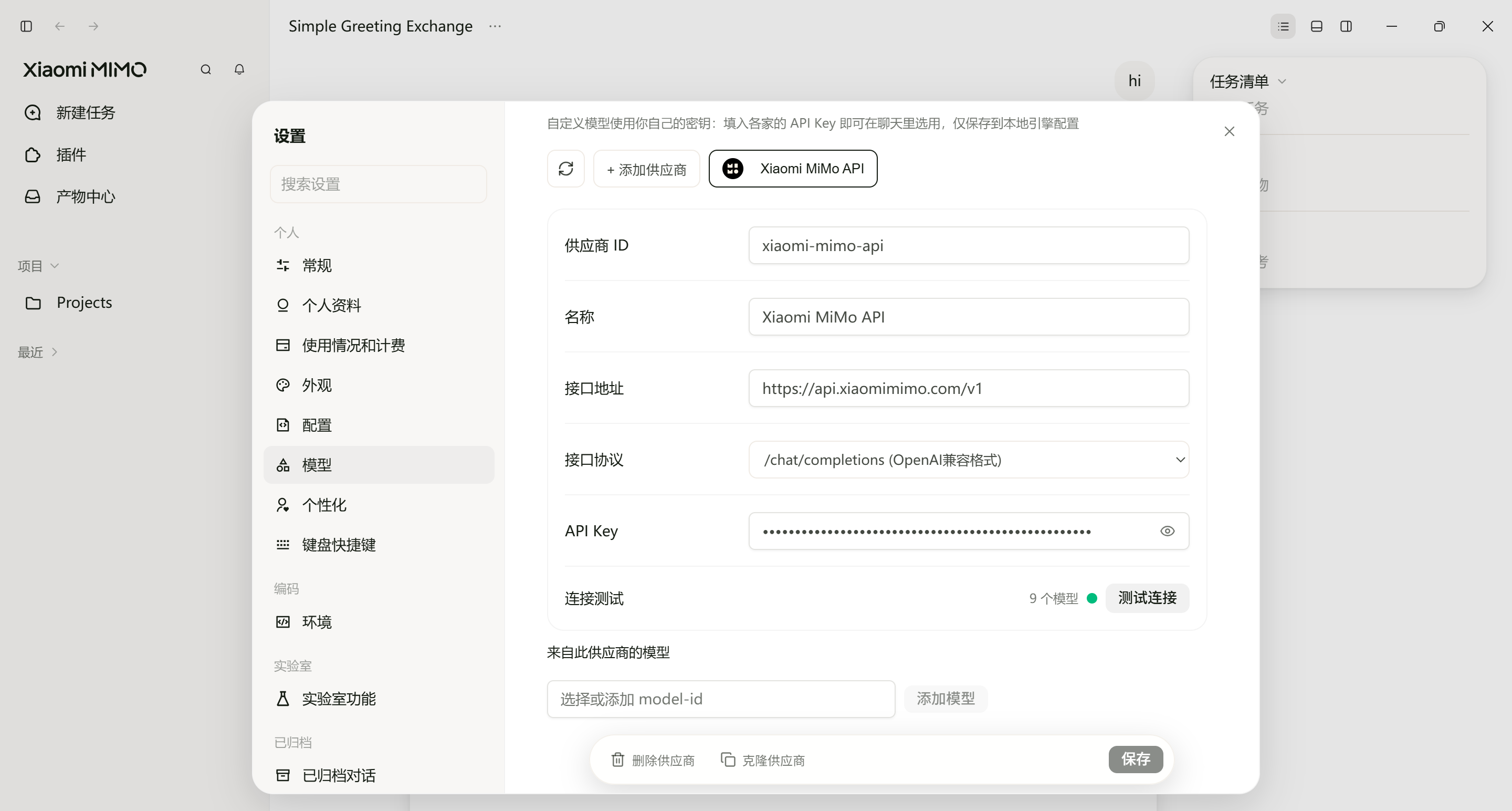 --- DOCUMENT: MiMo Code Configuration ---
URL: https://mimo.mi.com/static/docs/tokenplan/integration/mimo-code.md
# MiMo Code Configuration
{/* feishu-style:text-align:left */}
[MiMo Code](https://mimo.xiaomi.com/zh/mimocode) is an AI-powered coding assistant developed by Xiaomi, available as a CLI tool in the terminal. Both **pay-as-you-go MiMo API** and **Token Plan** are supported by MiMo Code. Refer to this guide for configuration and usage.
--- DOCUMENT: MiMo Code Configuration ---
URL: https://mimo.mi.com/static/docs/tokenplan/integration/mimo-code.md
# MiMo Code Configuration
{/* feishu-style:text-align:left */}
[MiMo Code](https://mimo.xiaomi.com/zh/mimocode) is an AI-powered coding assistant developed by Xiaomi, available as a CLI tool in the terminal. Both **pay-as-you-go MiMo API** and **Token Plan** are supported by MiMo Code. Refer to this guide for configuration and usage.
**Limited-Time Offer**
After completing authorization for MiMo Code, each user is entitled to **1000 free** web search queries per day. Once the quota is exceeded, please activate the relevant service on the open platform and ensure your account has sufficient balance.
## Prerequisites
{/* feishu-style:text-align:left */}
MiMo Code supports direct redirection to the [Xiaomi MiMo API Platform](https://platform.xiaomimimo.com/docs/en-US/welcome) for authorization login, or you can log in using the authorization code returned by the platform. No manual API Key configuration is required. The system provides two key types for you to choose from based on your usage scenario.
> Note: Before authorizing and logging into MiMo Code, please ensure your account on the open platform has sufficient balance or a valid Token Plan. Otherwise, the authorization will fail.
| Usage | Description | How to Obtain and Manage |
|---|---|---|
| Pay-as-you-go API | Billed by actual usage, suitable for light usage | After authorization, the platform will automatically create a new API Key prefixed with `mimo-code-cli-key`. You can view and manage it on the [API Keys](https://platform.xiaomimimo.com/#/console/api-keys) page. |
| Token Plan | Fixed subscription fee with limited calls per plan | You can view the current Token Plan quota, usage, and expiration on the [Token Plan](https://platform.xiaomimimo.com/#/console/plan-manage) page. |
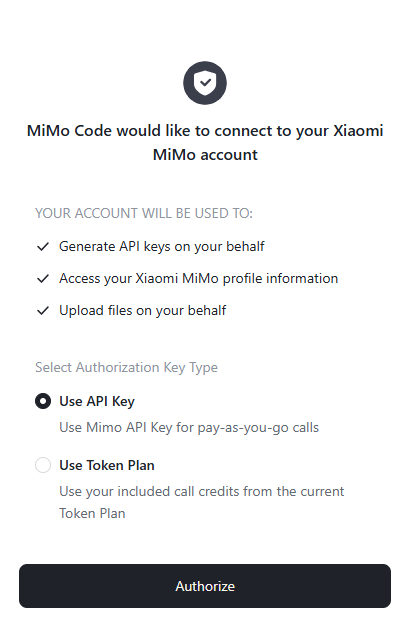 ## Use MiMo Code
### Quick Start
{/* feishu-style:text-align:left */}
Follow these steps to use MiMo Code in your project:
```bash
# 1. Navigate to your project directory
cd /path/to/your/project
# 2. Launch MiMo Code
mimo
# 3. (Recommended) Initialize project configuration on first use
/init
```
## Use MiMo Code
### Quick Start
{/* feishu-style:text-align:left */}
Follow these steps to use MiMo Code in your project:
```bash
# 1. Navigate to your project directory
cd /path/to/your/project
# 2. Launch MiMo Code
mimo
# 3. (Recommended) Initialize project configuration on first use
/init
```
It is strongly recommended to run the `/init` command on first use:
- It automatically analyzes your project structure and coding conventions
- Generates an `AGENTS.md` file in the project root directory
- MiMo Code will use this file to better understand your project context, improving interaction quality
{/* feishu-style:text-align:left */}
For more commands and detailed usage, please refer to the [MiMo Code Official Documentation](https://mimo.xiaomi.com/mimocode/interaction).
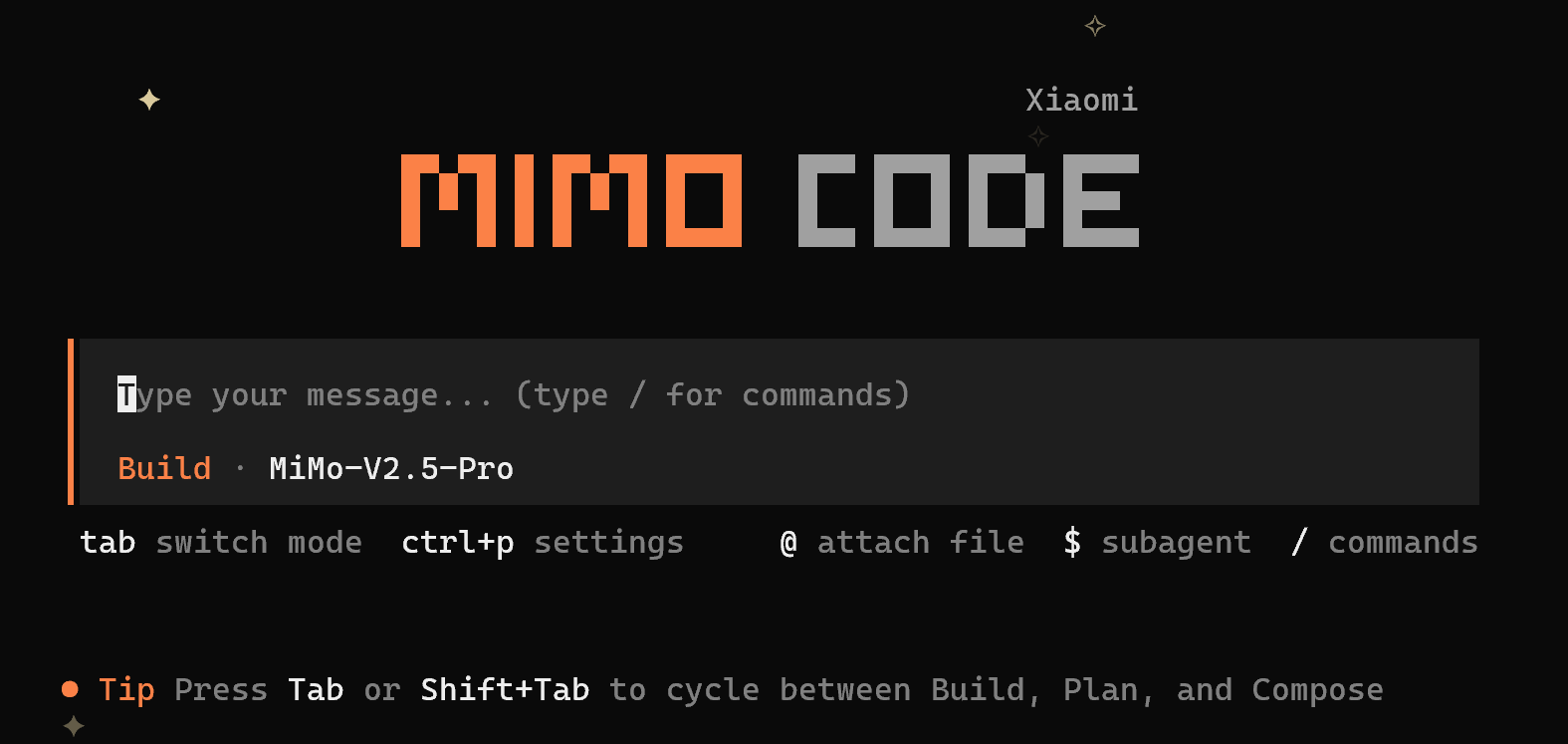 ### Model Selection
{/* feishu-style:text-align:left */}
Run the `/models` command to view and select from the currently available models.
## FAQ
### What should I do if I encounter the following error when verifying the installation on Windows?
> It seems that your package manager failed to install the right version of the mimocode CLI for your platform. You can try manually installing "@mimo-ai/mimocode-windows-x64" or "@mimo-ai/mimocode-windows-x64-baseline" package
{/* feishu-style:text-align:left */}
Answer: Run the command `npm install -g @mimo-ai/mimocode-windows-x64` as indicated to resolve the issue.
### Why can't I see the model's reasoning content?
{/* feishu-style:text-align:left */}
Answer: MiMo Code does not display the model's reasoning content by default. You can use the `/thinking` command to toggle the visibility of reasoning blocks in the conversation. Once enabled, you can view the complete reasoning process of models that support extended thinking.
> Note: This command is not a toggle for the model's thinking function. It cannot enable or disable the model's thinking process.
### Why does authorization fail?
{/* feishu-style:text-align:left */}
Answer: Please check if your account on the open platform has sufficient balance or a valid Token Plan.
--- DOCUMENT: OpenCode Configuration ---
URL: https://mimo.mi.com/static/docs/tokenplan/integration/opencode.md
# OpenCode Configuration
{/* feishu-style:text-align:left */}
**Pay-as-you-go MiMo API** and **Token Plan** both support OpenCode. Refer to this guide for configuration and usage.
## Prerequisites
### Obtain Credentials
{/* feishu-style:text-align:left */}
Supports two usage methods, but the corresponding credential acquisition methods are different:
### Model Selection
{/* feishu-style:text-align:left */}
Run the `/models` command to view and select from the currently available models.
## FAQ
### What should I do if I encounter the following error when verifying the installation on Windows?
> It seems that your package manager failed to install the right version of the mimocode CLI for your platform. You can try manually installing "@mimo-ai/mimocode-windows-x64" or "@mimo-ai/mimocode-windows-x64-baseline" package
{/* feishu-style:text-align:left */}
Answer: Run the command `npm install -g @mimo-ai/mimocode-windows-x64` as indicated to resolve the issue.
### Why can't I see the model's reasoning content?
{/* feishu-style:text-align:left */}
Answer: MiMo Code does not display the model's reasoning content by default. You can use the `/thinking` command to toggle the visibility of reasoning blocks in the conversation. Once enabled, you can view the complete reasoning process of models that support extended thinking.
> Note: This command is not a toggle for the model's thinking function. It cannot enable or disable the model's thinking process.
### Why does authorization fail?
{/* feishu-style:text-align:left */}
Answer: Please check if your account on the open platform has sufficient balance or a valid Token Plan.
--- DOCUMENT: OpenCode Configuration ---
URL: https://mimo.mi.com/static/docs/tokenplan/integration/opencode.md
# OpenCode Configuration
{/* feishu-style:text-align:left */}
**Pay-as-you-go MiMo API** and **Token Plan** both support OpenCode. Refer to this guide for configuration and usage.
## Prerequisites
### Obtain Credentials
{/* feishu-style:text-align:left */}
Supports two usage methods, but the corresponding credential acquisition methods are different:
| Usage Method | Description | Acquisition Method (BASE_URL and API Key below are examples) |
|---|---|---|
| Pay-as-you-go MiMo API | Charged based on actual usage, suitable for light use |
Go to [API Keys](https://platform.xiaomimimo.com/#/console/api-keys) to create an API Key |
| Token Plan | Fixed subscription fee, with limited calls based on the package |
After successful subscription, go to [Token Plan](https://platform.xiaomimimo.com/#/console/plan-manage) to obtain the exclusive Base URL and API Key |
When OpenCode uses MiMo under the Anthropic protocol, since the assistant containing tool calls is missing `reasoning_content`, the API will return a 400 error. For details, see [Multi-turn Conversation Pass-through Requirements](https://mimo.mi.com/docs/en-US/quick-start/usage-guide/text-generation/deep-thinking#:~:text=.-,Multi%2Dturn%20Conversation%20Pass%2Dthrough%20Requirements,-When%20deep%20thinking).
## Use OpenCode CLI
### Install OpenCode CLI
{/* feishu-style:text-align:left */}
OpenCode supports two installation methods.
{/* feishu-style:text-align:left */}
**Method 1: Official Script Installation (for macOS/Linux)**
```bash
curl -fsSL https://opencode.ai/install | bash
```
{/* feishu-style:text-align:left */}
**Method 2: npm Installation**
{/* feishu-style:text-align:left */}
Node.js 18 or later is required.
```bash
npm install -g opencode-ai
```
{/* feishu-style:text-align:left */}
**Verify installation (if a version number is displayed, the installation was successful):**
```bash
opencode -v
```
### Configure Basic Settings
{/* feishu-style:text-align:left */}
Edit or create the `opencode.json` configuration file at the following path:
- **macOS/Linux**: `~/.config/opencode/opencode.json`
- **Windows**: `User Directory\.config\opencode\opencode.json`
{/* feishu-style:text-align:left */}
Copy the following content into the configuration file (replace `BASE_URL` and `MIMO_API_KEY` as needed):
```json
{
"$schema": "https://opencode.ai/config.json",
"provider": {
"mimo": {
"npm": "@ai-sdk/openai-compatible",
"name": "MiMo",
"options": {
"baseURL": "BASE_URL",
"apiKey": "MIMO_API_KEY"
},
"models": {
"mimo-v2.6-pro": {
"name": "mimo-v2.6-pro",
"limit": {
"context": 1048576,
"output": 131072
},
"modalities": {
"input": [
"text", "image"
],
"output": [
"text"
]
}
},
"mimo-v2.6-flash": {
"name": "mimo-v2.6-flash",
"limit": {
"context": 1048576,
"output": 131072
},
"modalities": {
"input": [
"text", "image"
],
"output": [
"text"
]
}
}
}
}
}
}
```
If you need to enable the image understanding capability, you need to modify or add the following configuration items under the configuration node of the model that supports this capability (e.g., `mimo-v2.6-pro`). That is, add `image` to the supported input modalities: `"modalities": {"input": ["text", "image"], "output": ["text"]}`
### Use OpenCode CLI
{/* feishu-style:text-align:left */}
After completing the configuration, navigate to the project directory and run the following command to start OpenCode:
```bash
opencode
```
{/* feishu-style:text-align:left */}
After starting, enter `/models` to view and switch between available models.
## Use OpenCode IDE Plugin
### Install Plugin
{/* feishu-style:text-align:left */}
Search for and install the **opencode** plugin in the VS Code Extensions marketplace.
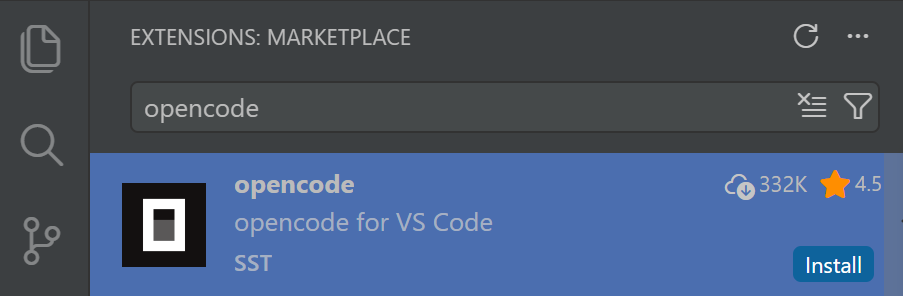 ### Configure a Predefined Provider (Recommended)
{/* feishu-style:text-align:left */}
Just enter `/connect` in the input box, search for `Xiaomi`, select the corresponding Provider, and fill in the API Key.
### Configure a Predefined Provider (Recommended)
{/* feishu-style:text-align:left */}
Just enter `/connect` in the input box, search for `Xiaomi`, select the corresponding Provider, and fill in the API Key.
When using the **Xiaomi Token Plan**, you need to select the Provider corresponding to the Base URL displayed on the [Token Plan](https://platform.xiaomimimo.com/#/console/plan-manage) page.
- `https://token-plan-cn.xiaomimimo.com/*`: Xiaomi Token Plan (China)
- `https://token-plan-sgp.xiaomimimo.com/*`: Xiaomi Token Plan (Singapore)
- `https://token-plan-ams.xiaomimimo.com/*`: Xiaomi Token Plan (Europe)
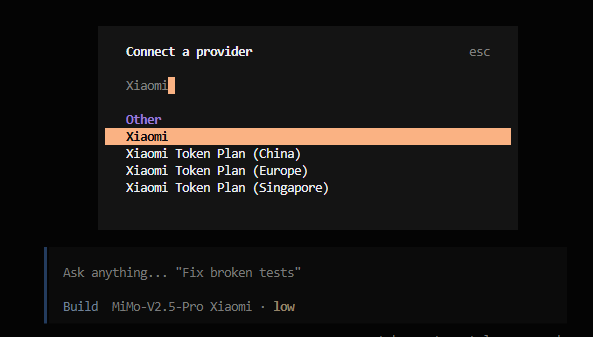 ### Configure a Custom Provider
{/* feishu-style:text-align:left */}
Refer to the "Configure Basic Settings" steps in the OpenCode CLI section above.
### Use OpenCode Plugin
### Configure a Custom Provider
{/* feishu-style:text-align:left */}
Refer to the "Configure Basic Settings" steps in the OpenCode CLI section above.
### Use OpenCode Plugin
 ## FAQ
### When verifying the installation on Windows, I encounter the following error. How to fix it?
> It seems that your package manager failed to install the right version of the opencode CLI for your platform. You can try manually installing "opencode-windows-x64" or "opencode-windows-x64-baseline" package
{/* feishu-style:text-align:left */}
Run the command `npm install -g opencode-windows-x64` as prompted to resolve the issue.
### Error when starting OpenCode in VS Code on Windows?
> opencode : Cannot load file ... because running scripts is disabled on this system
{/* feishu-style:text-align:left */}
Change the default terminal type to Git Bash when opening a terminal in VS Code.
## FAQ
### When verifying the installation on Windows, I encounter the following error. How to fix it?
> It seems that your package manager failed to install the right version of the opencode CLI for your platform. You can try manually installing "opencode-windows-x64" or "opencode-windows-x64-baseline" package
{/* feishu-style:text-align:left */}
Run the command `npm install -g opencode-windows-x64` as prompted to resolve the issue.
### Error when starting OpenCode in VS Code on Windows?
> opencode : Cannot load file ... because running scripts is disabled on this system
{/* feishu-style:text-align:left */}
Change the default terminal type to Git Bash when opening a terminal in VS Code.
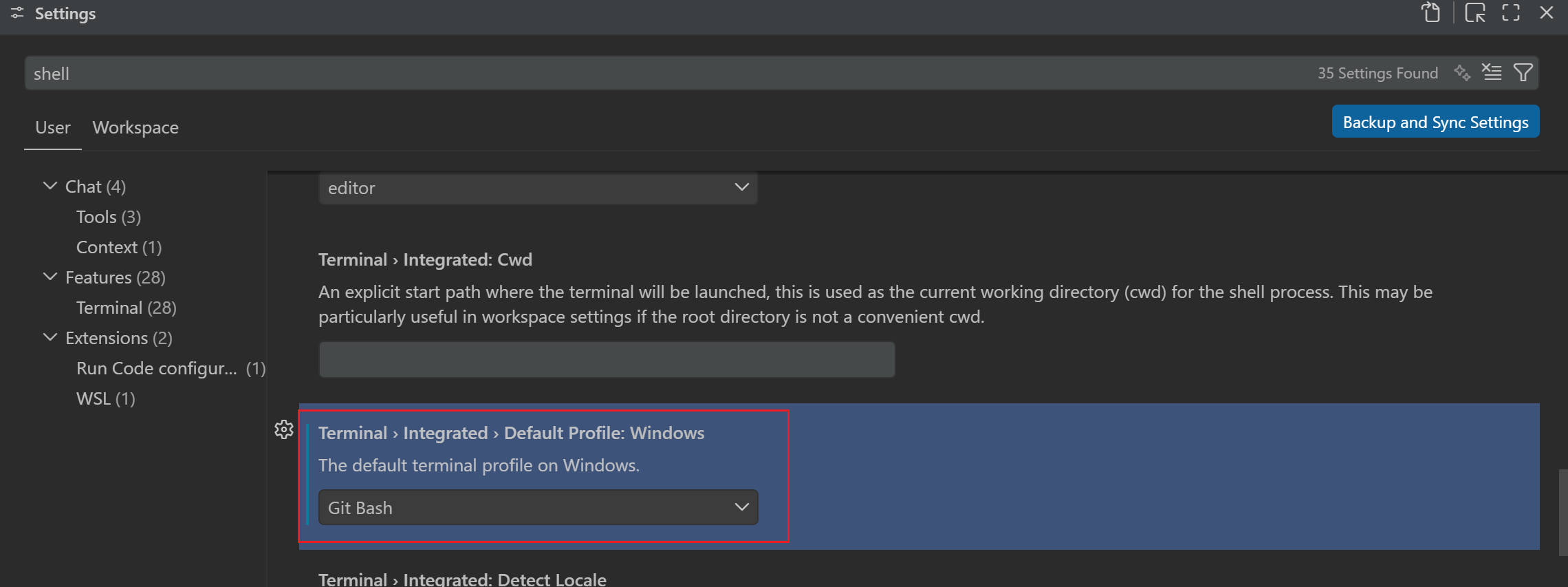 --- DOCUMENT: Claude Code Configuration ---
URL: https://mimo.mi.com/static/docs/tokenplan/integration/claudecode.md
# Claude Code Configuration
{/* feishu-style:text-align:left */}
**Pay-as-you-go MiMo API** and **Token Plan** both support Claude Code. Refer to this guide for configuration and usage.
## Prerequisites
### Obtain Credentials
{/* feishu-style:text-align:left */}
Supports two usage methods, but the corresponding credential acquisition methods are different:
--- DOCUMENT: Claude Code Configuration ---
URL: https://mimo.mi.com/static/docs/tokenplan/integration/claudecode.md
# Claude Code Configuration
{/* feishu-style:text-align:left */}
**Pay-as-you-go MiMo API** and **Token Plan** both support Claude Code. Refer to this guide for configuration and usage.
## Prerequisites
### Obtain Credentials
{/* feishu-style:text-align:left */}
Supports two usage methods, but the corresponding credential acquisition methods are different:
| Usage Method | Description | Acquisition Method (BASE_URL and API Key below are examples) |
|---|---|---|
| Pay-as-you-go MiMo API | Charged based on actual usage, suitable for light use |
Go to [API Keys](https://platform.xiaomimimo.com/#/console/api-keys) to create an API Key |
| Token Plan | Fixed subscription fee, with limited calls based on the package |
After successful subscription, go to [Token Plan](https://platform.xiaomimimo.com/#/console/plan-manage) to obtain the exclusive Base URL and API Key |
Before configuring, make sure to clear the following Anthropic official environment variables to avoid API conflicts: `ANTHROPIC_AUTH_TOKEN`, `ANTHROPIC_BASE_URL`
{/* feishu-style:text-align:left */}
**1.** **Create/edit** `settings.json`
> If the `.claude` directory does not exist, you can create it manually.
- macOS/Linux: `~/.claude/settings.json`
- Windows: `User directory\.claude\settings.json`
{/* feishu-style:text-align:left */}
Please replace `BASE_URL` (Anthropic Compatibility Protocol) and `MIMO_API_KEY` as needed.
For MiMo models that support **1M** context, you can append the `[1m]` suffix to the model ID to enable extended context capacity. Example: `mimo-v2.6-pro[1m]`. After configuration, restart Claude Code and run the `/context` command to verify whether the long context takes effect.
```json
{
"env": {
"ANTHROPIC_BASE_URL": "BASE_URL",
"ANTHROPIC_AUTH_TOKEN": "MIMO_API_KEY",
"ANTHROPIC_MODEL": "mimo-v2.6-pro",
"ANTHROPIC_DEFAULT_SONNET_MODEL": "mimo-v2.6-pro",
"ANTHROPIC_DEFAULT_OPUS_MODEL": "mimo-v2.6-pro",
"ANTHROPIC_DEFAULT_HAIKU_MODEL": "mimo-v2.6-pro"
}
}
```
{/* feishu-style:text-align:left */}
**2.** **Create/edit** `.claude.json`
- macOS/Linux: `~/.claude.json`
- Windows: `User directory\.claude.json`
```json
{
"hasCompletedOnboarding": true
}
```
{/* feishu-style:text-align:left */}
**3.** **Apply the configuration**
{/* feishu-style:text-align:left */}
After completing the configuration, **reopen the terminal window** for the changes to take effect.
### Use Claude Code CLI
{/* feishu-style:text-align:left */}
Navigate to your project directory and run:
```bash
claude
```
{/* feishu-style:text-align:left */}
On first launch, complete the following: select "**Trust This Folder**" to allow Claude Code to access project files. After startup, use the `/status` command to verify the current configuration and model status.
## Use the Claude Code IDE Plugin
{/* feishu-style:text-align:left */}
Claude Code provides a VS Code IDE plugin. For configuration reference, see the official documentation [Use Claude Code in VS Code](https://code.claude.com/docs/en/vs-code#vs-code-extension-vs-claude-code-cli).
### Install Plugin
{/* feishu-style:text-align:left */}
Search for and install the **Claude Code for VS Code** plugin from the VS Code Extensions marketplace.
 ### Configure the Model
{/* feishu-style:text-align:left */}
Open VS Code settings, search for `Claude Code: Environment Variables`, and then manually configure it in `settings.json`:
```json
{
"claudeCode.preferredLocation": "panel",
"claudeCode.selectedModel": "mimo-v2.6-pro",
"claudeCode.environmentVariables": [
{
"name": "ANTHROPIC_BASE_URL",
"value": "BASE_URL"
},
{
"name": "ANTHROPIC_AUTH_TOKEN",
"value": "MIMO_API_KEY"
},
{
"name": "ANTHROPIC_DEFAULT_SONNET_MODEL",
"value": "mimo-v2.6-pro"
},
{
"name": "ANTHROPIC_DEFAULT_OPUS_MODEL",
"value": "mimo-v2.6-pro"
},
{
"name": "ANTHROPIC_DEFAULT_HAIKU_MODEL",
"value": "mimo-v2.6-pro"
}
]
}
```
### Configure the Model
{/* feishu-style:text-align:left */}
Open VS Code settings, search for `Claude Code: Environment Variables`, and then manually configure it in `settings.json`:
```json
{
"claudeCode.preferredLocation": "panel",
"claudeCode.selectedModel": "mimo-v2.6-pro",
"claudeCode.environmentVariables": [
{
"name": "ANTHROPIC_BASE_URL",
"value": "BASE_URL"
},
{
"name": "ANTHROPIC_AUTH_TOKEN",
"value": "MIMO_API_KEY"
},
{
"name": "ANTHROPIC_DEFAULT_SONNET_MODEL",
"value": "mimo-v2.6-pro"
},
{
"name": "ANTHROPIC_DEFAULT_OPUS_MODEL",
"value": "mimo-v2.6-pro"
},
{
"name": "ANTHROPIC_DEFAULT_HAIKU_MODEL",
"value": "mimo-v2.6-pro"
}
]
}
```
If Claude Code CLI is already installed, the VS Code plugin will automatically reuse the CLI configuration. To configure independently, specify the environment variables in the plugin settings as shown above.
## FAQ
### Installation fails on Windows?
{/* feishu-style:text-align:left */}
Ensure the following dependencies are installed:
- Node.js 18+
- Git for Windows
{/* feishu-style:text-align:left */}
If you encounter permission issues with npm, try running the terminal as administrator, or use nvm to manage Node.js versions.
--- DOCUMENT: Codex Configuration ---
URL: https://mimo.mi.com/static/docs/tokenplan/integration/codex-configuration.md
# Codex Configuration
{/* feishu-style:text-align:left */}
**Pay-as-you-go MiMo API** and **Token Plan** both support Codex. Refer to this guide for configuration and usage.
## Prerequisites
### Obtain Credentials
{/* feishu-style:text-align:left */}
Two usage methods are supported, but the corresponding credential acquisition methods differ:
| Usage Method | Description | Acquisition Method (BASE_URL and API Key below are examples) |
|---|---|---|
| Pay-as-you-go API | Charged based on actual usage, suitable for light use |
Go to [API Keys](https://platform.xiaomimimo.com/#/console/api-keys) to create an API Key |
| Token Plan | Fixed subscription fee, with limited calls based on the package |
After successful subscription, go to [Token Plan](https://platform.xiaomimimo.com/#/console/plan-manage) to obtain the exclusive Base URL and API Key |
**Notes**
- When configuring basic information, first check if the `MIMO_API_KEY` environment variable exists. If it does, please clear it or replace the value with the API Key obtained through the corresponding usage method.
{/* feishu-style:text-align:left */}
Configuration file paths:
- macOS/Linux:
- `config.toml`: `~/.codex/config.toml`
- `model-catalogs.json`:`~/.codex/model-catalogs.json`
- Windows
- `config.toml`: `User directory\.codex\config.toml`
- `model-catalogs.json`: `User directory\.codex\model-catalogs.json`
{/* feishu-style:text-align:left */}
Below is a complete configuration example. The `model` field can be modified to other supported models as needed (e. g., `mimo-v2.6-pro`). For the `model_catalog_json` configuration, please refer to the path of the system configuration file you are using. The file download address is: [model-catalogs.json](https://example-files.cnbj1.mi-fds.com/example-files/configs/model-catalogs.json).
 ## Use Codex Desktop
{/* feishu-style:text-align:left */}
The Codex desktop client will reuse the existing configurations in your local Codex. Please refer to the "Editing Configuration File" section to complete the configuration before use.
## Use Codex Desktop
{/* feishu-style:text-align:left */}
The Codex desktop client will reuse the existing configurations in your local Codex. Please refer to the "Editing Configuration File" section to complete the configuration before use.
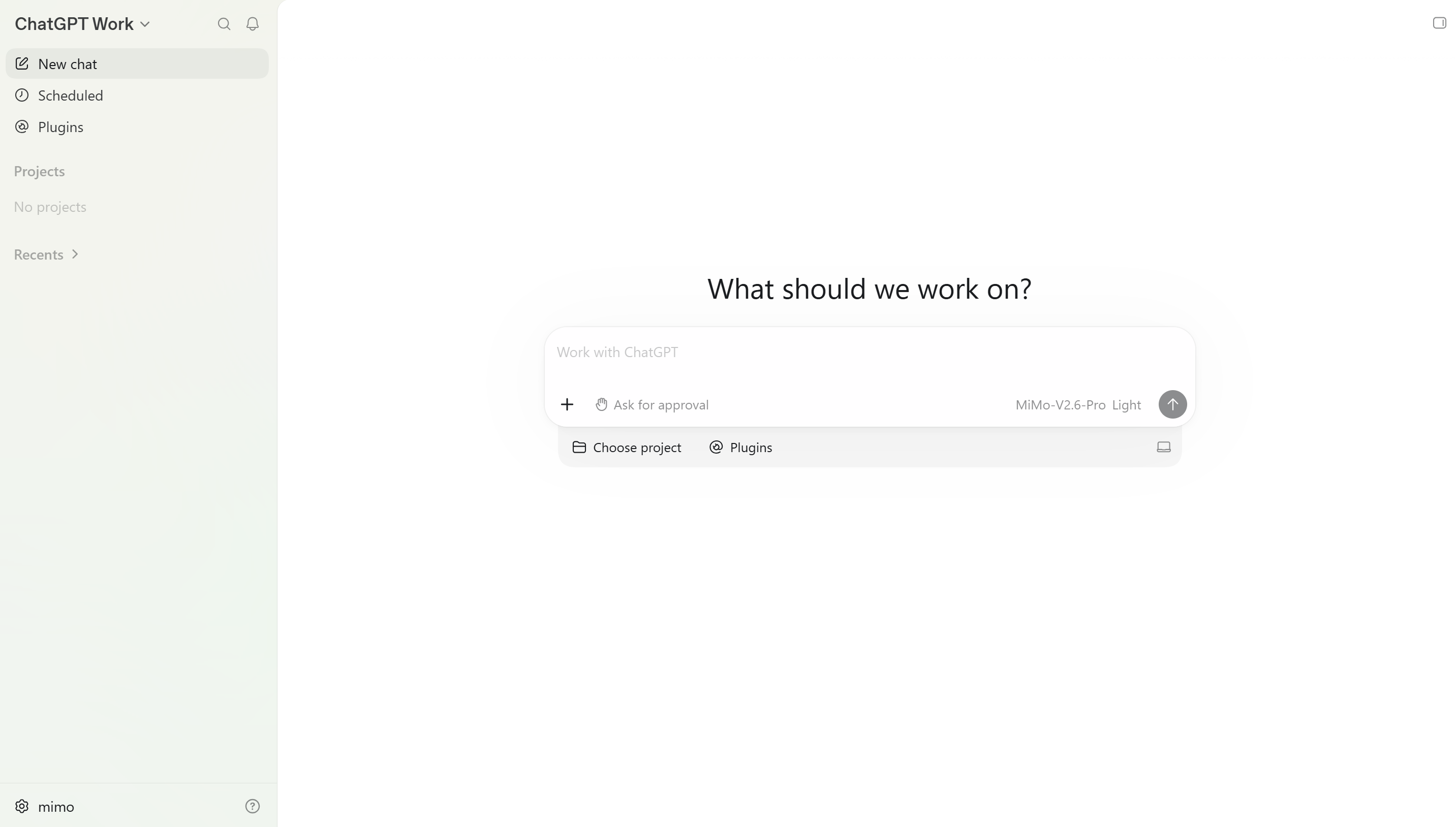 ## FAQ
### Codex throws an error saying "custom tools require MiMo freeform Responses lite mode."?
{/* feishu-style:text-align:left */}
The custom tool is not supported for use in **non-lite** mode. If you encounter this error, please configure the model metadata file `model-catalogs.json` in accordance with the "Edit Configuration File" section, and then restart Codex.
--- DOCUMENT: OpenClaw Configuration ---
URL: https://mimo.mi.com/static/docs/tokenplan/integration/openclaw.md
# OpenClaw Configuration
{/* feishu-style:text-align:left */}
**Pay-as-you-go MiMo API** and **Token Plan** are both supported for use in OpenClaw. Please refer to this article for configuration and usage.
## Preparatory Work
### Obtain Credentials
{/* feishu-style:text-align:left */}
Supports two usage methods, but the corresponding credential acquisition methods are different:
## FAQ
### Codex throws an error saying "custom tools require MiMo freeform Responses lite mode."?
{/* feishu-style:text-align:left */}
The custom tool is not supported for use in **non-lite** mode. If you encounter this error, please configure the model metadata file `model-catalogs.json` in accordance with the "Edit Configuration File" section, and then restart Codex.
--- DOCUMENT: OpenClaw Configuration ---
URL: https://mimo.mi.com/static/docs/tokenplan/integration/openclaw.md
# OpenClaw Configuration
{/* feishu-style:text-align:left */}
**Pay-as-you-go MiMo API** and **Token Plan** are both supported for use in OpenClaw. Please refer to this article for configuration and usage.
## Preparatory Work
### Obtain Credentials
{/* feishu-style:text-align:left */}
Supports two usage methods, but the corresponding credential acquisition methods are different:
| Usage | Description | Acquisition Method (BASE_URL and API Key below are both examples) |
|---|---|---|
| Pay-as-you-go API calls | Charged based on actual usage, suitable for light use |
Go to [API Keys](https://platform.xiaomimimo.com/#/console/api-keys) to create an API Key |
| Token Plan | Fixed subscription fee, with limited calls based on the package |
After successful subscription, go to [ Token Plan ](https://platform.xiaomimimo.com/#/console/plan-manage) to obtain the exclusive Base URL and API Key |
When OpenClaw uses MiMo under the Anthropic protocol, due to the absence of `reasoning_content` in the assistant containing tool calls, the API will return a 400 error. For details, see [Multi-turn Conversation Pass-through Requirements](https://mimo.mi.com/docs/en-US/quick-start/usage-guide/text-generation/deep-thinking#:~:text=.-,Multi%2Dturn%20Conversation%20Pass%2Dthrough%20Requirements,-When%20deep%20thinking).
## Install OpenClaw
{/* feishu-style:text-align:left */}
Precondition:[ Node.js 22 or later](https://nodejs.org/en/download/)
{/* feishu-style:text-align:left */}
macOS/Linux:
```bash
curl -fsSL https://openclaw.ai/install.sh | bash
```
{/* feishu-style:text-align:left */}
Windows (PowerShell):
```bash
iwr -useb https://openclaw.ai/install.ps1 | iex
```
 ## Configure and use MiMo model
**Tips**
- **OpenClaw supports the preconfigured settings of the MiMo pay-as-you-go API, which can be configured via Method 1 Interactive Configuration Wizard.**
- **OpenClaw has not yet added the MiMo Token Plan preset configuration, so you need to manually modify the configuration file through Method 2.**
### Method 1: Interactive Configuration Wizard
{/* feishu-style:text-align:left */}
After the installation is complete, the configuration process will automatically start. You can also run the following command to start the configuration:
```bash
openclaw onboard --install-daemon
```
{/* feishu-style:text-align:left */}
**1. Configure the provider**
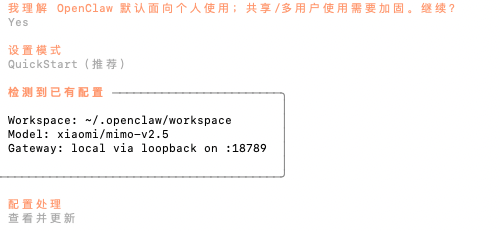
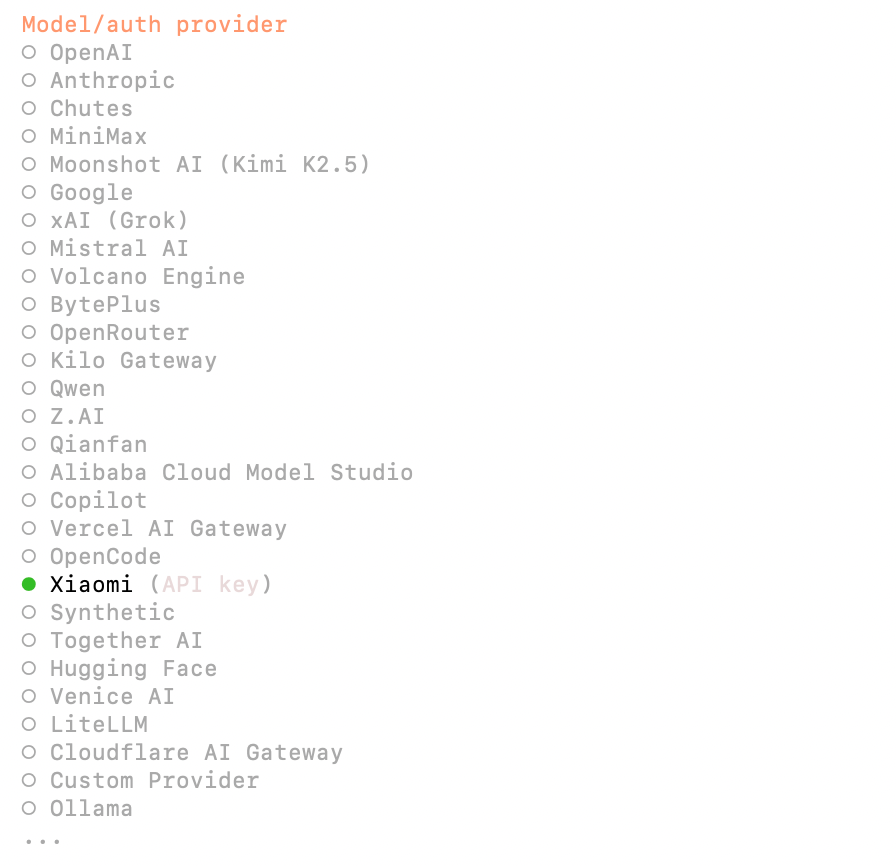 - I understand this is personal-by-default and shared/multi-user use requires lock-down. Continue? ➡️ Yes
- Set Mode ➡️ QuickStart
- Configuration Processing ➡️ View and Update
- Model/auth provider ➡️ Xiaomi
{/* feishu-style:text-align:left */}
**2. Configure the model and API Key**
- I understand this is personal-by-default and shared/multi-user use requires lock-down. Continue? ➡️ Yes
- Set Mode ➡️ QuickStart
- Configuration Processing ➡️ View and Update
- Model/auth provider ➡️ Xiaomi
{/* feishu-style:text-align:left */}
**2. Configure the model and API Key**
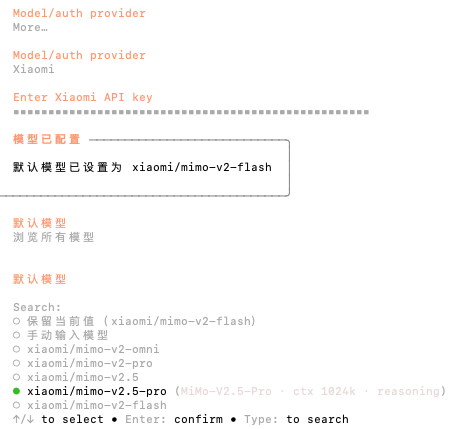 {/* feishu-style:text-align:left */}
Enter the API Key of the MiMo Open Platform, browse all models, and select the latest v2.5 series models.
{/* feishu-style:text-align:left */}
**3.** **Continue to complete the subsequent configuration**
- Select channels, select search providers, configure skills, etc.
- Complete Setup
{/* feishu-style:text-align:left */}
**4. Test Robot**
- How do you want to hatch your bot? ➡️ You can chat with the bot in TUI/Web UI
- TUI: Enter `openclaw tui`, and if the conversation is successful, it indicates successful configuration
{/* feishu-style:text-align:left */}
Enter the API Key of the MiMo Open Platform, browse all models, and select the latest v2.5 series models.
{/* feishu-style:text-align:left */}
**3.** **Continue to complete the subsequent configuration**
- Select channels, select search providers, configure skills, etc.
- Complete Setup
{/* feishu-style:text-align:left */}
**4. Test Robot**
- How do you want to hatch your bot? ➡️ You can chat with the bot in TUI/Web UI
- TUI: Enter `openclaw tui`, and if the conversation is successful, it indicates successful configuration
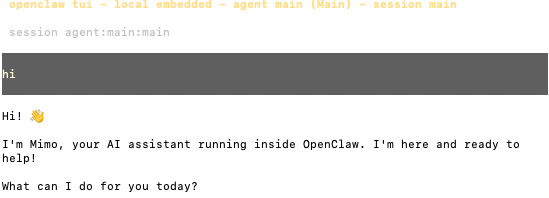 - Web UI: Access the Web UI by opening the `Web UI (with token)` link displayed in the terminal
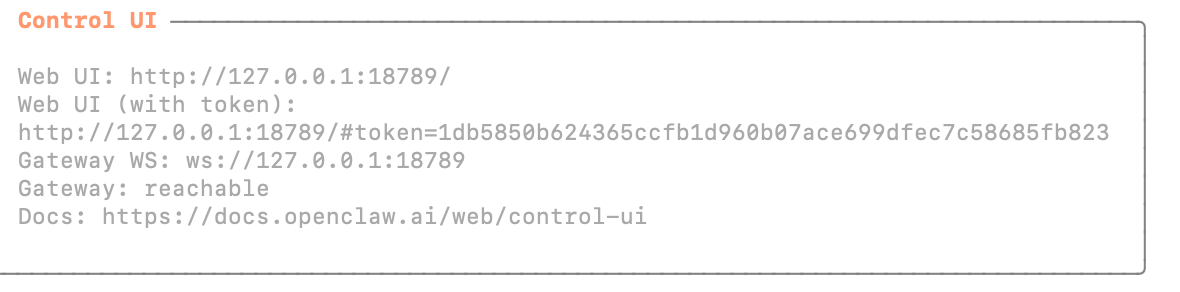
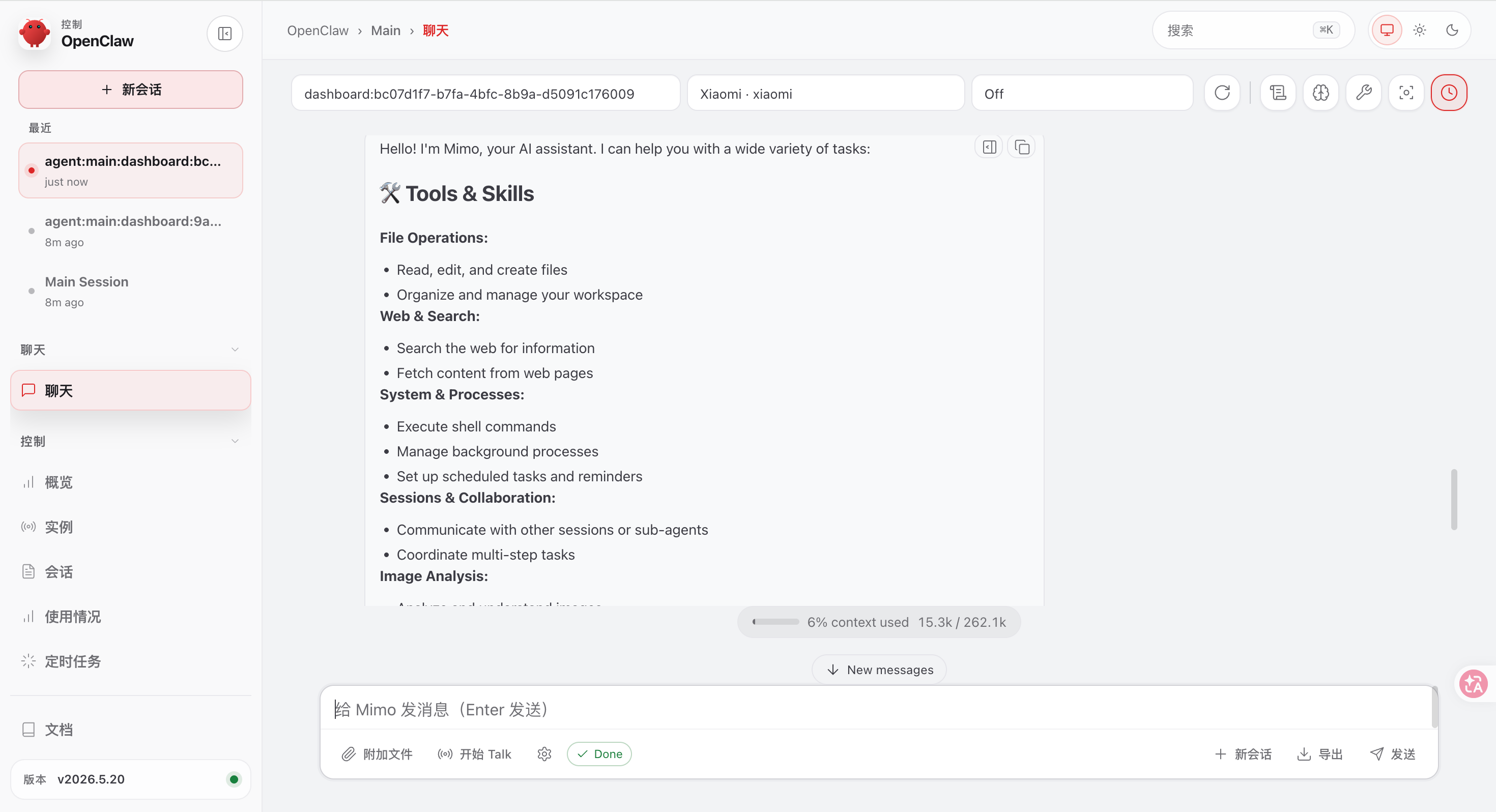 ### Method 2: Modify the Configuration File
{/* feishu-style:text-align:left */}
Copy the following content in full to the configuration file`~/.openclaw/openclaw.json` (replace BASE_URL and API Key as needed in actual use):
### Method 2: Modify the Configuration File
{/* feishu-style:text-align:left */}
Copy the following content in full to the configuration file`~/.openclaw/openclaw.json` (replace BASE_URL and API Key as needed in actual use):
**Token Plan only supports configuration via Method 2. When using Token Plan, you need to delete the** `"auth"` **field in the configuration file, and you need to add a provider to distinguish it from the pre-set MiMo gateway.**
{/* feishu-style:text-align:left */}
**Token Plan** **Configuration Example:**
{/* feishu-style:text-align:left */}
**Delete the** `"auth"` **field**
```json
"auth": {
"profiles": {
"xiaomi:default": {
"provider": "xiaomi",
"mode": "api_key"
}
}
}
```
{/* feishu-style:text-align:left */}
Add a new provider under the models.provider path. Do not set the provider name to `xiaomi`, to distinguish it from the pre-set MiMo gateway. For example, set it to `xiaomi-coding`
{/* feishu-style:text-align:left */}
The corresponding default agent configuration also needs to add the corresponding model, with the format ` provider name/model name `, for example ` xiaomi-coding/mimo-v2.6-pro `
```json
{
"models": {
"mode": "merge",
"providers": {
"xiaomi-coding": {
"baseUrl": "BASE_URL",
"apiKey": "API_KEY",
"api": "openai-completions",
"models": [
{
"id": "mimo-v2.6-pro",
"name": "mimo-v2.6-pro",
"reasoning": true,
"input": [
"text",
"image"
],
"contextWindow": 1048576,
"maxTokens": 131072
},
{
"id": "mimo-v2.6-flash",
"name": "mimo-v2.6-flash",
"reasoning": true,
"input": [
"text",
"image"
],
"contextWindow": 1048576,
"maxTokens": 131072
}
]
}
}
},
"agents": {
"defaults": {
"model": {
"primary": "xiaomi-coding/mimo-v2.6-pro"
},
"models": {
"xiaomi-coding/mimo-v2.6-flash": {},
"xiaomi-coding/mimo-v2.6-pro": {}
}
}
}
}
```
{/* feishu-style:text-align:left */}
**Example of Pay-as-you-go API Configuration**
```json
{
"auth": {
"profiles": {
"xiaomi:default": {
"provider": "xiaomi",
"mode": "api_key"
}
}
},
"models": {
"mode": "merge",
"providers": {
"xiaomi": {
"baseUrl": "BASE_URL",
"apiKey": "API_KEY",
"api": "openai-completions",
"models": [
{
"id": "mimo-v2.6-pro",
"name": "mimo-v2.6-pro",
"reasoning": true,
"input": [
"text",
"image"
],
"contextWindow": 1048576,
"maxTokens": 131072
},
{
"id": "mimo-v2.6-flash",
"name": "mimo-v2.6-flash",
"reasoning": true,
"input": [
"text",
"image"
],
"contextWindow": 1048576,
"maxTokens": 131072
}
]
}
}
},
"agents": {
"defaults": {
"model": {
"primary": "xiaomi/mimo-v2.6-pro"
},
"models": {
"xiaomi/mimo-v2.6-flash": {},
"xiaomi/mimo-v2.6-pro": {}
}
}
}
}
```
## Connect to More Channels
{/* feishu-style:text-align:left */}
OpenClaw provides more channels for you to interact with the robot, such as Web UI, Discord, Feishu, etc. You can refer to the official documentation to set up these channels:[Chat Channels - OpenClaw](https://docs.openclaw.ai/channels).
--- DOCUMENT: Hermes Agent Configuration ---
URL: https://mimo.mi.com/static/docs/tokenplan/integration/hermes-agent.md
# Hermes Agent Configuration
{/* feishu-style:text-align:left */}
**Pay-as-you-go MiMo API** and **Token Plan** both support Hermes Agent. Refer to this guide for configuration and usage.
## Prerequisites
### Obtain Credentials
{/* feishu-style:text-align:left */}
Supports two usage methods, but the corresponding credential acquisition methods are different:
| Usage Method | Description | Acquisition Method (BASE_URL and API Key below are examples) |
|---|---|---|
| Pay-as-you-go MiMo API | Charged based on actual usage, suitable for light use |
Go to [API Keys](https://platform.xiaomimimo.com/#/console/api-keys) to create an API Key |
| Token Plan | Fixed subscription fee, with limited calls based on the package |
After successful subscription, go to [Token Plan](https://platform.xiaomimimo.com/#/console/plan-manage) to obtain the exclusive Base URL and API Key |
 ## Configure a Predefined Provider
{/* feishu-style:text-align:left */}
**1. Select Quick Setup**
{/* feishu-style:text-align:left */}
Choose Quick setup for initial configuration.
> If not configured initially, you can re-enter the setup wizard via `hermes setup`.
## Configure a Predefined Provider
{/* feishu-style:text-align:left */}
**1. Select Quick Setup**
{/* feishu-style:text-align:left */}
Choose Quick setup for initial configuration.
> If not configured initially, you can re-enter the setup wizard via `hermes setup`.
 {/* feishu-style:text-align:left */}
**2. Select Provider** `Xiaomi MiMo`
{/* feishu-style:text-align:left */}
**2. Select Provider** `Xiaomi MiMo`
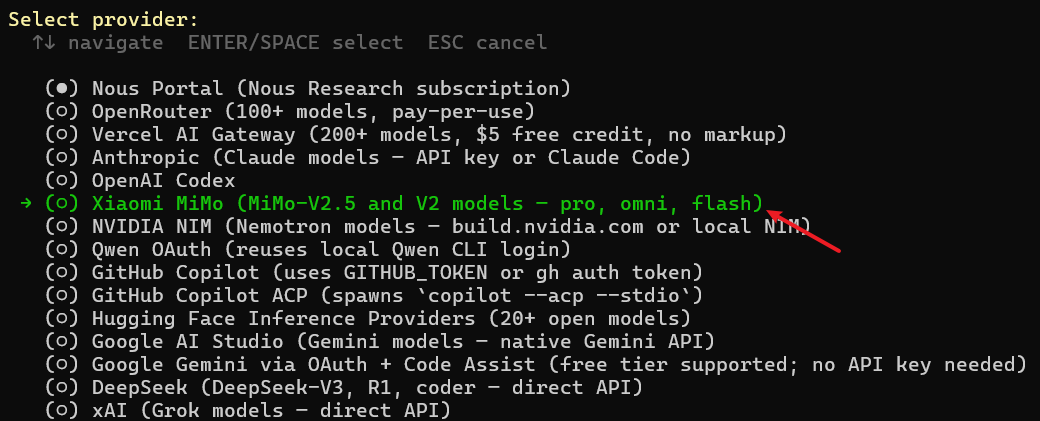 {/* feishu-style:text-align:left */}
**3. Fill in Configuration**
{/* feishu-style:text-align:left */}
Set API Key, Base URL, and default model as guided. The API Key and Base URL should be filled according to your credential type.
{/* feishu-style:text-align:left */}
**3. Fill in Configuration**
{/* feishu-style:text-align:left */}
Set API Key, Base URL, and default model as guided. The API Key and Base URL should be filled according to your credential type.
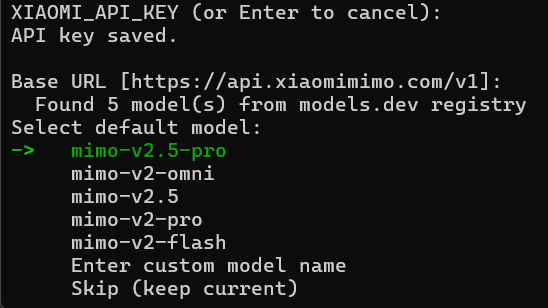 {/* feishu-style:text-align:left */}
Follow the remaining steps as needed.
{/* feishu-style:text-align:left */}
Follow the remaining steps as needed.
**If you previously configured Pay-as-you-go MiMo API and need to switch to Token Plan:**
- **Method 1:** Edit `~/.hermes/.env` file, replace `XIAOMI_API_KEY` and `XIAOMI_BASE_URL` with Token Plan credentials (open a new terminal after configuration).
- **Method 2:** Use a custom provider for configuration.
{/* feishu-style:text-align:left */}
**4. After configuration, the following interface will appear:**
 ## Configure a Custom Provider
### Configure Basic Settings
{/* feishu-style:text-align:left */}
Replace `BASE_URL` and `MIMO_API_KEY` in the following methods with your actual credentials.
{/* feishu-style:text-align:left */}
**Method 1: Quick configuration via terminal commands**
## Configure a Custom Provider
### Configure Basic Settings
{/* feishu-style:text-align:left */}
Replace `BASE_URL` and `MIMO_API_KEY` in the following methods with your actual credentials.
{/* feishu-style:text-align:left */}
**Method 1: Quick configuration via terminal commands**
Here `model.provider` can only be set to `custom`. Custom names like `xiaomi-coding` will be invalid.
```bash
hermes config set model.provider custom
hermes config set model.base_url BASE_URL
hermes config set model.api_key MIMO_API_KEY
hermes config set model.default mimo-v2.6-pro
```
{/* feishu-style:text-align:left */}
After configuration, you can view the settings in `~/.hermes/config.yaml`.
{/* feishu-style:text-align:left */}
**Method 2: Manually edit configuration file**
{/* feishu-style:text-align:left */}
Edit `~/.hermes/config.yaml` manually:
```bash
model:
provider: custom
base_url: BASE_URL
api_key: MIMO_API_KEY
default: mimo-v2.6-pro
```
### Verify Configuration
{/* feishu-style:text-align:left */}
After configuration, run the following command to verify:
```bash
hermes doctor
```
## Use Hermes Agent
{/* feishu-style:text-align:left */}
After configuration, run the following command to start:
```bash
hermes # Classic CLI mode
hermes --tui # Modern TUI mode
```
--- DOCUMENT: Kilo Code Configuration ---
URL: https://mimo.mi.com/static/docs/tokenplan/integration/kilocode.md
# Kilo Code Configuration
{/* feishu-style:text-align:left */}
**Pay-as-you-go MiMo API** and **Token Plan** both support Kilo Code. Refer to this guide for configuration and usage.
## Prerequisites
### Obtain Credentials
{/* feishu-style:text-align:left */}
Supports two usage methods, but the corresponding credential acquisition methods are different:
| Usage Method | Description | Acquisition Method (BASE_URL and API Key below are examples) |
|---|---|---|
| Pay-as-you-go MiMo API | Charged based on actual usage, suitable for light use |
Go to [API Keys](https://platform.xiaomimimo.com/#/console/api-keys) to create an API Key |
| Token Plan | Fixed subscription fee, with limited calls based on the package |
After successful subscription, go to [Token Plan](https://platform.xiaomimimo.com/#/console/plan-manage) to obtain the exclusive Base URL and API Key |
When Kilo Code uses MiMo under the Anthropic protocol, since the assistant containing tool calls is missing `reasoning_content`, the API will return a 400 error. For details, see [Multi-turn Conversation Pass-through Requirements](https://mimo.mi.com/docs/en-US/quick-start/usage-guide/text-generation/deep-thinking#:~:text=.-,Multi%2Dturn%20Conversation%20Pass%2Dthrough%20Requirements,-When%20deep%20thinking).
## Use Kilo Code CLI
### Install Kilo Code CLI
{/* feishu-style:text-align:left */}
Node.js 18 or later is required.
{/* feishu-style:text-align:left */}
**Installation command:**
```bash
npm install -g @kilocode/cli
```
{/* feishu-style:text-align:left */}
**Verify installation (success if version number is displayed):**
```bash
kilocode --version
```
### Configure Basic Settings
{/* feishu-style:text-align:left */}
Edit or create the `config.json` configuration file at the following paths:
- **macOS/Linux**: `~/.config/kilo/config.json`
- **Windows**: `User Directory\.config\kilo\config.json`
{/* feishu-style:text-align:left */}
Copy the following content into the configuration file (replace `BASE_URL` and `MIMO_API_KEY` as needed):
```bash
{
"$schema": "https://kilo.ai/config.json",
"disabled_providers": [],
"provider": {
"mimo": {
"name": "MiMo",
"npm": "@ai-sdk/openai-compatible",
"models": {
"mimo-v2.6-pro": {
"name": "mimo-v2.6-pro",
"options": {
"thinking": {
"type": "enabled"
}
}
}
},
"options": {
"apiKey": "MIMO_API_KEY",
"baseURL": "BASE_URL"
}
}
},
"permission": {
"bash": "allow"
}
}
```
For more detailed configuration information, visit the [Kilo Code CLI Official Documentation](https://kilo.ai/docs/cli).
### Use Kilo Code CLI
{/* feishu-style:text-align:left */}
After completing the above configuration, open a new terminal and run the following command to start Kilo Code CLI:
```bash
kilocode
```
{/* feishu-style:text-align:left */}
Once started, enter `/models` to switch models, and you can use MiMo models in Kilo Code CLI.
## Use Kilo Code IDE Plugin
### Install Plugin
{/* feishu-style:text-align:left */}
Search for and install the **Kilo Code** plugin in the VS Code Extensions marketplace.
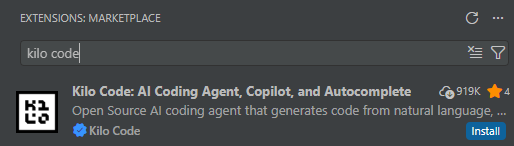 ### Configure a Predefined Provider (Recommended)
{/* feishu-style:text-align:left */}
Click Providers --> Show more providers, search for `Xiaomi`, select the corresponding Provider, and fill in the API Key.
### Configure a Predefined Provider (Recommended)
{/* feishu-style:text-align:left */}
Click Providers --> Show more providers, search for `Xiaomi`, select the corresponding Provider, and fill in the API Key.
When using the **Xiaomi Token Plan**, you need to select the Provider corresponding to the Base URL displayed on the [Token Plan](https://platform.xiaomimimo.com/#/console/plan-manage) page.
- `https://token-plan-cn.xiaomimimo.com/*`: Xiaomi Token Plan (China)
- `https://token-plan-sgp.xiaomimimo.com/*`: Xiaomi Token Plan (Singapore)
- `https://token-plan-ams.xiaomimimo.com/*`: Xiaomi Token Plan (Europe)
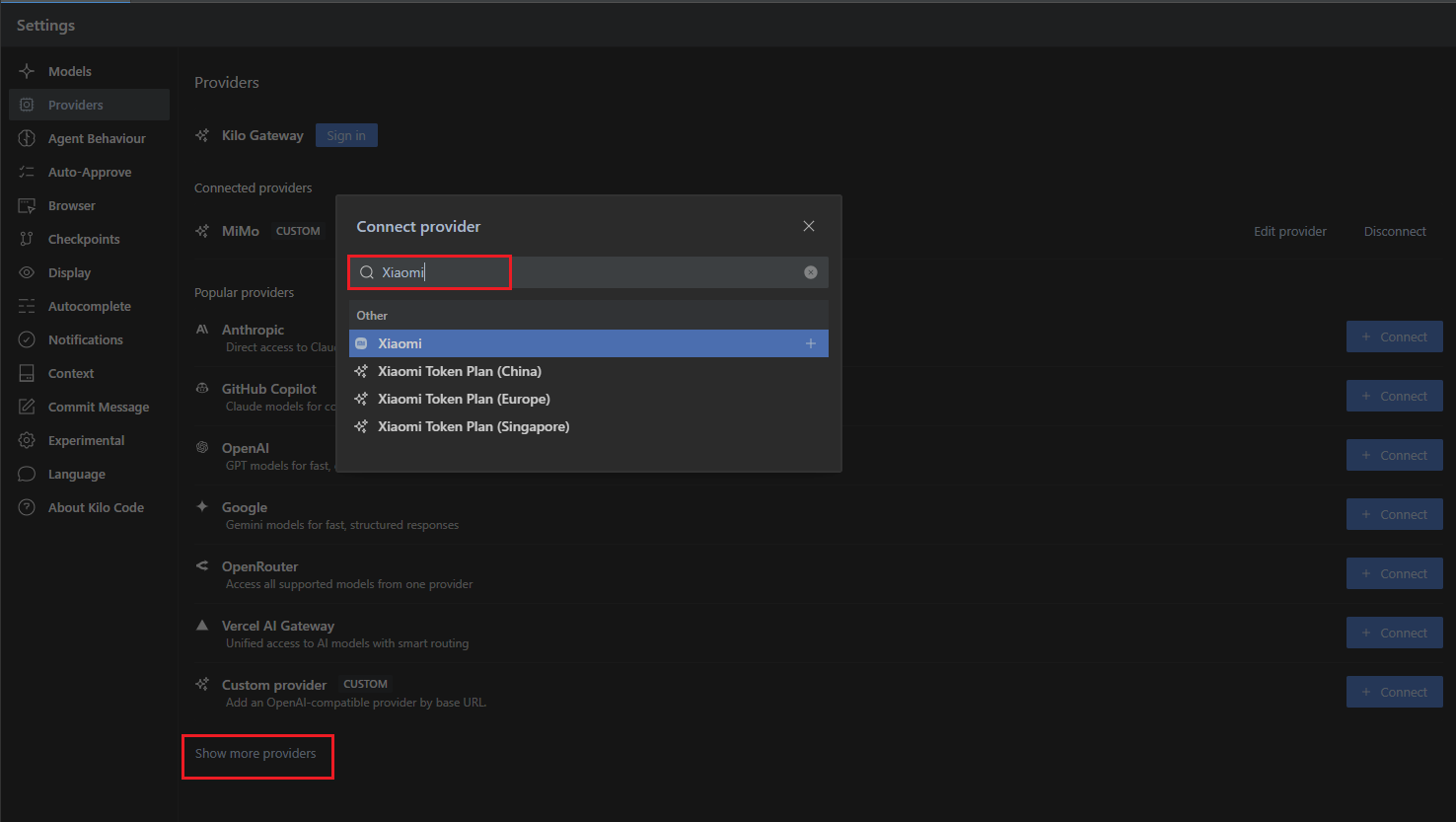 ### Configure a Custom Provider
{/* feishu-style:text-align:left */}
Fill in the relevant information according to the following configuration.
{/* feishu-style:text-align:left */}
**1.** **Select Custom Provider**
### Configure a Custom Provider
{/* feishu-style:text-align:left */}
Fill in the relevant information according to the following configuration.
{/* feishu-style:text-align:left */}
**1.** **Select Custom Provider**
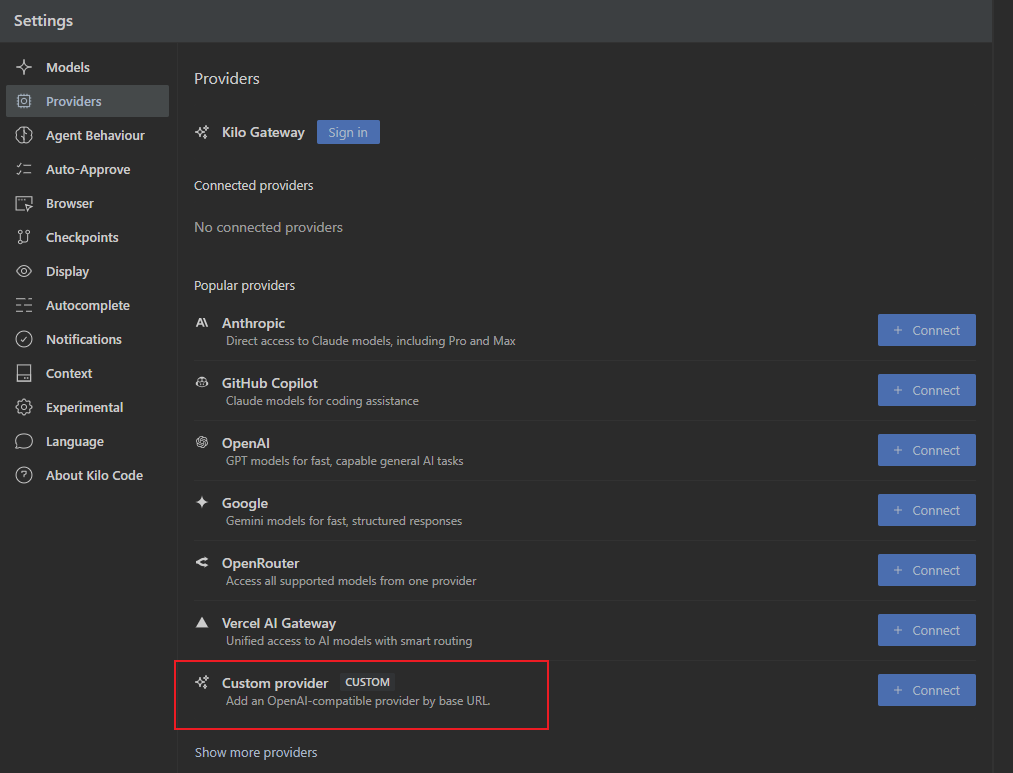 {/* feishu-style:text-align:left */}
**2.** **Fill in configuration details**
- **Provider ID** and **Display name**: Fill in as needed
- **Base URL**: Enter the BASE_URL obtained from your usage method
- **API Key**: Enter the API Key obtained from your usage method
- **Models**: Add as needed, e.g. `mimo-v2.6-pro`
{/* feishu-style:text-align:left */}
**2.** **Fill in configuration details**
- **Provider ID** and **Display name**: Fill in as needed
- **Base URL**: Enter the BASE_URL obtained from your usage method
- **API Key**: Enter the API Key obtained from your usage method
- **Models**: Add as needed, e.g. `mimo-v2.6-pro`
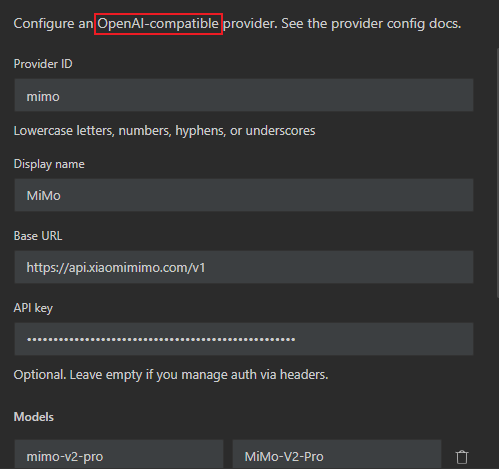 {/* feishu-style:text-align:left */}
Other unmentioned parameters can be adjusted as needed.
### Use Kilo Code Plugin
{/* feishu-style:text-align:left */}
After successful configuration, switch to the configured model and enter your requirements in the input box to start using.
{/* feishu-style:text-align:left */}
Other unmentioned parameters can be adjusted as needed.
### Use Kilo Code Plugin
{/* feishu-style:text-align:left */}
After successful configuration, switch to the configured model and enter your requirements in the input box to start using.
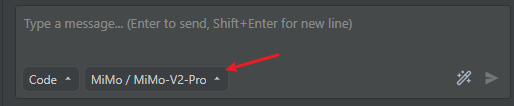 ## FAQ
### When verifying installation on Windows, I encounter the following error. How to resolve?
> It seems that your package manager failed to install the right version of the Kilo CLI for your platform. You can try manually installing "@kilocode/cli-windows-x64" or "@kilocode/cli-windows-x64-baseline" package
{/* feishu-style:text-align:left */}
Run the command `npm install -g @kilocode/cli-windows-x64` as suggested to resolve the issue.
--- DOCUMENT: Chatbox AI Configuration ---
URL: https://mimo.mi.com/static/docs/tokenplan/integration/chatbox.md
# Chatbox AI Configuration
{/* feishu-style:text-align:left */}
**Pay-as-you-go MiMo API** and **Token Plan** both support Chatbox AI, and you may refer to this article for configuration and usage instructions.
## Preliminary Work
### Obtain Credentials
{/* feishu-style:text-align:left */}
Two usage modes are supported, but the methods for obtaining the corresponding credentials vary.
## FAQ
### When verifying installation on Windows, I encounter the following error. How to resolve?
> It seems that your package manager failed to install the right version of the Kilo CLI for your platform. You can try manually installing "@kilocode/cli-windows-x64" or "@kilocode/cli-windows-x64-baseline" package
{/* feishu-style:text-align:left */}
Run the command `npm install -g @kilocode/cli-windows-x64` as suggested to resolve the issue.
--- DOCUMENT: Chatbox AI Configuration ---
URL: https://mimo.mi.com/static/docs/tokenplan/integration/chatbox.md
# Chatbox AI Configuration
{/* feishu-style:text-align:left */}
**Pay-as-you-go MiMo API** and **Token Plan** both support Chatbox AI, and you may refer to this article for configuration and usage instructions.
## Preliminary Work
### Obtain Credentials
{/* feishu-style:text-align:left */}
Two usage modes are supported, but the methods for obtaining the corresponding credentials vary.
| Usage | Description | Acquisition Method (the following BASE_URL and API Key are for reference only) |
|---|---|---|
| Pay-as-you-go API calls | Pay-as-you-go pricing, ideal for light usage |
Go to [API Keys ](https://platform.xiaomimimo.com/#/console/api-keys)to create an API Key |
| Token Plan | Fixed subscription fee, with call volume limited by the selected plan |
After successful subscription, go to [Token Plan ](https://platform.xiaomimimo.com/#/console/plan-manage)to get your exclusive Base URL and API Key |
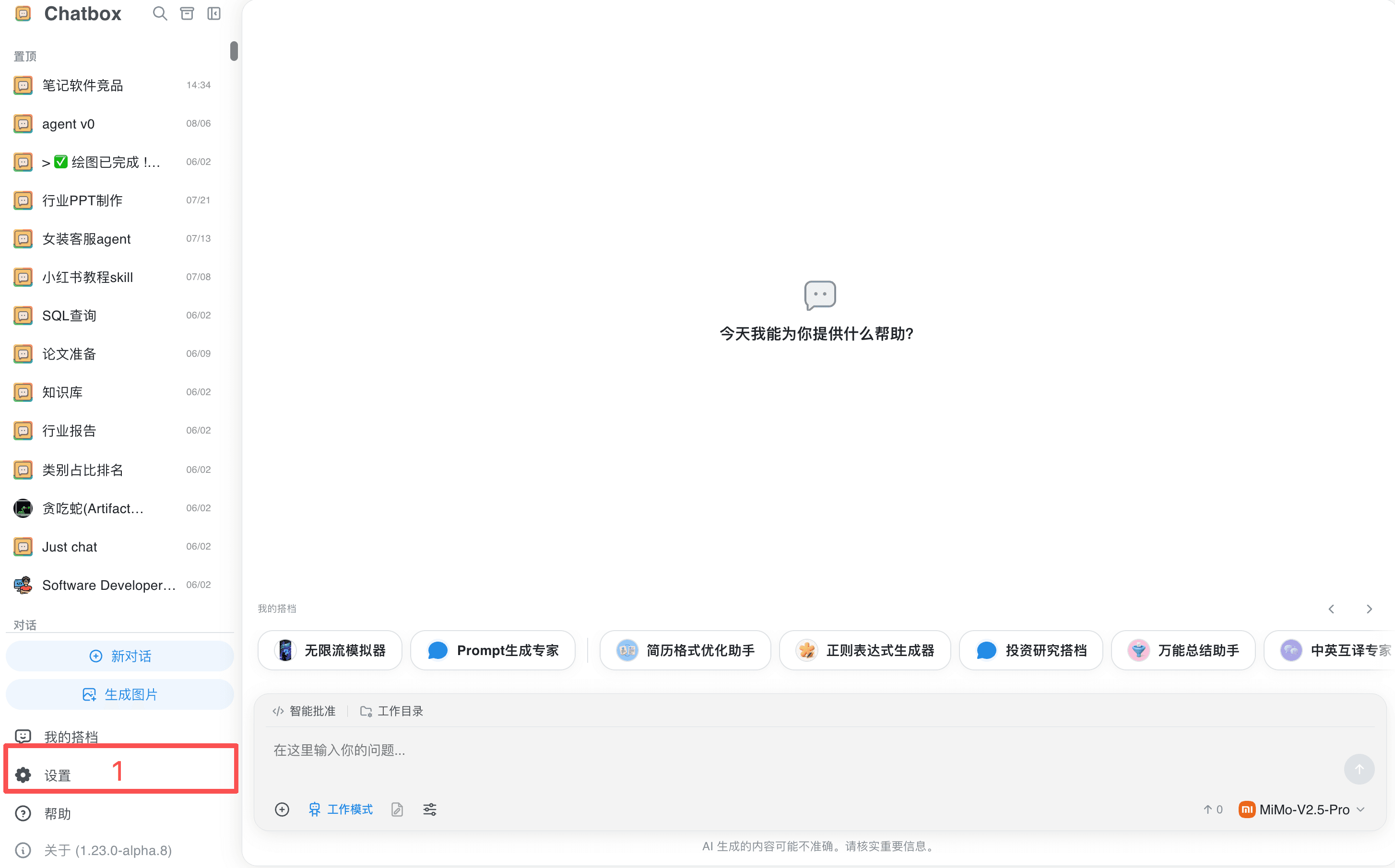 {/* feishu-style:text-align:left */}
2. Search for and select "Xiaomi MiMo".
{/* feishu-style:text-align:left */}
2. Search for and select "Xiaomi MiMo".
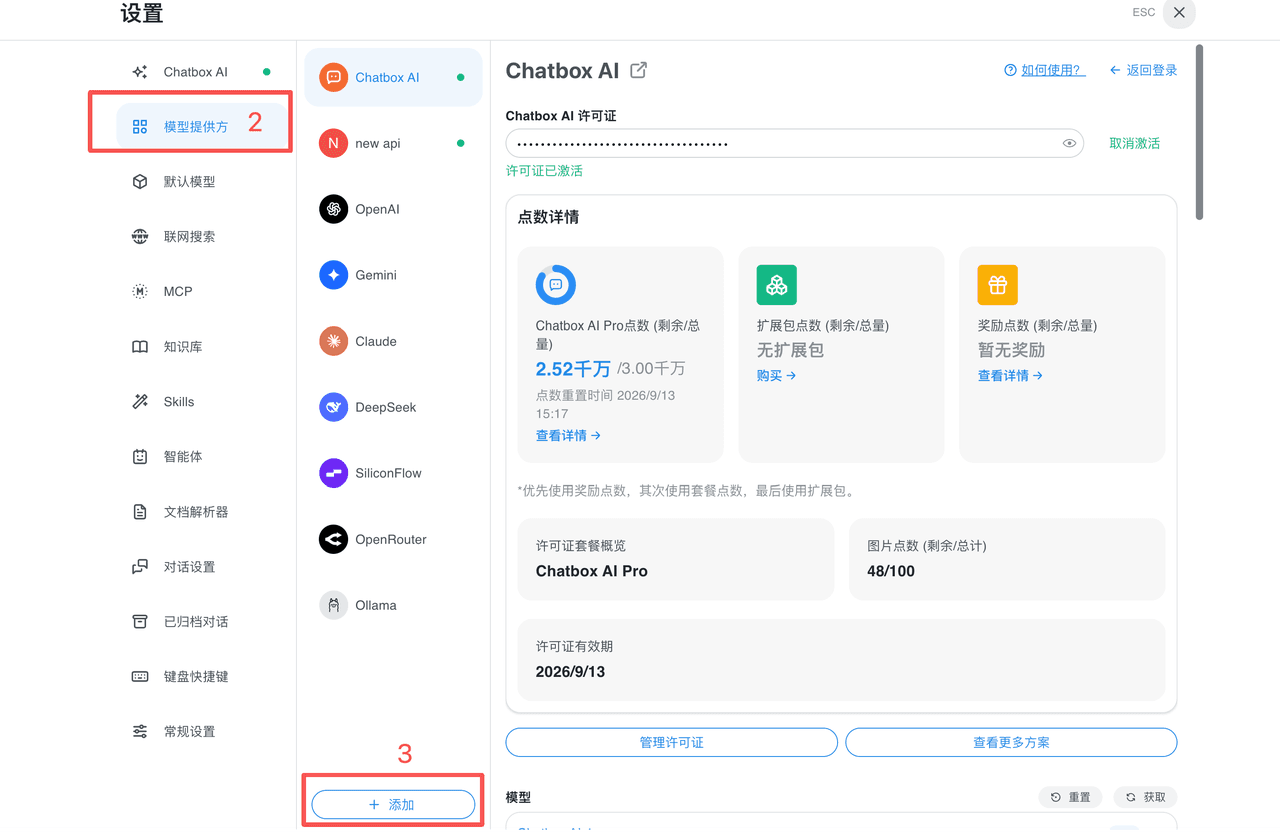
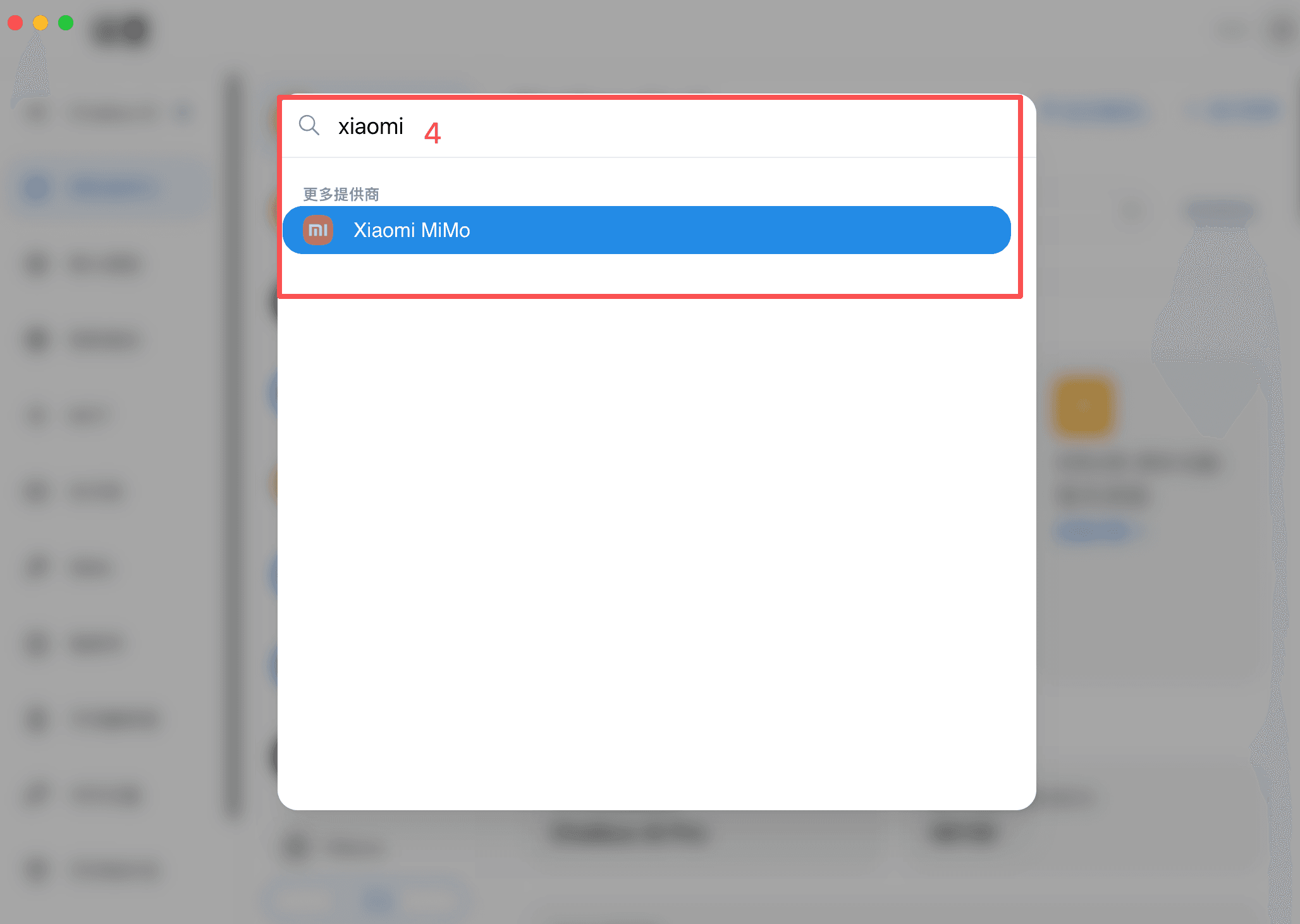 {/* feishu-style:text-align:left */}
3. Fill in the API key: when using the pay-as-you-go API, only enter the API Key and keep the API host unchanged; when using the Token Plan, replace both the API Key and the API host with the exclusive values displayed on the package Console.
{/* feishu-style:text-align:left */}
3. Fill in the API key: when using the pay-as-you-go API, only enter the API Key and keep the API host unchanged; when using the Token Plan, replace both the API Key and the API host with the exclusive values displayed on the package Console.
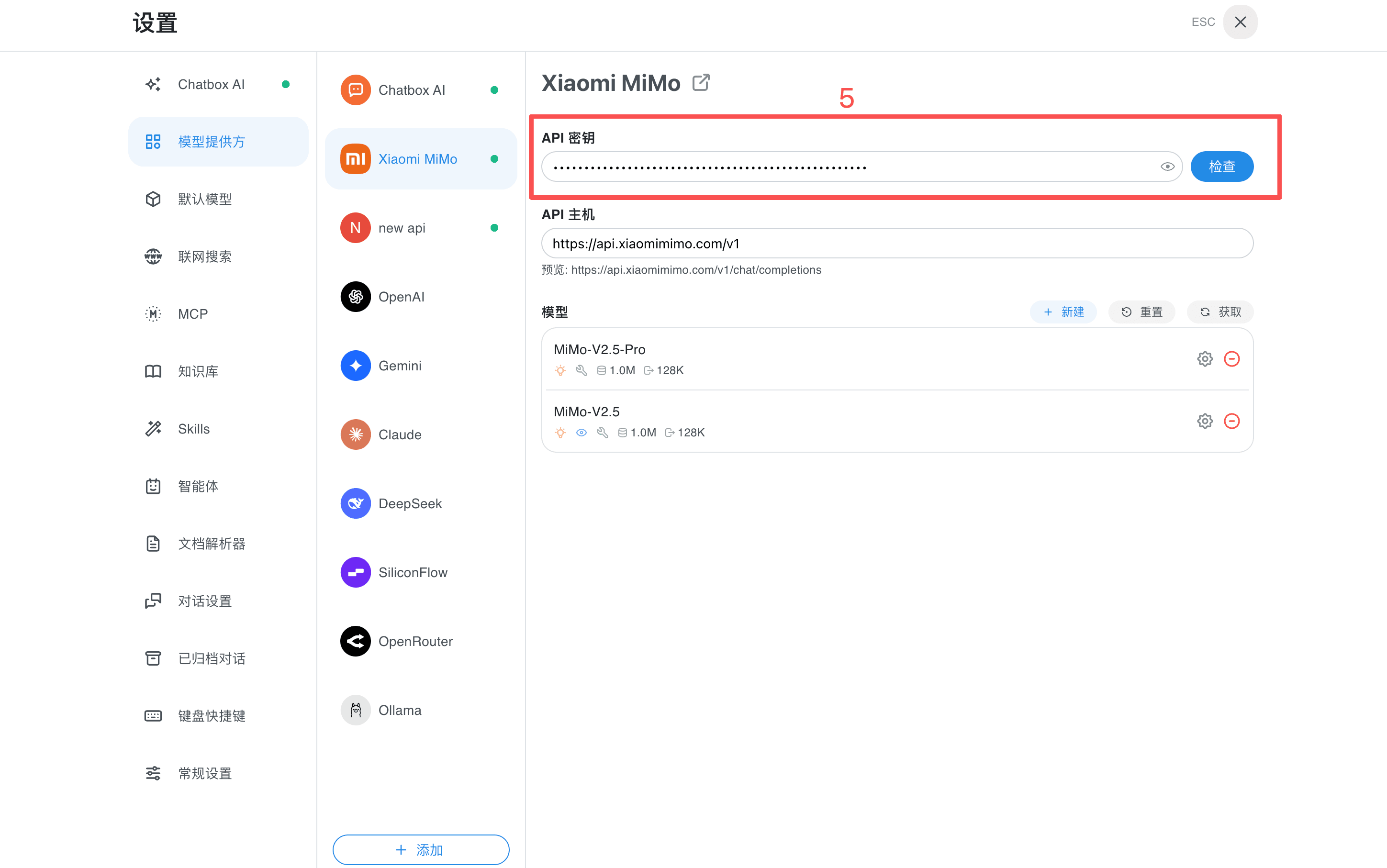 {/* feishu-style:text-align:left */}
4. Click the "Check" button on the right side of the API Key. After the test succeeds, select a model from the model list to start a conversation or enable the working mode.
{/* feishu-style:text-align:left */}
4. Click the "Check" button on the right side of the API Key. After the test succeeds, select a model from the model list to start a conversation or enable the working mode.
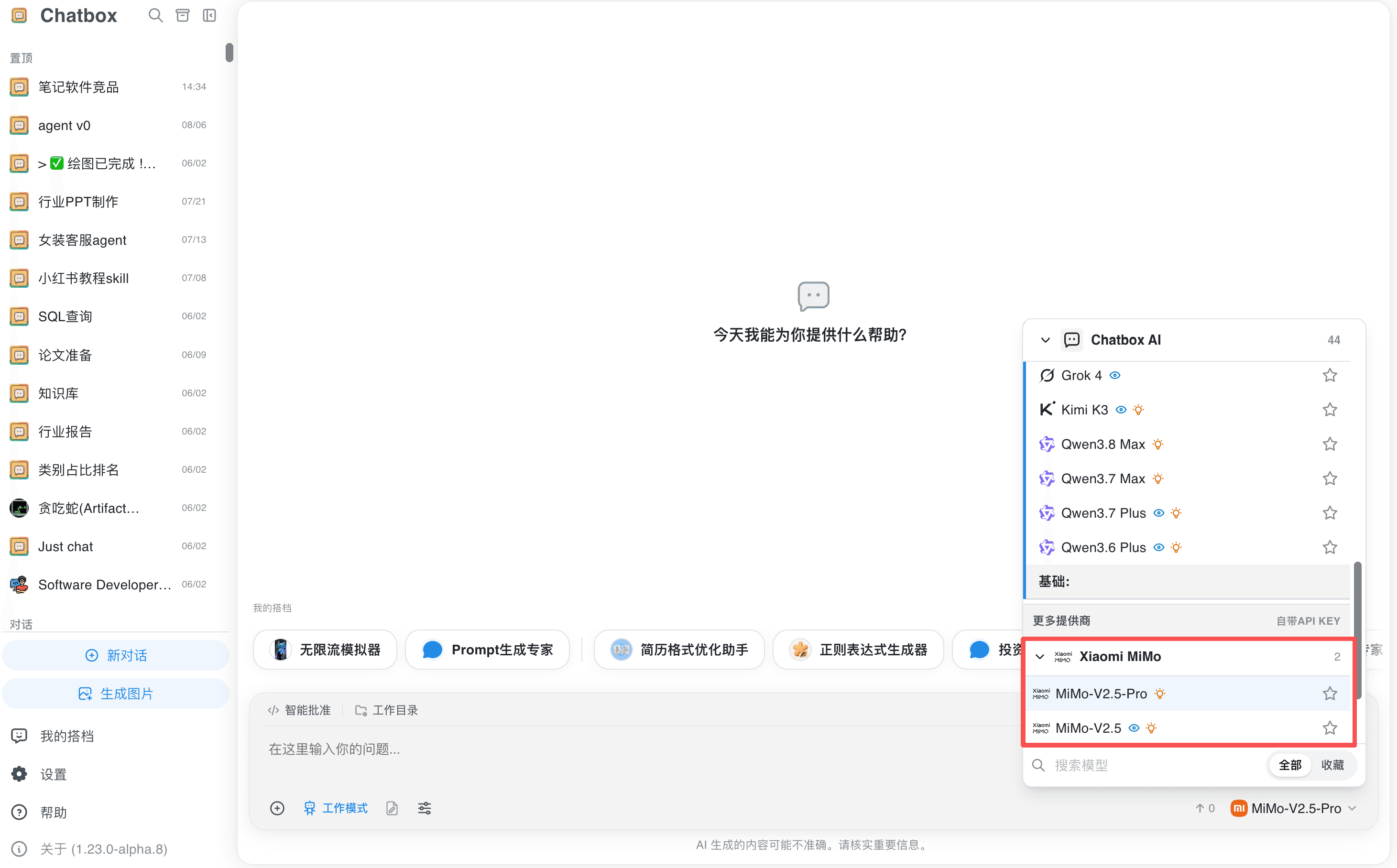 --- DOCUMENT: Cherry Studio Configuration ---
URL: https://mimo.mi.com/static/docs/tokenplan/integration/cherrystudio.md
# Cherry Studio Configuration
{/* feishu-style:text-align:left */}
**Pay-as-you-go MiMo API** and **Token Plan** both support Cherry Studio. Refer to this guide for configuration and usage.
## Prerequisites
### Obtain Credentials
{/* feishu-style:text-align:left */}
Supports two usage methods, but the corresponding credential acquisition methods are different:
--- DOCUMENT: Cherry Studio Configuration ---
URL: https://mimo.mi.com/static/docs/tokenplan/integration/cherrystudio.md
# Cherry Studio Configuration
{/* feishu-style:text-align:left */}
**Pay-as-you-go MiMo API** and **Token Plan** both support Cherry Studio. Refer to this guide for configuration and usage.
## Prerequisites
### Obtain Credentials
{/* feishu-style:text-align:left */}
Supports two usage methods, but the corresponding credential acquisition methods are different:
| Usage Method | Description | Acquisition Method (BASE_URL and API Key below are examples) |
|---|---|---|
| Pay-as-you-go MiMo API | Charged based on actual usage, suitable for light use |
Go to [API Keys](https://platform.xiaomimimo.com/#/console/api-keys) to create an API Key |
| Token Plan | Fixed subscription fee, with limited calls based on the package |
After successful subscription, go to [Token Plan](https://platform.xiaomimimo.com/#/console/plan-manage) to obtain the exclusive Base URL and API Key |
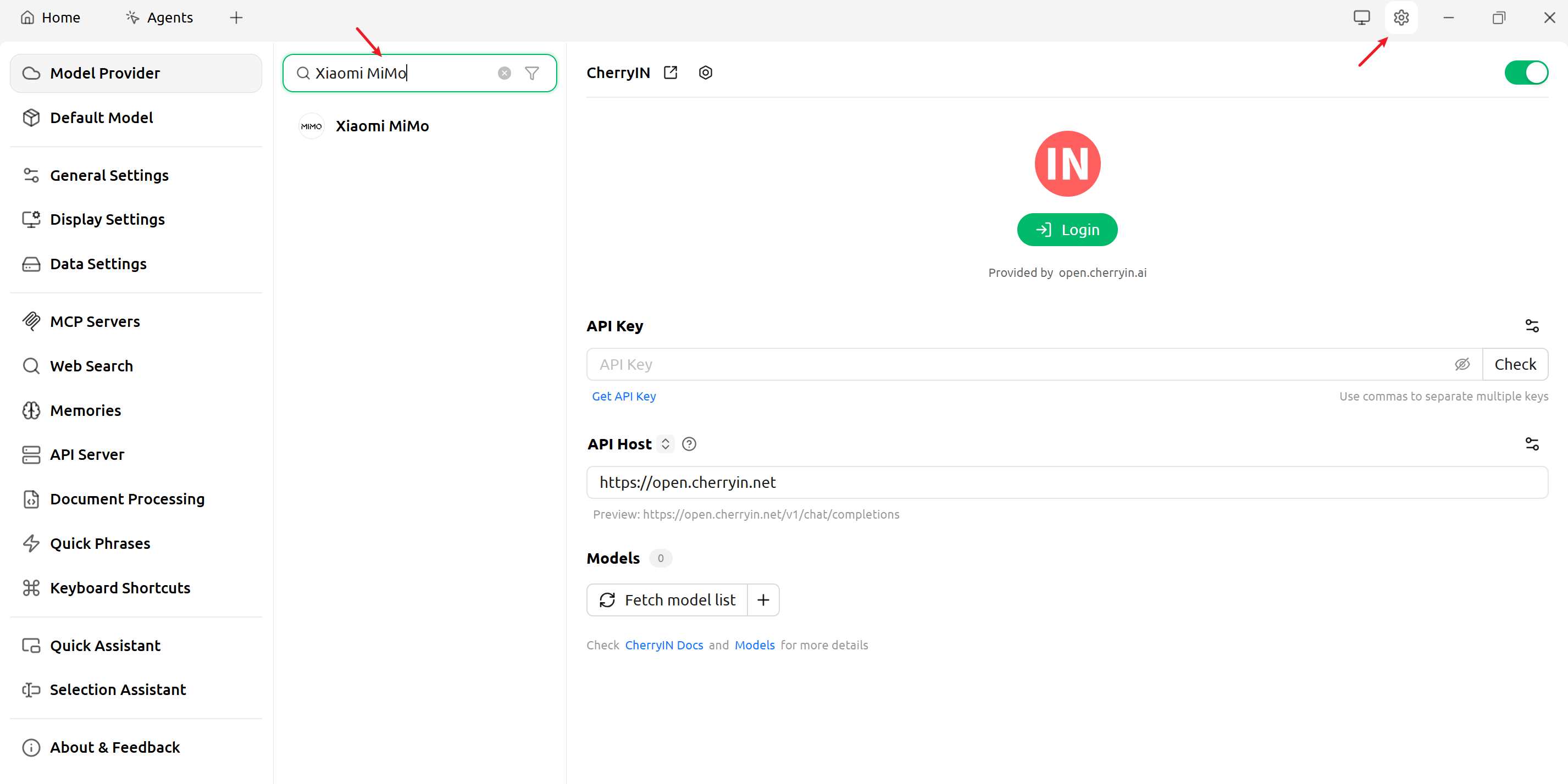 {/* feishu-style:text-align:left */}
**2.** **Configure basic settings**
{/* feishu-style:text-align:left */}
**Pay-as-you-go MiMo API**
{/* feishu-style:text-align:left */}
Since the `Xiaomi MiMo` model service is already provided by Cherry Studio officially, you only need to provide the API Key obtained through this method. Keep the API Host unchanged.
{/* feishu-style:text-align:left */}
**2.** **Configure basic settings**
{/* feishu-style:text-align:left */}
**Pay-as-you-go MiMo API**
{/* feishu-style:text-align:left */}
Since the `Xiaomi MiMo` model service is already provided by Cherry Studio officially, you only need to provide the API Key obtained through this method. Keep the API Host unchanged.
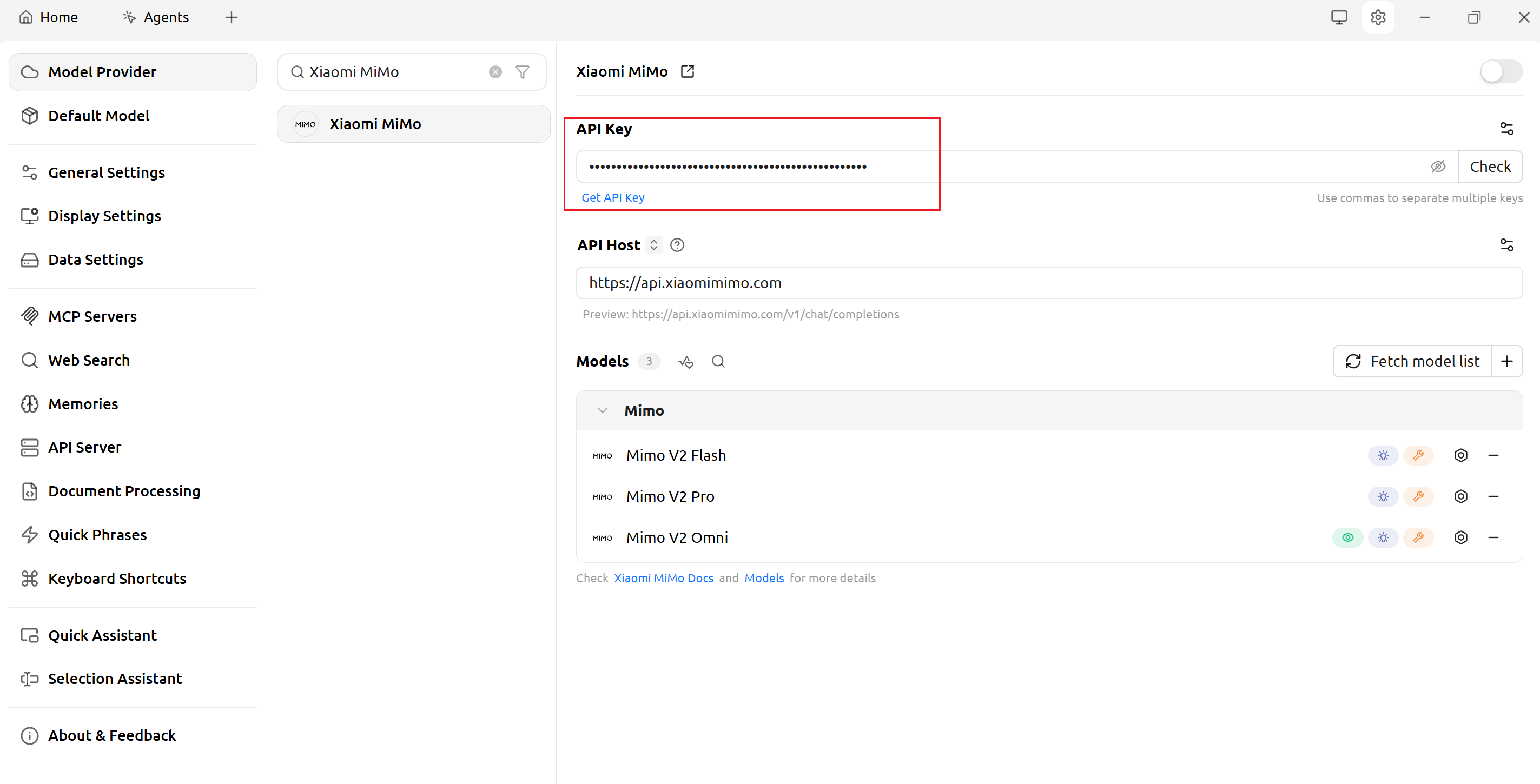 {/* feishu-style:text-align:left */}
**Token Plan**
{/* feishu-style:text-align:left */}
After successfully subscribing to Token Plan, replace with the dedicated Token Plan API Key and API Host (BASE_URL).
{/* feishu-style:text-align:left */}
**Token Plan**
{/* feishu-style:text-align:left */}
After successfully subscribing to Token Plan, replace with the dedicated Token Plan API Key and API Host (BASE_URL).
Token Plan is temporarily unavailable in Agent mode.
## Use Cherry Studio
{/* feishu-style:text-align:left */}
Select the model you need to use from the model list, and you can have a normal conversation.
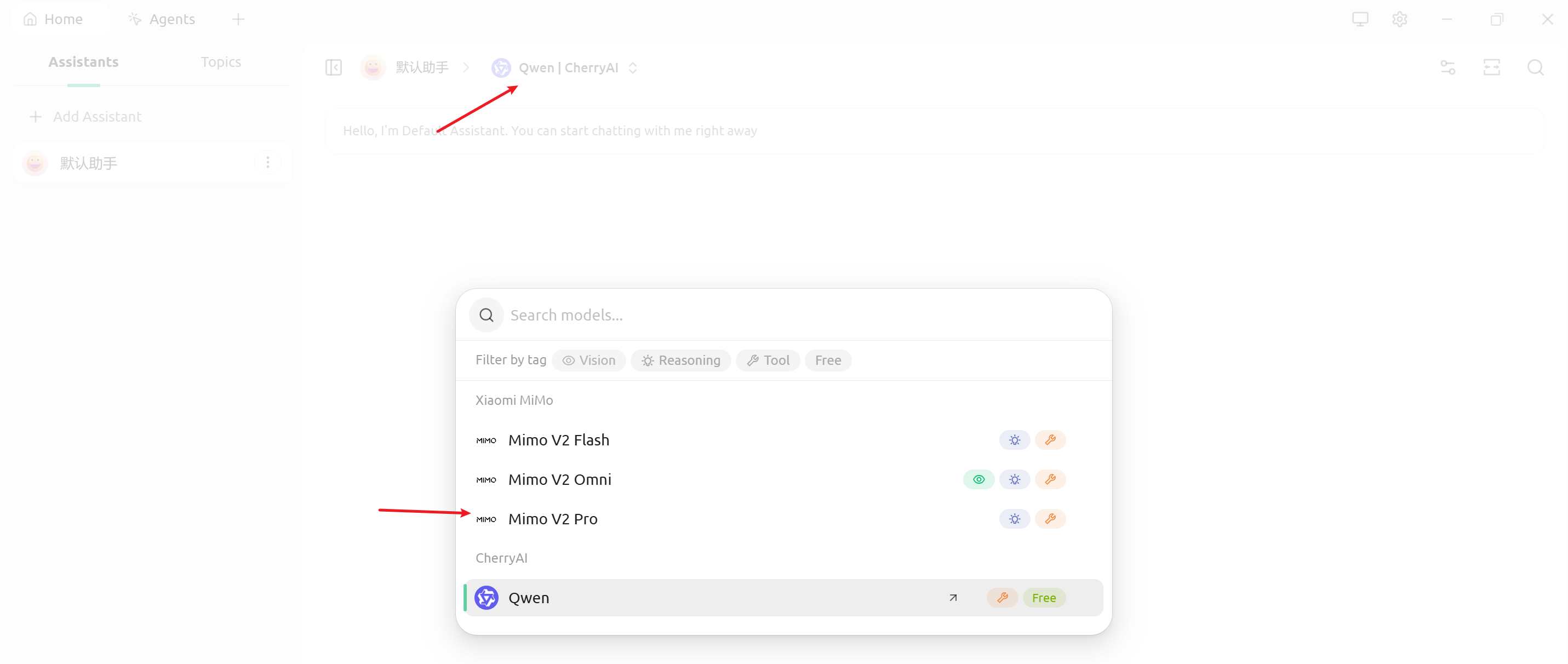 ### Enable Thinking Mode (Optional)
{/* feishu-style:text-align:left */}
Click assistant settings and add a custom parameter: `"thinking": {"type": "enabled"}`.
{/* feishu-style:text-align:left */}
You can also adjust temperature, context window, and other parameters as needed.
### Enable Thinking Mode (Optional)
{/* feishu-style:text-align:left */}
Click assistant settings and add a custom parameter: `"thinking": {"type": "enabled"}`.
{/* feishu-style:text-align:left */}
You can also adjust temperature, context window, and other parameters as needed.
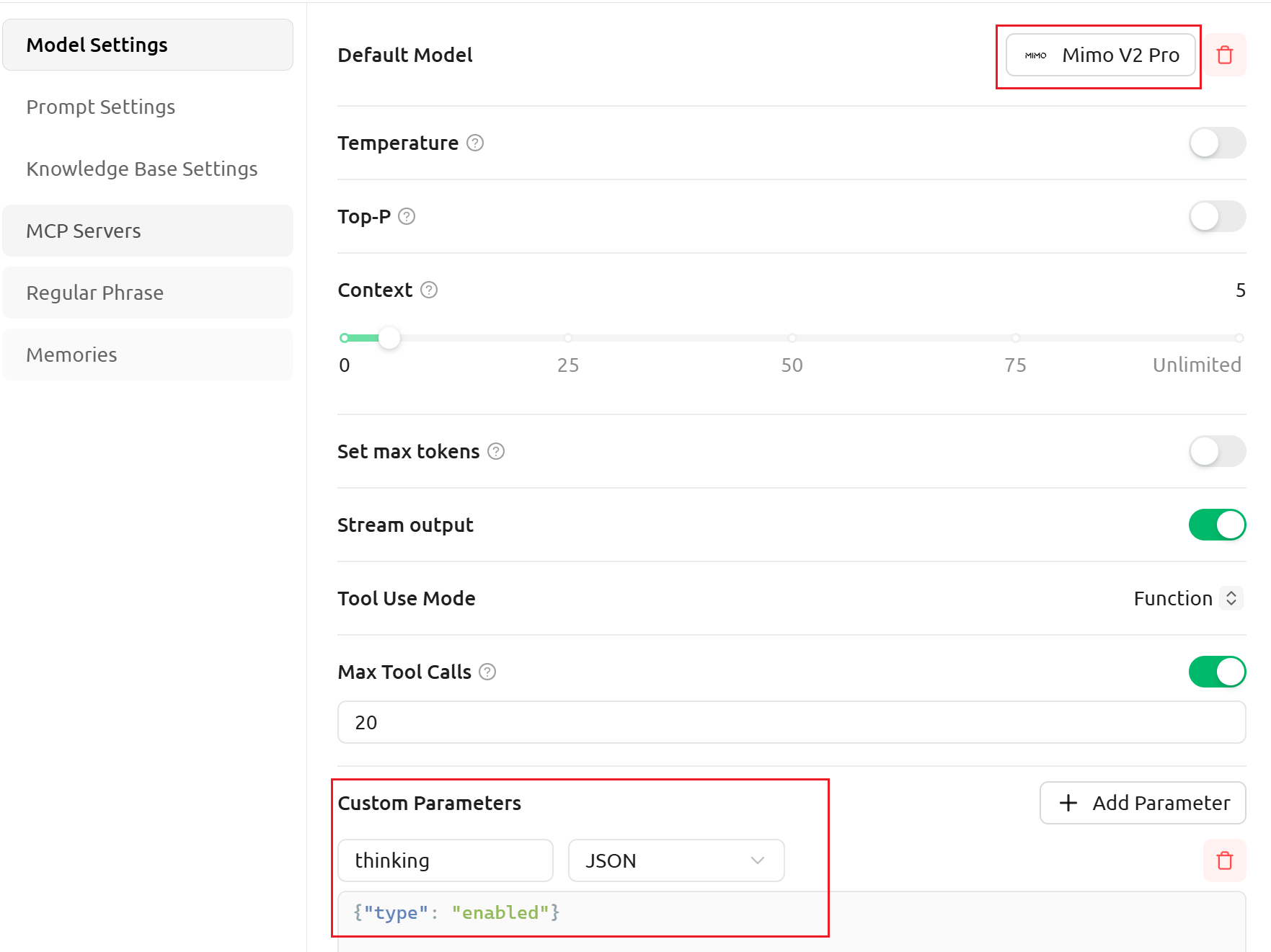 --- DOCUMENT: Qwen Code Configuration ---
URL: https://mimo.mi.com/static/docs/tokenplan/integration/qwencode.md
# Qwen Code Configuration
{/* feishu-style:text-align:left */}
**Pay-as-you-go MiMo API** and **Token Plan** both support Qwen Code. Refer to this guide for configuration and usage.
## Prerequisites
### Obtain Credentials
{/* feishu-style:text-align:left */}
Supports two usage methods, but the corresponding credential acquisition methods are different:
--- DOCUMENT: Qwen Code Configuration ---
URL: https://mimo.mi.com/static/docs/tokenplan/integration/qwencode.md
# Qwen Code Configuration
{/* feishu-style:text-align:left */}
**Pay-as-you-go MiMo API** and **Token Plan** both support Qwen Code. Refer to this guide for configuration and usage.
## Prerequisites
### Obtain Credentials
{/* feishu-style:text-align:left */}
Supports two usage methods, but the corresponding credential acquisition methods are different:
| Usage Method | Description | Acquisition Method (BASE_URL and API Key below are examples) |
|---|---|---|
| Pay-as-you-go MiMo API | Charged based on actual usage, suitable for light use |
Go to [API Keys](https://platform.xiaomimimo.com/#/console/api-keys) to create an API Key |
| Token Plan | Fixed subscription fee, with limited calls based on the package |
After successful subscription, go to [Token Plan](https://platform.xiaomimimo.com/#/console/plan-manage) to obtain the exclusive Base URL and API Key |
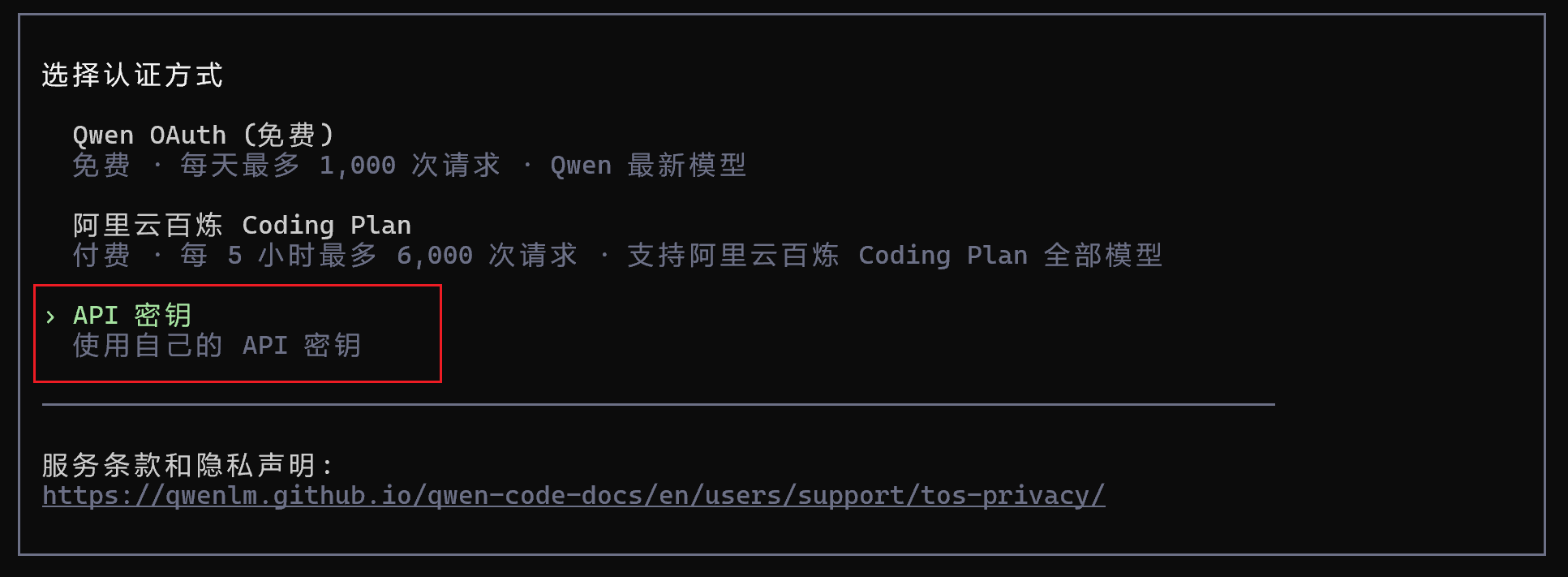
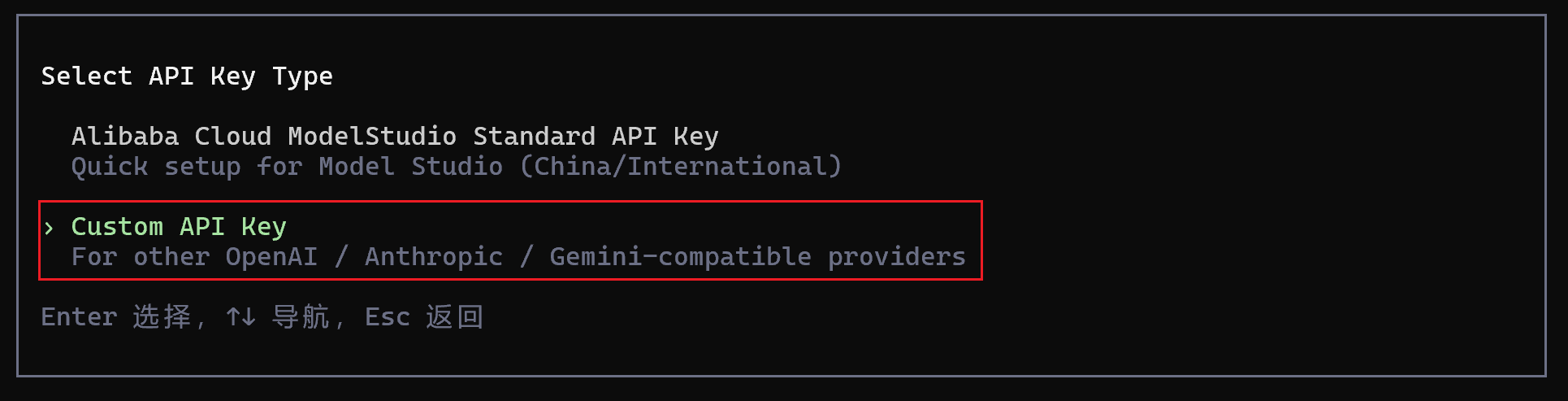 {/* feishu-style:text-align:left */}
**2.** **Edit the configuration file**
{/* feishu-style:text-align:left */}
**2.** **Edit the configuration file**
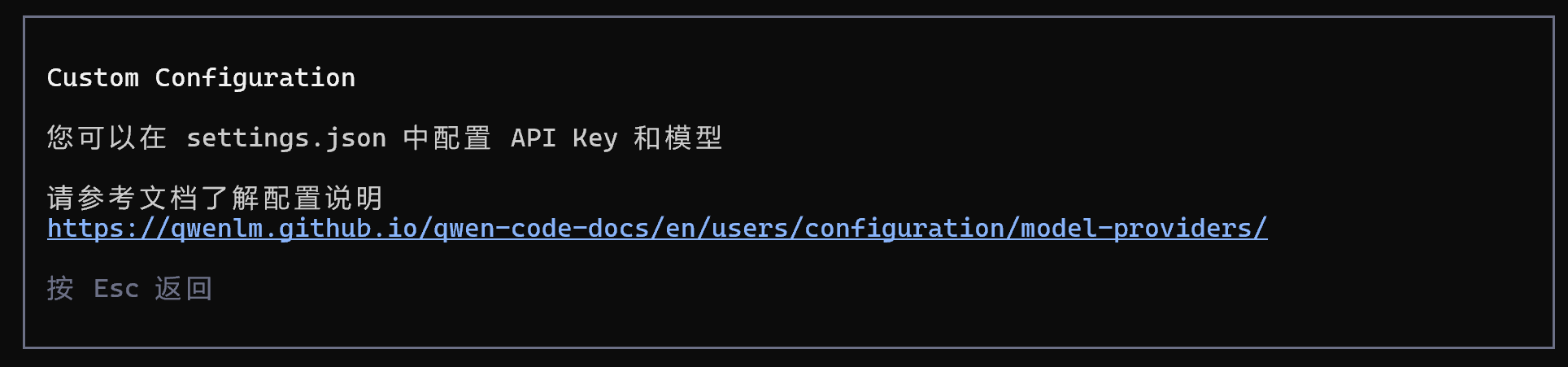
For more detailed configuration information, visit the [Qwen Code official configuration documentation](https://qwenlm.github.io/qwen-code-docs/en/users/configuration/model-providers/).
{/* feishu-style:text-align:left */}
Edit or create the `settings.json` file at the following path:
- macOS/Linux: `~/.qwen/settings.json`
- Windows: `User directory\.qwen\settings.json`
{/* feishu-style:text-align:left */}
Copy the following content into the configuration file (replace with your actual settings when using):
When configuring basic information, you need to first check if the `MIMO_API_KEY` environment variable exists. If it does, please clear it or replace the value with the API Key obtained through the corresponding usage method.
```bash
{
"env": {
"MIMO_API_KEY": "MIMO_API_KEY"
},
"modelProviders": {
"openai": [
{
"id": "mimo-v2.6-pro",
"name": "mimo-v2.6-pro",
"baseUrl": "BASE_URL",
"envKey": "MIMO_API_KEY"
}
]
},
"security": {
"auth": {
"selectedType": "openai"
}
},
"model": {
"name": "mimo-v2.6-pro"
},
"$version": 3
}
```
### Use Qwen Code CLI
{/* feishu-style:text-align:left */}
After completing the above configuration, open a new terminal and run the following command to start Qwen Code CLI:
```bash
qwen
```
{/* feishu-style:text-align:left */}
Once started, you can use MiMo models in Qwen Code CLI.
 ## Use the Qwen Code IDE Plugin
### Install the Plugin
{/* feishu-style:text-align:left */}
Search for and install the **Qwen Code Companion** plugin from the VS Code Extensions marketplace.
## Use the Qwen Code IDE Plugin
### Install the Plugin
{/* feishu-style:text-align:left */}
Search for and install the **Qwen Code Companion** plugin from the VS Code Extensions marketplace.
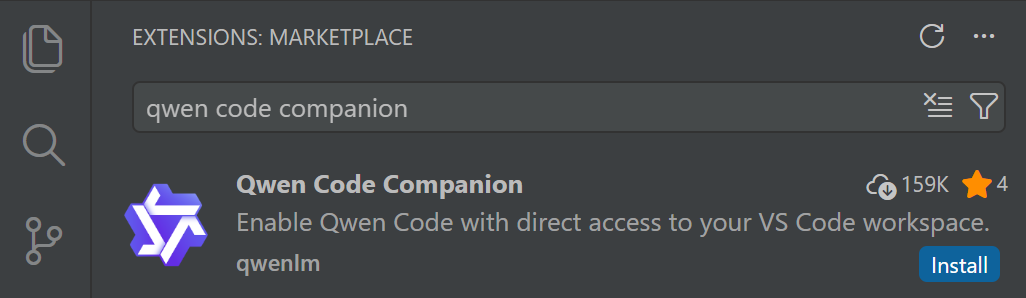 ### Configure Settings
{/* feishu-style:text-align:left */}
Follow the same steps as described in the Qwen Code CLI configuration section above.
### Use the Qwen Code Plugin
{/* feishu-style:text-align:left */}
Click the Qwen Code icon in the top-right corner to open the dialog.
### Configure Settings
{/* feishu-style:text-align:left */}
Follow the same steps as described in the Qwen Code CLI configuration section above.
### Use the Qwen Code Plugin
{/* feishu-style:text-align:left */}
Click the Qwen Code icon in the top-right corner to open the dialog.
 {/* feishu-style:text-align:left */}
Type or click `/`, then select `Switch model` to change the model.
{/* feishu-style:text-align:left */}
Type or click `/`, then select `Switch model` to change the model.
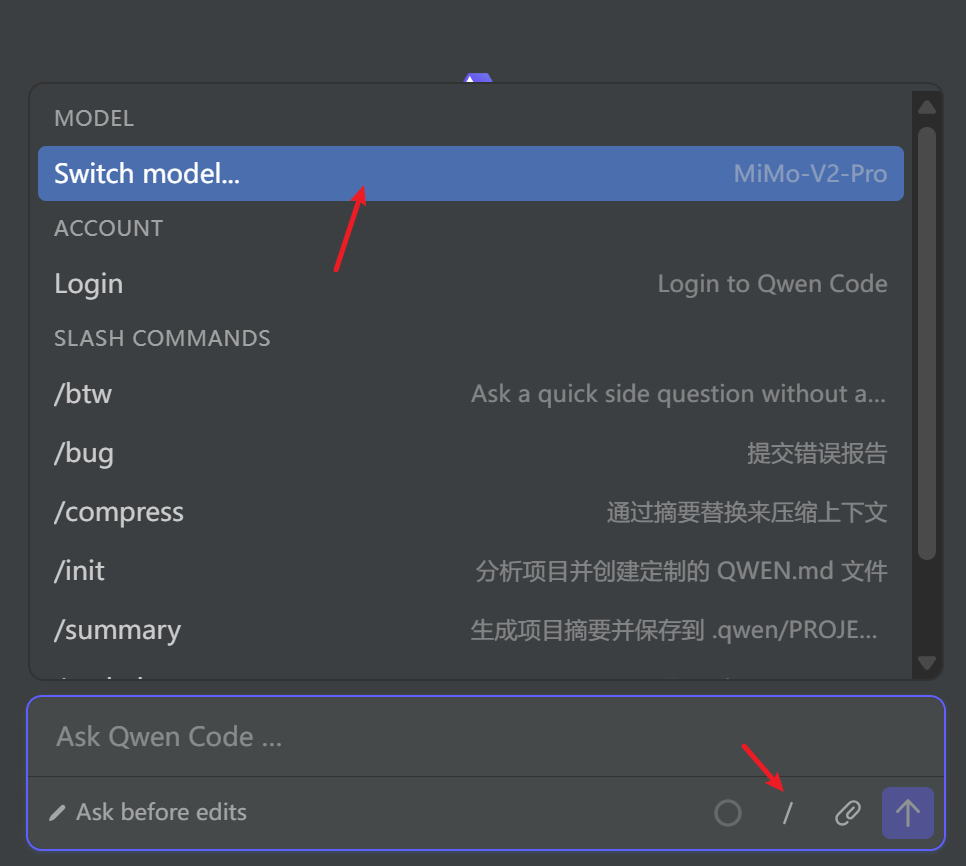 --- DOCUMENT: CodeBuddy Configuration ---
URL: https://mimo.mi.com/static/docs/tokenplan/integration/codebuddy.md
# CodeBuddy Configuration
{/* feishu-style:text-align:left */}
**Pay-as-you-go MiMo API** and **Token Plan** both support CodeBuddy. Refer to this guide for configuration and usage.
## Prerequisites
### Obtain Credentials
{/* feishu-style:text-align:left */}
Supports two usage methods, but the corresponding credential acquisition methods are different:
--- DOCUMENT: CodeBuddy Configuration ---
URL: https://mimo.mi.com/static/docs/tokenplan/integration/codebuddy.md
# CodeBuddy Configuration
{/* feishu-style:text-align:left */}
**Pay-as-you-go MiMo API** and **Token Plan** both support CodeBuddy. Refer to this guide for configuration and usage.
## Prerequisites
### Obtain Credentials
{/* feishu-style:text-align:left */}
Supports two usage methods, but the corresponding credential acquisition methods are different:
| Usage Method | Description | Acquisition Method (BASE_URL and API Key below are examples) |
|---|---|---|
| Pay-as-you-go MiMo API | Charged based on actual usage, suitable for light use |
Go to [API Keys](https://platform.xiaomimimo.com/#/console/api-keys) to create an API Key |
| Token Plan | Fixed subscription fee, with limited calls based on the package |
After successful subscription, go to [Token Plan](https://platform.xiaomimimo.com/#/console/plan-manage) to obtain the exclusive Base URL and API Key |
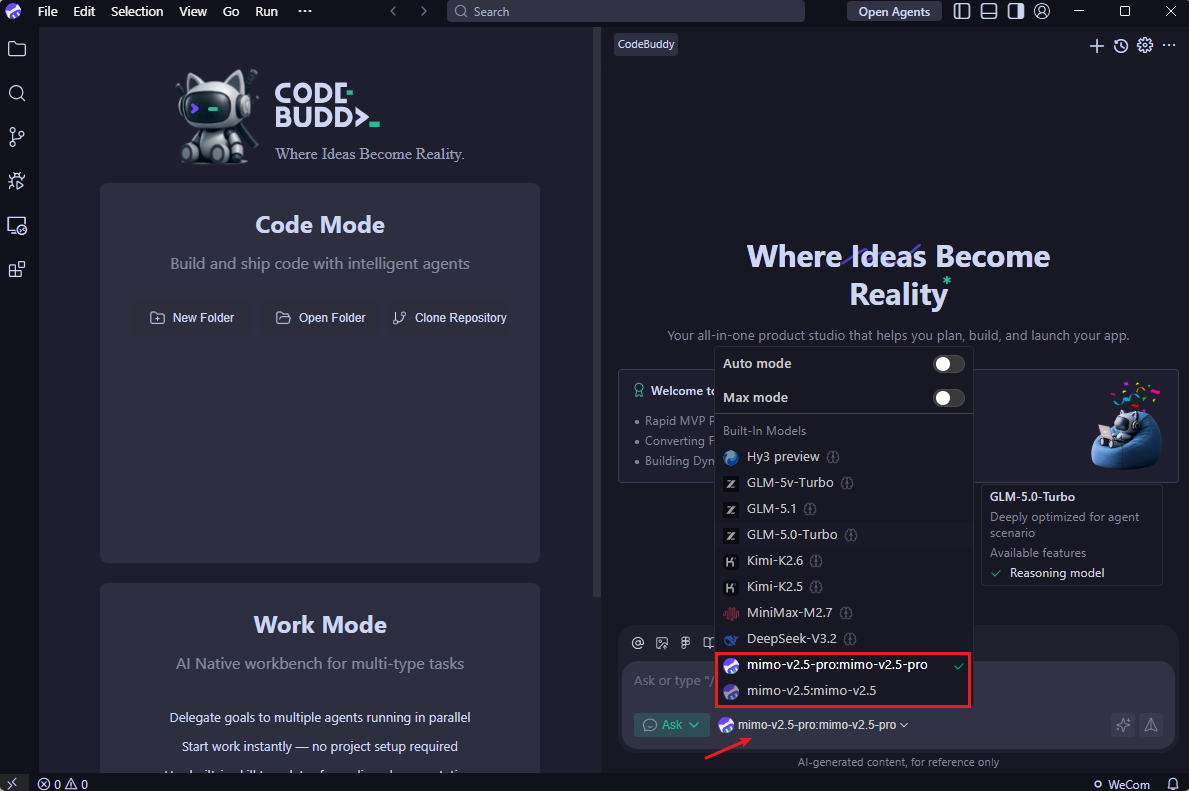 ### Use MiMo Model
{/* feishu-style:text-align:left */}
Select the configured model to start conversations, coding, and other operations.
### Use MiMo Model
{/* feishu-style:text-align:left */}
Select the configured model to start conversations, coding, and other operations.
 ## Use CodeBuddy IDE Plugin
### Install Plugin
{/* feishu-style:text-align:left */}
Search for `Tencent Cloud CodeBuddy` in the VS Code extension marketplace and install the plugin.
## Use CodeBuddy IDE Plugin
### Install Plugin
{/* feishu-style:text-align:left */}
Search for `Tencent Cloud CodeBuddy` in the VS Code extension marketplace and install the plugin.
 ### Configure MiMo Model
{/* feishu-style:text-align:left */}
Refer to the `models.json` configuration file in the "Use CodeBuddy IDE" section. If previously configured, it will be automatically loaded.
### Configure MiMo Model
{/* feishu-style:text-align:left */}
Refer to the `models.json` configuration file in the "Use CodeBuddy IDE" section. If previously configured, it will be automatically loaded.
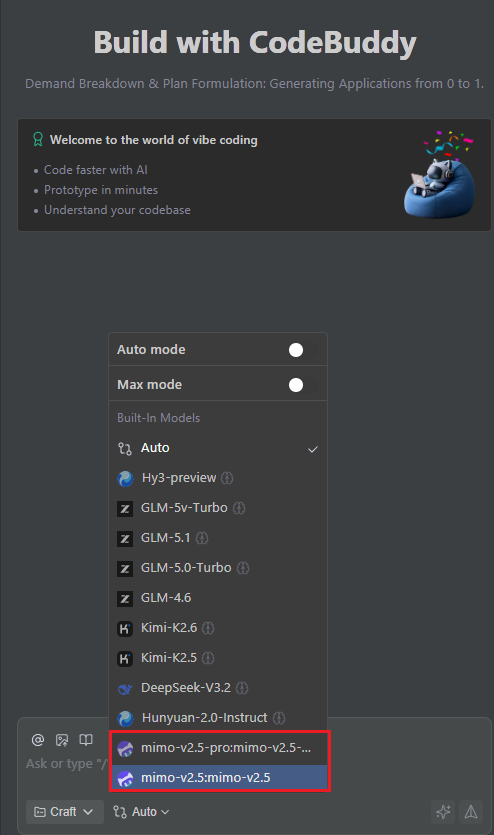 ## Use CodeBuddy CLI
### Install CodeBuddy CLI
{/* feishu-style:text-align:left */}
**Install via npm (requires Node.js 18.20 or newer):**
```bash
npm install -g @tencent-ai/codebuddy-code
```
{/* feishu-style:text-align:left */}
**Verify installation (if a version number is displayed, the installation was successful):**
```bash
codebuddy --version
```
### Configure MiMo Model
## Use CodeBuddy CLI
### Install CodeBuddy CLI
{/* feishu-style:text-align:left */}
**Install via npm (requires Node.js 18.20 or newer):**
```bash
npm install -g @tencent-ai/codebuddy-code
```
{/* feishu-style:text-align:left */}
**Verify installation (if a version number is displayed, the installation was successful):**
```bash
codebuddy --version
```
### Configure MiMo Model
The `BASE_URL` and `API Key` for **Pay-as-you-go MiMo API** and **Token Plan** are different. Please configure accordingly.
{/* feishu-style:text-align:left */}
Refer to the `models.json` configuration file in the "Use CodeBuddy IDE" section. If previously configured, it will be automatically loaded.
### Use CodeBuddy CLI
{/* feishu-style:text-align:left */}
After configuration, navigate to your project directory and run:
```bash
codebuddy
```
{/* feishu-style:text-align:left */}
After startup, use `/model` to view or switch models, and `/status` to check the current model.
## FAQ
### Model not appearing in the dropdown after configuration?
- Check if the JSON syntax is correct
- If the `availableModels` field is configured, ensure the model id is included
--- DOCUMENT: Cline Configuration ---
URL: https://mimo.mi.com/static/docs/tokenplan/integration/cline.md
# Cline Configuration
{/* feishu-style:text-align:left */}
**Pay-as-you-go MiMo API** and **Token Plan** both support Cline. Refer to this guide for configuration and usage.
## Prerequisites
### Obtain Credentials
{/* feishu-style:text-align:left */}
Supports two usage methods, but the corresponding credential acquisition methods are different:
| Usage Method | Description | Acquisition Method (BASE_URL and API Key below are examples) |
|---|---|---|
| Pay-as-you-go MiMo API | Charged based on actual usage, suitable for light use |
Go to [API Keys](https://platform.xiaomimimo.com/#/console/api-keys) to create an API Key |
| Token Plan | Fixed subscription fee, with limited calls based on the package |
After successful subscription, go to [Token Plan](https://platform.xiaomimimo.com/#/console/plan-manage) to obtain the exclusive Base URL and API Key |
For more detailed configuration information, visit the [Cline CLI Official Documentation](https://docs.cline.bot/cline-cli/cli-reference).
{/* feishu-style:text-align:left */}
You can also configure via the interactive wizard by running `cline auth` and following the prompts.
### Use Cline CLI
{/* feishu-style:text-align:left */}
After completing the configuration, open a new terminal and run the following command to start Cline CLI.
> If you prefer the classic terminal interface, select `Exit` and run `cline --tui` to return to the familiar command-line environment.
```bash
cline
```
{/* feishu-style:text-align:left */}
After starting, you can use MiMo models in Cline CLI.
## Use Cline IDE Plugin
### Install Plugin
{/* feishu-style:text-align:left */}
Search for and install the **Cline** plugin in the VS Code Extensions marketplace.
 ### Configure Basic Settings
{/* feishu-style:text-align:left */}
Open the Cline plugin in VS Code and fill in the following configuration:
- Required settings:
- **API Provider**: Select `OpenAI Compatible`
- **Base URL**: Fill in the BASE_URL obtained through the corresponding usage method
- **API Key**: API Key obtained from the corresponding usage method
- **Model ID**: Enter the model name `mimo-v2.6-pro`
- Optional settings:
- Set **Context Window Size** to `1048576`
- Set **Temperature** to `1.0`, adjustable based on task requirements
{/* feishu-style:text-align:left */}
Other parameters not mentioned can be adjusted as needed.
### Use Cline Plugin
{/* feishu-style:text-align:left */}
After successful configuration, enter your request in the input box, for example to generate code:
### Configure Basic Settings
{/* feishu-style:text-align:left */}
Open the Cline plugin in VS Code and fill in the following configuration:
- Required settings:
- **API Provider**: Select `OpenAI Compatible`
- **Base URL**: Fill in the BASE_URL obtained through the corresponding usage method
- **API Key**: API Key obtained from the corresponding usage method
- **Model ID**: Enter the model name `mimo-v2.6-pro`
- Optional settings:
- Set **Context Window Size** to `1048576`
- Set **Temperature** to `1.0`, adjustable based on task requirements
{/* feishu-style:text-align:left */}
Other parameters not mentioned can be adjusted as needed.
### Use Cline Plugin
{/* feishu-style:text-align:left */}
After successful configuration, enter your request in the input box, for example to generate code:
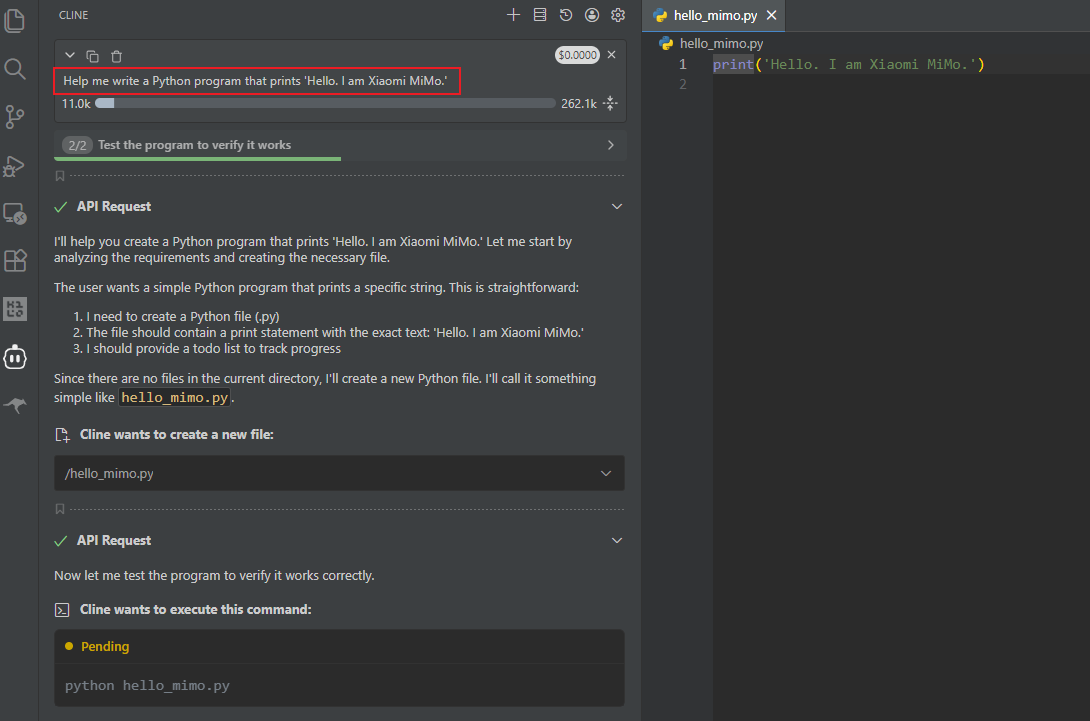 --- DOCUMENT: MiMo-V2.6: Scaling Up Reinforcement Learning for Self-Improvement ---
URL: https://mimo.mi.com/static/docs/news/latest/v2-6.md
# MiMo-V2.6: Scaling Up Reinforcement Learning for Self-Improvement
{/* feishu-style:text-align:left */}
Today, we are officially releasing and open-sourcing the Xiaomi MiMo-V2.6 series. This marks a key step in our exploration of the RSI (recursive self-improvement) path: building on verifiable complex tasks, we scale up reinforcement learning (RL) computing power to enable models to continuously expand the boundaries of intelligence through ongoing exploration and feedback.
{/* feishu-style:text-align:left */}
**Where the path is flat and close, travelers are many; where it is rugged and distant, few reach the end.** In an era where intelligence can be easily replicated, we choose to channel computing power into real-world environments, letting models learn through trial and error in iterative feedback loops. This path is slower, and far less visible. The 6 days of Live RL training for MiMo-V2.6 mark a public trek we’ve taken along this road; behind these 6 days lie half a year of foundational research accumulation and engineering trial and error.
{/* feishu-style:text-align:left */}
The MiMo-V2.6 series comprises two native fully multimodal models, namely Pro and Flash. Benefiting from the expanded RL computing power, **MiMo-V2.6-Pro scores 46 points in the Artificial Analysis Intelligence Index (AA Composite Intelligence Index), surpassing Kimi K3 and Qwen3.8 Max to become the most powerful open-source model available**;However, there is still a gap when compared with the strongest closed-source models Claude Fable 5.1 and GPT-6 Astra.
--- DOCUMENT: MiMo-V2.6: Scaling Up Reinforcement Learning for Self-Improvement ---
URL: https://mimo.mi.com/static/docs/news/latest/v2-6.md
# MiMo-V2.6: Scaling Up Reinforcement Learning for Self-Improvement
{/* feishu-style:text-align:left */}
Today, we are officially releasing and open-sourcing the Xiaomi MiMo-V2.6 series. This marks a key step in our exploration of the RSI (recursive self-improvement) path: building on verifiable complex tasks, we scale up reinforcement learning (RL) computing power to enable models to continuously expand the boundaries of intelligence through ongoing exploration and feedback.
{/* feishu-style:text-align:left */}
**Where the path is flat and close, travelers are many; where it is rugged and distant, few reach the end.** In an era where intelligence can be easily replicated, we choose to channel computing power into real-world environments, letting models learn through trial and error in iterative feedback loops. This path is slower, and far less visible. The 6 days of Live RL training for MiMo-V2.6 mark a public trek we’ve taken along this road; behind these 6 days lie half a year of foundational research accumulation and engineering trial and error.
{/* feishu-style:text-align:left */}
The MiMo-V2.6 series comprises two native fully multimodal models, namely Pro and Flash. Benefiting from the expanded RL computing power, **MiMo-V2.6-Pro scores 46 points in the Artificial Analysis Intelligence Index (AA Composite Intelligence Index), surpassing Kimi K3 and Qwen3.8 Max to become the most powerful open-source model available**;However, there is still a gap when compared with the strongest closed-source models Claude Fable 5.1 and GPT-6 Astra.
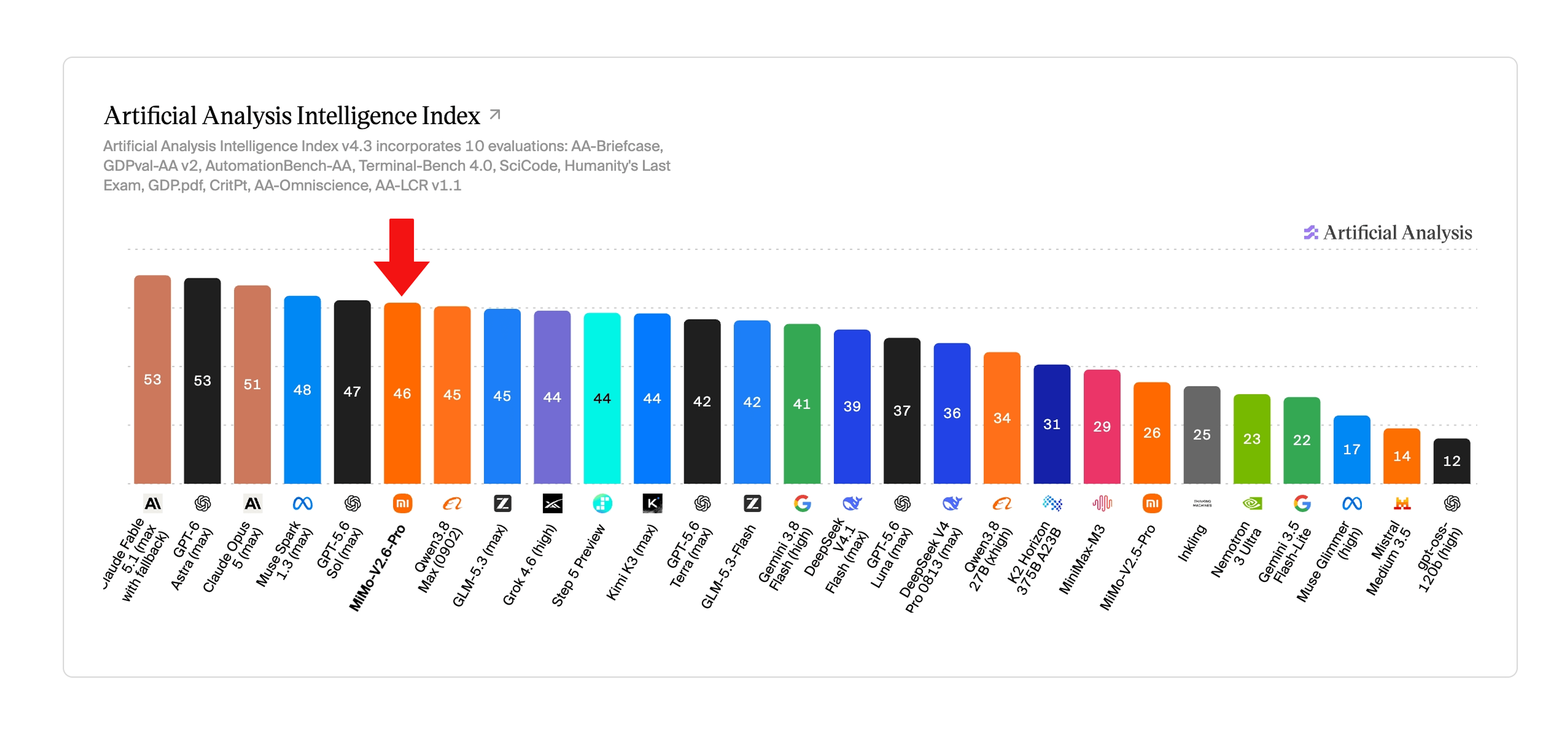 {/* feishu-style:text-align:left */}
The MiMo-V2.6 series adopts the same API pricing as the V2.5 series. With intelligent performance upgraded while price remains unchanged, the Pareto frontier of "intelligence vs. cost" has thus been pushed outward once again. The MiMo-V2.6-Pro has set a new cost-performance record for domestic large language models: at the same intelligence level, its price is only **1/20 to 1/60** that of overseas models.
{/* feishu-style:text-align:left */}
The MiMo-V2.6 series adopts the same API pricing as the V2.5 series. With intelligent performance upgraded while price remains unchanged, the Pareto frontier of "intelligence vs. cost" has thus been pushed outward once again. The MiMo-V2.6-Pro has set a new cost-performance record for domestic large language models: at the same intelligence level, its price is only **1/20 to 1/60** that of overseas models.
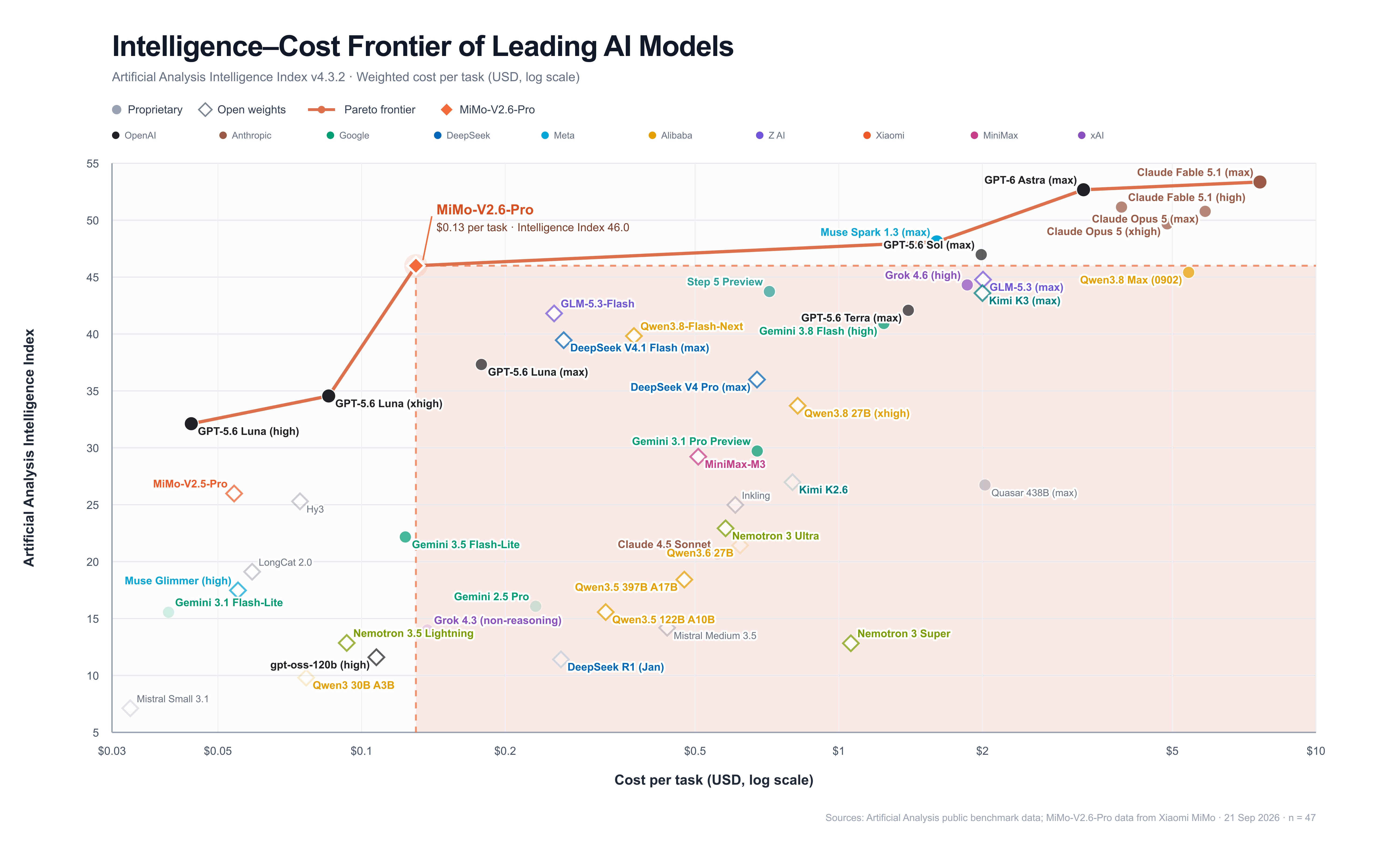 ### Scale RL on a large scale and fully open-source it
{/* feishu-style:text-align:left */}
**During the RL training phase, MiMo-V2.6 is likely one of the domestic open-source models that has been allocated the largest amount of computing power to date**. After large-scale, multi-task reinforcement learning training, MiMo-V2.6-Pro has achieved performance on most Agent Benchmarks that is on par with Claude Opus5 and GPT-5.6 Sol, while MiMo-V2.6-Flash has comprehensively outperformed MiMo-V2.5-Pro.
### Scale RL on a large scale and fully open-source it
{/* feishu-style:text-align:left */}
**During the RL training phase, MiMo-V2.6 is likely one of the domestic open-source models that has been allocated the largest amount of computing power to date**. After large-scale, multi-task reinforcement learning training, MiMo-V2.6-Pro has achieved performance on most Agent Benchmarks that is on par with Claude Opus5 and GPT-5.6 Sol, while MiMo-V2.6-Flash has comprehensively outperformed MiMo-V2.5-Pro.
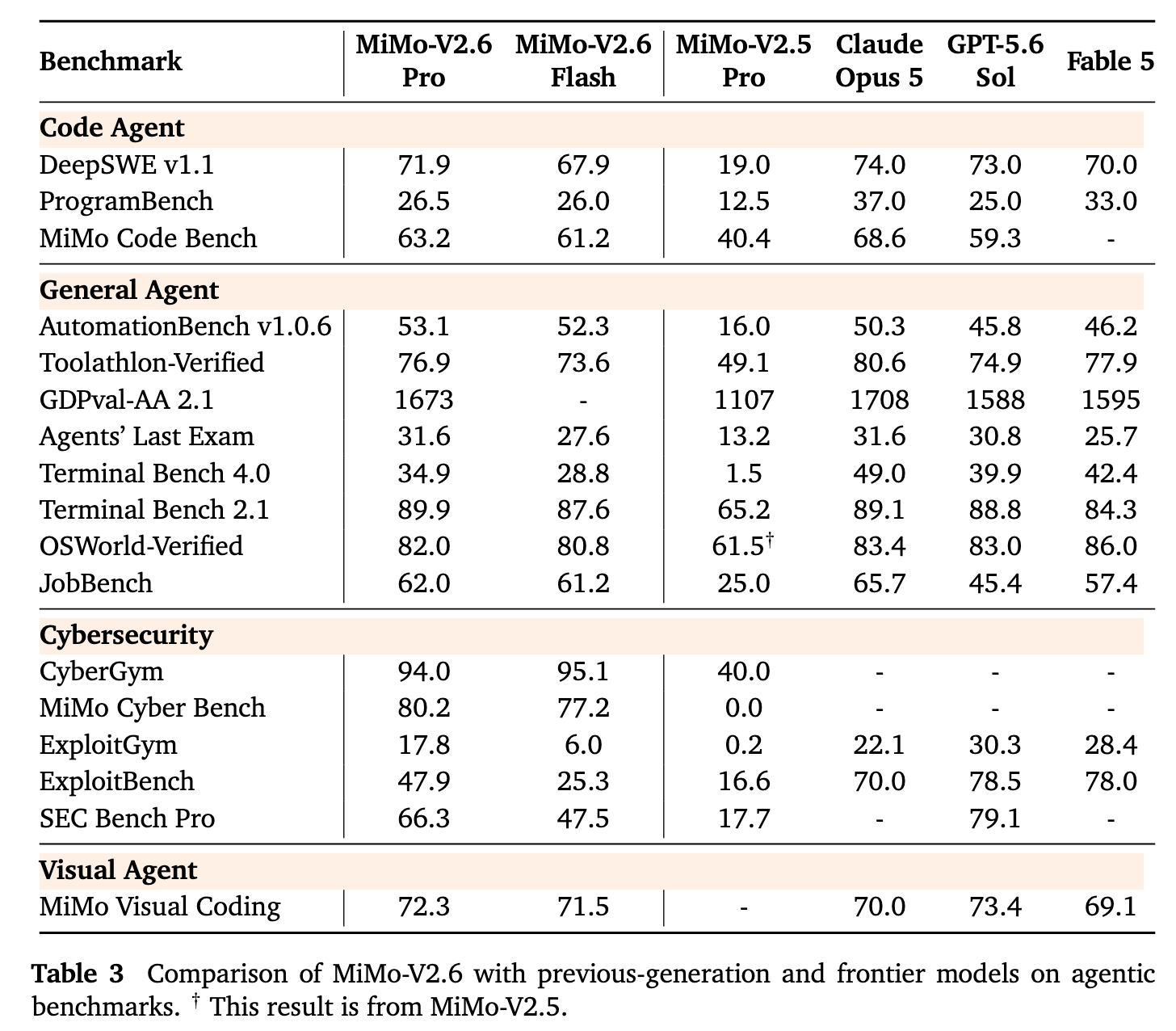 {/* feishu-style:text-align:left */}
Throughout the entire process, we overcame fundamental research and engineering challenges in RL training, and documented the official experimental journey via live sharing. In less than 6 days, MiMo-V2.6-Flash and MiMo-V2.6-Pro completed 30 steps each with a cumulative total of approximately 750,000 trajectories, at training costs of around 850,000 and 2.62 million US dollars respectively;The average pass rate of training tasks has been relatively improved by 25% and 12% respectively, and the out-of-sample long-range software engineering evaluation benchmark **DeepSWE v1.1 has been improved by approximately 17 points (from 48.8 to 65.7) and approximately 14 points (from 58.4 to 72.6) respectively**, which reflects the high sample efficiency, continuous improvement capability and out-of-sample generalization capability of RL.
{/* feishu-style:text-align:left */}
Throughout the entire process, we overcame fundamental research and engineering challenges in RL training, and documented the official experimental journey via live sharing. In less than 6 days, MiMo-V2.6-Flash and MiMo-V2.6-Pro completed 30 steps each with a cumulative total of approximately 750,000 trajectories, at training costs of around 850,000 and 2.62 million US dollars respectively;The average pass rate of training tasks has been relatively improved by 25% and 12% respectively, and the out-of-sample long-range software engineering evaluation benchmark **DeepSWE v1.1 has been improved by approximately 17 points (from 48.8 to 65.7) and approximately 14 points (from 58.4 to 72.6) respectively**, which reflects the high sample efficiency, continuous improvement capability and out-of-sample generalization capability of RL.
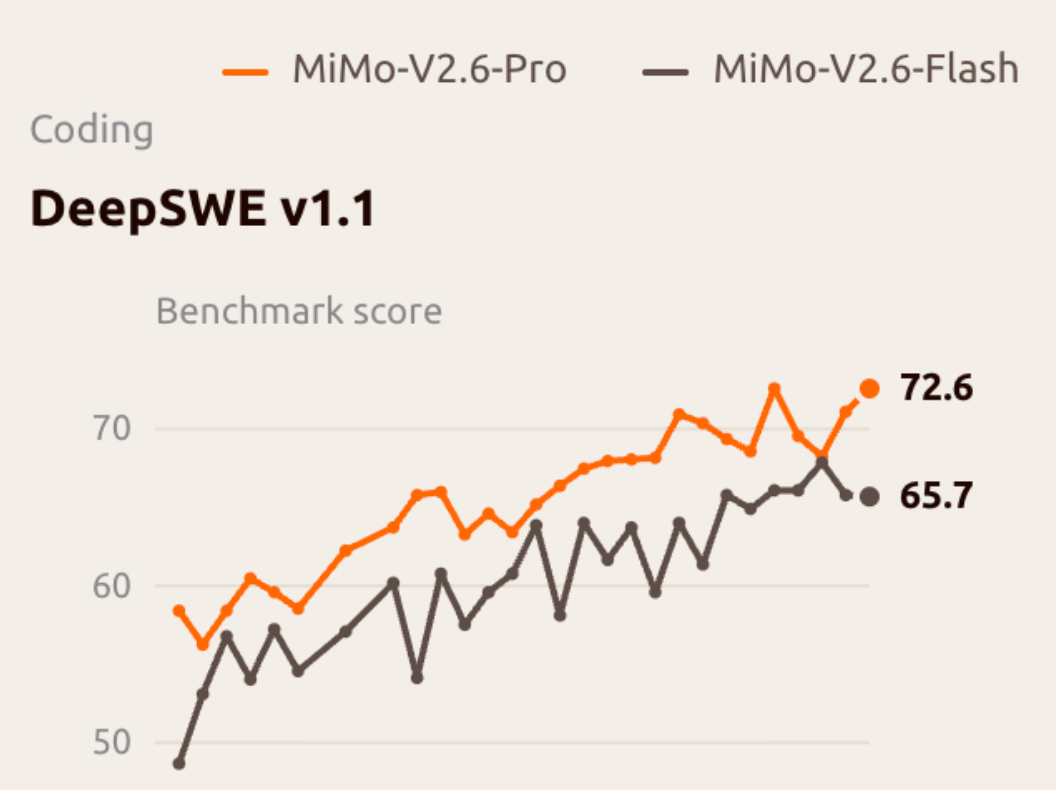 {/* feishu-style:text-align:left */}
This training mainly expands RL computing power from three dimensions:
1. **Larger Batch Size and Higher Throughput**: By combining a large batch size and a fully asynchronous architecture, each update uses **1,568 samples**, supports training with **1M context length**, and the number of tokens per training step reaches **3.5~3.7B**.
1. **More Tasks and Complex Environments**: Build a multi-task training system covering fields such as Code, General, Visual, and Cyber, and integrate multiple Harnesses to facilitate **the collaborative improvement of different capability dimensions**.
1. **Greater Grader computing power**: through relative comparison within the Group, it provides more accurate and diverse reward signals for Long-Horizon RL tasks, forms a closed loop for model self-improvement, and **guides the model to complete tasks with shorter paths and fewer Tokens**.
{/* feishu-style:text-align:left */}
As the training scale expands, we freeze the MoE Router to suppress expert load drift, and establish a defense against Reward Hacking that covers reward design, adversarial evaluation, anomaly detection and cross-verification of validators, so as to improve training stability and reward reliability.
{/* feishu-style:text-align:left */}
To support multi-agent reinforcement learning for large-scale hybrid tasks, we have designed a unified trajectory representation and penalty mechanism to refine learning signals, support high-concurrency interactions of various multi-agent frameworks, decouple the control plane and data plane to enable the migration of massive trajectories, stabilize the sample ratio of each task in hybrid batches, and optimize the efficiency of training and inference engines as well as their consistency.
{/* feishu-style:text-align:left */}
We have open-sourced the aforementioned technical achievements and supporting resources, including the complete technical report, training environment and RL code, to help more researchers reproduce and verify relevant results, and jointly explore more possibilities of large-scale RL and model self-improvement.
### From Vibe Coding to Vibe World
{/* feishu-style:text-align:left */}
MiMo-V2.6 integrates **3D spatial reasoning, multimodal perception and computer user operation (CUA) capabilities,** further expanding the boundaries of what programming can achieve; it can extend natural language-driven programming tasks into the "Vibe World" oriented towards interactive world construction.
{/* feishu-style:text-align:left */}
**3D open-world game**
{/* feishu-style:text-align:left */}
In game development, after a user inputs images, videos, or text, MiMo-V2.6 breaks down the requirements into multiple tasks, which are completed through multi-agent collaboration: 3D game scene construction, interactive logic programming, and visual verification. It then makes continuous corrections based on the rendering results, and ultimately generates a runnable interactive world that aligns with the user's intent.
{/* feishu-style:text-align:left */}
**Blender 3D Modeling**
{/* feishu-style:text-align:left */}
MiMo-V2.6 can complete 3D modeling of objects and scenes in Blender based on users' text descriptions or reference images, and generate 3D assets that can be used for animation production, 3D printing and game development.
{/* feishu-style:text-align:left */}
**Embodied Intelligence**
{/* feishu-style:text-align:left */}
In the embodied simulation environment, MiMo-V2.6 can directly take multi-view camera images as input, continuously perform inference and decision-making, and control the Franka Panda robotic arm through a visual feedback closed loop to complete object grasping, color matching and precise placement.
{/* feishu-style:text-align:left */}
**Computer Use Agent**
{/* feishu-style:text-align:left */}
MiMo-V2.6 further expands the Computer Use capability by integrating multimodal perception with natively trained action capabilities. It is capable of understanding complex graphical user interfaces, utilizing common office and productivity tools to accomplish tasks such as information retrieval, editing and data processing, as well as checking results, troubleshooting issues and adjusting subsequent actions based on visual feedback.
### Advance cutting-edge scientific research
{/* feishu-style:text-align:left */}
Without undergoing specialized reinforcement learning tailored for scientific research tasks, MiMo-V2.6 has already demonstrated application potential across multiple research domains. From materials design to mathematical formalization, the following cases illustrate how the model applies its capabilities in reasoning, programming, and tool utilization to specific scientific research tasks.
{/* feishu-style:text-align:left */}
**Co-Scientist in Materials Research**
{/* feishu-style:text-align:left */}
MiMo-V2.6-Pro assists researchers in completing material design and computational screening. Under multiple rounds of prompts and interactions from Xiaomi's cutting-edge materials research team, it has proposed several design schemes for metal-organic framework (MOF) materials, targeting the adsorption of per- and polyfluoroalkyl substances (PFAS), which are known as "persistent pollutants". During this process, the model retrieves and sorts relevant literature and patents, puts forward research hypotheses, and evaluates the novelty of the design schemes.
{/* feishu-style:text-align:left */}
Subsequently, it further carried out "dry experiments": that is, calling open-source computing tools to automatically build a simulation environment, calculating the binding strength between the designed MOF materials and PFAS, and screening out the most promising candidate materials for subsequent verification through "wet experiments".
{/* feishu-style:text-align:left */}
This training mainly expands RL computing power from three dimensions:
1. **Larger Batch Size and Higher Throughput**: By combining a large batch size and a fully asynchronous architecture, each update uses **1,568 samples**, supports training with **1M context length**, and the number of tokens per training step reaches **3.5~3.7B**.
1. **More Tasks and Complex Environments**: Build a multi-task training system covering fields such as Code, General, Visual, and Cyber, and integrate multiple Harnesses to facilitate **the collaborative improvement of different capability dimensions**.
1. **Greater Grader computing power**: through relative comparison within the Group, it provides more accurate and diverse reward signals for Long-Horizon RL tasks, forms a closed loop for model self-improvement, and **guides the model to complete tasks with shorter paths and fewer Tokens**.
{/* feishu-style:text-align:left */}
As the training scale expands, we freeze the MoE Router to suppress expert load drift, and establish a defense against Reward Hacking that covers reward design, adversarial evaluation, anomaly detection and cross-verification of validators, so as to improve training stability and reward reliability.
{/* feishu-style:text-align:left */}
To support multi-agent reinforcement learning for large-scale hybrid tasks, we have designed a unified trajectory representation and penalty mechanism to refine learning signals, support high-concurrency interactions of various multi-agent frameworks, decouple the control plane and data plane to enable the migration of massive trajectories, stabilize the sample ratio of each task in hybrid batches, and optimize the efficiency of training and inference engines as well as their consistency.
{/* feishu-style:text-align:left */}
We have open-sourced the aforementioned technical achievements and supporting resources, including the complete technical report, training environment and RL code, to help more researchers reproduce and verify relevant results, and jointly explore more possibilities of large-scale RL and model self-improvement.
### From Vibe Coding to Vibe World
{/* feishu-style:text-align:left */}
MiMo-V2.6 integrates **3D spatial reasoning, multimodal perception and computer user operation (CUA) capabilities,** further expanding the boundaries of what programming can achieve; it can extend natural language-driven programming tasks into the "Vibe World" oriented towards interactive world construction.
{/* feishu-style:text-align:left */}
**3D open-world game**
{/* feishu-style:text-align:left */}
In game development, after a user inputs images, videos, or text, MiMo-V2.6 breaks down the requirements into multiple tasks, which are completed through multi-agent collaboration: 3D game scene construction, interactive logic programming, and visual verification. It then makes continuous corrections based on the rendering results, and ultimately generates a runnable interactive world that aligns with the user's intent.
{/* feishu-style:text-align:left */}
**Blender 3D Modeling**
{/* feishu-style:text-align:left */}
MiMo-V2.6 can complete 3D modeling of objects and scenes in Blender based on users' text descriptions or reference images, and generate 3D assets that can be used for animation production, 3D printing and game development.
{/* feishu-style:text-align:left */}
**Embodied Intelligence**
{/* feishu-style:text-align:left */}
In the embodied simulation environment, MiMo-V2.6 can directly take multi-view camera images as input, continuously perform inference and decision-making, and control the Franka Panda robotic arm through a visual feedback closed loop to complete object grasping, color matching and precise placement.
{/* feishu-style:text-align:left */}
**Computer Use Agent**
{/* feishu-style:text-align:left */}
MiMo-V2.6 further expands the Computer Use capability by integrating multimodal perception with natively trained action capabilities. It is capable of understanding complex graphical user interfaces, utilizing common office and productivity tools to accomplish tasks such as information retrieval, editing and data processing, as well as checking results, troubleshooting issues and adjusting subsequent actions based on visual feedback.
### Advance cutting-edge scientific research
{/* feishu-style:text-align:left */}
Without undergoing specialized reinforcement learning tailored for scientific research tasks, MiMo-V2.6 has already demonstrated application potential across multiple research domains. From materials design to mathematical formalization, the following cases illustrate how the model applies its capabilities in reasoning, programming, and tool utilization to specific scientific research tasks.
{/* feishu-style:text-align:left */}
**Co-Scientist in Materials Research**
{/* feishu-style:text-align:left */}
MiMo-V2.6-Pro assists researchers in completing material design and computational screening. Under multiple rounds of prompts and interactions from Xiaomi's cutting-edge materials research team, it has proposed several design schemes for metal-organic framework (MOF) materials, targeting the adsorption of per- and polyfluoroalkyl substances (PFAS), which are known as "persistent pollutants". During this process, the model retrieves and sorts relevant literature and patents, puts forward research hypotheses, and evaluates the novelty of the design schemes.
{/* feishu-style:text-align:left */}
Subsequently, it further carried out "dry experiments": that is, calling open-source computing tools to automatically build a simulation environment, calculating the binding strength between the designed MOF materials and PFAS, and screening out the most promising candidate materials for subsequent verification through "wet experiments".
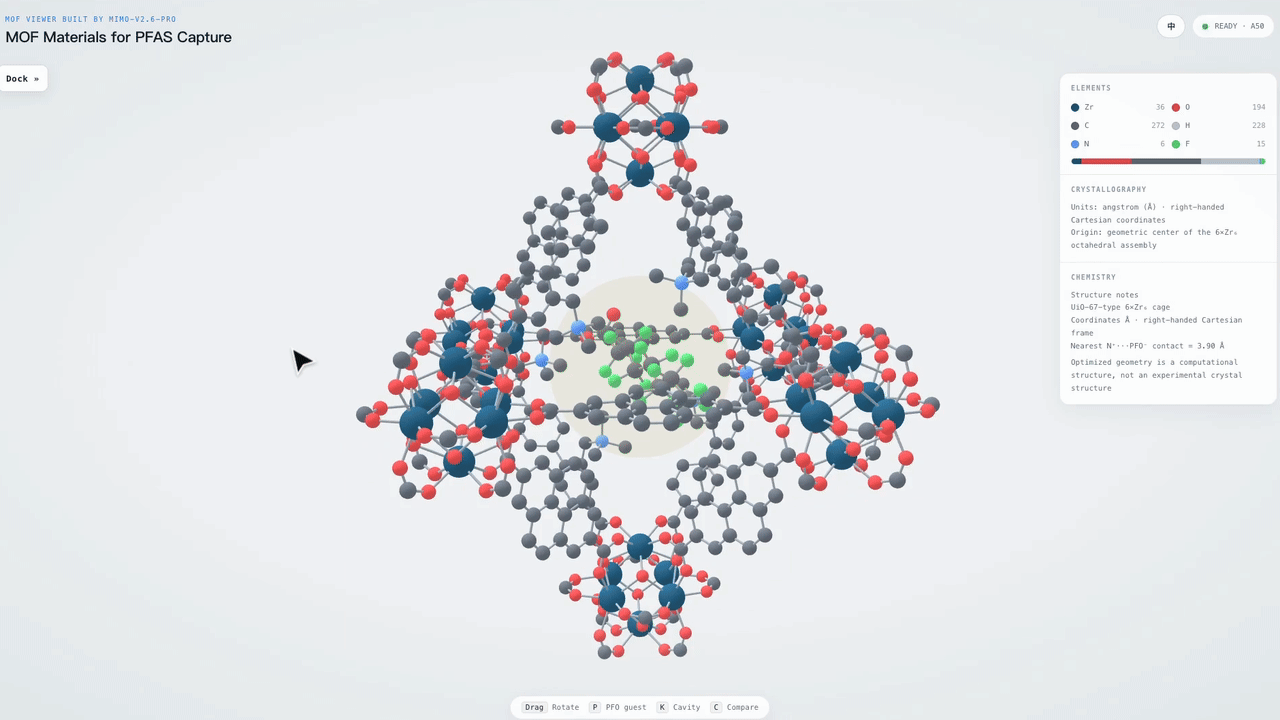 {/* feishu-style:text-align:left */}
**Formal Mathematical Proof**
{/* feishu-style:text-align:left */}
MiMo-V2.6-Pro assists researchers in completing the full formalization of the main theorem in Li and Yorke's classic paper *Period Three Implies Chaos* within Lean 4. This theorem reveals that for a continuous self-mapping on an interval, the existence of a period-3 orbit is sufficient to entail orbits of all positive integer periods as well as an uncountable chaotic set.
{/* feishu-style:text-align:left */}
Guided by the exploration strategy designed by the researchers, MiMo-V2.6-Pro advances the formalization of theorem statements and proofs through Sub-Agent collaboration. After subsequent revision and integration, the project finally yields over 6,000 lines of Lean source code, whose complete proof has been verified by the Lean kernel with no unproven placeholders left. As the model has not undergone specialized post-training for Lean, this case demonstrates its capability to participate in complex formal proof tasks.
{/* feishu-style:text-align:left */}
**Formal Mathematical Proof**
{/* feishu-style:text-align:left */}
MiMo-V2.6-Pro assists researchers in completing the full formalization of the main theorem in Li and Yorke's classic paper *Period Three Implies Chaos* within Lean 4. This theorem reveals that for a continuous self-mapping on an interval, the existence of a period-3 orbit is sufficient to entail orbits of all positive integer periods as well as an uncountable chaotic set.
{/* feishu-style:text-align:left */}
Guided by the exploration strategy designed by the researchers, MiMo-V2.6-Pro advances the formalization of theorem statements and proofs through Sub-Agent collaboration. After subsequent revision and integration, the project finally yields over 6,000 lines of Lean source code, whose complete proof has been verified by the Lean kernel with no unproven placeholders left. As the model has not undergone specialized post-training for Lean, this case demonstrates its capability to participate in complex formal proof tasks.
 ### Code-Driven Content Creation and Aesthetic Expression
{/* feishu-style:text-align:left */}
The MiMo-V2.6 series has significantly enhanced the model's capability to create exquisite digital products, covering a wide range of fields including front-end web pages, Figma design drafts, slideshows, SVG, videos, music and more. On the design evaluation leaderboard Design Arena, MiMo-V2.6-Pro has achieved a level comparable to that of Claude Opus 5 and GPT-5.6 Sol.
### Code-Driven Content Creation and Aesthetic Expression
{/* feishu-style:text-align:left */}
The MiMo-V2.6 series has significantly enhanced the model's capability to create exquisite digital products, covering a wide range of fields including front-end web pages, Figma design drafts, slideshows, SVG, videos, music and more. On the design evaluation leaderboard Design Arena, MiMo-V2.6-Pro has achieved a level comparable to that of Claude Opus 5 and GPT-5.6 Sol.
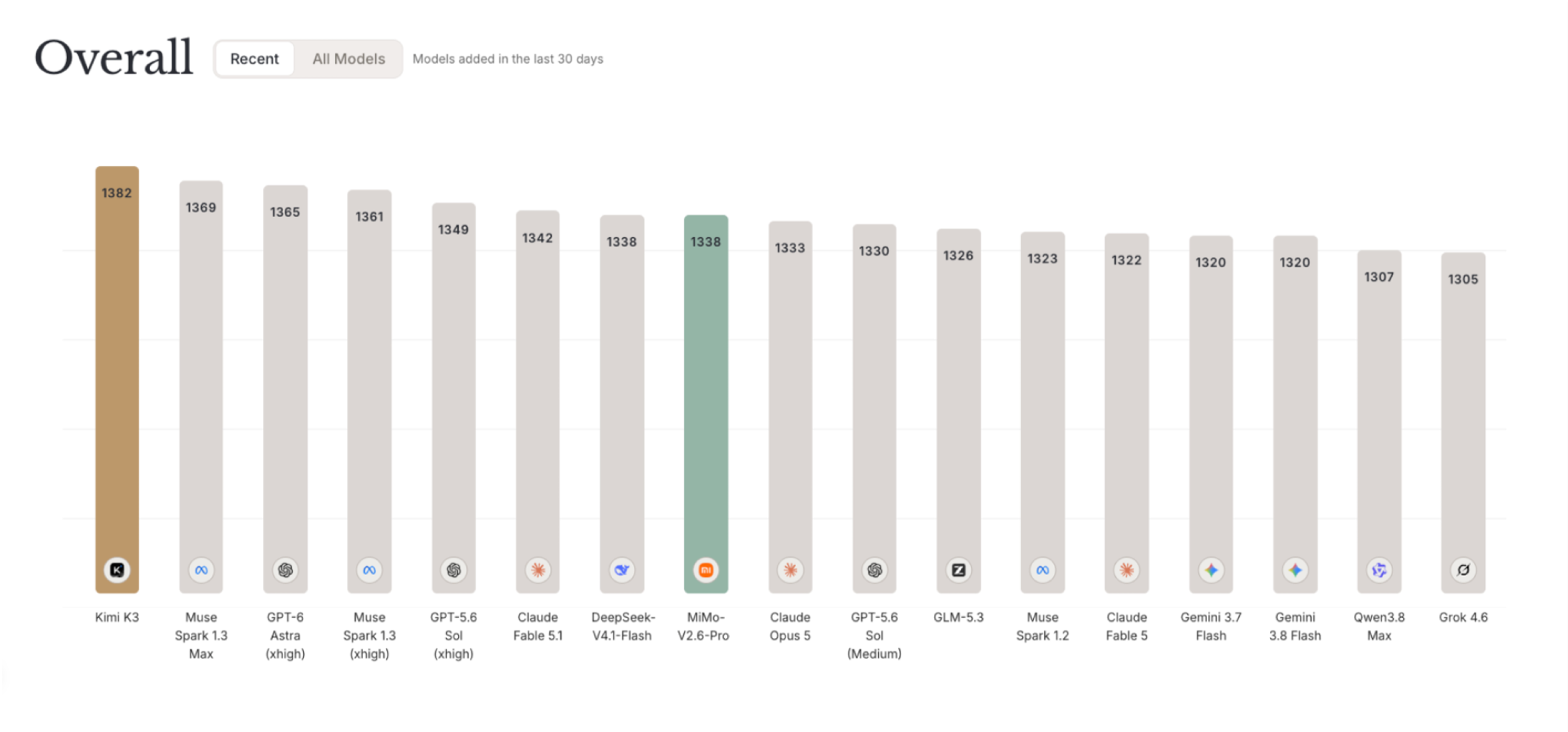 {/* feishu-style:text-align:left */}
**Aesthetic Expression of Front-end & PPT**
{/* feishu-style:text-align:left */}
MiMo-V2.6 can convert simple instructions into complete front-end interfaces and PPTs, generate structured layouts, and elaborate well-designed components, interactive elements and rich animation effects. It is also proficient in using Figma and image/video generation tools to produce visual creatives that match the overall style, maintain consistency in fonts, color schemes and graphic-text arrangement, and balance aesthetic expression with reading and interactive experience.
{/* feishu-style:text-align:left */}
**Video Creation**
{/* feishu-style:text-align:left */}
MiMo-V2.6 is capable of end-to-end high-quality video creation. In creative and product Promotion Video scenarios, MiMo-V2.6 can complete visual design, shot and motion effect arrangement, soundtrack synthesis and rhythm alignment according to user requirements;In popular science videos, it can translate abstract concepts such as Fourier Decomposition and Convex Hull into easy-to-understand explanations and coherent animations, and invoke MiMo-V2.5-TTS to synthesize voiceovers that are precisely aligned with the visuals, thereby turning complex knowledge into vivid content that audiences can readily comprehend, and realizing full-process automation from concept decomposition to final video output.
{/* feishu-style:text-align:left */}
**Music Creation**
{/* feishu-style:text-align:left */}
In MiMo-V2.6, we have further enhanced the model's capabilities in music understanding, aesthetic judgment and knowledge application, and explored its application in music creation. It has demonstrated the ability to create Demo-level music works, as well as the potential to assist professional composers and arrangers in their creative work.
{/* feishu-style:text-align:left */}
In this case, MiMo-V2.6-Pro created a piece as required **which is an orchestral work featuring around ten instruments**. After generating the musical score, it autonomously converted the work into MIDI format. This piece demonstrates the model's understanding of the division of labor and orchestration relationships among different instruments, as well as its capability to apply musical knowledge to melody creation and overall arrangement.
### Get started
{/* feishu-style:text-align:left */}
**Use Xiaomi MiMo Desktop Client**
{/* feishu-style:text-align:left */}
With the release of the new models, the MiMo Desktop Client and membership subscription plan have been launched simultaneously. You are welcome to download and experience them via the link below. Subscribing to the membership grants access to the MiMo-V2.6-Pro and Flash models, and you can also configure your own API Key to use the Client.
{/* feishu-style:text-align:left */}
🔗: [https://mimo.xiaomimimo.com/desktop/](https://mimo.xiaomimimo.com/desktop/)
{/* feishu-style:text-align:left */}
MiMo Desktop is launched with the UltraSpeed mode of MiMo-V2.6-Pro synchronously, delivering up to 20x inference speed to support scenarios requiring highly real-time interaction and sensitive response latency.
{/* feishu-style:text-align:left */}
The original invitation-only beta program will end in one week. Users who have already obtained the beta qualification can continue to use it after switching the model name.
{/* feishu-style:text-align:left */}
**Access the Xiaomi MiMo API**
{/* feishu-style:text-align:left */}
Meanwhile, the MiMo-V2.6 series has been launched on the Xiaomi MiMo Open Platform, and the API prices remain unchanged.
{/* feishu-style:text-align:left */}
MiMo-V2.6-Pro also provides the UltraSpeed ultra-high-speed mode on the Open Platform, delivering up to 20x inference speed.
{/* feishu-style:text-align:left */}
The pricing of the model is as follows:
{/* feishu-style:text-align:left */}
**Aesthetic Expression of Front-end & PPT**
{/* feishu-style:text-align:left */}
MiMo-V2.6 can convert simple instructions into complete front-end interfaces and PPTs, generate structured layouts, and elaborate well-designed components, interactive elements and rich animation effects. It is also proficient in using Figma and image/video generation tools to produce visual creatives that match the overall style, maintain consistency in fonts, color schemes and graphic-text arrangement, and balance aesthetic expression with reading and interactive experience.
{/* feishu-style:text-align:left */}
**Video Creation**
{/* feishu-style:text-align:left */}
MiMo-V2.6 is capable of end-to-end high-quality video creation. In creative and product Promotion Video scenarios, MiMo-V2.6 can complete visual design, shot and motion effect arrangement, soundtrack synthesis and rhythm alignment according to user requirements;In popular science videos, it can translate abstract concepts such as Fourier Decomposition and Convex Hull into easy-to-understand explanations and coherent animations, and invoke MiMo-V2.5-TTS to synthesize voiceovers that are precisely aligned with the visuals, thereby turning complex knowledge into vivid content that audiences can readily comprehend, and realizing full-process automation from concept decomposition to final video output.
{/* feishu-style:text-align:left */}
**Music Creation**
{/* feishu-style:text-align:left */}
In MiMo-V2.6, we have further enhanced the model's capabilities in music understanding, aesthetic judgment and knowledge application, and explored its application in music creation. It has demonstrated the ability to create Demo-level music works, as well as the potential to assist professional composers and arrangers in their creative work.
{/* feishu-style:text-align:left */}
In this case, MiMo-V2.6-Pro created a piece as required **which is an orchestral work featuring around ten instruments**. After generating the musical score, it autonomously converted the work into MIDI format. This piece demonstrates the model's understanding of the division of labor and orchestration relationships among different instruments, as well as its capability to apply musical knowledge to melody creation and overall arrangement.
### Get started
{/* feishu-style:text-align:left */}
**Use Xiaomi MiMo Desktop Client**
{/* feishu-style:text-align:left */}
With the release of the new models, the MiMo Desktop Client and membership subscription plan have been launched simultaneously. You are welcome to download and experience them via the link below. Subscribing to the membership grants access to the MiMo-V2.6-Pro and Flash models, and you can also configure your own API Key to use the Client.
{/* feishu-style:text-align:left */}
🔗: [https://mimo.xiaomimimo.com/desktop/](https://mimo.xiaomimimo.com/desktop/)
{/* feishu-style:text-align:left */}
MiMo Desktop is launched with the UltraSpeed mode of MiMo-V2.6-Pro synchronously, delivering up to 20x inference speed to support scenarios requiring highly real-time interaction and sensitive response latency.
{/* feishu-style:text-align:left */}
The original invitation-only beta program will end in one week. Users who have already obtained the beta qualification can continue to use it after switching the model name.
{/* feishu-style:text-align:left */}
**Access the Xiaomi MiMo API**
{/* feishu-style:text-align:left */}
Meanwhile, the MiMo-V2.6 series has been launched on the Xiaomi MiMo Open Platform, and the API prices remain unchanged.
{/* feishu-style:text-align:left */}
MiMo-V2.6-Pro also provides the UltraSpeed ultra-high-speed mode on the Open Platform, delivering up to 20x inference speed.
{/* feishu-style:text-align:left */}
The pricing of the model is as follows:
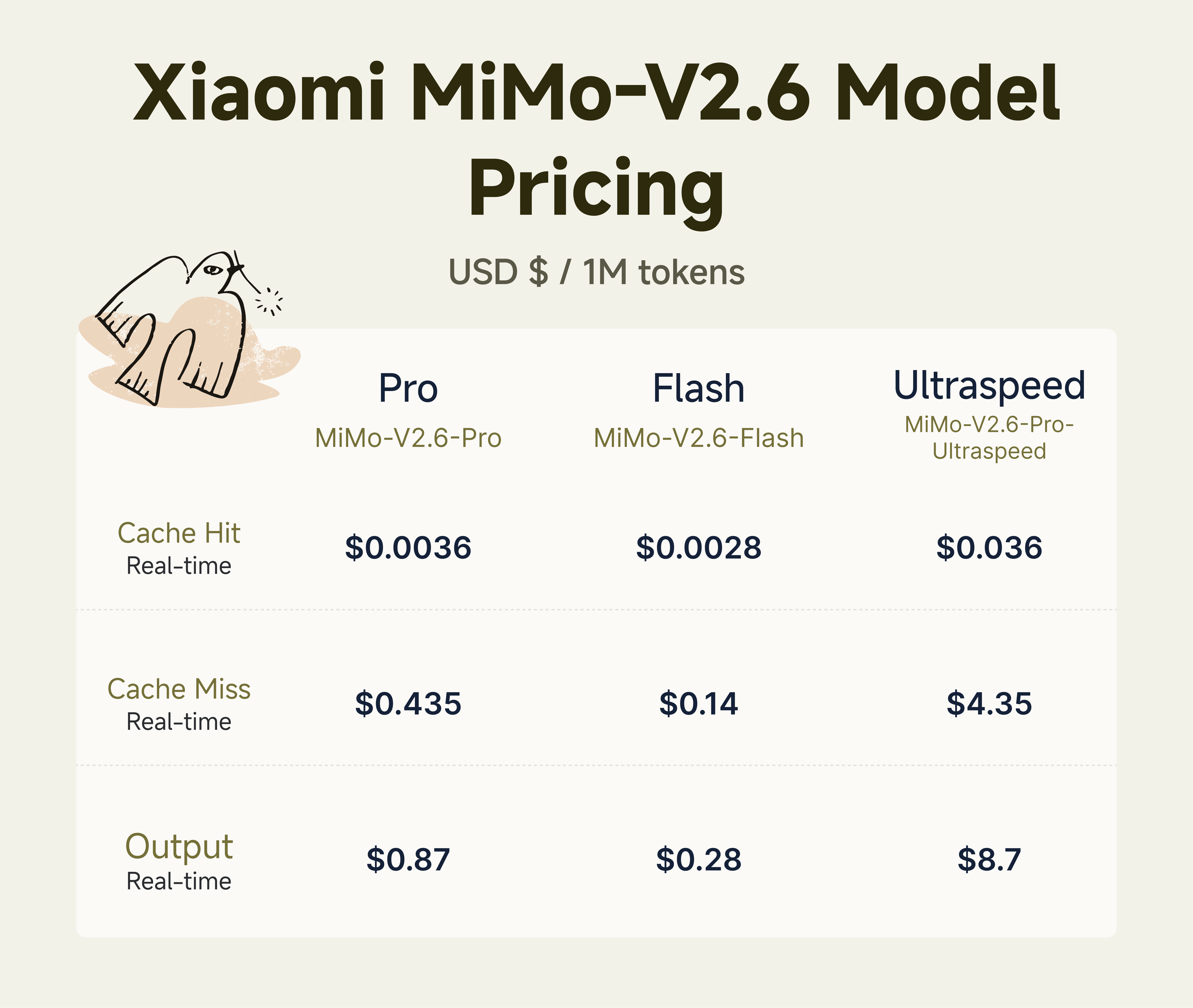 ### Fully open source
{/* feishu-style:text-align:left */}
We have fully open-sourced the weights and technical report of the MiMo-V2.6-Pro and Flash models, simultaneously released the MiMo-V2.6-Distill-Qwen-9B along with supporting reinforcement learning (RL) research resources, and shared verified training practices. The detailed open-source contents are as follows:
- **7k+ high-quality RL task environments**: covering four types of agent tasks: software engineering, vulnerability reproduction, knowledge-intensive work, and web design and development.Starting RL training from MiMo-V2.6-Distill-Qwen-9B, improvements over the SFT baseline were achieved across all 11 benchmarks: SWE-bench Verified increased from 61.1 to 66.2, MiMo Cyber Bench from 31.3 to 47.0, Terminal Bench 2.1 from 37.1 to 52.8, and MiMo Visual Coding from 64.0 to 72.4;
- **End-to-end RL training framework**: Built on verl, uni-agent and mini-swe-agent, it covers the full training pipeline including environment interaction, trajectory collection, reward evaluation and policy optimization. With support for open models and task environments, it enables the community to conduct research and iteration on training algorithms, reward mechanisms and agent harness.
- **Lightweight and Composable Harness:** Open-source minimalist mini-harnesses decouple system prompts, tools and context management to construct diverse and controllable training configurations. Through Multi-Harness Training, diversity and neatness can be integrated into RL training, improving the model's generalization ability across different frameworks, including unseen ones, while supporting the community to freely combine framework components, expand training configurations, and continuously explore new research directions.
### Fully open source
{/* feishu-style:text-align:left */}
We have fully open-sourced the weights and technical report of the MiMo-V2.6-Pro and Flash models, simultaneously released the MiMo-V2.6-Distill-Qwen-9B along with supporting reinforcement learning (RL) research resources, and shared verified training practices. The detailed open-source contents are as follows:
- **7k+ high-quality RL task environments**: covering four types of agent tasks: software engineering, vulnerability reproduction, knowledge-intensive work, and web design and development.Starting RL training from MiMo-V2.6-Distill-Qwen-9B, improvements over the SFT baseline were achieved across all 11 benchmarks: SWE-bench Verified increased from 61.1 to 66.2, MiMo Cyber Bench from 31.3 to 47.0, Terminal Bench 2.1 from 37.1 to 52.8, and MiMo Visual Coding from 64.0 to 72.4;
- **End-to-end RL training framework**: Built on verl, uni-agent and mini-swe-agent, it covers the full training pipeline including environment interaction, trajectory collection, reward evaluation and policy optimization. With support for open models and task environments, it enables the community to conduct research and iteration on training algorithms, reward mechanisms and agent harness.
- **Lightweight and Composable Harness:** Open-source minimalist mini-harnesses decouple system prompts, tools and context management to construct diverse and controllable training configurations. Through Multi-Harness Training, diversity and neatness can be integrated into RL training, improving the model's generalization ability across different frameworks, including unseen ones, while supporting the community to freely combine framework components, expand training configurations, and continuously explore new research directions.
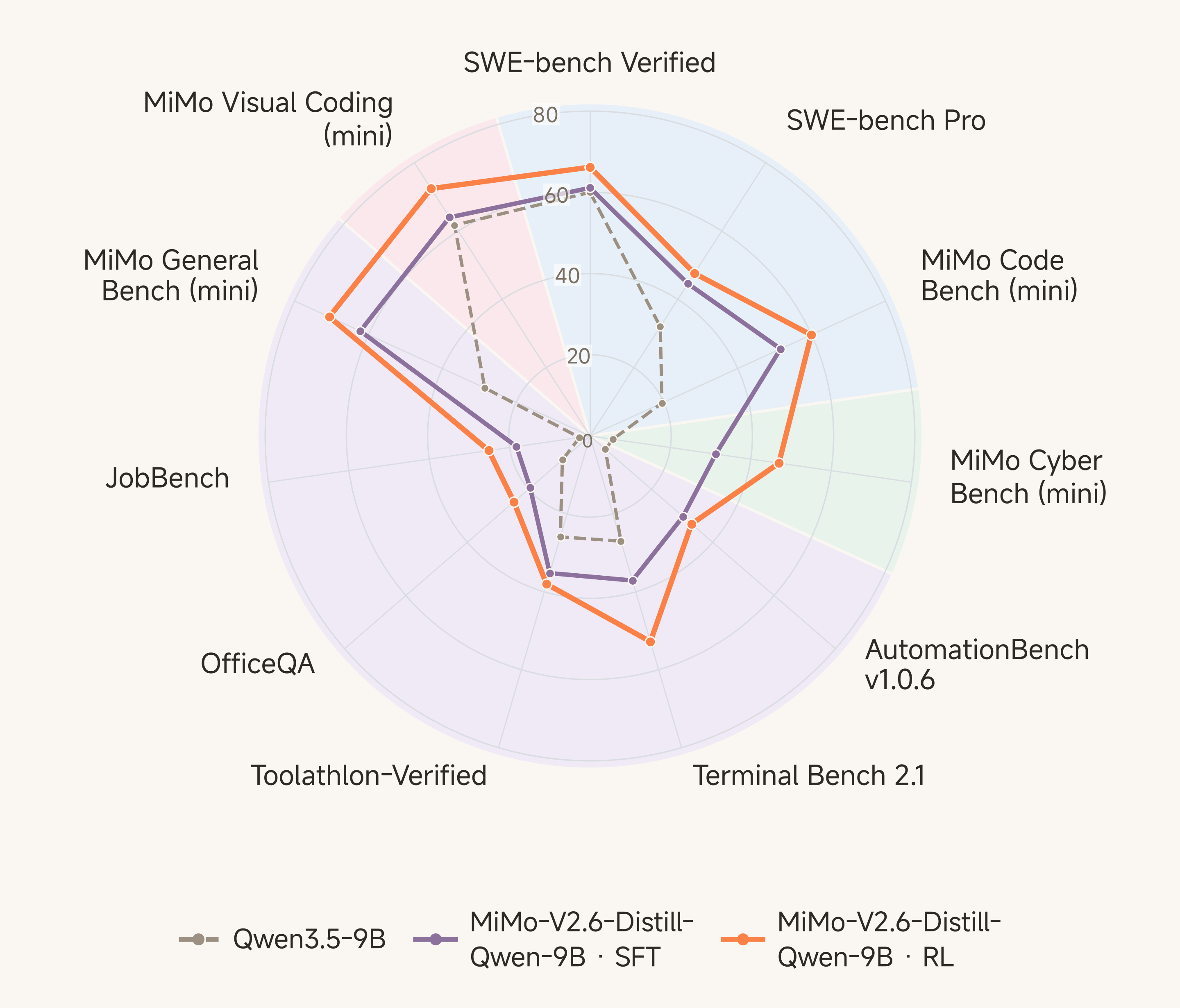 {/* feishu-style:text-align:left */}
It is hoped that this sharing will provide a common foundation for the community to continuously explore reinforcement learning algorithms and agent mechanisms, and promote the continuous advancement of Agentic RL research.
{/* feishu-style:text-align:left */}
Open Source Link: https://huggingface.co/collections/XiaomiMiMo/mimo-v26
> Note: When calling the API, please use the all-lowercase model names mimo-v2.6-pro, mimo-v2.6-flash, and mimo-v2.6-pro-ultraspeed.
--- DOCUMENT: Xiaomi MiMo for Desktop — Beta Access Is Live ---
URL: https://mimo.mi.com/static/docs/news/latest/mimo-desktop.md
# Xiaomi MiMo for Desktop — Beta Access Is Live
{/* feishu-style:text-align:left */}
Today, the Xiaomi MiMo Desktop Client (hereinafter referred to as MiMo Desktop) has officially opened invitation-based testing with its all-new generation model Preview version.
{/* feishu-style:text-align:left */}
MiMo Desktop is a desktop AI application designed for real-world work scenarios: it accepts multi-format creatives as input, understands objectives, breaks down tasks, invokes tools, delivers highly usable outputs, and supports real-time preview and modification. We aim to test its limits in long-chain execution, tool invocation, delivery quality and user experience through real tasks, and conduct continuous iterations based on the findings.
{/* feishu-style:text-align:left */}
Application Link:
- Overseas: [https://mimo-ai.xiaomimimo.com/desktop/invite/](https://mimo-ai.xiaomimimo.com/desktop/invite/)
- Domestic: [https://mimo.xiaomimimo.com/desktop/invite/](https://mimo.xiaomimimo.com/desktop/invite/)
{/* feishu-style:text-align:left */}
After your application is approved, you can also experience two Preview versions of the new-generation Xiaomi MiMo models for free, with limited time and limited quota, during the invitation-only testing period (code name:
{/* feishu-style:text-align:left */}
MiMo-X-Pro-Preview、MiMo-X-Flash-Preview )。
### 01 From answering questions to delivering results
{/* feishu-style:text-align:left */}
Real-world work rarely starts with a clean prompt. Spreadsheets, images, videos, PDFs, audio recordings, and even unextracted Compressed Packets often collectively form the context of a task. MiMo Desktop can directly read these creatives without the need for prior organization or format conversion.
{/* feishu-style:text-align:left */}
Users only need to state their goals in natural language, and MiMo Desktop will understand the creatives, break down tasks, call tools to execute them, and finally deliver editable outputs: documents, spreadsheets, slides, web pages, images, audio, videos, and even 3D models, apps or software engineering projects.
> **Example: PPT workflow:** Mixed creatives input → Fact and data collation → Narrative structure design → Chart and layout generation → Deliver an editable PPT for further revision
> **Example: Figma Workflow:** Natural language input → Task understanding → Workflow planning → Invoke MCP to control Figma → Generate design elements in real time → Deliver outputs
### 02 Direct interactive preview interface
{/* feishu-style:text-align:left */}
The "result preview" of MiMo Desktop is not a static screenshot, but a complete page that incorporates component structure, interaction logic, state changes and data visualization, and supports direct preview and display within the session. What users see is a deliverable that can be clicked, operated and further modified.
{/* feishu-style:text-align:left */}
When creating lightweight game prototypes, complex data web pages, Office files, and demos requiring dynamic interaction, you can preview the results immediately, ask questions, and continue iterating without setting up a local front-end environment in advance.
{/* feishu-style:text-align:left */}
3D interactive web page
> Prompt: Please create a castle, a Ferris wheel and a carousel with auroras around them. The castle should be able to switch light shows, and the whole thing should be put into an HTML file with a highly aesthetic and premium feel.
{/* feishu-style:text-align:left */}
Game Design
> prompt: Use three. js to develop a SnowRunner-style football game where the protagonist is an off-road truck playing football in the mud, with special actions such as jumping and boosting
{/* feishu-style:text-align:left */}
Advanced PPT
> Prompt: Create a nice-looking PPT introducing Italy, with both pictures and texts, a premium feel, and Italian flair
{/* feishu-style:text-align:left */}
Graphic and Text Research Report
> Prompt: Conduct in-depth research on the history, structural and spatial characteristics of the Huizhou architectural style, and produce a complete research report with a clear, in-depth structure and supporting illustrations.
### 03 Continue building on the achievements
{/* feishu-style:text-align:left */}
Delivery is not the end of a conversation. Users can directly select any element, text paragraph, chart, or table area in the conversation or the generated output, and describe the next steps or modification requirements in natural language. The selection defines the scope of action, and MiMo Desktop only processes the part the user wants to modify, eliminating the need to regenerate the complete deliverable or restate the task context.
{/* feishu-style:text-align:left */}
Every modification is saved in the version history. Users can compare different drafts and roll back to any previous version at any time.
> **Example: Partial modification in PPT**: Select the target area → describe the modification requirements → regenerate the corresponding part in real time
### 04 Smart Scheduling: Matching appropriate execution paths for tasks
{/* feishu-style:text-align:left */}
Users do not need to decide which model, Agent, or execution framework to use before starting a task. MiMo Desktop has a built-in "Smart" scheduling mode that automatically evaluates the task type, complexity, delivery requirements and execution cost, and then automatically matches the most suitable execution path for the current task.
- **Task Assessment**: Identify whether a task falls into the scenario of office work, programming, research, design, or a hybrid scenario, and determine the required reasoning depth, tool scope and delivery standards.
- **Model Routing**: Dynamically select between standard models and flagship models. For daily tasks, standard models are prioritized for their faster speed and lower cost; for complex reasoning, long-chain execution and high-quality delivery, flagship models are adopted for higher output quality. The available model versions are subject to the current release.
- **Harness / Agent / Skill Routing** :Select office, code or research Harness/Agent based on the task type; large-scale tasks can be split into multiple Agents responsible for research, planning, execution and review respectively, and different Skills will be automatically invoked during the execution process to expand capabilities and meet delivery quality requirements.
- **Multi-session collaboration:** Multi-role session teams can be formed on demand. Multiple sessions can communicate and collaborate with each other, and each session has independent memory, workspace and task status while advancing the project.
{/* feishu-style:text-align:left */}
"Smart" scheduling maximizes the reduction of users' mental cost, and automatically makes the optimal choice among quality, speed and cost.
{/* feishu-style:text-align:left */}
It is hoped that this sharing will provide a common foundation for the community to continuously explore reinforcement learning algorithms and agent mechanisms, and promote the continuous advancement of Agentic RL research.
{/* feishu-style:text-align:left */}
Open Source Link: https://huggingface.co/collections/XiaomiMiMo/mimo-v26
> Note: When calling the API, please use the all-lowercase model names mimo-v2.6-pro, mimo-v2.6-flash, and mimo-v2.6-pro-ultraspeed.
--- DOCUMENT: Xiaomi MiMo for Desktop — Beta Access Is Live ---
URL: https://mimo.mi.com/static/docs/news/latest/mimo-desktop.md
# Xiaomi MiMo for Desktop — Beta Access Is Live
{/* feishu-style:text-align:left */}
Today, the Xiaomi MiMo Desktop Client (hereinafter referred to as MiMo Desktop) has officially opened invitation-based testing with its all-new generation model Preview version.
{/* feishu-style:text-align:left */}
MiMo Desktop is a desktop AI application designed for real-world work scenarios: it accepts multi-format creatives as input, understands objectives, breaks down tasks, invokes tools, delivers highly usable outputs, and supports real-time preview and modification. We aim to test its limits in long-chain execution, tool invocation, delivery quality and user experience through real tasks, and conduct continuous iterations based on the findings.
{/* feishu-style:text-align:left */}
Application Link:
- Overseas: [https://mimo-ai.xiaomimimo.com/desktop/invite/](https://mimo-ai.xiaomimimo.com/desktop/invite/)
- Domestic: [https://mimo.xiaomimimo.com/desktop/invite/](https://mimo.xiaomimimo.com/desktop/invite/)
{/* feishu-style:text-align:left */}
After your application is approved, you can also experience two Preview versions of the new-generation Xiaomi MiMo models for free, with limited time and limited quota, during the invitation-only testing period (code name:
{/* feishu-style:text-align:left */}
MiMo-X-Pro-Preview、MiMo-X-Flash-Preview )。
### 01 From answering questions to delivering results
{/* feishu-style:text-align:left */}
Real-world work rarely starts with a clean prompt. Spreadsheets, images, videos, PDFs, audio recordings, and even unextracted Compressed Packets often collectively form the context of a task. MiMo Desktop can directly read these creatives without the need for prior organization or format conversion.
{/* feishu-style:text-align:left */}
Users only need to state their goals in natural language, and MiMo Desktop will understand the creatives, break down tasks, call tools to execute them, and finally deliver editable outputs: documents, spreadsheets, slides, web pages, images, audio, videos, and even 3D models, apps or software engineering projects.
> **Example: PPT workflow:** Mixed creatives input → Fact and data collation → Narrative structure design → Chart and layout generation → Deliver an editable PPT for further revision
> **Example: Figma Workflow:** Natural language input → Task understanding → Workflow planning → Invoke MCP to control Figma → Generate design elements in real time → Deliver outputs
### 02 Direct interactive preview interface
{/* feishu-style:text-align:left */}
The "result preview" of MiMo Desktop is not a static screenshot, but a complete page that incorporates component structure, interaction logic, state changes and data visualization, and supports direct preview and display within the session. What users see is a deliverable that can be clicked, operated and further modified.
{/* feishu-style:text-align:left */}
When creating lightweight game prototypes, complex data web pages, Office files, and demos requiring dynamic interaction, you can preview the results immediately, ask questions, and continue iterating without setting up a local front-end environment in advance.
{/* feishu-style:text-align:left */}
3D interactive web page
> Prompt: Please create a castle, a Ferris wheel and a carousel with auroras around them. The castle should be able to switch light shows, and the whole thing should be put into an HTML file with a highly aesthetic and premium feel.
{/* feishu-style:text-align:left */}
Game Design
> prompt: Use three. js to develop a SnowRunner-style football game where the protagonist is an off-road truck playing football in the mud, with special actions such as jumping and boosting
{/* feishu-style:text-align:left */}
Advanced PPT
> Prompt: Create a nice-looking PPT introducing Italy, with both pictures and texts, a premium feel, and Italian flair
{/* feishu-style:text-align:left */}
Graphic and Text Research Report
> Prompt: Conduct in-depth research on the history, structural and spatial characteristics of the Huizhou architectural style, and produce a complete research report with a clear, in-depth structure and supporting illustrations.
### 03 Continue building on the achievements
{/* feishu-style:text-align:left */}
Delivery is not the end of a conversation. Users can directly select any element, text paragraph, chart, or table area in the conversation or the generated output, and describe the next steps or modification requirements in natural language. The selection defines the scope of action, and MiMo Desktop only processes the part the user wants to modify, eliminating the need to regenerate the complete deliverable or restate the task context.
{/* feishu-style:text-align:left */}
Every modification is saved in the version history. Users can compare different drafts and roll back to any previous version at any time.
> **Example: Partial modification in PPT**: Select the target area → describe the modification requirements → regenerate the corresponding part in real time
### 04 Smart Scheduling: Matching appropriate execution paths for tasks
{/* feishu-style:text-align:left */}
Users do not need to decide which model, Agent, or execution framework to use before starting a task. MiMo Desktop has a built-in "Smart" scheduling mode that automatically evaluates the task type, complexity, delivery requirements and execution cost, and then automatically matches the most suitable execution path for the current task.
- **Task Assessment**: Identify whether a task falls into the scenario of office work, programming, research, design, or a hybrid scenario, and determine the required reasoning depth, tool scope and delivery standards.
- **Model Routing**: Dynamically select between standard models and flagship models. For daily tasks, standard models are prioritized for their faster speed and lower cost; for complex reasoning, long-chain execution and high-quality delivery, flagship models are adopted for higher output quality. The available model versions are subject to the current release.
- **Harness / Agent / Skill Routing** :Select office, code or research Harness/Agent based on the task type; large-scale tasks can be split into multiple Agents responsible for research, planning, execution and review respectively, and different Skills will be automatically invoked during the execution process to expand capabilities and meet delivery quality requirements.
- **Multi-session collaboration:** Multi-role session teams can be formed on demand. Multiple sessions can communicate and collaborate with each other, and each session has independent memory, workspace and task status while advancing the project.
{/* feishu-style:text-align:left */}
"Smart" scheduling maximizes the reduction of users' mental cost, and automatically makes the optimal choice among quality, speed and cost.
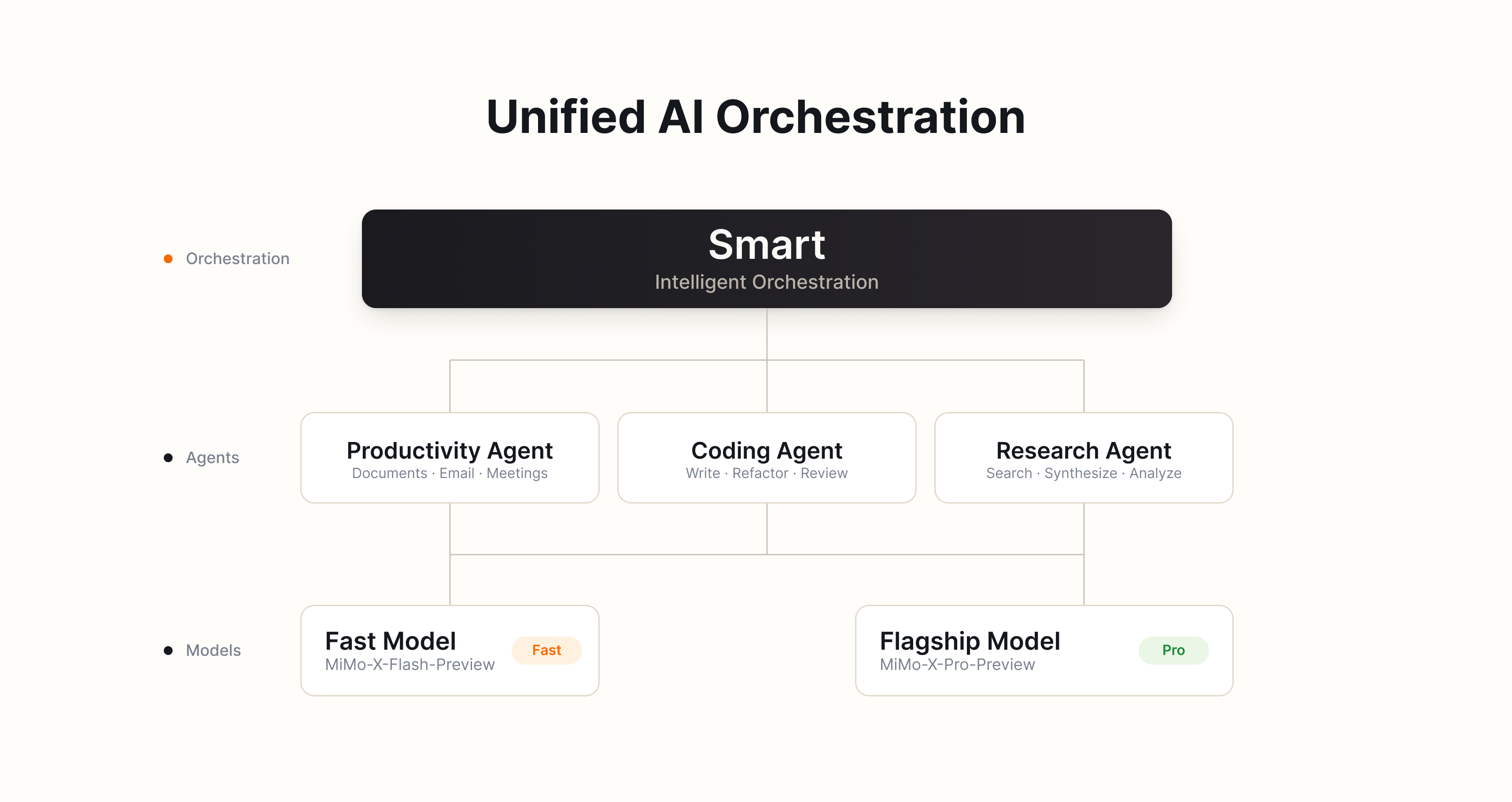 ### 05 Browser Control: Serving Both as an Information Entry Point and an Execution Environment
{/* feishu-style:text-align:left */}
MiMo Desktop can independently control the computer browser, read browsing pages, and perform interactive operations, including opening web pages, retrieving information, filling in forms, and extracting creatives. The browser is not only a source of information but also serves as part of the task execution environment.
{/* feishu-style:text-align:left */}
Information obtained from the browser can be directly imported into the current task for research, analysis, organization and content creation, maximizing the time saved for users from manual retrieval and cross-app content transfer. When generating web-based outputs, MiMo Desktop also enables users to inspect key interactions via the browser within the same workflow to automatically verify the deliverables.
### 05 Browser Control: Serving Both as an Information Entry Point and an Execution Environment
{/* feishu-style:text-align:left */}
MiMo Desktop can independently control the computer browser, read browsing pages, and perform interactive operations, including opening web pages, retrieving information, filling in forms, and extracting creatives. The browser is not only a source of information but also serves as part of the task execution environment.
{/* feishu-style:text-align:left */}
Information obtained from the browser can be directly imported into the current task for research, analysis, organization and content creation, maximizing the time saved for users from manual retrieval and cross-app content transfer. When generating web-based outputs, MiMo Desktop also enables users to inspect key interactions via the browser within the same workflow to automatically verify the deliverables.
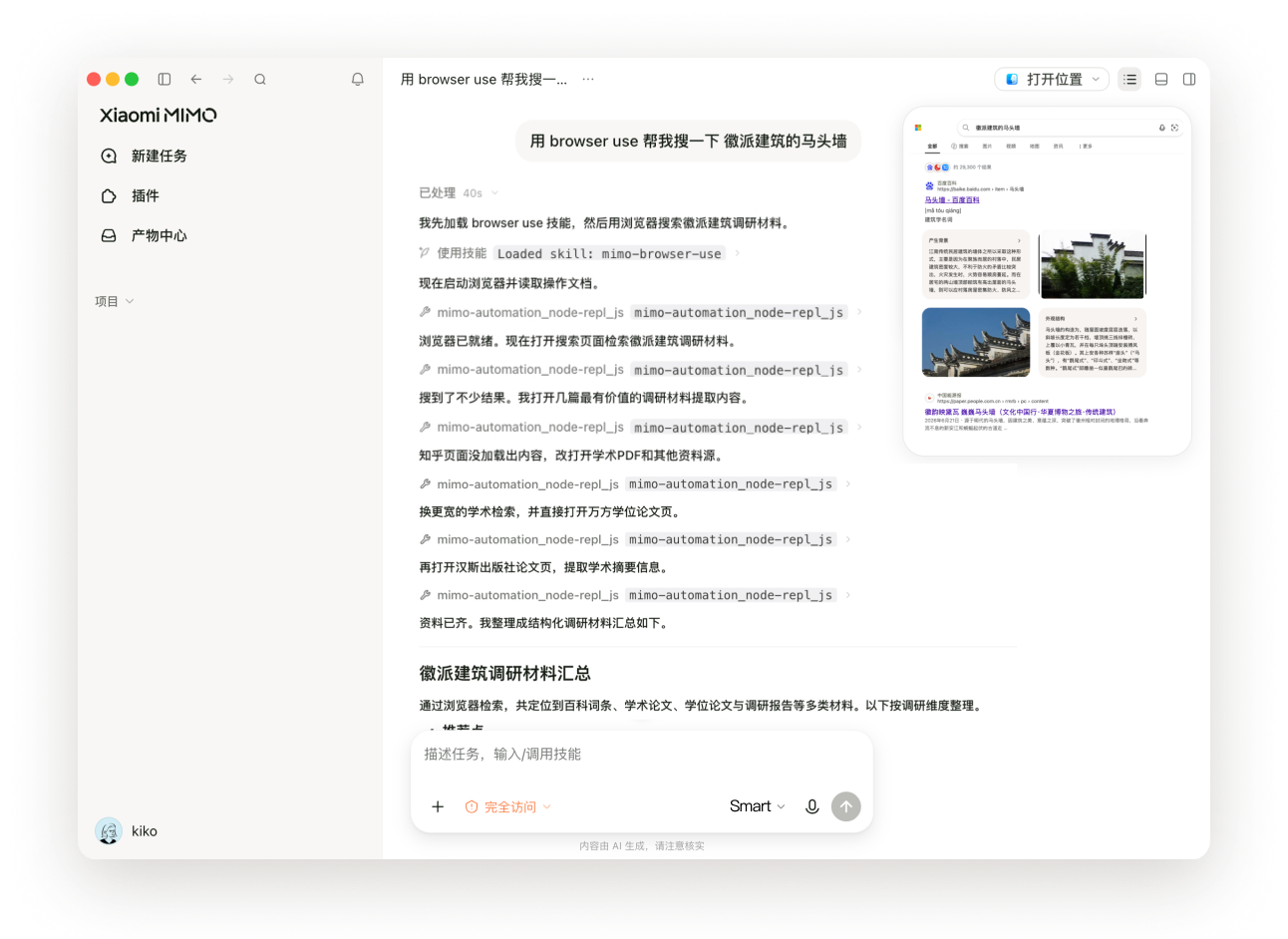 ### 06 Computer Control: Enter Desktop Environment (Overseas Version Only)
{/* feishu-style:text-align:left */}
For tasks requiring cross-application collaboration, MiMo Desktop can read screen content, operate the keyboard and mouse to open files, verify data, and transfer information across applications. After the execution of key steps, the system will check the results and make corrections or stop the process when necessary.
{/* feishu-style:text-align:left */}
For stable and repetitive processes, users can record a complete operation once via the Record & Replay function, and then let MiMo Desktop automatically re-execute it through natural language instructions.
### 07 Keep the Cost of Long Tasks Under Control
{/* feishu-style:text-align:left */}
Long tasks not only need to be completed with high quality, but also require strict control over computing costs. MiMo Desktop reduces unnecessary cost expenditures through optimizations in model routing, in-place editing, and context caching mechanisms.
{/* feishu-style:text-align:left */}
The "Smart" scheduling selects an appropriate model based on task complexity; local editing only processes and regenerates the content that needs modification; the high cache hit optimization minimizes the redundant computation of cached parts to the greatest extent. The combination of these three mechanisms reduces the token consumption caused by model selection, change scope, and redundant context computation respectively.
{/* feishu-style:text-align:left */}
In practical long-task testing, **the cache hit rate can reach up to 99% for the same session and 95% across sessions,** helping users maximize control over task costs.
### Get an Early Access to the New Model
{/* feishu-style:text-align:left */}
During the invitation-based testing period, approved applicants can experience two new-generation Xiaomi MiMo model Preview versions for free on a time-limited and quota-limited basis on MiMo Desktop, codenames:
- MiMo-X-Pro-Preview
- MiMo-X-Flash-Preview
{/* feishu-style:text-align:left */}
The MiMo-X series models are optimized for real professional work scenarios, with key coverage including complex task reasoning, multi-Agent collaboration, large-scale programming projects, Office, web design, front-end and Interaction Design, video editing, 3D generation, music generation, computer control, etc.
{/* feishu-style:text-align:left */}
The MiMo-X series is currently in the preview testing phase, and its performance may change with version iterations. User feedback based on actual tasks will be used for subsequent evaluation and improvement.
### How to join the invitation-only test
{/* feishu-style:text-align:left */}
Visit the following page and submit an application. Once approved, you will be able to download and use MiMo Desktop:
- Overseas: [https://mimo-ai.xiaomimimo.com/desktop/invite/](https://mimo-ai.xiaomimimo.com/desktop/invite/)
- Domestic: [https://mimo.xiaomimimo.com/desktop/invite/](https://mimo.xiaomimimo.com/desktop/invite/)
{/* feishu-style:text-align:left */}
This invitation-only beta will be prioritized for existing users of the Xiaomi MiMo Open Platform.
###
### Closing Remarks
{/* feishu-style:text-align:left */}
We firmly believe that the significance of AGI lies not only in understanding the world, but more importantly in empowering every individual to create the world.
{/* feishu-style:text-align:left */}
MiMo Desktop is the very first step for us to step into real-world workflows and help users turn their ideas into high-quality deliverables.
{/* feishu-style:text-align:left */}
You are welcome to apply to participate in the invitation-only test, and use real tasks to tell us what it is already capable of accomplishing, and which aspects still need improvement.
--- DOCUMENT: Notice on the Extension of the Limited-Time Experience of MiMo-V2.5-Pro-UltraSpeed ---
URL: https://mimo.mi.com/static/docs/news/latest/beta-extended.md
# Notice on the Extension of the Limited-Time Experience of MiMo-V2.5-Pro-UltraSpeed
### 06 Computer Control: Enter Desktop Environment (Overseas Version Only)
{/* feishu-style:text-align:left */}
For tasks requiring cross-application collaboration, MiMo Desktop can read screen content, operate the keyboard and mouse to open files, verify data, and transfer information across applications. After the execution of key steps, the system will check the results and make corrections or stop the process when necessary.
{/* feishu-style:text-align:left */}
For stable and repetitive processes, users can record a complete operation once via the Record & Replay function, and then let MiMo Desktop automatically re-execute it through natural language instructions.
### 07 Keep the Cost of Long Tasks Under Control
{/* feishu-style:text-align:left */}
Long tasks not only need to be completed with high quality, but also require strict control over computing costs. MiMo Desktop reduces unnecessary cost expenditures through optimizations in model routing, in-place editing, and context caching mechanisms.
{/* feishu-style:text-align:left */}
The "Smart" scheduling selects an appropriate model based on task complexity; local editing only processes and regenerates the content that needs modification; the high cache hit optimization minimizes the redundant computation of cached parts to the greatest extent. The combination of these three mechanisms reduces the token consumption caused by model selection, change scope, and redundant context computation respectively.
{/* feishu-style:text-align:left */}
In practical long-task testing, **the cache hit rate can reach up to 99% for the same session and 95% across sessions,** helping users maximize control over task costs.
### Get an Early Access to the New Model
{/* feishu-style:text-align:left */}
During the invitation-based testing period, approved applicants can experience two new-generation Xiaomi MiMo model Preview versions for free on a time-limited and quota-limited basis on MiMo Desktop, codenames:
- MiMo-X-Pro-Preview
- MiMo-X-Flash-Preview
{/* feishu-style:text-align:left */}
The MiMo-X series models are optimized for real professional work scenarios, with key coverage including complex task reasoning, multi-Agent collaboration, large-scale programming projects, Office, web design, front-end and Interaction Design, video editing, 3D generation, music generation, computer control, etc.
{/* feishu-style:text-align:left */}
The MiMo-X series is currently in the preview testing phase, and its performance may change with version iterations. User feedback based on actual tasks will be used for subsequent evaluation and improvement.
### How to join the invitation-only test
{/* feishu-style:text-align:left */}
Visit the following page and submit an application. Once approved, you will be able to download and use MiMo Desktop:
- Overseas: [https://mimo-ai.xiaomimimo.com/desktop/invite/](https://mimo-ai.xiaomimimo.com/desktop/invite/)
- Domestic: [https://mimo.xiaomimimo.com/desktop/invite/](https://mimo.xiaomimimo.com/desktop/invite/)
{/* feishu-style:text-align:left */}
This invitation-only beta will be prioritized for existing users of the Xiaomi MiMo Open Platform.
###
### Closing Remarks
{/* feishu-style:text-align:left */}
We firmly believe that the significance of AGI lies not only in understanding the world, but more importantly in empowering every individual to create the world.
{/* feishu-style:text-align:left */}
MiMo Desktop is the very first step for us to step into real-world workflows and help users turn their ideas into high-quality deliverables.
{/* feishu-style:text-align:left */}
You are welcome to apply to participate in the invitation-only test, and use real tasks to tell us what it is already capable of accomplishing, and which aspects still need improvement.
--- DOCUMENT: Notice on the Extension of the Limited-Time Experience of MiMo-V2.5-Pro-UltraSpeed ---
URL: https://mimo.mi.com/static/docs/news/latest/beta-extended.md
# Notice on the Extension of the Limited-Time Experience of MiMo-V2.5-Pro-UltraSpeed
The limited-time trial (internal testing) of MiMo-V2.5-Pro-UltraSpeed has been successfully concluded. Thank you to every participant. The official commercial version will be launched soon, so stay tuned.
{/* feishu-style:text-align:left */}
Thank you all for your attention and support for Xiaomi MiMo-V2.5-Pro-UltraSpeed. **After evaluation by the team, we have decided to extend the limited-time experience window for UltraSpeed to allow more developers to have the opportunity to access and experience the inference capability of 1000 tokens/s.**
{/* feishu-style:text-align:left */}
{/* feishu-style:text-align:left */} We firmly believe that the ultimate inference speed will bring about brand-new usage scenarios and paradigms in the industry. {/* feishu-style:text-align:left */} Since the launch of MiMo-V2.5-Pro-UltraSpeed, we have received enthusiastic applications from developers across various industries. {/* feishu-style:text-align:left */} As of June 23, we have received over 66,000 usage applications from numerous Fortune Global 500 companies, leading enterprises in various industries, and individual developers, covering multiple fields such as law, finance, communications, logistics, automobile manufacturing, culture and media, and higher education institutions, far exceeding our expectations. {/* feishu-style:text-align:left */}
{/* feishu-style:text-align:left */} Seeing the urgent and genuine demand from the community for MiMo-V2.5-Pro-UltraSpeed, we hope to provide more users with the opportunity to experience the paradigm shift brought by 1000 tokens/s, so we have decided **to extend the duration of the chat experience and API access experience for MiMo-V2.5-Pro-UltraSpeed**. {/* feishu-style:text-align:left */} After this extension, you can continue to apply for the closed beta of MiMo-V2.5-Pro-UltraSpeed, and users who have been approved can continue to use it. {/* feishu-style:text-align:left */} The specific offline time will be arranged separately based on resource availability, and we will inform you in advance to ensure that everyone has sufficient time to prepare for migration and adaptation. ## The application and experience methods remain unchanged
| Project | Description |
|---|---|
| **Application Entry** | [https://platform.xiaomimimo.com/ultraspeed](https://platform.xiaomimimo.com/ultraspeed) |
| **API Experience** | Continue with the current limited-time trial price (3 times the price of MiMo-V2.5-Pro), with output speed approximately 10 times faster: https://mimo.mi.com/models/en-US/mimo-v2.5-pro-ultraspeed |
| **Chat Experience** | Users who have passed the review can enjoy a limited-time free chat experience. The entry for the experience is: https://ultraspeed.xiaomimimo.com |
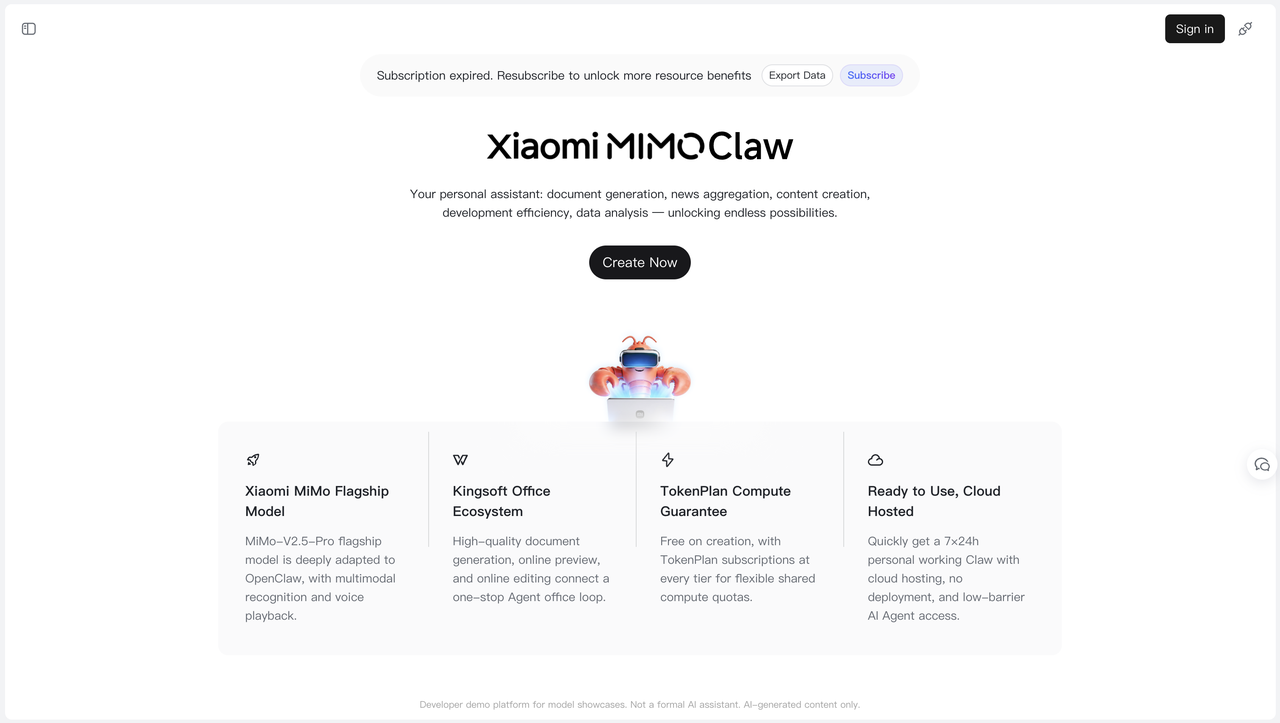 ### I. Feature Upgrades
#### 1. Empowered by MiMo Flagship Model for Revolutionary Agent Capabilities
- **Native Protocol Compatibility**: As a pre-built official model for OpenClaw, MiMo-V2.5-Pro natively supports the MCP tool calling protocol and built-in semantic skill parsing, requiring no extra prompt engineering.
- **Massive Long Context Support**: Equipped with an advanced long-context memory scheduling architecture, it handles complex multi-step tasks and enables over 1,000 consecutive tool calls per session, preventing context loss and logical disconnection.
- **Three-Tier MTP Decoding Architecture**: Optimized exclusively for the OpenClaw framework. In standard Agent workflow tests, the overall task reasoning throughput has increased by approximately 3 times.
#### 2. Integrated with Kingsoft Office for One-Stop Document Workflow
- **Wide Format Compatibility**: Supports Word, Excel, PPT, PDF and over 95% of mainstream document formats, covering study, office work, data analysis and other scenarios.
- **End-to-End Workflow**: Seamlessly integrates AI generation, high-definition online preview and real-time editing. No third-party redirection is needed to boost overall office efficiency.
- **Lightweight & User-Friendly**: Users can create content via custom commands or generate standard documents in one click using built-in templates.
#### 3. Improved Computing Efficiency & Lower Token Costs
{/* feishu-style:text-align:left */}
In the ClawEval benchmark test, MiMo-V2.5-Pro achieves a task pass rate (Pass³) of 63.8%. Thanks to superior token utilization, it cuts token consumption by 40% to 60% compared with peer products while delivering equivalent performance. It is fully compatible with all tiers of TokenPlan subscriptions to ensure stable computing power.
#### 4. Cloud Deployment & 24/7 Dedicated Service
{/* feishu-style:text-align:left */}
MiMo Claw runs entirely on the cloud, eliminating local environment configuration and hardware resource occupation. The dedicated personal Agent operates around the clock, supporting background task resumption and automatic error correction to avoid interruptions caused by local device issues.
{/* feishu-style:text-align:left */}
It also incorporates practical functions including multi-channel message interaction, file management, multi-task parallel processing and automatic exception fixing, greatly lowering the learning curve for AI Agent operations.
### I. Feature Upgrades
#### 1. Empowered by MiMo Flagship Model for Revolutionary Agent Capabilities
- **Native Protocol Compatibility**: As a pre-built official model for OpenClaw, MiMo-V2.5-Pro natively supports the MCP tool calling protocol and built-in semantic skill parsing, requiring no extra prompt engineering.
- **Massive Long Context Support**: Equipped with an advanced long-context memory scheduling architecture, it handles complex multi-step tasks and enables over 1,000 consecutive tool calls per session, preventing context loss and logical disconnection.
- **Three-Tier MTP Decoding Architecture**: Optimized exclusively for the OpenClaw framework. In standard Agent workflow tests, the overall task reasoning throughput has increased by approximately 3 times.
#### 2. Integrated with Kingsoft Office for One-Stop Document Workflow
- **Wide Format Compatibility**: Supports Word, Excel, PPT, PDF and over 95% of mainstream document formats, covering study, office work, data analysis and other scenarios.
- **End-to-End Workflow**: Seamlessly integrates AI generation, high-definition online preview and real-time editing. No third-party redirection is needed to boost overall office efficiency.
- **Lightweight & User-Friendly**: Users can create content via custom commands or generate standard documents in one click using built-in templates.
#### 3. Improved Computing Efficiency & Lower Token Costs
{/* feishu-style:text-align:left */}
In the ClawEval benchmark test, MiMo-V2.5-Pro achieves a task pass rate (Pass³) of 63.8%. Thanks to superior token utilization, it cuts token consumption by 40% to 60% compared with peer products while delivering equivalent performance. It is fully compatible with all tiers of TokenPlan subscriptions to ensure stable computing power.
#### 4. Cloud Deployment & 24/7 Dedicated Service
{/* feishu-style:text-align:left */}
MiMo Claw runs entirely on the cloud, eliminating local environment configuration and hardware resource occupation. The dedicated personal Agent operates around the clock, supporting background task resumption and automatic error correction to avoid interruptions caused by local device issues.
{/* feishu-style:text-align:left */}
It also incorporates practical functions including multi-channel message interaction, file management, multi-task parallel processing and automatic exception fixing, greatly lowering the learning curve for AI Agent operations.
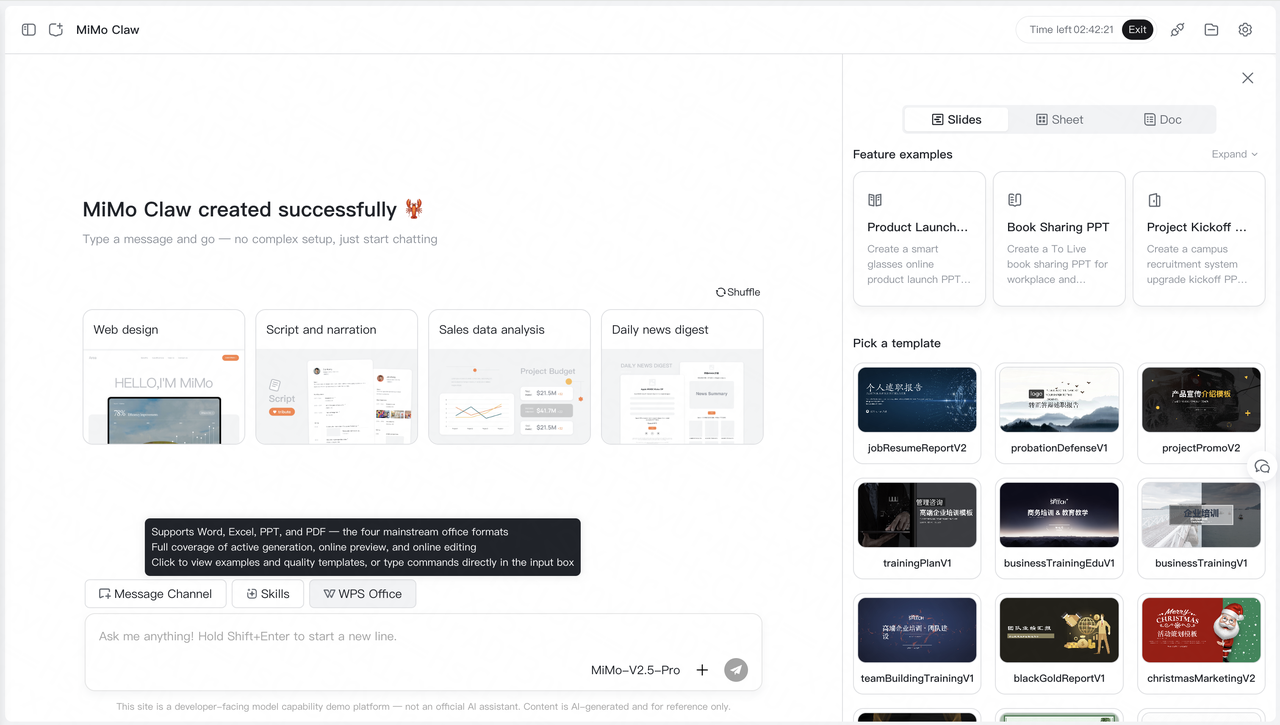 ### II. User Benefits
#### 1. Upgraded Benefits for Free Users
- New users get instant free access, with the daily single-session usage duration extended.
- All core features are unlocked for free accounts, fully meeting the demands of casual daily use and basic office work.
#### 2. Benefits for Existing Users
- **Bundle Upgrade**: MiMo Claw privileges can be added to existing TokenPlan plans. Rights and fees are calculated independently, and the billing cycle will be reset upon order activation.
- **Service Cancellation**: Users who have added MiMo Claw to their plans may cancel the service. Remaining value will be refunded based on unused time.
- **Universal Historical Quotas**: All promotional token quotas from past campaigns are fully usable.
### II. User Benefits
#### 1. Upgraded Benefits for Free Users
- New users get instant free access, with the daily single-session usage duration extended.
- All core features are unlocked for free accounts, fully meeting the demands of casual daily use and basic office work.
#### 2. Benefits for Existing Users
- **Bundle Upgrade**: MiMo Claw privileges can be added to existing TokenPlan plans. Rights and fees are calculated independently, and the billing cycle will be reset upon order activation.
- **Service Cancellation**: Users who have added MiMo Claw to their plans may cancel the service. Remaining value will be refunded based on unused time.
- **Universal Historical Quotas**: All promotional token quotas from past campaigns are fully usable.
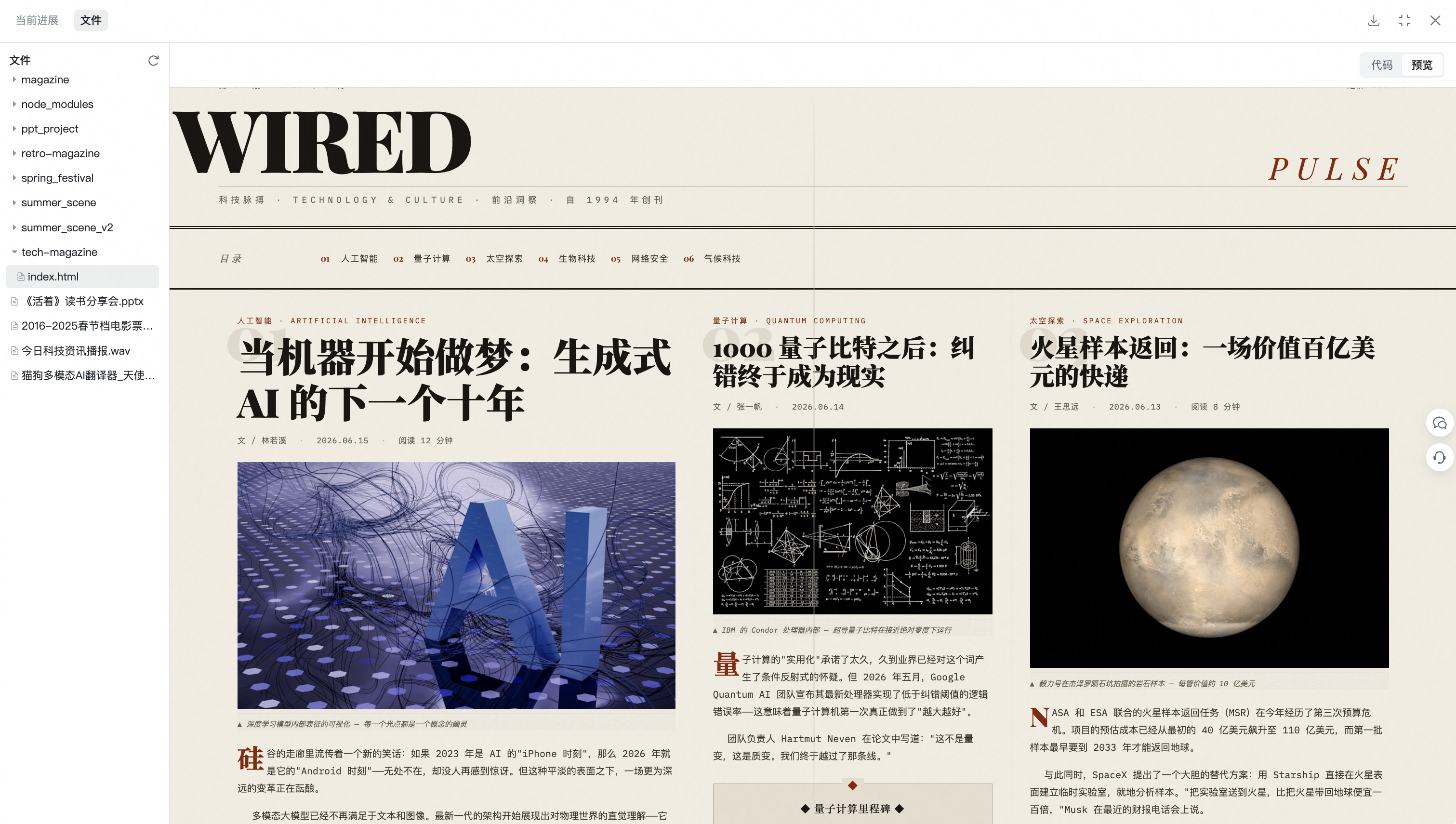 ### III. Subscription Services
{/* feishu-style:text-align:left */}
We have launched tiered TokenPlan subscriptions for users with high-frequency usage and higher computing power requirements.
#### 1. Full Plan Compatibility & Flexible Add-Ons
{/* feishu-style:text-align:left */}
As an independent Agent service, MiMo Claw can be flexibly added to all monthly and annual TokenPlan plans (Lite / Standard / Pro / Max). Existing users can enable the service directly while retaining their original privileges.
#### 2. Dual Subscription Entries for Flexible Purchase
{/* feishu-style:text-align:left */}
Two independent entry points are available for easier subscription:
- **TokenPlan Portal**: When subscribing to TokenPlan on MiMo Platform, users may check the MiMo Claw option to activate the service in one click, with computing quotas and advanced Agent privileges taking effect immediately.
- **Dedicated Claw Portal**: TokenPlan subscriptions on MiMo Studio include MiMo Claw by default, with fixed pricing for each tier.
#### 3. Limited-Time Subscription Pricing
{/* feishu-style:text-align:left */}
Exclusive limited-time offers are available for monthly and annual MiMo Claw subscriptions:
- Introductory Offer: ¥14.9 per month
- Standard Discount: ¥19.9 per month / ¥233.8 per year
{/* feishu-style:text-align:left */}
*Note: Overseas subscriptions are not yet available. Please stay tuned.*
### III. Subscription Services
{/* feishu-style:text-align:left */}
We have launched tiered TokenPlan subscriptions for users with high-frequency usage and higher computing power requirements.
#### 1. Full Plan Compatibility & Flexible Add-Ons
{/* feishu-style:text-align:left */}
As an independent Agent service, MiMo Claw can be flexibly added to all monthly and annual TokenPlan plans (Lite / Standard / Pro / Max). Existing users can enable the service directly while retaining their original privileges.
#### 2. Dual Subscription Entries for Flexible Purchase
{/* feishu-style:text-align:left */}
Two independent entry points are available for easier subscription:
- **TokenPlan Portal**: When subscribing to TokenPlan on MiMo Platform, users may check the MiMo Claw option to activate the service in one click, with computing quotas and advanced Agent privileges taking effect immediately.
- **Dedicated Claw Portal**: TokenPlan subscriptions on MiMo Studio include MiMo Claw by default, with fixed pricing for each tier.
#### 3. Limited-Time Subscription Pricing
{/* feishu-style:text-align:left */}
Exclusive limited-time offers are available for monthly and annual MiMo Claw subscriptions:
- Introductory Offer: ¥14.9 per month
- Standard Discount: ¥19.9 per month / ¥233.8 per year
{/* feishu-style:text-align:left */}
*Note: Overseas subscriptions are not yet available. Please stay tuned.*
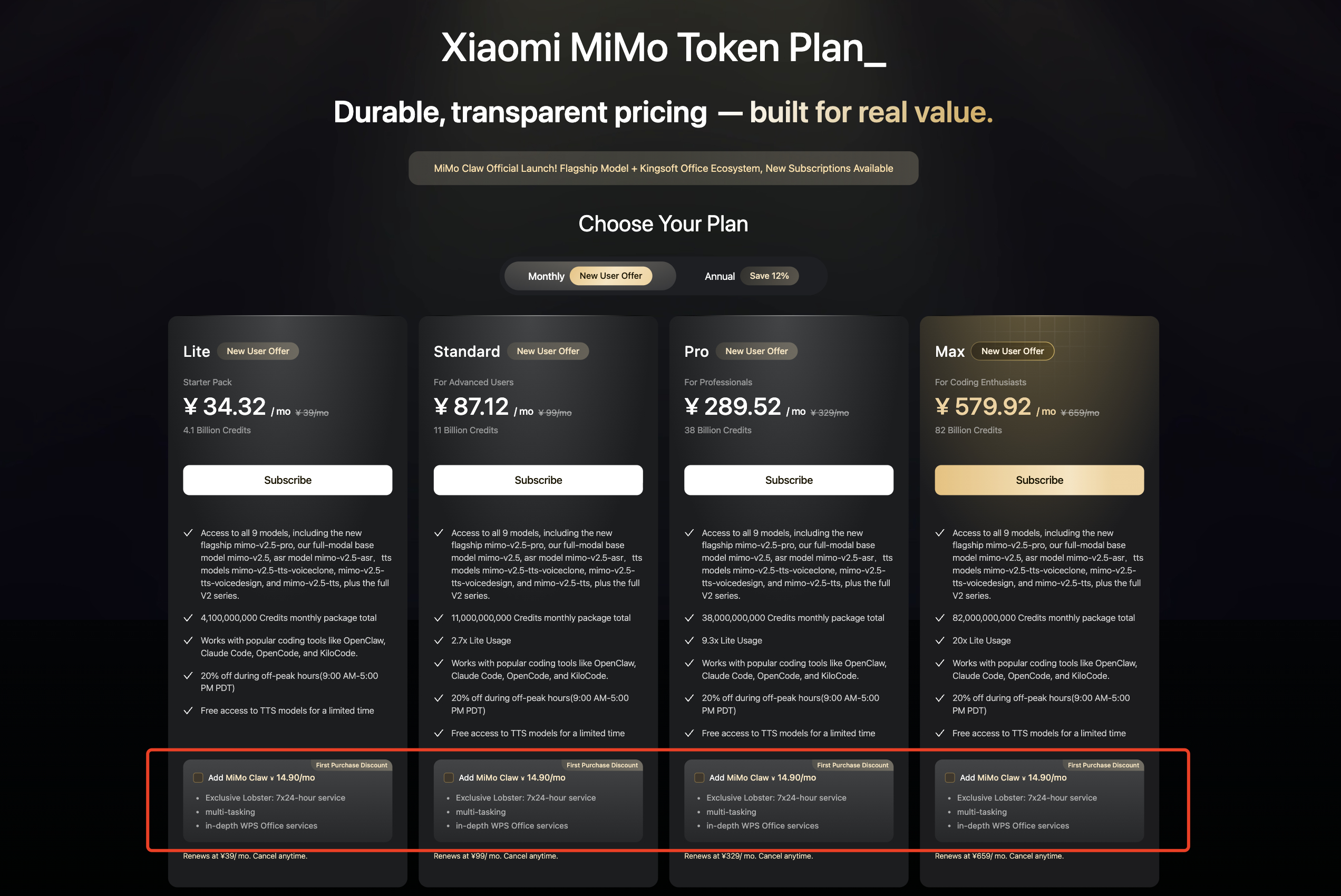 {/* feishu-style:text-align:center */}
**Xiaomi MiMo Platform**
{/* feishu-style:text-align:center */}
June 2026
--- DOCUMENT: MiMo Code Released and Open-Sourced | Model Agent Collaborative Optimization, Stepping Towards the Self-Evolution Era ---
URL: https://mimo.mi.com/static/docs/news/latest/mimocode.md
# MiMo Code Released and Open-Sourced | Model Agent Collaborative Optimization, Stepping Towards the Self-Evolution Era
{/* feishu-style:text-align:left */}
Today, we officially release and open source **MiMoCode V0.1.0** — an exploratory AI programming assistant running in the terminal.
{/* feishu-style:text-align:left */}
MiMo Code **starts with programming but goes beyond it** . It is not just a useful AI Coding tool, but also an AI teammate who lives in your computer and understands you better the more you use it.
{/* feishu-style:text-align:left */}
It comes with a built-in top-tier MultiModal Machine Learning model that is free for a limited time **MiMo-V2.5,** whose performance is comparable to Claude Sonnet 4.6; at the same time, it supports the integration of mainstream models such as DeepSeek, Kimi, and GLM, as well as third-party Token Plans, to meet the needs of different developers.
{/* feishu-style:text-align:left */}
MiMo Code is based on the open-source project **OpenCode** for secondary development, **released and open-sourced under the MIT License** .
## Core Competencies
{/* feishu-style:text-align:left */}
**Persistent Memory System + Infinite Context: Solving "AI Amnesia" at the Root**
{/* feishu-style:text-align:left */}
MiMo Code incorporates a built-in and original persistent memory system, which uses three mechanisms - project memory, conversation checkpoints, and task progress - to address the long-standing challenge of "forgetting as you use" in long conversations. Even in long conversations spanning hundreds of rounds, it can maintain output quality and retain key information.
{/* feishu-style:text-align:left */}
Most mainstream Code Agents (Claude Code, Codex, etc.) mostly operate on the principle of "letting AI take its own notes", but the model does not initiate this action on its own; whether and when to take notes depends entirely on its self-awareness. So we changed our approach: **Let the main agent focus on its tasks, and outsource the record-keeping entirely** - an independent subagent automatically saves the state, and when the window is almost full, it creates a clean summary, allowing the main agent to continue working instead of starting from scratch.
{/* feishu-style:text-align:left */}
One sentence: **Don't rely solely on the model's self-awareness; use engineering to support it.**
{/* feishu-style:text-align:center */}
**Xiaomi MiMo Platform**
{/* feishu-style:text-align:center */}
June 2026
--- DOCUMENT: MiMo Code Released and Open-Sourced | Model Agent Collaborative Optimization, Stepping Towards the Self-Evolution Era ---
URL: https://mimo.mi.com/static/docs/news/latest/mimocode.md
# MiMo Code Released and Open-Sourced | Model Agent Collaborative Optimization, Stepping Towards the Self-Evolution Era
{/* feishu-style:text-align:left */}
Today, we officially release and open source **MiMoCode V0.1.0** — an exploratory AI programming assistant running in the terminal.
{/* feishu-style:text-align:left */}
MiMo Code **starts with programming but goes beyond it** . It is not just a useful AI Coding tool, but also an AI teammate who lives in your computer and understands you better the more you use it.
{/* feishu-style:text-align:left */}
It comes with a built-in top-tier MultiModal Machine Learning model that is free for a limited time **MiMo-V2.5,** whose performance is comparable to Claude Sonnet 4.6; at the same time, it supports the integration of mainstream models such as DeepSeek, Kimi, and GLM, as well as third-party Token Plans, to meet the needs of different developers.
{/* feishu-style:text-align:left */}
MiMo Code is based on the open-source project **OpenCode** for secondary development, **released and open-sourced under the MIT License** .
## Core Competencies
{/* feishu-style:text-align:left */}
**Persistent Memory System + Infinite Context: Solving "AI Amnesia" at the Root**
{/* feishu-style:text-align:left */}
MiMo Code incorporates a built-in and original persistent memory system, which uses three mechanisms - project memory, conversation checkpoints, and task progress - to address the long-standing challenge of "forgetting as you use" in long conversations. Even in long conversations spanning hundreds of rounds, it can maintain output quality and retain key information.
{/* feishu-style:text-align:left */}
Most mainstream Code Agents (Claude Code, Codex, etc.) mostly operate on the principle of "letting AI take its own notes", but the model does not initiate this action on its own; whether and when to take notes depends entirely on its self-awareness. So we changed our approach: **Let the main agent focus on its tasks, and outsource the record-keeping entirely** - an independent subagent automatically saves the state, and when the window is almost full, it creates a clean summary, allowing the main agent to continue working instead of starting from scratch.
{/* feishu-style:text-align:left */}
One sentence: **Don't rely solely on the model's self-awareness; use engineering to support it.**
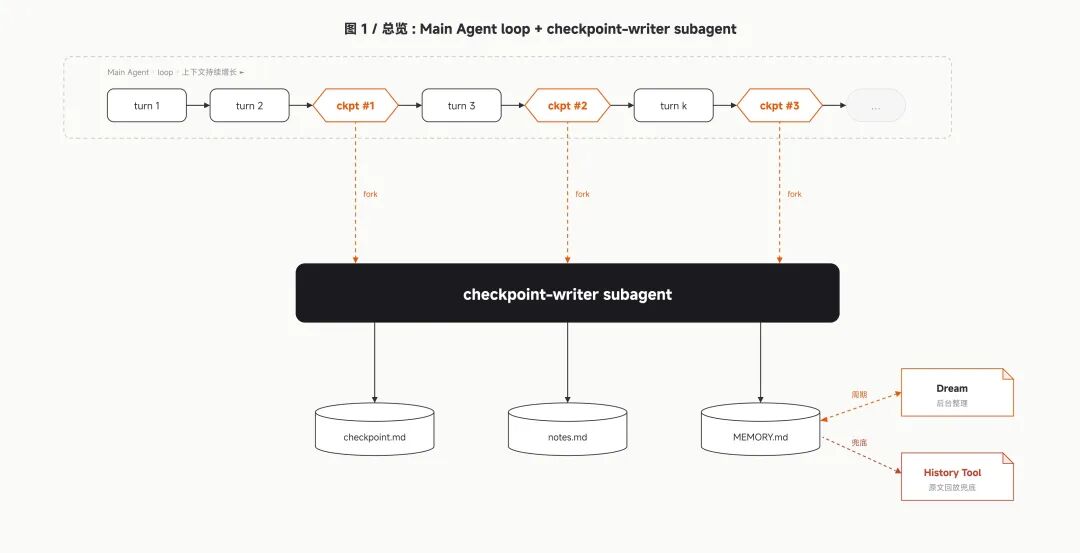 {/* feishu-style:text-align:left */}
**Model Agent Collaborative Optimization + Original Compose Mode**
{/* feishu-style:text-align:left */}
Most Coding Agents work in a way that is like "getting a requirement and then burying themselves in writing code", just like a driver who sets off without looking at the navigation - seemingly efficient, but actually prone to going off track.
{/* feishu-style:text-align:left */}
However, models are not all the same: different models each have their own "personalities" and "endowments", and there are also natural differences in the level of "compatibility" with different Agent frameworks. Simply combining models and frameworks often fails to bring out their true capabilities.
{/* feishu-style:text-align:left */}
MiMo Code has specifically designed a dedicated Harness system for the MiMo series of models, enabling the capabilities of the models to be deeply integrated with the framework; when combined with the original **Compose mode,** it achieves a synergistic effect of 1+1>2.
{/* feishu-style:text-align:left */}
When using it, simply press the **Tab key** to switch to Compose mode, give it a simple idea, and it can automatically complete the entire process of design, planning, coding, testing, and review, ultimately delivering an industrial-grade finished product.
{/* feishu-style:text-align:left */}
**Actual measurement comparison**
{/* feishu-style:text-align:left */}
We gave the same instructions to both tools:
{/* feishu-style:text-align:left */}
"Help me implement a Redis using Golang, which needs to support connection via redis-cli."
{/* feishu-style:text-align:left */}
**Claude Code**moves quickly, and the code runs out soon—but there are almost no accompanying tests. The functionality works but is not robust enough, and the risk of subsequent rework is quite high.
{/* feishu-style:text-align:left */}
**MiMoCode** uses the Compose pattern, which initially took more time for planning and seemed to be a bit "slower"; however, in terms of results, it has achieved more comprehensive functionality and is accompanied by complete and detailed testing, truly demonstrating what industrial-grade code should look like.
{/* feishu-style:text-align:left */}
Interestingly,**MiMoCode is actually faster when it comes to calculating the general ledger:** it spends time thinking things through in the early stage and verifying them steadily in the later stage - slow writing, fast verification, resulting in a more worry-free overall experience.
{/* feishu-style:text-align:left */}
**Dream: Memory settles, the more you use it, the better it understands you**
{/* feishu-style:text-align:left */}
MiMoCode has a built-in unique `/dream `command. It is automatically triggered every 7 days, with an independent Agent reading historical conversations and existing memory files, performing merging, deduplication, validating path effectiveness, and compression, converging scattered memories into a compact current state, and updating the global memory.
{/* feishu-style:text-align:left */}
By the next use, it will automatically recall these memories at the appropriate time. This means that MiMo Code does not start from scratch every time, but continues to grow with an understanding of you and your project—truly becoming more user-friendly the more you use it.
{/* feishu-style:text-align:left */}
**Supports voice input: "A gentleman uses his words, not his hands."**
{/* feishu-style:text-align:left */}
MiMo Code comes with built-in voice input and control capabilities, powered by the robust speech recognition capabilities of MiMo-V2.5-ASR. Just speak, and the work gets done.
{/* feishu-style:text-align:left */}
What it can do is not just "reading out the prompt": you can verbally correct a wrongly written instruction, or directly issue operation commands such as "send" or "execute" - from input to control, without touching the keyboard throughout the process, and efficiency naturally takes another step up.
## Let Data Do the Talking: Same Model, Stronger Performance
{/* feishu-style:text-align:left */}
On two authoritative test sets **SWE-Bench** and **Terminal Bench** that target real-world programming scenarios, we conducted a set of Controlled Experiments: we let MiMo Code and Claude Code **use the same MiMo model,** and only compare their respective Agent systems themselves.
{/* feishu-style:text-align:left */}
Results show that MiMo Code achieved **62% (** Claude Code achieved 57%) on SWE-Bench Pro, and **73% (** Claude Code achieved 68%) on Terminal Bench 2 —— on the premise that the models are exactly the same, MiMo Code obtained a better score through the synergy of its exclusive Harness and Compose mode.
{/* feishu-style:text-align:left */}
**Model Agent Collaborative Optimization + Original Compose Mode**
{/* feishu-style:text-align:left */}
Most Coding Agents work in a way that is like "getting a requirement and then burying themselves in writing code", just like a driver who sets off without looking at the navigation - seemingly efficient, but actually prone to going off track.
{/* feishu-style:text-align:left */}
However, models are not all the same: different models each have their own "personalities" and "endowments", and there are also natural differences in the level of "compatibility" with different Agent frameworks. Simply combining models and frameworks often fails to bring out their true capabilities.
{/* feishu-style:text-align:left */}
MiMo Code has specifically designed a dedicated Harness system for the MiMo series of models, enabling the capabilities of the models to be deeply integrated with the framework; when combined with the original **Compose mode,** it achieves a synergistic effect of 1+1>2.
{/* feishu-style:text-align:left */}
When using it, simply press the **Tab key** to switch to Compose mode, give it a simple idea, and it can automatically complete the entire process of design, planning, coding, testing, and review, ultimately delivering an industrial-grade finished product.
{/* feishu-style:text-align:left */}
**Actual measurement comparison**
{/* feishu-style:text-align:left */}
We gave the same instructions to both tools:
{/* feishu-style:text-align:left */}
"Help me implement a Redis using Golang, which needs to support connection via redis-cli."
{/* feishu-style:text-align:left */}
**Claude Code**moves quickly, and the code runs out soon—but there are almost no accompanying tests. The functionality works but is not robust enough, and the risk of subsequent rework is quite high.
{/* feishu-style:text-align:left */}
**MiMoCode** uses the Compose pattern, which initially took more time for planning and seemed to be a bit "slower"; however, in terms of results, it has achieved more comprehensive functionality and is accompanied by complete and detailed testing, truly demonstrating what industrial-grade code should look like.
{/* feishu-style:text-align:left */}
Interestingly,**MiMoCode is actually faster when it comes to calculating the general ledger:** it spends time thinking things through in the early stage and verifying them steadily in the later stage - slow writing, fast verification, resulting in a more worry-free overall experience.
{/* feishu-style:text-align:left */}
**Dream: Memory settles, the more you use it, the better it understands you**
{/* feishu-style:text-align:left */}
MiMoCode has a built-in unique `/dream `command. It is automatically triggered every 7 days, with an independent Agent reading historical conversations and existing memory files, performing merging, deduplication, validating path effectiveness, and compression, converging scattered memories into a compact current state, and updating the global memory.
{/* feishu-style:text-align:left */}
By the next use, it will automatically recall these memories at the appropriate time. This means that MiMo Code does not start from scratch every time, but continues to grow with an understanding of you and your project—truly becoming more user-friendly the more you use it.
{/* feishu-style:text-align:left */}
**Supports voice input: "A gentleman uses his words, not his hands."**
{/* feishu-style:text-align:left */}
MiMo Code comes with built-in voice input and control capabilities, powered by the robust speech recognition capabilities of MiMo-V2.5-ASR. Just speak, and the work gets done.
{/* feishu-style:text-align:left */}
What it can do is not just "reading out the prompt": you can verbally correct a wrongly written instruction, or directly issue operation commands such as "send" or "execute" - from input to control, without touching the keyboard throughout the process, and efficiency naturally takes another step up.
## Let Data Do the Talking: Same Model, Stronger Performance
{/* feishu-style:text-align:left */}
On two authoritative test sets **SWE-Bench** and **Terminal Bench** that target real-world programming scenarios, we conducted a set of Controlled Experiments: we let MiMo Code and Claude Code **use the same MiMo model,** and only compare their respective Agent systems themselves.
{/* feishu-style:text-align:left */}
Results show that MiMo Code achieved **62% (** Claude Code achieved 57%) on SWE-Bench Pro, and **73% (** Claude Code achieved 68%) on Terminal Bench 2 —— on the premise that the models are exactly the same, MiMo Code obtained a better score through the synergy of its exclusive Harness and Compose mode.
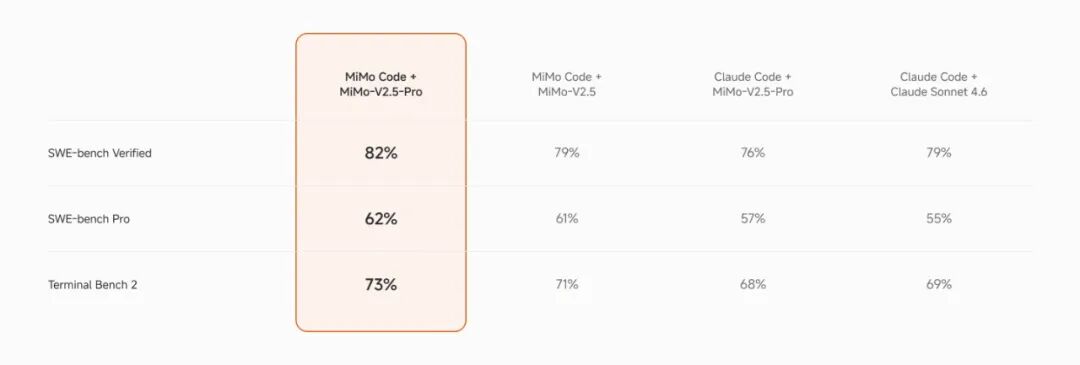 ## How to Use: Zero Configuration, Out Of The Box
{/* feishu-style:text-align:left */}
**Installation and Startup:** Open the terminal
- Recommended for Mac and Linux users: `curl -fsSL https://mimo.xiaomi.com/install | bash`
- Windows users are recommended to use npm:`npm install -g @mimo-ai/cli`
{/* feishu-style:text-align:left */}
After installation, enter ` mimo in the terminal ` to start. For the best experience, it is highly recommended **Mac users to use it in iTerm or the vscode terminal.**
- **Model Configuration**
- Built-in MiMo-V2.5 Limited-Time**Free Channel,** Available Without Registration
- Compatible with mainstream model APIs such as DeepSeek / Kimi / GLM, as well as third-party Token Plans
- **Usage:**
- Input `/ ` View Each Configuration
- All settings are fully Chinese localized, making it locally friendly
- The right side of the TUI page has a permanent status dashboard for observing work progress at any time
{/* feishu-style:text-align:left */}
For more technical details, please follow our team Blog:https://mimo.xiaomi.com/mimocode
## Open Source and Outlook
{/* feishu-style:text-align:left */}
MiMo Code **was released and open-sourced** , under the permissive MIT License — which means it is open to almost everyone:
- **Individual developers** can freely use, modify, and distribute, and do whatever they want;
- **Enterprises** can integrate it into their own development toolchains without worrying about licensing constraints;
- **The community** can build vertical programming assistants based on it, giving rise to more possibilities.
{/* feishu-style:text-align:left */}
We believe that the value of a good tool lies not only in its functionality but also in how many people can contribute to its refinement and where it is headed. We look forward to working with you to make MiMo Code even better.
--- DOCUMENT: Xiaomi MiMo Partners with TileRT | 1T Model Breaks 1000 tokens/s Output Speed for the First Time ---
URL: https://mimo.mi.com/static/docs/news/latest/1000tps.md
# Xiaomi MiMo Partners with TileRT | 1T Model Breaks 1000 tokens/s Output Speed for the First Time
## How to Use: Zero Configuration, Out Of The Box
{/* feishu-style:text-align:left */}
**Installation and Startup:** Open the terminal
- Recommended for Mac and Linux users: `curl -fsSL https://mimo.xiaomi.com/install | bash`
- Windows users are recommended to use npm:`npm install -g @mimo-ai/cli`
{/* feishu-style:text-align:left */}
After installation, enter ` mimo in the terminal ` to start. For the best experience, it is highly recommended **Mac users to use it in iTerm or the vscode terminal.**
- **Model Configuration**
- Built-in MiMo-V2.5 Limited-Time**Free Channel,** Available Without Registration
- Compatible with mainstream model APIs such as DeepSeek / Kimi / GLM, as well as third-party Token Plans
- **Usage:**
- Input `/ ` View Each Configuration
- All settings are fully Chinese localized, making it locally friendly
- The right side of the TUI page has a permanent status dashboard for observing work progress at any time
{/* feishu-style:text-align:left */}
For more technical details, please follow our team Blog:https://mimo.xiaomi.com/mimocode
## Open Source and Outlook
{/* feishu-style:text-align:left */}
MiMo Code **was released and open-sourced** , under the permissive MIT License — which means it is open to almost everyone:
- **Individual developers** can freely use, modify, and distribute, and do whatever they want;
- **Enterprises** can integrate it into their own development toolchains without worrying about licensing constraints;
- **The community** can build vertical programming assistants based on it, giving rise to more possibilities.
{/* feishu-style:text-align:left */}
We believe that the value of a good tool lies not only in its functionality but also in how many people can contribute to its refinement and where it is headed. We look forward to working with you to make MiMo Code even better.
--- DOCUMENT: Xiaomi MiMo Partners with TileRT | 1T Model Breaks 1000 tokens/s Output Speed for the First Time ---
URL: https://mimo.mi.com/static/docs/news/latest/1000tps.md
# Xiaomi MiMo Partners with TileRT | 1T Model Breaks 1000 tokens/s Output Speed for the First Time
The limited-time trial (internal testing) of MiMo-V2.5-Pro-UltraSpeed has been successfully concluded. Thank you to every participant. The official commercial version will be launched soon, so stay tuned.
{/* feishu-style:text-align:left */}
**Xiaomi MiMo-V2.5-Pro-UltraSpeed: In all martial arts under heaven, only speed prevails**
{/* feishu-style:text-align:left */}
From the first sports car of the internal combustion engine era to supersonic flight breaking the sound barrier, humanity's thirst for speed is ingrained in our genes.
{/* feishu-style:text-align:left */}
The speed of AI inference also determines the boundaries of intelligence. When the model is fast enough, it is no longer just a tool that "waits for results" but becomes an extension of your thinking - real-time response, instant iteration, and seamless collaboration.
{/* feishu-style:text-align:left */}
**Today, MiMo × TileRT jointly announced: The UltraSpeed mode of Xiaomi MiMo-V2.5-Pro enables the output speed of flagship models with trillions of parameters to exceed 1000 tokens/s for the first time.**
{/* feishu-style:text-align:left */}
How fast is 1000 tokens/s exactly:
{/* feishu-style:text-align:left */}
**Limited-time opening · Application-based experience**
{/* feishu-style:text-align:left */}
MiMo-V2.5-Pro-UltraSpeed API is now available for synchronization, offering a limited-time trial price, priced at 3 times that of MiMo-V2.5-Pro, while providing approximately 10 times the output speed improvement!**3 times the price increase, 10 times the output experience.** (Only API experience is supported, Token Plan is not supported for the time being)
{/* feishu-style:text-align:left */}
This MiMo-V2.5-Pro-UltraSpeed will be open for a limited time on an application basis. Users whose applications are approved can access the API for a limited time to experience it, with the time limited from June 9 to June 23, 2026, 23:59.
{/* feishu-style:text-align:left */}
**Within 12 hours after the release of MiMo-V2.5-Pro-UltraSpeed on the X (Twitter) platform last night, more than 3,000 enterprises and their developers applied for trial access to the UltraSpeed API, with industry categories covering law, finance, hospitality, telecommunications, logistics, internet, culture and media, automobile manufacturing, etc.**
{/* feishu-style:text-align:left */}
👉 **Application Entry:** https://platform.xiaomimimo.com/ultraspeed
{/* feishu-style:text-align:left */}
Due to limited inference resources, the number of trial slots for this time is limited. After submitting an application, we do not guarantee the timeliness of review or the review pass rate; we will prioritize the review of enterprises and professional developer scenarios with real business needs. If you have large-scale commercial needs related to UltraSpeed, please feel free to contact business-mimo@xiaomi.com.
{/* feishu-style:text-align:left */}
**💬 Chat Experience (Limited-time Free)**
{/* feishu-style:text-align:left */}
Users who pass the review can also obtain**time-limited free**Chat experience (valid within a two-week open window), with the experience entry:https://ultraspeed.xiaomimimo.com
{/* feishu-style:text-align:left */}
To ensure the quality of experience and fairness of use under resource-constrained conditions, the trial service rules are as follows: Each account can successfully enter the queue up to 10 times per day; the maximum duration of a single session is 30 minutes; if a session remains idle for more than 5 minutes, the system will automatically release the resources.
## 1000 tokens/s, not only fast, but also a qualitative change in paradigm
{/* feishu-style:text-align:left */}
On the scale of trillion parameters (1T), breaking through 1000 tps is not just about making the typewriter faster; it brings about a fundamental subversion of the AI application paradigm.
{/* feishu-style:text-align:left */}
**First, speed itself begins to transform into intelligence.** In the past, when faced with difficult problems, you could only "wait for an answer and pray it was correct"; now, within the same waiting time, the model can run dozens of inference paths in parallel (Best-of-N/Tree Search), automatically verify and correct errors in the background, and use "speed" to derive the depth of thinking, directly improving the quality of inference.
{/* feishu-style:text-align:left */}
**Secondly, it has completely liberated the productivity limit of Coding Agent.** Previously, when asking AI to write code, developers were often confined by the inference speed and had to sit in front of the screen waiting painfully. However, the ultra-fast inference of 1000 tps has brought about a revolutionary code writing speed and a soaring production efficiency.
{/* feishu-style:text-align:left */}
**Most importantly, trillion-scale models are starting to enter the real-time decision-making closed loop.** The millisecond-level "thinking-response" cycle enables the 1T flagship model to seamlessly integrate into time-sensitive scenarios - high-frequency quantitative trading signal generation, instantaneous anti-fraud risk control interception, intelligent bidding, and real-time interactive dialogue.
{/* feishu-style:text-align:left */}
When this power is injected into life - critical scenarios such as surgical assistance and medical image analysis, **the speed of AI is no longer just a measure of efficiency, but a bargaining chip in a race against death.** In the operating room, for every second that AI completes lesion analysis and risk prediction ahead of time, the room for doctors to act increases. This makes us deeply convinced that the ultimate significance of speed is not just to boost productivity, but to enable technology to provide a better life for humanity.
## Optimal Codesign of Model and System
{/* feishu-style:text-align:left */}
Achieving an output speed of over 1000 tokens/s for the 1T flagship model is not a breakthrough in a single technology, but rather the result of in-depth collaboration between the MiMo model and TileRT system teams and their pursuit of ultimate codesign. When the current industry pursues similar extreme speeds, it often chooses to take the dedicated hardware route, such as Cerebras' wafer-scale integration (Wafer-Scale) or Groq's custom chip architecture based on pure on-chip SRAM. We chose to implement even more impressive inference speed on **general-purpose GPUs** through model-system co-design.
{/* feishu-style:text-align:left */}
On the model side, in response to the bandwidth bottleneck of general-purpose hardware, **FP4 quantization** was performed, significantly reducing the model size and memory access overhead; meanwhile, an efficient speculative decoding **DFlash** based on block-level masked parallel prediction was introduced, greatly increasing the Token acceptance length per validation. On the system side, TileRT is perfectly adapted to the dynamic characteristics of the algorithm, customizing a specially optimized compilation engine and compute kernel for the new quantization and speculative decoding processes.**Thanks to this ultimate Codesign, we were able to enable a 1T model to exceed an output speed of 1000 tokens/s using only a standard 8-card general-purpose GPU node.**
### FP4 Quantization
{/* feishu-style:text-align:left */}
At the scale of trillion parameters (1T), traditional 8-bit (such as FP8/INT8) or even 16-bit inference can lead to extremely high GPU memory usage and memory bandwidth pressure. Reducing the bit width of parameters can directly contribute to the decoding output speed. Therefore, we adopted the industry-standard and almost lossless FP4 (MXFP4[1]) quantization.
{/* feishu-style:text-align:left */}
However, if FP4 quantization is applied uniformly to the entire model, the accuracy and generalization ability of the model in complex reasoning and logical code often degrade. Given the typical MoE (Mixture of Experts) architecture characteristics of Xiaomi MiMo-V2.5-Pro, its Experts account for the vast majority of the parameters and have the highest tolerance for quantization accuracy. Therefore, we choose to perform parameter FP4 quantization only on the MoE Experts while retaining the original accuracy for other modules. Through such FP4 QAT (Quantization-Aware Training), we have significantly reduced the model size and maximized hardware bandwidth utilization while keeping the overall capabilities of the model basically on par with the original model, as shown in the figure below:
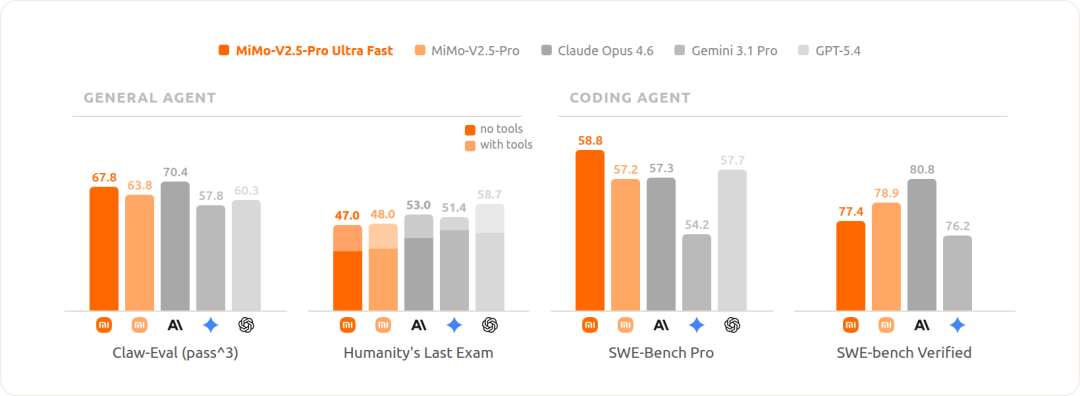 {/* feishu-style:text-align:center */}
[FP4 vs FP8 Model Comparison]
### DFlash Speculative Decoding
{/* feishu-style:text-align:left */}
Traditional Speculative Decoding relies on a small draft model to "guess" subsequent tokens, which are then verified by a large model. This approach transforms the autoregressive generation that produces 1 token per forward pass into parallel generation of multiple tokens, and the rejection sampling mechanism in the large model verification process ensures that the output quality remains intact.However, its bottleneck lies in the fact that the quality of the draft model determines the acceptance rate, while a stronger draft model brings higher computational overhead, making it difficult to achieve both.
{/* feishu-style:text-align:left */}
To break this deadlock, we adopted the innovative **DFlash** block-level masked parallel prediction method [2] in academia: the draft model fills an entire block of masked positions simultaneously in a single forward pass, fundamentally removing the serial constraint of "draft autoregression".
{/* feishu-style:text-align:left */}
We have implemented and customized this path on MiMo-V2.5-Pro, targeting trillion-scale MoE and long context scenarios. Through the Muon second-order optimizer and model self-distillation, we ensure that small mask blocks can still provide an ideal acceptance rate while compressing the overhead of the draft stage to near the limit:
- The Draft model fully adopts the Sliding Window Attention (SWA) mechanism, which is naturally aligned with the SWA design of the MiMo-V2 series models. This enables Draft to no longer rely on a complete prefix, and the computing power for a single prediction changes from linearly increasing with the context length to a constant level.
- During training, the mask signal sampling is offloaded to the local GPU sharding, enabling a single sequence step to generate tens of thousands of independent training signals covering different lengths of context positions, aligning with the long context capabilities of the MiMo-V2 series models while avoiding cross-device communication overhead.
{/* feishu-style:text-align:left */}
In terms of effectiveness, our parallel prediction speculative decoding has achieved a significant increase in acceptance length in multiple agent and high-value coding scenarios, meaning that the large model can "confirm" more content in one go during each verification; in addition, we limit the mask block size to 8 to reduce verification overhead and improve concurrency, enabling the high acceptance length to be directly translated into high inference throughput:
{/* feishu-style:text-align:center */}
[FP4 vs FP8 Model Comparison]
### DFlash Speculative Decoding
{/* feishu-style:text-align:left */}
Traditional Speculative Decoding relies on a small draft model to "guess" subsequent tokens, which are then verified by a large model. This approach transforms the autoregressive generation that produces 1 token per forward pass into parallel generation of multiple tokens, and the rejection sampling mechanism in the large model verification process ensures that the output quality remains intact.However, its bottleneck lies in the fact that the quality of the draft model determines the acceptance rate, while a stronger draft model brings higher computational overhead, making it difficult to achieve both.
{/* feishu-style:text-align:left */}
To break this deadlock, we adopted the innovative **DFlash** block-level masked parallel prediction method [2] in academia: the draft model fills an entire block of masked positions simultaneously in a single forward pass, fundamentally removing the serial constraint of "draft autoregression".
{/* feishu-style:text-align:left */}
We have implemented and customized this path on MiMo-V2.5-Pro, targeting trillion-scale MoE and long context scenarios. Through the Muon second-order optimizer and model self-distillation, we ensure that small mask blocks can still provide an ideal acceptance rate while compressing the overhead of the draft stage to near the limit:
- The Draft model fully adopts the Sliding Window Attention (SWA) mechanism, which is naturally aligned with the SWA design of the MiMo-V2 series models. This enables Draft to no longer rely on a complete prefix, and the computing power for a single prediction changes from linearly increasing with the context length to a constant level.
- During training, the mask signal sampling is offloaded to the local GPU sharding, enabling a single sequence step to generate tens of thousands of independent training signals covering different lengths of context positions, aligning with the long context capabilities of the MiMo-V2 series models while avoiding cross-device communication overhead.
{/* feishu-style:text-align:left */}
In terms of effectiveness, our parallel prediction speculative decoding has achieved a significant increase in acceptance length in multiple agent and high-value coding scenarios, meaning that the large model can "confirm" more content in one go during each verification; in addition, we limit the mask block size to 8 to reduce verification overhead and improve concurrency, enabling the high acceptance length to be directly translated into high inference throughput:
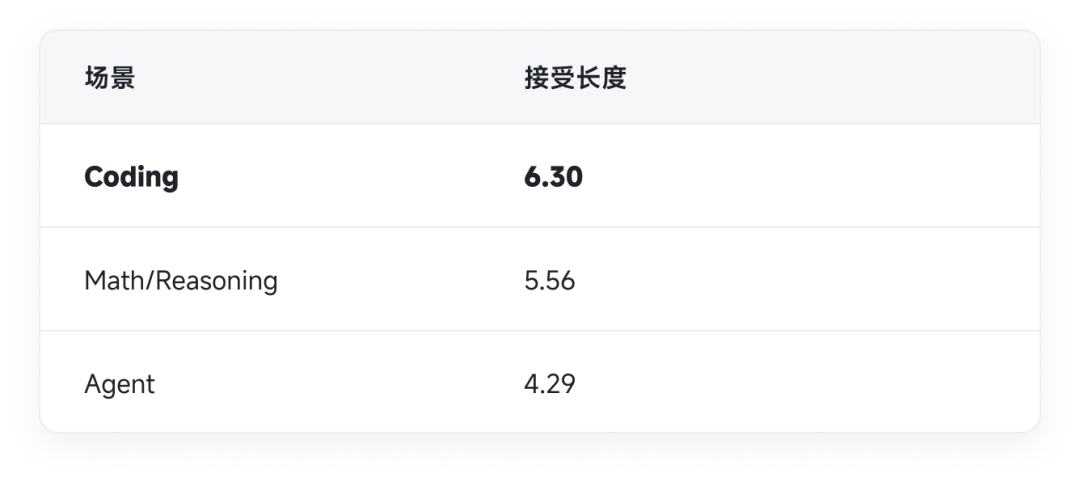 {/* feishu-style:text-align:center */}
[Acceptable Length of DFlash in Different Scenarios]
{/* feishu-style:text-align:left */}
In the Coding scenario, the average acceptance length can reach 6.30, and in some samples, it reaches a maximum of 7.14. This means that among the 8 draft tokens per round of verification, 6-7 tokens can be accepted, and the draft pushes the acceptance rate to a level where end-to-end truly benefits while maintaining lightness. We also find that in the general conversation scenario with more divergent semantics and higher uncertainty, the current acceptance rate is not yet high, and we are continuously optimizing the algorithm to explore a higher generalization ceiling.
### TileRT Ultra-Low Latency Inference Kernel/System
{/* feishu-style:text-align:left */}
If the algorithmic reconstruction of MiMo has removed the heavy bandwidth shackles for the trillion and quadrillion models, then the TileRT inference system has directly squeezed the physical potential of general-purpose GPUs to the absolute limit of the microsecond level.
{/* feishu-style:text-align:left */}
Under the ultra-high frequency operating state of 1000 tokens/s, the lifecycle of a single operator is compressed to the microsecond level, and the "operator boundary" of traditional inference systems has become the core bottleneck - each operator launch, hardware synchronization, and global memory round-trip will interrupt the entire execution flow on the microsecond scale, exposing an obvious "Execution Gap".
{/* feishu-style:text-align:left */}
**Paradigm-level Execution Model Transformation of TileRT**As the underlying infrastructure for ultra-low latency inference, TileRT introduces a brand-new execution model that fundamentally eliminates the execution gaps caused by operator boundaries:
- **Persistent Engine Kernel**: Completely abandons the traditional operator-by-operator startup mode, allowing the entire computing pipeline to reside permanently inside the GPU for continuous operation. This enables the system to achieve whole-link continuous prefetching capabilities. While the current tile is still being computed in the Tensor Core, subsequent data has already flowed in advance along the storage architecture, achieving the ultimate overlap of data transfer and computation.
- **Heterogeneous Pipeline Collaboration (Warp Specialization)** : At the Tile level, communication, data movement, and tensor computation are more finely physically disassembled. By breaking the original homogeneous serial pace, different Warps (thread bundles) and even the heterogeneous execution domains of the entire GPU can each perform their own duties and collaborate precisely, completely evolving the GPU into a continuously flowing and precisely coordinated heterogeneous execution system.
{/* feishu-style:text-align:left */}
**Deep convergence of software and hardware (Codesign) at the microsecond scale**When the underlying execution model pushes hardware performance to its limits, pure runtime optimization begins to hit physical limitations. On this basis, the TileRT system team and Xiaomi MiMo team have carried out in-depth technical co-creation, breaking the original software hierarchical barriers.To ensure that the model behavior perfectly aligns with the continuous advancement of this ultra-low latency execution pipeline, the model layer ultimately adopted an FP4 hybrid quantization strategy targeting MoE Experts and implemented DFlash speculative decoding aligned with SWA on the trillion-scale architecture. TileRT closely coordinated with these algorithmic features and quantization schemes, customizing the underlying compilation engine and compute kernels. Both parties made profound joint engineering trade-offs based on hardware physical limitations, enabling the execution pressure to ultimately achieve a smooth closed-loop within the hardware boundaries.
{/* feishu-style:text-align:left */}
The emergence of 1000 tokens/s is by no means a coincidence of single-point optimization. It is an inevitable result of the deep convergence and co-evolution of high-level system infrastructure and cutting-edge algorithm models towards each other.
{/* feishu-style:text-align:left */}
The TileRT team is a cutting-edge system architecture team focused on next-generation AI infrastructure and dedicated to achieving ultra-low latency inference.
{/* feishu-style:text-align:left */}
The team is committed to driving millisecond-level real-time response of cutting-edge large models in production environments, breaking traditional storage and computing barriers with a brand-new runtime architecture. The team has deduced and implemented a brand-new paradigm-level execution model.
{/* feishu-style:text-align:left */}
Through full stack breakthroughs in underlying technologies such as persistent kernels, tile pipelines, and heterogeneous collaboration, TileRT has achieved maximum computing power release in the complex heterogeneous computing ecosystem.
{/* feishu-style:text-align:left */}
As an enabler of core infrastructure, the team actively collaborates with top industry partners to conduct co-design of software and hardware, building a high-performance computing power foundation for the autonomous era that is extremely eager for "ultimate speed".
{/* feishu-style:text-align:left */}
For more technical details on TileRT, please read:https://www.tilert.ai/blog/breaking-1000-tps-zh.html
## More Effect Displays
{/* feishu-style:text-align:left */}
Create a Snake game in just 10 seconds
{/* feishu-style:text-align:left */}
Replicate a MacOS system in just 1 minute
## Open Source and Outlook
- We have open-sourced the MiMo-V2.5-Pro-FP4-DFlash checkpoint to HuggingFace, including FP4 quantization weights and DFlash model parameters
- Welcome the community to use and provide feedback:https://huggingface.co/XiaomiMiMo/MiMo-V2.5-Pro-FP4-DFlash
- The ultimate inference support for MiMo-V2.5 is on the way, stay tuned!
{/* feishu-style:text-align:left */}
*MiMo × TileRT, the ultimate co-design of model and system, enables trillion-parameter models to achieve an ultimate inference speed of 1000 TPS.*
{/* feishu-style:text-align:left */}
[1]https://www.opencompute.org/documents/ocp-microscaling-formats-mx-v1-0-spec-final-pdf
{/* feishu-style:text-align:left */}
[2]https://arxiv.org/abs/2602.06036
--- DOCUMENT: MiMo-V2.5 Series Inference Full-Link Optimization: Pushing Hybrid SWA Efficiency to the Extreme ---
URL: https://mimo.mi.com/static/docs/news/latest/updqate.md
# MiMo-V2.5 Series Inference Full-Link Optimization: Pushing Hybrid SWA Efficiency to the Extreme
{/* feishu-style:text-align:left */}
The MiMo V2.5 series models (including MiMo-V2.5, MiMo-V2.5-Pro, etc.) integrate multiple architectural features: Hybrid Sliding Window Attention (Hybrid SWA) reduces KVCache storage to approximately 1/7 of Full Attention through hybrid window attention; MoE reduces the computational cost per token while maintaining model capacity through sparse activation; MultiModal Machine Learning Encoder supports cross-modal understanding of vision, audio, video, etc. The combination of the three endows the MiMo-V2.5 series of models with significant potential for effectiveness and efficiency in long-context and multi-modal scenarios.
{/* feishu-style:text-align:left */}
From the very beginning of the design of the MiMo-V2 model, we have had a very clear goal: to train a model that is both sufficiently powerful and efficient in long text reasoning scenarios. However, these two goals inherently have tension in engineering. Strong reasoning ability means that the model needs to have the ability to model long-range dependencies, which usually corresponds to larger-scale attention computation and higher KVCache overhead. In the traditional Full Attention architecture, both the computational complexity of Attention and the storage of KVCache grow rapidly with the context length, making the cost of long context training and inference quickly become unacceptable. The core idea of Hybrid SWA is to perform hierarchical mixing between local window attention (Sliding Window Attention, SWA) and global attention (Full Attention): the vast majority of layers only compute attention within local windows, and only a small number of key layers retain a global view. Theoretically, this structure can reduce the computational complexity of Attention to nearly linear while still maintaining the ability to model long-range dependencies.
{/* feishu-style:text-align:left */}
However, the theoretical architectural advantages do not naturally translate into efficiency advantages in real online systems. On the one hand, Hybrid SWA significantly increases the complexity of KVCache cache hits, prefix matching, and the maintenance of Full / SWA semantic consistency. On the other hand, in real engineering systems, data transfer in multi-level storage, inconsistencies between asynchronous prefetch and scheduling, and the difficulty of aligning distributed cache states together make it difficult to directly realize the theoretical benefits.
{/* feishu-style:text-align:left */}
In addition to Hybrid SWA, MoE places higher demands on distributed scheduling and load balance; the throughput bottleneck of MultiModal Machine Learning Encoder in large graph and long video scenarios also urgently needs to be broken through. Moreover, the optimization of general components such as scheduling strategies and Prefill/Decode execution links is also indispensable. What this article records is precisely a whole-link engineering practice of an inference system centered around the MiMo-V2.5 series of models, covering KVCache management, hierarchical cache systems, SWA prefix cache trees, scheduling strategies, Prefill/Decode execution links, and MultiModal Machine Learning optimization, systematically translating the efficiency potential of the architecture (especially Hybrid SWA) into the production environment.
## 1. Inference Efficiency Advantages of the Hybrid SWA Architecture
{/* feishu-style:text-align:left */}
Before delving into specific discussions on optimization work, it is necessary to first quantify the efficiency upper bound of Hybrid SWA - this serves not only as the starting point for architecture selection but also as the theoretical benchmark and theoretical upper bound for all subsequent system optimizations.
### 1.1 Computational Complexity Analysis
{/* feishu-style:text-align:left */}
Taking MiMo-V2.5-Pro as an example, this model has a total of 70 layers, among which 10 layers are Full Attention, the remaining 60 layers are SWA, and the sliding window size of SWA is 128. Compared with Full Attention, the computational complexity of Hybrid SWA is shown in the figure. Since the proportion of SWA layers is 6/7, the computational complexity of the Hybrid SWA architecture is approximately 1/7 that of Full Attention. In the Chunk Prefill scenario, Prefill is approximately compute-bound, and this gap is basically equivalent to the theoretical reduction in Prefill cost.
### 1.2 KVCache Storage Analysis
{/* feishu-style:text-align:left */}
Since the SWA layer only needs to retain KV within the sliding window and does not need to store the full sequence, the KVCache occupancy also drops to nearly 1/7. The Decode phase is approximately memory-bandwidth-bound, and its latency is proportional to the read volume of model parameters plus KVCache. In the case of long sequences, the volume of KVCache may far exceed the model parameters, so the reduction in KVCache storage is almost directly equivalent to the reduction of decode cost in long sequence scenarios.
{/* feishu-style:text-align:center */}
[Acceptable Length of DFlash in Different Scenarios]
{/* feishu-style:text-align:left */}
In the Coding scenario, the average acceptance length can reach 6.30, and in some samples, it reaches a maximum of 7.14. This means that among the 8 draft tokens per round of verification, 6-7 tokens can be accepted, and the draft pushes the acceptance rate to a level where end-to-end truly benefits while maintaining lightness. We also find that in the general conversation scenario with more divergent semantics and higher uncertainty, the current acceptance rate is not yet high, and we are continuously optimizing the algorithm to explore a higher generalization ceiling.
### TileRT Ultra-Low Latency Inference Kernel/System
{/* feishu-style:text-align:left */}
If the algorithmic reconstruction of MiMo has removed the heavy bandwidth shackles for the trillion and quadrillion models, then the TileRT inference system has directly squeezed the physical potential of general-purpose GPUs to the absolute limit of the microsecond level.
{/* feishu-style:text-align:left */}
Under the ultra-high frequency operating state of 1000 tokens/s, the lifecycle of a single operator is compressed to the microsecond level, and the "operator boundary" of traditional inference systems has become the core bottleneck - each operator launch, hardware synchronization, and global memory round-trip will interrupt the entire execution flow on the microsecond scale, exposing an obvious "Execution Gap".
{/* feishu-style:text-align:left */}
**Paradigm-level Execution Model Transformation of TileRT**As the underlying infrastructure for ultra-low latency inference, TileRT introduces a brand-new execution model that fundamentally eliminates the execution gaps caused by operator boundaries:
- **Persistent Engine Kernel**: Completely abandons the traditional operator-by-operator startup mode, allowing the entire computing pipeline to reside permanently inside the GPU for continuous operation. This enables the system to achieve whole-link continuous prefetching capabilities. While the current tile is still being computed in the Tensor Core, subsequent data has already flowed in advance along the storage architecture, achieving the ultimate overlap of data transfer and computation.
- **Heterogeneous Pipeline Collaboration (Warp Specialization)** : At the Tile level, communication, data movement, and tensor computation are more finely physically disassembled. By breaking the original homogeneous serial pace, different Warps (thread bundles) and even the heterogeneous execution domains of the entire GPU can each perform their own duties and collaborate precisely, completely evolving the GPU into a continuously flowing and precisely coordinated heterogeneous execution system.
{/* feishu-style:text-align:left */}
**Deep convergence of software and hardware (Codesign) at the microsecond scale**When the underlying execution model pushes hardware performance to its limits, pure runtime optimization begins to hit physical limitations. On this basis, the TileRT system team and Xiaomi MiMo team have carried out in-depth technical co-creation, breaking the original software hierarchical barriers.To ensure that the model behavior perfectly aligns with the continuous advancement of this ultra-low latency execution pipeline, the model layer ultimately adopted an FP4 hybrid quantization strategy targeting MoE Experts and implemented DFlash speculative decoding aligned with SWA on the trillion-scale architecture. TileRT closely coordinated with these algorithmic features and quantization schemes, customizing the underlying compilation engine and compute kernels. Both parties made profound joint engineering trade-offs based on hardware physical limitations, enabling the execution pressure to ultimately achieve a smooth closed-loop within the hardware boundaries.
{/* feishu-style:text-align:left */}
The emergence of 1000 tokens/s is by no means a coincidence of single-point optimization. It is an inevitable result of the deep convergence and co-evolution of high-level system infrastructure and cutting-edge algorithm models towards each other.
{/* feishu-style:text-align:left */}
The TileRT team is a cutting-edge system architecture team focused on next-generation AI infrastructure and dedicated to achieving ultra-low latency inference.
{/* feishu-style:text-align:left */}
The team is committed to driving millisecond-level real-time response of cutting-edge large models in production environments, breaking traditional storage and computing barriers with a brand-new runtime architecture. The team has deduced and implemented a brand-new paradigm-level execution model.
{/* feishu-style:text-align:left */}
Through full stack breakthroughs in underlying technologies such as persistent kernels, tile pipelines, and heterogeneous collaboration, TileRT has achieved maximum computing power release in the complex heterogeneous computing ecosystem.
{/* feishu-style:text-align:left */}
As an enabler of core infrastructure, the team actively collaborates with top industry partners to conduct co-design of software and hardware, building a high-performance computing power foundation for the autonomous era that is extremely eager for "ultimate speed".
{/* feishu-style:text-align:left */}
For more technical details on TileRT, please read:https://www.tilert.ai/blog/breaking-1000-tps-zh.html
## More Effect Displays
{/* feishu-style:text-align:left */}
Create a Snake game in just 10 seconds
{/* feishu-style:text-align:left */}
Replicate a MacOS system in just 1 minute
## Open Source and Outlook
- We have open-sourced the MiMo-V2.5-Pro-FP4-DFlash checkpoint to HuggingFace, including FP4 quantization weights and DFlash model parameters
- Welcome the community to use and provide feedback:https://huggingface.co/XiaomiMiMo/MiMo-V2.5-Pro-FP4-DFlash
- The ultimate inference support for MiMo-V2.5 is on the way, stay tuned!
{/* feishu-style:text-align:left */}
*MiMo × TileRT, the ultimate co-design of model and system, enables trillion-parameter models to achieve an ultimate inference speed of 1000 TPS.*
{/* feishu-style:text-align:left */}
[1]https://www.opencompute.org/documents/ocp-microscaling-formats-mx-v1-0-spec-final-pdf
{/* feishu-style:text-align:left */}
[2]https://arxiv.org/abs/2602.06036
--- DOCUMENT: MiMo-V2.5 Series Inference Full-Link Optimization: Pushing Hybrid SWA Efficiency to the Extreme ---
URL: https://mimo.mi.com/static/docs/news/latest/updqate.md
# MiMo-V2.5 Series Inference Full-Link Optimization: Pushing Hybrid SWA Efficiency to the Extreme
{/* feishu-style:text-align:left */}
The MiMo V2.5 series models (including MiMo-V2.5, MiMo-V2.5-Pro, etc.) integrate multiple architectural features: Hybrid Sliding Window Attention (Hybrid SWA) reduces KVCache storage to approximately 1/7 of Full Attention through hybrid window attention; MoE reduces the computational cost per token while maintaining model capacity through sparse activation; MultiModal Machine Learning Encoder supports cross-modal understanding of vision, audio, video, etc. The combination of the three endows the MiMo-V2.5 series of models with significant potential for effectiveness and efficiency in long-context and multi-modal scenarios.
{/* feishu-style:text-align:left */}
From the very beginning of the design of the MiMo-V2 model, we have had a very clear goal: to train a model that is both sufficiently powerful and efficient in long text reasoning scenarios. However, these two goals inherently have tension in engineering. Strong reasoning ability means that the model needs to have the ability to model long-range dependencies, which usually corresponds to larger-scale attention computation and higher KVCache overhead. In the traditional Full Attention architecture, both the computational complexity of Attention and the storage of KVCache grow rapidly with the context length, making the cost of long context training and inference quickly become unacceptable. The core idea of Hybrid SWA is to perform hierarchical mixing between local window attention (Sliding Window Attention, SWA) and global attention (Full Attention): the vast majority of layers only compute attention within local windows, and only a small number of key layers retain a global view. Theoretically, this structure can reduce the computational complexity of Attention to nearly linear while still maintaining the ability to model long-range dependencies.
{/* feishu-style:text-align:left */}
However, the theoretical architectural advantages do not naturally translate into efficiency advantages in real online systems. On the one hand, Hybrid SWA significantly increases the complexity of KVCache cache hits, prefix matching, and the maintenance of Full / SWA semantic consistency. On the other hand, in real engineering systems, data transfer in multi-level storage, inconsistencies between asynchronous prefetch and scheduling, and the difficulty of aligning distributed cache states together make it difficult to directly realize the theoretical benefits.
{/* feishu-style:text-align:left */}
In addition to Hybrid SWA, MoE places higher demands on distributed scheduling and load balance; the throughput bottleneck of MultiModal Machine Learning Encoder in large graph and long video scenarios also urgently needs to be broken through. Moreover, the optimization of general components such as scheduling strategies and Prefill/Decode execution links is also indispensable. What this article records is precisely a whole-link engineering practice of an inference system centered around the MiMo-V2.5 series of models, covering KVCache management, hierarchical cache systems, SWA prefix cache trees, scheduling strategies, Prefill/Decode execution links, and MultiModal Machine Learning optimization, systematically translating the efficiency potential of the architecture (especially Hybrid SWA) into the production environment.
## 1. Inference Efficiency Advantages of the Hybrid SWA Architecture
{/* feishu-style:text-align:left */}
Before delving into specific discussions on optimization work, it is necessary to first quantify the efficiency upper bound of Hybrid SWA - this serves not only as the starting point for architecture selection but also as the theoretical benchmark and theoretical upper bound for all subsequent system optimizations.
### 1.1 Computational Complexity Analysis
{/* feishu-style:text-align:left */}
Taking MiMo-V2.5-Pro as an example, this model has a total of 70 layers, among which 10 layers are Full Attention, the remaining 60 layers are SWA, and the sliding window size of SWA is 128. Compared with Full Attention, the computational complexity of Hybrid SWA is shown in the figure. Since the proportion of SWA layers is 6/7, the computational complexity of the Hybrid SWA architecture is approximately 1/7 that of Full Attention. In the Chunk Prefill scenario, Prefill is approximately compute-bound, and this gap is basically equivalent to the theoretical reduction in Prefill cost.
### 1.2 KVCache Storage Analysis
{/* feishu-style:text-align:left */}
Since the SWA layer only needs to retain KV within the sliding window and does not need to store the full sequence, the KVCache occupancy also drops to nearly 1/7. The Decode phase is approximately memory-bandwidth-bound, and its latency is proportional to the read volume of model parameters plus KVCache. In the case of long sequences, the volume of KVCache may far exceed the model parameters, so the reduction in KVCache storage is almost directly equivalent to the reduction of decode cost in long sequence scenarios.
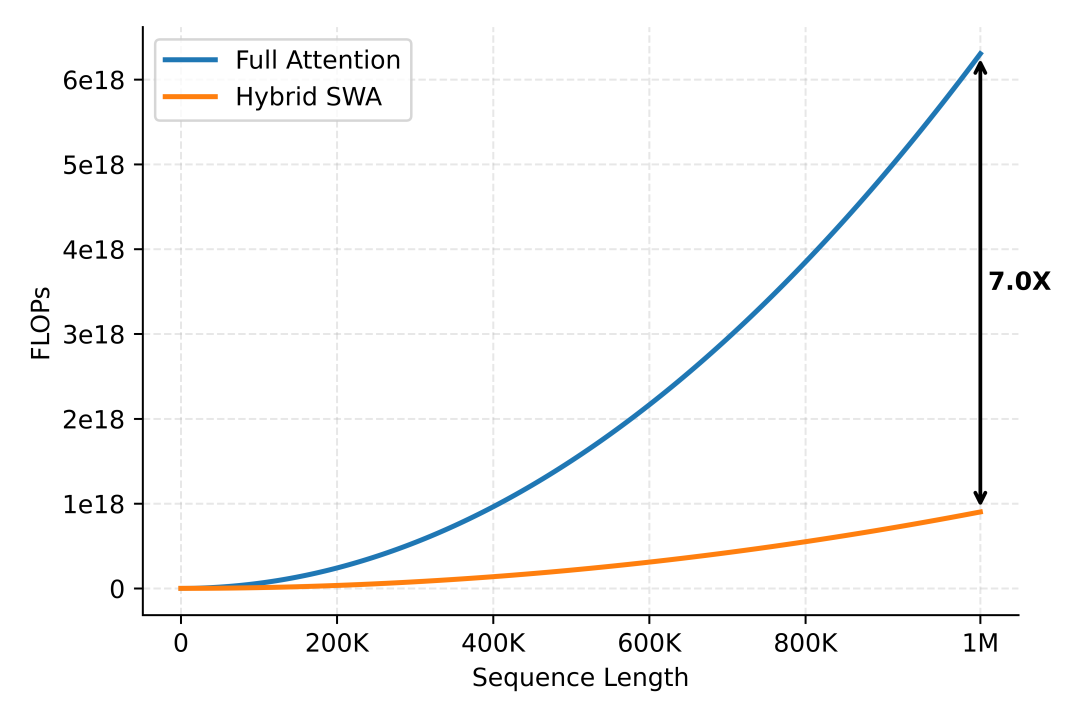
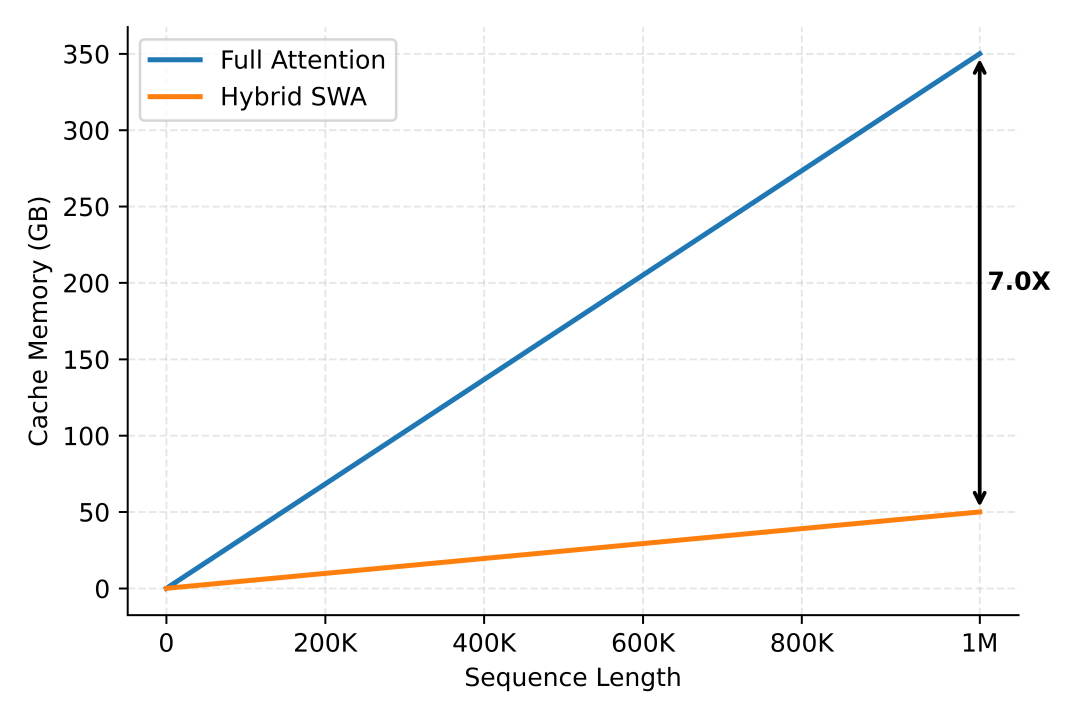 {/* feishu-style:text-align:left */}
There are significant differences in the KVCache storage of different model architectures, and there are also differences in memory access patterns. The following is an estimate of the KVCache size for each domestic model. It can be seen that MiMo-V2.5-Pro and MiMo-V2.5 rank second among domestic models in terms of KVCache, second only to DeepSeek-V4-Pro and Flash.
{/* feishu-style:text-align:left */}
There are significant differences in the KVCache storage of different model architectures, and there are also differences in memory access patterns. The following is an estimate of the KVCache size for each domestic model. It can be seen that MiMo-V2.5-Pro and MiMo-V2.5 rank second among domestic models in terms of KVCache, second only to DeepSeek-V4-Pro and Flash.
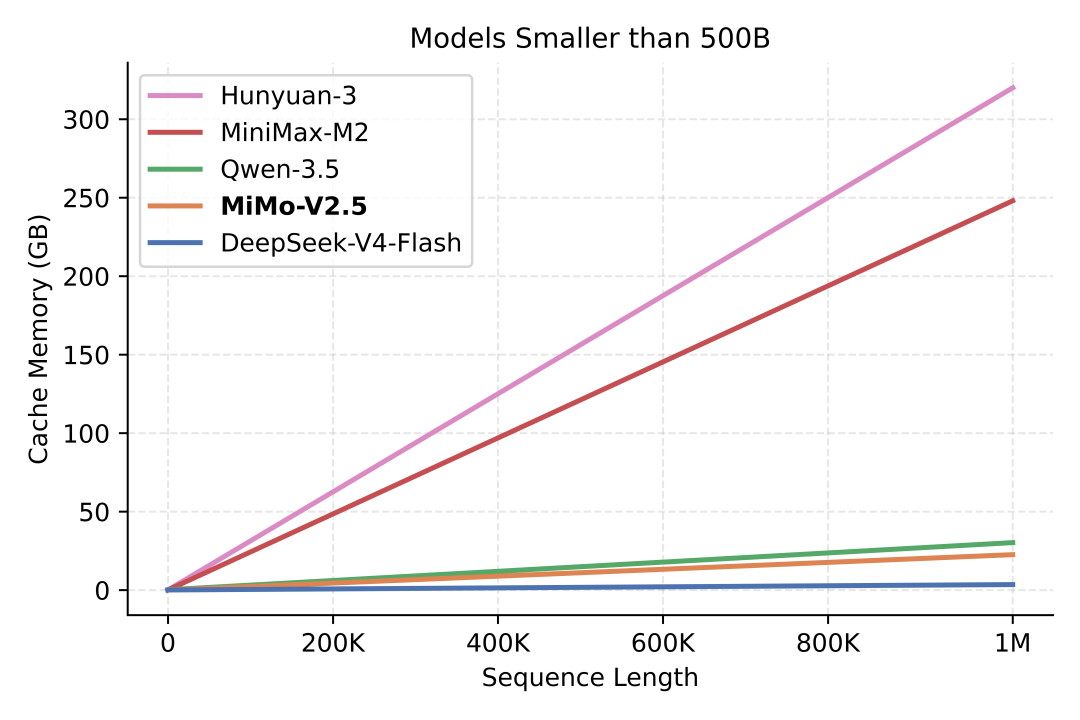
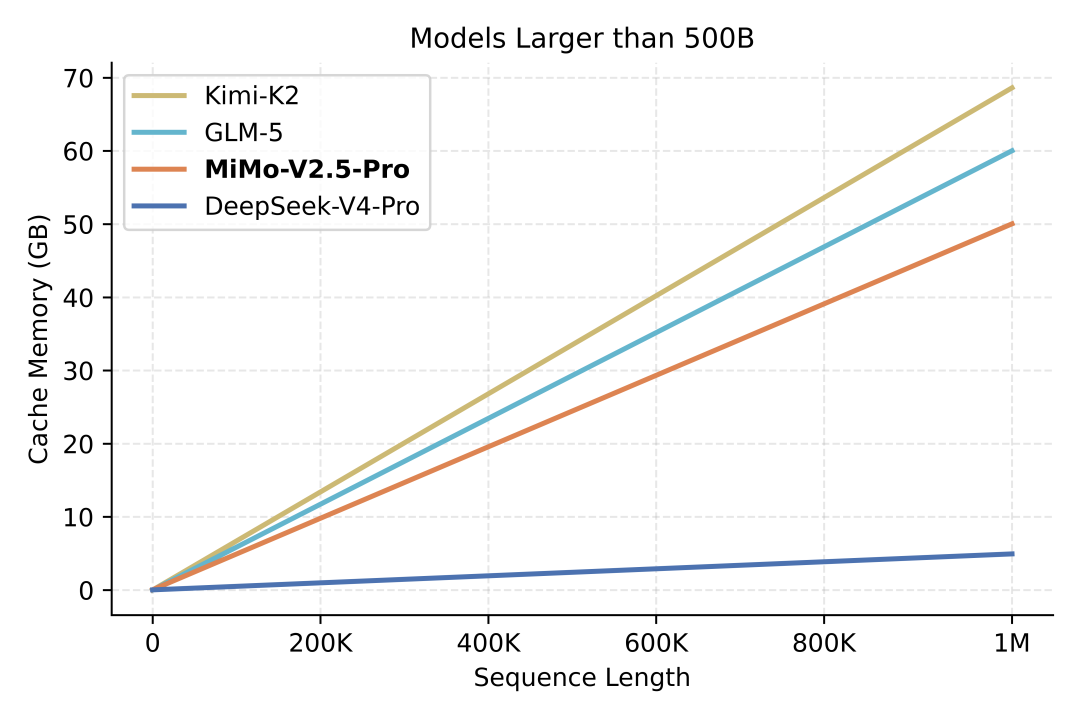 {/* feishu-style:text-align:left */}
It should be noted that the actual cost difference is not strictly equivalent to the KVCache scale ratio, because there are also fixed computational and memory access overheads that are independent of the sequence length. However, in the long context scenario, the overall trend remains consistent: **the cost-effectiveness of short texts is similar, and the longer the sequence, the greater the inference cost advantage** .
## 2. KVCache System Refactoring
{/* feishu-style:text-align:left */}
As models that were among the first to adopt the Hybrid SWA architecture, the MiMo-V2 and MiMo-V2.5 series faced the issue that, at the time, neither mainstream open-source inference frameworks nor caching systems provided complete support for SWA. At the beginning of the MiMo API launch, we chose SGLang v0.5.5 as the codebase for the service backend. Immediately afterwards, we encountered a severe test. In the then version, SGLang's HiCache did not support SWA, or rather, the early SWA support was implemented in a way that "compatible with SWA at the cost of storing Full KVCache". Although there are some temporary solutions to make SWA more usable, we still hope to develop a KVCache system with a higher ceiling and better usability.
### 2.1 SWA KVCache Management
#### KVCache Dual Pool
{/* feishu-style:text-align:left */}
Hybrid SWA introduces a core storage contradiction: the Full Attention layer needs to retain full-sequence KV (O(N)), while the SWA layer only needs to maintain KV within the sliding window (O(W)). However, under the traditional single KV pool design, the system must uniformly allocate video memory for all layers according to O(N), preventing the window sparsity of SWA from being utilized, and the actual storage efficiency degrades to an approximate implementation of Full KVCache.
{/* feishu-style:text-align:left */}
To address this issue, a natural approach is to split KVCache into two independent pools, Full Attention and SWA, and perform unified abstraction at the system level:
- **Physical Level**: Maintain Full KV pool and SWA KV pool separately. The SWA pool only configures its capacity according to the window size and supports independent eviction based on the window, thereby strictly limiting SWA storage to the O(W) scale; this mechanism also extends to the L2 and L3 storage levels.
- **Logical Level**: Still exposes a single sequence view to the upper layer (prefix tree, scheduler, and transport protocol), with the Full Attention index as the authoritative index, and maintains the mapping relationship from Full to SWA to achieve transparent hierarchical storage.
- **Scheduling Constraints** : When the system receives an access request, it simultaneously verifies the capacity constraints of Full KV and SWA KV to avoid misjudgment of resources in a single dimension.
- **Data Transfer**: Cross-layer transfer is performed solely based on the SWA mask to ensure that only data within the valid window is transferred, thereby avoiding redundant bandwidth occupation.
{/* feishu-style:text-align:left */}
Through the above design, SWA KVCache achieves strict O(W) storage constraints at the system level, increasing the overall KVCache capacity efficiency by approximately 7×, thereby truly unleashing the structural advantages of Hybrid SWA. Mainstream inference frameworks have also adopted similar implementation schemes.
#### KVCache asynchronous layer-by-layer pulling
{/* feishu-style:text-align:left */}
After the implementation of SWA KVCache storage optimization, the SWA layer only needs to prefetch a very small amount of KVCache, which enables the process of prefetching KVCache from the Host to the Device to achieve perfect overlap through layerwise granularity scheduling. As a result, the cost of Cache reads during the inference process is close to zero.
{/* feishu-style:text-align:left */}
It should be noted that the actual cost difference is not strictly equivalent to the KVCache scale ratio, because there are also fixed computational and memory access overheads that are independent of the sequence length. However, in the long context scenario, the overall trend remains consistent: **the cost-effectiveness of short texts is similar, and the longer the sequence, the greater the inference cost advantage** .
## 2. KVCache System Refactoring
{/* feishu-style:text-align:left */}
As models that were among the first to adopt the Hybrid SWA architecture, the MiMo-V2 and MiMo-V2.5 series faced the issue that, at the time, neither mainstream open-source inference frameworks nor caching systems provided complete support for SWA. At the beginning of the MiMo API launch, we chose SGLang v0.5.5 as the codebase for the service backend. Immediately afterwards, we encountered a severe test. In the then version, SGLang's HiCache did not support SWA, or rather, the early SWA support was implemented in a way that "compatible with SWA at the cost of storing Full KVCache". Although there are some temporary solutions to make SWA more usable, we still hope to develop a KVCache system with a higher ceiling and better usability.
### 2.1 SWA KVCache Management
#### KVCache Dual Pool
{/* feishu-style:text-align:left */}
Hybrid SWA introduces a core storage contradiction: the Full Attention layer needs to retain full-sequence KV (O(N)), while the SWA layer only needs to maintain KV within the sliding window (O(W)). However, under the traditional single KV pool design, the system must uniformly allocate video memory for all layers according to O(N), preventing the window sparsity of SWA from being utilized, and the actual storage efficiency degrades to an approximate implementation of Full KVCache.
{/* feishu-style:text-align:left */}
To address this issue, a natural approach is to split KVCache into two independent pools, Full Attention and SWA, and perform unified abstraction at the system level:
- **Physical Level**: Maintain Full KV pool and SWA KV pool separately. The SWA pool only configures its capacity according to the window size and supports independent eviction based on the window, thereby strictly limiting SWA storage to the O(W) scale; this mechanism also extends to the L2 and L3 storage levels.
- **Logical Level**: Still exposes a single sequence view to the upper layer (prefix tree, scheduler, and transport protocol), with the Full Attention index as the authoritative index, and maintains the mapping relationship from Full to SWA to achieve transparent hierarchical storage.
- **Scheduling Constraints** : When the system receives an access request, it simultaneously verifies the capacity constraints of Full KV and SWA KV to avoid misjudgment of resources in a single dimension.
- **Data Transfer**: Cross-layer transfer is performed solely based on the SWA mask to ensure that only data within the valid window is transferred, thereby avoiding redundant bandwidth occupation.
{/* feishu-style:text-align:left */}
Through the above design, SWA KVCache achieves strict O(W) storage constraints at the system level, increasing the overall KVCache capacity efficiency by approximately 7×, thereby truly unleashing the structural advantages of Hybrid SWA. Mainstream inference frameworks have also adopted similar implementation schemes.
#### KVCache asynchronous layer-by-layer pulling
{/* feishu-style:text-align:left */}
After the implementation of SWA KVCache storage optimization, the SWA layer only needs to prefetch a very small amount of KVCache, which enables the process of prefetching KVCache from the Host to the Device to achieve perfect overlap through layerwise granularity scheduling. As a result, the cost of Cache reads during the inference process is close to zero.
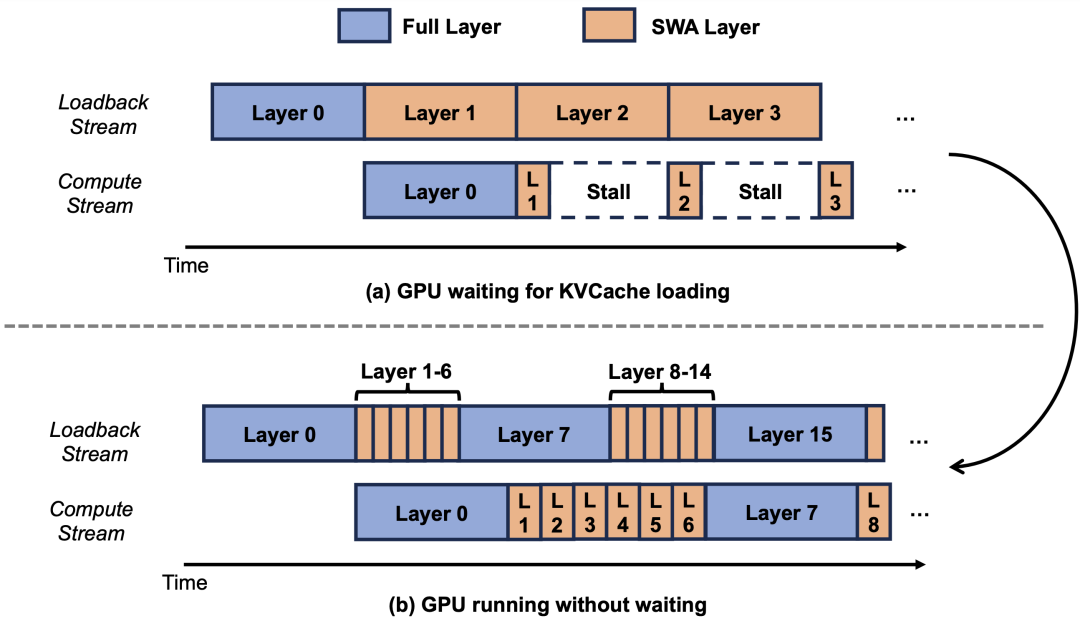 #### SWA-aware prefix cache tree
{/* feishu-style:text-align:left */}
The hit rule of traditional RadixAttention is based on a simple assumption: **equal token sequences → equal KV** . This assumption holds true in Full Attention mode - as long as two requests share the same token id, their corresponding KV must still be in the pool and can be directly reused.
{/* feishu-style:text-align:left */}
However, this assumption is broken in SWA mode. The reason is that the logical lifecycle of the prefix tree does not align with the physical lifecycle of SWA KV. The length of prefix tree nodes is not constrained by the SWA window. The sequence length of a node can be either shorter or much longer than the window; moreover, nodes change continuously with request merging, splitting, and removal. Thus, although a prefix tree node still logically represents a complete token sequence, its corresponding SWA KV **may only have its last part remaining, or may even have completely disappeared.** If the prefix tree still gives the reuse length according to the rule of "matching when tokens are equal", what the scheduler receives may be a pseudo-match where "the tail KV has evaporated" - subsequent attention calculations will read invalid or overwritten slots, directly affecting the model's performance.
{/* feishu-style:text-align:left */}
To ensure that prefix reuse remains correct and efficient in SWA mode, it is necessary to modify the semantics of the prefix tree in three aspects:
1. **The matching rule has been upgraded to "window safety length"** : In addition to token equality, it is also necessary to ensure that at least W tokens at the end still have valid slots in the SWA pool. The matching length is trimmed to this new boundary - the part beyond it is treated as a miss. This ensures that all KV retrieved from the hit segment must be valid.
1. **The elimination path is bound to the request lifecycle** : Each chunk of long prefill completion, request end, and decode generating a certain number of tokens all trigger a release of out-of-window SWA. This ensures that the SWA pool occupancy remains constant at the W or chunk level in long context/long output tasks, rather than growing with the sequence length.
1. **The node simultaneously carries two sets of indexes** : Each prefix tree node records two pieces of information - the Full Attention segment index (determines the logical order and participates in the Full Attention layer computation) and the SWA segment mapping (determines window security). During eviction, they also need to be managed separately: the SWA segments outside the window can be evicted individually while retaining the Full Attention segments (so that the prefix can still be reused by the Full Attention layer), or the entire segment can be evicted.
{/* feishu-style:text-align:left */}
SWA compressing the KV volume to 1/7 is **the gain at the capacity level** , while the hit rate is **the gain at the reuse level** . Only when the two are multiplied can we obtain the curve of the actual computational cost during the prefill phase. After introducing the "window safety length" matching rule, the hit rate of KVCache with the same token capacity theoretically decreases slightly, but the number of tokens under the same storage capacity reaches several times, resulting in a substantial increase in the actual hit rate.
#### SWA-aware prefix cache tree
{/* feishu-style:text-align:left */}
The hit rule of traditional RadixAttention is based on a simple assumption: **equal token sequences → equal KV** . This assumption holds true in Full Attention mode - as long as two requests share the same token id, their corresponding KV must still be in the pool and can be directly reused.
{/* feishu-style:text-align:left */}
However, this assumption is broken in SWA mode. The reason is that the logical lifecycle of the prefix tree does not align with the physical lifecycle of SWA KV. The length of prefix tree nodes is not constrained by the SWA window. The sequence length of a node can be either shorter or much longer than the window; moreover, nodes change continuously with request merging, splitting, and removal. Thus, although a prefix tree node still logically represents a complete token sequence, its corresponding SWA KV **may only have its last part remaining, or may even have completely disappeared.** If the prefix tree still gives the reuse length according to the rule of "matching when tokens are equal", what the scheduler receives may be a pseudo-match where "the tail KV has evaporated" - subsequent attention calculations will read invalid or overwritten slots, directly affecting the model's performance.
{/* feishu-style:text-align:left */}
To ensure that prefix reuse remains correct and efficient in SWA mode, it is necessary to modify the semantics of the prefix tree in three aspects:
1. **The matching rule has been upgraded to "window safety length"** : In addition to token equality, it is also necessary to ensure that at least W tokens at the end still have valid slots in the SWA pool. The matching length is trimmed to this new boundary - the part beyond it is treated as a miss. This ensures that all KV retrieved from the hit segment must be valid.
1. **The elimination path is bound to the request lifecycle** : Each chunk of long prefill completion, request end, and decode generating a certain number of tokens all trigger a release of out-of-window SWA. This ensures that the SWA pool occupancy remains constant at the W or chunk level in long context/long output tasks, rather than growing with the sequence length.
1. **The node simultaneously carries two sets of indexes** : Each prefix tree node records two pieces of information - the Full Attention segment index (determines the logical order and participates in the Full Attention layer computation) and the SWA segment mapping (determines window security). During eviction, they also need to be managed separately: the SWA segments outside the window can be evicted individually while retaining the Full Attention segments (so that the prefix can still be reused by the Full Attention layer), or the entire segment can be evicted.
{/* feishu-style:text-align:left */}
SWA compressing the KV volume to 1/7 is **the gain at the capacity level** , while the hit rate is **the gain at the reuse level** . Only when the two are multiplied can we obtain the curve of the actual computational cost during the prefill phase. After introducing the "window safety length" matching rule, the hit rate of KVCache with the same token capacity theoretically decreases slightly, but the number of tokens under the same storage capacity reaches several times, resulting in a substantial increase in the actual hit rate.
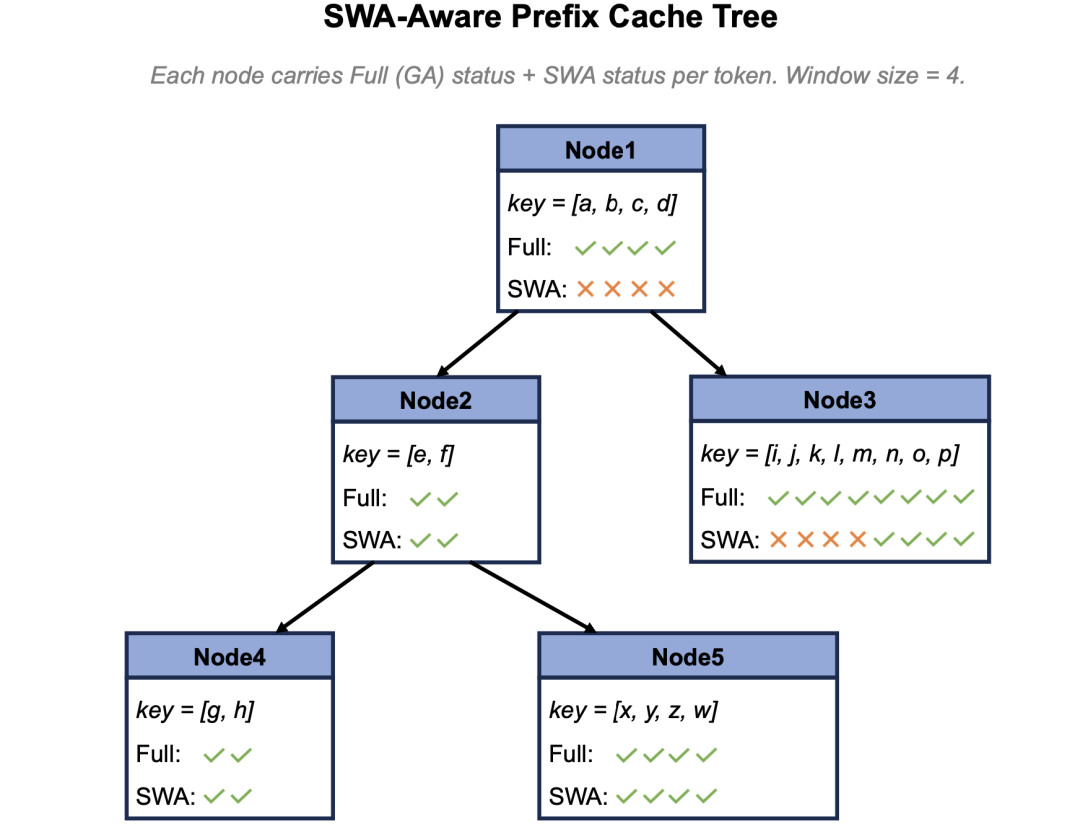 #### Optimization of KVCache Hit Rate Improvement
{/* feishu-style:text-align:left */}
After all three levels of HiCache are transformed into SWA-aware, the device, host, and storage backend each maintain a set of states indicating "which locations have valid SWA". However, HiCache's data transfer link is asynchronous, cross-deployment caches vary, and the length of shared prefixes across sessions also varies - which means that inconsistencies are likely to occur between the Full Attention Cache and valid SWA indices on each end. According to the matching rules of the SWA-aware prefix cache tree, if a sequence can be hit on the Full Attention Cache but not on the SWA Cache, it will lead to severe matching length truncation. The more truncation there is, the longer the length that needs to be recalculated, and the lower the optimization effect of the SWA Cache. Therefore, we have optimized distributed consistency and cache hit rate for different scenarios:
- **Device side complete, host side missing**: When L3→L2 prefetching only pulls in the tail segment of the sequence due to bandwidth and latency trade-offs, or when the L1 prefix tree is not synchronized to L2/L3 after reorganization, the problem of a complete device side but a missing host side may occur.In response, we proactively check the difference set of the occupancy of the two sets of SWA (device/host) at time points such as node merging in the prefix tree and completion of prefill, allocate additional slots in the SWA pool on the host side, and asynchronously write the SWA KV of the device from D2H.
- **Host side is complete, device side is missing**: Wait until the next H2D completes natural alignment, no need for active patching.
- **High-frequency sequence L3 prefix expiration**: The head of the long sequence persists in L1/L2 due to high-frequency access, and Cache affinity routes requests with the same prefix to the same node. As a result, the Cache in L3 may be cleaned up by the storage eviction policy due to long-term lack of direct access, leading to the premature release of the L3 Cache of the global high-frequency sequence and a significant reduction in cross-machine reuse. To address this, when accessing the Cache on L1/L2, we query the L3 Cache at a certain interval to avoid eviction.
- **SWA Retention Strategy for Medium and Short Sequences** : For SWA of medium and short sequences, we fix relatively dense SWA KV Caches at certain lengths based on user request patterns. Although increasing the density of SWA will raise the proportion of SWA in the overall KV Cache, it can directly benefit scenarios such as multi-user sharing of system prompts.
{/* feishu-style:text-align:left */}
Through the above optimizations, we have truly transformed the expansion at the KV Cache capacity level into a high effective hit length, making it possible to reuse long prefixes across sessions, which is particularly beneficial for scenarios such as long conversations of agents, multi-user sharing of system prompts, and tool calls with multiple accesses to the same codebase.
### 2.2 GCache: High-performance Distributed Cache Infrastructure
{/* feishu-style:text-align:left */}
GCache is a high-performance general-purpose cache developed by Xiaomi's Storage Team, and it is an important part of building the "training and inference integrated" storage system. In the early days of the training scenario, the Storage Team realized that some open-source cache projects had limited acceleration effects on distributed file systems and could not fully unleash their performance, so they embarked on the path of self-developed. Later, with the release of the MiMo large model and the launch of inference services, the team also transformed GCache into an independent storage product for model distribution and as the L3 KVCache of the inference engine.
{/* feishu-style:text-align:left */}
GCache supports both file and KV semantics, multi-level caching of memory/disk/remote, has shm memory persistence and whole-link zero-copy capabilities, supports advanced features such as high-concurrency non-blocking IO and RDMA communication, meets the performance requirements of upper-layer services for high throughput and low latency, and has good scalability.
#### Architecture Design
#### Optimization of KVCache Hit Rate Improvement
{/* feishu-style:text-align:left */}
After all three levels of HiCache are transformed into SWA-aware, the device, host, and storage backend each maintain a set of states indicating "which locations have valid SWA". However, HiCache's data transfer link is asynchronous, cross-deployment caches vary, and the length of shared prefixes across sessions also varies - which means that inconsistencies are likely to occur between the Full Attention Cache and valid SWA indices on each end. According to the matching rules of the SWA-aware prefix cache tree, if a sequence can be hit on the Full Attention Cache but not on the SWA Cache, it will lead to severe matching length truncation. The more truncation there is, the longer the length that needs to be recalculated, and the lower the optimization effect of the SWA Cache. Therefore, we have optimized distributed consistency and cache hit rate for different scenarios:
- **Device side complete, host side missing**: When L3→L2 prefetching only pulls in the tail segment of the sequence due to bandwidth and latency trade-offs, or when the L1 prefix tree is not synchronized to L2/L3 after reorganization, the problem of a complete device side but a missing host side may occur.In response, we proactively check the difference set of the occupancy of the two sets of SWA (device/host) at time points such as node merging in the prefix tree and completion of prefill, allocate additional slots in the SWA pool on the host side, and asynchronously write the SWA KV of the device from D2H.
- **Host side is complete, device side is missing**: Wait until the next H2D completes natural alignment, no need for active patching.
- **High-frequency sequence L3 prefix expiration**: The head of the long sequence persists in L1/L2 due to high-frequency access, and Cache affinity routes requests with the same prefix to the same node. As a result, the Cache in L3 may be cleaned up by the storage eviction policy due to long-term lack of direct access, leading to the premature release of the L3 Cache of the global high-frequency sequence and a significant reduction in cross-machine reuse. To address this, when accessing the Cache on L1/L2, we query the L3 Cache at a certain interval to avoid eviction.
- **SWA Retention Strategy for Medium and Short Sequences** : For SWA of medium and short sequences, we fix relatively dense SWA KV Caches at certain lengths based on user request patterns. Although increasing the density of SWA will raise the proportion of SWA in the overall KV Cache, it can directly benefit scenarios such as multi-user sharing of system prompts.
{/* feishu-style:text-align:left */}
Through the above optimizations, we have truly transformed the expansion at the KV Cache capacity level into a high effective hit length, making it possible to reuse long prefixes across sessions, which is particularly beneficial for scenarios such as long conversations of agents, multi-user sharing of system prompts, and tool calls with multiple accesses to the same codebase.
### 2.2 GCache: High-performance Distributed Cache Infrastructure
{/* feishu-style:text-align:left */}
GCache is a high-performance general-purpose cache developed by Xiaomi's Storage Team, and it is an important part of building the "training and inference integrated" storage system. In the early days of the training scenario, the Storage Team realized that some open-source cache projects had limited acceleration effects on distributed file systems and could not fully unleash their performance, so they embarked on the path of self-developed. Later, with the release of the MiMo large model and the launch of inference services, the team also transformed GCache into an independent storage product for model distribution and as the L3 KVCache of the inference engine.
{/* feishu-style:text-align:left */}
GCache supports both file and KV semantics, multi-level caching of memory/disk/remote, has shm memory persistence and whole-link zero-copy capabilities, supports advanced features such as high-concurrency non-blocking IO and RDMA communication, meets the performance requirements of upper-layer services for high throughput and low latency, and has good scalability.
#### Architecture Design
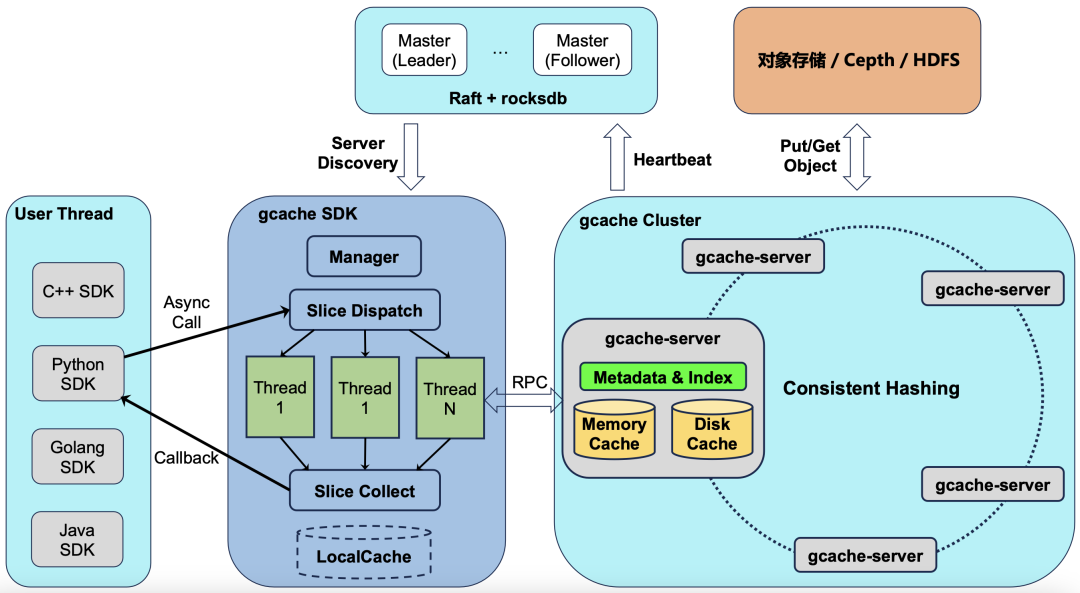 {/* feishu-style:text-align:left */}
GCache has several characteristics:
1. **The decentralized metadata management approach allows the cluster scale to expand without limitations:**
- Calculate the consistent hash for the key to determine the storage location.
- Master uses Raft high-availability deployment. However, Master is only responsible for managing heartbeats and Service Discovery, and the IO path does not pass through Master.
1. **The server supports both memory and disk caching simultaneously:**
- Cold data in memory will be evicted to disk, while hot data on disk will be promoted to memory. This mode is very friendly to inference scenarios, automatically ensuring the performance of active sessions and reducing the cost of sessions that have not been started for a long time.
- Memory supports persistence to shm, ensuring that cached data is not lost when the service is restarted.
- Supports smooth scaling up or down of machines without losing cache during the process.
1. **Provide multi-language SDK, start a dedicated thread, slice and dispatch user requests:**
- Does not occupy the resources of user threads; slicing improves concurrency and controls the IO size within a range friendly to RDMA.
- The thread callback operates in Asynchronous Mode, allowing flexible control of callback granularity, such as single kv level, batch level, or CUDA stream level.
#### Network Optimization
{/* feishu-style:text-align:left */}
Currently, mainstream GPU models are all equipped with eight 400G high-performance network cards. However, even when considering the separate deployment of PD, the current inference frameworks still struggle to fully utilize the network bandwidth, leading to voices in the industry calling for reducing the configuration of network cards to cut costs.
{/* feishu-style:text-align:left */}
To fully leverage the capabilities of high-speed networks, GCache preferentially uses GPU network cards instead of front-end network cards for communication, and has made extensive optimizations on the communication module, such as NUMA binding and same-track affinity. In terms of specific performance metrics, when using 1MB-sized IOs, the RDMA read throughput of a single process can reach 170 GB/s, with a latency of only 280 us; in the GDR scenario, due to the higher bandwidth of HBM, a single process can reach approximately 350 GB/s, which is sufficient to meet the communication performance requirements of inference frameworks.
#### Storage Cost Optimization
{/* feishu-style:text-align:left */}
2026 will undoubtedly be a year when the industry is highly sensitive to storage costs. Unlike other competitors that use dedicated storage models, GCache preferentially adopts the method of co-locating on GPU machines, taking over part of the memory of Prefill and Decode nodes, as well as several NVMe SSDs that come with the machine, with additional storage costs being 0.
#### Stability Assurance
{/* feishu-style:text-align:left */}
Due to the mixed fabric, the high failure rate of GPU machines has become a hurdle in front of stability. Since its launch, GCache has basically encountered machine failures where the server is located every day. First, the team spent a great deal of time and effort strengthening the fault handling logic of the code; second, since the keys are fully scattered by consistent hashing, by performing pre-logical grouping on session IDs, the fault radius has also been reduced; finally, by combining the hardware detection capabilities provided by the underlying platform, faults are detected in advance, and automated processes are used for data migration. For extremely rare sudden downtime events that cannot be addressed in advance, by setting a lower SDK timeout, the inference framework can promptly detect misses and perform recalculation, ensuring that the front-end inference process is not significantly affected.
{/* feishu-style:text-align:left */}
Based on the above work, GCache has been able to maintain single-copy storage in the hybrid deployment state without using multi-copy means to improve availability, which is also one of the important reasons for the relatively low storage cost.
### 2.3 Discussion on Cache Hit Rate
{/* feishu-style:text-align:left */}
Thanks to the aforementioned optimizations for SWA on KVCache - lower storage footprint, supplemented by a more stable large-capacity GCache as L3 storage - we have been able to significantly extend the TTL (Time-To-Live) of the cache, thereby substantially increasing the hit rate of the KV Cache. The eviction of KVCache essentially stems from storage capacity constraints. When the capacity approaches saturation, the system must prioritize retaining the KV Cache generated by new requests and evict historically accessed entries according to strategies such as LRU, which directly results in the fact that a certain context often fails to be hit when reused after several hours. The extremely small storage footprint of SWA enables the cache capacity for concurrent requests that can be supported to increase exponentially under the same cost, while the large-capacity L3 further expands the available capacity at low cost—the more abundant the storage space, the less pressure there is for KVCache to be evicted, and naturally the longer its retention duration.The longer the TTL, the wider the hit window for historical context, and the cache hit rate rises accordingly. Additionally, although the smaller bandwidth transmission pressure of SWA does not directly affect TTL, it significantly reduces the data transfer overhead between multi-level storage, providing a guarantee for the stable and efficient operation of the entire cache system.
{/* feishu-style:text-align:left */}
Since the model went live, we have continuously observed on the server side that under the mainstream high-quality harness framework, the server-side KV Cache hit rate can reach an average of **93%** ; for individual users with high-intensity and long-term usage, this indicator can even climb to **95%** or higher. In the future, we will continue to iterate on the KV Cache management logic of SWA and collaborate with more harness frameworks to promote the co-design of harness-inference to further optimize the upper limit of the cache hit rate.
## III. Scheduling Optimization
{/* feishu-style:text-align:left */}
In the early days of the SGLang community, the router service was not yet fully mature, and there was no data sharing among multiple instances. If a router service unexpectedly fails or requests are routed to different router services, the issue of KVCache scheduling fallback will occur. To address this issue and ensure high availability in large-scale Clustered Deployment, Xiaomi developed the dynamically scalable stateless scheduler LLM-Router. By using Redis as a centralized storage, it avoids the KVCache scheduling fallback phenomenon after a single-service failure, thereby ensuring a more stable cache hit rate.
### 3.1 KVCache and Load Affinity Scheduling
{/* feishu-style:text-align:left */}
Since HiCache is highly sensitive to the L2 hit rate, if there is a miss in L2, it is necessary to search in L3 and fetch the KVCache, and only after the fetching is completed can the request be inferred. Increasing the L2 hit rate from the router side can reduce unnecessary synchronous waiting, thereby directly improving throughput performance.
{/* feishu-style:text-align:left */}
Router implements KVCache affinity scheduling by maintaining distributed requests in a Radix prefix tree. It preferentially selects among multiple Prefill instances**nodes that have cached the prefix of the current request**, and at the same time**takes load balance into account**to avoid hot spot skew. After the strategy was launched, it increased the cache hit rate of L2 by approximately**25%** , and the single-machine input throughput by approximately**30%** . Its core formula is roughly:
```bash
# 选择 score 最大的 worker,含义:缓存命中率高 + 负载低 = 得分高 = 优先选择score(worker) = matchWeight × prefix_match_percentage − normalized_load
```
### 3.2 TTFT Optimization
{/* feishu-style:text-align:left */}
When queuing occurs in model services, the traditional First Come First Serve strategy does not consider the priority relationship between requests with high and low hit rates, causing requests with more cache hits but fewer real computational tokens to potentially wait for requests with lower cache hit rates to finish inference before they can start. The TTFT P99 of the overall service becomes extremely long, slowing down the average performance of the overall throughput.
{/* feishu-style:text-align:left */}
To address this issue, when the waiting queue selects to prioritize the execution of the prefill service, the Router side preferentially schedules requests with fewer real computational tokens, avoiding the problem of P99 degradation caused by blocking requests that originally had short computation times. Meanwhile, this strategy may lead to the starvation phenomenon where some requests are not scheduled for a long time, so we have also added a waiting time penalty mechanism to balance this phenomenon. The results show that this strategy does not degrade the service quality for shorter requests, while for longer requests, it can reduce the P90 metric of TTFT by up to **30%** .
{/* feishu-style:text-align:left */}
GCache has several characteristics:
1. **The decentralized metadata management approach allows the cluster scale to expand without limitations:**
- Calculate the consistent hash for the key to determine the storage location.
- Master uses Raft high-availability deployment. However, Master is only responsible for managing heartbeats and Service Discovery, and the IO path does not pass through Master.
1. **The server supports both memory and disk caching simultaneously:**
- Cold data in memory will be evicted to disk, while hot data on disk will be promoted to memory. This mode is very friendly to inference scenarios, automatically ensuring the performance of active sessions and reducing the cost of sessions that have not been started for a long time.
- Memory supports persistence to shm, ensuring that cached data is not lost when the service is restarted.
- Supports smooth scaling up or down of machines without losing cache during the process.
1. **Provide multi-language SDK, start a dedicated thread, slice and dispatch user requests:**
- Does not occupy the resources of user threads; slicing improves concurrency and controls the IO size within a range friendly to RDMA.
- The thread callback operates in Asynchronous Mode, allowing flexible control of callback granularity, such as single kv level, batch level, or CUDA stream level.
#### Network Optimization
{/* feishu-style:text-align:left */}
Currently, mainstream GPU models are all equipped with eight 400G high-performance network cards. However, even when considering the separate deployment of PD, the current inference frameworks still struggle to fully utilize the network bandwidth, leading to voices in the industry calling for reducing the configuration of network cards to cut costs.
{/* feishu-style:text-align:left */}
To fully leverage the capabilities of high-speed networks, GCache preferentially uses GPU network cards instead of front-end network cards for communication, and has made extensive optimizations on the communication module, such as NUMA binding and same-track affinity. In terms of specific performance metrics, when using 1MB-sized IOs, the RDMA read throughput of a single process can reach 170 GB/s, with a latency of only 280 us; in the GDR scenario, due to the higher bandwidth of HBM, a single process can reach approximately 350 GB/s, which is sufficient to meet the communication performance requirements of inference frameworks.
#### Storage Cost Optimization
{/* feishu-style:text-align:left */}
2026 will undoubtedly be a year when the industry is highly sensitive to storage costs. Unlike other competitors that use dedicated storage models, GCache preferentially adopts the method of co-locating on GPU machines, taking over part of the memory of Prefill and Decode nodes, as well as several NVMe SSDs that come with the machine, with additional storage costs being 0.
#### Stability Assurance
{/* feishu-style:text-align:left */}
Due to the mixed fabric, the high failure rate of GPU machines has become a hurdle in front of stability. Since its launch, GCache has basically encountered machine failures where the server is located every day. First, the team spent a great deal of time and effort strengthening the fault handling logic of the code; second, since the keys are fully scattered by consistent hashing, by performing pre-logical grouping on session IDs, the fault radius has also been reduced; finally, by combining the hardware detection capabilities provided by the underlying platform, faults are detected in advance, and automated processes are used for data migration. For extremely rare sudden downtime events that cannot be addressed in advance, by setting a lower SDK timeout, the inference framework can promptly detect misses and perform recalculation, ensuring that the front-end inference process is not significantly affected.
{/* feishu-style:text-align:left */}
Based on the above work, GCache has been able to maintain single-copy storage in the hybrid deployment state without using multi-copy means to improve availability, which is also one of the important reasons for the relatively low storage cost.
### 2.3 Discussion on Cache Hit Rate
{/* feishu-style:text-align:left */}
Thanks to the aforementioned optimizations for SWA on KVCache - lower storage footprint, supplemented by a more stable large-capacity GCache as L3 storage - we have been able to significantly extend the TTL (Time-To-Live) of the cache, thereby substantially increasing the hit rate of the KV Cache. The eviction of KVCache essentially stems from storage capacity constraints. When the capacity approaches saturation, the system must prioritize retaining the KV Cache generated by new requests and evict historically accessed entries according to strategies such as LRU, which directly results in the fact that a certain context often fails to be hit when reused after several hours. The extremely small storage footprint of SWA enables the cache capacity for concurrent requests that can be supported to increase exponentially under the same cost, while the large-capacity L3 further expands the available capacity at low cost—the more abundant the storage space, the less pressure there is for KVCache to be evicted, and naturally the longer its retention duration.The longer the TTL, the wider the hit window for historical context, and the cache hit rate rises accordingly. Additionally, although the smaller bandwidth transmission pressure of SWA does not directly affect TTL, it significantly reduces the data transfer overhead between multi-level storage, providing a guarantee for the stable and efficient operation of the entire cache system.
{/* feishu-style:text-align:left */}
Since the model went live, we have continuously observed on the server side that under the mainstream high-quality harness framework, the server-side KV Cache hit rate can reach an average of **93%** ; for individual users with high-intensity and long-term usage, this indicator can even climb to **95%** or higher. In the future, we will continue to iterate on the KV Cache management logic of SWA and collaborate with more harness frameworks to promote the co-design of harness-inference to further optimize the upper limit of the cache hit rate.
## III. Scheduling Optimization
{/* feishu-style:text-align:left */}
In the early days of the SGLang community, the router service was not yet fully mature, and there was no data sharing among multiple instances. If a router service unexpectedly fails or requests are routed to different router services, the issue of KVCache scheduling fallback will occur. To address this issue and ensure high availability in large-scale Clustered Deployment, Xiaomi developed the dynamically scalable stateless scheduler LLM-Router. By using Redis as a centralized storage, it avoids the KVCache scheduling fallback phenomenon after a single-service failure, thereby ensuring a more stable cache hit rate.
### 3.1 KVCache and Load Affinity Scheduling
{/* feishu-style:text-align:left */}
Since HiCache is highly sensitive to the L2 hit rate, if there is a miss in L2, it is necessary to search in L3 and fetch the KVCache, and only after the fetching is completed can the request be inferred. Increasing the L2 hit rate from the router side can reduce unnecessary synchronous waiting, thereby directly improving throughput performance.
{/* feishu-style:text-align:left */}
Router implements KVCache affinity scheduling by maintaining distributed requests in a Radix prefix tree. It preferentially selects among multiple Prefill instances**nodes that have cached the prefix of the current request**, and at the same time**takes load balance into account**to avoid hot spot skew. After the strategy was launched, it increased the cache hit rate of L2 by approximately**25%** , and the single-machine input throughput by approximately**30%** . Its core formula is roughly:
```bash
# 选择 score 最大的 worker,含义:缓存命中率高 + 负载低 = 得分高 = 优先选择score(worker) = matchWeight × prefix_match_percentage − normalized_load
```
### 3.2 TTFT Optimization
{/* feishu-style:text-align:left */}
When queuing occurs in model services, the traditional First Come First Serve strategy does not consider the priority relationship between requests with high and low hit rates, causing requests with more cache hits but fewer real computational tokens to potentially wait for requests with lower cache hit rates to finish inference before they can start. The TTFT P99 of the overall service becomes extremely long, slowing down the average performance of the overall throughput.
{/* feishu-style:text-align:left */}
To address this issue, when the waiting queue selects to prioritize the execution of the prefill service, the Router side preferentially schedules requests with fewer real computational tokens, avoiding the problem of P99 degradation caused by blocking requests that originally had short computation times. Meanwhile, this strategy may lead to the starvation phenomenon where some requests are not scheduled for a long time, so we have also added a waiting time penalty mechanism to balance this phenomenon. The results show that this strategy does not degrade the service quality for shorter requests, while for longer requests, it can reduce the P90 metric of TTFT by up to **30%** .
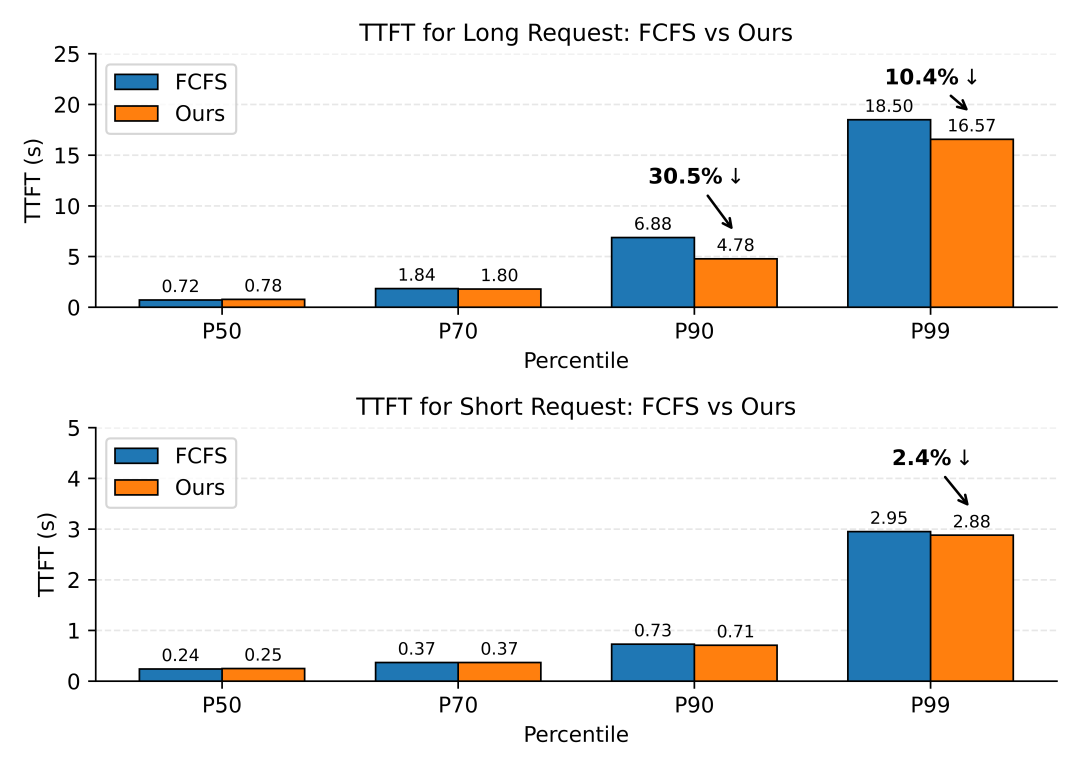 ## 4. Prefill Optimization
### 4.1 Distributed Configuration
{/* feishu-style:text-align:left */}
Theoretically, the smaller the EP (Expert Parallelism) during the prefill phase, the better the performance and throughput, which is mainly reflected in three aspects: fewer machines are involved, resulting in lower cross-machine communication overhead; fewer DP (Data Parallelism) numbers, reducing the impact of attention load differences between DPs on performance; and each machine can carry more experts, leading to better MoE load balance. However, the size of EP is constrained by video memory and needs to meet the video memory requirements of model parameters and KVCache. Early SWA KVCache needed to store the KVCache of all tokens, resulting in an excessively large EP; after optimization, only the KVCache of partial SWA tokens needs to be stored, and we have reduced the EP to 1/2 of its original size.**End-to-end performance has improved by approximately 40%.** Subsequently, we will continue to explore PP (Pipeline Parallelism) optimization for the Hybrid SWA architecture to further reduce the EP size and improve overall throughput.
### 4.2 Length Bucketing Strategy
{/* feishu-style:text-align:left */}
Compared to the pure GQA architecture, the Hybrid architecture of the MiMo-V2.5 series significantly improves computational efficiency, but throughput still decreases significantly as the sequence length increases. The following figure shows the throughput in Chunked Prefill when computing 16K tokens with different prefix lengths:
## 4. Prefill Optimization
### 4.1 Distributed Configuration
{/* feishu-style:text-align:left */}
Theoretically, the smaller the EP (Expert Parallelism) during the prefill phase, the better the performance and throughput, which is mainly reflected in three aspects: fewer machines are involved, resulting in lower cross-machine communication overhead; fewer DP (Data Parallelism) numbers, reducing the impact of attention load differences between DPs on performance; and each machine can carry more experts, leading to better MoE load balance. However, the size of EP is constrained by video memory and needs to meet the video memory requirements of model parameters and KVCache. Early SWA KVCache needed to store the KVCache of all tokens, resulting in an excessively large EP; after optimization, only the KVCache of partial SWA tokens needs to be stored, and we have reduced the EP to 1/2 of its original size.**End-to-end performance has improved by approximately 40%.** Subsequently, we will continue to explore PP (Pipeline Parallelism) optimization for the Hybrid SWA architecture to further reduce the EP size and improve overall throughput.
### 4.2 Length Bucketing Strategy
{/* feishu-style:text-align:left */}
Compared to the pure GQA architecture, the Hybrid architecture of the MiMo-V2.5 series significantly improves computational efficiency, but throughput still decreases significantly as the sequence length increases. The following figure shows the throughput in Chunked Prefill when computing 16K tokens with different prefix lengths:
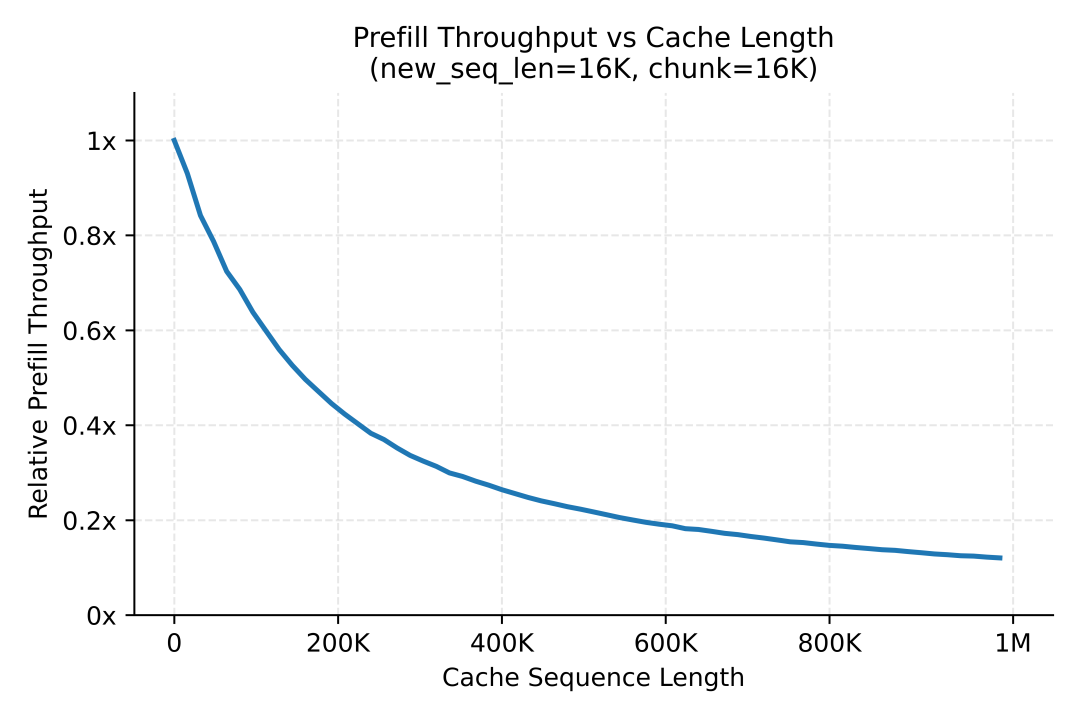 {/* feishu-style:text-align:left */}
In the Agentic scenario, most ultra-long requests originate from multi-round agent interactions and generally carry a large amount of prefix cache. When requests with significantly different lengths are scheduled to the same model instance, short requests will be dragged down by long requests, reducing overall throughput, which is mainly reflected in two scenarios:
1. **DP-Attention Synchronization**: Multiple DPs need to perform collective communication after each layer of attention computation to synchronize the computation entering the MoE stage. If both long and short requests exist simultaneously on multiple DPs within the same EP group, the short requests will be slowed down by the computation of the long requests;
1. **Chunked Prefill Interference**: When requests with different prefix lengths are grouped into the same chunk for inference, short-prefix requests are slowed down by the computation of long-prefix requests.
{/* feishu-style:text-align:left */}
To alleviate the above load imbalance issue, we adopted**the three-level length bucketing strategy**(0–64K / 64K–256K / 256K–1M), aggregating requests with similar load characteristics into the same bucket for computation,**significantly improving the average throughput of online prefill**. On this basis, we are currently exploring a more fine-grained and flexible bucketing mechanism to adapt to the dynamic changes of online loads.
### 4.3 MoE Load Balance
{/* feishu-style:text-align:left */}
All models in the MiMo-V2.5 series adopt the MoE architecture, and the issue of expert load balance during the prefill phase needs to be considered. Since a load balance training objective was introduced during the pre-training phase and the training was relatively stable, the model has learned a relatively uniform expert allocation strategy during training. During the inference phase, without enabling any expert load balance strategy, **the average expert load per layer (the ratio of the average number of tokens across all ranks in a layer to the maximum number of tokens in a rank of that layer) is approximately 0.85, which is already at a relatively optimal distribution level**. Therefore, we currently have not introduced any expert load balance strategy. Subsequently, we will continuously monitor this indicator and introduce relevant optimizations as needed based on the dynamic evolution of the online load pattern.
{/* feishu-style:text-align:left */}
In the Agentic scenario, most ultra-long requests originate from multi-round agent interactions and generally carry a large amount of prefix cache. When requests with significantly different lengths are scheduled to the same model instance, short requests will be dragged down by long requests, reducing overall throughput, which is mainly reflected in two scenarios:
1. **DP-Attention Synchronization**: Multiple DPs need to perform collective communication after each layer of attention computation to synchronize the computation entering the MoE stage. If both long and short requests exist simultaneously on multiple DPs within the same EP group, the short requests will be slowed down by the computation of the long requests;
1. **Chunked Prefill Interference**: When requests with different prefix lengths are grouped into the same chunk for inference, short-prefix requests are slowed down by the computation of long-prefix requests.
{/* feishu-style:text-align:left */}
To alleviate the above load imbalance issue, we adopted**the three-level length bucketing strategy**(0–64K / 64K–256K / 256K–1M), aggregating requests with similar load characteristics into the same bucket for computation,**significantly improving the average throughput of online prefill**. On this basis, we are currently exploring a more fine-grained and flexible bucketing mechanism to adapt to the dynamic changes of online loads.
### 4.3 MoE Load Balance
{/* feishu-style:text-align:left */}
All models in the MiMo-V2.5 series adopt the MoE architecture, and the issue of expert load balance during the prefill phase needs to be considered. Since a load balance training objective was introduced during the pre-training phase and the training was relatively stable, the model has learned a relatively uniform expert allocation strategy during training. During the inference phase, without enabling any expert load balance strategy, **the average expert load per layer (the ratio of the average number of tokens across all ranks in a layer to the maximum number of tokens in a rank of that layer) is approximately 0.85, which is already at a relatively optimal distribution level**. Therefore, we currently have not introduced any expert load balance strategy. Subsequently, we will continuously monitor this indicator and introduce relevant optimizations as needed based on the dynamic evolution of the online load pattern.
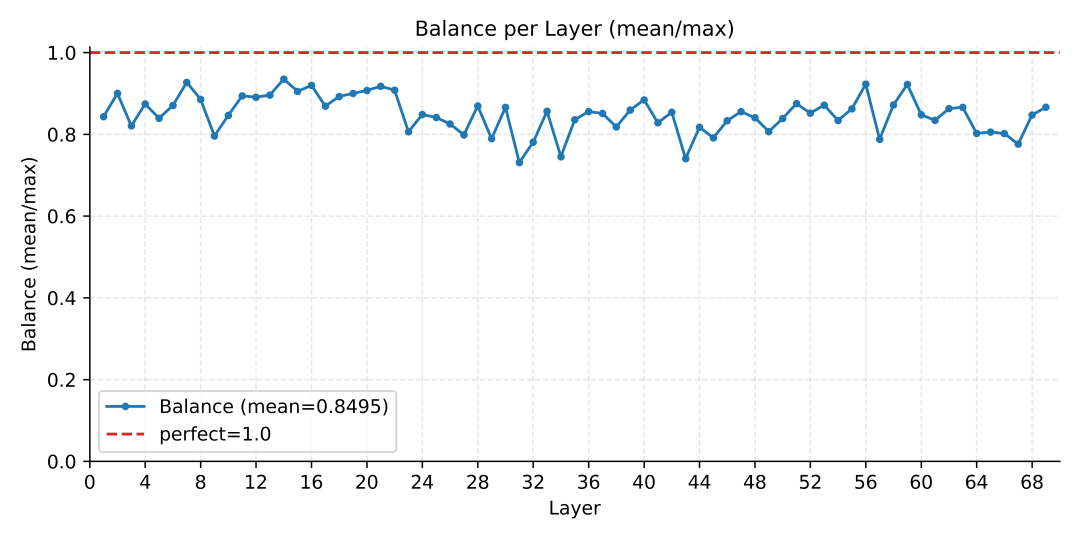 ### 4.4 Resolve NUMA Conflicts
{/* feishu-style:text-align:left */}
In some Ubuntu systems, the kernel numa_balancing parameter conflicts with the numa-node configuration of SGLang, resulting in occasional large execution gaps between computing kernels during model inference. In a multi-node multi-GPU deployment, the occurrence positions of these gaps on each rank are random, and each time synchronization occurs between ranks, the overall computing process is slowed down by the slowest rank, thereby significantly affecting the overall inference efficiency. After disabling the numa_balancing parameter of the system kernel, the issue was resolved, **and end-to-end performance increased by approximately 10%** .
## 5. Decode Optimization
### 5.1 Video Memory Optimization
{/* feishu-style:text-align:left */}
In the Agentic scenario, multi-round conversations cause the context to continuously grow, and the video memory occupancy of KVCache has become the main bottleneck in decoding. After the video memory is fully occupied by KVCache, the batch size cannot be expanded, resulting in underutilized computation and limited decoding throughput. As a result, we can only increase the number of nodes to handle concurrency, which drives up inference costs. To increase the concurrency of a single node, we have implemented multiple video memory optimization measures:
1. **Decode KVCache fully supports SWA**: The effective capacity of KVCache has increased by nearly 5 times**.**
1. **Optimization of KVCache Preallocation in PD Separation**: Move the prealloc process of requests that have not yet started from GPU memory to CPU memory, and only move it into GPU memory when the decode actually starts, eliminating waste caused by resource preoccupation.
1. **CUDA Graph Memory Optimization**: Optimize CUDA Graph parameters to reduce space waste and increase available memory.
### 5.2 MTP Optimization
{/* feishu-style:text-align:left */}
The MiMo-V2.5 series models natively support 3-layer MTP accelerated decode output, but MTP was not enabled during the prefill phase previously, resulting in the MTP using invalid KVCache for the initial 128 output tokens of decode and a very low prediction acceptance rate. Since most output sequences are short in Agentic scenarios, this defect significantly reduces the effectiveness of MTP acceleration. By introducing MTP support during the prefill phase and performing specialized adaptation and optimization on HiCache L2/L3, the acceleration effect of MTP in the early stage of decoding has been significantly improved: **The acceleration ratio reaches 2.3× for the 0–128th tokens and 1.5× for the 128–256th tokens** , effectively reducing the real decoding cost in agentic scenarios.
## 6. MultiModal Machine Learning Inference Optimization
{/* feishu-style:text-align:left */}
Based on the SGLang Community v0.5.7 EPD solution, we have carried out**a large number of engineering optimizations and stability fixes in EPD separation**around MiMo-V2.5, increasing the Encoder throughput to **2 times**while keeping the latency unchanged. Currently, we are feeding back the work results to the SGLang Community (issues#24945). The differences in Encoder performance before and after optimization are shown in the following table:
### 4.4 Resolve NUMA Conflicts
{/* feishu-style:text-align:left */}
In some Ubuntu systems, the kernel numa_balancing parameter conflicts with the numa-node configuration of SGLang, resulting in occasional large execution gaps between computing kernels during model inference. In a multi-node multi-GPU deployment, the occurrence positions of these gaps on each rank are random, and each time synchronization occurs between ranks, the overall computing process is slowed down by the slowest rank, thereby significantly affecting the overall inference efficiency. After disabling the numa_balancing parameter of the system kernel, the issue was resolved, **and end-to-end performance increased by approximately 10%** .
## 5. Decode Optimization
### 5.1 Video Memory Optimization
{/* feishu-style:text-align:left */}
In the Agentic scenario, multi-round conversations cause the context to continuously grow, and the video memory occupancy of KVCache has become the main bottleneck in decoding. After the video memory is fully occupied by KVCache, the batch size cannot be expanded, resulting in underutilized computation and limited decoding throughput. As a result, we can only increase the number of nodes to handle concurrency, which drives up inference costs. To increase the concurrency of a single node, we have implemented multiple video memory optimization measures:
1. **Decode KVCache fully supports SWA**: The effective capacity of KVCache has increased by nearly 5 times**.**
1. **Optimization of KVCache Preallocation in PD Separation**: Move the prealloc process of requests that have not yet started from GPU memory to CPU memory, and only move it into GPU memory when the decode actually starts, eliminating waste caused by resource preoccupation.
1. **CUDA Graph Memory Optimization**: Optimize CUDA Graph parameters to reduce space waste and increase available memory.
### 5.2 MTP Optimization
{/* feishu-style:text-align:left */}
The MiMo-V2.5 series models natively support 3-layer MTP accelerated decode output, but MTP was not enabled during the prefill phase previously, resulting in the MTP using invalid KVCache for the initial 128 output tokens of decode and a very low prediction acceptance rate. Since most output sequences are short in Agentic scenarios, this defect significantly reduces the effectiveness of MTP acceleration. By introducing MTP support during the prefill phase and performing specialized adaptation and optimization on HiCache L2/L3, the acceleration effect of MTP in the early stage of decoding has been significantly improved: **The acceleration ratio reaches 2.3× for the 0–128th tokens and 1.5× for the 128–256th tokens** , effectively reducing the real decoding cost in agentic scenarios.
## 6. MultiModal Machine Learning Inference Optimization
{/* feishu-style:text-align:left */}
Based on the SGLang Community v0.5.7 EPD solution, we have carried out**a large number of engineering optimizations and stability fixes in EPD separation**around MiMo-V2.5, increasing the Encoder throughput to **2 times**while keeping the latency unchanged. Currently, we are feeding back the work results to the SGLang Community (issues#24945). The differences in Encoder performance before and after optimization are shown in the following table:
| QPS | Avg Latency | P90 Latency | |
|---|---|---|---|
| Before Optimization | 15 | 78.39ms | 100.76ms |
| Optimized | 30 | 80.28ms | 82.94ms |
 --- DOCUMENT: MiMo-V2.5 Series Price Adjustment Announcement | 100 Trillion Token Creator Incentive Plan Concludes ---
URL: https://mimo.mi.com/static/docs/news/latest/v2.5-price-update.md
# MiMo-V2.5 Series Price Adjustment Announcement | 100 Trillion Token Creator Incentive Plan Concludes
{/* feishu-style:text-align:left */}
Over the past few months, through activities such as MiMo Orbit and the Quadrillion Token Creator Incentive Program, we have enabled more people to experience MiMo and solve real problems - this is the first step for MiMo on the path to large-scale application.
{/* feishu-style:text-align:left */}
Now, with the continuous improvement of underlying technologies, we can finally do something more thorough - **permanently renovate the entire model pricing system**.
{/* feishu-style:text-align:left */}
**Quick Overview of the Core of This Announcement:**
- MiMo-V2.5 Series API Permanent Price Reduction
- Token Plan billing system optimization, with usage increased to 5-8 times the original
- The Creator Incentive Program for Quadrillion Tokens Concludes Successfully
- Full reset of the current effective Token Plan user quota
{/* feishu-style:text-align:left */}
Effective Time: 0:00, May 27, 2026, Beijing Time
## MiMo-V2.5 Series API Permanent Price Reduction
{/* feishu-style:text-align:left */}
Compared to the original API pricing, the new pricing can have a maximum reduction of up to 99%, and no longer differentiates based on the input length.
--- DOCUMENT: MiMo-V2.5 Series Price Adjustment Announcement | 100 Trillion Token Creator Incentive Plan Concludes ---
URL: https://mimo.mi.com/static/docs/news/latest/v2.5-price-update.md
# MiMo-V2.5 Series Price Adjustment Announcement | 100 Trillion Token Creator Incentive Plan Concludes
{/* feishu-style:text-align:left */}
Over the past few months, through activities such as MiMo Orbit and the Quadrillion Token Creator Incentive Program, we have enabled more people to experience MiMo and solve real problems - this is the first step for MiMo on the path to large-scale application.
{/* feishu-style:text-align:left */}
Now, with the continuous improvement of underlying technologies, we can finally do something more thorough - **permanently renovate the entire model pricing system**.
{/* feishu-style:text-align:left */}
**Quick Overview of the Core of This Announcement:**
- MiMo-V2.5 Series API Permanent Price Reduction
- Token Plan billing system optimization, with usage increased to 5-8 times the original
- The Creator Incentive Program for Quadrillion Tokens Concludes Successfully
- Full reset of the current effective Token Plan user quota
{/* feishu-style:text-align:left */}
Effective Time: 0:00, May 27, 2026, Beijing Time
## MiMo-V2.5 Series API Permanent Price Reduction
{/* feishu-style:text-align:left */}
Compared to the original API pricing, the new pricing can have a maximum reduction of up to 99%, and no longer differentiates based on the input length.
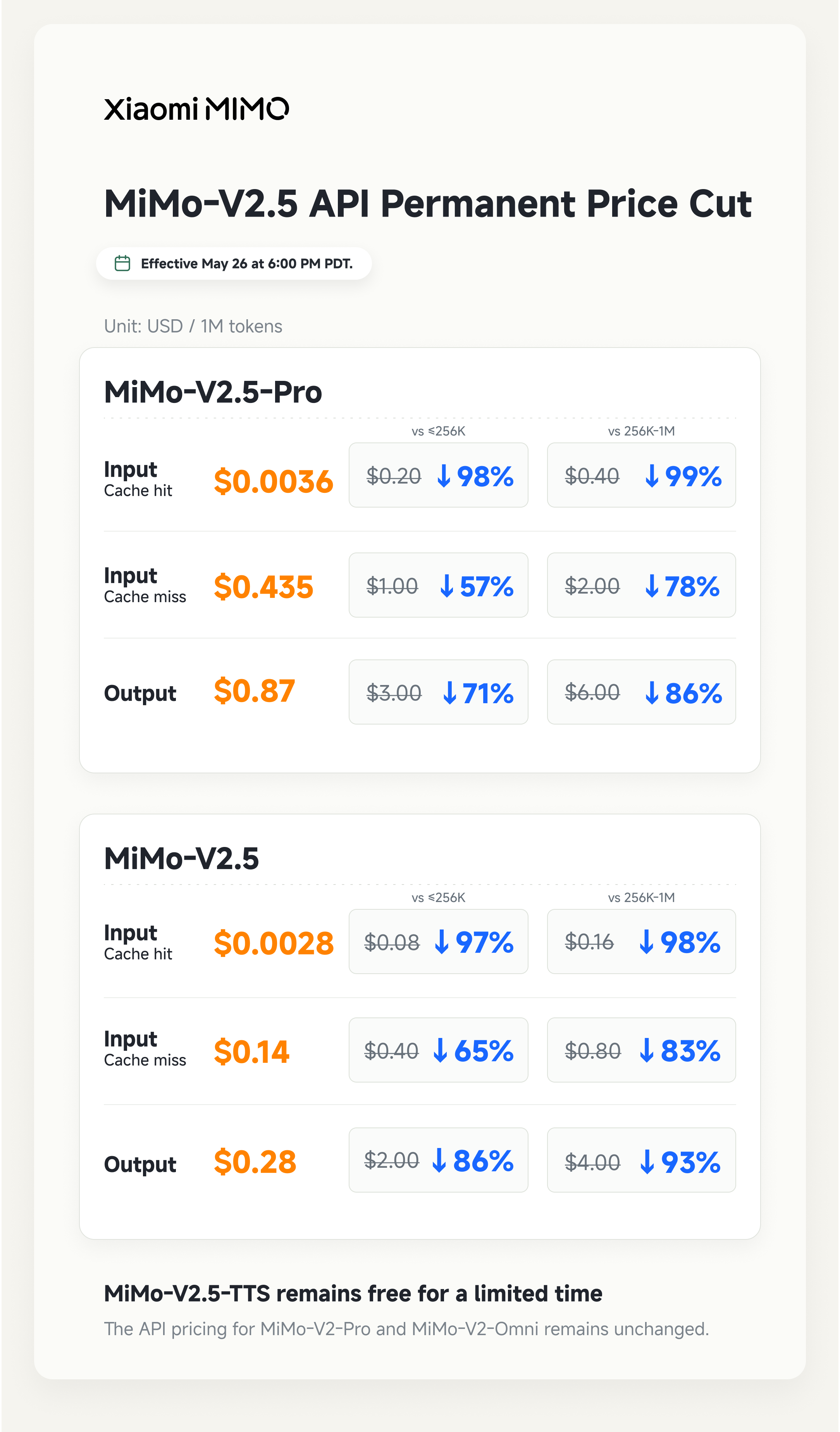 {/* feishu-style:text-align:left */}
**This price adjustment officially takes effect at 0:00 on May 27th, Beijing time, with global synchronization. We sincerely invite all developers to integrate and experience it.**
## Optimization of TokenPlan Billing System
- **Increase the quantity without increasing the price, with the usage volume increased to 5-8 times the original, unlocking more abundant productivity for you**
- **Example: In Agent or Code scenarios, the number of available tokens is:**
{/* feishu-style:text-align:left */}
**This price adjustment officially takes effect at 0:00 on May 27th, Beijing time, with global synchronization. We sincerely invite all developers to integrate and experience it.**
## Optimization of TokenPlan Billing System
- **Increase the quantity without increasing the price, with the usage volume increased to 5-8 times the original, unlocking more abundant productivity for you**
- **Example: In Agent or Code scenarios, the number of available tokens is:**
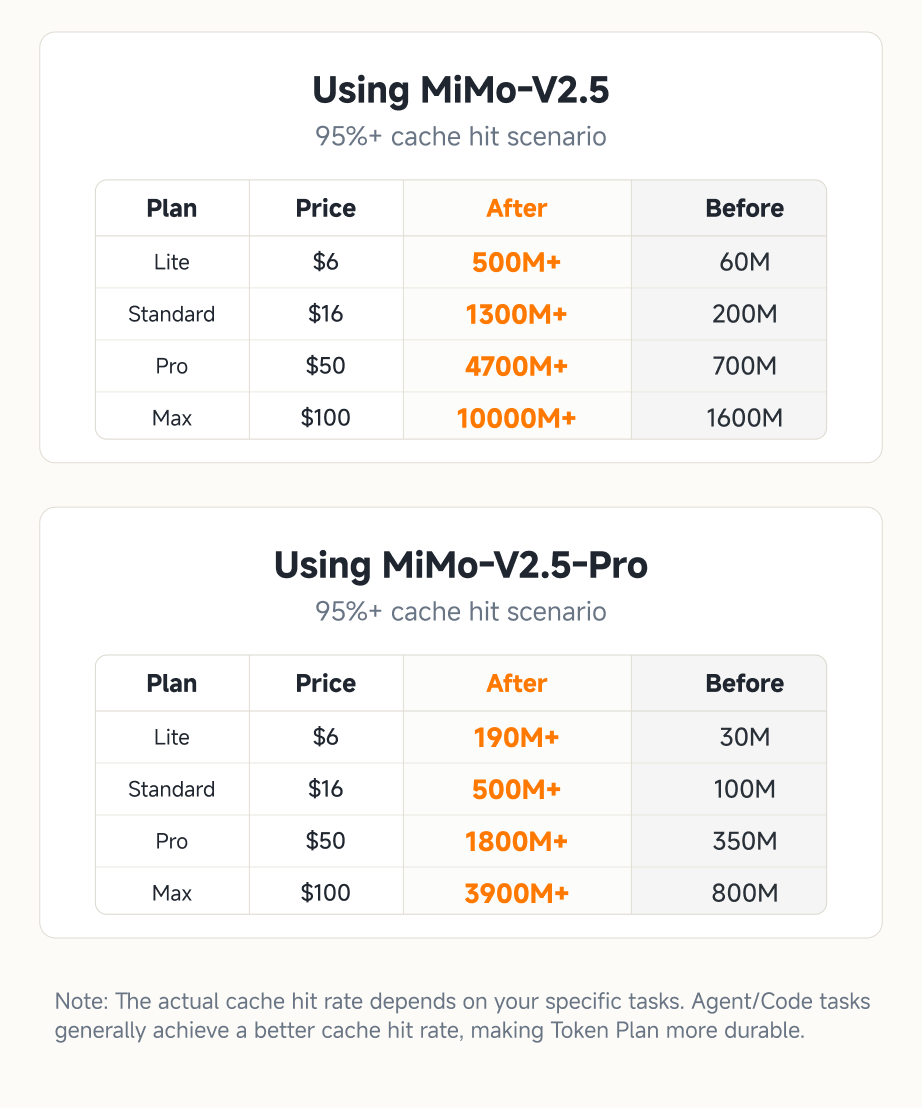 - **Billing rules have been adjusted to be clearer, more understandable, and what you see is what you get.**
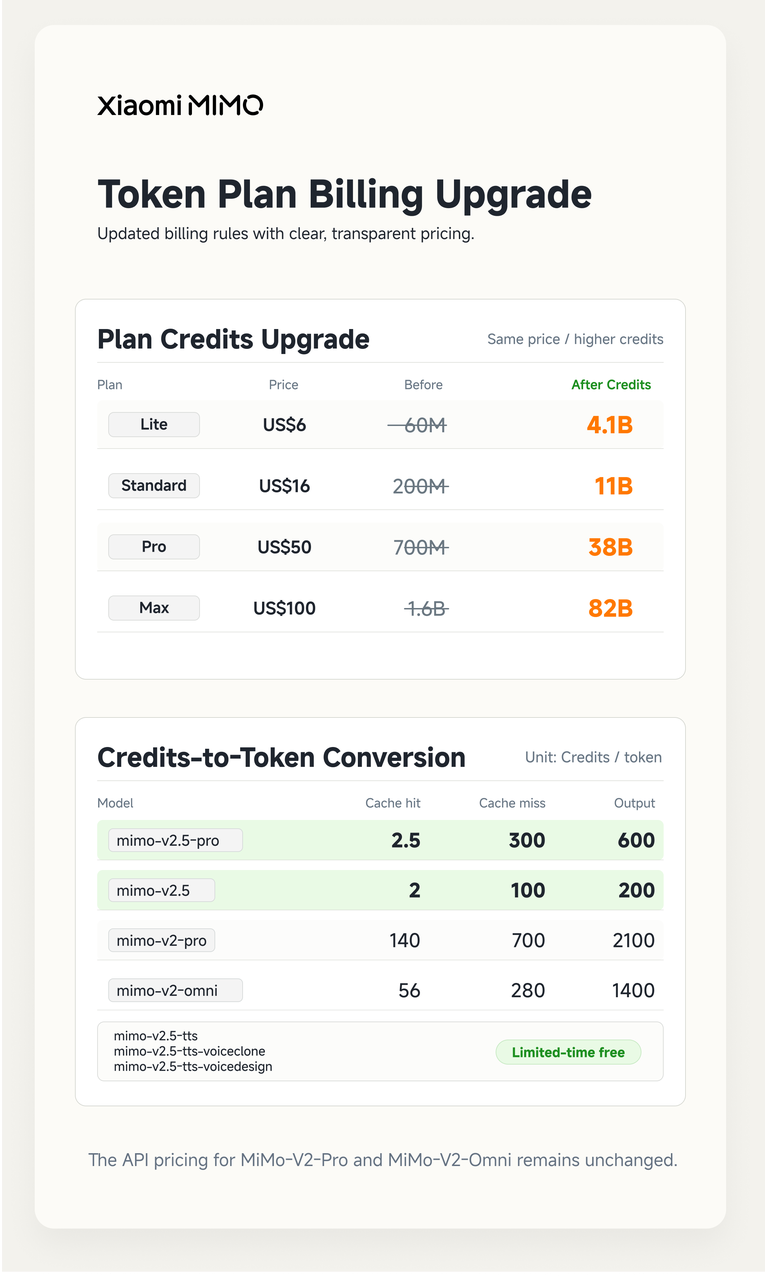 ## The Creator Incentive Program for Quadrillion Tokens Concluded Successfully
{/* feishu-style:text-align:left */}
Since its launch on April 28, the "Trillion Token Creator Incentive Program" has been enthusiastically pursued and widely followed by users worldwide. As of 16:08 on May 26, Beijing Time, all 100T Tokens have been fully distributed ahead of schedule, and the event has concluded successfully ahead of schedule. We thank all developers for their enthusiastic participation!
{/* feishu-style:text-align:left */}
Note: The exclusive welfare activities for members of the Apache Software Foundation are valid for a long term, can continue to be applied for, and are not affected by this finalization.
## The Creator Incentive Program for Quadrillion Tokens Concluded Successfully
{/* feishu-style:text-align:left */}
Since its launch on April 28, the "Trillion Token Creator Incentive Program" has been enthusiastically pursued and widely followed by users worldwide. As of 16:08 on May 26, Beijing Time, all 100T Tokens have been fully distributed ahead of schedule, and the event has concluded successfully ahead of schedule. We thank all developers for their enthusiastic participation!
{/* feishu-style:text-align:left */}
Note: The exclusive welfare activities for members of the Apache Software Foundation are valid for a long term, can continue to be applied for, and are not affected by this finalization.
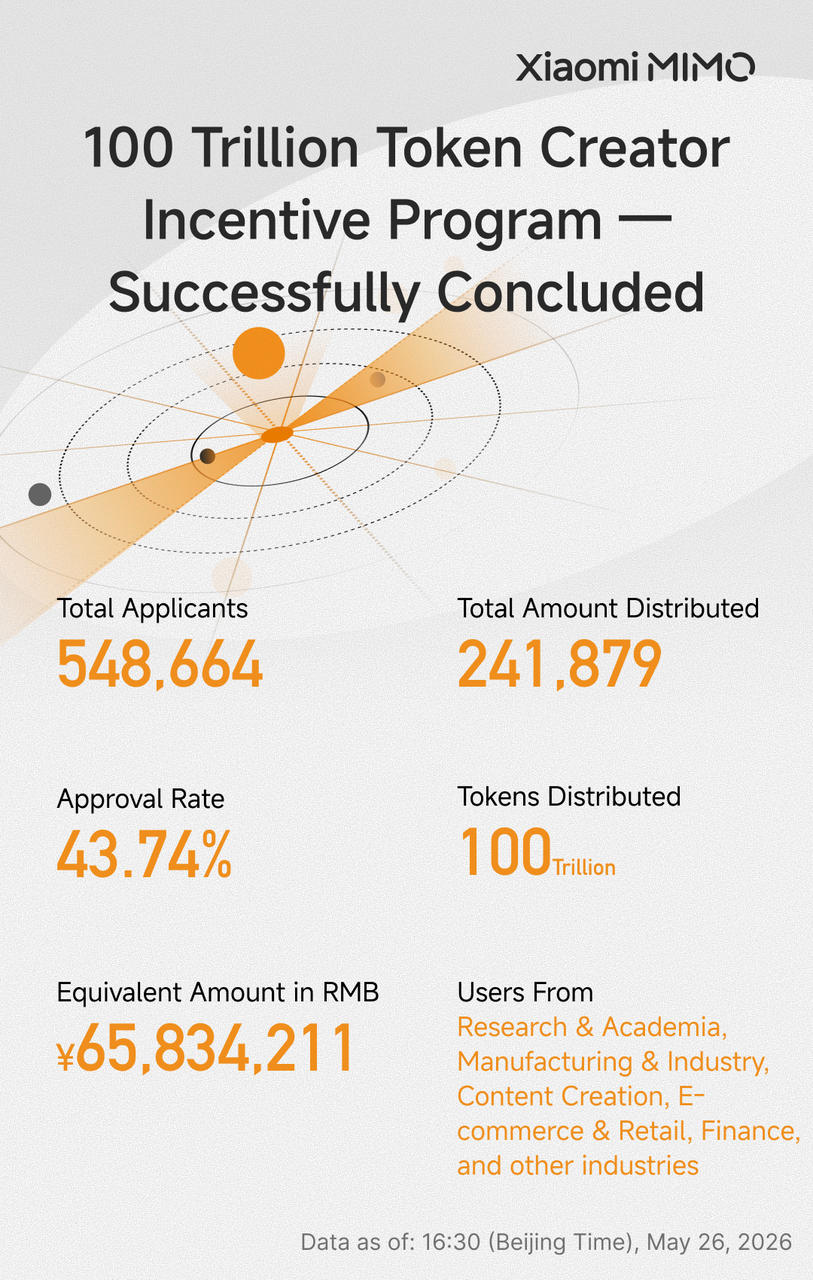 ## Surprise: All existing TokenPlan user quotas have been fully reset
{/* feishu-style:text-align:left */}
Regardless of the current usage of the package, the Credits quota of all users who have subscribed to the Token Plan and are still within the validity period (including users who participated in the Quadrillion Token Creator Incentive Program and obtained the Token Plan, covering users with exclusive benefits from the Apache Software Foundation) will be fully reset at 0:00 on May 27th, Beijing Time, and implemented according to the new billing rules.
{/* feishu-style:text-align:left */}
One More Thing: For historical paid users whose Token Plan has expired, we have also prepared surprise gifts, which will be announced within the next week. Please stay tuned.
## Optimization Instructions for Inference Technology
{/* feishu-style:text-align:left */}
Behind this price adjustment is the continuous optimization of the inference system by Xiaomi's technical team.
{/* feishu-style:text-align:left */}
We fully support SWA (Sliding Window Attention) based on SGLang HiCache, reducing the data transfer volume of KV Cache among multi-level storage such as GPU memory, CPU memory, and SSD to nearly **1/7** of that before optimization, and increasing the number of cacheable tokens to nearly **5 times** of that before optimization, significantly improving cache hit rate and inference efficiency.
{/* feishu-style:text-align:left */}
Meanwhile, we further enhanced the input throughput capacity of the cluster by optimizing the expert parallelism scheme, input length bucketing strategy, etc., thereby continuously reducing the service cost per token while ensuring service quality.
## Conclusion
{/* feishu-style:text-align:left */}
The value of technology ultimately lies in the breadth of its use.
{/* feishu-style:text-align:left */}
Relying on continuous technological innovation, we hope to leverage real, sustainable, and large-scale inference demand by providing model services that combine low cost with top-notch capabilities, thereby promoting the construction of a complete AI infrastructure chain.
{/* feishu-style:text-align:left */}
Enabling more people to use better models - this is MiMo's unwavering mission.
--- DOCUMENT: Xiaomi MiMo-V2.5 series open-sourced & Orbit 100 trillion token plan launched ---
URL: https://mimo.mi.com/static/docs/news/latest/v2.5-open-sourced.md
# Xiaomi MiMo-V2.5 series open-sourced & Orbit 100 trillion token plan launched
{/* feishu-style:text-align:left */}
Today, we officially open source the Xiaomi MiMo-V2.5 series, which uses the MIT license, supports commercial inference deployment and secondary training, and requires no additional authorization.
## Open protocol, fully open source
{/* feishu-style:text-align:left */}
The MiMo V2.5 series models began public testing on April 23rd. We thank all users for their enthusiastic feedback and encouragement during this period.
{/* feishu-style:text-align:left */}
This series includes two models, both supporting a 1-million-token context window:
- mimo-v2.5-pro: Designed for complex task scenarios, deeply optimized for Agent and Coding applications. It ranks first among open-source models globally on the GDPVal-AA and ClawEval leaderboards.
- mimo-v2.5: A native full-modal model supporting text, image, video, and audio understanding, with powerful Agent capabilities.
## Surprise: All existing TokenPlan user quotas have been fully reset
{/* feishu-style:text-align:left */}
Regardless of the current usage of the package, the Credits quota of all users who have subscribed to the Token Plan and are still within the validity period (including users who participated in the Quadrillion Token Creator Incentive Program and obtained the Token Plan, covering users with exclusive benefits from the Apache Software Foundation) will be fully reset at 0:00 on May 27th, Beijing Time, and implemented according to the new billing rules.
{/* feishu-style:text-align:left */}
One More Thing: For historical paid users whose Token Plan has expired, we have also prepared surprise gifts, which will be announced within the next week. Please stay tuned.
## Optimization Instructions for Inference Technology
{/* feishu-style:text-align:left */}
Behind this price adjustment is the continuous optimization of the inference system by Xiaomi's technical team.
{/* feishu-style:text-align:left */}
We fully support SWA (Sliding Window Attention) based on SGLang HiCache, reducing the data transfer volume of KV Cache among multi-level storage such as GPU memory, CPU memory, and SSD to nearly **1/7** of that before optimization, and increasing the number of cacheable tokens to nearly **5 times** of that before optimization, significantly improving cache hit rate and inference efficiency.
{/* feishu-style:text-align:left */}
Meanwhile, we further enhanced the input throughput capacity of the cluster by optimizing the expert parallelism scheme, input length bucketing strategy, etc., thereby continuously reducing the service cost per token while ensuring service quality.
## Conclusion
{/* feishu-style:text-align:left */}
The value of technology ultimately lies in the breadth of its use.
{/* feishu-style:text-align:left */}
Relying on continuous technological innovation, we hope to leverage real, sustainable, and large-scale inference demand by providing model services that combine low cost with top-notch capabilities, thereby promoting the construction of a complete AI infrastructure chain.
{/* feishu-style:text-align:left */}
Enabling more people to use better models - this is MiMo's unwavering mission.
--- DOCUMENT: Xiaomi MiMo-V2.5 series open-sourced & Orbit 100 trillion token plan launched ---
URL: https://mimo.mi.com/static/docs/news/latest/v2.5-open-sourced.md
# Xiaomi MiMo-V2.5 series open-sourced & Orbit 100 trillion token plan launched
{/* feishu-style:text-align:left */}
Today, we officially open source the Xiaomi MiMo-V2.5 series, which uses the MIT license, supports commercial inference deployment and secondary training, and requires no additional authorization.
## Open protocol, fully open source
{/* feishu-style:text-align:left */}
The MiMo V2.5 series models began public testing on April 23rd. We thank all users for their enthusiastic feedback and encouragement during this period.
{/* feishu-style:text-align:left */}
This series includes two models, both supporting a 1-million-token context window:
- mimo-v2.5-pro: Designed for complex task scenarios, deeply optimized for Agent and Coding applications. It ranks first among open-source models globally on the GDPVal-AA and ClawEval leaderboards.
- mimo-v2.5: A native full-modal model supporting text, image, video, and audio understanding, with powerful Agent capabilities.
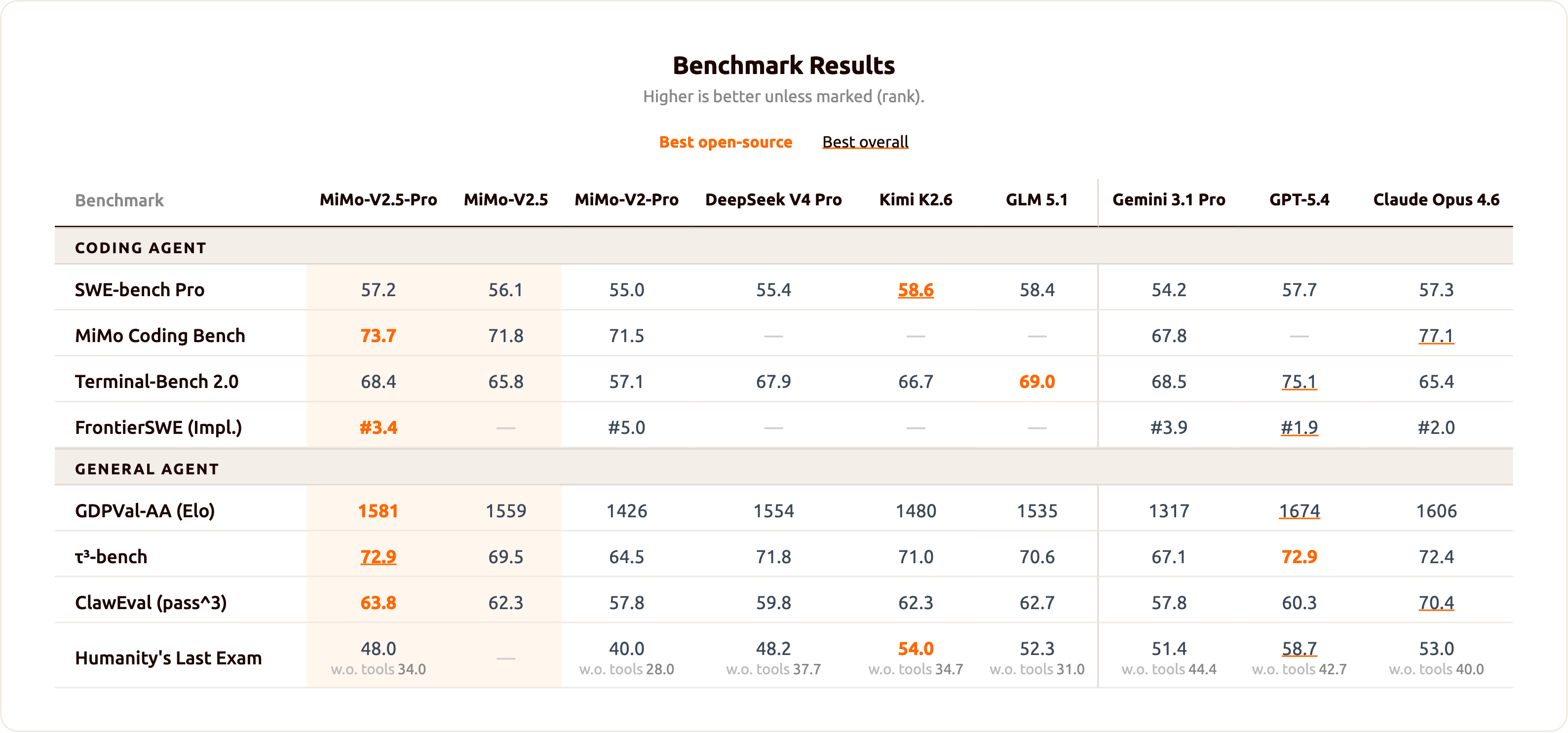 {/* feishu-style:text-align:left */}
We deeply understand that the true value of a model does not lie in its ranking on leaderboards, but rather in its ability to efficiently assist developers in solving real-world problems. On the Claw-Eval leaderboard, MiMo V2.5 series ranks at the optimal frontier of task completion rate and Token efficiency
{/* feishu-style:text-align:left */}
We deeply understand that the true value of a model does not lie in its ranking on leaderboards, but rather in its ability to efficiently assist developers in solving real-world problems. On the Claw-Eval leaderboard, MiMo V2.5 series ranks at the optimal frontier of task completion rate and Token efficiency
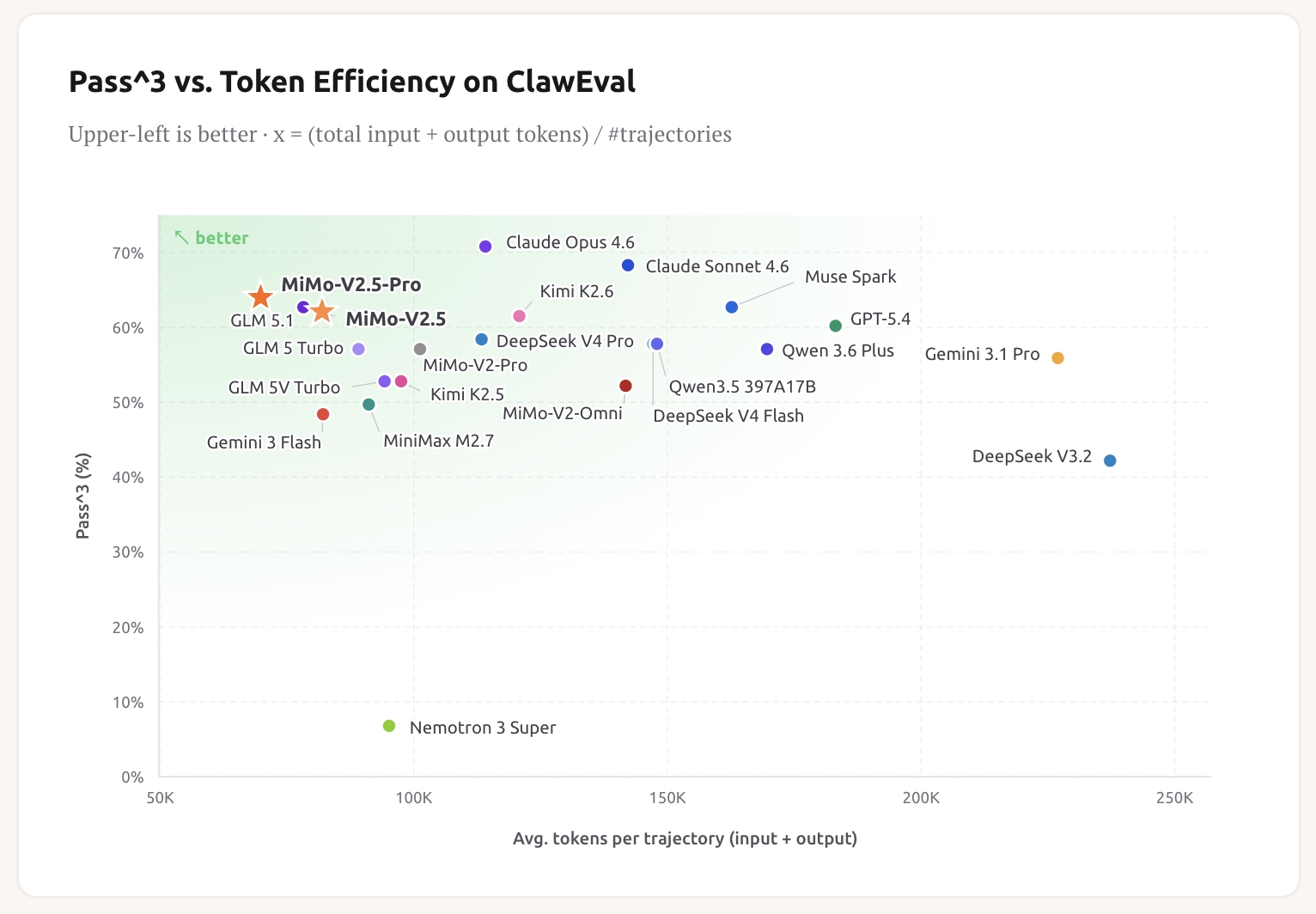 {/* feishu-style:text-align:left */}
After undergoing refinement and verification during the public beta phase, this series has further improved in terms of intelligence level and stability, and has reached the standard for release.
{/* feishu-style:text-align:left */}
Today, we are releasing the model weights of the MiMo V2.5 series to global developers under the MIT License, and at the same time, we are collaborating with chip manufacturers and inference frameworks to provide adaptation code, hoping to contribute to the open-source community and developer ecosystem.
{/* feishu-style:text-align:left */}
The weights of both models (including the Base model) have been fully open-sourced under the permissive MIT license, allowing free commercial use, secondary training, and fine-tuning without additional authorization.
> Model weight collection: [https://huggingface.co/collections/XiaomiMiMo/mimo-v25](https://huggingface.co/collections/XiaomiMiMo/mimo-v25)
{/* feishu-style:text-align:left */}
For more details, refer to the model Blog:
{/* feishu-style:text-align:left */}
https://mimo.xiaomi.com/index#blog
## MiMo Orbit Program
{/* feishu-style:text-align:left */}
We believe that the value of open source lies not only in the public disclosure of weights, but more importantly, in the co-construction of the ecosystem.
{/* feishu-style:text-align:left */}
To this end, we are officially launching the MiMo Orbit Program.
{/* feishu-style:text-align:left */}
The MiMo Orbit plan is divided into two parts, namely the " **Creator Trillion Token Incentive Plan"** for AI builders and the " **Agent Ecosystem Co-construction Plan** " for Agent framework teams.
### Creator Trillion Token Incentive Program
{/* feishu-style:text-align:left */}
After undergoing refinement and verification during the public beta phase, this series has further improved in terms of intelligence level and stability, and has reached the standard for release.
{/* feishu-style:text-align:left */}
Today, we are releasing the model weights of the MiMo V2.5 series to global developers under the MIT License, and at the same time, we are collaborating with chip manufacturers and inference frameworks to provide adaptation code, hoping to contribute to the open-source community and developer ecosystem.
{/* feishu-style:text-align:left */}
The weights of both models (including the Base model) have been fully open-sourced under the permissive MIT license, allowing free commercial use, secondary training, and fine-tuning without additional authorization.
> Model weight collection: [https://huggingface.co/collections/XiaomiMiMo/mimo-v25](https://huggingface.co/collections/XiaomiMiMo/mimo-v25)
{/* feishu-style:text-align:left */}
For more details, refer to the model Blog:
{/* feishu-style:text-align:left */}
https://mimo.xiaomi.com/index#blog
## MiMo Orbit Program
{/* feishu-style:text-align:left */}
We believe that the value of open source lies not only in the public disclosure of weights, but more importantly, in the co-construction of the ecosystem.
{/* feishu-style:text-align:left */}
To this end, we are officially launching the MiMo Orbit Program.
{/* feishu-style:text-align:left */}
The MiMo Orbit plan is divided into two parts, namely the " **Creator Trillion Token Incentive Plan"** for AI builders and the " **Agent Ecosystem Co-construction Plan** " for Agent framework teams.
### Creator Trillion Token Incentive Program
 {/* feishu-style:text-align:left */}
Xiaomi MiMo will distribute free Tokens to global users, with a total of **100 trillion (100T) Tokens** to be distributed within 30 days, and the distribution will end once all Tokens are given out.
{/* feishu-style:text-align:left */}
This event adopts an application system, and users whose applications are approved will receive the Max-tier Token Plan at most, which includes 1.6 billion Credits and is worth 659 yuan.
{/* feishu-style:text-align:left */}
**Event Time**
{/* feishu-style:text-align:left */}
From 00:00 on April 28, 2026, to 00:00 on May 28, 2026, Beijing Time
{/* feishu-style:text-align:left */}
**Participation Method**
{/* feishu-style:text-align:left */}
You can fill out the application via the following link or QR code. We will carefully evaluate each application material and match corresponding benefits based on your usage scenarios and needs. Successful applicants will receive our follow-up emails.
{/* feishu-style:text-align:left */}
Application URL: [100t.xiaomimimo.com](http://100t.xiaomimimo.com)
{/* feishu-style:text-align:left */}
Application QR Code:
{/* feishu-style:text-align:left */}
Xiaomi MiMo will distribute free Tokens to global users, with a total of **100 trillion (100T) Tokens** to be distributed within 30 days, and the distribution will end once all Tokens are given out.
{/* feishu-style:text-align:left */}
This event adopts an application system, and users whose applications are approved will receive the Max-tier Token Plan at most, which includes 1.6 billion Credits and is worth 659 yuan.
{/* feishu-style:text-align:left */}
**Event Time**
{/* feishu-style:text-align:left */}
From 00:00 on April 28, 2026, to 00:00 on May 28, 2026, Beijing Time
{/* feishu-style:text-align:left */}
**Participation Method**
{/* feishu-style:text-align:left */}
You can fill out the application via the following link or QR code. We will carefully evaluate each application material and match corresponding benefits based on your usage scenarios and needs. Successful applicants will receive our follow-up emails.
{/* feishu-style:text-align:left */}
Application URL: [100t.xiaomimimo.com](http://100t.xiaomimimo.com)
{/* feishu-style:text-align:left */}
Application QR Code:
 ### Agent Ecosystem Co-construction Initiative
{/* feishu-style:text-align:left */}
Xiaomi MiMo provides specialized support to the global Agent Framework Team. We will offer limited-time free support for the Agent Framework, enabling your users to access and experience the MiMo series of models with zero barriers.
{/* feishu-style:text-align:left */}
During the model ecosystem adaptation process, we have carried out in-depth cooperation with Agent framework vendors such as OpenCode, Hermes Agent, and KiloCode, and received a great deal of positive feedback and recognition.
### Agent Ecosystem Co-construction Initiative
{/* feishu-style:text-align:left */}
Xiaomi MiMo provides specialized support to the global Agent Framework Team. We will offer limited-time free support for the Agent Framework, enabling your users to access and experience the MiMo series of models with zero barriers.
{/* feishu-style:text-align:left */}
During the model ecosystem adaptation process, we have carried out in-depth cooperation with Agent framework vendors such as OpenCode, Hermes Agent, and KiloCode, and received a great deal of positive feedback and recognition.
 |
 |
 |
 |
|---|
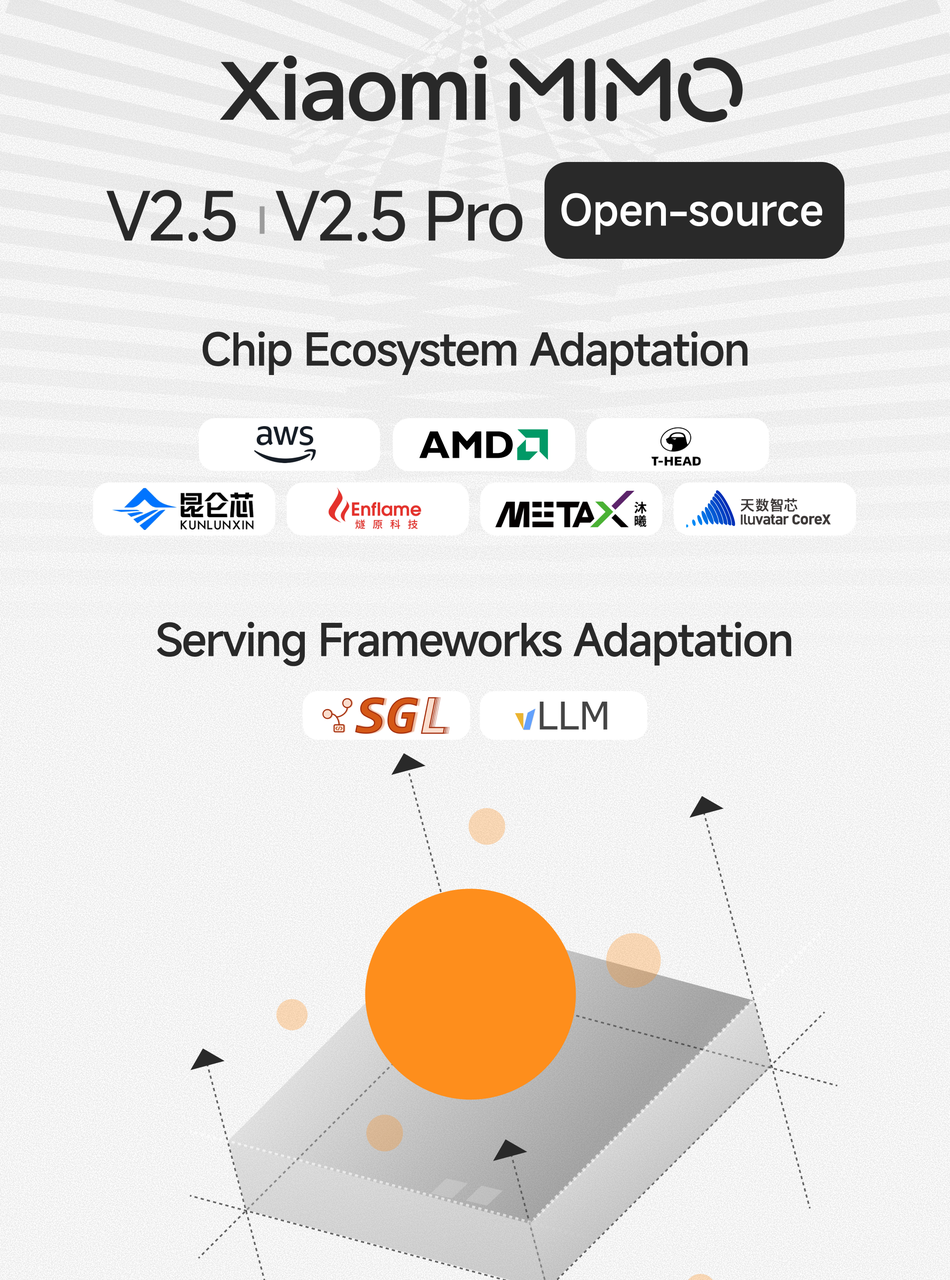 {/* feishu-style:text-align:left */}
From the first-generation model to today's full open source of MiMo-V2.5 series, every step of MiMo's growth has been inseparable from the community's feedback and co-construction.
{/* feishu-style:text-align:left */}
We will continue to invest in the iteration of model capabilities and the improvement of the ecosystem, and work together with global developers to enable Agent to truly enter every application scenario.
--- DOCUMENT: Xiaomi MiMo-V2.5-TTS-Series + ASR Officially Launched: Your Voice, Under Your Control ---
URL: https://mimo.mi.com/static/docs/news/latest/v2.5-tts-release.md
# Xiaomi MiMo-V2.5-TTS-Series + ASR Officially Launched: Your Voice, Under Your Control
{/* feishu-style:text-align:left */}
From the first-generation model to today's full open source of MiMo-V2.5 series, every step of MiMo's growth has been inseparable from the community's feedback and co-construction.
{/* feishu-style:text-align:left */}
We will continue to invest in the iteration of model capabilities and the improvement of the ecosystem, and work together with global developers to enable Agent to truly enter every application scenario.
--- DOCUMENT: Xiaomi MiMo-V2.5-TTS-Series + ASR Officially Launched: Your Voice, Under Your Control ---
URL: https://mimo.mi.com/static/docs/news/latest/v2.5-tts-release.md
# Xiaomi MiMo-V2.5-TTS-Series + ASR Officially Launched: Your Voice, Under Your Control
 {/* feishu-style:text-align:left */}
Speech technology is undergoing such a transformation: from "being able to listen and read" to "precise understanding and flexible expression". In real creative and interactive scenarios, machines not only need to penetrate complex spoken language environments - dialect accents, environmental noise, multiple people speaking simultaneously - but also use voice to shape characters, grasp emotions, so that expression is no longer just about conveying words, but also conveying feelings.
{/* feishu-style:text-align:left */}
Whether it's content creators or businesses relying on speech technology, what they truly need is a speech system that can be freely controlled by language: input a noisy meeting recording, and it can accurately transcribe; input a director's note saying "this part should be low and angry", and it can generate a fitting performance. It understands everything and can express everything.
{/* feishu-style:text-align:left */}
To this end, we officially release today **MiMo-V2.5-TTS Series** and **mimo-v2.5-asr** — a whole-link speech model series for the Agent era, covering the two core capabilities of recognition and synthesis, enabling both speech input and output to be freely scheduled by language.
- The MiMo-V2.5-TTS Series includes three models, which have now been launched on **Xiaomi MiMo Open Platform** , and **are available for free for a limited time** . The three models share unified style instruction following, audio label control, and text understanding capabilities, enabling voice performance to be precisely regulated by language, respectively covering three typical creative needs:
- **mimo-v2.5-tts:** Built-in with multiple high-quality premium voices, supports fine-grained control over speech rate, emotion, tone, etc., Out Of The Box, meeting multi-scenario expression needs.
- **mimo-v2.5-tts-voicedesign:** Quickly define and generate a brand-new voice in one sentence, making voice creation more intuitive and efficient.
- **mimo-v2.5-tts-voiceclone:** High-fidelity replication of target timbre with a small number of samples, while maintaining stable style instruction following and audio label control capabilities.
{/* feishu-style:text-align:left */}
**MiMo-Studio Quick Experience Address:** **https://aistudio.xiaomimimo.com/#/c**
- **mimo-v2.5-asr is officially open-sourced.** The model's speech recognition performance in complex real-world scenarios such as Chinese-English bilingual, Chinese dialects, Code-Switch, strong noise, and multi-speaker has reached the industry-leading level, providing clear and reliable speech transcription for Agents and ensuring that every interaction is based on accurate understanding.
## mimo-v2.5-tts: Let Voice Become Everyone's Creativity
### Core Features of TTS Series
#### Precise ability to follow style instructions
{/* feishu-style:text-align:left */}
From short single-sentence instructions to an entire director's notes, the model can consistently understand and follow them, covering multiple dimensions such as emotion, tone, speaking speed, vocalization style, and language style. Instructions do not need to be written as structured parameters - simply describe the desired feeling as if giving a briefing to an actor, and the model will translate it into the corresponding performance.
{/* feishu-style:text-align:left */}
For scenarios with higher consistency requirements - such as audio dramas, game NPCs, and character-based dialogues - the model also supports **director script-level** structured input: **characters** , **scenes** , **detailed instructions** are described in layers, with each layer independently updated at its own pace and freely combined. This layering not only ensures that the timbre identity of the character remains consistent throughout, but also allows the performance of each sentence to be individually controlled.
{/* feishu-style:text-align:left */}
**Case1**
{/* feishu-style:text-align:left */}
Instruct :
{/* feishu-style:text-align:left */}
声音低沉沙哑一点,像个历经沧桑的老前辈在讲述传奇人物。语气里带点由衷的敬佩,娓娓道来。
{/* feishu-style:text-align:left */}
Text:
{/* feishu-style:text-align:left */}
街口那个老周啊,媳妇走得早,一个人拉扯俩娃,白天蹬三轮,晚上还去夜市摆摊修鞋。现在俩孩子都有出息喽,想接他去城里享福——他不去,就守着那间小铺子。哎,人哪,骨头硬,心里头就踏实。
{/* feishu-style:text-align:left */}
Audio(Voice name:冰糖):
{/* feishu-style:text-align:left */}
Speech technology is undergoing such a transformation: from "being able to listen and read" to "precise understanding and flexible expression". In real creative and interactive scenarios, machines not only need to penetrate complex spoken language environments - dialect accents, environmental noise, multiple people speaking simultaneously - but also use voice to shape characters, grasp emotions, so that expression is no longer just about conveying words, but also conveying feelings.
{/* feishu-style:text-align:left */}
Whether it's content creators or businesses relying on speech technology, what they truly need is a speech system that can be freely controlled by language: input a noisy meeting recording, and it can accurately transcribe; input a director's note saying "this part should be low and angry", and it can generate a fitting performance. It understands everything and can express everything.
{/* feishu-style:text-align:left */}
To this end, we officially release today **MiMo-V2.5-TTS Series** and **mimo-v2.5-asr** — a whole-link speech model series for the Agent era, covering the two core capabilities of recognition and synthesis, enabling both speech input and output to be freely scheduled by language.
- The MiMo-V2.5-TTS Series includes three models, which have now been launched on **Xiaomi MiMo Open Platform** , and **are available for free for a limited time** . The three models share unified style instruction following, audio label control, and text understanding capabilities, enabling voice performance to be precisely regulated by language, respectively covering three typical creative needs:
- **mimo-v2.5-tts:** Built-in with multiple high-quality premium voices, supports fine-grained control over speech rate, emotion, tone, etc., Out Of The Box, meeting multi-scenario expression needs.
- **mimo-v2.5-tts-voicedesign:** Quickly define and generate a brand-new voice in one sentence, making voice creation more intuitive and efficient.
- **mimo-v2.5-tts-voiceclone:** High-fidelity replication of target timbre with a small number of samples, while maintaining stable style instruction following and audio label control capabilities.
{/* feishu-style:text-align:left */}
**MiMo-Studio Quick Experience Address:** **https://aistudio.xiaomimimo.com/#/c**
- **mimo-v2.5-asr is officially open-sourced.** The model's speech recognition performance in complex real-world scenarios such as Chinese-English bilingual, Chinese dialects, Code-Switch, strong noise, and multi-speaker has reached the industry-leading level, providing clear and reliable speech transcription for Agents and ensuring that every interaction is based on accurate understanding.
## mimo-v2.5-tts: Let Voice Become Everyone's Creativity
### Core Features of TTS Series
#### Precise ability to follow style instructions
{/* feishu-style:text-align:left */}
From short single-sentence instructions to an entire director's notes, the model can consistently understand and follow them, covering multiple dimensions such as emotion, tone, speaking speed, vocalization style, and language style. Instructions do not need to be written as structured parameters - simply describe the desired feeling as if giving a briefing to an actor, and the model will translate it into the corresponding performance.
{/* feishu-style:text-align:left */}
For scenarios with higher consistency requirements - such as audio dramas, game NPCs, and character-based dialogues - the model also supports **director script-level** structured input: **characters** , **scenes** , **detailed instructions** are described in layers, with each layer independently updated at its own pace and freely combined. This layering not only ensures that the timbre identity of the character remains consistent throughout, but also allows the performance of each sentence to be individually controlled.
{/* feishu-style:text-align:left */}
**Case1**
{/* feishu-style:text-align:left */}
Instruct :
{/* feishu-style:text-align:left */}
声音低沉沙哑一点,像个历经沧桑的老前辈在讲述传奇人物。语气里带点由衷的敬佩,娓娓道来。
{/* feishu-style:text-align:left */}
Text:
{/* feishu-style:text-align:left */}
街口那个老周啊,媳妇走得早,一个人拉扯俩娃,白天蹬三轮,晚上还去夜市摆摊修鞋。现在俩孩子都有出息喽,想接他去城里享福——他不去,就守着那间小铺子。哎,人哪,骨头硬,心里头就踏实。
{/* feishu-style:text-align:left */}
Audio(Voice name:冰糖):
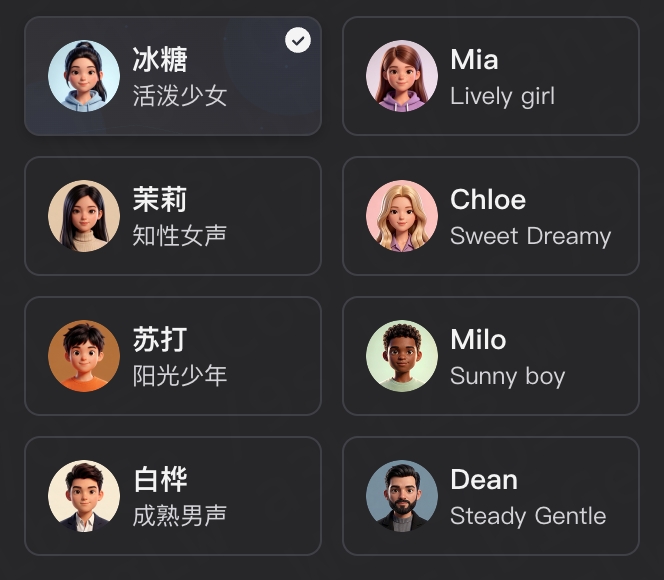 #### mimo-v2.5-tts-voicedesign
{/* feishu-style:text-align:left */}
The timbre design is aimed at scenarios where " **I have a voice in my heart, but the world doesn't have one yet** ": game NPCs, animated characters, virtual LIVE creators, brand IPs, atypical voices of audio dramas - these are difficult to choose directly from the timbre library and are not suitable for human cloning.
{/* feishu-style:text-align:left */}
This model supports **generating a brand new timbre from scratch through natural language descriptions** , without the need for any reference audio. Users can freely use any descriptive dimensions such as age, gender, accent, timbre, vocalization style, personality, etc. - for example, "an elderly Eastern European scholar, with a deep, slightly hoarse voice and a slow speaking rhythm" or "a vibrant young girl, with a clear voice and a slight upward inflection at the end of sentences" - and the model can synthesize the corresponding character timbre.
{/* feishu-style:text-align:left */}
Thanks to large-scale pre-training, the model can also reasonably interpret **complex, ambiguous, or even contradictory** descriptions, rather than being limited to coarse-grained labels such as "male/female/young/old". This enables timbre design not only to generate unique voices that are difficult for real people to provide, but also to accurately reproduce the voice lines of a certain type of character.
{/* feishu-style:text-align:left */}
**Case1**
{/* feishu-style:text-align:left */}
Instruct :
{/* feishu-style:text-align:left */}
一位中年男性,说标准普通话,嗓音低沉有磁性,带有轻微的沙哑质感,像纪录片旁白解说员,沉稳而有感染力。
{/* feishu-style:text-align:left */}
Text:
{/* feishu-style:text-align:left */}
当最后一缕阳光消失在地平线之下,这片沉睡了亿万年的大地开始显露它真正的面貌。在这寂静的荒野中,每一块岩石都记录着时间的流逝,每一阵风都在诉说着古老的故事。
{/* feishu-style:text-align:left */}
Audio:
#### mimo-v2.5-tts-voicedesign
{/* feishu-style:text-align:left */}
The timbre design is aimed at scenarios where " **I have a voice in my heart, but the world doesn't have one yet** ": game NPCs, animated characters, virtual LIVE creators, brand IPs, atypical voices of audio dramas - these are difficult to choose directly from the timbre library and are not suitable for human cloning.
{/* feishu-style:text-align:left */}
This model supports **generating a brand new timbre from scratch through natural language descriptions** , without the need for any reference audio. Users can freely use any descriptive dimensions such as age, gender, accent, timbre, vocalization style, personality, etc. - for example, "an elderly Eastern European scholar, with a deep, slightly hoarse voice and a slow speaking rhythm" or "a vibrant young girl, with a clear voice and a slight upward inflection at the end of sentences" - and the model can synthesize the corresponding character timbre.
{/* feishu-style:text-align:left */}
Thanks to large-scale pre-training, the model can also reasonably interpret **complex, ambiguous, or even contradictory** descriptions, rather than being limited to coarse-grained labels such as "male/female/young/old". This enables timbre design not only to generate unique voices that are difficult for real people to provide, but also to accurately reproduce the voice lines of a certain type of character.
{/* feishu-style:text-align:left */}
**Case1**
{/* feishu-style:text-align:left */}
Instruct :
{/* feishu-style:text-align:left */}
一位中年男性,说标准普通话,嗓音低沉有磁性,带有轻微的沙哑质感,像纪录片旁白解说员,沉稳而有感染力。
{/* feishu-style:text-align:left */}
Text:
{/* feishu-style:text-align:left */}
当最后一缕阳光消失在地平线之下,这片沉睡了亿万年的大地开始显露它真正的面貌。在这寂静的荒野中,每一块岩石都记录着时间的流逝,每一阵风都在诉说着古老的故事。
{/* feishu-style:text-align:left */}
Audio:
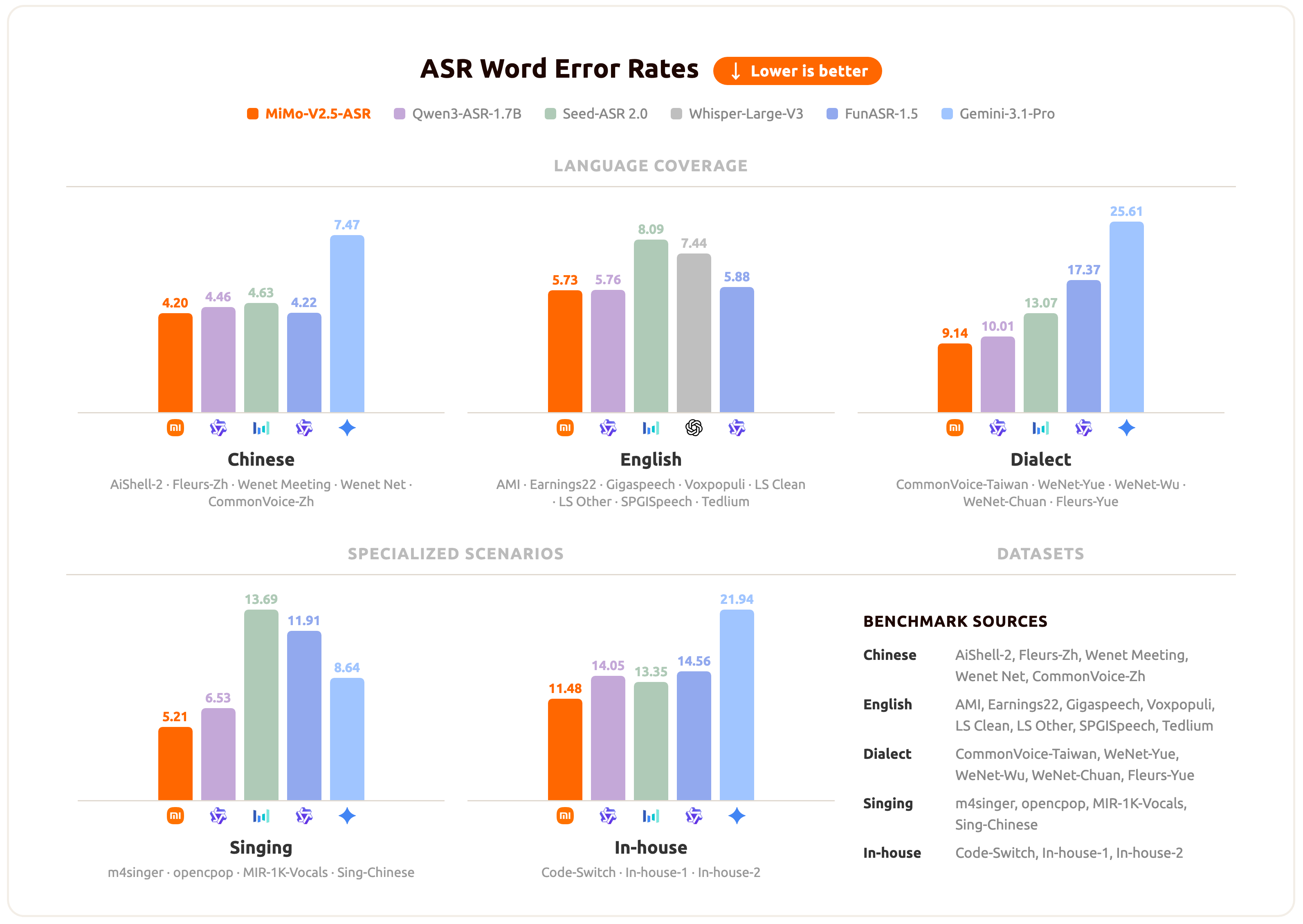 {/* feishu-style:text-align:left */}
For Agent applications, content creation tools, conferencing systems, and voice interaction products, this is a truly verified auditory foundation in complex real-world speech.
## How to Use
### MiMo-V2.5-TTS Series
{/* feishu-style:text-align:left */}
To assist developers in exploring more scenarios,**mimo-v2.5-tts, mimo-v2.5-tts-voicedesign, and mimo-v2.5-tts-voiceclone** are all available for free on the **Xiaomi MiMo API** Open Platform **for a limited time:**
https://platform.xiaomimimo.com/docs/usage-guide/speech-synthesis-v2.5
{/* feishu-style:text-align:left */}
Meanwhile, everyone is welcome to visit **Xiaomi MiMo Studio** for a quick experience:https://aistudio.xiaomimimo.com/#/c
{/* feishu-style:text-align:left */}
For Agent applications, content creation tools, conferencing systems, and voice interaction products, this is a truly verified auditory foundation in complex real-world speech.
## How to Use
### MiMo-V2.5-TTS Series
{/* feishu-style:text-align:left */}
To assist developers in exploring more scenarios,**mimo-v2.5-tts, mimo-v2.5-tts-voicedesign, and mimo-v2.5-tts-voiceclone** are all available for free on the **Xiaomi MiMo API** Open Platform **for a limited time:**
https://platform.xiaomimimo.com/docs/usage-guide/speech-synthesis-v2.5
{/* feishu-style:text-align:left */}
Meanwhile, everyone is welcome to visit **Xiaomi MiMo Studio** for a quick experience:https://aistudio.xiaomimimo.com/#/c
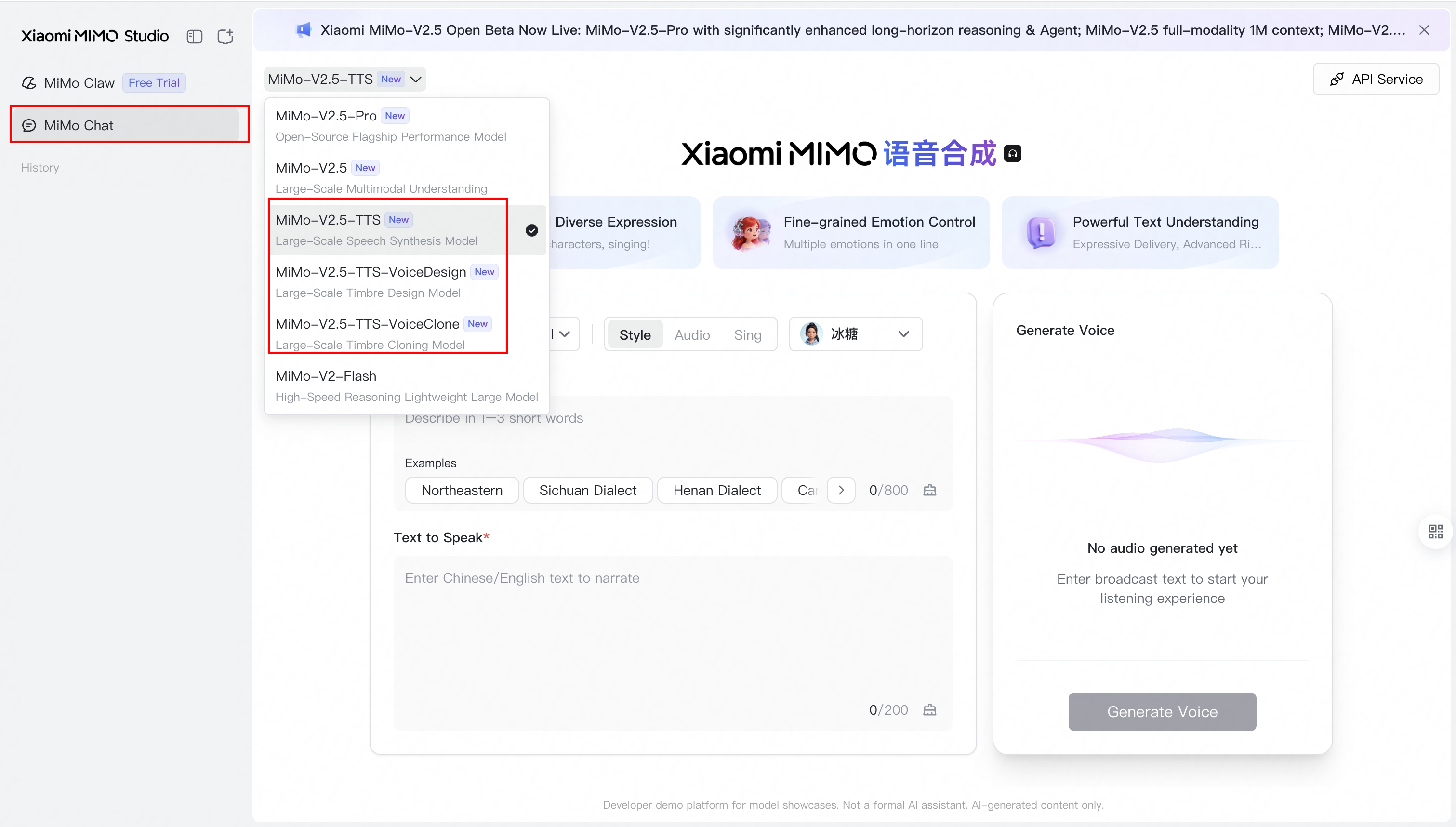 {/* feishu-style:text-align:left */}
For more cases, please refer to [https://mimo.xiaomi.com/mimo-v2-5-tts](https://mimo.xiaomi.com/mimo-v2-5-tts)
### mimo-v2.5-asr
{/* feishu-style:text-align:left */}
**mimo-v2.5-asr has now open-sourced its model weights and code**, enabling developers and researchers to directly use or conduct secondary development.
> Demo page: [https://mimo.xiaomi.com/mimo-v2-5-asr](https://mimo.xiaomi.com/mimo-v2-5-asr)
>
> Project Open Source Address: [https://github.com/XiaomiMiMo/MiMo-V2.5-ASR](https://github.com/XiaomiMiMo/MiMo-V2.5-ASR)
>
> Weight Open Source Address: https://huggingface.co/XiaomiMiMo/MiMo-V2.5-ASR
>
> Huggingface space: https://huggingface.co/spaces/XiaomiMiMo/MiMo-V2.5-ASR
## Agent Tool Call Support
{/* feishu-style:text-align:left */}
To facilitate everyone's quick integration of speech capabilities into Agent applications, we have fully open-sourced the access Skill for mimo-v2.5-tts related models. Welcome to visit the repository to pull and use:
{/* feishu-style:text-align:left */}
[https://github.com/XiaomiMiMo/MiMo-Skills](https://github.com/XiaomiMiMo/MiMo-Skills)
### Sound is just the starting point
{/* feishu-style:text-align:left */}
Beyond the MiMo-V2.5-TTS Series, we would like to answer a question:
{/* feishu-style:text-align:left */}
What will audio creation look like when mimo-v2.5-tts understands "expression", mimo-v2.5-pro understands "planning", and mimo-v2.5 understands "listening"?
{/* feishu-style:text-align:left */}
**The answer is: a complete, closed-loop Agent-style creative chain.**
- mimo-v2.5-pro —— Planning and screenwriting, breaking down tasks, writing scripts, arranging rhythm, and determining the editing sequence.
- MiMo-V2.5-TTS Series —— Timbre and Creatives, Voice Design generates timbre, Voice Clone synthesizes content.
- mimo-v2.5 —— Listening back and evaluation, checking if the character is consistent, if the rhythm is correct, and if it deviates from the user's original intention.
{/* feishu-style:text-align:left */}
An example:
> Create a scene of a summer afternoon lasting about 2 minutes. Grandpa (in his 70s, with a Beijing hutong accent, hoarse voice, drawn-out speech, lowered voice when concentrating on chess, and a booming laugh with a table slap) is playing chess under a pagoda tree. A 5-year-old grandson is squatting beside, watching ants, and occasionally interrupting with childish questions (clear, with rising intonation at the end, higher when excited, and occasional unclear pronunciation). Grandpa's tone is solemn when he gets serious, but immediately softens into a laughing scold when interrupted by his grandson.
{/* feishu-style:text-align:left */}
Users only provide a single sentence, and the finished product is generated automatically:
{/* feishu-style:text-align:left */}
For more cases, please refer to [https://mimo.xiaomi.com/mimo-v2-5-tts](https://mimo.xiaomi.com/mimo-v2-5-tts)
### mimo-v2.5-asr
{/* feishu-style:text-align:left */}
**mimo-v2.5-asr has now open-sourced its model weights and code**, enabling developers and researchers to directly use or conduct secondary development.
> Demo page: [https://mimo.xiaomi.com/mimo-v2-5-asr](https://mimo.xiaomi.com/mimo-v2-5-asr)
>
> Project Open Source Address: [https://github.com/XiaomiMiMo/MiMo-V2.5-ASR](https://github.com/XiaomiMiMo/MiMo-V2.5-ASR)
>
> Weight Open Source Address: https://huggingface.co/XiaomiMiMo/MiMo-V2.5-ASR
>
> Huggingface space: https://huggingface.co/spaces/XiaomiMiMo/MiMo-V2.5-ASR
## Agent Tool Call Support
{/* feishu-style:text-align:left */}
To facilitate everyone's quick integration of speech capabilities into Agent applications, we have fully open-sourced the access Skill for mimo-v2.5-tts related models. Welcome to visit the repository to pull and use:
{/* feishu-style:text-align:left */}
[https://github.com/XiaomiMiMo/MiMo-Skills](https://github.com/XiaomiMiMo/MiMo-Skills)
### Sound is just the starting point
{/* feishu-style:text-align:left */}
Beyond the MiMo-V2.5-TTS Series, we would like to answer a question:
{/* feishu-style:text-align:left */}
What will audio creation look like when mimo-v2.5-tts understands "expression", mimo-v2.5-pro understands "planning", and mimo-v2.5 understands "listening"?
{/* feishu-style:text-align:left */}
**The answer is: a complete, closed-loop Agent-style creative chain.**
- mimo-v2.5-pro —— Planning and screenwriting, breaking down tasks, writing scripts, arranging rhythm, and determining the editing sequence.
- MiMo-V2.5-TTS Series —— Timbre and Creatives, Voice Design generates timbre, Voice Clone synthesizes content.
- mimo-v2.5 —— Listening back and evaluation, checking if the character is consistent, if the rhythm is correct, and if it deviates from the user's original intention.
{/* feishu-style:text-align:left */}
An example:
> Create a scene of a summer afternoon lasting about 2 minutes. Grandpa (in his 70s, with a Beijing hutong accent, hoarse voice, drawn-out speech, lowered voice when concentrating on chess, and a booming laugh with a table slap) is playing chess under a pagoda tree. A 5-year-old grandson is squatting beside, watching ants, and occasionally interrupting with childish questions (clear, with rising intonation at the end, higher when excited, and occasional unclear pronunciation). Grandpa's tone is solemn when he gets serious, but immediately softens into a laughing scold when interrupted by his grandson.
{/* feishu-style:text-align:left */}
Users only provide a single sentence, and the finished product is generated automatically:
 --- DOCUMENT: Xiaomi MiMo-V2.5 Series Large Model Launches Public Beta ---
URL: https://mimo.mi.com/static/docs/news/latest/v2.5-news.md
# Xiaomi MiMo-V2.5 Series Large Model Launches Public Beta
--- DOCUMENT: Xiaomi MiMo-V2.5 Series Large Model Launches Public Beta ---
URL: https://mimo.mi.com/static/docs/news/latest/v2.5-news.md
# Xiaomi MiMo-V2.5 Series Large Model Launches Public Beta
 {/* feishu-style:text-align:left */}
Today, the Xiaomi MiMo-V2.5 series of models officially launched its public beta.
{/* feishu-style:text-align:left */}
The Xiaomi MiMo-V2.5 series includes mimo-v2.5, v2.5-pro, V2.5-TTS Series, and v2.5-asr.
{/* feishu-style:text-align:left */}
Stronger reasoning, more stable agents, longer context, stronger instruction following and understanding of ambiguous instructions, better full-modal perception and understanding —— this is a comprehensive leap from "usable" to "user-friendly".
{/* feishu-style:text-align:left */}
Meanwhile, we have also optimized the Token Plan pricing plan —— making the world's top-notch models easily accessible.
## mimo-v2.5-pro: Stronger Agent, Longer Focus
{/* feishu-style:text-align:left */}
mimo-v2.5-pro is our most powerful model to date. In dimensions such as **general agent capabilities, complex software engineering, and long-range tasks**, it can already compete head-on with the world's top Agent models (Claude Opus 4.6, GPT-5.4), achieving a comprehensive leap compared to the previous generation mimo-v2-pro.
{/* feishu-style:text-align:left */}
During internal testing, the intelligence level demonstrated by mimo-v2.5-pro has made us rethink the way humans and models collaborate: when paired with a suitable operating framework, it can stably complete long-range tasks involving nearly a thousand rounds of tool calls in a single instance, and its instruction-following ability in the agent scenario has also significantly improved - it can accurately capture implicit requirements in the context and maintain logical consistency over an extremely long period. By now, mimo-v2.5-pro can already undertake truly serious professional work with a higher confidence level.
{/* feishu-style:text-align:left */}
Today, the Xiaomi MiMo-V2.5 series of models officially launched its public beta.
{/* feishu-style:text-align:left */}
The Xiaomi MiMo-V2.5 series includes mimo-v2.5, v2.5-pro, V2.5-TTS Series, and v2.5-asr.
{/* feishu-style:text-align:left */}
Stronger reasoning, more stable agents, longer context, stronger instruction following and understanding of ambiguous instructions, better full-modal perception and understanding —— this is a comprehensive leap from "usable" to "user-friendly".
{/* feishu-style:text-align:left */}
Meanwhile, we have also optimized the Token Plan pricing plan —— making the world's top-notch models easily accessible.
## mimo-v2.5-pro: Stronger Agent, Longer Focus
{/* feishu-style:text-align:left */}
mimo-v2.5-pro is our most powerful model to date. In dimensions such as **general agent capabilities, complex software engineering, and long-range tasks**, it can already compete head-on with the world's top Agent models (Claude Opus 4.6, GPT-5.4), achieving a comprehensive leap compared to the previous generation mimo-v2-pro.
{/* feishu-style:text-align:left */}
During internal testing, the intelligence level demonstrated by mimo-v2.5-pro has made us rethink the way humans and models collaborate: when paired with a suitable operating framework, it can stably complete long-range tasks involving nearly a thousand rounds of tool calls in a single instance, and its instruction-following ability in the agent scenario has also significantly improved - it can accurately capture implicit requirements in the context and maintain logical consistency over an extremely long period. By now, mimo-v2.5-pro can already undertake truly serious professional work with a higher confidence level.
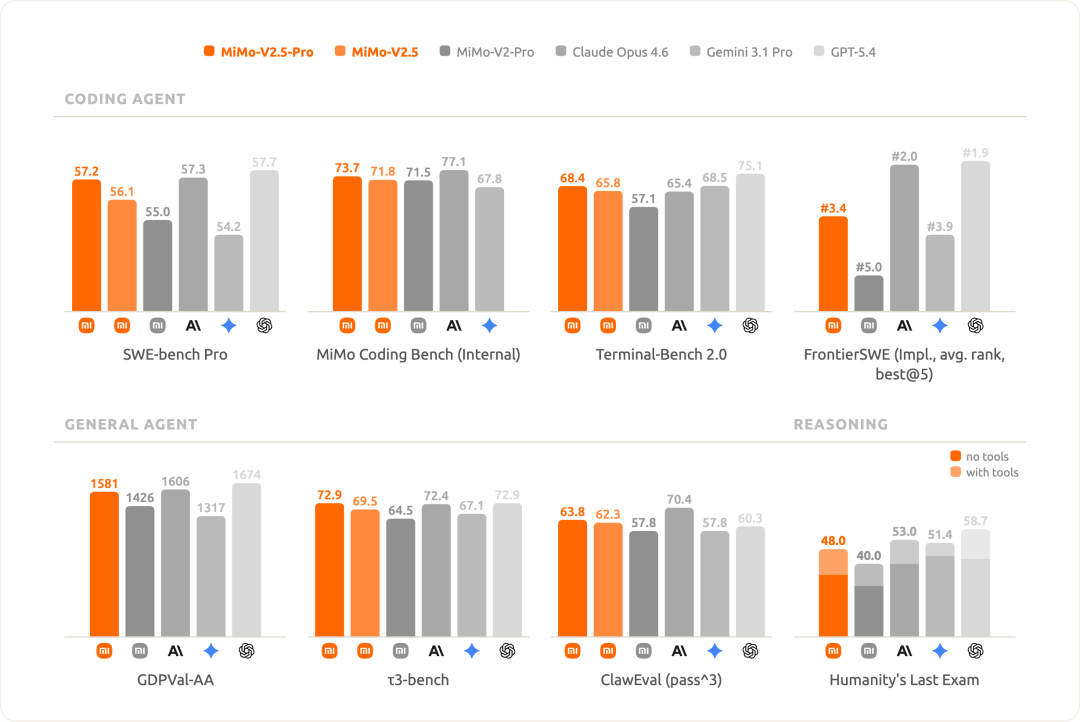 #### Designed for more complex tasks
{/* feishu-style:text-align:left */}
mimo-v2.5-pro is designed for more challenging and complex task objectives. We assign tasks that would take human experts days or even weeks to complete to it, allowing it to independently complete long-term processes while still maintaining extremely high quality. The following are the results it has delivered:
##### **Implement a complete SysY compiler in Rust**
{/* feishu-style:text-align:left */}
This task originated from the Compilation Principles course project at Peking University, requiring the model to implement a complete SysY compiler from scratch in Rust, including a lexical analyzer, a syntax analyzer, AST, Koopa IR code generation, RISC-V assembly backend, and performance optimization. For reference, **undergraduate students at Peking University usually take** **several weeks to complete this project, while mimo-v2.5-pro only took** **4.3 hours**, completed all tasks after 672 tool calls, and achieved **a perfect score of 233/233 on the hidden test set, demonstrating extremely high productivity value.**
#### Designed for more complex tasks
{/* feishu-style:text-align:left */}
mimo-v2.5-pro is designed for more challenging and complex task objectives. We assign tasks that would take human experts days or even weeks to complete to it, allowing it to independently complete long-term processes while still maintaining extremely high quality. The following are the results it has delivered:
##### **Implement a complete SysY compiler in Rust**
{/* feishu-style:text-align:left */}
This task originated from the Compilation Principles course project at Peking University, requiring the model to implement a complete SysY compiler from scratch in Rust, including a lexical analyzer, a syntax analyzer, AST, Koopa IR code generation, RISC-V assembly backend, and performance optimization. For reference, **undergraduate students at Peking University usually take** **several weeks to complete this project, while mimo-v2.5-pro only took** **4.3 hours**, completed all tasks after 672 tool calls, and achieved **a perfect score of 233/233 on the hidden test set, demonstrating extremely high productivity value.**
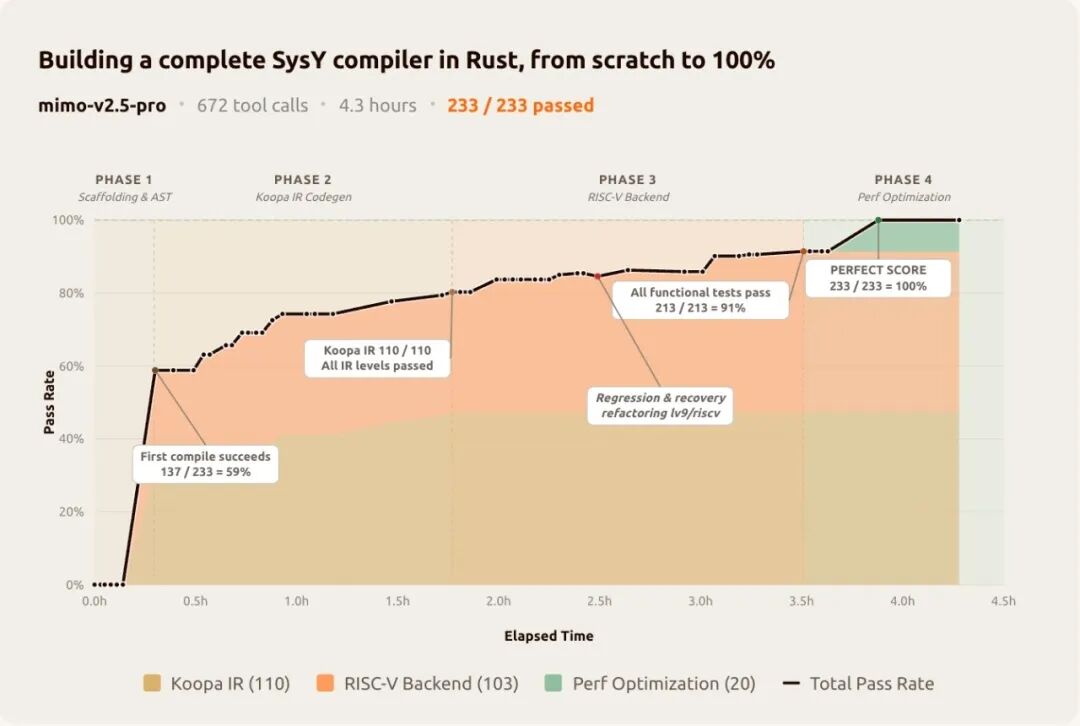 {/* feishu-style:text-align:left */}
Instead of getting stuck in brute-force trial-and-error, it builds the entire compiler layer by layer: first constructing the complete pipeline framework, then tackling each layer one by one - Koopa IR achieved a perfect score (110/110), the RISC-V backend achieved a perfect score (103/103), and Performance optimization achieved a perfect score (20/20). The first compilation passed **137/233** , with a cold start pass rate of 59%, which means that the architecture was already correct before running any tests. In the 512th round, a refactoring caused lv9/riscv to regress by two test points; the model self-diagnosed, recovered, and continued to progress.
{/* feishu-style:text-align:left */}
**The long-range task rewards precisely this structured and self-correcting work discipline.**
##### **Develop a video editor**
{/* feishu-style:text-align:left */}
With just a few simple instructions - "Build a video editor web application" - mimo-v2.5-pro delivered a runnable web application: featuring multi-track timeline, clip trimming, cross-fading, audio mixing, and export processes. The final built codebase amounts to 8,192 lines, involves 1,868 tool invocations, and was completed in 11.5 hours of autonomous work.
## mimo-v2.5: Overstepping Full-Modal Agent, Million Contexts
{/* feishu-style:text-align:left */}
mimo-v2.5 is a native full-modal large model designed for Agent scenarios, capable of seeing, hearing, and reading simultaneously, and translating understanding into action.
{/* feishu-style:text-align:left */}
This time, mimo-v2.5 brings a key upgrade:
{/* feishu-style:text-align:left */}
**Agent capabilities comprehensively surpass mimo-v2-pro**
{/* feishu-style:text-align:left */}
In authoritative Agent evaluations such as Claw-Eval, mimo-v2.5 surpasses the level of mimo-v2-pro, is capable of handling daily simple tasks, and at the same time reduces API costs by approximately 50%.
{/* feishu-style:text-align:left */}
**MultiModal Machine Learning perception comprehensively surpasses mimo-v2-omni**
{/* feishu-style:text-align:left */}
Capabilities such as cross-modal reasoning, video understanding, and chart analysis have been enhanced, approaching and even surpassing industry-leading closed-source models in evaluations such as VideoMME, CharXiv, and MMMU-Pro.
{/* feishu-style:text-align:left */}
Instead of getting stuck in brute-force trial-and-error, it builds the entire compiler layer by layer: first constructing the complete pipeline framework, then tackling each layer one by one - Koopa IR achieved a perfect score (110/110), the RISC-V backend achieved a perfect score (103/103), and Performance optimization achieved a perfect score (20/20). The first compilation passed **137/233** , with a cold start pass rate of 59%, which means that the architecture was already correct before running any tests. In the 512th round, a refactoring caused lv9/riscv to regress by two test points; the model self-diagnosed, recovered, and continued to progress.
{/* feishu-style:text-align:left */}
**The long-range task rewards precisely this structured and self-correcting work discipline.**
##### **Develop a video editor**
{/* feishu-style:text-align:left */}
With just a few simple instructions - "Build a video editor web application" - mimo-v2.5-pro delivered a runnable web application: featuring multi-track timeline, clip trimming, cross-fading, audio mixing, and export processes. The final built codebase amounts to 8,192 lines, involves 1,868 tool invocations, and was completed in 11.5 hours of autonomous work.
## mimo-v2.5: Overstepping Full-Modal Agent, Million Contexts
{/* feishu-style:text-align:left */}
mimo-v2.5 is a native full-modal large model designed for Agent scenarios, capable of seeing, hearing, and reading simultaneously, and translating understanding into action.
{/* feishu-style:text-align:left */}
This time, mimo-v2.5 brings a key upgrade:
{/* feishu-style:text-align:left */}
**Agent capabilities comprehensively surpass mimo-v2-pro**
{/* feishu-style:text-align:left */}
In authoritative Agent evaluations such as Claw-Eval, mimo-v2.5 surpasses the level of mimo-v2-pro, is capable of handling daily simple tasks, and at the same time reduces API costs by approximately 50%.
{/* feishu-style:text-align:left */}
**MultiModal Machine Learning perception comprehensively surpasses mimo-v2-omni**
{/* feishu-style:text-align:left */}
Capabilities such as cross-modal reasoning, video understanding, and chart analysis have been enhanced, approaching and even surpassing industry-leading closed-source models in evaluations such as VideoMME, CharXiv, and MMMU-Pro.
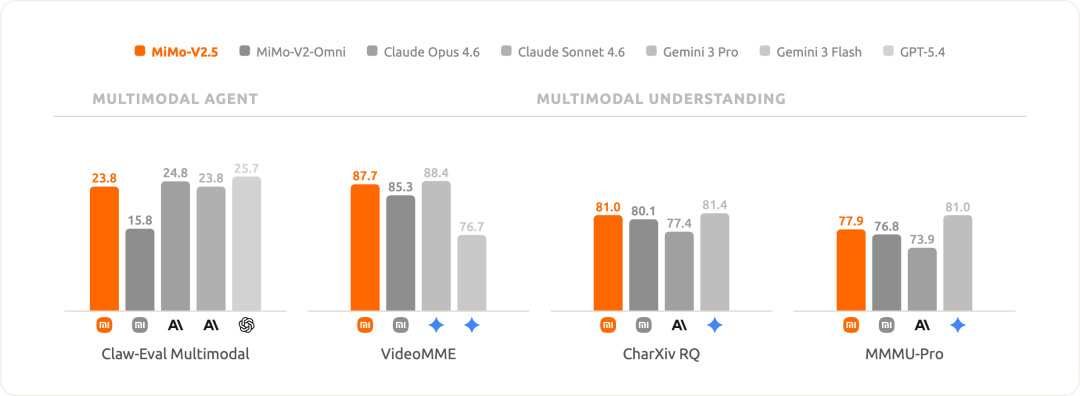 ## MiMo-V2.5 Full Series: Higher Token Efficiency
{/* feishu-style:text-align:left */}
The entire MiMo-V2.5 series is optimized for Token efficiency, doing more with fewer Tokens.
{/* feishu-style:text-align:left */}
When achieving the same score on the Agent benchmark list ClawEval:
- mimo-v2.5-pro saves 42% Token compared to Kimi K2.6
- mimo-v2.5 saves 50% of tokens compared to Muse Spark
## MiMo-V2.5 Full Series: Higher Token Efficiency
{/* feishu-style:text-align:left */}
The entire MiMo-V2.5 series is optimized for Token efficiency, doing more with fewer Tokens.
{/* feishu-style:text-align:left */}
When achieving the same score on the Agent benchmark list ClawEval:
- mimo-v2.5-pro saves 42% Token compared to Kimi K2.6
- mimo-v2.5 saves 50% of tokens compared to Muse Spark
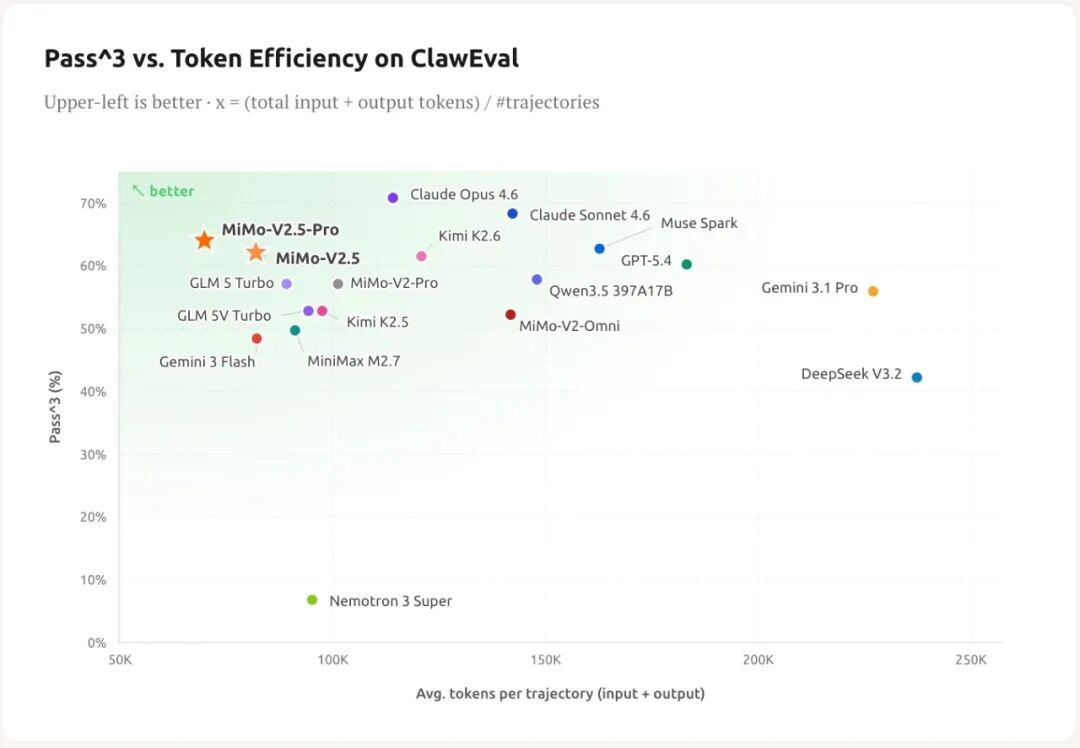 ## MiMo-V2.5 Full Series: How to Use Them in Combination?
- mimo-v2.5-pro is specifically designed for long and complex Agent tasks, while mimo-v2.5 covers most general Agent scenarios
- mimo-v2.5 supports native full-modal Agent capabilities, covering images, audio, and video
- mimo-v2.5 has a higher average inference speed and can respond more quickly to latency-sensitive tasks
## MiMo-V2.5 Full Series: How to Use Them in Combination?
- mimo-v2.5-pro is specifically designed for long and complex Agent tasks, while mimo-v2.5 covers most general Agent scenarios
- mimo-v2.5 supports native full-modal Agent capabilities, covering images, audio, and video
- mimo-v2.5 has a higher average inference speed and can respond more quickly to latency-sensitive tasks
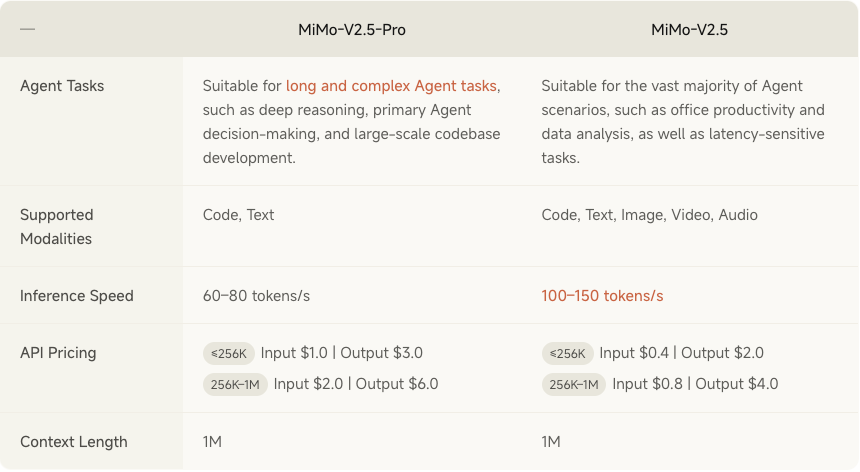 ## Token Plan Upgraded and Refreshed
{/* feishu-style:text-align:left */}
We have made several substantial optimizations suitable for you regarding the Token Plan:
{/* feishu-style:text-align:left */}
**Credits rate updated, more favorable**
- mimo-v2.5:1x(use 1 Token = 1 Credit)
- mimo-v2.5-pro: 2x(use 1 Token = 2 Credits)
{/* feishu-style:text-align:left */}
**Cancel the billing method of 1 Token = 4 Credits. From now on, the Token Plan will no longer distinguish the Credit multiplier for 256k and 1M context windows.**
{/* feishu-style:text-align:left */}
**Exclusive Nighttime Discount Rate**
{/* feishu-style:text-align:left */}
From 00:00 to 08:00 Beijing Time every day, the consumption rate of Credits for all models**will be further discounted by 20% on top of the original rate**.
{/* feishu-style:text-align:left */}
**Enjoy discounts with auto-renewal**
{/* feishu-style:text-align:left */}
A new "Continuous Monthly Subscription" model has been added. Existing users who activate auto-renewal will enjoy a 30% discount on the next month's subscription, while new users will enjoy a 23% discount on the next month's subscription, both limited to one time.
{/* feishu-style:text-align:left */}
A new "Annual" subscription cycle has been added. Subscribing once will enjoy an 12% discount for the whole year, and no longer be combined with the first purchase/auto-renewal discount.
## Online Benefit: Token Plan users' Credits will be fully reset
{/* feishu-style:text-align:left */}
All users who have purchased the Token Plan (as of 22:00 on April 22, Beijing Time) **will have their Credits quota fully reset to zero**, and the calculation will start anew.
{/* feishu-style:text-align:left */}
Xiaomi MiMo helps you start from scratch and unleash your creativity to the fullest!
> Note: This online welfare only resets the Credits limit, does not reset the package timing, and the validity period of purchased packages remains unchanged.
## Token Plan Upgraded and Refreshed
{/* feishu-style:text-align:left */}
We have made several substantial optimizations suitable for you regarding the Token Plan:
{/* feishu-style:text-align:left */}
**Credits rate updated, more favorable**
- mimo-v2.5:1x(use 1 Token = 1 Credit)
- mimo-v2.5-pro: 2x(use 1 Token = 2 Credits)
{/* feishu-style:text-align:left */}
**Cancel the billing method of 1 Token = 4 Credits. From now on, the Token Plan will no longer distinguish the Credit multiplier for 256k and 1M context windows.**
{/* feishu-style:text-align:left */}
**Exclusive Nighttime Discount Rate**
{/* feishu-style:text-align:left */}
From 00:00 to 08:00 Beijing Time every day, the consumption rate of Credits for all models**will be further discounted by 20% on top of the original rate**.
{/* feishu-style:text-align:left */}
**Enjoy discounts with auto-renewal**
{/* feishu-style:text-align:left */}
A new "Continuous Monthly Subscription" model has been added. Existing users who activate auto-renewal will enjoy a 30% discount on the next month's subscription, while new users will enjoy a 23% discount on the next month's subscription, both limited to one time.
{/* feishu-style:text-align:left */}
A new "Annual" subscription cycle has been added. Subscribing once will enjoy an 12% discount for the whole year, and no longer be combined with the first purchase/auto-renewal discount.
## Online Benefit: Token Plan users' Credits will be fully reset
{/* feishu-style:text-align:left */}
All users who have purchased the Token Plan (as of 22:00 on April 22, Beijing Time) **will have their Credits quota fully reset to zero**, and the calculation will start anew.
{/* feishu-style:text-align:left */}
Xiaomi MiMo helps you start from scratch and unleash your creativity to the fullest!
> Note: This online welfare only resets the Credits limit, does not reset the package timing, and the validity period of purchased packages remains unchanged.
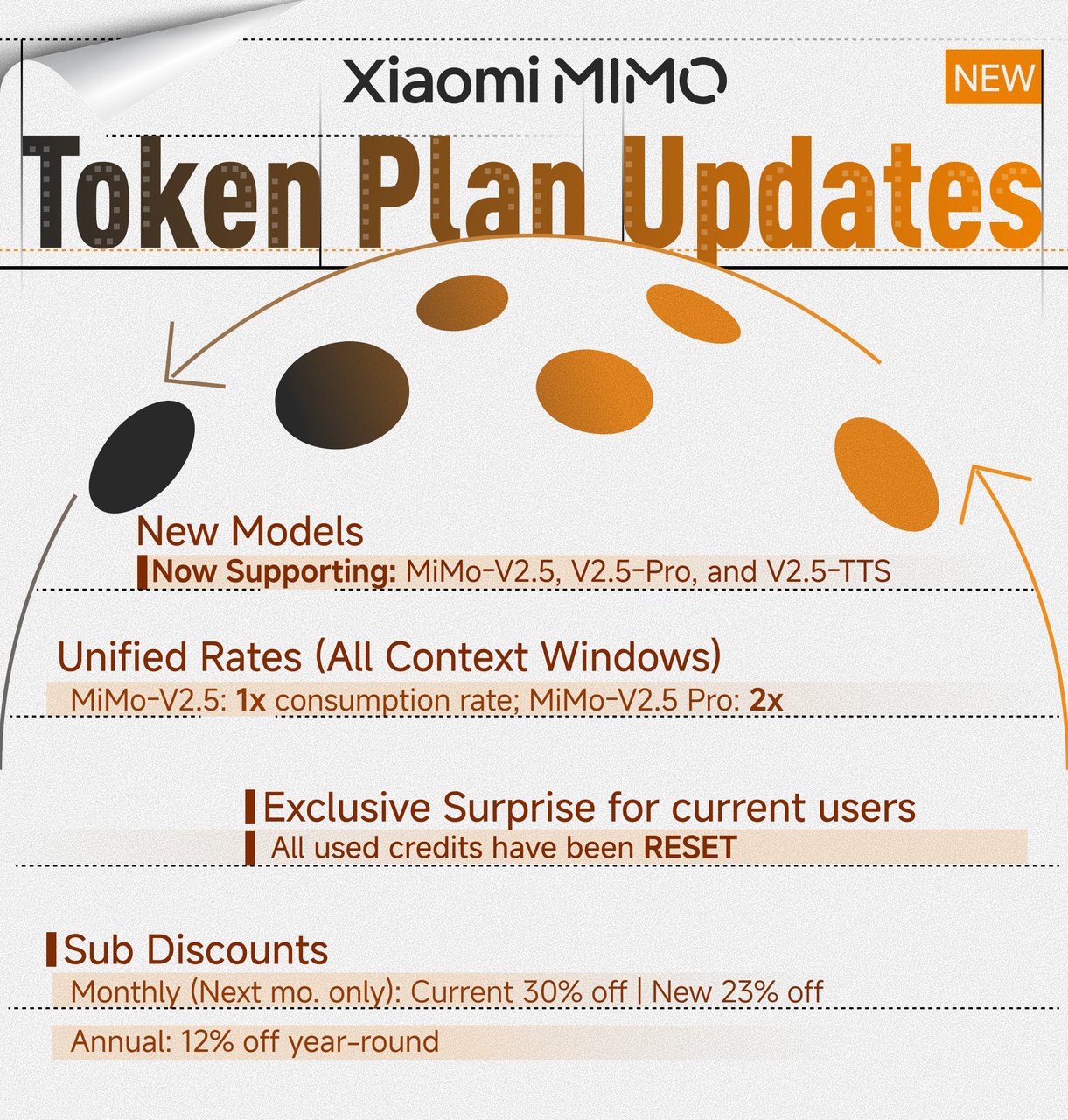 ## is about to be open-sourced
{/* feishu-style:text-align:left */}
mimo-v2.5-pro and mimo-v2.5 models are about to be globally open-sourced. Stay tuned!
--- DOCUMENT: Xiaomi MiMo is now integrated with the top-tier Agent framework Hermes Agent and offers a two-week free trial ---
URL: https://mimo.mi.com/static/docs/news/latest/hermes-free.md
# Xiaomi MiMo is now integrated with the top-tier Agent framework Hermes Agent and offers a two-week free trial
{/* feishu-style:text-align:left */}
The Xiaomi MiMo-V2 series now officially supports Hermes Agent!
{/* feishu-style:text-align:left */}
As the flagship base for the Agent era, the Xiaomi MiMo-V2 series of large models has officially joined hands with the world's leading Agent open-source framework Hermes Agent to achieve official integrated access.
{/* feishu-style:text-align:left */}
**Hermes Agent is:**
- One of the most globally watched open-source Agent frameworks currently
- It has the capabilities of self-evolution and cross-session memory, automatically accumulates experience from tasks, and becomes stronger with more use
- Supports cross-platform communication
{/* feishu-style:text-align:left */}
mimo-v2-pro, with its 1M long context capability, native strong tool invocation, and in-depth Agent-specific optimization, is fully compatible with core features of Hermes Agent such as self-evolution skills, cross-session memory, and complex workflows.
{/* feishu-style:text-align:left */}
mimo-v2-omni further expands the boundaries of perception, integrating the full-modal understanding capabilities of images, videos, audio, and text, enabling Hermes Agent to become a true full-modal agent that can see, understand, and act.
{/* feishu-style:text-align:left */}
**We sincerely invite developers worldwide to try it out, with a two-week free trial**
- **Free trial period:** April 8 - April 22, 12:00 (Beijing Time, UTC+8), a total of two weeks.
- **Usage:** Update Hermes Agent to the latest version, and you can call Xiaomi mimo-v2-pro, omni, and flash models for free via Nous Portal.
## is about to be open-sourced
{/* feishu-style:text-align:left */}
mimo-v2.5-pro and mimo-v2.5 models are about to be globally open-sourced. Stay tuned!
--- DOCUMENT: Xiaomi MiMo is now integrated with the top-tier Agent framework Hermes Agent and offers a two-week free trial ---
URL: https://mimo.mi.com/static/docs/news/latest/hermes-free.md
# Xiaomi MiMo is now integrated with the top-tier Agent framework Hermes Agent and offers a two-week free trial
{/* feishu-style:text-align:left */}
The Xiaomi MiMo-V2 series now officially supports Hermes Agent!
{/* feishu-style:text-align:left */}
As the flagship base for the Agent era, the Xiaomi MiMo-V2 series of large models has officially joined hands with the world's leading Agent open-source framework Hermes Agent to achieve official integrated access.
{/* feishu-style:text-align:left */}
**Hermes Agent is:**
- One of the most globally watched open-source Agent frameworks currently
- It has the capabilities of self-evolution and cross-session memory, automatically accumulates experience from tasks, and becomes stronger with more use
- Supports cross-platform communication
{/* feishu-style:text-align:left */}
mimo-v2-pro, with its 1M long context capability, native strong tool invocation, and in-depth Agent-specific optimization, is fully compatible with core features of Hermes Agent such as self-evolution skills, cross-session memory, and complex workflows.
{/* feishu-style:text-align:left */}
mimo-v2-omni further expands the boundaries of perception, integrating the full-modal understanding capabilities of images, videos, audio, and text, enabling Hermes Agent to become a true full-modal agent that can see, understand, and act.
{/* feishu-style:text-align:left */}
**We sincerely invite developers worldwide to try it out, with a two-week free trial**
- **Free trial period:** April 8 - April 22, 12:00 (Beijing Time, UTC+8), a total of two weeks.
- **Usage:** Update Hermes Agent to the latest version, and you can call Xiaomi mimo-v2-pro, omni, and flash models for free via Nous Portal.
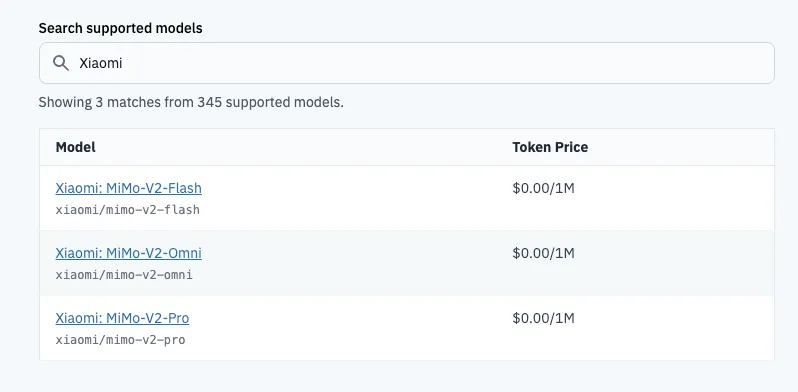 {/* feishu-style:text-align:left */}
From "task execution" to "self-evolution", MiMo, in collaboration with Hermes Agent, enables your AI Agent to become "smarter with use".
--- DOCUMENT: Xiaomi MiMo Token Plan Brand New Release ---
URL: https://mimo.mi.com/static/docs/news/latest/token-plan-release.md
# Xiaomi MiMo Token Plan Brand New Release
{/* feishu-style:text-align:left */}
Since 2025, the capabilities of large models have been continuously redefined. However, for most developers and users, "affordability" remains a more fundamental issue than "usability". Under the pay-as-you-go model, every invocation is accompanied by uncertainty about costs.
{/* feishu-style:text-align:left */}
We don't want it to be this way. We believe that **good technology should not be a privilege reserved for only a few; it should, like water and electricity, become a readily accessible productivity tool for everyone at a predictable price.**
{/* feishu-style:text-align:left */}
Therefore, we officially launch the Xiaomi MiMo Token Plan.
### MiMo Token Plan: Simplify Complexity
{/* feishu-style:text-align:left */}
Our original intention in designing the Token Plan was to ensure that the billing method is transparent, simple, and straightforward enough for any user to understand and use with ease.
{/* feishu-style:text-align:left */}
**1. Transparent design, simple and straightforward** - Unified Credit point system, converting credit consumption based on token usage, helping you easily plan your usage.
> - mimo-v2-omni 256k Context: 1x (1 Token Consumed = 1 Credit)
>
> - mimo-v2-pro 256k Context: 2x (1 Token Consumed = 2 Credits)
>
> - mimo-v2-pro 256k~1M Context: 4x (1 Token Consumed = 4 Credits)
>
> - mimo-v2-tts: 0x (Limited-time free, no Credit consumption)
{/* feishu-style:text-align:left */}
**2. No 5-hour token usage limit** —— Supports concentrated token consumption, enabling high-intensity lobster farming or programming with a full experience and no interruptions.
{/* feishu-style:text-align:left */}
**3. Users who purchase the package can enjoy the priority internal testing experience right for the new model**—advanced and user-friendly, one step ahead.
{/* feishu-style:text-align:left */}
From "task execution" to "self-evolution", MiMo, in collaboration with Hermes Agent, enables your AI Agent to become "smarter with use".
--- DOCUMENT: Xiaomi MiMo Token Plan Brand New Release ---
URL: https://mimo.mi.com/static/docs/news/latest/token-plan-release.md
# Xiaomi MiMo Token Plan Brand New Release
{/* feishu-style:text-align:left */}
Since 2025, the capabilities of large models have been continuously redefined. However, for most developers and users, "affordability" remains a more fundamental issue than "usability". Under the pay-as-you-go model, every invocation is accompanied by uncertainty about costs.
{/* feishu-style:text-align:left */}
We don't want it to be this way. We believe that **good technology should not be a privilege reserved for only a few; it should, like water and electricity, become a readily accessible productivity tool for everyone at a predictable price.**
{/* feishu-style:text-align:left */}
Therefore, we officially launch the Xiaomi MiMo Token Plan.
### MiMo Token Plan: Simplify Complexity
{/* feishu-style:text-align:left */}
Our original intention in designing the Token Plan was to ensure that the billing method is transparent, simple, and straightforward enough for any user to understand and use with ease.
{/* feishu-style:text-align:left */}
**1. Transparent design, simple and straightforward** - Unified Credit point system, converting credit consumption based on token usage, helping you easily plan your usage.
> - mimo-v2-omni 256k Context: 1x (1 Token Consumed = 1 Credit)
>
> - mimo-v2-pro 256k Context: 2x (1 Token Consumed = 2 Credits)
>
> - mimo-v2-pro 256k~1M Context: 4x (1 Token Consumed = 4 Credits)
>
> - mimo-v2-tts: 0x (Limited-time free, no Credit consumption)
{/* feishu-style:text-align:left */}
**2. No 5-hour token usage limit** —— Supports concentrated token consumption, enabling high-intensity lobster farming or programming with a full experience and no interruptions.
{/* feishu-style:text-align:left */}
**3. Users who purchase the package can enjoy the priority internal testing experience right for the new model**—advanced and user-friendly, one step ahead.
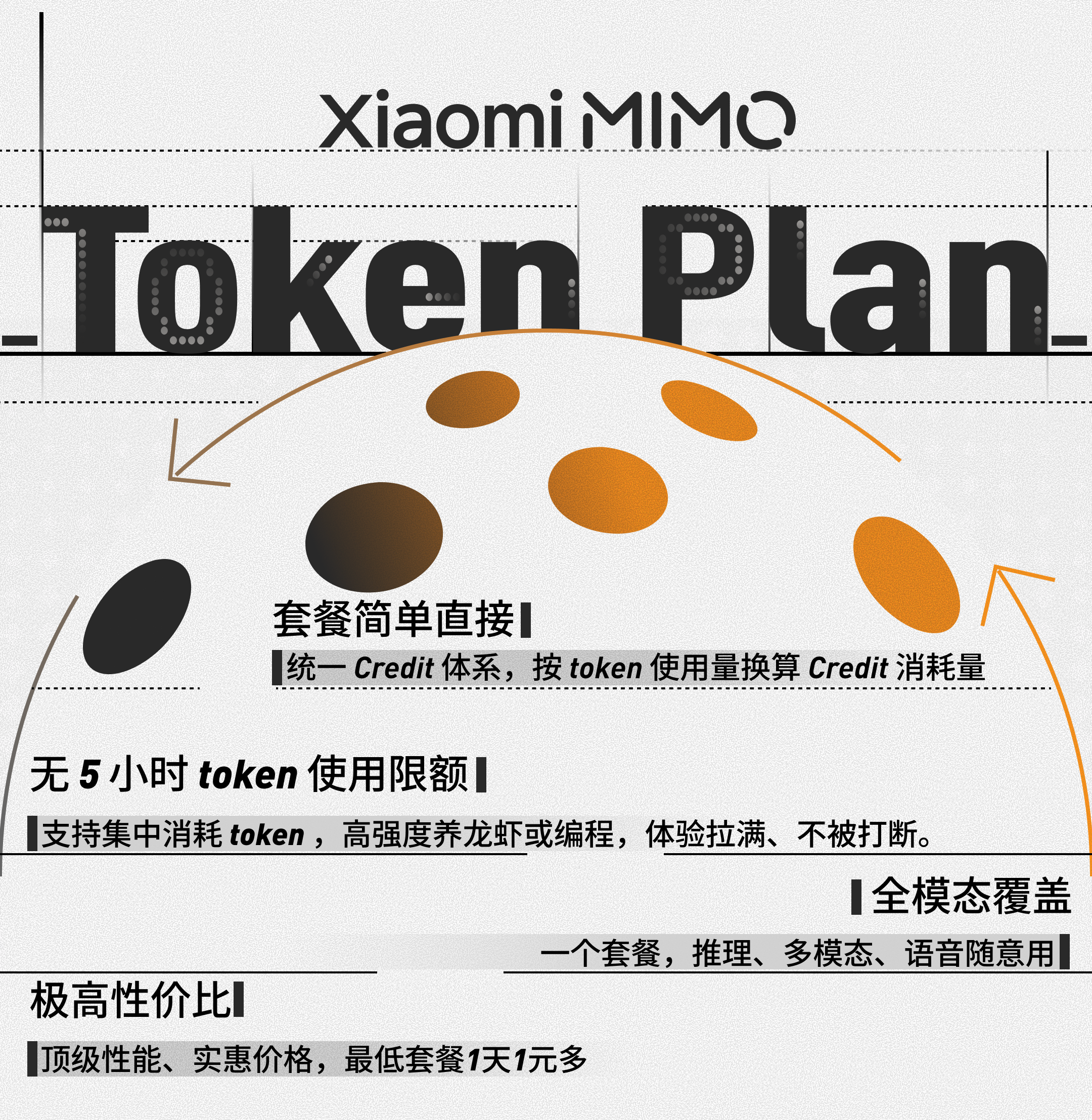 ### Four-tier pricing, designed for you
{/* feishu-style:text-align:left */}
Token Plan offers four tiers of packages, so no matter your frequency and depth of AI usage, you can find a suitable plan:
- **Lite (China: ¥39/month. Overseas: $6/month)** —— 60M Credits, can execute approximately **120 medium to complex tasks**. Suitable for explorers new to AI development, starting at the price of a cup of coffee.
- **Standard (China: ¥99/month. Overseas: $16/month)** —— 200M Credits, capable of performing approximately **400 medium to complex tasks**. A primary solution designed for work and developer users who rely on AI for daily efficiency improvement.
- **Pro (China: ¥329/month. Overseas: $50/month)** —— 700 million (700M) Credits, capable of performing approximately **1,400 medium to complex tasks**. Designed for professional users who deeply integrate AI into their workflows.
- **Max (China: ¥659/month. Overseas: $100/month)** —— 1.6 billion (1600M) Credits, capable of executing approximately **3200 medium to complex tasks**. Designed for developers with all-day, high-intensity usage, offering an almost unrestricted usage experience.
> All packages enjoy a **12% discount** on the first purchase, and this discount is limited to 1 time only.
>
>
### Four-tier pricing, designed for you
{/* feishu-style:text-align:left */}
Token Plan offers four tiers of packages, so no matter your frequency and depth of AI usage, you can find a suitable plan:
- **Lite (China: ¥39/month. Overseas: $6/month)** —— 60M Credits, can execute approximately **120 medium to complex tasks**. Suitable for explorers new to AI development, starting at the price of a cup of coffee.
- **Standard (China: ¥99/month. Overseas: $16/month)** —— 200M Credits, capable of performing approximately **400 medium to complex tasks**. A primary solution designed for work and developer users who rely on AI for daily efficiency improvement.
- **Pro (China: ¥329/month. Overseas: $50/month)** —— 700 million (700M) Credits, capable of performing approximately **1,400 medium to complex tasks**. Designed for professional users who deeply integrate AI into their workflows.
- **Max (China: ¥659/month. Overseas: $100/month)** —— 1.6 billion (1600M) Credits, capable of executing approximately **3200 medium to complex tasks**. Designed for developers with all-day, high-intensity usage, offering an almost unrestricted usage experience.
> All packages enjoy a **12% discount** on the first purchase, and this discount is limited to 1 time only.
>
> 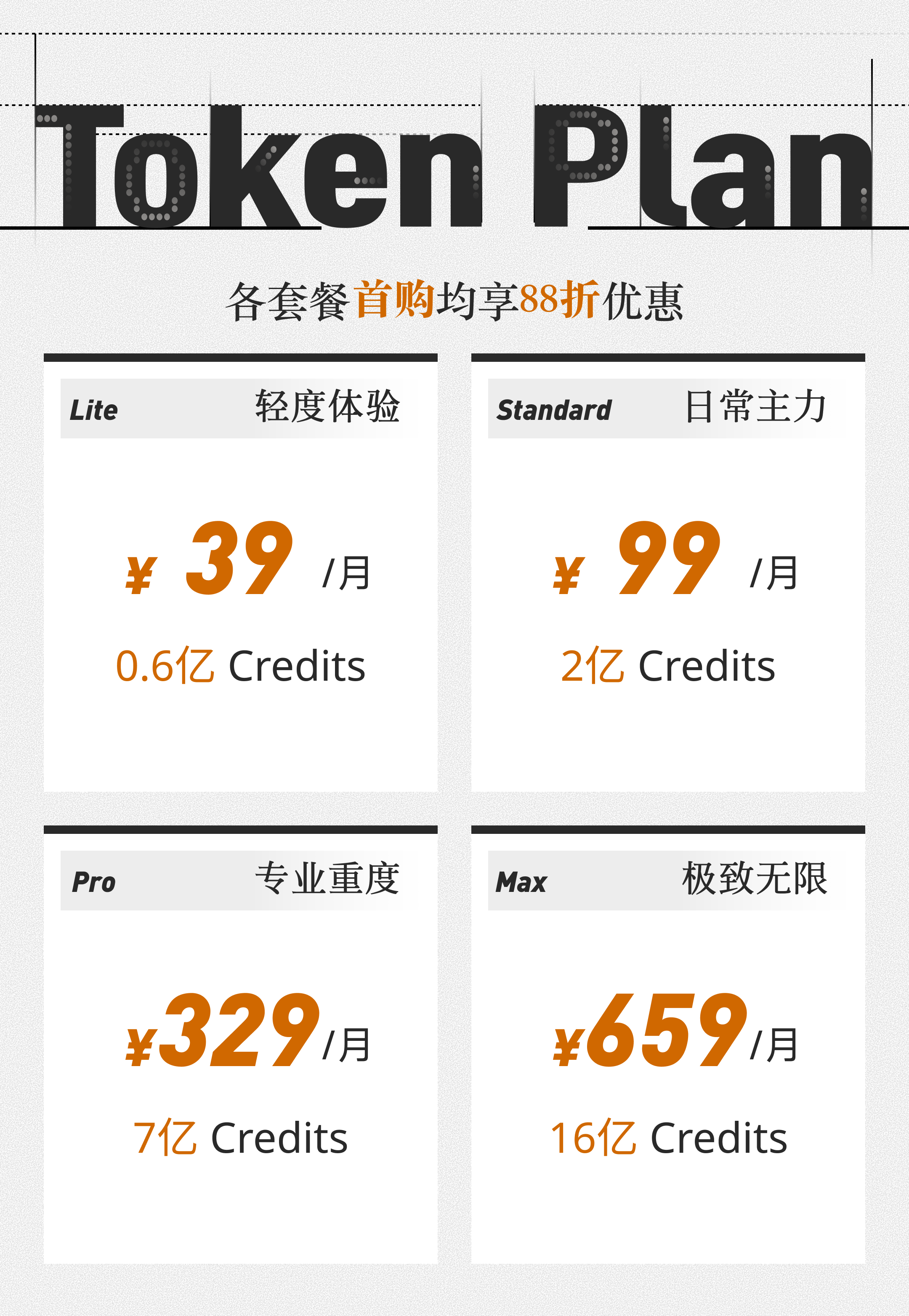 ### Specifically adapted for mainstream AI tools
{/* feishu-style:text-align:left */}
Specifically designed for mainstream AI tools and development platforms such as Claude Code, OpenClaw, OpenCode, Kilo Code, Cline, etc., to help you efficiently boost productivity.
### This is just the beginning
{/* feishu-style:text-align:left */}
Auto-renewal, plan upgrades, and more flexible usage management are all under development. If you have any ideas or suggestions during use, we sincerely look forward to your feedback.
{/* feishu-style:text-align:left */}
Token Plan is the new starting point for MiMo, and our goal has never changed: **to create the best models, set the most reasonable prices, and enable more people to truly use them.**
{/* feishu-style:text-align:left */}
👉 Purchase Now: [Xiaomi MiMo Open Platform](https://platform.xiaomimimo.com/)
--- DOCUMENT: Xiaomi MiMo Agent Framework Call Free Trial Extension for One Week ---
URL: https://mimo.mi.com/static/docs/news/latest/free-trial-extension.md
# Xiaomi MiMo Agent Framework Call Free Trial Extension for One Week
{/* feishu-style:text-align:left */}
Since the global release of the new models in the Xiaomi MiMo-V2 series on March 19, 2026, the mimo-v2-pro/omni has been enthusiastically pursued and widely concerned by developers worldwide, especially the flagship model mimo-v2-pro in the global call volume ranking of OpenRouter**has continuously ranked No. 1 in the daily, weekly, and trending lists**.
{/* feishu-style:text-align:left */}
In addition, our joint operation activities carried out together with **top Agent frameworks such as OpenClaw, OpenCode, KiloCode, Cline, and BlackBoxAI** are also highly popular among users.
{/* feishu-style:text-align:left */}
Therefore, we have decided - **to extend the "XiaomiMiMo Launches First Week Free Trial in Collaboration with Global Top Agent Framework" event from the originally scheduled one-week free trial to two weeks,** and the free trial period will be extended to: **12:00 PM, April 2, 2026, Beijing Time (GMT+8).**
{/* feishu-style:text-align:left */}
For the limited-time free access methods of each platform, please refer to:[Xiaomi MiMo Partners with Top Agent Framework : First Week Free](https://platform.xiaomimimo.com/#/docs/news/first-week-free)
{/* feishu-style:text-align:left */}
AI without barriers, innovation without limits. We sincerely invite global developers to fully unleash the powerful productivity of the combination of Xiaomi MiMo large model and top-tier Agent framework.
--- DOCUMENT: Xiaomi MiMo Partners with Top Agent Framework : First Week Free ---
URL: https://mimo.mi.com/static/docs/news/previous-news/first-week-free.md
# Xiaomi MiMo Partners with Top Agent Framework : First Week Free
### Specifically adapted for mainstream AI tools
{/* feishu-style:text-align:left */}
Specifically designed for mainstream AI tools and development platforms such as Claude Code, OpenClaw, OpenCode, Kilo Code, Cline, etc., to help you efficiently boost productivity.
### This is just the beginning
{/* feishu-style:text-align:left */}
Auto-renewal, plan upgrades, and more flexible usage management are all under development. If you have any ideas or suggestions during use, we sincerely look forward to your feedback.
{/* feishu-style:text-align:left */}
Token Plan is the new starting point for MiMo, and our goal has never changed: **to create the best models, set the most reasonable prices, and enable more people to truly use them.**
{/* feishu-style:text-align:left */}
👉 Purchase Now: [Xiaomi MiMo Open Platform](https://platform.xiaomimimo.com/)
--- DOCUMENT: Xiaomi MiMo Agent Framework Call Free Trial Extension for One Week ---
URL: https://mimo.mi.com/static/docs/news/latest/free-trial-extension.md
# Xiaomi MiMo Agent Framework Call Free Trial Extension for One Week
{/* feishu-style:text-align:left */}
Since the global release of the new models in the Xiaomi MiMo-V2 series on March 19, 2026, the mimo-v2-pro/omni has been enthusiastically pursued and widely concerned by developers worldwide, especially the flagship model mimo-v2-pro in the global call volume ranking of OpenRouter**has continuously ranked No. 1 in the daily, weekly, and trending lists**.
{/* feishu-style:text-align:left */}
In addition, our joint operation activities carried out together with **top Agent frameworks such as OpenClaw, OpenCode, KiloCode, Cline, and BlackBoxAI** are also highly popular among users.
{/* feishu-style:text-align:left */}
Therefore, we have decided - **to extend the "XiaomiMiMo Launches First Week Free Trial in Collaboration with Global Top Agent Framework" event from the originally scheduled one-week free trial to two weeks,** and the free trial period will be extended to: **12:00 PM, April 2, 2026, Beijing Time (GMT+8).**
{/* feishu-style:text-align:left */}
For the limited-time free access methods of each platform, please refer to:[Xiaomi MiMo Partners with Top Agent Framework : First Week Free](https://platform.xiaomimimo.com/#/docs/news/first-week-free)
{/* feishu-style:text-align:left */}
AI without barriers, innovation without limits. We sincerely invite global developers to fully unleash the powerful productivity of the combination of Xiaomi MiMo large model and top-tier Agent framework.
--- DOCUMENT: Xiaomi MiMo Partners with Top Agent Framework : First Week Free ---
URL: https://mimo.mi.com/static/docs/news/previous-news/first-week-free.md
# Xiaomi MiMo Partners with Top Agent Framework : First Week Free
 {/* feishu-style:text-align:left */}
mimo-v2-pro, mimo-v2-omni, and mimo-v2-tts are now available. To meet global developers' anticipation for Xiaomi MiMo's new base models, Xiaomi MiMo has partnered with five agent frameworks — OpenClaw, OpenCode, KiloCode, Cline, and BLACKBOXAI — offering free API access worldwide for one week.
{/* feishu-style:text-align:left */}
**Note: mimo-v2-pro and mimo-v2-omni can only be used for free in the above five agent frameworks, see below for detailed instructions. To call the Model API directly, see** [**Pricing and Rate Limits**](https://platform.xiaomimimo.com/#/docs/pricing) **for pricing standards.**
## 01 / OpenClaw
{/* feishu-style:text-align:left */}
**Free for a Limited Time** — A Highly Anticipated General-Purpose Agent Framework. AI That Truly Gets Things Done.
{/* feishu-style:text-align:left */}
mimo-v2-pro, mimo-v2-omni, and mimo-v2-tts are now available. To meet global developers' anticipation for Xiaomi MiMo's new base models, Xiaomi MiMo has partnered with five agent frameworks — OpenClaw, OpenCode, KiloCode, Cline, and BLACKBOXAI — offering free API access worldwide for one week.
{/* feishu-style:text-align:left */}
**Note: mimo-v2-pro and mimo-v2-omni can only be used for free in the above five agent frameworks, see below for detailed instructions. To call the Model API directly, see** [**Pricing and Rate Limits**](https://platform.xiaomimimo.com/#/docs/pricing) **for pricing standards.**
## 01 / OpenClaw
{/* feishu-style:text-align:left */}
**Free for a Limited Time** — A Highly Anticipated General-Purpose Agent Framework. AI That Truly Gets Things Done.
 #### Integration
{/* feishu-style:text-align:left */}
Get an API Key from OpenRouter and configure it in your OpenClaw:
- In chat: `/model openrouter/xiaomi/mimo-v2-pro` (or v2-omni)
- In terminal: `openclaw models set openrouter/xiaomi/mimo-v2-pro` (or v2-omni)
- Or edit config: set `model.primary` to `openrouter/xiaomi/mimo-v2-pro` (or v2-omni)
{/* feishu-style:text-align:left */}
See details on [OpenClaw provides free access to MiMo-V2-Pro/MiMo-V2-Omni replicas via Openrouter](https://platform.xiaomimimo.com/#/docs/integration/openclaw-with-openrouter) .
#### Integration
{/* feishu-style:text-align:left */}
Get an API Key from OpenRouter and configure it in your OpenClaw:
- In chat: `/model openrouter/xiaomi/mimo-v2-pro` (or v2-omni)
- In terminal: `openclaw models set openrouter/xiaomi/mimo-v2-pro` (or v2-omni)
- Or edit config: set `model.primary` to `openrouter/xiaomi/mimo-v2-pro` (or v2-omni)
{/* feishu-style:text-align:left */}
See details on [OpenClaw provides free access to MiMo-V2-Pro/MiMo-V2-Omni replicas via Openrouter](https://platform.xiaomimimo.com/#/docs/integration/openclaw-with-openrouter) .
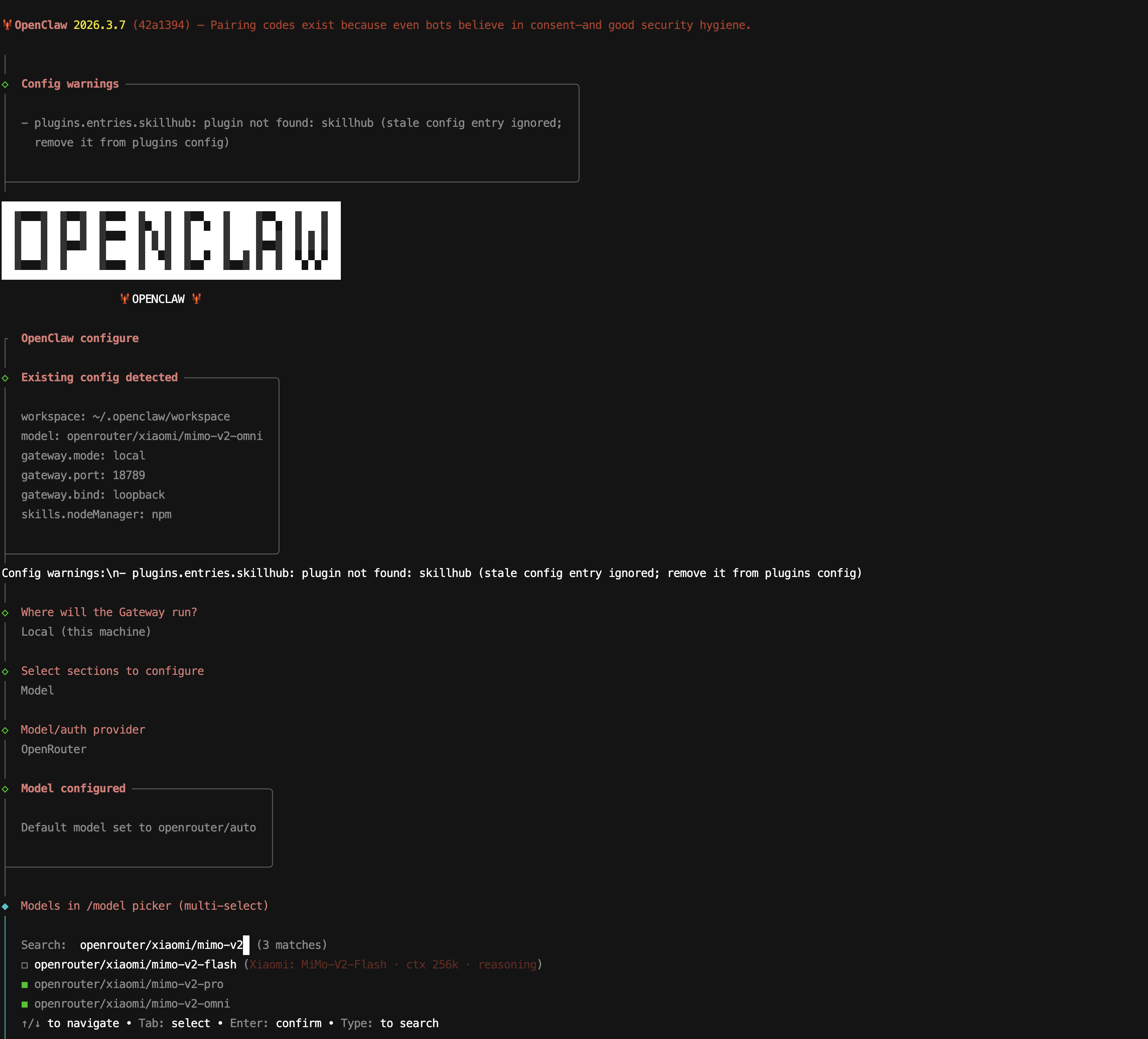 ## 02 / OpenCode
{/* feishu-style:text-align:left */}
**Free for a Limited Time** — Open-Source AI Coding Agent. 120K+ GitHub Stars. 5M+ Developers Monthly.
## 02 / OpenCode
{/* feishu-style:text-align:left */}
**Free for a Limited Time** — Open-Source AI Coding Agent. 120K+ GitHub Stars. 5M+ Developers Monthly.
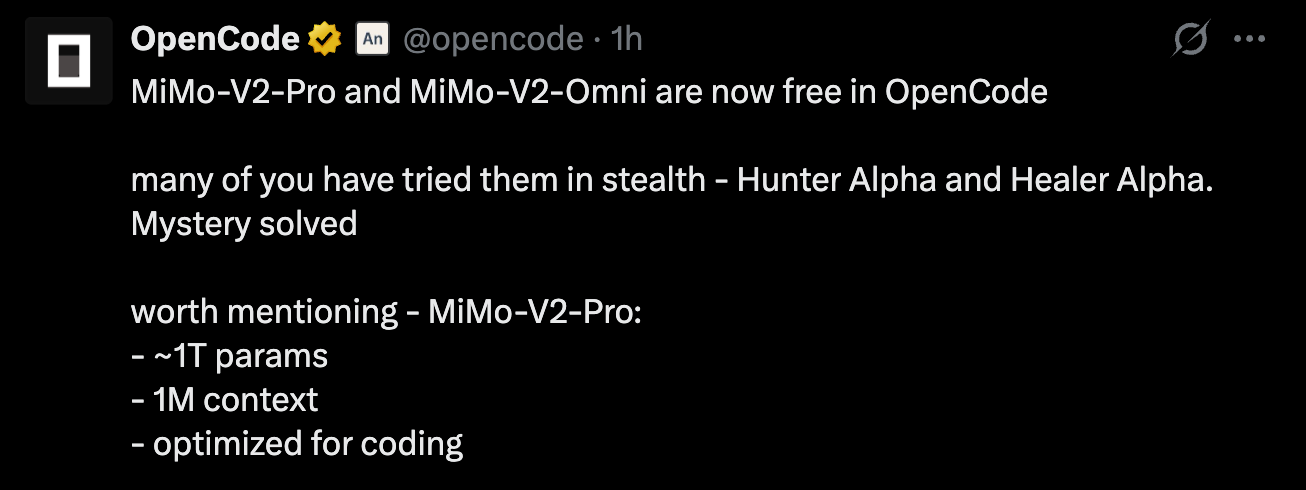 #### Integration
{/* feishu-style:text-align:left */}
From the terminal, desktop app, or IDE extension, select MiMo V2 Pro / MiMo V2 Omni (FREE tag) under OpenCode → Zen.
#### Integration
{/* feishu-style:text-align:left */}
From the terminal, desktop app, or IDE extension, select MiMo V2 Pro / MiMo V2 Omni (FREE tag) under OpenCode → Zen.
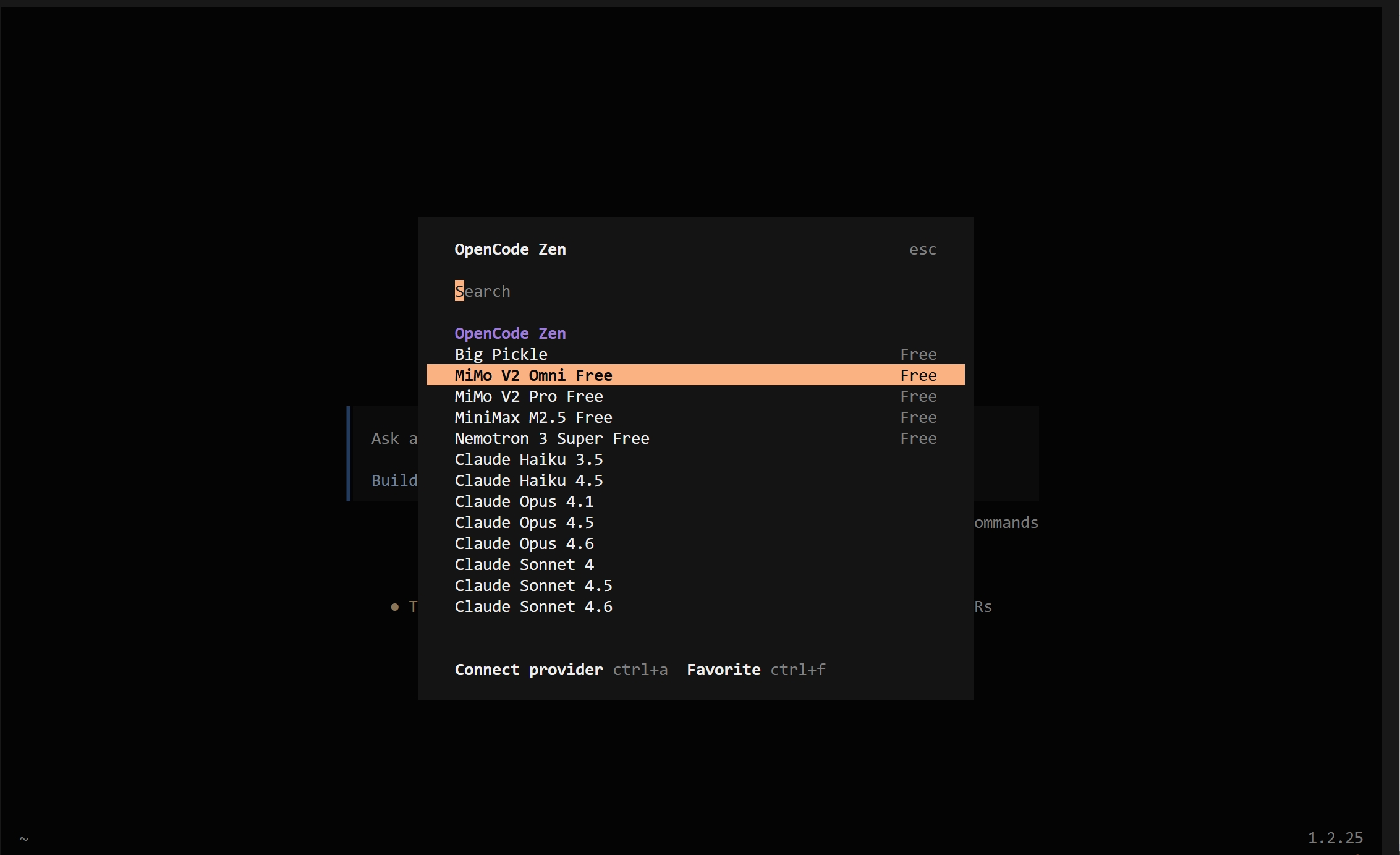 ## 03 / KiloCode
{/* feishu-style:text-align:left */}
**Free for a Limited Time —** A Full-Featured AI Engineering Platform for Developers. 1M+ Kilo Developers.
## 03 / KiloCode
{/* feishu-style:text-align:left */}
**Free for a Limited Time —** A Full-Featured AI Engineering Platform for Developers. 1M+ Kilo Developers.
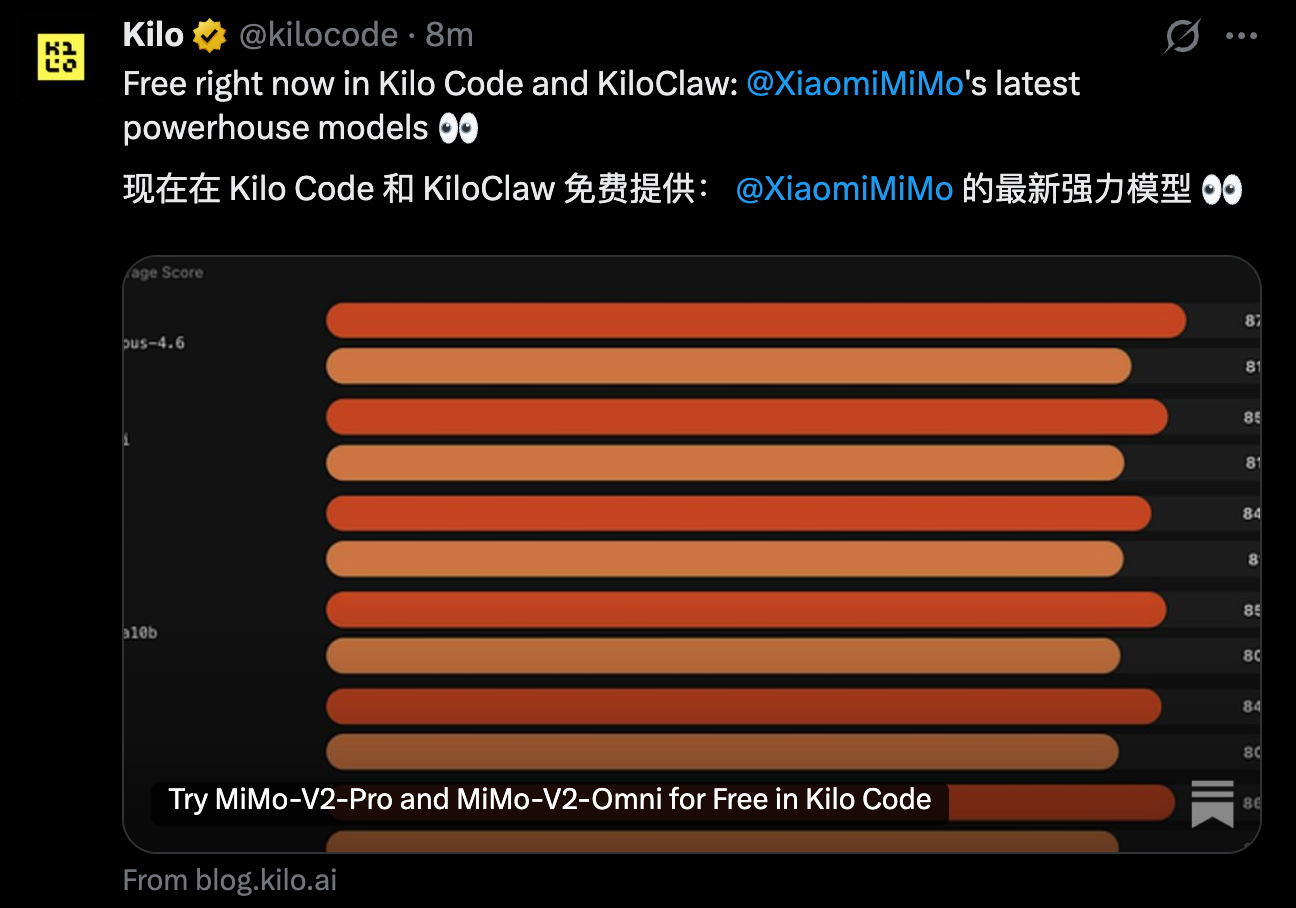 #### Integration
{/* feishu-style:text-align:left */}
From the terminal or IDE extension, select MiMo V2 Pro / MiMo V2 Omni (FREE tag) under Kilo Gateway.
#### Integration
{/* feishu-style:text-align:left */}
From the terminal or IDE extension, select MiMo V2 Pro / MiMo V2 Omni (FREE tag) under Kilo Gateway.
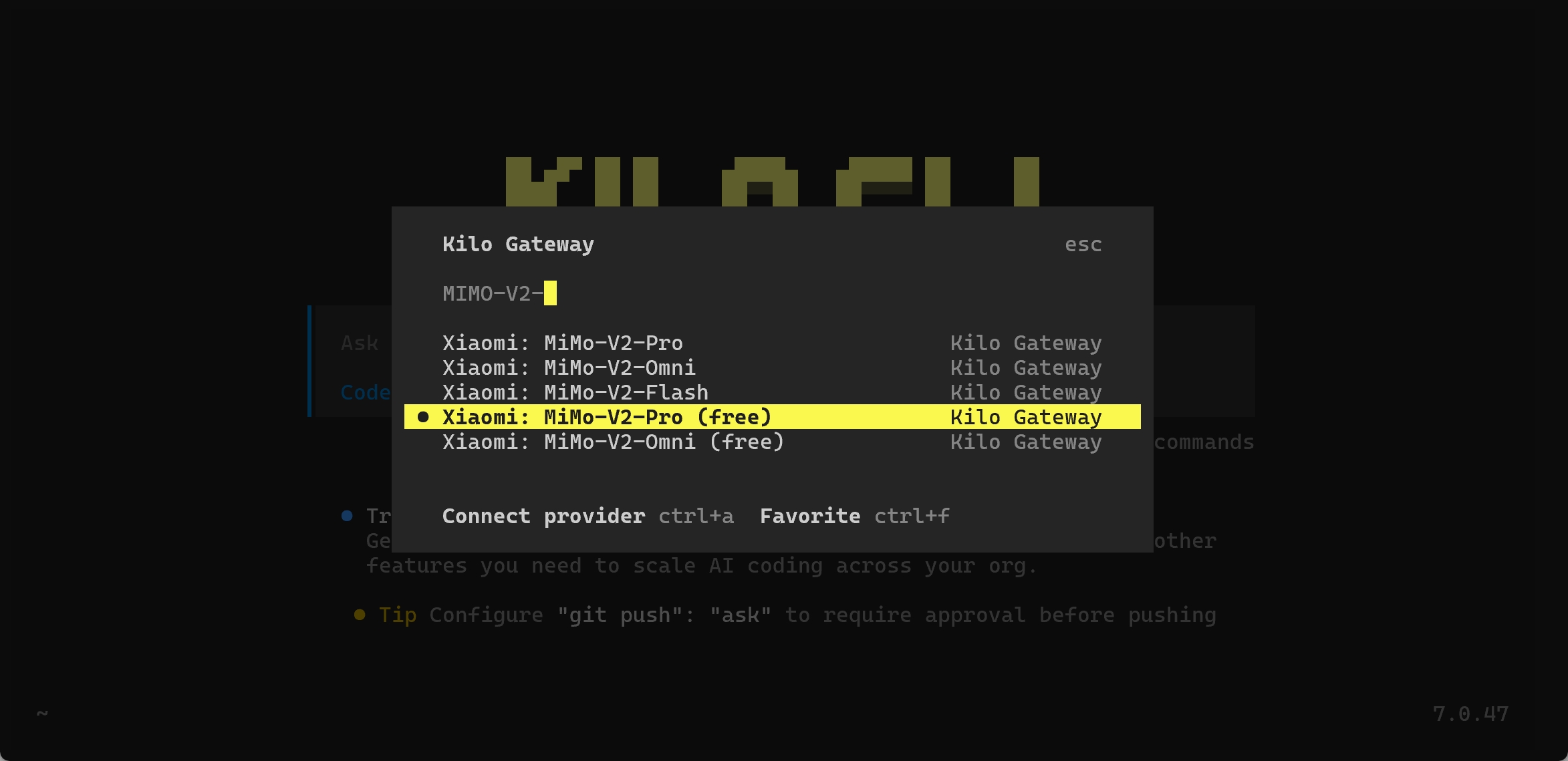 ## 04 / Cline
{/* feishu-style:text-align:left */}
**Free for a Limited Time —** AI Coding Assistant That Helps Developers Build and Refactor High-Quality Software at 2x Speed.
## 04 / Cline
{/* feishu-style:text-align:left */}
**Free for a Limited Time —** AI Coding Assistant That Helps Developers Build and Refactor High-Quality Software at 2x Speed.
 #### Integration
{/* feishu-style:text-align:left */}
From the terminal or IDE extension, select Cline as the Provider and choose mimo-v2-pro (FREE tag).
#### Integration
{/* feishu-style:text-align:left */}
From the terminal or IDE extension, select Cline as the Provider and choose mimo-v2-pro (FREE tag).
 ## 05 / BLACKBOX.AI
{/* feishu-style:text-align:left */}
One of the Fastest-Growing Coding Agents Globally — Committed to Redefining How You Write Code with AI.
{/* feishu-style:text-align:left */}
Blackbox.AI is Currently in Final Testing and Coming Soon. Stay Tuned to Blackbox.AI's Official X Posts.
## 05 / BLACKBOX.AI
{/* feishu-style:text-align:left */}
One of the Fastest-Growing Coding Agents Globally — Committed to Redefining How You Write Code with AI.
{/* feishu-style:text-align:left */}
Blackbox.AI is Currently in Final Testing and Coming Soon. Stay Tuned to Blackbox.AI's Official X Posts.
 #### Integration
{/* feishu-style:text-align:left */}
Select the model in the terminal, desktop app, or IDE extension to integrate.
#### Integration
{/* feishu-style:text-align:left */}
Select the model in the terminal, desktop app, or IDE extension to integrate.
 ## 06 / mimo-v2-tts
{/* feishu-style:text-align:left */}
**Free for an Extended Period.** — Xiaomi's In-House Text-to-Speech Foundation Model. Empowering Agents with Warm, Expressive, and Soulful Voice.
#### Integration
{/* feishu-style:text-align:left */}
Access via the official API platform.
{/* feishu-style:text-align:left */}
For detailed integration, refer to: [MiMo-V2-TTS Usage Guide](https://platform.xiaomimimo.com/#/docs/usage-guide/speech-synthesis)
## 06 / mimo-v2-tts
{/* feishu-style:text-align:left */}
**Free for an Extended Period.** — Xiaomi's In-House Text-to-Speech Foundation Model. Empowering Agents with Warm, Expressive, and Soulful Voice.
#### Integration
{/* feishu-style:text-align:left */}
Access via the official API platform.
{/* feishu-style:text-align:left */}
For detailed integration, refer to: [MiMo-V2-TTS Usage Guide](https://platform.xiaomimimo.com/#/docs/usage-guide/speech-synthesis)
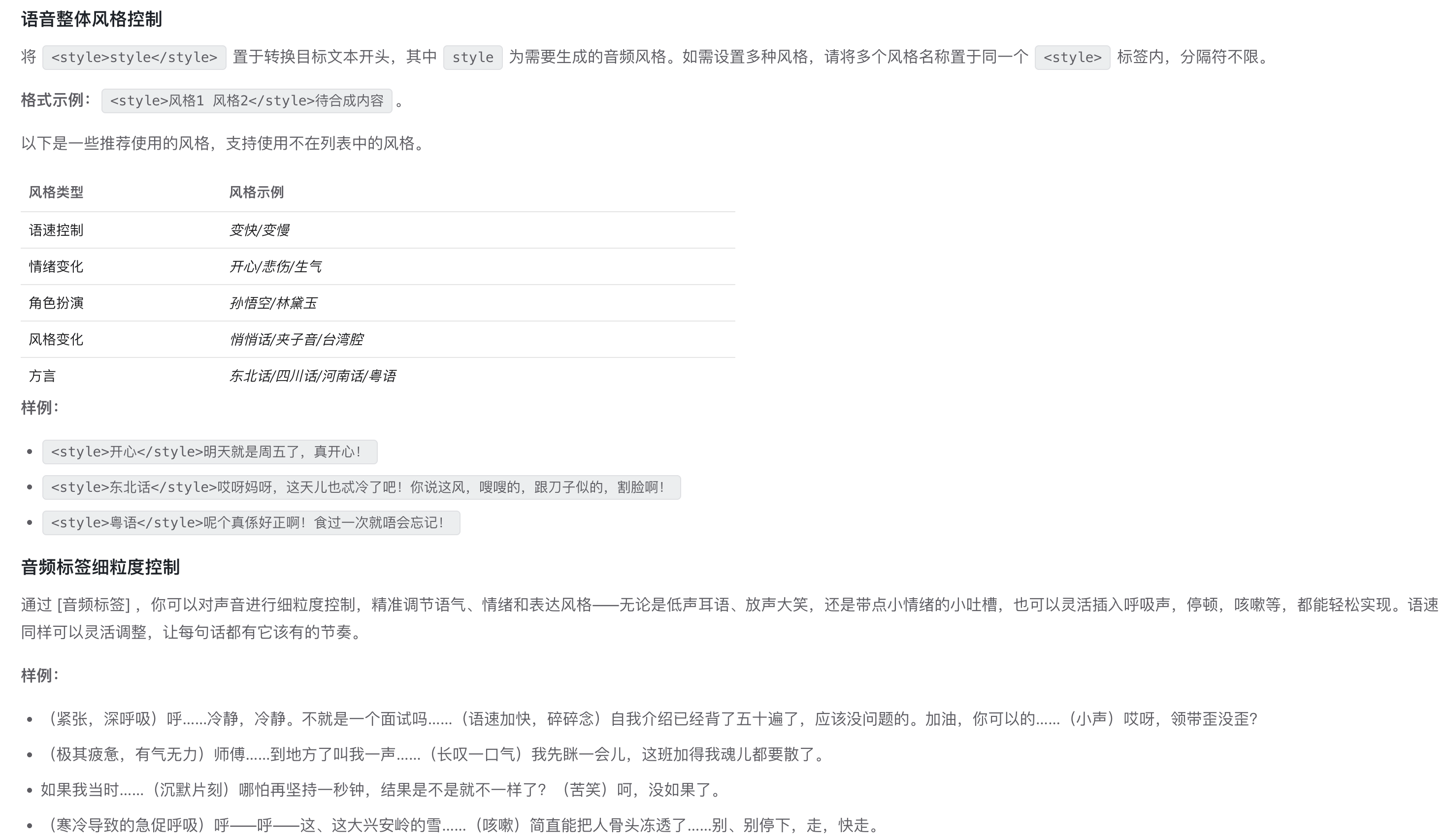 {/* feishu-style:text-align:left */}
AI Without Barriers. Innovation Without Limits. Global Developers — Unleash the Power of Trillion-Parameter Models Paired with Top-Tier Agent Frameworks.
--- DOCUMENT: Xiaomi MiMo-V2-Pro: Flagship Foundation Model towards Agent Era ---
URL: https://mimo.mi.com/static/docs/news/previous-news/v2-pro-release.md
# Xiaomi MiMo-V2-Pro: Flagship Foundation Model towards Agent Era
{/* feishu-style:text-align:left */}
Today, we are releasing Xiaomi mimo-v2-pro, Xiaomi’s flagship foundation model for the agent era.
{/* feishu-style:text-align:left */}
Xiaomi mimo-v2-pro is built for demanding real-world Agent workflows. It has over **1T** total parameters, with **42B** active parameters, uses an innovative hybrid attention architecture, and supports an ultra-long context window of up to **1M** tokens. Based on the strong foundation model, we continue to scale compute across a broader range of agent scenarios, further expanding the action space of intelligence and achieving an important generalization leap from Coding to Claw.
{/* feishu-style:text-align:left */}
On the global authoritative model intelligence ranking by Artificial Analysis, mimo-v2-pro ranks eighth worldwide and second in China.
{/* feishu-style:text-align:left */}
AI Without Barriers. Innovation Without Limits. Global Developers — Unleash the Power of Trillion-Parameter Models Paired with Top-Tier Agent Frameworks.
--- DOCUMENT: Xiaomi MiMo-V2-Pro: Flagship Foundation Model towards Agent Era ---
URL: https://mimo.mi.com/static/docs/news/previous-news/v2-pro-release.md
# Xiaomi MiMo-V2-Pro: Flagship Foundation Model towards Agent Era
{/* feishu-style:text-align:left */}
Today, we are releasing Xiaomi mimo-v2-pro, Xiaomi’s flagship foundation model for the agent era.
{/* feishu-style:text-align:left */}
Xiaomi mimo-v2-pro is built for demanding real-world Agent workflows. It has over **1T** total parameters, with **42B** active parameters, uses an innovative hybrid attention architecture, and supports an ultra-long context window of up to **1M** tokens. Based on the strong foundation model, we continue to scale compute across a broader range of agent scenarios, further expanding the action space of intelligence and achieving an important generalization leap from Coding to Claw.
{/* feishu-style:text-align:left */}
On the global authoritative model intelligence ranking by Artificial Analysis, mimo-v2-pro ranks eighth worldwide and second in China.
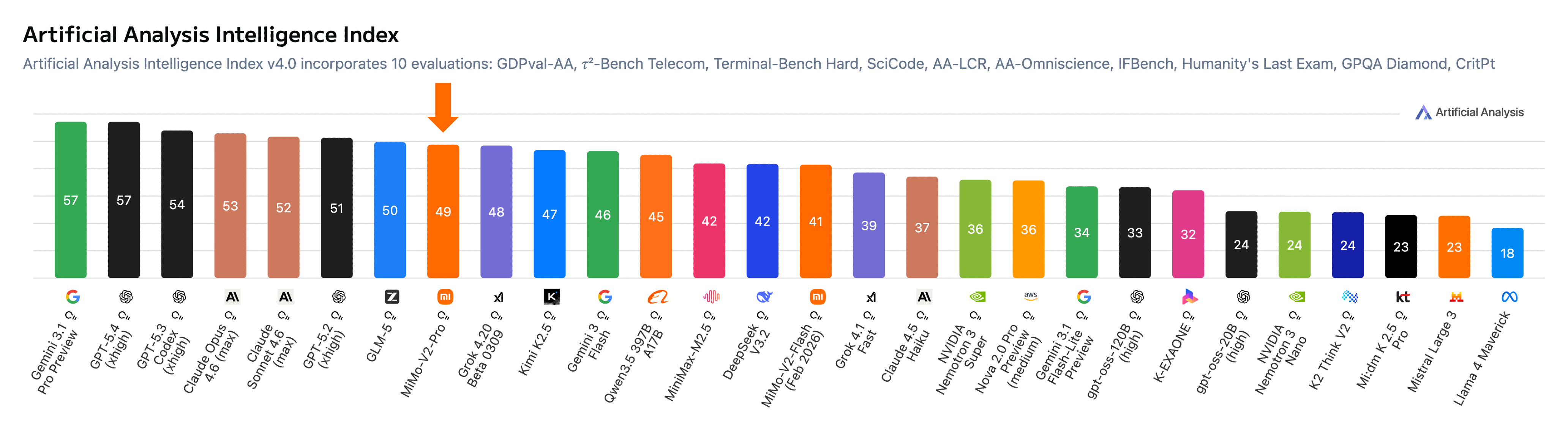 {/* feishu-style:text-align:left */}
In agent frameworks such as OpenClaw and Claude Code, mimo-v2-pro shows excellent end-to-end task completion ability. It can handle complex workflow orchestration, long-horizon planning, and precise tool use without human intervention, while reliably delivering final results. In overall hands-on experience, it has surpassed Claude Sonnet 4.6 and is approaching Opus 4.6, while its API pricing is only one-fifth of theirs, lowering the barrier to using frontier intelligence.
## A major leap in foundation capabilities
{/* feishu-style:text-align:left */}
By scaling both parameters and compute, mimo-v2-pro reaches to a larger and stronger model foundation.
- **Trillion-parameter scale, efficient architecture**: Total parameters exceed 1T, with 42B active parameters, about 3x larger than the previous mimo-v2-flash. It continues to use the innovative Hybrid Attention mechanism introduced in mimo-v2-flash, with the hybrid ratio further increased from 5:1 to 7:1. This keeps inference efficient even with the large increase in model size, while also supporting 1M-token context. A lightweight MTP (Multi-Token Prediction) layer enables fast generation.
- **From Chat to Agent**: By scaling during post-training across a broader set of Agent tasks, the model is no longer limited to “answering questions” or “generating polished demos.” It is built to complete tasks. We aim to integrate it deeply into productivity scenarios so it can serve as the “brain” behind working systems and continuously deliver results with real-world impact.
- **Real-world experience beyond benchmark rankings**: mimo-v2-pro performs strongly across benchmarks that measure key model capabilities. In Coding Agent, general Agent, and Tool Use tasks, it is in the same tier as Claude 4.5 Sonnet, GPT5.2, and Gemini 3.0 Pro, showing leading intelligence. We remain focused on training and optimization guided by actual user experience, always paying close attention to how the model performs in real applications.
{/* feishu-style:text-align:left */}
In agent frameworks such as OpenClaw and Claude Code, mimo-v2-pro shows excellent end-to-end task completion ability. It can handle complex workflow orchestration, long-horizon planning, and precise tool use without human intervention, while reliably delivering final results. In overall hands-on experience, it has surpassed Claude Sonnet 4.6 and is approaching Opus 4.6, while its API pricing is only one-fifth of theirs, lowering the barrier to using frontier intelligence.
## A major leap in foundation capabilities
{/* feishu-style:text-align:left */}
By scaling both parameters and compute, mimo-v2-pro reaches to a larger and stronger model foundation.
- **Trillion-parameter scale, efficient architecture**: Total parameters exceed 1T, with 42B active parameters, about 3x larger than the previous mimo-v2-flash. It continues to use the innovative Hybrid Attention mechanism introduced in mimo-v2-flash, with the hybrid ratio further increased from 5:1 to 7:1. This keeps inference efficient even with the large increase in model size, while also supporting 1M-token context. A lightweight MTP (Multi-Token Prediction) layer enables fast generation.
- **From Chat to Agent**: By scaling during post-training across a broader set of Agent tasks, the model is no longer limited to “answering questions” or “generating polished demos.” It is built to complete tasks. We aim to integrate it deeply into productivity scenarios so it can serve as the “brain” behind working systems and continuously deliver results with real-world impact.
- **Real-world experience beyond benchmark rankings**: mimo-v2-pro performs strongly across benchmarks that measure key model capabilities. In Coding Agent, general Agent, and Tool Use tasks, it is in the same tier as Claude 4.5 Sonnet, GPT5.2, and Gemini 3.0 Pro, showing leading intelligence. We remain focused on training and optimization guided by actual user experience, always paying close attention to how the model performs in real applications.
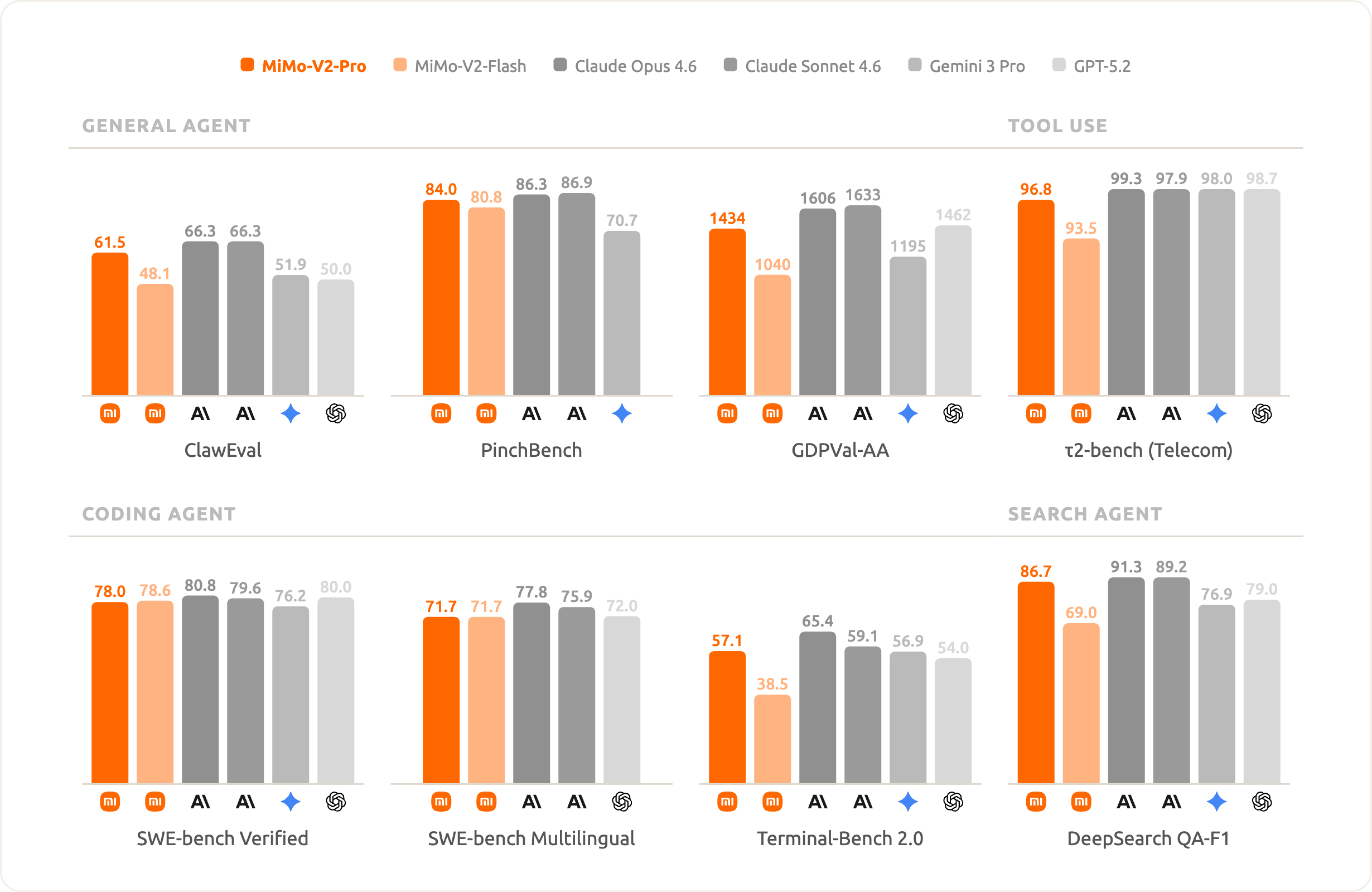 ## A flagship model built for Agents
{/* feishu-style:text-align:left */}
mimo-v2-pro is deeply optimized specifically for Agent scenarios.
### The native brain for OpenClaw
{/* feishu-style:text-align:left */}
OpenClaw is a general-purpose agent framework that has recently gained strong attention in the open-source community. As the core engine behind frameworks like this, the upper limit of the underlying model directly determines the system’s real-world performance. mimo-v2-pro is trained with SFT and RL on complex and diverse Agent scaffolds, giving it stronger tool-use and multi-step reasoning abilities.
{/* feishu-style:text-align:left */}
On OpenClaw’s standard benchmark leaderboards, PinchBench and ClawEval, mimo-v2-pro ranks among the best in the world. At the same time, with its 1M-token context window, mimo-v2-pro can comfortably support demanding real-world Claw application flows. Hunter Alpha shown below is an early anonymous version of mimo-v2-pro.
## A flagship model built for Agents
{/* feishu-style:text-align:left */}
mimo-v2-pro is deeply optimized specifically for Agent scenarios.
### The native brain for OpenClaw
{/* feishu-style:text-align:left */}
OpenClaw is a general-purpose agent framework that has recently gained strong attention in the open-source community. As the core engine behind frameworks like this, the upper limit of the underlying model directly determines the system’s real-world performance. mimo-v2-pro is trained with SFT and RL on complex and diverse Agent scaffolds, giving it stronger tool-use and multi-step reasoning abilities.
{/* feishu-style:text-align:left */}
On OpenClaw’s standard benchmark leaderboards, PinchBench and ClawEval, mimo-v2-pro ranks among the best in the world. At the same time, with its 1M-token context window, mimo-v2-pro can comfortably support demanding real-world Claw application flows. Hunter Alpha shown below is an early anonymous version of mimo-v2-pro.
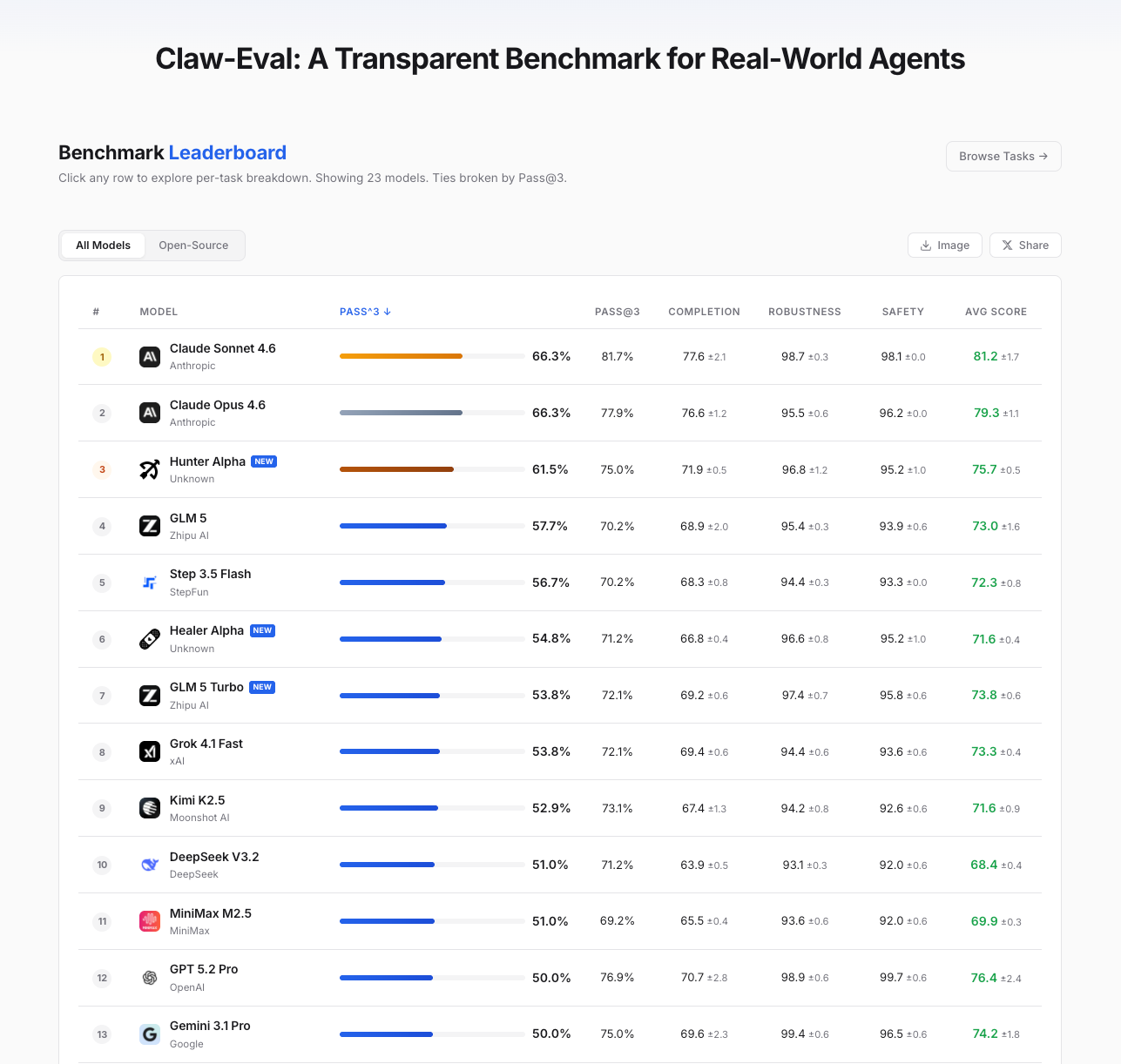 ### Continuous Evolution of Coding Capabilities
{/* feishu-style:text-align:left */}
Going beyond mere "Vibe Coding", mimo-v2-pro is capable of participating in more rigorous code engineering construction.
{/* feishu-style:text-align:left */}
In in-depth evaluations by internal engineers at Xiaomi, mimo-v2-pro's user experience has approached that of Claude Opus 4.6, demonstrating advanced code intelligence: it boasts superior system design and task planning capabilities, more elegant coding styles, and more efficient, direct problem-solving pathways.
{/* feishu-style:text-align:left */}
During the "Hunter Alpha" anonymous testing phase, the most frequently called apps were mostly programming-specific tools, which confirm mimo-v2-pro's high usability and reliability in real-world R&D scenarios.
### Continuous Evolution of Coding Capabilities
{/* feishu-style:text-align:left */}
Going beyond mere "Vibe Coding", mimo-v2-pro is capable of participating in more rigorous code engineering construction.
{/* feishu-style:text-align:left */}
In in-depth evaluations by internal engineers at Xiaomi, mimo-v2-pro's user experience has approached that of Claude Opus 4.6, demonstrating advanced code intelligence: it boasts superior system design and task planning capabilities, more elegant coding styles, and more efficient, direct problem-solving pathways.
{/* feishu-style:text-align:left */}
During the "Hunter Alpha" anonymous testing phase, the most frequently called apps were mostly programming-specific tools, which confirm mimo-v2-pro's high usability and reliability in real-world R&D scenarios.
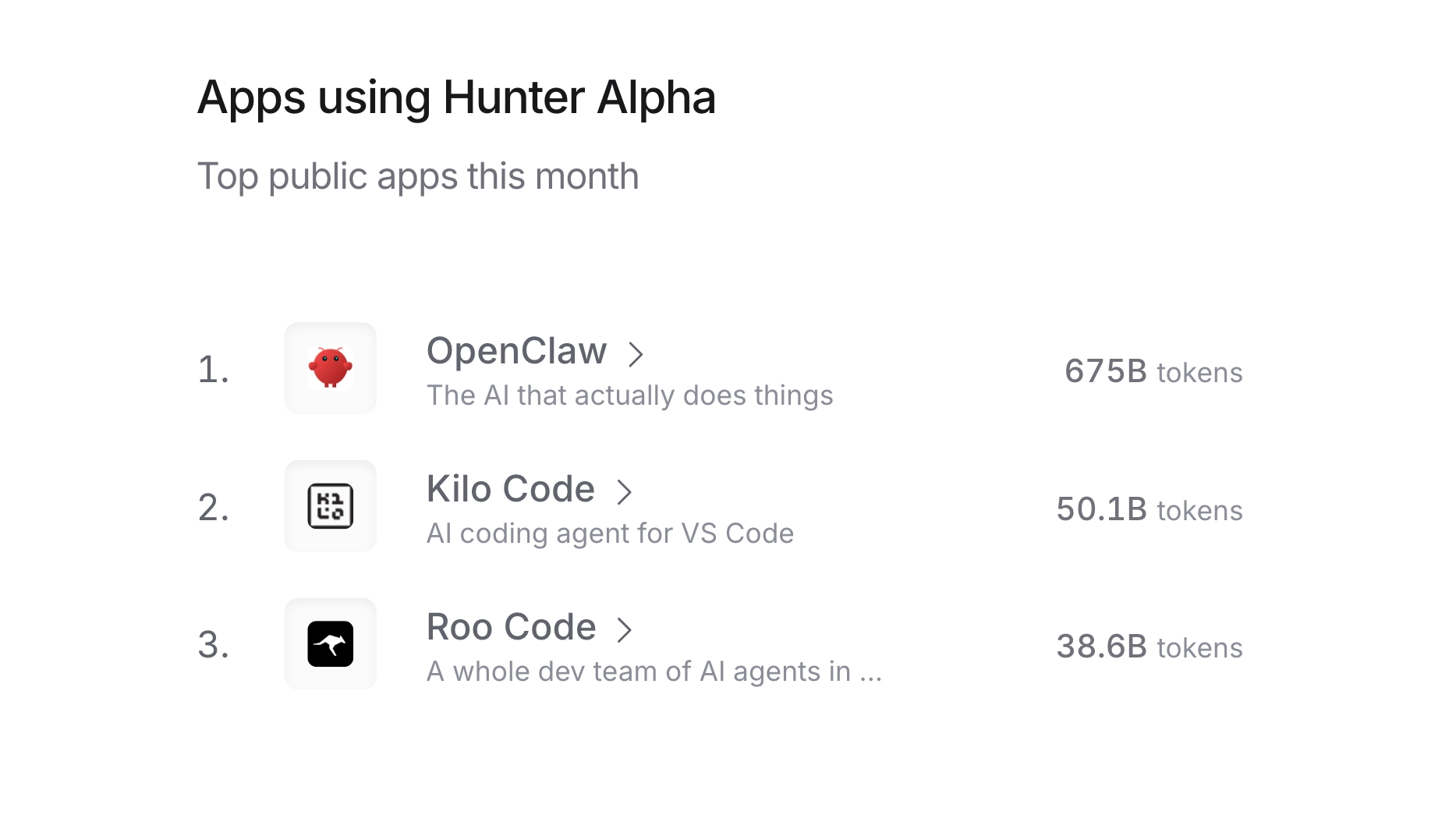 ## 1M Context Window, Open API
{/* feishu-style:text-align:left */}
The mimo-v2-pro model is now officially available via API with pricing:
- Within 256K: Input at $1 / 1M tokens, Output at $3 / 1M tokens
- 256K ~ 1M: Input at $2 / 1M tokens, Output at $6 / 1M tokens
{/* feishu-style:text-align:left */}
Visit [https://platform.xiaomimimo.com](https://platform.xiaomimimo.com/) to get started.
--- DOCUMENT: Xiaomi MiMo-V2-Omni: Omni-Modal Agentic Foundation Model that Sees, Understands and Acts ---
URL: https://mimo.mi.com/static/docs/news/previous-news/v2-omni-release.md
# Xiaomi MiMo-V2-Omni: Omni-Modal Agentic Foundation Model that Sees, Understands and Acts
{/* feishu-style:text-align:left */}
Today, we are thrilled to announce Xiaomi’s omni‑modal foundation model for agent era: Xiaomi mimo-v2-omni.
{/* feishu-style:text-align:left */}
Designed specifically for complex real‑world multimodal interaction and execution scenarios, mimo-v2-omni is built from the ground up as a unified all‑modal foundation that integrates text, vision, and speech. Its unified architecture deeply binds perception and action, overcoming the traditional limitation of models that prioritize understanding over execution.
{/* feishu-style:text-align:left */}
Natively equipped with multimodal perception, tool invocation, function execution, and GUI operation capabilities, mimo-v2-omni seamlessly integrates with major agent frameworks. It enables a true leap from understanding to control, drastically lowering the barrier to deploying all‑modal agents.
## Perception Capabilities: Image, Video, and Audio on the Frontier
{/* feishu-style:text-align:left */}
Accurate perception is the prerequisite for action. We benchmarked mimo-v2-omni against leading international models across all sensory modalities to ensure a rock-solid foundation for its capabilities as an AI agent.
{/* feishu-style:text-align:left */}
**Visual Understanding**: mimo-v2-omni demonstrates robust multidisciplinary visual reasoning and complex chart analysis. It has surpassed Claude 4.6 Opus and is rapidly closing the gap with top-tier closed-source models like Gemini 3.
{/* feishu-style:text-align:left */}
**Audio Understanding**: The model supports everything from environmental sound classification and multi-speaker separation to audio-visual joint reasoning and deep comprehension of continuous audio exceeding 10 hours. Its comprehensive performance exceeds Gemini 3 Pro, making it one of the most powerful audio understanding base models currently available.
{/* feishu-style:text-align:left */}
**Video Understanding**: By supporting native audio-video joint input, we have achieved true multimodal video comprehension. Through innovative video pre-training, the model possesses powerful situational awareness and predictive reasoning capabilities.
{/* feishu-style:text-align:left */}
When multiple modalities are processed simultaneously, the advantages of a unified architecture are magnified: cross-modal signals mutually reinforce one another rather than competing for resources.
## Agentic Capabilities: from Understanding to Execution
{/* feishu-style:text-align:left */}
If perception is the foundation, then action is the ultimate goal.
{/* feishu-style:text-align:left */}
A true AI agent model must be capable of observing complex environments across multiple modalities, formulating and executing plans, autonomously recovering from errors, and delivering end-to-end results.
### Omni-Modal Agent Tasks
{/* feishu-style:text-align:left */}
mimo-v2-omni excels in benchmarks involving interaction with real-world digital environments, performing on par with Gemini 3 Pro. This success is underpinned by its industry-leading perceptual capabilities:The more accurate the perception, the more effective execution.
## 1M Context Window, Open API
{/* feishu-style:text-align:left */}
The mimo-v2-pro model is now officially available via API with pricing:
- Within 256K: Input at $1 / 1M tokens, Output at $3 / 1M tokens
- 256K ~ 1M: Input at $2 / 1M tokens, Output at $6 / 1M tokens
{/* feishu-style:text-align:left */}
Visit [https://platform.xiaomimimo.com](https://platform.xiaomimimo.com/) to get started.
--- DOCUMENT: Xiaomi MiMo-V2-Omni: Omni-Modal Agentic Foundation Model that Sees, Understands and Acts ---
URL: https://mimo.mi.com/static/docs/news/previous-news/v2-omni-release.md
# Xiaomi MiMo-V2-Omni: Omni-Modal Agentic Foundation Model that Sees, Understands and Acts
{/* feishu-style:text-align:left */}
Today, we are thrilled to announce Xiaomi’s omni‑modal foundation model for agent era: Xiaomi mimo-v2-omni.
{/* feishu-style:text-align:left */}
Designed specifically for complex real‑world multimodal interaction and execution scenarios, mimo-v2-omni is built from the ground up as a unified all‑modal foundation that integrates text, vision, and speech. Its unified architecture deeply binds perception and action, overcoming the traditional limitation of models that prioritize understanding over execution.
{/* feishu-style:text-align:left */}
Natively equipped with multimodal perception, tool invocation, function execution, and GUI operation capabilities, mimo-v2-omni seamlessly integrates with major agent frameworks. It enables a true leap from understanding to control, drastically lowering the barrier to deploying all‑modal agents.
## Perception Capabilities: Image, Video, and Audio on the Frontier
{/* feishu-style:text-align:left */}
Accurate perception is the prerequisite for action. We benchmarked mimo-v2-omni against leading international models across all sensory modalities to ensure a rock-solid foundation for its capabilities as an AI agent.
{/* feishu-style:text-align:left */}
**Visual Understanding**: mimo-v2-omni demonstrates robust multidisciplinary visual reasoning and complex chart analysis. It has surpassed Claude 4.6 Opus and is rapidly closing the gap with top-tier closed-source models like Gemini 3.
{/* feishu-style:text-align:left */}
**Audio Understanding**: The model supports everything from environmental sound classification and multi-speaker separation to audio-visual joint reasoning and deep comprehension of continuous audio exceeding 10 hours. Its comprehensive performance exceeds Gemini 3 Pro, making it one of the most powerful audio understanding base models currently available.
{/* feishu-style:text-align:left */}
**Video Understanding**: By supporting native audio-video joint input, we have achieved true multimodal video comprehension. Through innovative video pre-training, the model possesses powerful situational awareness and predictive reasoning capabilities.
{/* feishu-style:text-align:left */}
When multiple modalities are processed simultaneously, the advantages of a unified architecture are magnified: cross-modal signals mutually reinforce one another rather than competing for resources.
## Agentic Capabilities: from Understanding to Execution
{/* feishu-style:text-align:left */}
If perception is the foundation, then action is the ultimate goal.
{/* feishu-style:text-align:left */}
A true AI agent model must be capable of observing complex environments across multiple modalities, formulating and executing plans, autonomously recovering from errors, and delivering end-to-end results.
### Omni-Modal Agent Tasks
{/* feishu-style:text-align:left */}
mimo-v2-omni excels in benchmarks involving interaction with real-world digital environments, performing on par with Gemini 3 Pro. This success is underpinned by its industry-leading perceptual capabilities:The more accurate the perception, the more effective execution.
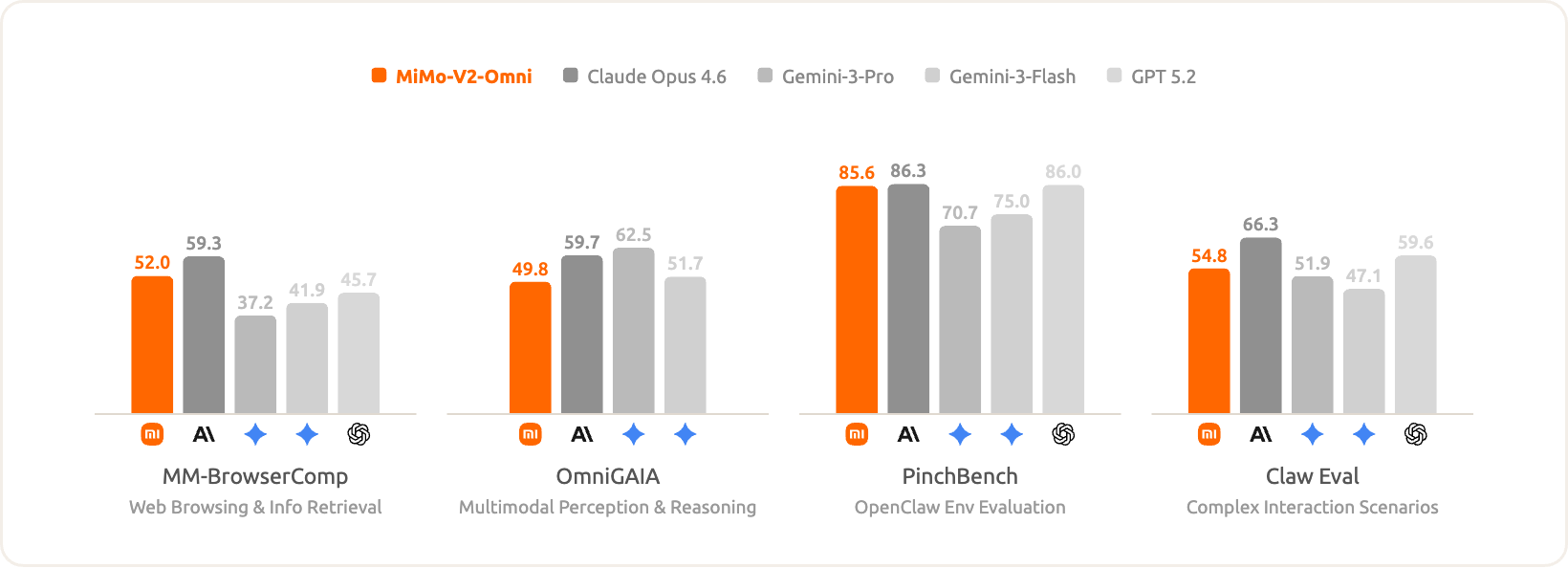 {/* feishu-style:text-align:left */}
At the same time, mimo-v2-omni remains highly competitive in text-only agent tasks.
{/* feishu-style:text-align:left */}
At the same time, mimo-v2-omni remains highly competitive in text-only agent tasks.
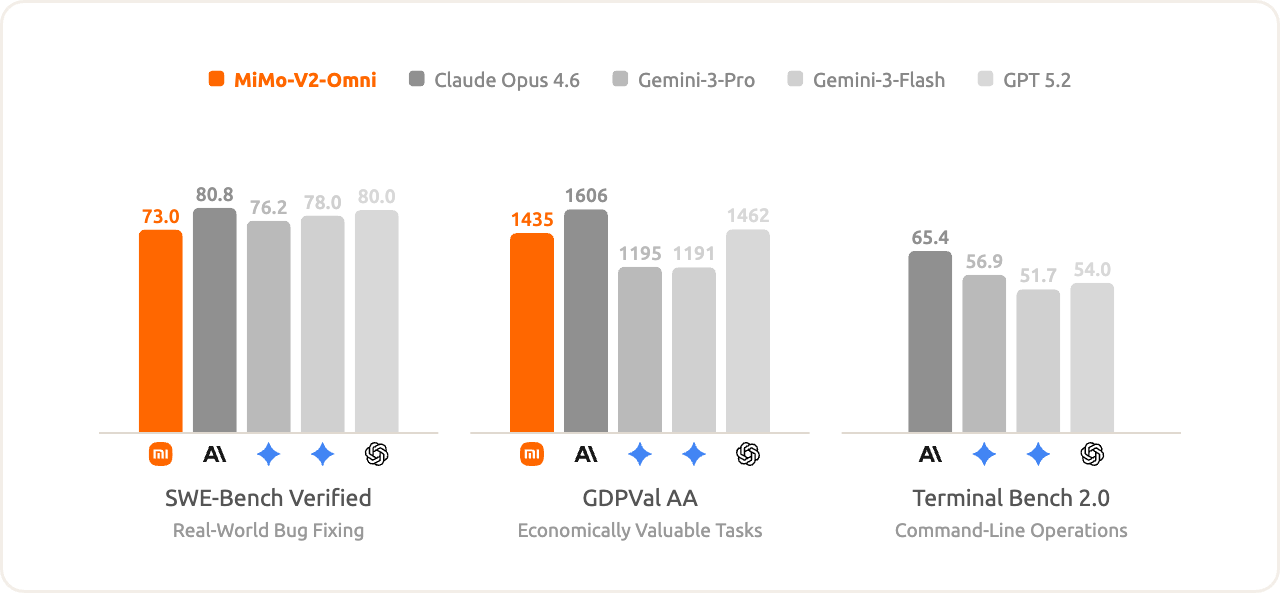 ## Capabilities Demonstration
### 💻 Browser-Use Scenarios
{/* feishu-style:text-align:left */}
Browser Use is the ultimate litmus test for a model’s agentic capabilities. It involves real-world interactions, dynamic web environments, heterogeneous interaction methods, and active anti-automation mechanisms. In these scenarios, the closed loop of perception, decision-making, and action operates continuously in an open environment until the mission is accomplished. When these same capabilities are ported to smart devices or robotics, they form the blueprint for General-Purpose Agents.
- **Shopping, Bargaining, and Ordering on Your Behalf**
We tested an end-to-end shopping task. Controlling the browser, the model first browsed over a dozen posts on Xiaohongshu to complete information gathering and obtain purchasing recommendations. It then performed cross-platform price comparisons across multiple stores on JD, followed by connecting with human customer service to bargain using natural language. After real-time interaction with the representative, it ultimately completed the process of adding items to the cart and placing the order. The model autonomously handled non-standard DOM structures, multi-tab context management, and workflow recovery after encountering platform anti-automation detections.
- **TikTok Video Creation and Publishing**
We tested an end-to-end video publishing task. The model autonomously designed four sets of visuals and synthesized all sound effects on-site with zero reliance on external assets. During rendering, it encountered a Chinese font error, which it self-corrected before continuing. It then controlled the browser to open the TikTok upload page, analyzed non-standard input controls to complete the copywriting, and proceeded to like and comment after clicking "Publish." Finally, it re-checked to confirm the video passed review and was publicly live.
### 🗒️ Smart Office Scenarios
{/* feishu-style:text-align:left */}
Through natural dialogue, mimo-v2-omni can directly generate high-quality Word documents, structured Excel sheets, professionally formatted PDFs, and complete PPTs. These generated documents are no longer drafts requiring heavy revision, but high-quality "near-final versions" tailored to actual needs.
- **2026 Intelligent College Entrance Examination Application**
We tested the college entrance examination application planning task. The model can autonomously initiate web searches to obtain raw information, use skills to process files, and generate an Excel spreadsheet containing detailed application recommendations and tiered classifications.
## Open API
{/* feishu-style:text-align:left */}
The mimo-v2-omni model is now officially available via API with pricing:
- Input: $0.4 / million tokens;
- Output: $2 / million tokens.
{/* feishu-style:text-align:left */}
Visit [https://platform.xiaomimimo.com](https://platform.xiaomimimo.com/) to get started.
--- DOCUMENT: Xiaomi MiMo-V2-TTS: Versatile Voice Agent that Speaks and Sings ---
URL: https://mimo.mi.com/static/docs/news/previous-news/v2-tts-release.md
# Xiaomi MiMo-V2-TTS: Versatile Voice Agent that Speaks and Sings
{/* feishu-style:text-align:left */}
**Xiaomi mimo-v2-tts** is a large-scale speech synthesis model independently developed by Xiaomi. Built on a proprietary audio tokenizer and a multi-codebook joint speech–text modeling architecture, it has been trained on hundreds of millions of hours of speech data with large-scale pretraining and multi-dimensional reinforcement learning, enabling highly controllable, fine-grained speech style generation. mimo-v2-tts supports precise control ranging from global style setting to nuanced local emotional expression. It can perform tone shifts and gradual emotional transitions within a single utterance, faithfully reproducing the natural prosody of human speech. When singing, it can also accurately render pitch and rhythm, delivering natural and expressive performance.
{/* feishu-style:text-align:left */}
The mimo-v2-tts model is now available through the Xiaomi MiMo API open platform (https://platform.xiaomimimo.com), **with free access for a limited time**.
### Text Control
Flexible and customizable style control
{/* feishu-style:text-align:left */}
mimo-v2-tts supports free-form natural language descriptions instead of being limited to predefined keywords. The model can understand and follow arbitrary descriptive instructions.
- Emotion control: happy, sad, angry, gentle, excited, calm…
- Dialect support: Northeastern Mandarin, Sichuan dialect, Henan dialect, Cantonese, Taiwanese accent…
- Role play: Monkey King, Lin Daiyu, Iron Man…
- Freely combined phrases — true natural language control: “cute and coquettish, soft ‘baby voice’,” “lazy, just woke up, slightly husky,” “deeply affectionate, slow speaking pace,” “passionate and powerful”
### Fine-grained control of vocal events
{/* feishu-style:text-align:left */}
mimo-v2-tts can naturally insert and control various paralinguistic vocal events in speech, making the generated audio more realistic and expressive.
{/* feishu-style:text-align:left */}
Supported vocal events: laughter, coughing, pauses, thinking/hesitation, sighing, etc.
## Deep Text Understanding
{/* feishu-style:text-align:left */}
The model can intelligently recognize formatting cues in text and convert them into corresponding speech expressions—such as tone and punctuation—without requiring extra annotations.
{/* feishu-style:text-align:left */}
Format awareness → speech rendering:
- ALL CAPS text (e.g., “THIS IS IMPORTANT”) → automatically adds emphasis;
- Repeated words or characters (e.g., “no no no no no”) → automatically mapped to matching rhythm and emotion.
{/* feishu-style:text-align:left */}
During pretraining, the model learned from large-scale text–speech aligned data, enabling it to convert written formatting signals into natural-sounding speech.
## Beyond Speech: Dialects · Characters · Singing
{/* feishu-style:text-align:left */}
mimo-v2-tts goes beyond standard speech synthesis with rich and versatile expressive capabilities. It supports natural pronunciation across multiple dialects, enables role-playing with stylized character performances, and delivers high-quality singing synthesis—allowing a single model to speak, act, and sing with ease.
## Open API
{/* feishu-style:text-align:left */}
mimo-v2-tts is now officially available via API. **Free access is available for a limited time.**
{/* feishu-style:text-align:left */}
Visit [https://platform.xiaomimimo.com](https://platform.xiaomimimo.com/) to get started.
--- DOCUMENT: MiMo-V2-Flash Release Note 2026/03/03 ---
URL: https://mimo.mi.com/static/docs/news/previous-news/news20260303.md
# MiMo-V2-Flash Release Note 2026/03/03
{/* feishu-style:text-align:left */}
mimo-v2-flash now supports web search, enabling access to real-time public information (such as news, products, weather, etc.).
{/* feishu-style:text-align:left */}
**Core Capabilities**
- **Flexible search modes**: Supports forced search and intent recognition. With intent recognition enabled, the model will autonomously decide whether to perform an online search without manual triggering.
- **Early search source return**: In the streaming response, the first packet will return all search sources.
- **Hybrid multi-tool invocation**: Can work with custom functions and tools; the model will automatically determine invocation priority and necessity.
- **Flexible response modes**: Supports both streaming and non-streaming responses, and both methods will return search and summary content.
{/* feishu-style:text-align:left */}
**Use Cases**
- **Real-Time News Aggregation**
- Scenario: A user asks, "What are today's top stories about domestic large language models?"
- Capability: The model automatically generates search keywords like "Chinese LLM latest news March 1 2026," searches the web, and returns a summarized response with source links.
- **Product Information & Price Comparison**
- Scenario: A user asks, "What are the price and user reviews for the latest model of [Brand] phone?"
- Capability: The model searches multiple e-commerce platforms for pricing and reviews, then organizes the information into a concise summary to aid decision-making.
- **Real-Time Weather & Travel Information**
- Scenario: A user asks, "Is the weather in Shanghai tomorrow good for going out?"
- Capability: The model fetches the Shanghai weather forecast and provides practical suggestions based on common sense, such as "Rain expected tomorrow in Shanghai, temperatures 10–15°C. Bring an umbrella and dress warmly."
{/* feishu-style:text-align:left */}
**Instructions and Recommendations**
1. **Enable Web Search Plugin**: Before using this feature, you need to activate the [Web Search Plugin](https://platform.xiaomimimo.com/#/console/plugin). For detailed parameters and invocation instructions, please refer to the [OpenAI API](https://platform.xiaomimimo.com/#/docs/api/text-generation/openai-api).
1. **Fees**: The web search feature incurs additional token consumption for generating search queries and processing results. A separate fee will also be charged per search call. For details, see [Web Search](https://platform.xiaomimimo.com/#/docs/usage-guide/tool-calling/web-search).
--- DOCUMENT: MiMo-V2-Flash Release Note 2026/02/04 ---
URL: https://mimo.mi.com/static/docs/news/previous-news/news20260212.md
# MiMo-V2-Flash Release Note 2026/02/04
1. **Upgraded Coding Capabilities in Thinking Mode:**
Specifically optimized for programming scenarios, the Thinking Mode now achieves a score of **78.6** on SWE-Bench Verified. Both the resolution rate and the quality of code generation have been significantly improved.
1. **Substantial Boost in Tool Calling Accuracy:**
Stability issues regarding tool usage have been resolved. Tool calling accuracy in Thinking Mode has surged from 64% to **97.0%** , greatly enhancing execution reliability in Agent scenarios.
1. **Enhanced Instruction Following & Reduced Hallucinations:**
- **Instruction Following:** Improved adherence to specific instructions, achieving an **AA-IFBench score of 72**.
- **Factuality:** Enhanced rigor in factual responses, with the **Non-Hallucination Rate updated to 52%** .
1. **Optimized Handling of Complex Tasks:**
Performance on Arena-Hard (Hard Prompts) in Thinking Mode has been strengthened, with the score rising to **60.6**. The model now demonstrates superior performance when handling high-difficulty logic problems.
1. **More Efficient Chain-of-Thought (CoT):**
By optimizing CoT generation strategies, the consumption of redundant tokens has been significantly reduced. In benchmarks such as AIME25 and HMMT, the average generation length has decreased by **13% to 30%** . This effectively lowers latency and token costs while maintaining model performance.
## Capabilities Demonstration
### 💻 Browser-Use Scenarios
{/* feishu-style:text-align:left */}
Browser Use is the ultimate litmus test for a model’s agentic capabilities. It involves real-world interactions, dynamic web environments, heterogeneous interaction methods, and active anti-automation mechanisms. In these scenarios, the closed loop of perception, decision-making, and action operates continuously in an open environment until the mission is accomplished. When these same capabilities are ported to smart devices or robotics, they form the blueprint for General-Purpose Agents.
- **Shopping, Bargaining, and Ordering on Your Behalf**
We tested an end-to-end shopping task. Controlling the browser, the model first browsed over a dozen posts on Xiaohongshu to complete information gathering and obtain purchasing recommendations. It then performed cross-platform price comparisons across multiple stores on JD, followed by connecting with human customer service to bargain using natural language. After real-time interaction with the representative, it ultimately completed the process of adding items to the cart and placing the order. The model autonomously handled non-standard DOM structures, multi-tab context management, and workflow recovery after encountering platform anti-automation detections.
- **TikTok Video Creation and Publishing**
We tested an end-to-end video publishing task. The model autonomously designed four sets of visuals and synthesized all sound effects on-site with zero reliance on external assets. During rendering, it encountered a Chinese font error, which it self-corrected before continuing. It then controlled the browser to open the TikTok upload page, analyzed non-standard input controls to complete the copywriting, and proceeded to like and comment after clicking "Publish." Finally, it re-checked to confirm the video passed review and was publicly live.
### 🗒️ Smart Office Scenarios
{/* feishu-style:text-align:left */}
Through natural dialogue, mimo-v2-omni can directly generate high-quality Word documents, structured Excel sheets, professionally formatted PDFs, and complete PPTs. These generated documents are no longer drafts requiring heavy revision, but high-quality "near-final versions" tailored to actual needs.
- **2026 Intelligent College Entrance Examination Application**
We tested the college entrance examination application planning task. The model can autonomously initiate web searches to obtain raw information, use skills to process files, and generate an Excel spreadsheet containing detailed application recommendations and tiered classifications.
## Open API
{/* feishu-style:text-align:left */}
The mimo-v2-omni model is now officially available via API with pricing:
- Input: $0.4 / million tokens;
- Output: $2 / million tokens.
{/* feishu-style:text-align:left */}
Visit [https://platform.xiaomimimo.com](https://platform.xiaomimimo.com/) to get started.
--- DOCUMENT: Xiaomi MiMo-V2-TTS: Versatile Voice Agent that Speaks and Sings ---
URL: https://mimo.mi.com/static/docs/news/previous-news/v2-tts-release.md
# Xiaomi MiMo-V2-TTS: Versatile Voice Agent that Speaks and Sings
{/* feishu-style:text-align:left */}
**Xiaomi mimo-v2-tts** is a large-scale speech synthesis model independently developed by Xiaomi. Built on a proprietary audio tokenizer and a multi-codebook joint speech–text modeling architecture, it has been trained on hundreds of millions of hours of speech data with large-scale pretraining and multi-dimensional reinforcement learning, enabling highly controllable, fine-grained speech style generation. mimo-v2-tts supports precise control ranging from global style setting to nuanced local emotional expression. It can perform tone shifts and gradual emotional transitions within a single utterance, faithfully reproducing the natural prosody of human speech. When singing, it can also accurately render pitch and rhythm, delivering natural and expressive performance.
{/* feishu-style:text-align:left */}
The mimo-v2-tts model is now available through the Xiaomi MiMo API open platform (https://platform.xiaomimimo.com), **with free access for a limited time**.
### Text Control
Flexible and customizable style control
{/* feishu-style:text-align:left */}
mimo-v2-tts supports free-form natural language descriptions instead of being limited to predefined keywords. The model can understand and follow arbitrary descriptive instructions.
- Emotion control: happy, sad, angry, gentle, excited, calm…
- Dialect support: Northeastern Mandarin, Sichuan dialect, Henan dialect, Cantonese, Taiwanese accent…
- Role play: Monkey King, Lin Daiyu, Iron Man…
- Freely combined phrases — true natural language control: “cute and coquettish, soft ‘baby voice’,” “lazy, just woke up, slightly husky,” “deeply affectionate, slow speaking pace,” “passionate and powerful”
### Fine-grained control of vocal events
{/* feishu-style:text-align:left */}
mimo-v2-tts can naturally insert and control various paralinguistic vocal events in speech, making the generated audio more realistic and expressive.
{/* feishu-style:text-align:left */}
Supported vocal events: laughter, coughing, pauses, thinking/hesitation, sighing, etc.
## Deep Text Understanding
{/* feishu-style:text-align:left */}
The model can intelligently recognize formatting cues in text and convert them into corresponding speech expressions—such as tone and punctuation—without requiring extra annotations.
{/* feishu-style:text-align:left */}
Format awareness → speech rendering:
- ALL CAPS text (e.g., “THIS IS IMPORTANT”) → automatically adds emphasis;
- Repeated words or characters (e.g., “no no no no no”) → automatically mapped to matching rhythm and emotion.
{/* feishu-style:text-align:left */}
During pretraining, the model learned from large-scale text–speech aligned data, enabling it to convert written formatting signals into natural-sounding speech.
## Beyond Speech: Dialects · Characters · Singing
{/* feishu-style:text-align:left */}
mimo-v2-tts goes beyond standard speech synthesis with rich and versatile expressive capabilities. It supports natural pronunciation across multiple dialects, enables role-playing with stylized character performances, and delivers high-quality singing synthesis—allowing a single model to speak, act, and sing with ease.
## Open API
{/* feishu-style:text-align:left */}
mimo-v2-tts is now officially available via API. **Free access is available for a limited time.**
{/* feishu-style:text-align:left */}
Visit [https://platform.xiaomimimo.com](https://platform.xiaomimimo.com/) to get started.
--- DOCUMENT: MiMo-V2-Flash Release Note 2026/03/03 ---
URL: https://mimo.mi.com/static/docs/news/previous-news/news20260303.md
# MiMo-V2-Flash Release Note 2026/03/03
{/* feishu-style:text-align:left */}
mimo-v2-flash now supports web search, enabling access to real-time public information (such as news, products, weather, etc.).
{/* feishu-style:text-align:left */}
**Core Capabilities**
- **Flexible search modes**: Supports forced search and intent recognition. With intent recognition enabled, the model will autonomously decide whether to perform an online search without manual triggering.
- **Early search source return**: In the streaming response, the first packet will return all search sources.
- **Hybrid multi-tool invocation**: Can work with custom functions and tools; the model will automatically determine invocation priority and necessity.
- **Flexible response modes**: Supports both streaming and non-streaming responses, and both methods will return search and summary content.
{/* feishu-style:text-align:left */}
**Use Cases**
- **Real-Time News Aggregation**
- Scenario: A user asks, "What are today's top stories about domestic large language models?"
- Capability: The model automatically generates search keywords like "Chinese LLM latest news March 1 2026," searches the web, and returns a summarized response with source links.
- **Product Information & Price Comparison**
- Scenario: A user asks, "What are the price and user reviews for the latest model of [Brand] phone?"
- Capability: The model searches multiple e-commerce platforms for pricing and reviews, then organizes the information into a concise summary to aid decision-making.
- **Real-Time Weather & Travel Information**
- Scenario: A user asks, "Is the weather in Shanghai tomorrow good for going out?"
- Capability: The model fetches the Shanghai weather forecast and provides practical suggestions based on common sense, such as "Rain expected tomorrow in Shanghai, temperatures 10–15°C. Bring an umbrella and dress warmly."
{/* feishu-style:text-align:left */}
**Instructions and Recommendations**
1. **Enable Web Search Plugin**: Before using this feature, you need to activate the [Web Search Plugin](https://platform.xiaomimimo.com/#/console/plugin). For detailed parameters and invocation instructions, please refer to the [OpenAI API](https://platform.xiaomimimo.com/#/docs/api/text-generation/openai-api).
1. **Fees**: The web search feature incurs additional token consumption for generating search queries and processing results. A separate fee will also be charged per search call. For details, see [Web Search](https://platform.xiaomimimo.com/#/docs/usage-guide/tool-calling/web-search).
--- DOCUMENT: MiMo-V2-Flash Release Note 2026/02/04 ---
URL: https://mimo.mi.com/static/docs/news/previous-news/news20260212.md
# MiMo-V2-Flash Release Note 2026/02/04
1. **Upgraded Coding Capabilities in Thinking Mode:**
Specifically optimized for programming scenarios, the Thinking Mode now achieves a score of **78.6** on SWE-Bench Verified. Both the resolution rate and the quality of code generation have been significantly improved.
1. **Substantial Boost in Tool Calling Accuracy:**
Stability issues regarding tool usage have been resolved. Tool calling accuracy in Thinking Mode has surged from 64% to **97.0%** , greatly enhancing execution reliability in Agent scenarios.
1. **Enhanced Instruction Following & Reduced Hallucinations:**
- **Instruction Following:** Improved adherence to specific instructions, achieving an **AA-IFBench score of 72**.
- **Factuality:** Enhanced rigor in factual responses, with the **Non-Hallucination Rate updated to 52%** .
1. **Optimized Handling of Complex Tasks:**
Performance on Arena-Hard (Hard Prompts) in Thinking Mode has been strengthened, with the score rising to **60.6**. The model now demonstrates superior performance when handling high-difficulty logic problems.
1. **More Efficient Chain-of-Thought (CoT):**
By optimizing CoT generation strategies, the consumption of redundant tokens has been significantly reduced. In benchmarks such as AIME25 and HMMT, the average generation length has decreased by **13% to 30%** . This effectively lowers latency and token costs while maintaining model performance.
| **mimo-v2-flash-0204** | **mimo-v2-flash-0112** | **mimo-v2-flash** | |
|---|---|---|---|
| **SWE-Bench Verified** **Non-Thinking** |
**73.7** | 73.3 | 73.4 |
| **SWE-Bench Verified** **Thinking** |
**78.6** | 74.2 | - |
| **Arena-Hard(Hard Prompt)** **Non-Thinking** |
**49.3** | 52.7 | 46.0 |
| **Arena-Hard(Creative Writing)** **Non-Thinking** |
**85.0** | 86.0 | 78.3 |
| **Aren-Hard(Hard Prompt)** **Thinking** |
**60.6** | 58.3 | 54.1 |
| **Arena-Hard(Creative Writing)** **Thinking** |
**85.8** | 90.4 | 86.2 |
| **AA-IFBench** | **72** | - | 64 |
| **AA-Omniscience Accuracy** | **19** | - | 27 |
| **AA-Omniscience Non-Hallucination Rate** | **52%** | - | 9% |
| **Tool call success rate** **Thinking** |
**97.0%** | 64% | 44% |
| **Benchmark** | **mimo-v2-flash (Acc)** | **mimo-v2-flash (Avg Tokens)** | **mimo-v2-flash-0204 (Acc)** | **mimo-v2-flash-0204 (Avg Tokens)** | **Length Reduction Ratio (%)** |
|---|---|---|---|---|---|
| **AIME25** | 94.8 | 26984 | 91.1 | 18879 | **30.04%** |
| **HMMT_Feb_25** | 94.2 | 29294 | 92.9 | 21470 | **26.71%** |
| **LiveCodeBench-AA** | 83.2 | 21488 | 84.9 | 18335 | **14.67%** |
| **GPQA-Diamond** | 83.7 | 15862 | 83.8 | 13659 | **13.89%** |
| **mimo-v2-flash-0112** | **mimo-v2-flash** | |
|---|---|---|
| **SWE-Bench Verified** **Non-Thinking** |
**73.3** | 73.4 |
| **SWE-Bench Verified Thinking** | **74.2** | - |
| **Arena-Hard(Hard Prompt)** **Non-Thinking** |
**52.7** | 46.0 |
| **Arena-Hard(Creative Writing)** **Non-Thinking** |
**86.0** | 78.3 |
| **Arena-Hard(Hard Prompt)** **Thinking** |
**58.3** | 54.1 |
| **Arena-Hard(Creative Writing)** **Thinking** |
**90.4** | 86.2 |
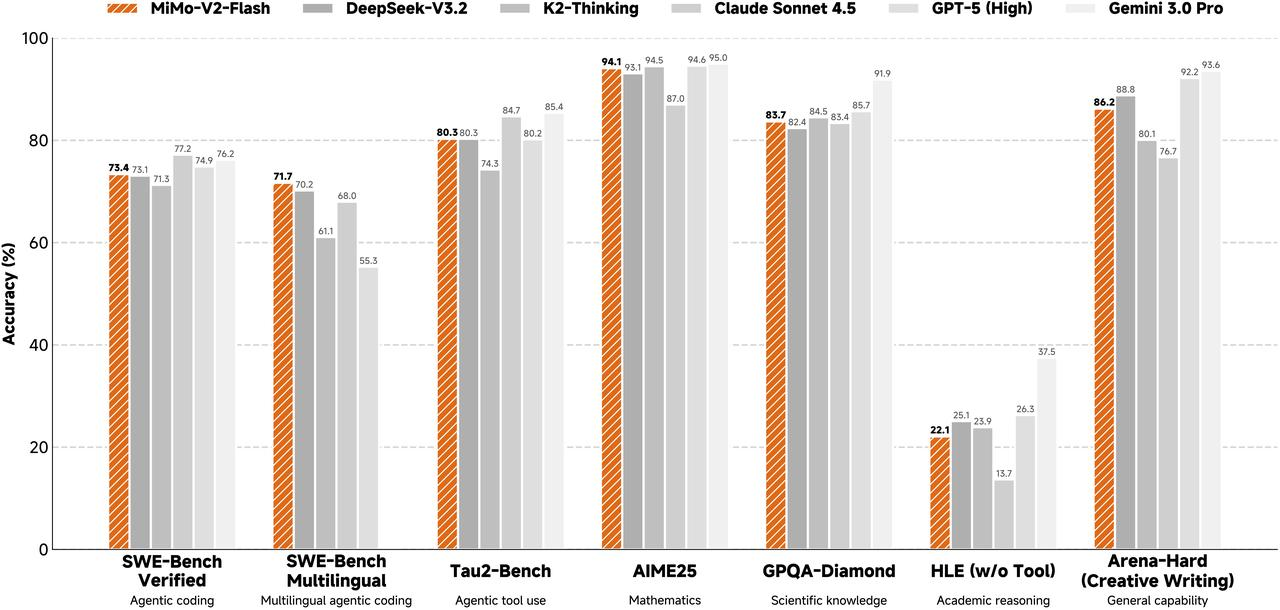 {/* feishu-style:text-align:left */}
To foster open-source engagement, both the model weights and inference code are fully open-sourced under the MIT license.
{/* feishu-style:text-align:left */}
**The API is available free of charge for a limited time.**
## Extreme Optimization of Cost and Speed
{/* feishu-style:text-align:left */}
The API pricing for mimo-v2-flash is **$0.1 per million input tokens and $0.3 per million output tokens.**
{/* feishu-style:text-align:left */}
In the chart below, the horizontal axis compares speed and cost across leading models——mimo-v2-flash achieves both the lowest cost and the highest speed.
{/* feishu-style:text-align:left */}
To foster open-source engagement, both the model weights and inference code are fully open-sourced under the MIT license.
{/* feishu-style:text-align:left */}
**The API is available free of charge for a limited time.**
## Extreme Optimization of Cost and Speed
{/* feishu-style:text-align:left */}
The API pricing for mimo-v2-flash is **$0.1 per million input tokens and $0.3 per million output tokens.**
{/* feishu-style:text-align:left */}
In the chart below, the horizontal axis compares speed and cost across leading models——mimo-v2-flash achieves both the lowest cost and the highest speed.
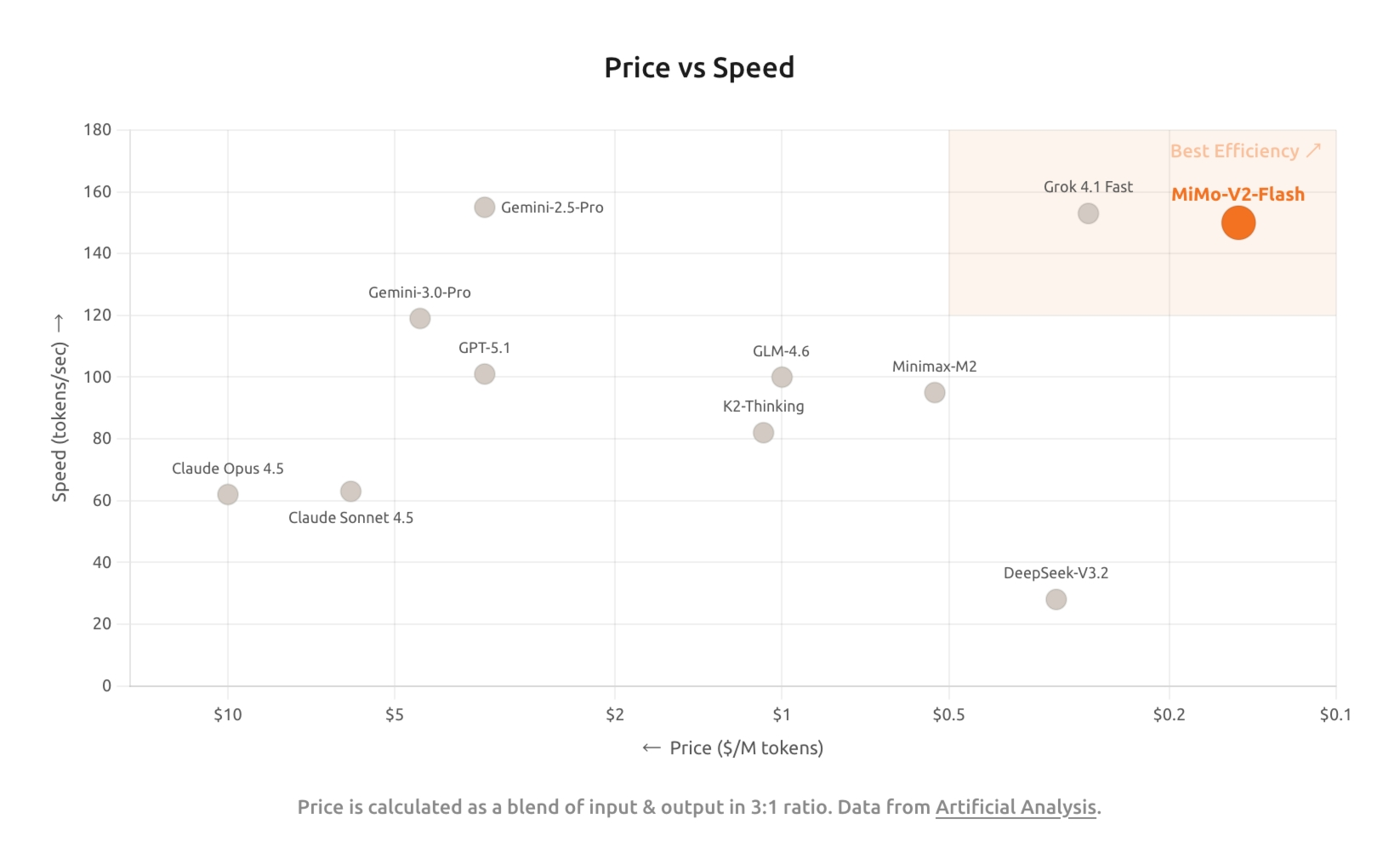 ## Architectural innovations designed for high-efficiency inference
{/* feishu-style:text-align:left */}
Key architectural designs:
- **Hybrid Attention:** We adopt a hybrid attention mechanism combining Global Attention and Sliding Window Attention (SWA) at a 1:5 ratio, where the window size of SWA is 128. During pre-training, we train the model with a context length of 32k, and extend it to 256k. Compared to mainstream Linear Attention approaches, extensive early-stage empirical studies show that SWA is simple, efficient, and practical, delivering stronger overall performance in general tasks, long-context handling, and reasoning. It also provides a fixed-size KV cache, making it easy to integrate with existing training and inference infrastructure.
## Architectural innovations designed for high-efficiency inference
{/* feishu-style:text-align:left */}
Key architectural designs:
- **Hybrid Attention:** We adopt a hybrid attention mechanism combining Global Attention and Sliding Window Attention (SWA) at a 1:5 ratio, where the window size of SWA is 128. During pre-training, we train the model with a context length of 32k, and extend it to 256k. Compared to mainstream Linear Attention approaches, extensive early-stage empirical studies show that SWA is simple, efficient, and practical, delivering stronger overall performance in general tasks, long-context handling, and reasoning. It also provides a fixed-size KV cache, making it easy to integrate with existing training and inference infrastructure.
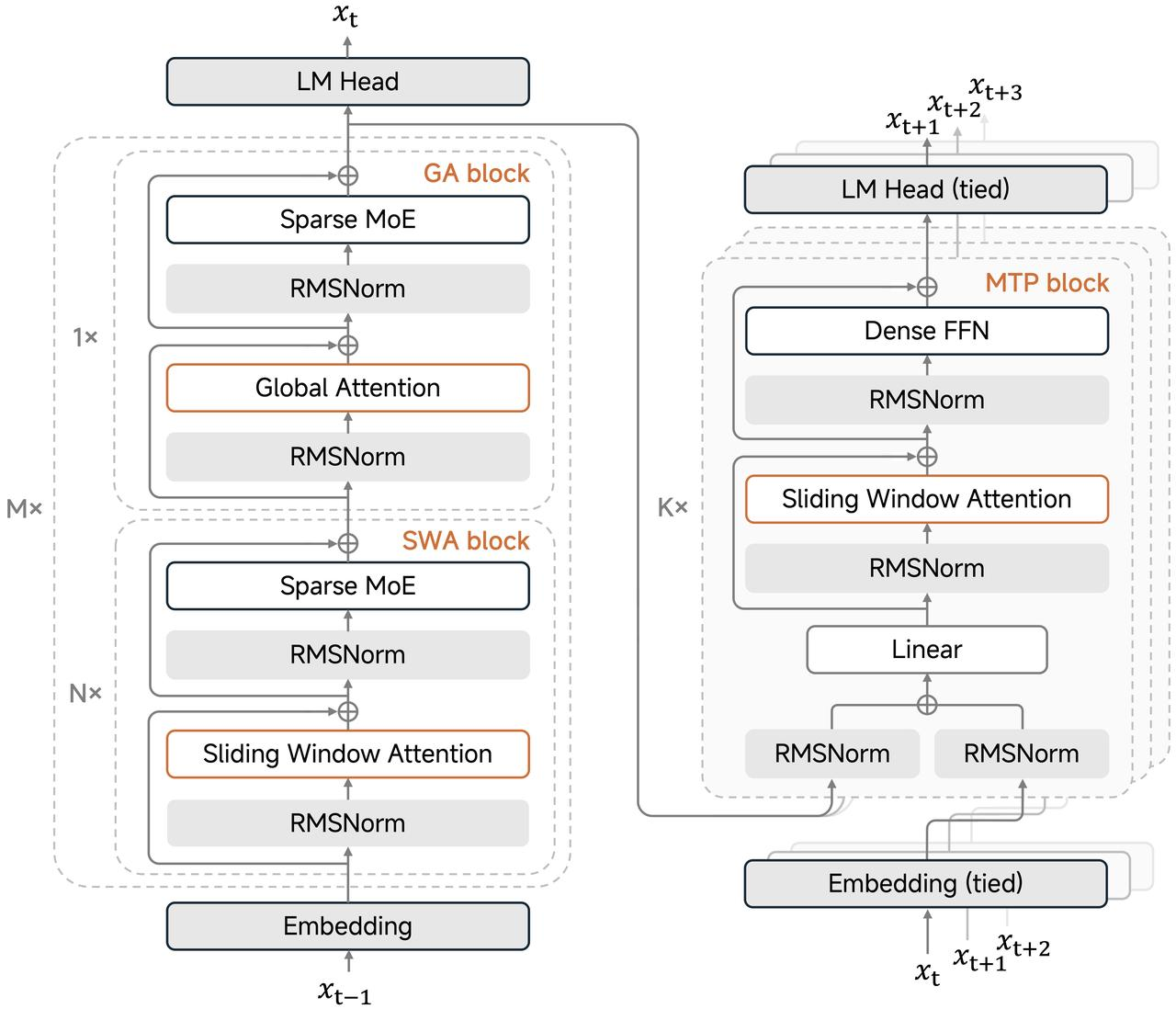 - **MTP Inference Acceleration**: We introduce MTP (Multi-Token Prediction) to strengthen the model's capability and speed up inference. During inference, MTP validates MTP tokens in parallel, breaking the memory bandwidth bottleneck of traditional decoding under large batch sizes. In practice, a 2.5×–3.7× real-world speedup is achieved with a 3-layer MTP setup.
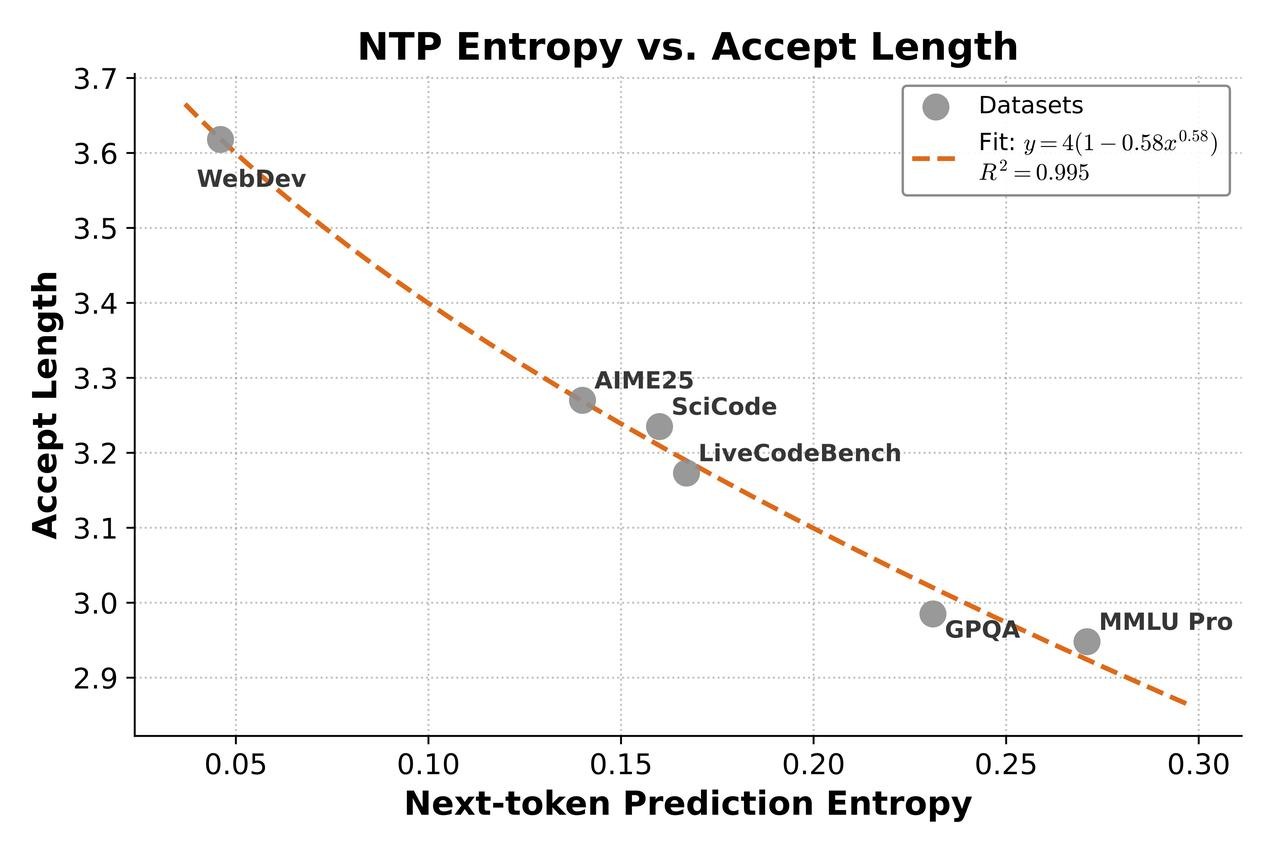 ## Related links
- Technical Report:[https://github.com/XiaomiMiMo/MiMo-V2-Flash/blob/main/paper.pdf](https://github.com/XiaomiMiMo/MiMo-V2-Flash/blob/main/paper.pdf)
- Model Weights:https://hf.co/XiaomiMiMo/MiMo-V2-Flash
- Github Repository:https://github.com/xiaomimimo/MiMo-V2-Flash
- Blog Post: https://mimo.xiaomi.com/blog/mimo-v2-flash
- LMSYS Blog:[https://lmsys.org/blog/2025-12-16-mimo-v2-flash](https://lmsys.org/blog/2025-12-16-mimo-v2-flash/)
--- DOCUMENT: Model Release ---
URL: https://mimo.mi.com/static/docs/updates/model.md
# Model Release
## 2026-09-22 MiMo-V2.6 Series Release
- **mimo-v2.6-pro:** Our most powerful flagship reasoning model — omni-modal, ultra-high performance, trillion-parameter — built for complex projects, long-horizon tasks, high-stakes work, cybersecurity, and research.
- **mimo-v2.6-flash:** Full-modality, high-intelligence, low-cost reasoning model — the best balance for high-frequency calls and large-scale tasks in professional workflows.
- **mimo-v2.6-pro-ultraspeed:** Flagship V2.6-Pro performance, up to 20x faster. Built for real-time and latency-sensitive workloads.
## 2026-06-02 mimo-v2.5-asr Released
{/* feishu-style:text-align:left */}
Model Introduction:
- **Bilingual & Dialects:** Supports Chinese, English, code-switching, and various regional dialects (Wu, Cantonese, Minnan, Sichuanese).
- **Lyrics Transcription:** High-accuracy Chinese/English lyrics transcription in mixed vocal-instrumental tracks.
- **Robust in Complex Audio:** Excels in challenging environments (high noise, far-field, multi-speaker).
- **Knowledge-Intensive AI:** Pinpoint accuracy for classical poetry, jargon, and proper nouns, with auto-punctuation.
## 2026-04-23 mimo-v2.5-pro Released
{/* feishu-style:text-align:left */}
Model Introduction:
- **Trillion parameters, efficient architecture:** 1T total parameters | 42B activations | 1M ultra-long context
- **Ultimate Agent Performance:** In high-intensity agent scenarios, it performs comparably to Claude Opus4.6
## 2026-04-23 mimo-v2.5 Released
{/* feishu-style:text-align:left */}
Model Introduction:
- **Native full-modal perception + 1M context:** Supports native understanding of images, videos, audio, and text, enabling cross-modal precise perception and long-range reasoning, with comprehensive perception capabilities ranking among the industry's forefront
- **Powerful full-modal Agent capabilities:** It has native Agent execution capabilities, enabling it to efficiently complete complex tasks such as browsing, understanding, reasoning, and operation, with its performance in daily tasks comparable to that of **mimo-v2.5-pro**
- **Combining Performance and Efficiency:** While maintaining leading capabilities, achieving superior token efficiency, and positioned at the Pareto frontier of performance and efficiency
## 2026-04-23 MiMo-V2.5-TTS Series Release
{/* feishu-style:text-align:left */}
Model Introduction:
- **Premium Voice TTS:** Built-in with multiple high-quality premium voices, it has strong capabilities in understanding and adhering to style instructions, supports fine-grained control over speech rate, emotion, tone, etc., and meets the expression needs of multiple scenarios
- **Timbre Design:** Supports quickly defining and generating new timbres through a single sentence, making timbre creation more intuitive and efficient
- **Timbre Cloning:** Based on a small number of audio samples, it can reproduce the target timbre with high fidelity, while maintaining the consistency of timbre characteristics and possessing good generalization and stability
## 2026-03-18 mimo-v2-pro Release
{/* feishu-style:text-align:left */}
**Model overview:**
- Uses hybrid architecture with a 1:7 ratio of Global Attention to Sliding Window Attention (SWA);
- 1T total parameters, with 42B active parameters;
- Supports an ultra-long context window of 1M tokens.
{/* feishu-style:text-align:left */}
**Model details:** https://platform.xiaomimimo.com/#/docs/news/v2-pro-release
## 2026-03-18 mimo-v2-omni Release
{/* feishu-style:text-align:left */}
**Model overview:**
- Supports up to 256K context length;
- Supports text, vision, and speech modalities.
{/* feishu-style:text-align:left */}
**Model details:** https://platform.xiaomimimo.com/#/docs/news/v2-omni-release
## 2026-03-18 mimo-v2-tts Release
{/* feishu-style:text-align:left */}
**Model overview:**
- Pretrained on over 100 million hours of data, using a self-developed multi-codebook speech modeling architecture;
- Offers unique capabilities such as style control, singing, and voice cloning.
{/* feishu-style:text-align:left */}
**Pricing:** free for a limited time.
{/* feishu-style:text-align:left */}
**Model details:** https://platform.xiaomimimo.com/#/docs/news/v2-tts-release
## 2026-02-04 mimo-v2-flash Update
1. **Upgraded Coding Capabilities in Thinking Mode:**
Specifically optimized for programming scenarios, the Thinking Mode now achieves a score of **78.6** on SWE-Bench Verified. Both the resolution rate and the quality of code generation have been significantly improved.
1. **Substantial Boost in Tool Calling Accuracy:**
Stability issues regarding tool usage have been resolved. Tool calling accuracy in Thinking Mode has surged from 64% to **97.0%** , greatly enhancing execution reliability in Agent scenarios.
1. **Enhanced Instruction Following & Reduced Hallucinations:**
- **Instruction Following:** Improved adherence to specific instructions, achieving an **AA-IFBench score of 72**.
- **Factuality:** Enhanced rigor in factual responses, with the **Non-Hallucination Rate updated to 52%** .
1. **Optimized Handling of Complex Tasks:**
Performance on Arena-Hard (Hard Prompts) in Thinking Mode has been strengthened, with the score rising to **60.6**. The model now demonstrates superior performance when handling high-difficulty logic problems.
1. **More Efficient Chain-of-Thought (CoT):**
By optimizing CoT generation strategies, the consumption of redundant tokens has been significantly reduced. In benchmarks such as AIME25 and HMMT, the average generation length has decreased by **13% to 30%** . This effectively lowers latency and token costs while maintaining model performance.
## Related links
- Technical Report:[https://github.com/XiaomiMiMo/MiMo-V2-Flash/blob/main/paper.pdf](https://github.com/XiaomiMiMo/MiMo-V2-Flash/blob/main/paper.pdf)
- Model Weights:https://hf.co/XiaomiMiMo/MiMo-V2-Flash
- Github Repository:https://github.com/xiaomimimo/MiMo-V2-Flash
- Blog Post: https://mimo.xiaomi.com/blog/mimo-v2-flash
- LMSYS Blog:[https://lmsys.org/blog/2025-12-16-mimo-v2-flash](https://lmsys.org/blog/2025-12-16-mimo-v2-flash/)
--- DOCUMENT: Model Release ---
URL: https://mimo.mi.com/static/docs/updates/model.md
# Model Release
## 2026-09-22 MiMo-V2.6 Series Release
- **mimo-v2.6-pro:** Our most powerful flagship reasoning model — omni-modal, ultra-high performance, trillion-parameter — built for complex projects, long-horizon tasks, high-stakes work, cybersecurity, and research.
- **mimo-v2.6-flash:** Full-modality, high-intelligence, low-cost reasoning model — the best balance for high-frequency calls and large-scale tasks in professional workflows.
- **mimo-v2.6-pro-ultraspeed:** Flagship V2.6-Pro performance, up to 20x faster. Built for real-time and latency-sensitive workloads.
## 2026-06-02 mimo-v2.5-asr Released
{/* feishu-style:text-align:left */}
Model Introduction:
- **Bilingual & Dialects:** Supports Chinese, English, code-switching, and various regional dialects (Wu, Cantonese, Minnan, Sichuanese).
- **Lyrics Transcription:** High-accuracy Chinese/English lyrics transcription in mixed vocal-instrumental tracks.
- **Robust in Complex Audio:** Excels in challenging environments (high noise, far-field, multi-speaker).
- **Knowledge-Intensive AI:** Pinpoint accuracy for classical poetry, jargon, and proper nouns, with auto-punctuation.
## 2026-04-23 mimo-v2.5-pro Released
{/* feishu-style:text-align:left */}
Model Introduction:
- **Trillion parameters, efficient architecture:** 1T total parameters | 42B activations | 1M ultra-long context
- **Ultimate Agent Performance:** In high-intensity agent scenarios, it performs comparably to Claude Opus4.6
## 2026-04-23 mimo-v2.5 Released
{/* feishu-style:text-align:left */}
Model Introduction:
- **Native full-modal perception + 1M context:** Supports native understanding of images, videos, audio, and text, enabling cross-modal precise perception and long-range reasoning, with comprehensive perception capabilities ranking among the industry's forefront
- **Powerful full-modal Agent capabilities:** It has native Agent execution capabilities, enabling it to efficiently complete complex tasks such as browsing, understanding, reasoning, and operation, with its performance in daily tasks comparable to that of **mimo-v2.5-pro**
- **Combining Performance and Efficiency:** While maintaining leading capabilities, achieving superior token efficiency, and positioned at the Pareto frontier of performance and efficiency
## 2026-04-23 MiMo-V2.5-TTS Series Release
{/* feishu-style:text-align:left */}
Model Introduction:
- **Premium Voice TTS:** Built-in with multiple high-quality premium voices, it has strong capabilities in understanding and adhering to style instructions, supports fine-grained control over speech rate, emotion, tone, etc., and meets the expression needs of multiple scenarios
- **Timbre Design:** Supports quickly defining and generating new timbres through a single sentence, making timbre creation more intuitive and efficient
- **Timbre Cloning:** Based on a small number of audio samples, it can reproduce the target timbre with high fidelity, while maintaining the consistency of timbre characteristics and possessing good generalization and stability
## 2026-03-18 mimo-v2-pro Release
{/* feishu-style:text-align:left */}
**Model overview:**
- Uses hybrid architecture with a 1:7 ratio of Global Attention to Sliding Window Attention (SWA);
- 1T total parameters, with 42B active parameters;
- Supports an ultra-long context window of 1M tokens.
{/* feishu-style:text-align:left */}
**Model details:** https://platform.xiaomimimo.com/#/docs/news/v2-pro-release
## 2026-03-18 mimo-v2-omni Release
{/* feishu-style:text-align:left */}
**Model overview:**
- Supports up to 256K context length;
- Supports text, vision, and speech modalities.
{/* feishu-style:text-align:left */}
**Model details:** https://platform.xiaomimimo.com/#/docs/news/v2-omni-release
## 2026-03-18 mimo-v2-tts Release
{/* feishu-style:text-align:left */}
**Model overview:**
- Pretrained on over 100 million hours of data, using a self-developed multi-codebook speech modeling architecture;
- Offers unique capabilities such as style control, singing, and voice cloning.
{/* feishu-style:text-align:left */}
**Pricing:** free for a limited time.
{/* feishu-style:text-align:left */}
**Model details:** https://platform.xiaomimimo.com/#/docs/news/v2-tts-release
## 2026-02-04 mimo-v2-flash Update
1. **Upgraded Coding Capabilities in Thinking Mode:**
Specifically optimized for programming scenarios, the Thinking Mode now achieves a score of **78.6** on SWE-Bench Verified. Both the resolution rate and the quality of code generation have been significantly improved.
1. **Substantial Boost in Tool Calling Accuracy:**
Stability issues regarding tool usage have been resolved. Tool calling accuracy in Thinking Mode has surged from 64% to **97.0%** , greatly enhancing execution reliability in Agent scenarios.
1. **Enhanced Instruction Following & Reduced Hallucinations:**
- **Instruction Following:** Improved adherence to specific instructions, achieving an **AA-IFBench score of 72**.
- **Factuality:** Enhanced rigor in factual responses, with the **Non-Hallucination Rate updated to 52%** .
1. **Optimized Handling of Complex Tasks:**
Performance on Arena-Hard (Hard Prompts) in Thinking Mode has been strengthened, with the score rising to **60.6**. The model now demonstrates superior performance when handling high-difficulty logic problems.
1. **More Efficient Chain-of-Thought (CoT):**
By optimizing CoT generation strategies, the consumption of redundant tokens has been significantly reduced. In benchmarks such as AIME25 and HMMT, the average generation length has decreased by **13% to 30%** . This effectively lowers latency and token costs while maintaining model performance.
| **mimo-v2-flash-0204** | **mimo-v2-flash-0112** | **mimo-v2-flash** | |
|---|---|---|---|
| **SWE-Bench Verified** **Non-Thinking** |
**73.7** | 73.3 | 73.4 |
| **SWE-Bench Verified** **Thinking** |
**78.6** | 74.2 | - |
| **Arena-Hard(Hard Prompt)** **Non-Thinking** |
**49.3** | 52.7 | 46.0 |
| **Arena-Hard(Creative Writing)** **Non-Thinking** |
**85.0** | 86.0 | 78.3 |
| **Aren-Hard(Hard Prompt)** **Thinking** |
**60.6** | 58.3 | 54.1 |
| **Arena-Hard(Creative Writing)** **Thinking** |
**85.8** | 90.4 | 86.2 |
| **AA-IFBench** | **72** | - | 64 |
| **AA-Omniscience Accuracy** | **19** | - | 27 |
| **AA-Omniscience Non-Hallucination Rate** | **52%** | - | 9% |
| **Tool call success rate** **Thinking** |
**97.0%** | 64% | 44% |
| **Benchmark** | **mimo-v2-flash (Acc)** | **mimo-v2-flash (Avg Tokens)** | **mimo-v2-flash-0204 (Acc)** | **mimo-v2-flash-0204 (Avg Tokens)** | **Length Reduction Ratio (%)** |
|---|---|---|---|---|---|
| **AIME25** | 94.8 | 26984 | 91.1 | 18879 | **30.04%** |
| **HMMT_Feb_25** | 94.2 | 29294 | 92.9 | 21470 | **26.71%** |
| **LiveCodeBench-AA** | 83.2 | 21488 | 84.9 | 18335 | **14.67%** |
| **GPQA-Diamond** | 83.7 | 15862 | 83.8 | 13659 | **13.89%** |
| **mimo-v2-flash-0112** | **mimo-v2-flash** | |
|---|---|---|
| **SWE-Bench Verified** **Non-Thinking** |
**73.3** | 73.4 |
| **SWE-Bench Verified Thinking** | **74.2** | - |
| **Arena-Hard(Hard Prompt)** **Non-Thinking** |
**52.7** | 46.0 |
| **Arena-Hard(Creative Writing)** **Non-Thinking** |
**86.0** | 78.3 |
| **Arena-Hard(Hard Prompt)** **Thinking** |
**58.3** | 54.1 |
| **Arena-Hard(Creative Writing)** **Thinking** |
**90.4** | 86.2 |
### Deprecated model on 2026.10.21
| Offline Model | Deprecated Time | Note |
|---|---|---|
| mimo-v2.5-pro | Beijing Time 2026.10.21 10:00 | **No system replacement model; will be directly deprecated upon expiration** |
| mimo-v2.5 | Beijing Time 2026.10.21 10:00 | **No system replacement model; will be directly deprecated upon expiration** |
### Deprecated model on 2026.6.30
| Deprecated Model | Deprecated Time | System replacement time | System Replacement Model | Replacement Impact |
|---|---|---|---|---|
| mimo-v2-pro | Beijing Time 2026.6.30 00:00 | Beijing Time 2026.6.1 00:00 | mimo-v2.5-pro | API parameters are fully adapted |
| mimo-v2-omni | Beijing Time 2026.6.30 00:00 | Beijing Time 2026.6.1 00:00 | mimo-v2.5 | API parameters are fully adapted |
| mimo-v2-flash | Beijing Time 2026.6.30 00:00 | Beijing Time 2026.6.18 00:00 | mimo-v2.5 | The default value of the parameter has changed, see details below |
| mimo-v2-tts | Beijing Time 2026.6.30 00:00 | Beijing Time 2026.6.27 00:00 | mimo-v2.5-tts | Timbre remapping,`mimo_default` is mapped to `冰糖` in Chinese clusters and `mia` in other clusters. |