# OpenClaw Configuration
{/* feishu-style:text-align:left */}
**Pay-as-you-go MiMo API** and **Token Plan** are both supported for use in OpenClaw. Please refer to this article for configuration and usage.
## Preparatory Work
### Obtain Credentials
{/* feishu-style:text-align:left */}
Supports two usage methods, but the corresponding credential acquisition methods are different:
| Usage |
Description |
Acquisition Method (BASE_URL and API Key below are both examples) |
| Pay-as-you-go API calls |
Charged based on actual usage, suitable for light use |
- BASE_URL
- OpenAI Compatibility Protocol:`https://api.xiaomimimo.com/v1`
- API Key
Go to [API Keys](https://platform.xiaomimimo.com/#/console/api-keys) to create an API Key |
| Token Plan |
Fixed subscription fee, with limited calls based on the package |
- BASE_URL
- OpenAI Compatibility Protocol: `https://token-plan-cn.xiaomimimo.com/v1`
- API Key
- Format (Individual): `tp-xxxxx`
- Format (Team): `ttp-xxxxx`
After successful subscription, go to [ Token Plan ](https://platform.xiaomimimo.com/#/console/plan-manage) to obtain the exclusive Base URL and API Key |
When OpenClaw uses MiMo under the Anthropic protocol, due to the absence of `reasoning_content` in the assistant containing tool calls, the API will return a 400 error. For details, see [Multi-turn Conversation Pass-through Requirements](https://mimo.mi.com/docs/en-US/quick-start/usage-guide/text-generation/deep-thinking#:~:text=.-,Multi%2Dturn%20Conversation%20Pass%2Dthrough%20Requirements,-When%20deep%20thinking).
## Install OpenClaw
{/* feishu-style:text-align:left */}
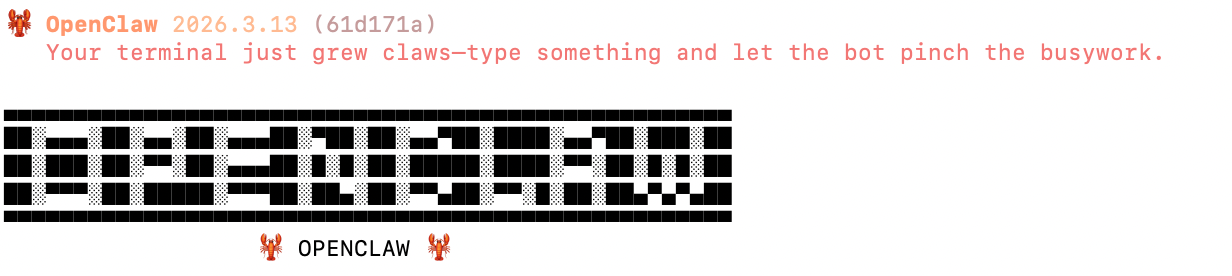
Precondition:[ Node.js 22 or later](https://nodejs.org/en/download/)
{/* feishu-style:text-align:left */}
macOS/Linux:
```bash
curl -fsSL https://openclaw.ai/install.sh | bash
```
{/* feishu-style:text-align:left */}
Windows (PowerShell):
```bash
iwr -useb https://openclaw.ai/install.ps1 | iex
```
 ## Configure and use MiMo model
**Tips**
- **OpenClaw supports the preconfigured settings of the MiMo pay-as-you-go API, which can be configured via Method 1 Interactive Configuration Wizard.**
- **OpenClaw has not yet added the MiMo Token Plan preset configuration, so you need to manually modify the configuration file through Method 2.**
### Method 1: Interactive Configuration Wizard
{/* feishu-style:text-align:left */}
After the installation is complete, the configuration process will automatically start. You can also run the following command to start the configuration:
```bash
openclaw onboard --install-daemon
```
{/* feishu-style:text-align:left */}
**1. Configure the provider**
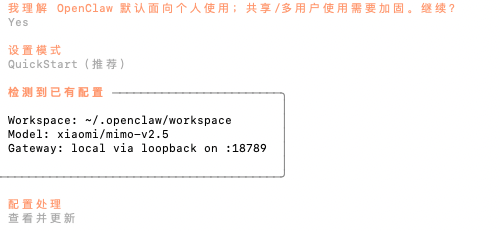
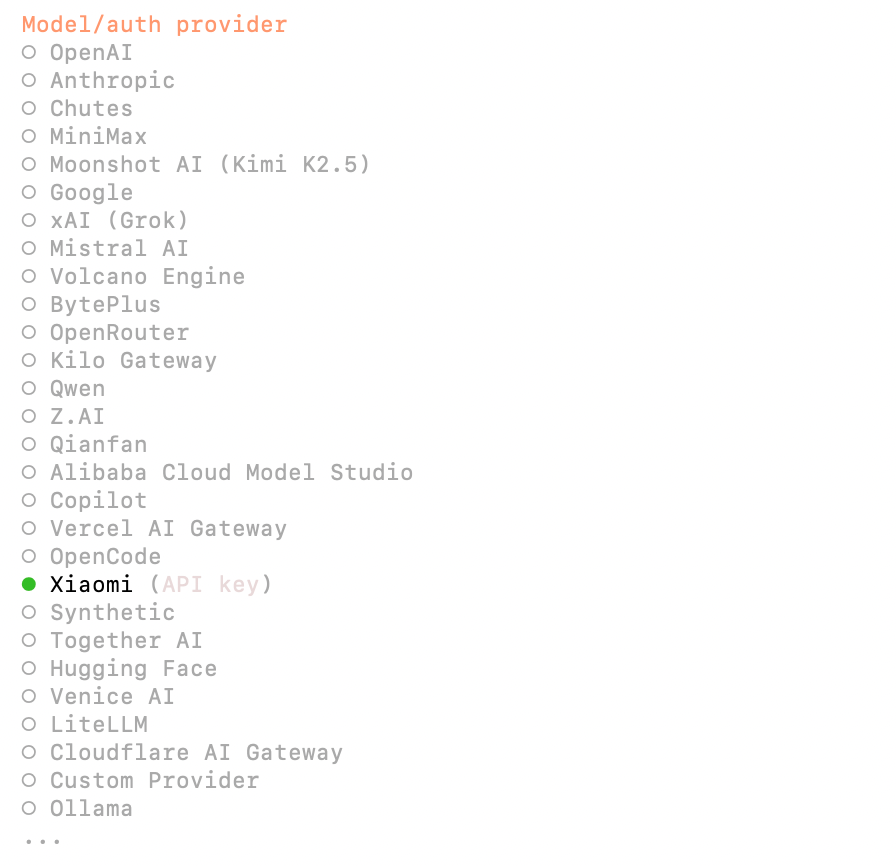 - I understand this is personal-by-default and shared/multi-user use requires lock-down. Continue? ➡️ Yes
- Set Mode ➡️ QuickStart
- Configuration Processing ➡️ View and Update
- Model/auth provider ➡️ Xiaomi
{/* feishu-style:text-align:left */}
**2. Configure the model and API Key**
- I understand this is personal-by-default and shared/multi-user use requires lock-down. Continue? ➡️ Yes
- Set Mode ➡️ QuickStart
- Configuration Processing ➡️ View and Update
- Model/auth provider ➡️ Xiaomi
{/* feishu-style:text-align:left */}
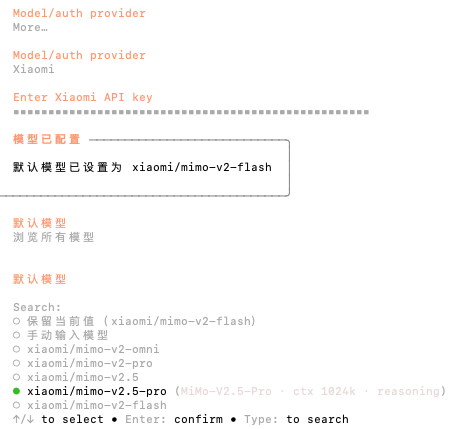
**2. Configure the model and API Key**
 {/* feishu-style:text-align:left */}
Enter the API Key of the MiMo Open Platform, browse all models, and select the latest v2.5 series models.
{/* feishu-style:text-align:left */}
**3.** **Continue to complete the subsequent configuration**
- Select channels, select search providers, configure skills, etc.
- Complete Setup
{/* feishu-style:text-align:left */}
**4. Test Robot**
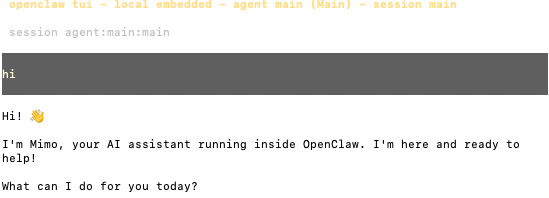
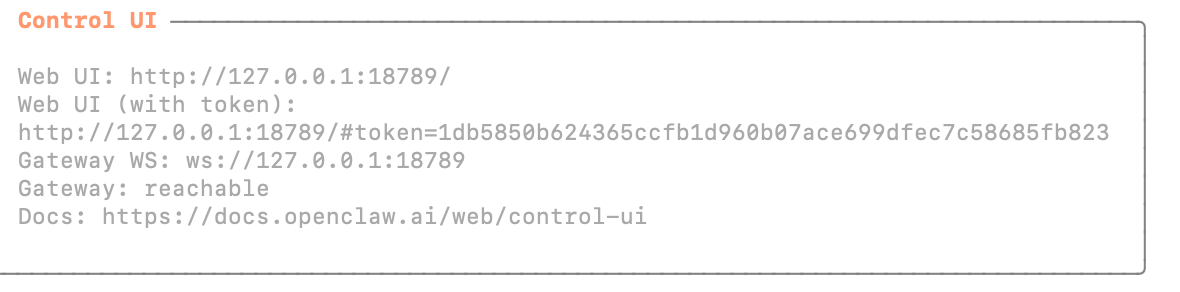
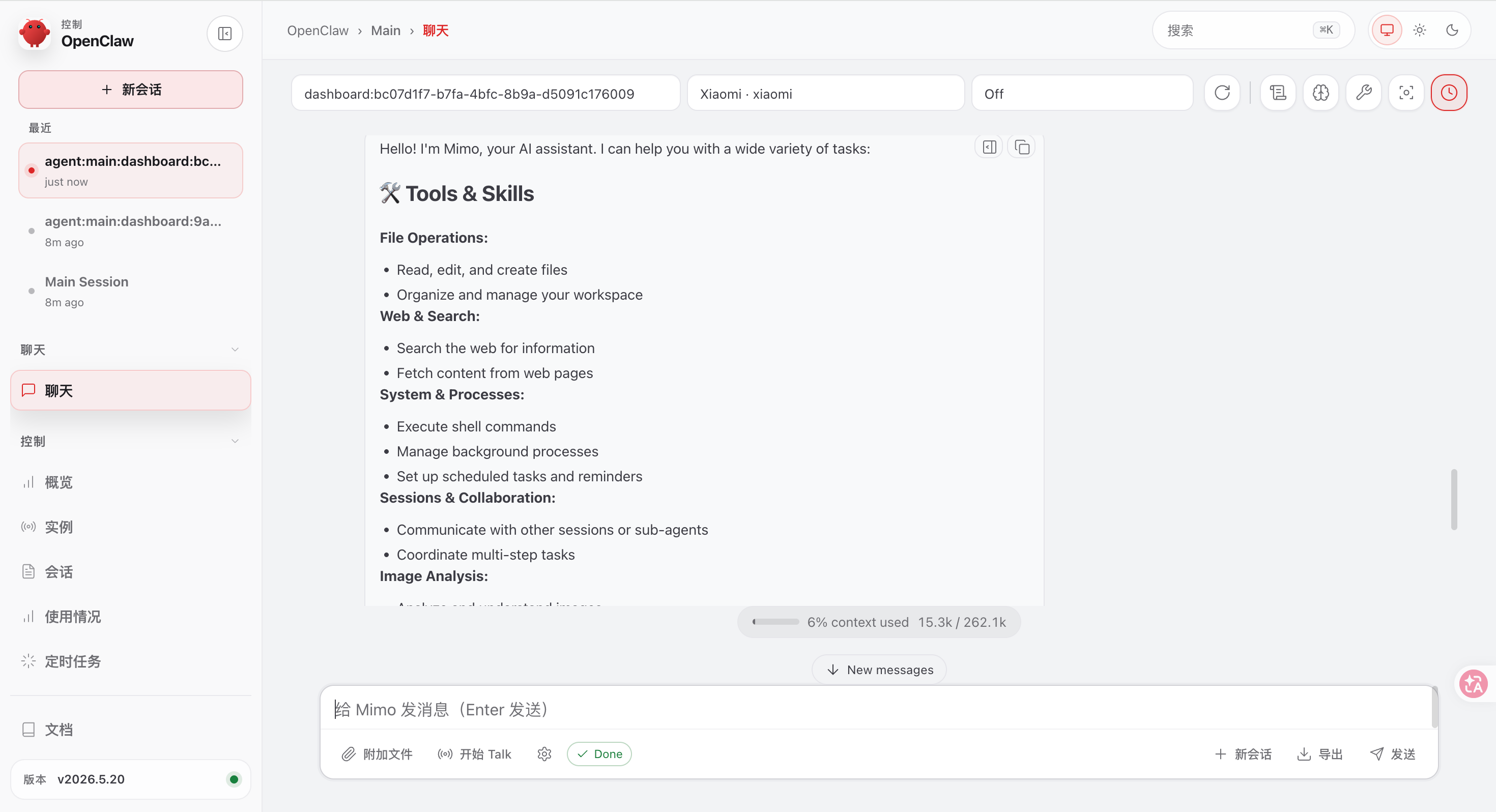
- How do you want to hatch your bot? ➡️ You can chat with the bot in TUI/Web UI
- TUI: Enter `openclaw tui`, and if the conversation is successful, it indicates successful configuration
{/* feishu-style:text-align:left */}
Enter the API Key of the MiMo Open Platform, browse all models, and select the latest v2.5 series models.
{/* feishu-style:text-align:left */}
**3.** **Continue to complete the subsequent configuration**
- Select channels, select search providers, configure skills, etc.
- Complete Setup
{/* feishu-style:text-align:left */}
**4. Test Robot**
- How do you want to hatch your bot? ➡️ You can chat with the bot in TUI/Web UI
- TUI: Enter `openclaw tui`, and if the conversation is successful, it indicates successful configuration
 - Web UI: Access the Web UI by opening the `Web UI (with token)` link displayed in the terminal
 ### Method 2: Modify the Configuration File
{/* feishu-style:text-align:left */}
Copy the following content in full to the configuration file`~/.openclaw/openclaw.json` (replace BASE_URL and API Key as needed in actual use):
### Method 2: Modify the Configuration File
{/* feishu-style:text-align:left */}
Copy the following content in full to the configuration file`~/.openclaw/openclaw.json` (replace BASE_URL and API Key as needed in actual use):
**Token Plan only supports configuration via Method 2. When using Token Plan, you need to delete the** `"auth"` **field in the configuration file, and you need to add a provider to distinguish it from the pre-set MiMo gateway.**
{/* feishu-style:text-align:left */}
**Token Plan** **Configuration Example:**
{/* feishu-style:text-align:left */}
**Delete the** `"auth"` **field**
```json
"auth": {
"profiles": {
"xiaomi:default": {
"provider": "xiaomi",
"mode": "api_key"
}
}
}
```
{/* feishu-style:text-align:left */}
Add a new provider under the models.provider path. Do not set the provider name to `xiaomi`, to distinguish it from the pre-set MiMo gateway. For example, set it to `xiaomi-coding`
{/* feishu-style:text-align:left */}
The corresponding default agent configuration also needs to add the corresponding model, with the format ` provider name/model name `, for example ` xiaomi-coding/mimo-v2.6-pro `
```json
{
"models": {
"mode": "merge",
"providers": {
"xiaomi-coding": {
"baseUrl": "BASE_URL",
"apiKey": "API_KEY",
"api": "openai-completions",
"models": [
{
"id": "mimo-v2.6-pro",
"name": "mimo-v2.6-pro",
"reasoning": true,
"input": [
"text",
"image"
],
"contextWindow": 1048576,
"maxTokens": 131072
},
{
"id": "mimo-v2.6-flash",
"name": "mimo-v2.6-flash",
"reasoning": true,
"input": [
"text",
"image"
],
"contextWindow": 1048576,
"maxTokens": 131072
}
]
}
}
},
"agents": {
"defaults": {
"model": {
"primary": "xiaomi-coding/mimo-v2.6-pro"
},
"models": {
"xiaomi-coding/mimo-v2.6-flash": {},
"xiaomi-coding/mimo-v2.6-pro": {}
}
}
}
}
```
{/* feishu-style:text-align:left */}
**Example of Pay-as-you-go API Configuration**
```json
{
"auth": {
"profiles": {
"xiaomi:default": {
"provider": "xiaomi",
"mode": "api_key"
}
}
},
"models": {
"mode": "merge",
"providers": {
"xiaomi": {
"baseUrl": "BASE_URL",
"apiKey": "API_KEY",
"api": "openai-completions",
"models": [
{
"id": "mimo-v2.6-pro",
"name": "mimo-v2.6-pro",
"reasoning": true,
"input": [
"text",
"image"
],
"contextWindow": 1048576,
"maxTokens": 131072
},
{
"id": "mimo-v2.6-flash",
"name": "mimo-v2.6-flash",
"reasoning": true,
"input": [
"text",
"image"
],
"contextWindow": 1048576,
"maxTokens": 131072
}
]
}
}
},
"agents": {
"defaults": {
"model": {
"primary": "xiaomi/mimo-v2.6-pro"
},
"models": {
"xiaomi/mimo-v2.6-flash": {},
"xiaomi/mimo-v2.6-pro": {}
}
}
}
}
```
## Connect to More Channels
{/* feishu-style:text-align:left */}
OpenClaw provides more channels for you to interact with the robot, such as Web UI, Discord, Feishu, etc. You can refer to the official documentation to set up these channels:[Chat Channels - OpenClaw](https://docs.openclaw.ai/channels).