文档

Chatbox AI 配置

按量付费的 MiMo APIToken Plan 均支持 Chatbox AI,可参考本文进行配置与使用。

前置工作

获取凭证

支持两种使用方式,但对应的凭证获取方式不同:

使用方式 说明 获取方式(以下为 BASE_URL 和 API Key 均为示例)
按量付费 API 调用 按实际使用量计费,适合轻度使用
  • BASE_URL
    • OpenAI 兼容协议:https://api.xiaomimimo.com/v1
  • API Key
    • 格式:sk-xxxxx

前往 API Keys 创建 API Key
Token Plan 固定订阅费,按套餐限量调用
  • BASE_URL
    • OpenAI 兼容协议:https://token-plan-cn.xiaomimimo.com/v1
  • API Key
    • 格式:tp-xxxxx

成功订阅后,前往 Token Plan 获取专属 Base URL 和 API Key

安装 Chatbox AI

Chatbox AI 是一款 AI 客户端应用和智能助手,支持多模型对话。

配置基本信息

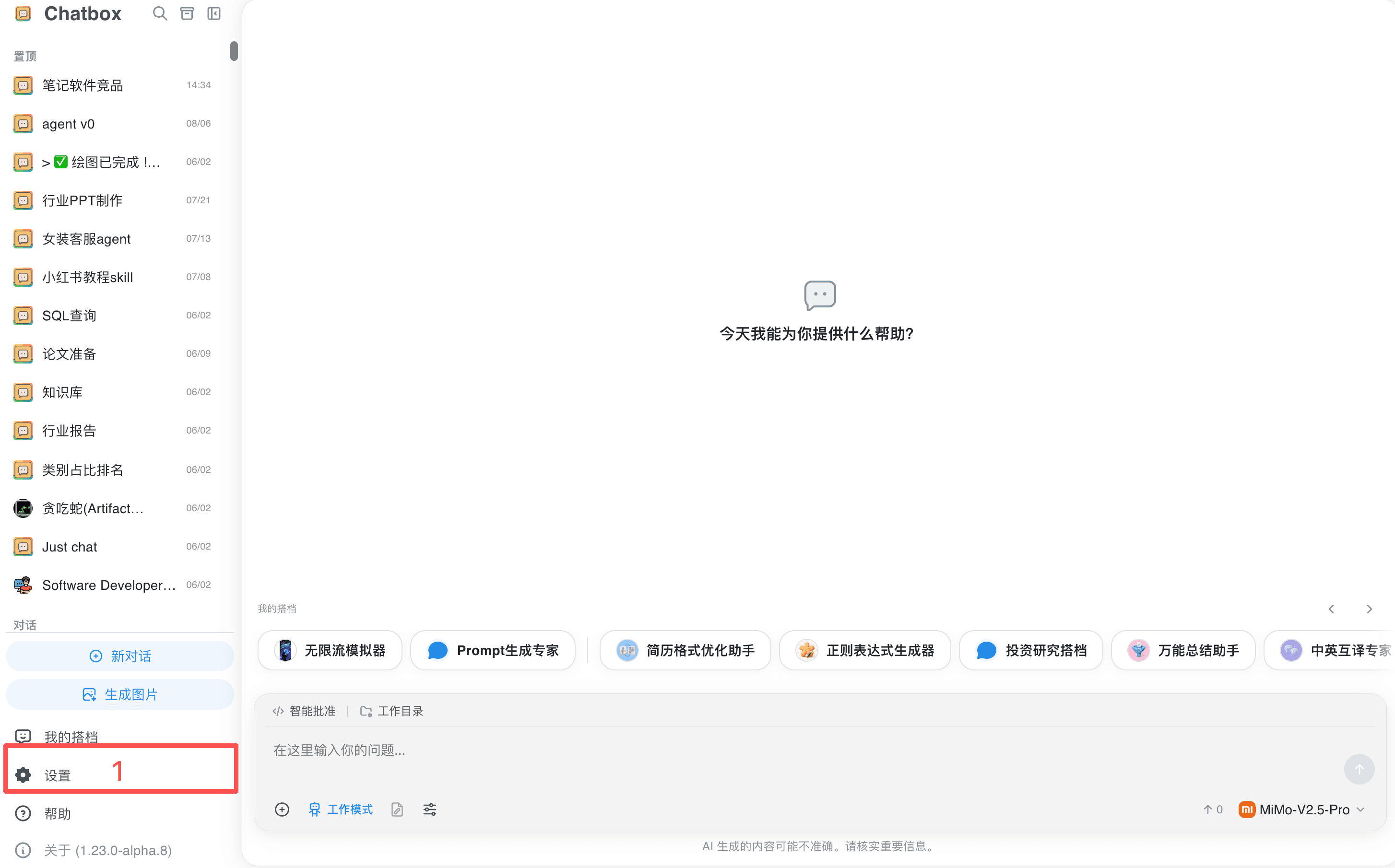
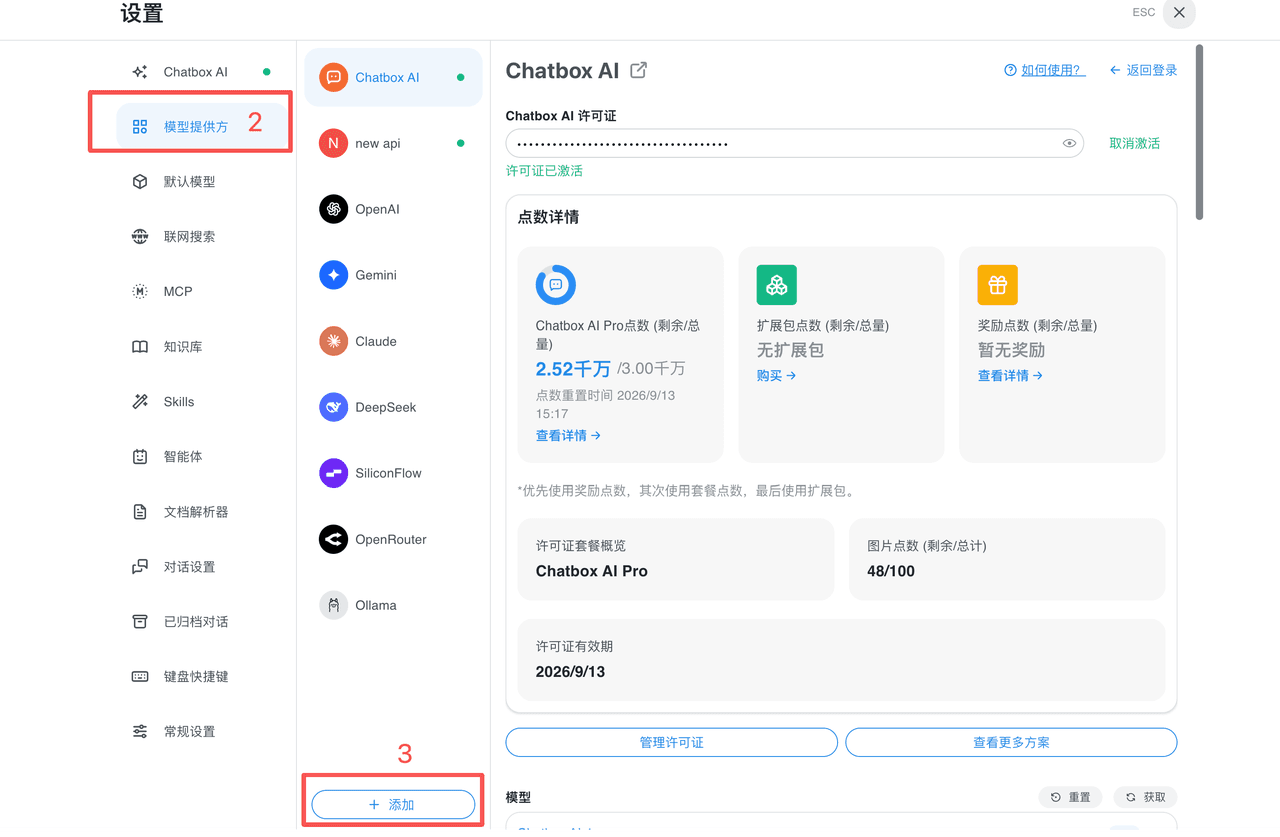
  1. 打开「设置」→「模型提供方」→「添加」。
图片
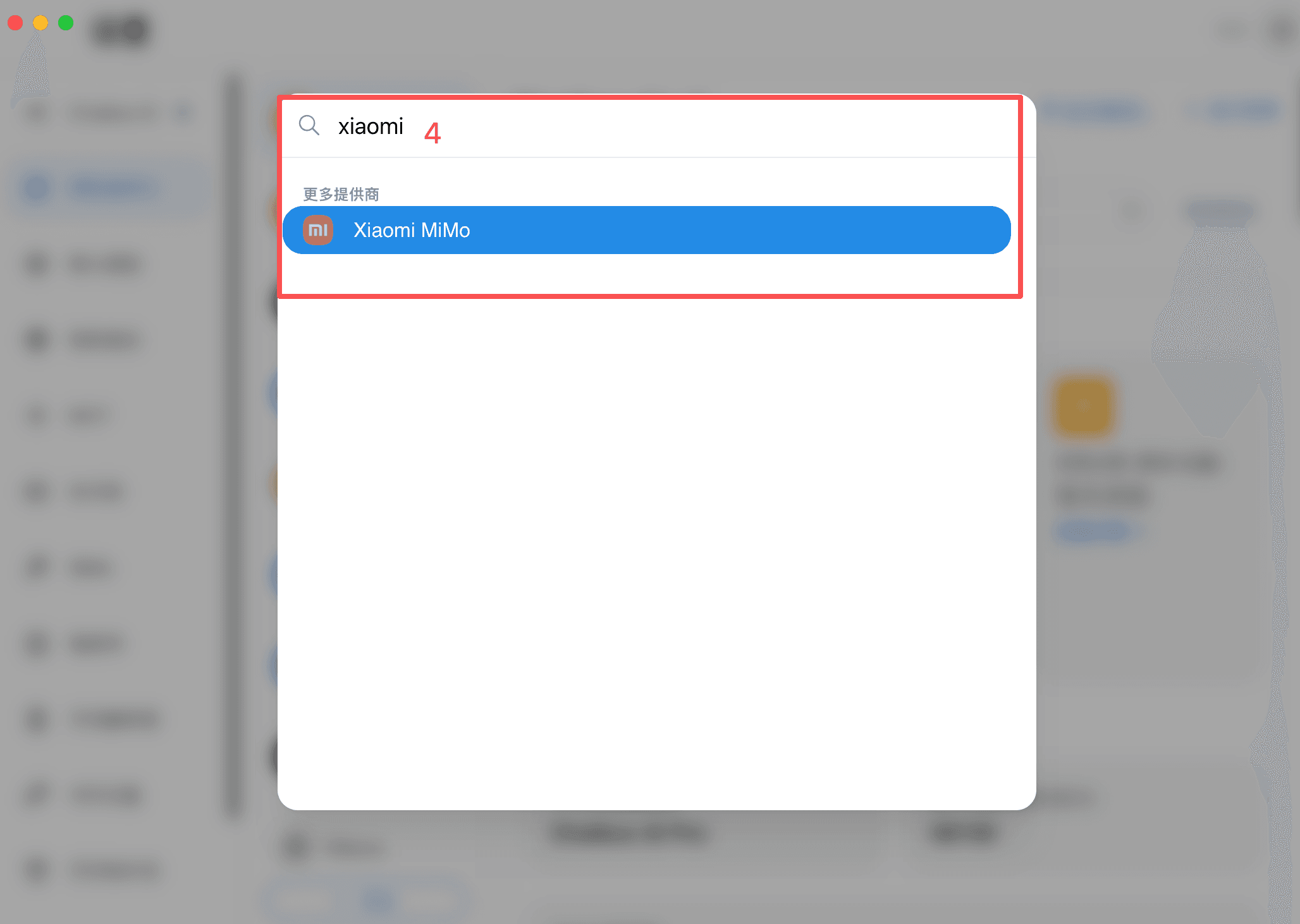
  1. 搜索并选择「Xiaomi MiMo」。
图片 图片
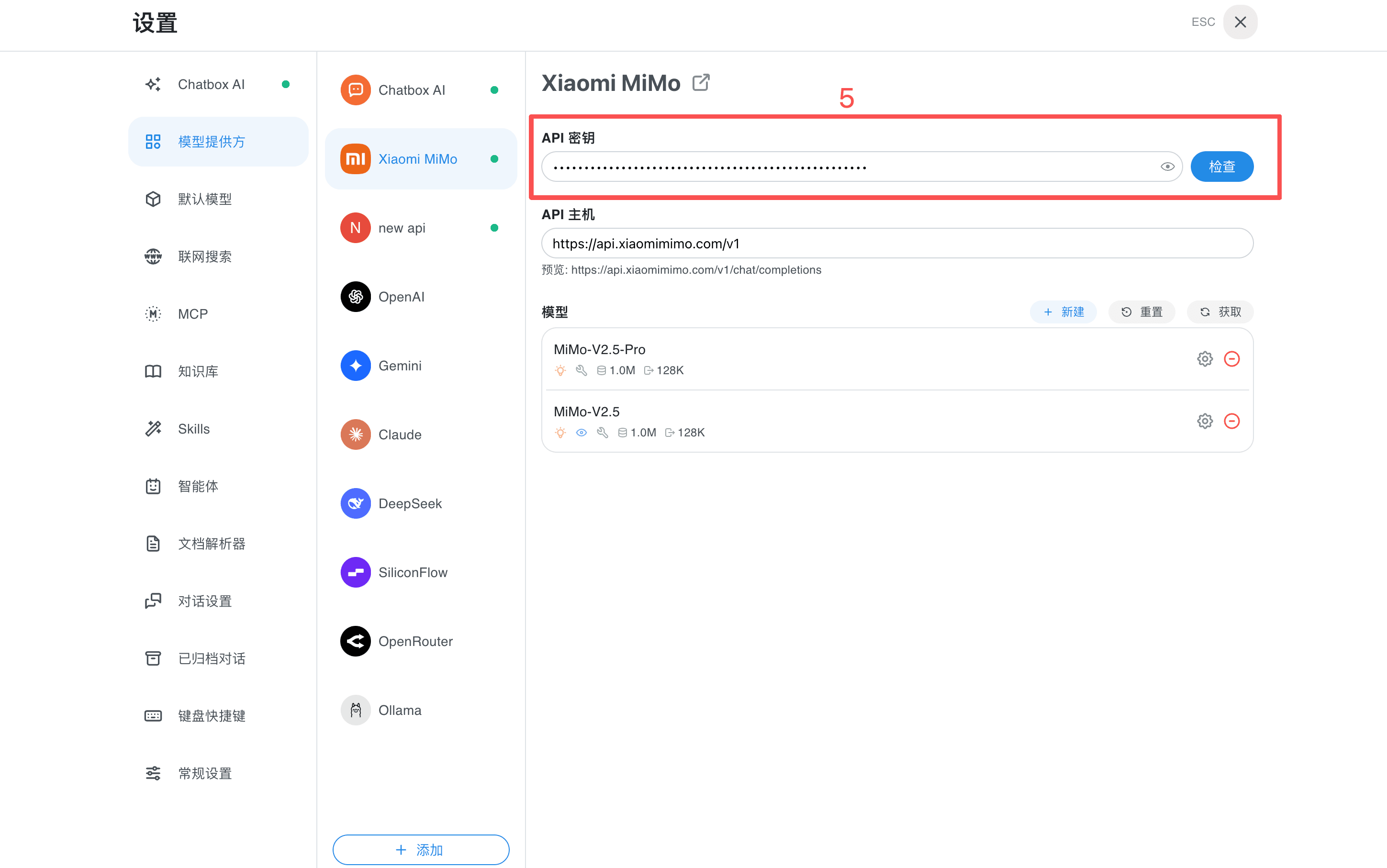
  1. 填写 API 密钥,使用按量付费 API 时,只需填入 API Key,API 主机保持不变;使用 Token Plan 时,将 API Key 和 API 主机都替换为套餐控制台显示的专属值。
图片
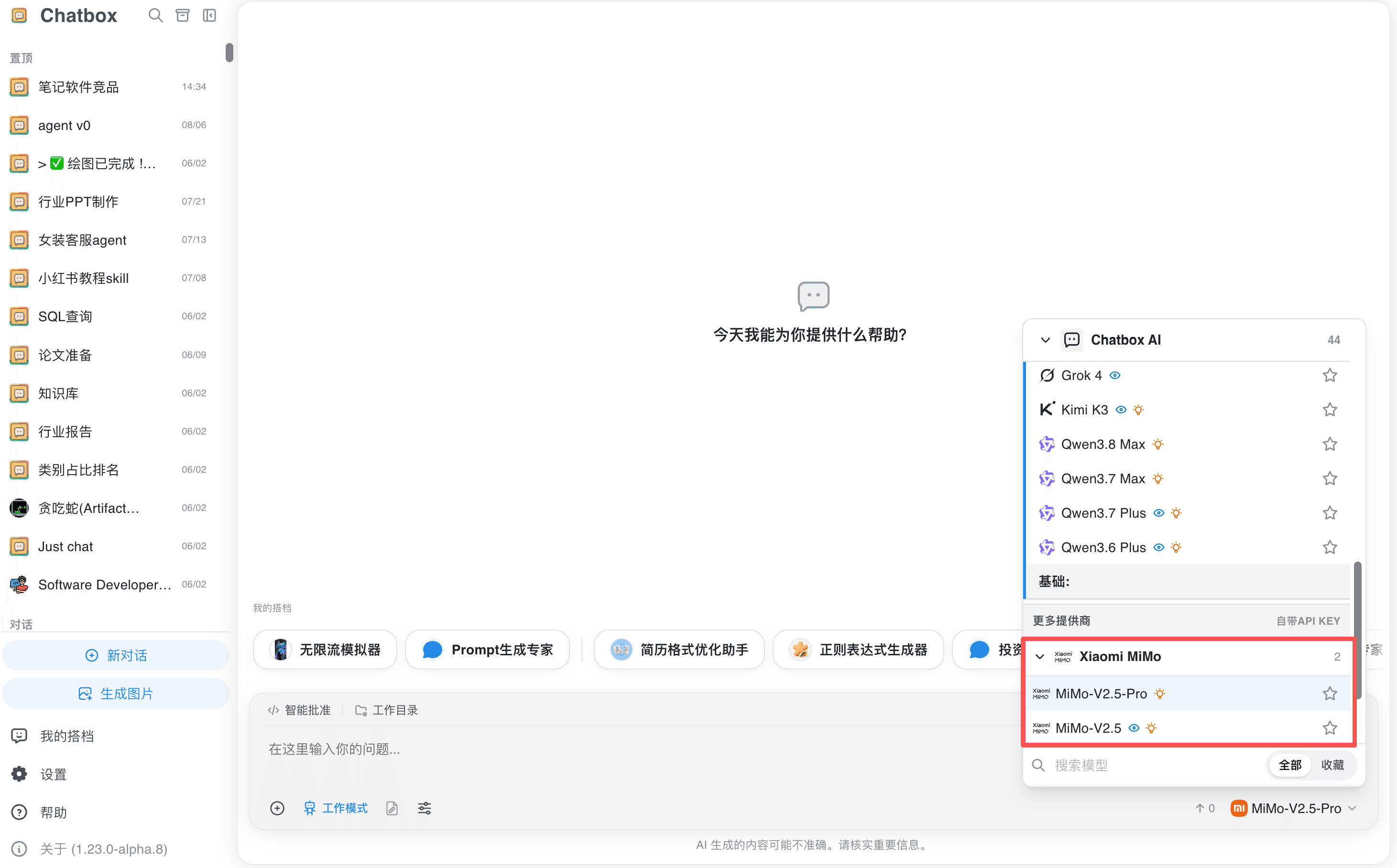
  1. 点击 API Key 右侧的「检查」。测试成功后,在模型列表中选择模型即可对话或开启工作模式。
图片
更新时间 2026 年 09 月 14 日

Copyright©2026 Xiaomi. All Rights Reserved | Cookie Policy | Cookie Preferences

We use cookies and similar technologies of our own to ensure the proper functioning of the website, customize content according to user preferences and analyze users' interactions on the website, as well as their browsing habits. You can find more information in our Cookie Policy. Select an option or go to Cookie Settings to manage your preferences. Learn More.