MiMo Desktop 配置
按量付费的 MiMo API 和 Token Plan 均支持 MiMo Desktop,可参考本文进行配置与使用。
前置工作
获取凭证
支持两种使用方式,但对应的凭证获取方式不同:
| 使用方式 | 说明 | 获取方式(以下为 BASE_URL 和 API Key 均为示例) |
|---|---|---|
| 按量付费 API 调用 | 按实际使用量计费,适合轻度使用 |
前往 API Keys 创建 API Key |
| Token Plan | 固定订阅费,按套餐限量调用 |
成功订阅后,前往 Token Plan 获取专属 Base URL 和 API Key |
安装 MiMo Desktop
MiMo Desktop 当前支持 macOS(ARM 架构)、Windows 操作系统。
以下内容以中国大陆版本的 MiMo Desktop 为例,海外用户请根据对应版本进行调整。
申请链接:
登录 MiMo Desktop
目前仅提供个人账号登录方式,需使用小米账号登录,如已注册过小米账号,可直接登录;若无小米账号,可访问 控制台 进行注册,或在 id.mi.com 提前注册。
使用 MiMo Desktop 预置模型
MiMo Desktop 目前预置了三款模型 mimo-v2.6-flash,mimo-v2.6-pro 和 mimo-v2.6-pro-ultraspeed。
如果不知道该选择哪一款模型,可以选择 Smart 模式,MiMo Desktop 将会自动评估任务类型、复杂程度、交付要求和执行成本,再自动匹配最适合当前任务的执行路径。
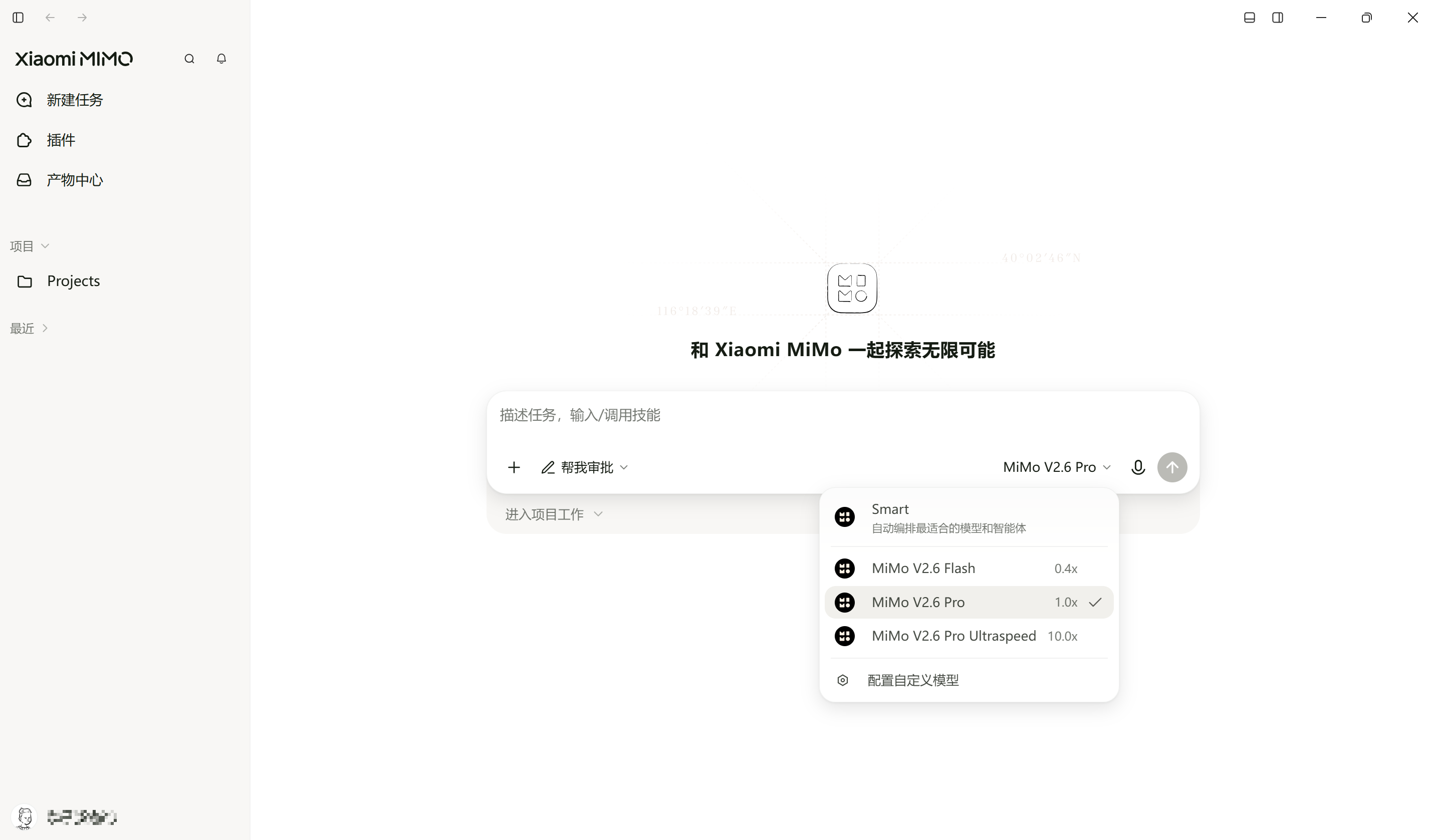
配置自定义模型
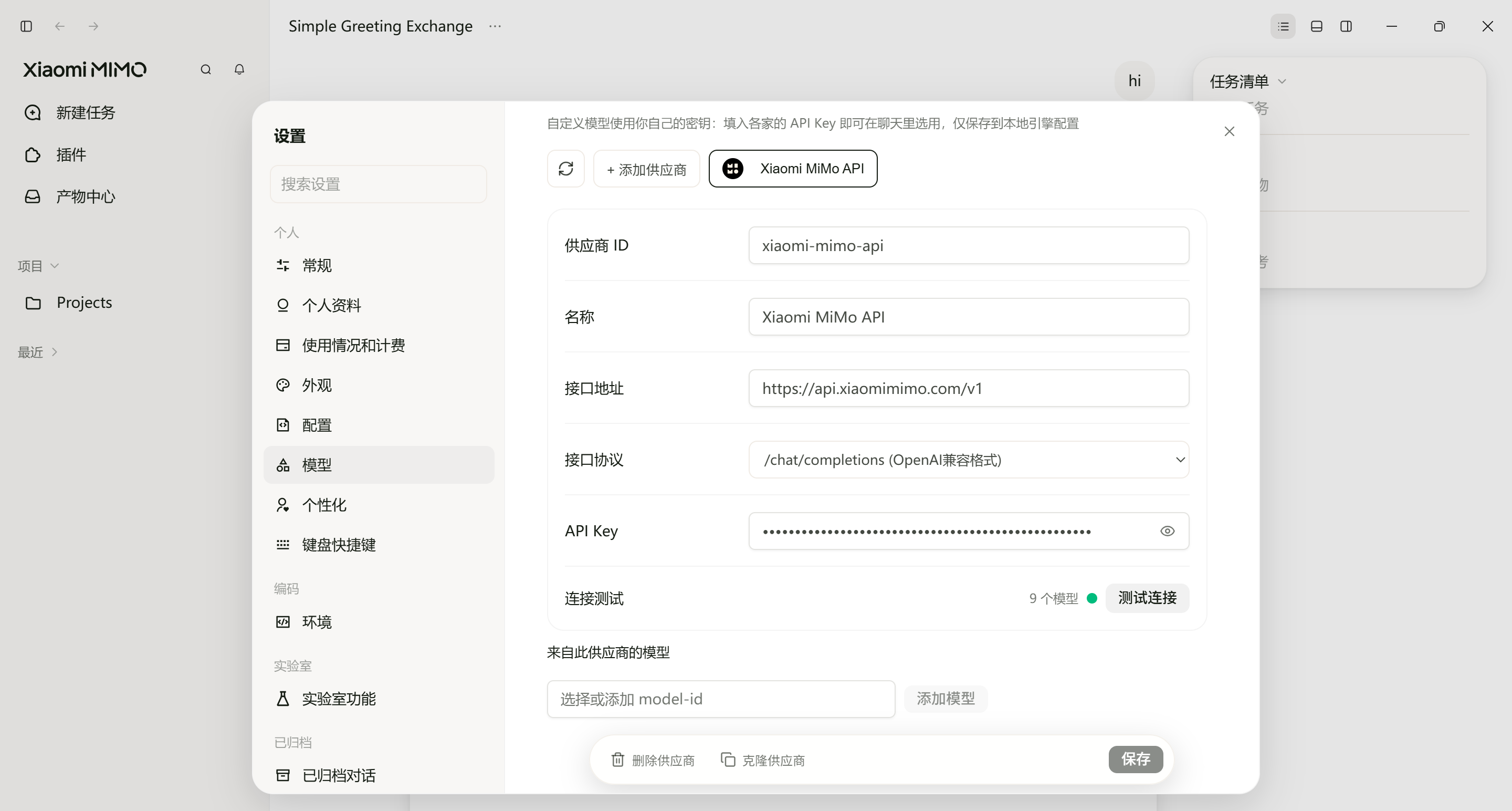
MiMo Desktop 支持自定义模型。以 Xiaomi MiMo API 为例,MiMo Desktop 已预置了该提供商,仅需输入 API Key 和模型名称(例如:mimo-v2.6-pro)即可使用。
注意
Xiaomi MiMo API 的 API Key(sk-xxxxx)与 MiMo Token Plan 的 API Key(tp-xxxxx 或 ttp-xxxxx)互不通用,请根据所使用的服务进行对应配置。
更新时间 2026 年 09 月 22 日