Chatbox AI Configuration
Pay-as-you-go MiMo API and Token Plan both support Chatbox AI, and you may refer to this article for configuration and usage instructions.
Preliminary Work
Obtain Credentials
Two usage modes are supported, but the methods for obtaining the corresponding credentials vary.
| Usage | Description | Acquisition Method (the following BASE_URL and API Key are for reference only) |
|---|---|---|
| Pay-as-you-go API calls | Pay-as-you-go pricing, ideal for light usage |
Go to API Keys to create an API Key |
| Token Plan | Fixed subscription fee, with call volume limited by the selected plan |
After successful subscription, go to Token Plan to get your exclusive Base URL and API Key |
Install Chatbox AI
Chatbox AI is an AI Client application and intelligent assistant that supports multi-model conversations.
-
Official Website Download: https://chatboxai.app/zh#download
Configure Basic Information
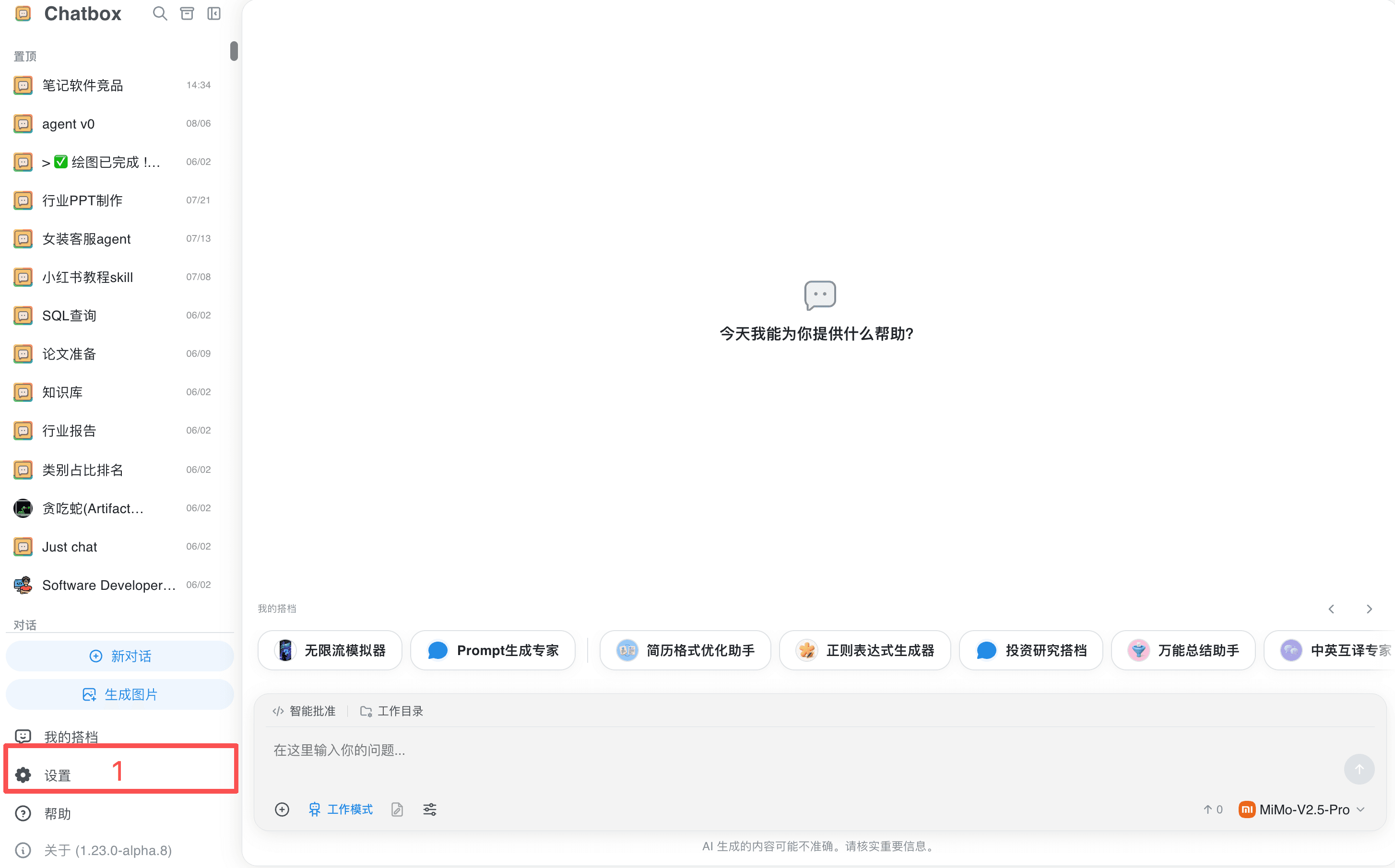
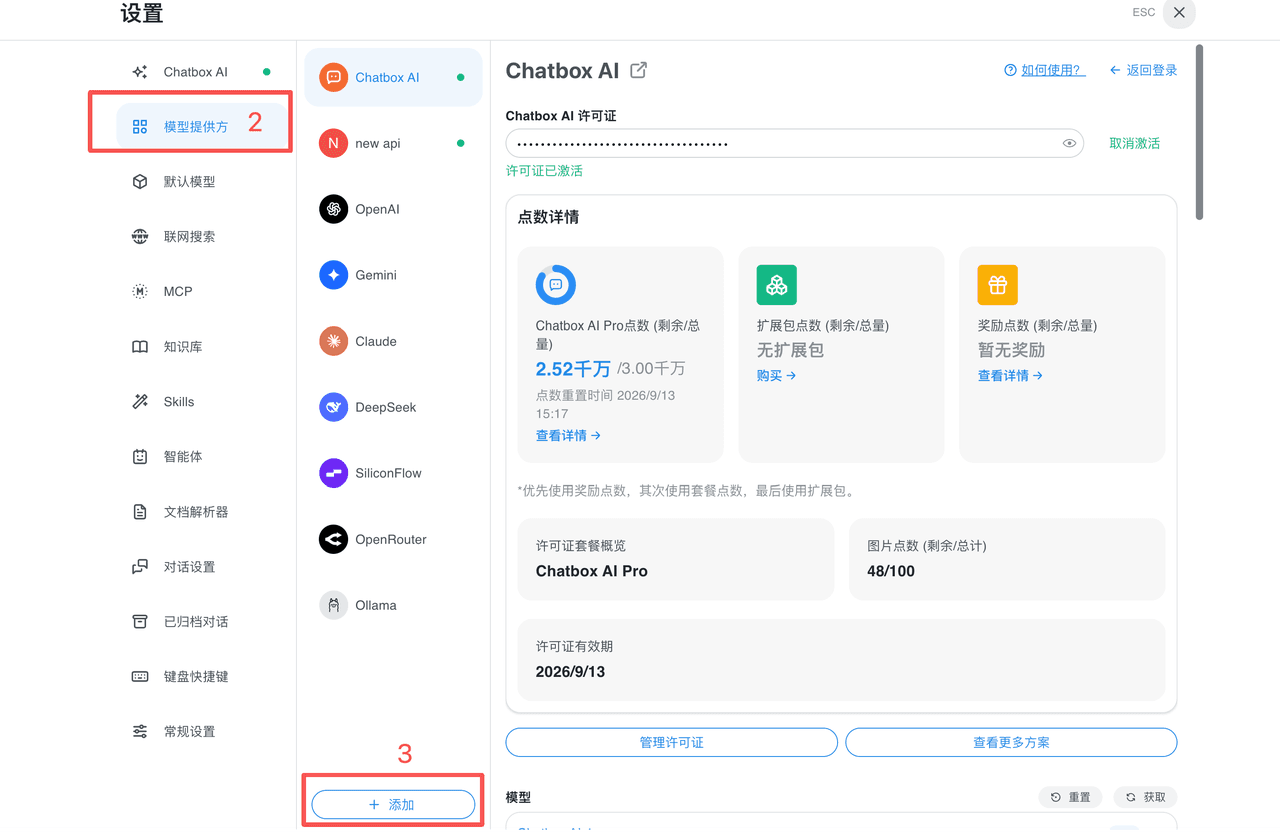
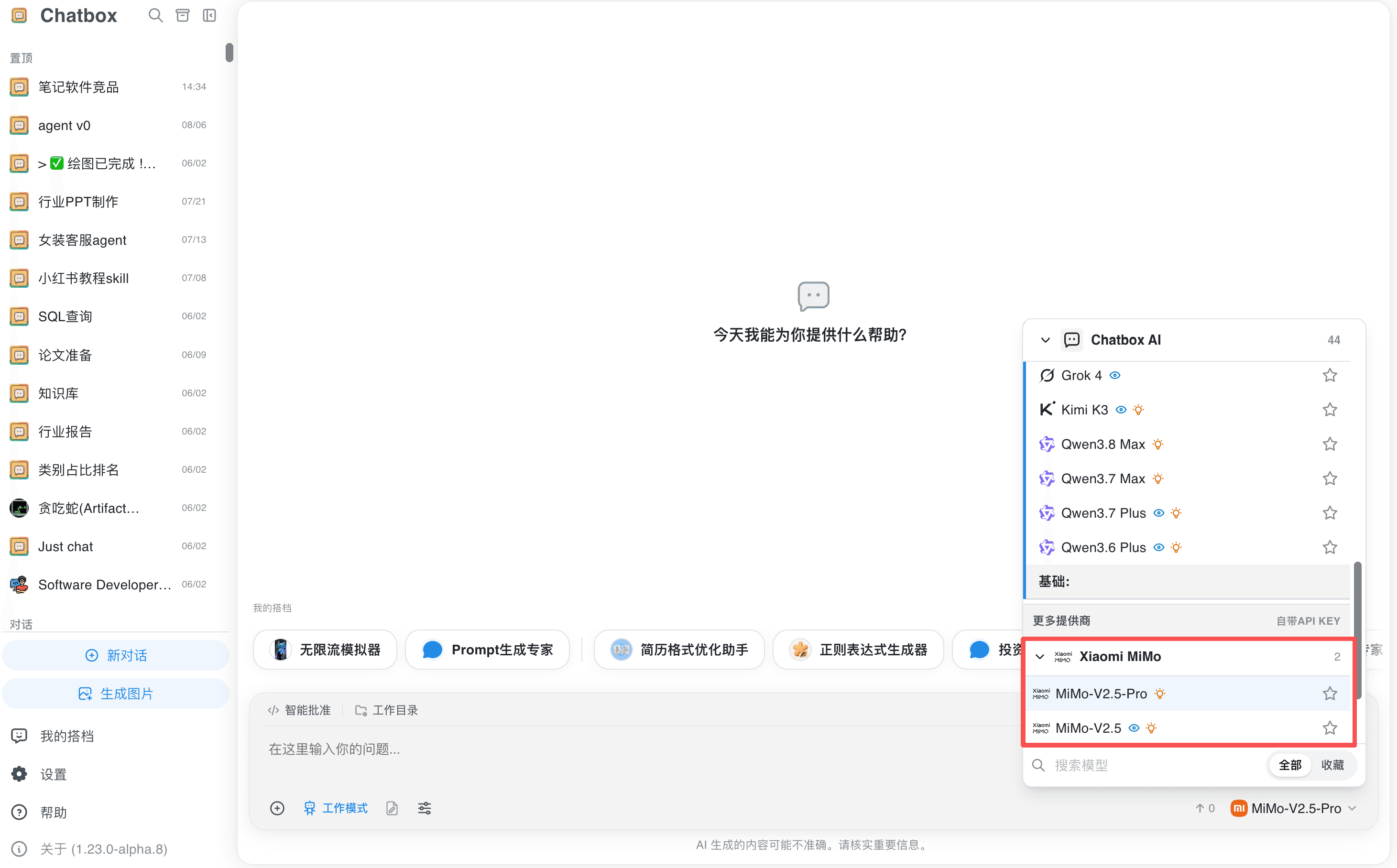
- Go to "Settings" → "Model Providers" → "Add".
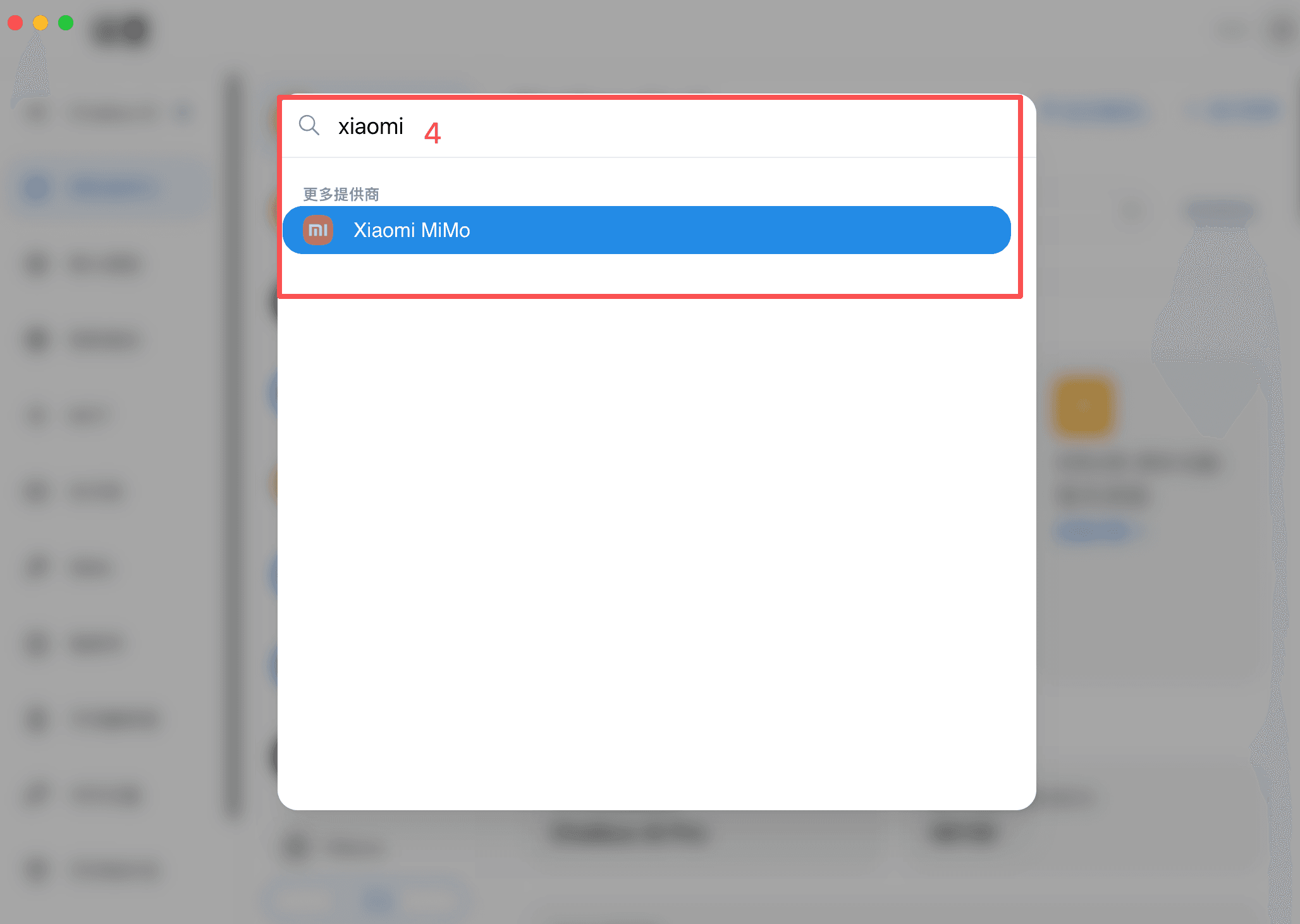
- Search for and select "Xiaomi MiMo".
- Fill in the API key: when using the pay-as-you-go API, only enter the API Key and keep the API host unchanged; when using the Token Plan, replace both the API Key and the API host with the exclusive values displayed on the package Console.
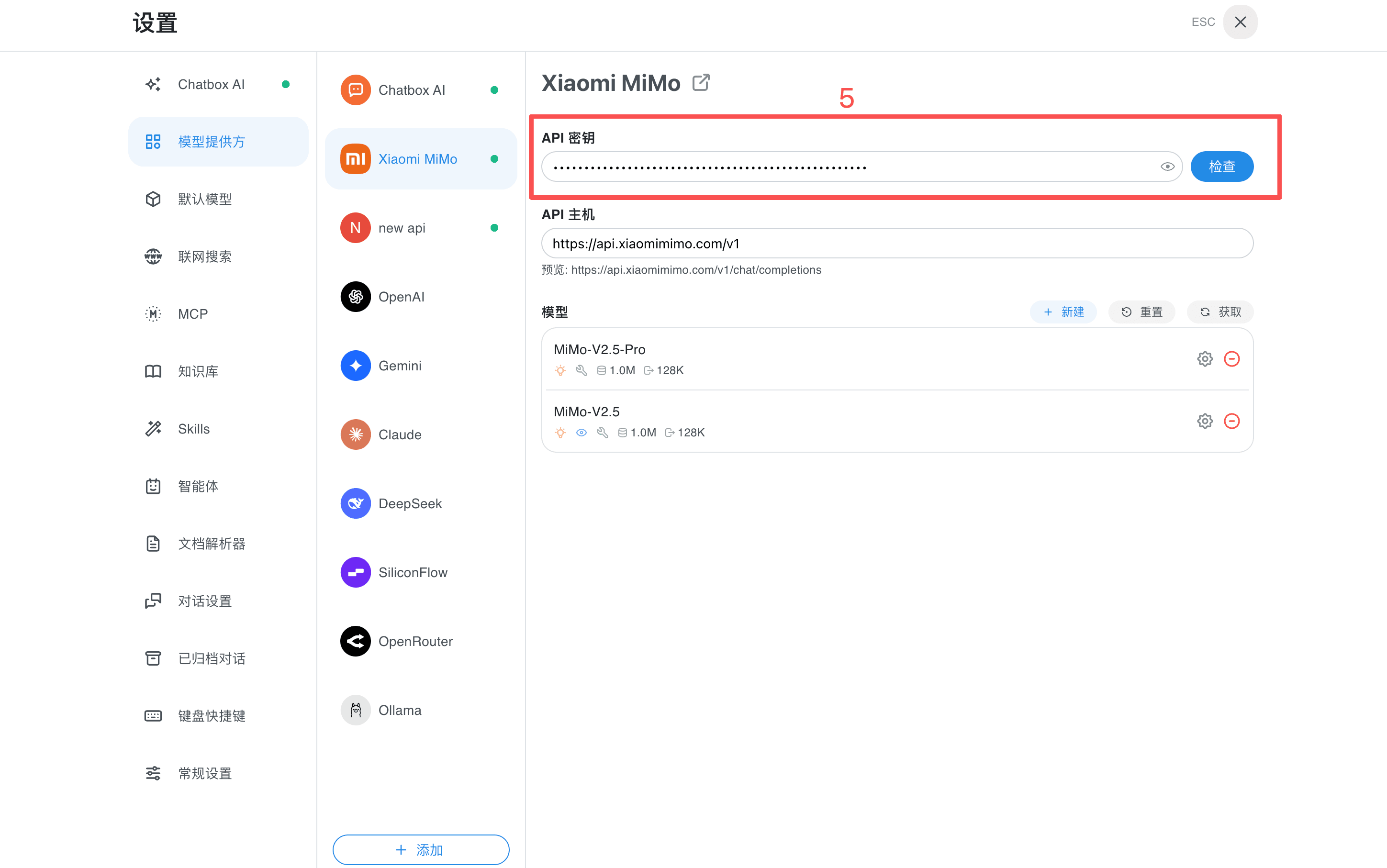
- Click the "Check" button on the right side of the API Key. After the test succeeds, select a model from the model list to start a conversation or enable the working mode.
Update Time September 22, 2026