DeepSeek Harness Configuration
Pay-as-you-go MiMo API and Token Plan both support DeepSeek Harness. Refer to this guide for configuration and usage.
Note
As of version V0.2.1-rc.2, we have observed that the default reasoning level for the built-in MiMo provider in DeepSeek Harness disables thinking capability, which impacts MiMo’s quality and performance.
Under the previous configuration, this default policy automatically turned off thinking. Starting from 2026-10-26 UTC+8, thinking capability will be enforced. Users affected by this change are advised to start a new session.
Prerequisites
Obtain Credentials
Supports two usage methods, but the corresponding credential acquisition methods are different:
| Usage Method | Description | Acquisition Method (BASE_URL and API Key below are examples) |
|---|---|---|
| Pay-as-you-go MiMo API | Charged based on actual usage, suitable for light use |
Go to API Keys to create an API Key |
| Token Plan | Fixed subscription fee, with limited calls based on the package |
After successful subscription, go to Token Plan to obtain the exclusive Base URL and API Key |
Install and start DeepSeek Harness
Desktop
Go to the DeepSeek Harness website to download the macOS (Apple silicon) or Windows (64-bit) installer, then open it after installation.
Add a model provider
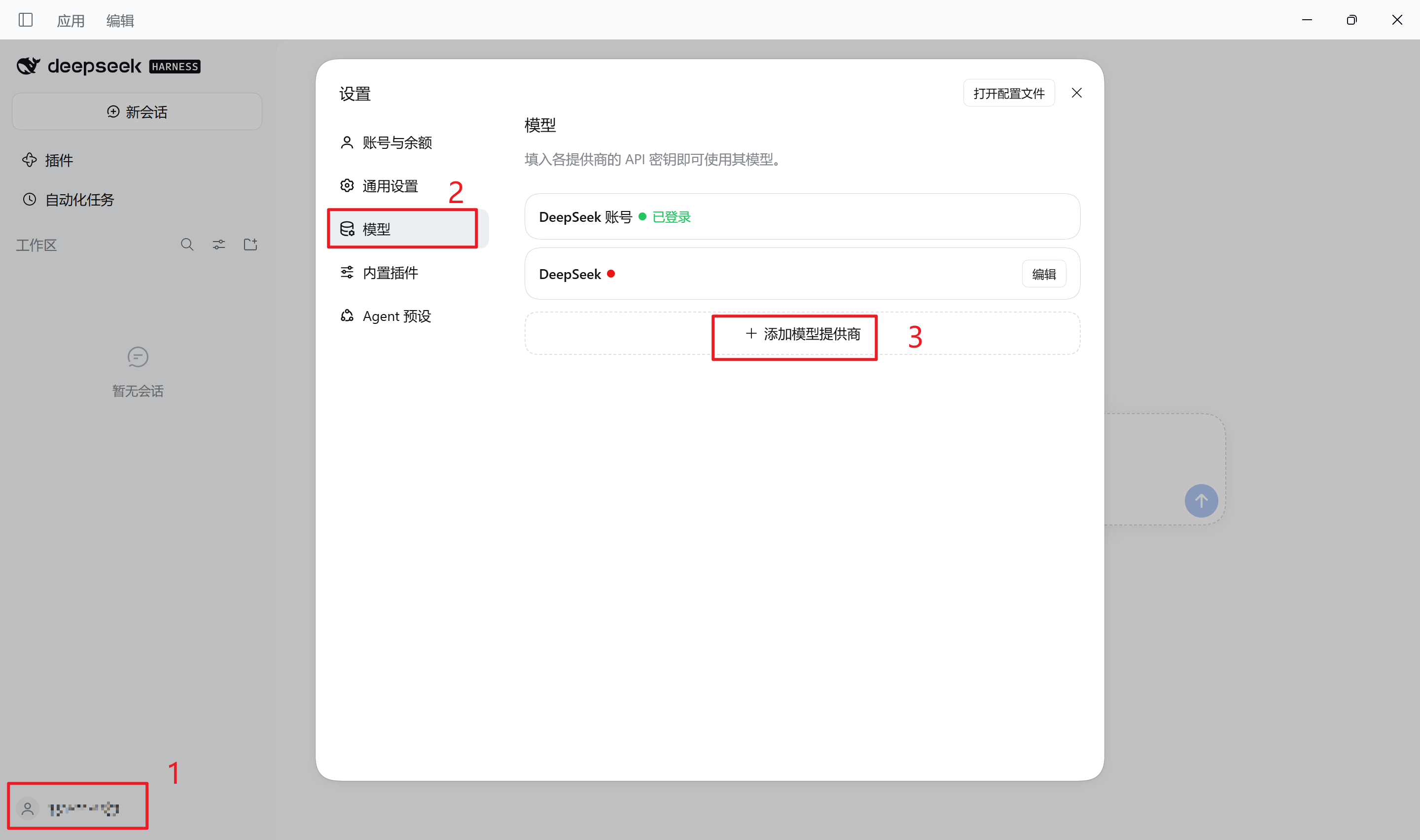
1. Click Settings → Models → Add model provider, then select Third-party model provider
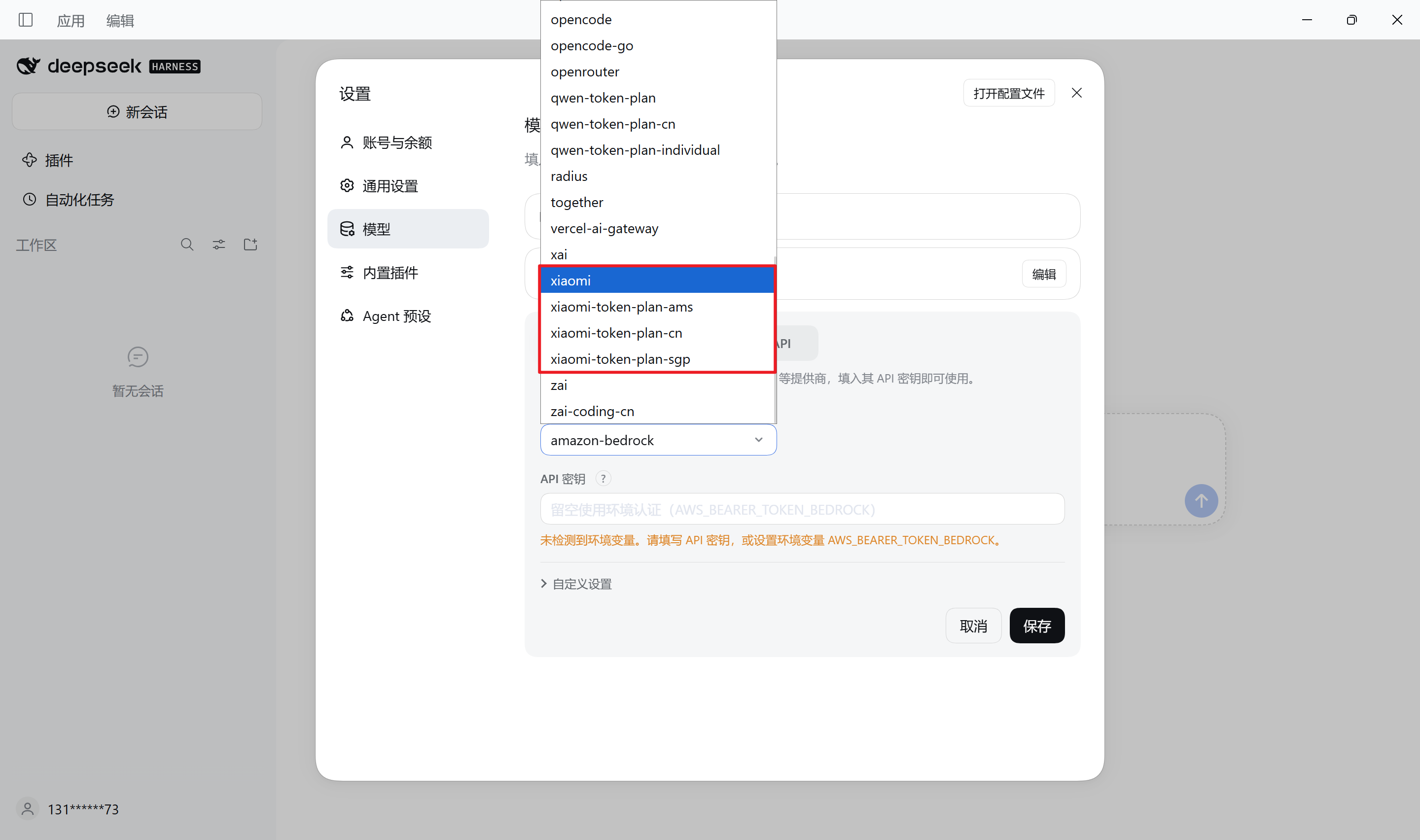
2. Select the provider that matches your credential type, then enter its API key
When you select
xiaomi, the Base URL is prefilled with the pay-as-you-go API endpoint; enter the corresponding API key. For Token Plan, selectxiaomi-token-plan-cn/-sgp/-amsaccording to your subscription region.
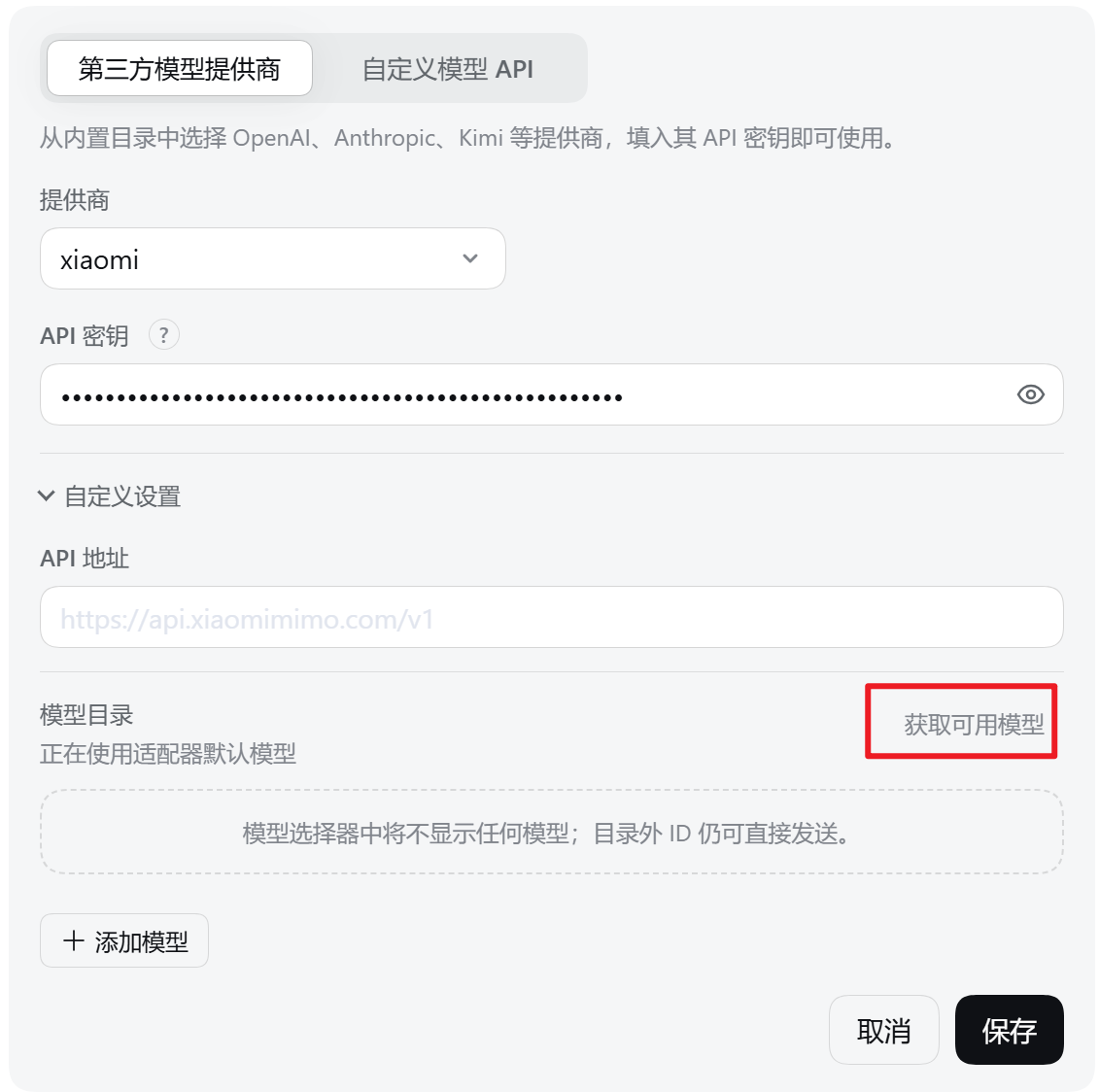
3. Expand Customized settings and click Fetch available models; select the models you need, then click Save
Use MiMo models
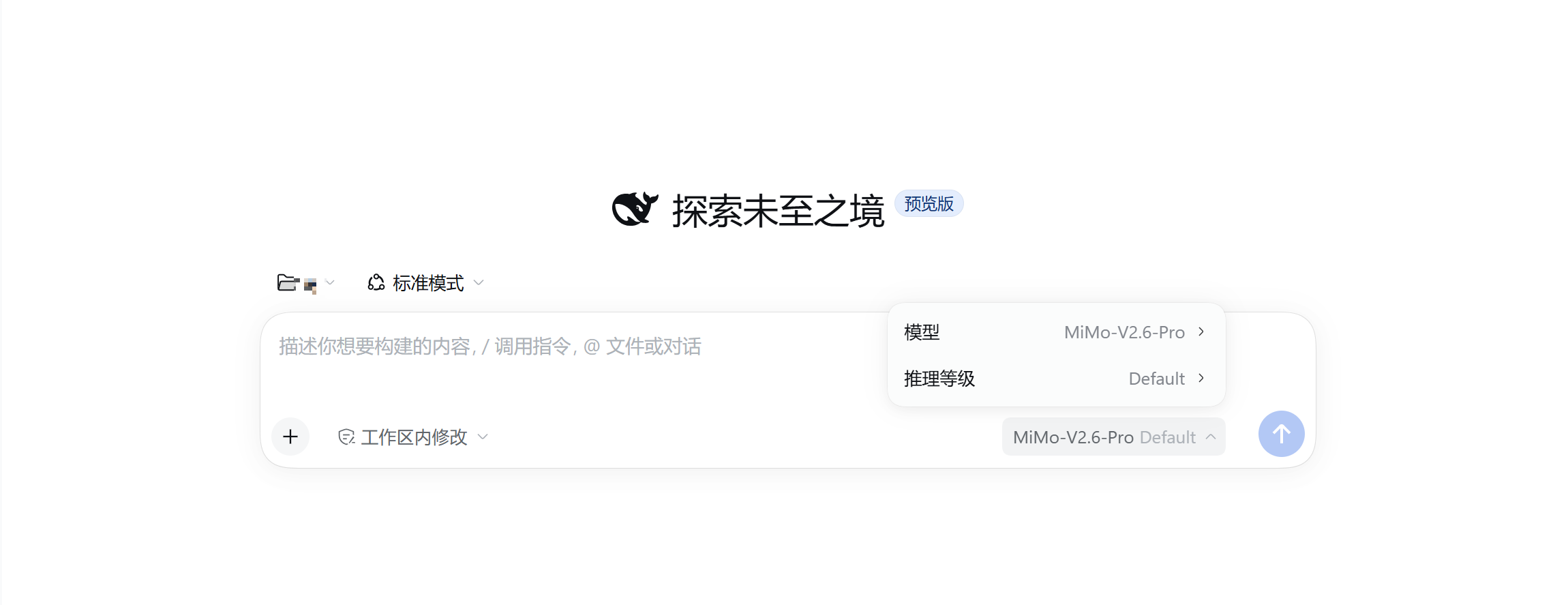
Click the model selector in the input box to switch MiMo models; Click Reasoning levels to switch the thinking level.
Selecting Default turns thinking off. We recommend switching to Low, Medium, or High for better results.