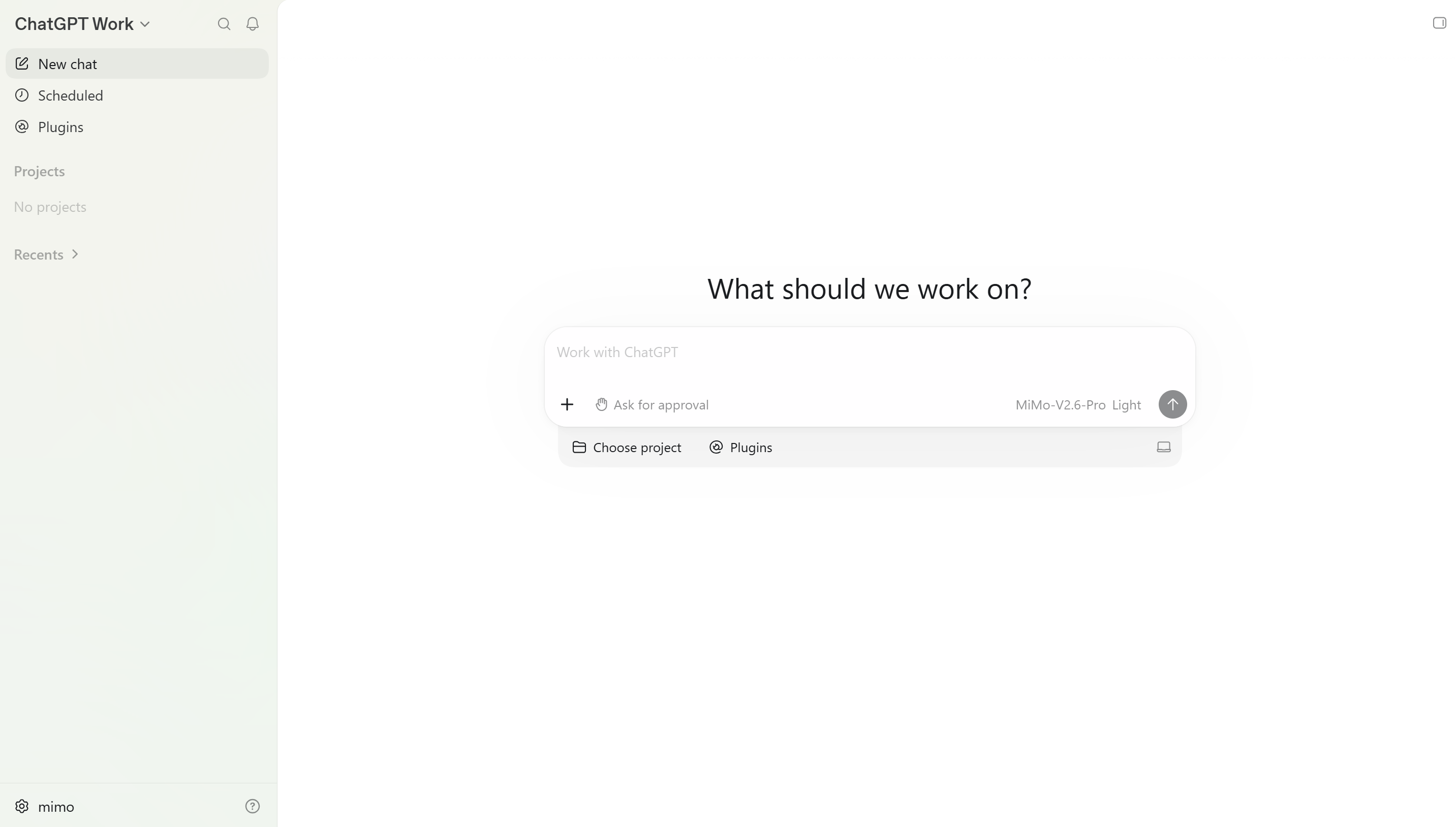
Codex Configuration
Pay-as-you-go MiMo API and Token Plan both support Codex. Refer to this guide for configuration and usage.
MiMo now supports the Responses API. Users who are using the Chat Completions API can follow this document to update.
Prerequisites
Obtain Credentials
Two usage methods are supported, but the corresponding credential acquisition methods differ:
| Usage Method | Description | Acquisition Method (BASE_URL and API Key below are examples) |
|---|---|---|
| Pay-as-you-go API | Charged based on actual usage, suitable for light use |
Go to API Keys to create an API Key |
| Token Plan | Fixed subscription fee, with limited calls based on the package |
After successful subscription, go to Token Plan to obtain the exclusive Base URL and API Key |
Install Codex
Prerequisites: Node.js 18 or a later version must be installed first.
Installation command:
npm install -g @openai/codex
Verify the installation (a version number output indicates success):
codex --version
Edit Configuration File
Note
- When configuring basic information, first check if the
MIMO_API_KEYenvironment variable exists. If it does, please clear it or replace the value with the API Key obtained through the corresponding usage method. - To switch models directly via the
/modelcommand, refer to the "Further Reading - Custom MiMo Model Configuration" section and configure themodel-catalogs.jsonfile.
Configuration file paths:
-
macOS/Linux:
~/.codex/config.toml -
Windows:
User directory\.codex\config.toml -
Below are the complete configuration examples. The
modelfield can be changed to other supported models (e.g.,mimo-v2.5) as needed.
Pay-as-you-go
1. Edit or create the configuration file config.toml
model = "mimo-v2.5-pro"
model_provider = "mimo"
model_reasoning_effort = "high"
# Enable model reasoning summaries; if set to false, model_reasoning_effort will not take effect even if configured
model_supports_reasoning_summaries = true
model_reasoning_summary = "none"
model_context_window = 1048576
web_search = "disabled"
[model_providers.mimo]
name = "mimo"
base_url = "https://api.xiaomimimo.com/v1"
env_key = "MIMO_API_KEY"
wire_api = "responses"
2. Configure the environment variable MIMO_API_KEY
Pay-as-you-go uses an API Key starting with sk-.
-
macOS/Linux
echo 'export MIMO_API_KEY="sk-your-api-key-here"' >> ~/.bashrc source ~/.bashrc -
Windows (CMD)
# Run the following command in CMD setx MIMO_API_KEY "sk-your-api-key-here" # After success, open a new command prompt and run the following to verify the variable is set. echo %MIMO_API_KEY%
Token Plan
1. Edit or create the configuration file config.toml
model = "mimo-v2.5-pro"
model_provider = "mimo"
model_reasoning_effort = "high"
# Enable model reasoning summaries; if set to false, model_reasoning_effort will not take effect even if configured
model_supports_reasoning_summaries = true
model_reasoning_summary = "none"
model_context_window = 1048576
web_search = "disabled"
[model_providers.mimo]
name = "mimo"
base_url = "https://token-plan-cn.xiaomimimo.com/v1"
env_key = "MIMO_API_KEY"
wire_api = "responses"
2. Configure the environment variable MIMO_API_KEY
Token Plan uses an API Key starting with tp-.
-
macOS/Linux
echo 'export MIMO_API_KEY="tp-your-api-key-here"' >> ~/.bashrc source ~/.bashrc -
Windows (CMD)
# Run the following command in CMD setx MIMO_API_KEY "tp-your-api-key-here" # After success, open a new command prompt and run the following to verify the variable is set. echo %MIMO_API_KEY%
Use Codex CLI
After completing the above configuration, open a new terminal and run the following command to start Codex.
codex
Use Codex IDE Plugin
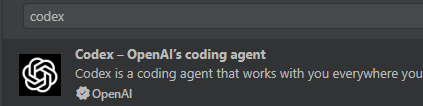
Codex provides a VS Code plugin. Search for "Codex" in the VS Code Extension Marketplace to install it. The plugin automatically reuses the existing local Codex configuration. If you have never used the Codex command-line tool, please follow the specifications in the "Edit Configuration File" section to complete the configuration.
Further Reading
Custom MiMo Model Configuration
Codex supports custom model parameter configuration, allowing fine-grained and personalized adaptation for MiMo models. After configuration, type /model in the Codex CLI to see MiMo models and their corresponding reasoning levels in the model list, and switch between them at any time.
Key Field Descriptions
| Field | Description |
|---|---|
slug |
Unique internal identifier for the model; must exactly match the backend API model name |
display_name |
Model name displayed in the frontend UI; can be the same as slug or a custom display name |
description |
Model description text, used for hover tooltips in the model list and model detail views |
default_reasoning_level |
Default reasoning intensity level for new sessions. For MiMo models, none disables thinking; other values enable thinking |
supported_reasoning_levels |
List of reasoning intensity configurations available for users to switch between, containing effort identifiers and description text. none and high are provided as examples |
shell_type |
Tool execution environment type. The example uses "shell_command", indicating support for Shell command tools |
visibility |
Model visibility strategy in the client UI; list means normal display |
supported_in_api |
Whether the model is open for standard API calls; true means external programs can call it via API |
priority |
UI sorting weight; smaller numbers appear earlier, 1 represents high priority pinned at the top |
base_instructions |
System prompt |
supports_reasoning_summaries |
Whether the model supports reasoning summary output. When true, requests carry reasoning parameters; when false, all reasoning fields are cleared and the reasoning level (reasoning_level) configuration becomes ineffective |
default_reasoning_summary |
Default reasoning summary output mode; none means no separate reasoning summary is output |
support_verbosity |
Whether output verbosity control is supported; false means text verbosity level switching is not yet supported |
truncation_policy |
Context truncation strategy; mode is the truncation unit, limit is the maximum byte limit per context |
supports_parallel_tool_calls |
Whether parallel multi-tool calls are supported; false means only sequential calls are supported |
supports_image_detail_original |
Whether original high-resolution image parsing is supported for image input; true means using the full original resolution |
context_window |
Model nominal total context window size; 1048576 = 1M context window |
max_context_window |
Maximum supported context window limit |
effective_context_window_percent |
Actual usable context percentage; 95 means reserving a 5% safety buffer to prevent exceeding the limit |
experimental_supported_tools |
Experimental feature tool whitelist; an empty array [] means no additional beta tools are currently available |
input_modalities |
Supported input modality types; ["text", "image"] means text + image input is supported |
supports_search_tool |
Whether built-in web search tool capability is supported; false means web search is not supported |
Configuration Steps
-
Edit or create the
.codex/model-catalogs/model-catalogs.jsonfile for detailed MiMo model configuration (Takemimo-v2.5-proandmimo-v2.5as examples){ "models": [ { "slug": "mimo-v2.5-pro", "display_name": "mimo-v2.5-pro", "description": "MiMo-v2.5-Pro: Trillion-parameter Flagship Agent Foundation", "default_reasoning_level": "high", "supported_reasoning_levels": [ { "effort": "none", "description": "Disable Thinking" }, { "effort": "high", "description": "Enabled Thinking" } ], "shell_type": "shell_command", "visibility": "list", "supported_in_api": true, "priority": 0, "base_instructions": "You are MiMo, an AI assistant developed by Xiaomi. Today's date: {date} {week}. Your knowledge cutoff date is December 2024.", "supports_reasoning_summaries": true, "default_reasoning_summary": "none", "support_verbosity": false, "truncation_policy": { "mode": "bytes", "limit": 10000 }, "supports_parallel_tool_calls": false, "supports_image_detail_original": false, "context_window": 1048576, "max_context_window": 1048576, "effective_context_window_percent": 95, "experimental_supported_tools": [], "input_modalities": ["text"], "supports_search_tool": false }, { "slug": "mimo-v2.5", "display_name": "mimo-v2.5", "description": "MiMo-V2.5: Native Omni-modal Perception Model", "default_reasoning_level": "high", "supported_reasoning_levels": [ { "effort": "none", "description": "Disable Thinking" }, { "effort": "high", "description": "Enabled Thinking" } ], "shell_type": "shell_command", "visibility": "list", "supported_in_api": true, "priority": 1, "base_instructions": "You are MiMo, an AI assistant developed by Xiaomi. Today's date: {date} {week}. Your knowledge cutoff date is December 2024.", "supports_reasoning_summaries": true, "default_reasoning_summary": "none", "support_verbosity": false, "truncation_policy": { "mode": "bytes", "limit": 10000 }, "supports_parallel_tool_calls": false, "supports_image_detail_original": true, "context_window": 1048576, "max_context_window": 1048576, "effective_context_window_percent": 95, "experimental_supported_tools": [], "input_modalities": ["text", "image"], "supports_search_tool": false } ] } -
Add the following configuration at the root level of the
config.tomlfile
-
macOS/Linux
model_catalog_json = "~/.codex/model-catalogs/model-catalogs.json" -
Windows
model_catalog_json = "User directory/.codex/model-catalogs/model-catalogs.json"