MiMo Code Configuration
MiMo Code is an AI-powered coding assistant developed by Xiaomi, available as a CLI tool in the terminal. Both pay-as-you-go MiMo API and Token Plan are supported by MiMo Code. Refer to this guide for configuration and usage.
Limited-Time Offer
After completing authorization for MiMo Code, each user is entitled to 1000 free web search queries per day. Once the quota is exceeded, please activate the relevant service on the open platform and ensure your account has sufficient balance.
Prerequisites
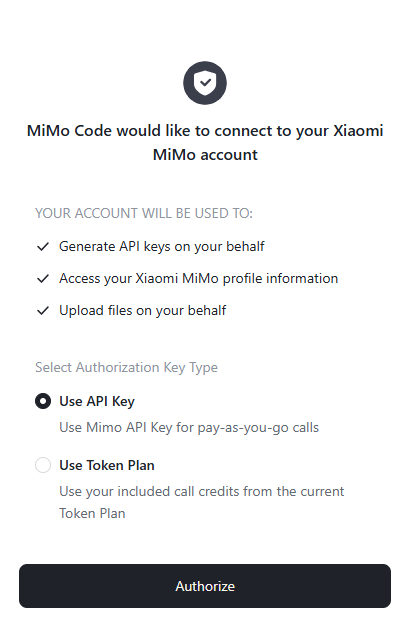
MiMo Code supports direct redirection to the Xiaomi MiMo API Platform for authorization login, or you can log in using the authorization code returned by the platform. No manual API Key configuration is required. The system provides two key types for you to choose from based on your usage scenario.
Note: Before authorizing and logging into MiMo Code, please ensure your account on the open platform has sufficient balance or a valid Token Plan. Otherwise, the authorization will fail.
| Usage | Description | How to Obtain and Manage |
|---|---|---|
| Pay-as-you-go API | Billed by actual usage, suitable for light usage | After authorization, the platform will automatically create a new API Key prefixed with mimo-code-cli-key. You can view and manage it on the API Keys page. |
| Token Plan | Fixed subscription fee with limited calls per plan | You can view the current Token Plan quota, usage, and expiration on the Token Plan page. |
Install MiMo Code
MiMo Code supports two installation methods.
Method 1: Official Script Installation (for macOS/Linux)
For a better user experience, Mac users are strongly recommended to use iTerm or VSCode Terminal.
curl -fsSL https://mimo.xiaomi.com/install | bash
Method 2: npm Installation (for Windows)
Requires Node.js 18 or later.
npm install -g @mimo-ai/cli
Verify Installation (a version number output indicates successful installation):
mimo --version
Connect Provider
You can connect to the Xiaomi MiMo provider in two ways:
1. MiMo Code Already Running
Run the /connect or /login command in the interactive interface, and select Xiaomi as the provider.
2. MiMo Code Not Yet Running
Run the following command directly in the terminal and select MiMo to complete authorization.
mimo auth login
After confirmation, the MiMo authorization login popup will automatically appear. Follow the prompts to complete the login, and then select your preferred authorization key type based on your usage scenario:
Use MiMo Code
Quick Start
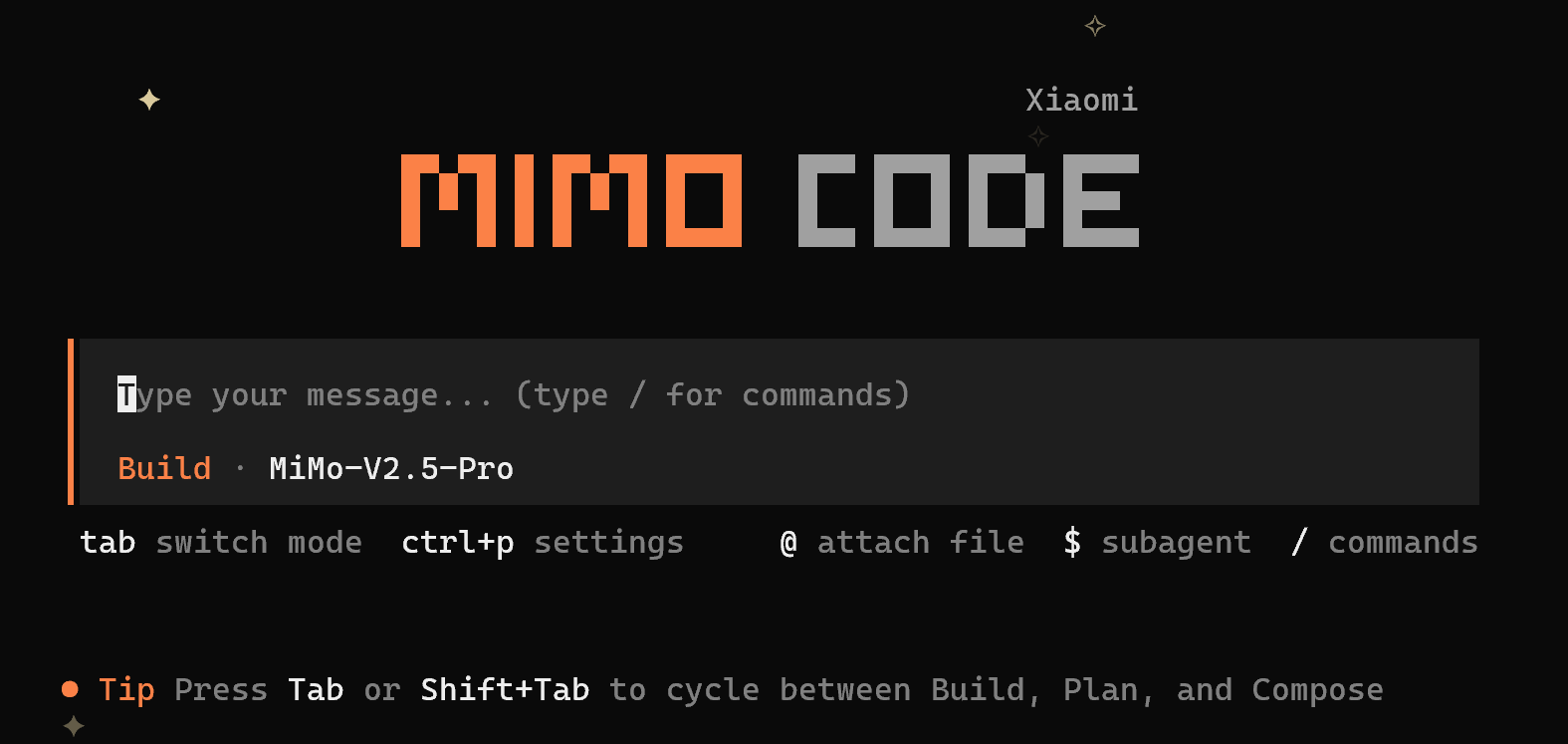
Follow these steps to use MiMo Code in your project:
# 1. Navigate to your project directory
cd /path/to/your/project

# 2. Launch MiMo Code
mimo

# 3. (Recommended) Initialize project configuration on first use
/init
It is strongly recommended to run the /init command on first use:
-
It automatically analyzes your project structure and coding conventions
-
Generates an
AGENTS.mdfile in the project root directory -
MiMo Code will use this file to better understand your project context, improving interaction quality
For more commands and detailed usage, please refer to the MiMo Code Official Documentation.
Model Selection
Run the /models command to view and select from the currently available models.
FAQ
What should I do if I encounter the following error when verifying the installation on Windows?
It seems that your package manager failed to install the right version of the mimocode CLI for your platform. You can try manually installing "@mimo-ai/mimocode-windows-x64" or "@mimo-ai/mimocode-windows-x64-baseline" package
Answer: Run the command npm install -g @mimo-ai/mimocode-windows-x64 as indicated to resolve the issue.
Why can't I see the model's reasoning content?
Answer: MiMo Code does not display the model's reasoning content by default. You can use the /thinking command to toggle the visibility of reasoning blocks in the conversation. Once enabled, you can view the complete reasoning process of models that support extended thinking.
Note: This command is not a toggle for the model's thinking function. It cannot enable or disable the model's thinking process.
Why does authorization fail?
Answer: Please check if your account on the open platform has sufficient balance or a valid Token Plan.